 MetaTrader 5
 Uzmanlar
 Göstergeler
 Kütüphaneler
 Yardımcı programlar
 Widgetlar
 Kurallar
YouTube'dan Mağaza ile ilgili öğretici videoları izleyin
Bir alım-satım robotu veya gösterge nasıl satın alınır?
Uzman Danışmanınızı
sanal sunucuda çalıştırın
sanal sunucuda çalıştırın
Satın almadan önce göstergeyi/alım-satım robotunu test edin
Mağazada kazanç sağlamak ister misiniz?
Satış için bir ürün nasıl sunulur?
MetaTrader 5 için yeni alım-satım yardımcı programları - 63
 Aşağıda MetaTrader 5'te işlem yapmayı kolaylaştıran alım-satım programları bulunmaktadır. Açıklamasını ve amacını okumak için aşağıdaki listeden ürünün üzerine gelin.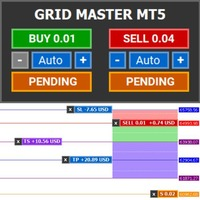
Introducing Grid Master MT5, your ultimate trading utility designed to revolutionize the management of single or multiple orders with unparalleled ease and effectiveness. Features : Clean and user friendly UI : With the benefits of fellow traders in mind, the graphical interface is beautifully designed to allow maximum clarity and effectiveness for managing trades Efficient Bulk Order Handling : Say good bye to having to close/set take profit/set stoploss of every order in a grid one by one be

This utility keeps a watchful eye on your trading terminals and ensures that you are notified if any of them are disconnected. Simply attach the utility to a chart and connect to a monitoring service who can notify you.
We use UptimeRobot for both VPS and terminal monitoring; however, any service supporting heartbeat monitoring can be employed.
Many such services offer free plans and various notification methods, such as Cronitor.io
FREE

This expert basically copies all trades from a prop trading account to a private live account (Master Slave Copier). USP! What it makes unique is the fact, that this EA can revert the trades and calculate orignal lots in way, that you earn money for every lost prop firm challange trade. For example: If you lose a 100K challange and you paid 500$ for it, the EA recovers those losses on your private live account. If you win the challange, sure, you lost around 500$ on your private live account b

Close Positions on Candle Close This tool allows you to automatically close positions based on the last candle's closing price, helping confirm trade exits and avoiding unpredictable price movements. How It Works: The EA waits for a candle to close above or below the Stop Loss level before executing a position close. It eliminates the need to manually monitor trades and helps automate exit strategies. Settings: Order_Type: Select the types of orders or positions to be managed. CandleTimeFrame:
FREE
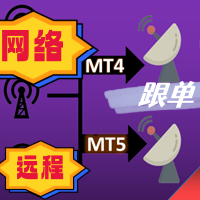
The most friendly interactive interface for ordering, the most abundant easy-to-use functions, and the best ordering plan. \
Remote copying version!!!!! You need to ask the author for the server ID
EASY : Easy to use, just load and select the signal source or receiver to use. FAST: Fast copy of orders, algorithm-optimized order-following mechanism, priority calculation of new signals, priority queue processing for special signals received Multiple: 1. Support multiple signals to be sen

Smart Trade Manager for Layering & BE This trading tool automates trade management by handling entry positions, Break-Even (BE), and Take Profit (TP) dynamically. It allows traders to layer trades and protect their profits without manual intervention. Key Features: Secure profits automatically by setting BE once a trade reaches profit. Distribute trade volume across multiple entries to average the price. Set multiple TP targets to scale out of positions efficiently. Use tick

Expert Description: Equity Profits EA ( Mt5 Version )
Overview: Hello everyone, I am back with a new and updated version of " Equity Profits EA ", but this time for MetaTrader 5.
Yes, the same utility Expert Advisor has been created before for MetaTrader 4.
You can find the explanation of how the Expert Advisor works and all the details in the following link: [Link] https://www.mql5.com/en/market/product/105174?source=Site +Market+Product+Page
Inputs Parameter:
input autoEquity_profits =

Description: Dimatis Sniper is a convenient tool designed to simplify order placement and risk evaluation for traders. By displaying the risk amount directly on the screen, this tool allows traders to assess risk in real-time, facilitating informed decision-making before executing transactions. Key Features: Real-Time Risk Assessment: Evaluate the risk associated with each transaction instantly on your screen, facilitating informed decision-making. Visual Representation of Risks: Use intuitive v

GLX1 Renko Euro Expert Advisor (EA) can create the Renko bar charts on EURUSD or EURAUD symbols only. The Renko charts are generated as real-time custom EURUSD or EURAUD charts which can be further used for technical analysis with any MT5 compatible indicator. If you want to create Renko charts on any symbol, please use GLX1 Renko Builder Expert Advisor from here. https://www.mql5.com/en/market/product/115077
Included Features: Truly responsive Renko Charting on a custom EURUSD or EURA
FREE

GLX1 Renko Builder Expert Advisor (EA) can create the Renko bar charts on any symbol. The Renko charts are generated as real-time custom symbol charts which can be further used for technical analysis with any MT5 compatible indicator.
Find the free GLX1 Renko Euro Expert Advisor from here. https://www.mql5.com/en/market/product/115074
Included Features:
Truly responsive Renko Charting on a custom symbol chart Accurate automatic live chart update Ability to attach any MT5 indicator Abi

This EA offers following features to automatically increase the volume of the lot received from your signal: you can manually set the multiplier using the "multiplier" parameter; Risk control is implemented. You can set the maximum lots-to-account balance ratio using the "ratio" parameter; The "stop loss" an "take profil" levels are synchronized from the corresponding signal tickets; One-to-one replication. Each signal ticket corresponds to a copied ticket; MT4 version: https://www.mql5.com

Утилита работает на основе двух индикаторов Moving Average 100 и Stochastic (10/3/3). Как только сформировался выгодный сигнал, данный утилита пришлет сигнал в телеграм, который будет содержать актуальный скриншот, тип сделки, а так же две кнопки с возможностью войти в сделку или же отклонить сигнал. Утилита анализирует сразу все валютные пары. Помимо всего прочего утилита открывает сделку исходя из основ манименеджмента, устанавливает стоп лосс и тейк профит.
Подробнее смотрите в нашем телегр

TİCARİ FOTOKOPİ MAKİNESİ - YATIRIMCI ŞİFRESİ - KOPYA TİCARET - MT4 x MT5 CROSS PLATFORM
Not: Müşteri hesabının takip edeceği ana hesapta hem "Mirror Copier Master"a hem de ana hesabı takip edecek müşteri hesabında "Mirror Copier Client"a ihtiyacınız vardır.
Bloglar : https://www.mql5.com/en/blogs/post/756897
NASIL ÇALIŞIR :
https://www.youtube.com/watch?v=V7FNpuzrg5M
MT4 Sürümü
Usta : https://www.mql5.com/en/market/product/114774
Müşteri: https://www.mql5.com/en/market/product/114843
FREE

TİCARİ FOTOKOPİ MAKİNESİ - YATIRIMCI ŞİFRESİ - KOPYA TİCARET - MT4 x MT5 CROSS PLATFORM
Not: Müşteri hesabının takip edeceği ana hesapta hem "Mirror Copier Master"a hem de ana hesabı takip edecek müşteri hesabında "Mirror Copier Client"a ihtiyacınız vardır.
Bloglar : https://www.mql5.com/en/blogs/post/756897
NASIL ÇALIŞIR :
https://www.youtube.com/watch?v=V7FNpuzrg5M
MT4 Sürümü
Usta : https://www.mql5.com/en/market/product/114774
Müşteri: https://www.mql5.com/en/market/product/114843

Introducing the Candle Countdown - Your Ultimate Trading Companion! Elevate your trading experience with our innovative Candle Countdown . This powerful tool provides a clear, visual representation of the remaining time until the next candle closes, empowering you to make informed decisions and execute your trades with precision. Key Features: Real-time countdown display, seamlessly integrated into your trading charts Sleek, intuitive design that enhances your chart's visual appeal Adaptive view
FREE

The ultimate assistant to help you customize your risk per position, open multiple orders with different distance and sizes, manage and track your positions automatically with 5 types of Trailing Stops, Breakeven and Conditional Close functions, stop overtrading or exceeding various drawdown limits, stay safe from possible broker manipulation and many other easy-to-use functionalities. Suitable for both beginner and professional traders of all financial markets.
NOTICE
Trade Guardian applic

An EA to export trading history for FXer - Journaling and Analytics. fxer.net Register Create an API token Put EA on any chart (any TF is fine) Fill in the API token Follow analytics for better trading At FXer, our mission is clear: to empower traders like you with the tools needed to excel in the ever-changing world of trading. We are committed to providing top-tier, data-driven market analysis and trading intelligence, ensuring you can make well-informed decisions, manage risks effectively, an
FREE

Name: Trailing Stop EA Version: 1.1 Author: D. Petru Description: This Expert Advisor (EA) for MetaTrader 5 implements a trailing stop functionality. The EA monitors all open positions and, if the price moves in favor of the position by more than the set TrailingStop value, then the EA will move the stop loss to a distance of TrailingStop from the current price. Key Features: Trailing Stop : The user can set the trailing stop distance in points. When the price moves in favor of the
FREE

DYJ Game Device is an EA , It has a graphical interface operation,It includes manual opening and quick closing buttons or mobile opening buttons. that follows the virtual transaction record of any dyj indicator to actually open and close positions. You can follow orders according to 5 major strategies Trend mode: Accept the profit and loss ratio assigned to each trader by the market at the close of each day. The actual operation is 1 order each time, with a fixed number of lots each time, such

Welcome! We are delighted to introduce our latest expert, which is a semi-automatic trading system that includes all the features you need for position management. Simply draw a line on a significant trend or supply-demand level, and the expert will take care of the rest for you. It comes with a wide range of risk management and position management tools, such as trailing stop, partial closure, break even, determination of stop loss and take profit levels using ATR, as well as automatic lot sizi

Automated Report Generator for the Spanish Treasury. Modelo 720.
This utility allows you to generate a panel report with the information necessary to fill out the Spanish tax form 720 form.
You just have to load this utility on any graph and timeframe, once the report and panel have been generated, the EA will close automatically.
This includes: Current account balance in the reference currency Calculated balance as of December 31, 20XX in the reference currency Total movements between Octob

Easy EA for closing positions with profit or loss. All positions of chart's symbol are counted separately.
Settings: TPforSymbol — set profit amount to indicate when to close every positions for the symbol of the chart. Swap and commission are decreasing your profit. SLforSymbol — set SL amount to indicate SL for every positions for the symbol of the chart. Swap and commission are increasing your loss. SLforSyblol is always below/equal zero.

"Coding and setting up automated processes can be complex and time-consuming. However, with our tool, you can streamline this process effortlessly. Once set up, it seamlessly integrates with MetaTrader 5, enabling automatic transmission of all your positions to your designated Telegram channel. This means you can focus on your trading strategies without the hassle of manually updating your positions on Telegram. Whether you're managing multiple positions or executing trades frequently, our tool

This system is a semi- automatic trend following system that operates during the days of highest probable market volatility aiming to capitalize on major retracements and reversals that occur midweek. It can operate on full autopilot, act as just a signal generator, or any customized user preference based on the needs of the user and the functionality of the program. It is capable of risk management with an inbuilt lot size calculator with adjustable risk pecentage to suit the user's unique apet
FREE

The Co-Pilot is a simple trade management system designed to be the quickest way from your strategy to the market. It is optimized for single trade setups that might be short, medium or long term. The program allows you to set your trade setup directly from the chart using graphical objects, set your risk apetite and even provides oppurtunity for partial closes. It also has a built in alert system that keeps you informed on the actions taken by the copilot when youre offline.
It is designed to b

This tool will help you calculate position size based on the lines that you draw on the chart. It will automatically create the trading setup in the background and provide adaptive buttons for market and pending order confirmation. The design is very simple and straightforward, with just a single click you will be able to place the trading setup. Features Set your risk based on your predefined amount or percent of your account balance. Drag the lines to define the entry, take profit target and s

Open and close Multiple Trades on MT5 in 1 click at one price. Enter the Lot size Specify the number of trades you want to open Choose whether you want TP SL or Trailing Stop Once you are done, click Buy or Sell Create trailing stop for multiple trades PLEASE NOTE: This is not a script, save it in the experts folder What to Always Note Check the minimum stop levels for the symbol you want to trade Cross-Check your parameters 1. Make sure Auto trading is on
2. Make sure the SL and TP are great

Service for broadcasting quotes of selected cryptocurrencies to MT5. Charts with cryptocurrencies are created in the Market Watch window. Most standard and custom indicators are applicable to the charts. Settings : setting description What kind of graphs to broadcast Futures - futures charts c USDT
Spot - spot charts of cryptocurrencies Coins SPOT 1-6 List of cryptocurrencies for creating SPOT charts.
Enter with a space, for example: BTC ETH BNB Coins FUTURES 1-6 List of cryptocurrencies to crea
FREE
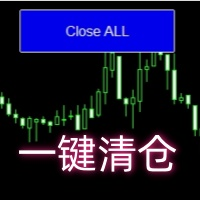
Close all open orders, delete all pending orders, and clear the entire account's orders. Please use caution! After clicking the button, the account order will be 0! Help us quickly clear account orders! As it is a free version, only the function of closing all orders is available. If other functions are needed, customization is required! The paid version has more features!
FREE

Automated Report Generator for the Spanish Treasury
This utility allows you to generate automated reports for the Spanish treasury with several advantages: A detailed report is generated in an HTML file in the MetaTrader 5 base directory. This report includes all operations individually. For accounts nominated in another currency, the report will automatically generate a profit column in euros using the same broker data. Profits in other currencies will be accounted for as indicated by the Spa
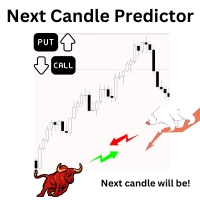
Introduction Our system is more than just a tool—it’s your personal guide in the dynamic trading landscape. Expertly developed and optimized using advanced strategies, this groundbreaking predictor gives traders a powerful edge. It’s not just about the features; it’s about a trading journey that stands out from the crowd. Get ready for an enhanced trading experience like never before! What It Does Next Candle Prediction: Imagine gaining insights into the market’s next move before it happens. Our
Ultra-short-term trading assistant
One-click quick trading(Preset types orders)
base lot: minimum lot placed
Market buy/sell: base lot * level1 times
Spread free buy/sell: base lot * level2 times
Custom distance buy/sell limit: base lot * level3 times
Shortcut key: Q - Market buy W - Bid price linked to buy limit E - Specify the distance to hang the buy limit R - Close buy order A - Sell at market price S - Ask price linked to sell limit D - Specify the distance to hang the sale F - Cl

Rayert - утилита, позволяющая расставлять уведомления на необходимых уровнях. Уведомления происходят как в самом терминале, так и на мобильныйх устройствах путем Push уведомлений. Варианты использования Разметка ликвидности на графике и реагирование при сборе ликвидности. Устанвока уведомлений на уровнях приняти решений. Настройка Можно указать различные цвета линий выше и ниже свечи, до пересечения ценой и после пересечения соответственно. Рисование линий на переднем или заднем фоне. Примагничи

Introducing our advanced MT5 Trade Manager – an indispensable tool tailored for astute traders employing the martingale strategy and executing multiple trades on a single chart. Key Features:
Effortless Lot Size Management: Streamline your trading process with intuitive and rapid lot size adjustments through simple mouse clicks. One-Click Trade Management: Close all trades or selectively close profitable ones with unparalleled ease, enhancing efficiency and saving valuable time. Comprehensive S
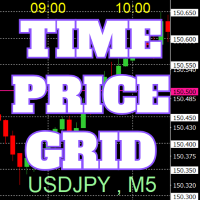
Grafikte, referansı kolaylaştırmak için tam sayılar üzerinde fiyat ve zaman çizelgeleri çizilir.
"Parametre Girişi" ile her periyot için fiyat aralıklarını ayarlamak mümkündür. Önemli sayılar için (yuvarlak sayılar) çizgiler diğer çizgilerden daha kalın ve daha belirgin olduğundan, bunları kolayca ayırt etmek mümkündür. Önemli sayılar için (yuvarlak sayılar) çizgiler diğer çizgilerden farklı bir renge ayarlanabilir. Çeşitli noktalardaki renkler bireysel olarak yapılandırılabilir. Simgeler ve zam
FREE
This utility will help you avoid losing money on your trades when your terminal loses connection to the broker or your VPS / computer goes into an update and doesn't open your MetaTrader client automatically after the update. How is this product different from the other disconnect alerts? This one will email you and/or an SMS even when your MetaTrader client gets disconnected from the Internet or doesn't respond! Your client is monitored externally and doesn't rely on its own Internet con
FREE

Like you when I first started trading, It was overwhelming...learning about indicators, about lotsize, leverage and many more things. Its been almost 3 years. I am more knowledgeable in trading. My trading continues to improve as I work on my strategy, technical analysis, trading psychology and trade management. One thing I am not worried about though is being able to close my trades quicky if a trade goes against me or if the trade has reached my take profit level with the help of my Close Trad
I started of as a complete novice in trading not understanding what a pip was, not understanding leverage or how to factor in risk to manage my trades. Its been almost 3 years. I am more knowledgeable in trading. My trading continues to improve as I work on my strategy, technical analysis, trading psychology and risk management. One thing I am not worried about though is getting the right volume to match the risk for each trade. Not too long after I began trading, I learned how to code to make m
功能介绍
本软件利用键盘快捷键来辅助短线操盘、快速刷单和组合下单,是短线操盘手的利器。 本软件支持快捷下单,批量平仓,批量挂单及平仓与开仓的组合交易,实现一键操作多个交易指令执行。 面对行情剧烈行情波动时,操盘手可从容应对,并快速准确的下单和平仓,让交易变的更简单。 适合人群 热爱交易并希望成为一名操盘手的人。 长时间盯盘,操盘风格为短平快的操盘手。 愿意提高短线操盘胜率并训练强大执行力的操盘手。 希望更加高效把握市场机会,并能快速且准确的执行交易指令的操盘手 安装和配置 先软件需要安装在Experts文件夹中。 在导航中刷新可显示本软件,然后双击在到图表。 输入参数中选择语言及界面主题。 主界面分两个标签栏目: 基本交易和组合交易。基本交易执行的是简单命令,组合交易执行多个命令捆绑。 设置要对应的交易参数之后,要选择启动,那么就按下对应的快捷键执行交易了。 修改快捷键和交易参数必须在非启用状态下,双击对应的表格单元填入参数,或者弹出下拉框选择。 快捷键列表
本软件支持的预设快捷键清单,包括买入、卖出、撤单等常见交易操作的快捷键。 双击快捷键弹出下拉框可以选择自定义快捷键,同时用

The M-Flow MFI (Money Flow Index) Scanner for MT5 is like having a super-smart buddy who keeps an eye on the markets for you, flagging up those overbought (>80) and oversold (<20) opportunities in real-time. It can also be used to spot divergences,which warn of a trend change in price.With the M-Flow Scanner, traders can swiftly identify potential trading opportunities.The scanner continuously monitors up to fifteen financial instruments in real-time,on five different timeframes, providing ins
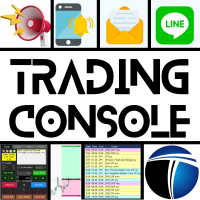
Trading Console ile Ticaretinizi Rahatça Yapın! Bu uygulama Strategy Tester ile test edilemez.
Deneme hesabı için aşağıdaki bağlantıdan DEMO sürümünü indirin ve uygulamayı test edin. DEMO sürümünü İndir
1. Ticaret Sırasında Yardımcı Olan Özellikler: (1) Ekonomik Göstergelerin Gösterimi ve Bildirimleri: Ekonomik göstergelerin duyurusundan birkaç dakika önce uyarılar, push bildirimler ve e-posta ile sizi bilgilendirir. Uyarı durumunda ekranın bir bölümü yanıp sönerek dikkatinizi çeker. Ekonomik g

HYT (İşlemlerinize Yardımcı Olun), iki temel teknik kullanarak zarar eden pozisyonlarınızın ortalamasını düşürmenize yardımcı olmak için tasarlanmış bir araçtır: Standart ortalama. Trend yönünde pozisyon açılması ile korunma. Bu araç, hem alım hem de satım için farklı yönlerde açılan birden fazla pozisyonu yönetmenize olanak tanır. HYT, bir sonraki pozisyonun büyüklüğünü, emir fiyatını, ortalama yönünü ve pozisyonun belirlenen kar alma seviyesiyle kapatılmasını otomatik olarak hesaplar. Ay

The script opens charts of all trading instruments that are listed in the Market Watch.
Convenient to use for choosing a trading instrument for intraday trading (and not only). MT4-version: https://www.mql5.com/en/market/product/113504 You can attach a pre-created template to each chart you open.
For an example of work, see the video for this post.
There are only two settings: Selection of timeframe; Template name. If you do not need to attach a template, you must leave the Name field empt

Introducing Risk Boss - master your trading with precision and ease! Elevate your trading strategy with Risk Boss, the most efficient tool designed to revolutionise your approach to risk management. With its intuitive design , it is all about setting you up for success and forget. You can go back on what matters most to you.
Features at a glance:
Seamless Order Creation: initiate pending orders with unparalleled precision. Risk Boss calculates the risk for you, ensuring each decision is inform

MT5 Terminal Copy for Copying MT5 Terminals This Expert Advisor (EA) allows you to copy trading activities between different MT5 terminals. It provides a simple and efficient solution for traders who want to duplicate positions or strategies in real-time across different accounts or devices. The EA can run on a main terminal and automatically replicate trades on other connected accounts. Ideal for copy trading or testing strategies on multiple accounts simultaneously. Main Features: Real-time C
FREE

ADAM EA Special Version for FTMO Please use ShowInfo= false for backtesting ! Our 1st EA created using ChatGPT technology
Trade only GOOD and checked PROP FIRMS Default parameters for Challenge $100,000 Tested on EURUSD and GBPUSD only Use 15MIN Time Frame Close all deals and Auto-trading before Weekend at 12:00 GMT+3 Friday For Prop Firms MUST use special Protector https://www.mql5.com/en/market/product/94362 --------------------------------------------------------------------------------

Exact Time — detailed time on the seconds chart. The utility shows the opening time of the selected candle. This is necessary when working with seconds charts. For example, it can be used on a seconds chart built using the Seconds Chart utility. Inputs Base corner — the chart corner to which an object Is attached. X distance — the horizontal distance from the chart corner. Y distance — the vertical distance from the chart corner. Text font — font name Font size — font size Color — text color
FREE
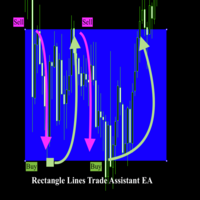
Rectangle line Trade Execution Assistant Rectangle Line Trade Assistant EA Semi-Automated Trading Assistant IMPORTANT : On the main/purchased program a user can click on the Rectangle line and move/ drag it around the chart, by double clicking on it. Please keep in mind that this option is not available on demo version, due to some restrictions/limitations of Strategy Tester, some Object related operations are not available in the Strategy Tester. But, it will not prevent you from Test

Complete Trade Manager (MT5)
Manages each open position individually Automate exit strategy (great for prop firm challenges) Use R: R based exit or Fixed Pips exit models Scale out of positions (3 x Targets possible) Breakeven after 1 st 2 nd or 3 rd partial take profit Trail Stop Loss Stop Break Even Fixed Target Exit (Without Partial Profit) Equity Target Based Exit Expect More features in the future Having a plan to exit with trades based on predefined set of rules provides consistency and
FREE

The utility is designed to send signals from MT4 to Telegram. It has several unique features, allowing not only the sending of trade signals but also the following functionalities: Send messages directly from the terminal to Telegram Send emojis along with custom text Send text and images from Telegram All of these features enable users to manage a signal channel while focusing on trading and finding quality signals. Customizable Signal Messages You can fully customize the signal message: Specif

The utility is useful for those who are looking for an opportunity not to be present in front of the monitor while a pending order is being processed and closed. Using this utility, you can enter a pending order ticket, set a stop loss and calmly leave the terminal until its logical conclusion. If an order is opened, it will have 2 paths to profit or loss, and if the order is not opened and the scenario does not go according to plan, then upon reaching the price level where the stop loss of the

The script in the form of an expert is created for the possibility of automatic installation of pending orders of the Stop Close Only type, which are not in MT5 by default. This type of order implies entering a long position in case the price closes above a given price level and opening a short position if the price closes below the price set by the trader. At the same time, level breakouts are not taken into account. The expert indicates the levels on the chart with lines, overcoming which will
FREE
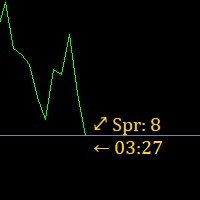
Super simple, convenient, useful tool. Allows displaying the end time of a candle (standard) and expanding the symbol's spread in real time.
The countdown tool is smooth, not jerky or slow like some other tools
Useful tool for professional traders specializing in short-term and long-term trading.
Contact author or user guide: https://www.mql5.com/en/channels/metool_trading
FREE

Session Stat is a utility for tracking the results of a trading session, as well as information about the position for the current instrument.
The panel displays:
Session statistics (for all instruments) Initial trading account balance Current trading account equity Profit during the operation of the utility Profit in % terms during the operation of the utility Session statistics (for the current instrument) Profit of the current position Profit of the current position in % terms Total volume
FREE

DYJ Follow Me is an EA that follows the virtual transaction record of any dyj indicator to actually open and close positions.
It can display the name and status of the indicator of the single signal source; At present, it is only the DYJ SignalSourceOfWPR MT5 indicator, and more indicators will be expanded in the future.
It can receive real-time trend direction of indicator.
It can receive the latest admission time of the indicator.
It can receive the latest admission price of the ind

The Real Ticks Recording Indicator for MetaTrader 5 backtesting is a powerful tool designed to enable traders to simulate their trading strategies with utmost accuracy and realism. This indicator captures and stores real market ticks, allowing you to replay past market conditions with extreme fidelity, thereby enhancing the precision and reliability of strategy tests. Key Features: Real-Time Tick Capture: The indicator records each market price movement in real-time, ensuring an accurate represe

The Co-Pilot is a simple trade management system designed to be the quickest way from your strategy to the market. It is optimized for single trade setups that might be short, medium or long term. The program allows you to set your trade setup directly from the chart using graphical objects, set your risk apetite and even provides oppurtunity for partial closes. It also has a built in alert system that keeps you informed on the actions taken by the copilot when youre offline.
It is designed to b
FREE
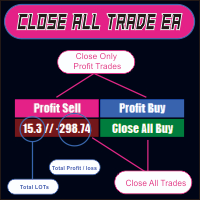
CLOSE ALL TRADE EA is made to make easy the traders instantly close the trades. FEATURES :
- CLOSE ALL TRADES : Traders can close ALL TRADES manually when reaching an AVERAGE PROFIT. Separated button for BUY and SELL trades. - CLOSE PROFIT TRADES : Traders can close PROFITABLE TRADES manually for increase the EQUITY and let the loss trade to reach a PROFIT. Separated button for BUY and SELL trades. - SHOW TOTAL LOSS / PROFIT : Traders will be informed about total LOSS / PROFIT for each BUY /

Welcome to the Wolf Panel , an advanced MetaTrader 5 tool designed to enhance your trading experience. With its intuitive interface and powerful features, the Wolf Panel facilitates quick order entry, enabling traders to act promptly on market opportunities. Among its strengths, the Wolf Panel excels in providing constant control over profits and losses, allowing users to monitor the performance of their trades in real-time. Moreover, the indicator streamlines the closure of all orders at a pred

Expert Starco Assistance is designed as a trading assistant and will perform the best performance and most accurate calculations for capital management for your trades.
Features of this expert:
Candle closing timer
The possibility of determining the placement of the profit limit
Ability to calculate volume based on fixed amount, percentage, fixed amount
The possibility of opening a trade in the form of market or limit or stop limit

Introducing a powerful MetaTrader 5 Expert Advisor designed to enhance your trading strategy – the Auto Breakeven EA! This feature-rich EA is tailored to bring your stop-loss to breakeven, ensuring a risk-free trade once the market moves in your favor up to a specified price.
Explore the full potential of the Auto Breakeven EA. Download it for free now, and find the download link at the bottom of our page. Elevate your trading experience and take control of your risk management strategy. Happy
FREE

Orders Manager is a simple and indispensable assistant for managing all your orders. Inputs: Magic = 999; // Magic TakeProfit = 1000; // Take Profit. If = 0 the level is not setts. StopLoss = 0; // Stop Loss. If = 0 the level is not setts. Slippage = 10; // Slippage GeneralProfit = false; // Closing all orders based on total profit. If false the function is disabled and works according to TakePr
FREE
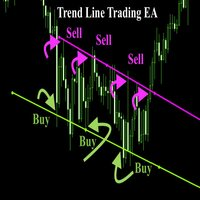
Trend Line Trade Assistant EA Semi-Automated Trading Assistant IMPORTANT : On the main/purchased program a user can click on the Trend line and change it to Buy or Sell, and drag by double clicking on it. Please keep in mind that this option is not available on demo version, due to some restrictions/limitations of Strategy Tester, some Object related operations are not available in the Strategy Tester. But, it will not prevent you from Testing, please drop an Object to chart and it wil

Horizontal Line Trade Assistant EA Semi-Automated Trading Assistant IMPORTANT : On the main/purchased program a user can click on the Horizontal line and change it to Buy or Sell, and drag by double clicking on it. Please keep in mind that this option is not available on demo version, due to some restrictions/limitations of Strategy Tester, some Object related operations are not available in the Strategy Tester. But, it will not prevent you from Testing, please drop an Object to chart

Ever thought of your broker stop hunting your stop losses? Incognito SL and TP is exactly what you need! As promised, version 1.1 now has the SL and TP lines that can easily be adjusted by the user. ========================================== INPUTS: SL: Exact price you want the orders for the chart symbol to close when this SL price was hit. Set to 0 for no SL. TP: Exact price you want the orders for the chart symbol to close when this TP price was hit. Set to 0 for no TP. ======================
FREE

Trading without consistent risk parameters is the fastest way to blow an account. Auto SL/TP/BE eliminates the execution gap between entering a trade and having your levels set. The instant a position opens — market order or triggered pending — the EA calculates and applies your predefined SL and TP based on the actual fill price. No delays, no missed trades, no manual errors. Break-Even Automation Once price moves a defined number of pips in your favor, the EA automatically shifts your Stop Los

Indicador "MR BEAST - Detectador de Mejores Spikes" para el Índice CRASH 1000 (M1) El indicador "MR BEAST - Detectador de Mejores Spikes" es una herramienta especializada y altamente precisa diseñada exclusivamente para operar en el índice CRASH 1000, con un enfoque específico en el marco temporal de 1 minuto (M1). Desarrollado por el reconocido trader Mr. Beast, este indicador ha sido meticulosamente diseñado para identificar únicamente los mejores spikes, permitiendo a los operadores capitaliz

Indicador "MR BEAST - Detectador de Mejores Spikes" para el Índice CRASH 500(M1) El indicador "MR BEAST - Detectador de Mejores Spikes" es una herramienta especializada y altamente precisa diseñada exclusivamente para operar en el índice CRASH 1000, con un enfoque específico en el marco temporal de 1 minuto (M1). Desarrollado por el reconocido trader Mr. Beast, este indicador ha sido meticulosamente diseñado para identificar únicamente los mejores spikes, permitiendo a los operadores capitalizar

Indicador "MR BEAST - Detectador de Mejores Spikes" para el Índice CRASH 300(M1) El indicador "MR BEAST - Detectador de Mejores Spikes" es una herramienta especializada y altamente precisa diseñada exclusivamente para operar en el índice CRASH 1000, con un enfoque específico en el marco temporal de 1 minuto (M1). Desarrollado por el reconocido trader Mr. Beast, este indicador ha sido meticulosamente diseñado para identificar únicamente los mejores spikes, permitiendo a los operadores capitalizar

Indicador "MR BEAST - Detectador de Mejores Spikes" para el Índice BOOM1000 (M1) El indicador "MR BEAST - Detectador de Mejores Spikes" es una herramienta especializada y altamente precisa diseñada exclusivamente para operar en el índice CRASH 1000, con un enfoque específico en el marco temporal de 1 minuto (M1). Desarrollado por el reconocido trader Mr. Beast, este indicador ha sido meticulosamente diseñado para identificar únicamente los mejores spikes, permitiendo a los operadores capitalizar
MetaTrader Mağazası, alım-satım robotları ve teknik göstergelerin benzersiz bir deposudur.
Yatırımcılara sunduğumuz benzersiz hizmetler hakkında daha fazla bilgi edinmek için MQL5.community - Kullanıcı Notunu okuyun: alım-satım sinyallerini kopyalama, freelancerlar tarafından geliştirilen özel uygulamalar, Ödeme Sistemi aracılığıyla otomatik ödemeler ve MQL5 Bulut Ağı.

Alım-satım fırsatlarını kaçırıyorsunuz:
- Ücretsiz alım-satım uygulamaları
- İşlem kopyalama için 8.000'den fazla sinyal
- Finansal piyasaları keşfetmek için ekonomik haberler
Kayıt
Giriş yap
Web sitesi politikasını ve kullanım şartlarını kabul edersiniz
Hesabınız yoksa, lütfen kaydolun