BVCandleStream
- Yardımcı programlar
-
Katsura Yamanouchi
 Biz MT5 kullanıcılarıyız.
Uzman Danışmanlar, Göstergeler, Komut Dosyaları, Hizmetler ve Sınıflar geliştiriyoruz.
Bob Volman'ın fiyat hareketi stratejisi bize ilham veriyor ve yöntemlerini MT5'e dahil etmeyi hedefliyoruz.
Kodlarımızın keyfini çıkarın! - Sürüm: 1.20
- Güncellendi: 15 Aralık 2025
Product name: BVCandleStream
Overview
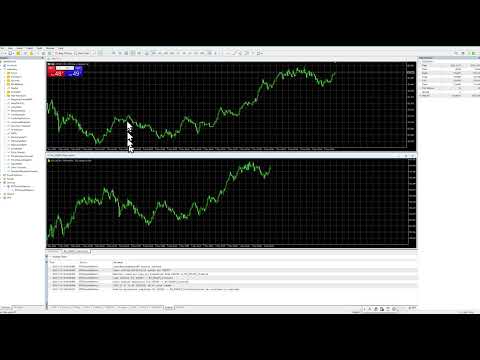
Background service that automatically creates custom tick-based symbols (equal-tick bars) for scalping and price action analysis.
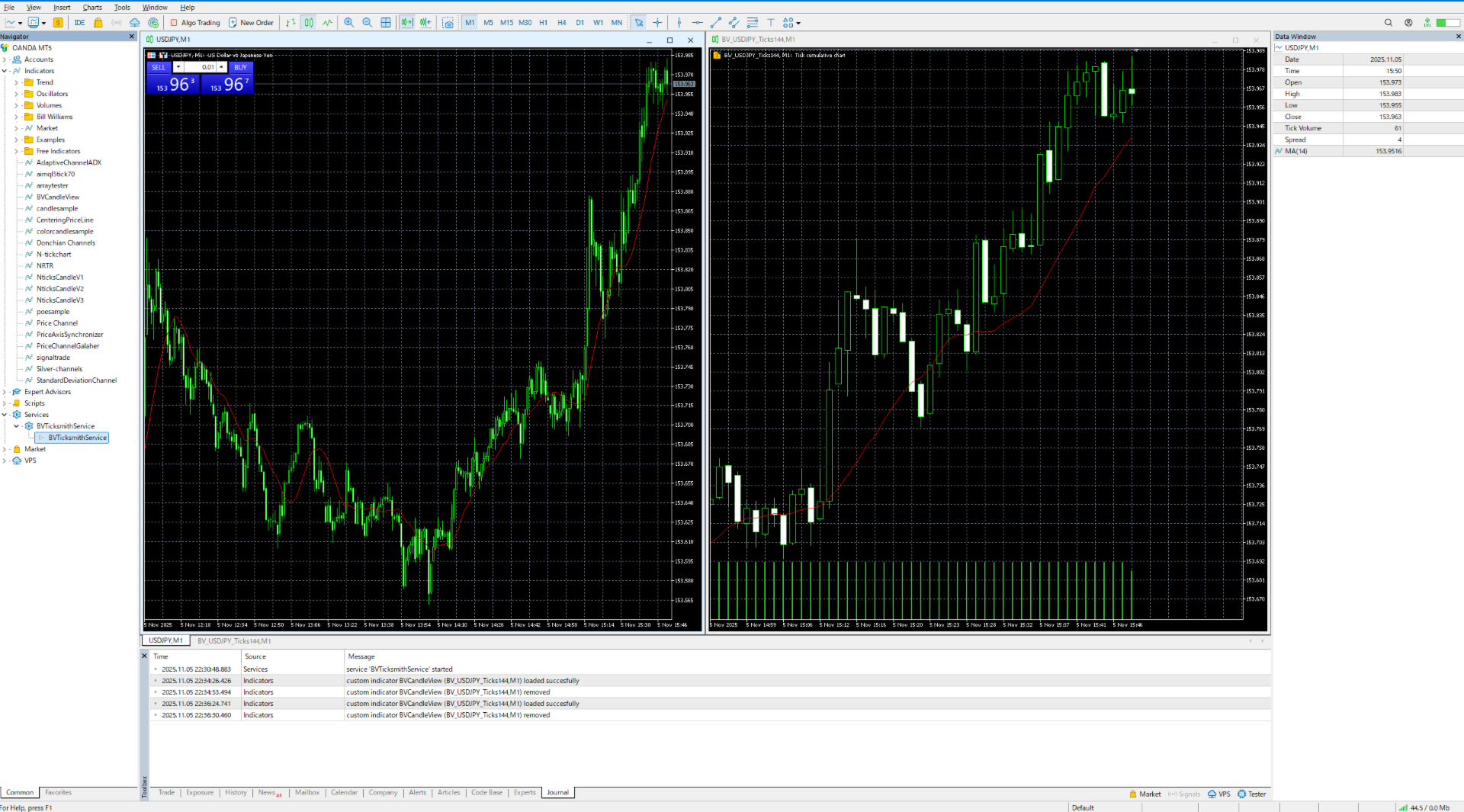
It converts raw ticks of standard symbols into custom bars with a fixed number of ticks per bar, so you can apply any standard MT5 indicators or EAs to these synthetic tick charts.
Key Features
1. Tick-Based Bar Generation
- Monitors the symbol of the open chart and automatically groups ticks into bars at the specified count ( InpTicksPerBar )
- Allows selection among Bid, Ask, or Mid as the price basis
- Displays TickVolume to visually assess the degree of bar formation
2. Seamless Historical + Real-Time Linking
- Builds historical bars by tracing back through past ticks
- Immediately switches to real-time ticks once history generation completes, keeping bars updated continuously
3. Chart Display via Custom Symbols
- Standard indicators can be applied
4. Multi-Chart Support
- Automatically scans all open MT5 charts and launches tasks per target symbol
- Custom symbol names are centrally managed with a prefix (e.g., "BV_" )
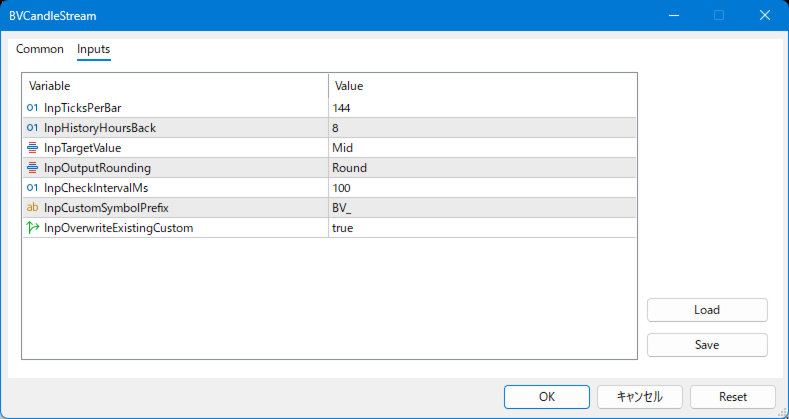
Input parameters
input int InpTicksPerBar = 144; // Number of ticks per custom bar (aggregation size)
input int InpHistoryHoursBack = 8; // Historical lookback window in hours
input Eprice_types InpTargetValue = Mid; // Price type to use (Bid / Ask / Mid)
input Eround_types InpOutputRounding = Round; // Rounding strategy for output prices(Round / Up / Down / Nop)
input int InpCheckIntervalMs = 300; // Main service loop check interval in milliseconds
input string InpCustomSymbolPrefix = "BV_"; // Prefix for generated custom symbols
input bool InpOverwriteExistingCustom = true; // Overwrite and recreate existing custom symbols if present
How to Use
Step 1: Install the Service
- Place BVCandleStream.ex5 in the MQL5/Services or Expert Adviser folder of MetaTrader5.
- Restart the terminal and confirm it appears under “Services” in the Navigator.
Step 2: Configure Parameters
InpTicksPerBar Number of ticks per custom bar (aggregation size)
InpHistoryHoursBack Historical lookback window in hours
InpTargetValue Price type to use (Bid / Ask / Mid)
InpOutputRounding Rounding strategy for output prices(Round / Up / Down / Nop)
InpCheckIntervalMs Main service loop check interval in milliseconds
InpCustomSymbolPrefix Prefix for generated custom symbols
InpOverwriteExistingCustom Overwrite and recreate existing custom symbols if present
Step 3: Start the Service
- Open charts for the target instruments (any timeframe).
- Start the service; it automatically detects the symbols of open charts and creates the corresponding custom symbols.
The symbol name will be: prefix + original symbol + Ticks + ticks-per-bar (e.g., BV_EURUSD_Ticks144 ). - In the terminal, go to “File > New Chart > Custom,” select the custom symbol, and open the chart.
Change the period to 1M (tick charts become distorted on other periods).
Step 4: Auto-Start on Reboot / Stopping the Service
- If the service remains running when MT5 or the PC restarts, it automatically regenerates the previously created custom symbols at next launch.
- To stop the service, open the Navigator, select Services > BVCandleStream , right-click, and choose “Remove.”
Requirements and limitations
- Platform: MetaTrader 5 only (no MT4 version).
- Program type: MT5 Service (runs in the background, not attached to charts).
- Timeframe: Open the generated custom symbols on the M1 timeframe only. Other timeframes will distort the tick bars.
- Tick data: The quality and length of the generated history fully depend on the availability of tick history on your broker’s server.
- Strategy Tester: When testing EAs on the generated custom symbols, use "Every tick" or "real ticks" modes. Simplified tick generation modes ("Open prices only", etc.) are not supported.
Use Cases
- Tick-based analysis: Ideal for price action studies using equal-volume or fixed-tick bars.
- Pre-processing for algorithmic trading: Bars output to a custom symbol can be consumed by indicators/EAs.
- Monitoring multiple instruments: Automatically scans open charts, keeping management simple for traders handling many pairs.