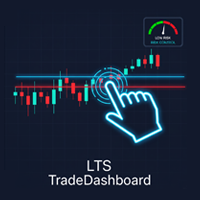
Pro LTS TradeDashboard MT5
- Yardımcı programlar
- Sürüm: 1.0
- Etkinleştirmeler: 10

Pro LTS Trade Dashboard & Market Manager
Stop calculating. Start trading.
The Pro LTS Trade Dashboard is not just a risk calculator—it is a complete trading command center designed to replace the default MT5 terminal. It combines professional Risk Management, Trade Execution, and a unique Draggable Symbol Switcher into one clean, collapsible interface.
Developed by Logic Trade Solution (LTS), this tool is built for traders who need speed, precision, and screen space.
🔥 Why Go Pro?
While our free version helps you place trades, the PRO version helps you manage the entire market.
-
Fast Symbol Switching: Stop dragging pairs from Market Watch. Use the independent side-panel to switch symbols instantly while keeping your risk settings ready.
-
Manage Open Positions: Close all winners, cut all losers, or take partial profits with one click.
-
Clean Charts: Minimizes into a tiny bar so you can focus on Price Action.
The Free version is a Calculator. The Pro version is a Command Center.
| Feature | LTS Free (v1.0) | LTS PRO (v1.0) |
| Risk Calculator | ✅ Basic | ✅ Advanced (True Risk Fix) |
| Visual Lines | ✅ Entry/SL/TP | ✅ Entry/SL/TP |
| Trade Execution | ✅ Buy/Sell | ✅ Buy/Sell |
| Symbol Switcher | ❌ | ✅ Draggable Side Panel |
| Bulk Closing | ❌ | ✅ Close All / Win / Loss |
| Trade Management | ❌ | ✅ Partial Close & Breakeven |
| Portfolio Stats | ❌ | ✅ Live P/L & Risk Exposure |
| Smart Dragging | ❌ (Lines move) | ✅ Drag Protection Logic |
| Design | Basic | Premium Collapsible UI |
🌟 Key Features
1. Advanced Risk Calculator
-
Visual Trading: Drag Entry, Stop Loss, and Take Profit lines directly on the chart.
-
Auto-Calculation: Instantly see exactly how much money ($) and % of equity you are risking.
-
Dual Modes:
-
Auto Lot: You set the Risk % (e.g., 1%), we calculate the Lot.
-
Fixed Lot: You set the Lot, we tell you the Risk $.
-
2. Smart Symbol Switcher (Exclusive to Pro)
-
A detachable, draggable drawer that lists your top Market Watch symbols.
-
Click any symbol to instantly switch the chart.
-
Memory Feature: The panel remembers your favorite list size even if you restart MT5.
3. Professional Trade Management
-
Partial Close: Secure profits by closing 50% (or any %) of your position instantly.
-
Auto Breakeven: One click moves your SL to the entry price.
-
Bulk Closing:
-
Close ALL Winners
-
Close ALL Losers
-
Close ALL Buys / Sells
-
4. Intelligent UI
-
Drag Protection: Intelligent logic prevents you from accidentally moving trade lines when dragging the dashboard windows.
-
Portfolio Monitor: See your total floating P/L and total risk exposure at a glance.
⚙️ Inputs & Settings
-
Default Risk: Set your preferred starting risk % or lot size.
-
Symbol Panel: Choose how many symbols to load from your Market Watch (default: 15).
-
Colors: Fully customizable to match your dark or light chart themes.
🚀 How to Use
-
Attach the EA to one chart.
-
Click "Show Lines" to visualize your trade.
-
Drag the Red Line (SL) to your invalidation point.
-
Click BUY or SELL.
-
Use the [ SYMBOLS > ] button to open the drawer and scan other pairs.
Take control of your trading desk today with Logic Trade Solution.