
TrendlineEA Pro MT4
- Utilities
- Version: 1.16
- Updated: 3 August 2026
- Activations: 5

Trendline PRO MT4
Trendline PRO MT4 is a semi-automated Expert Advisor for MetaTrader 4 that executes trades, manages orders, or sends alerts from trendlines and chart levels created by the user.
The Expert Advisor does not generate trading signals and does not include a built-in trading strategy. All entries, exits, risk settings, and management rules are defined by the user on the chart. The product is designed for traders who already use trendlines, breakout levels, support and resistance, channels, or planned price zones in their own analysis.
Compared with the original Trendline EA MT4, the PRO version adds a visual chart panel, interactive TP and SL zones, OCO entry pairs, per-line lot size, auto-breakeven, trailing stop, chart persistence, and improved MT4 order-based trade management.
Additional materials
Functionality Overview
Visual Trade Planning
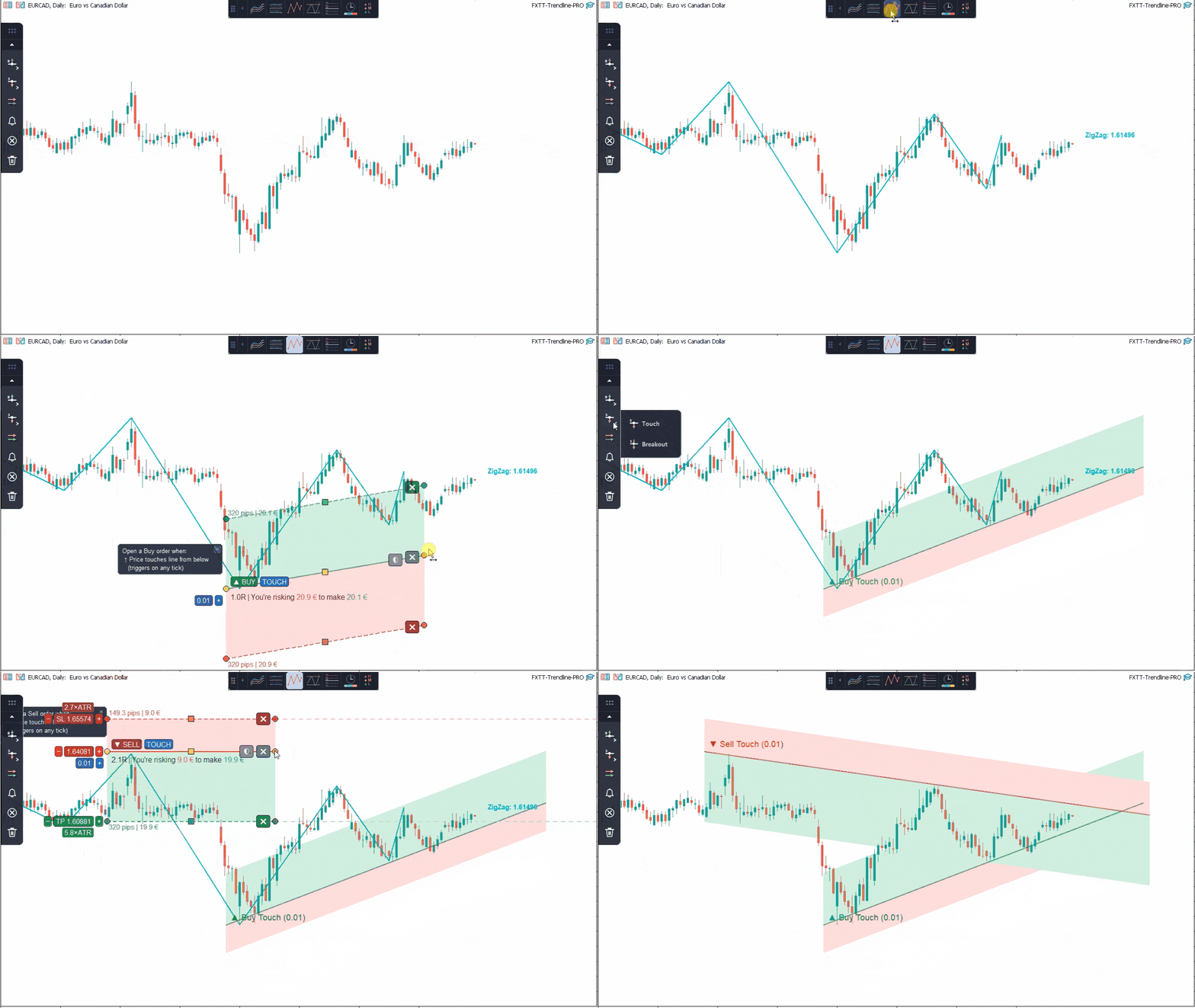
- Add entry, breakout, OCO, close, and alert lines from the chart panel
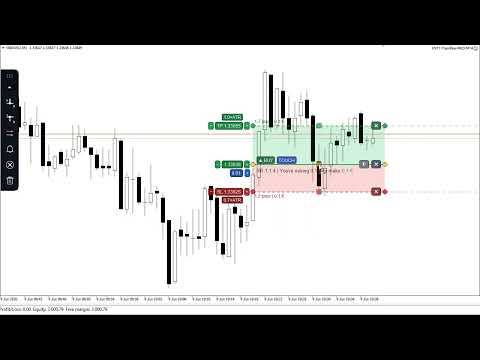
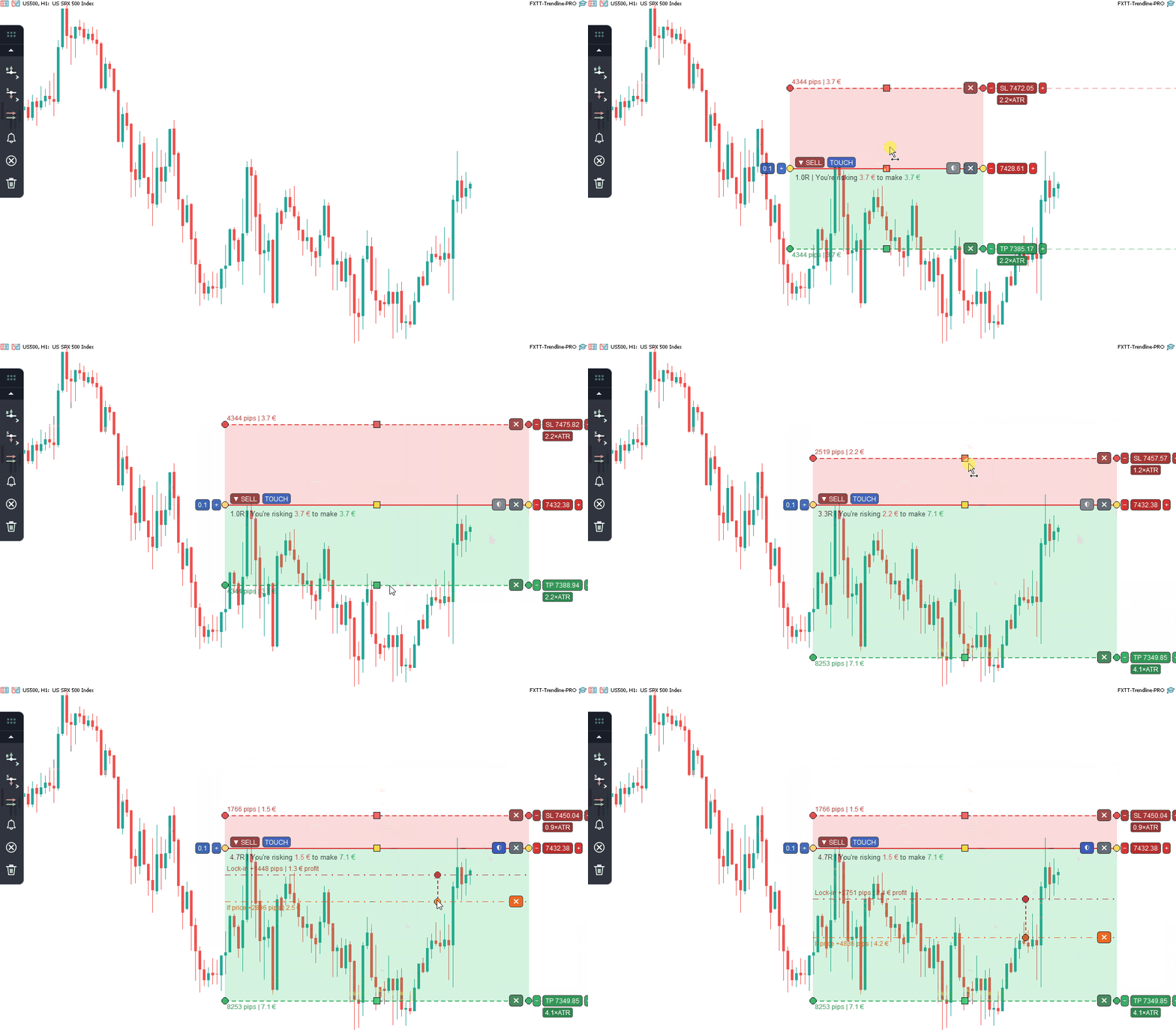
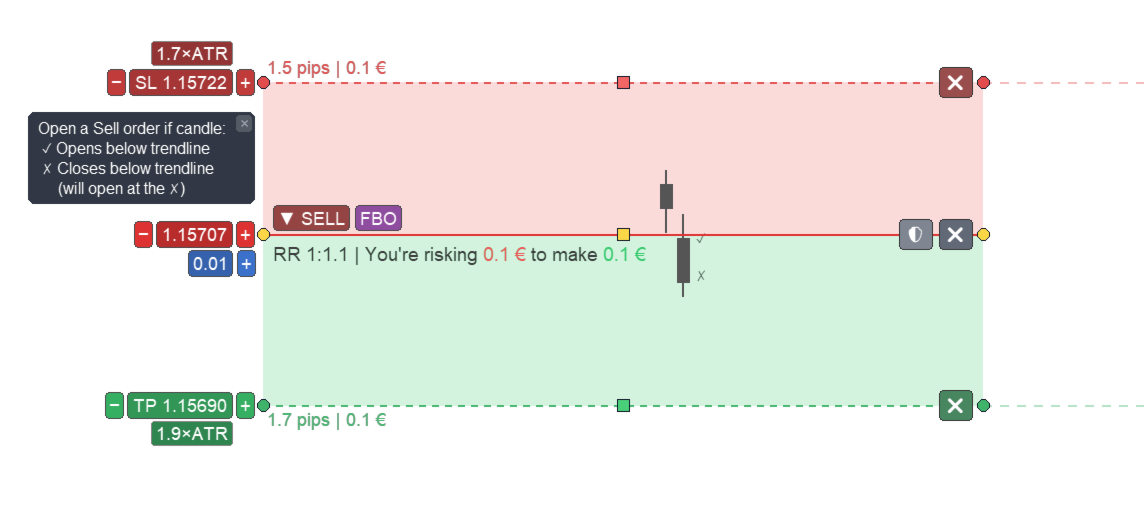
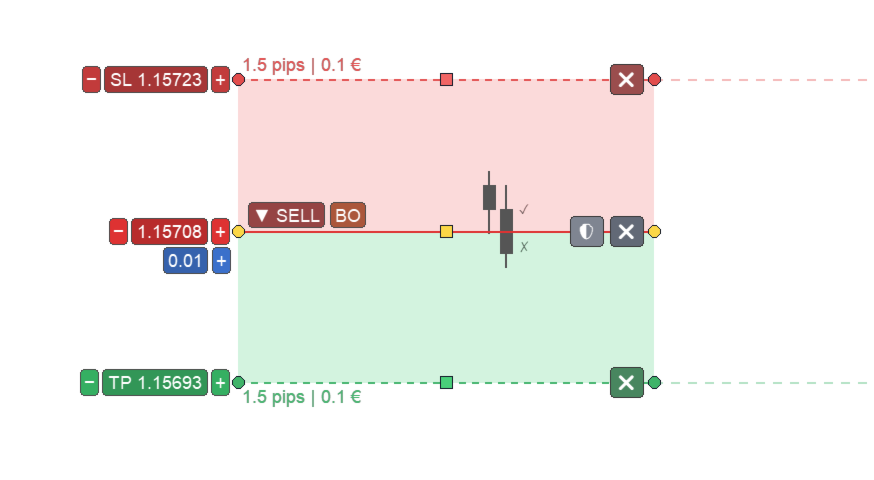
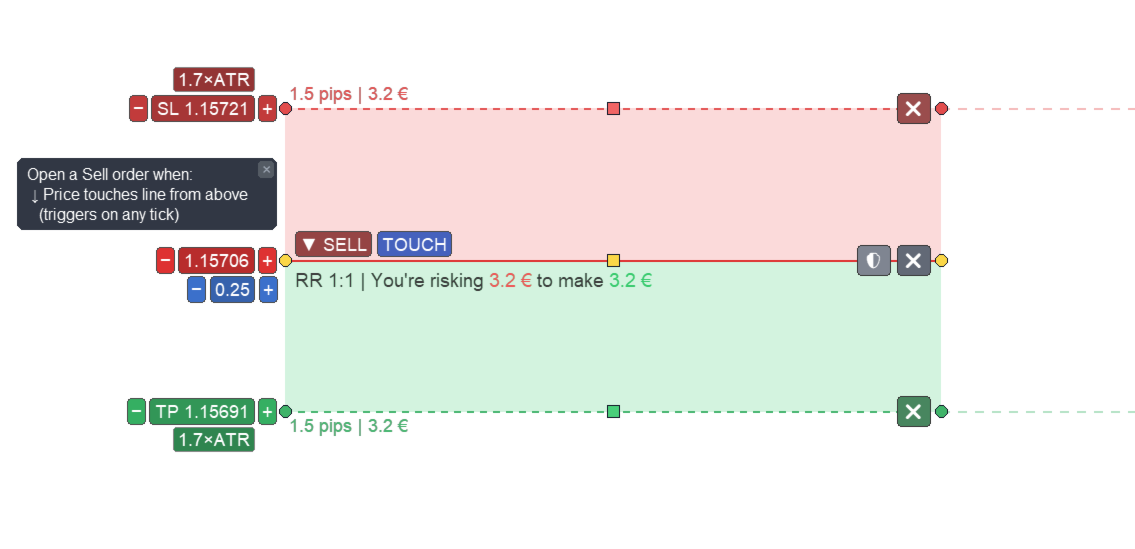
- Place take-profit and stop-loss zones directly on the chart
- Use horizontal or sloped TP and SL zones
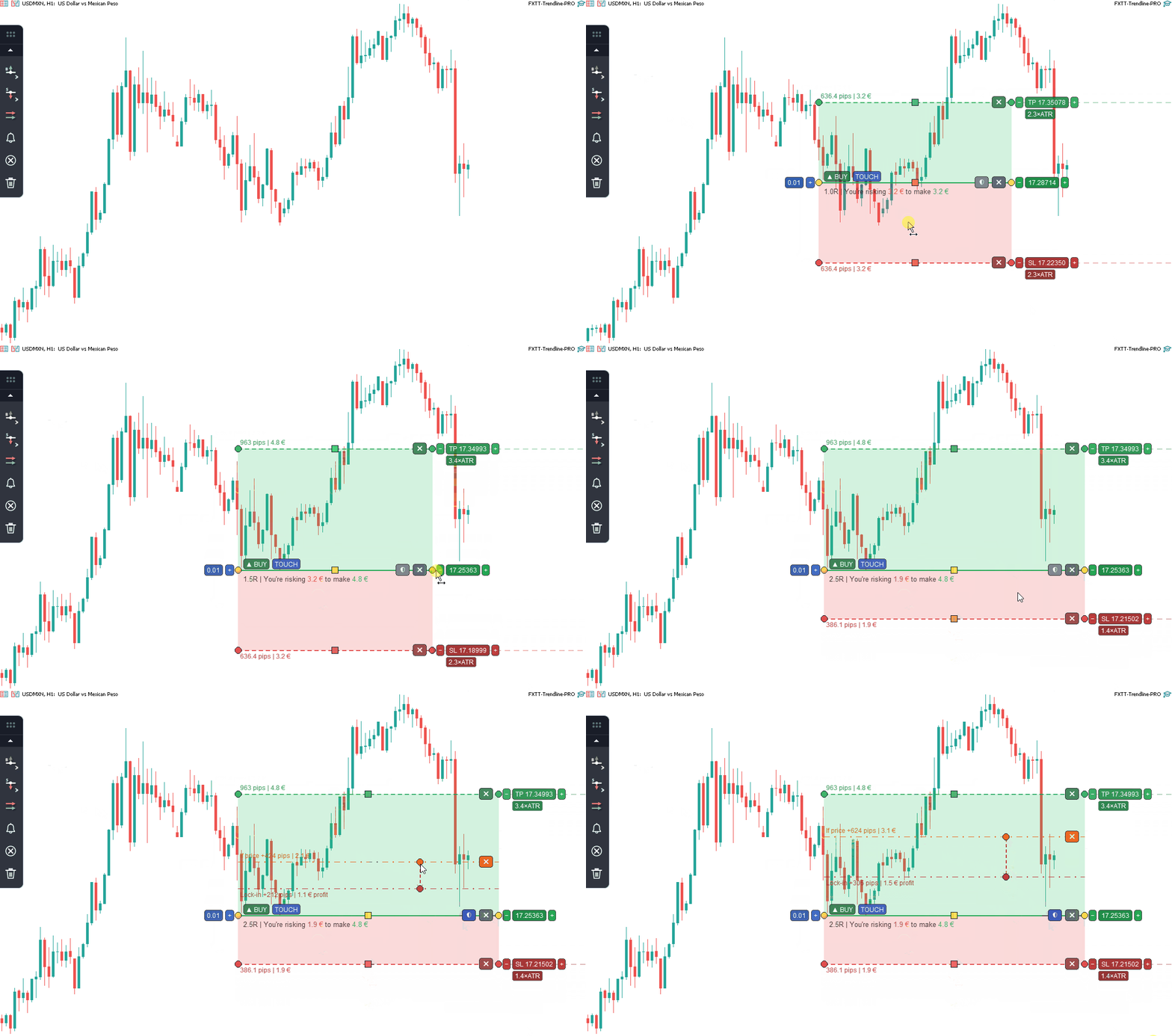
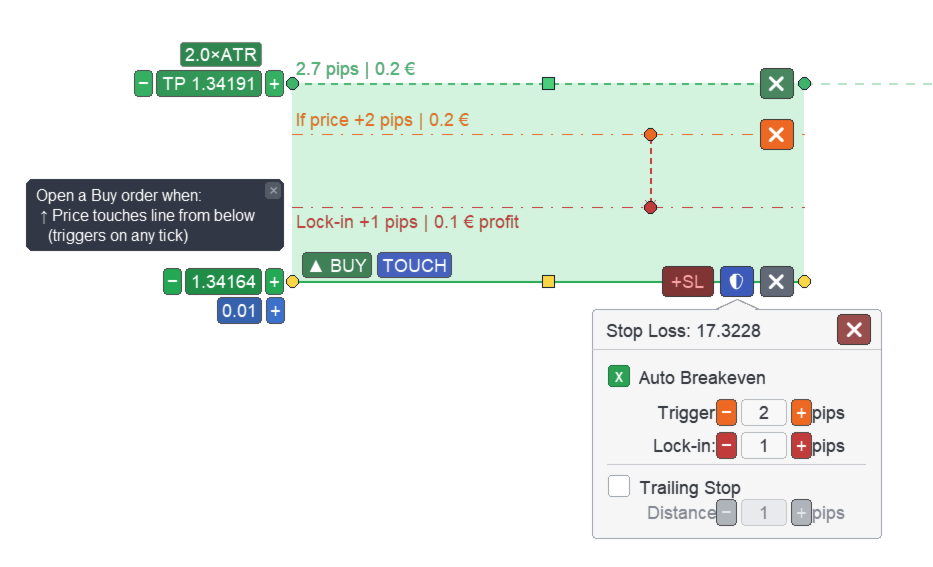
- Set lot size, TP, SL, auto-breakeven, and trailing stop per entry line
- View pip distance and account-currency value before the trade is opened
- Save and restore lines after chart reloads, template saves, and Strategy Tester visual mode
Order Execution
- Open buy or sell orders when price reaches a user-defined line
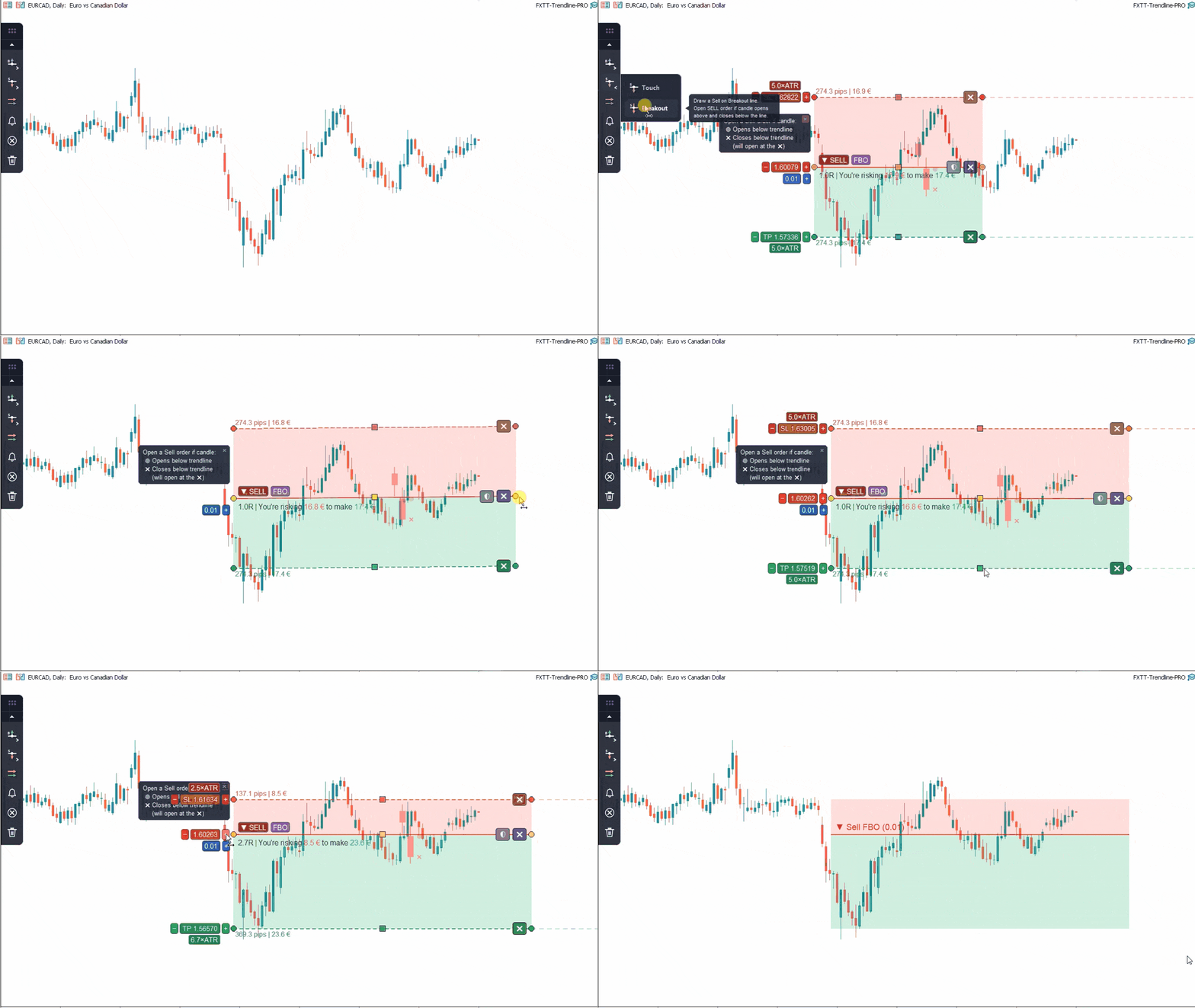
- Confirm breakout entries by closed candle body
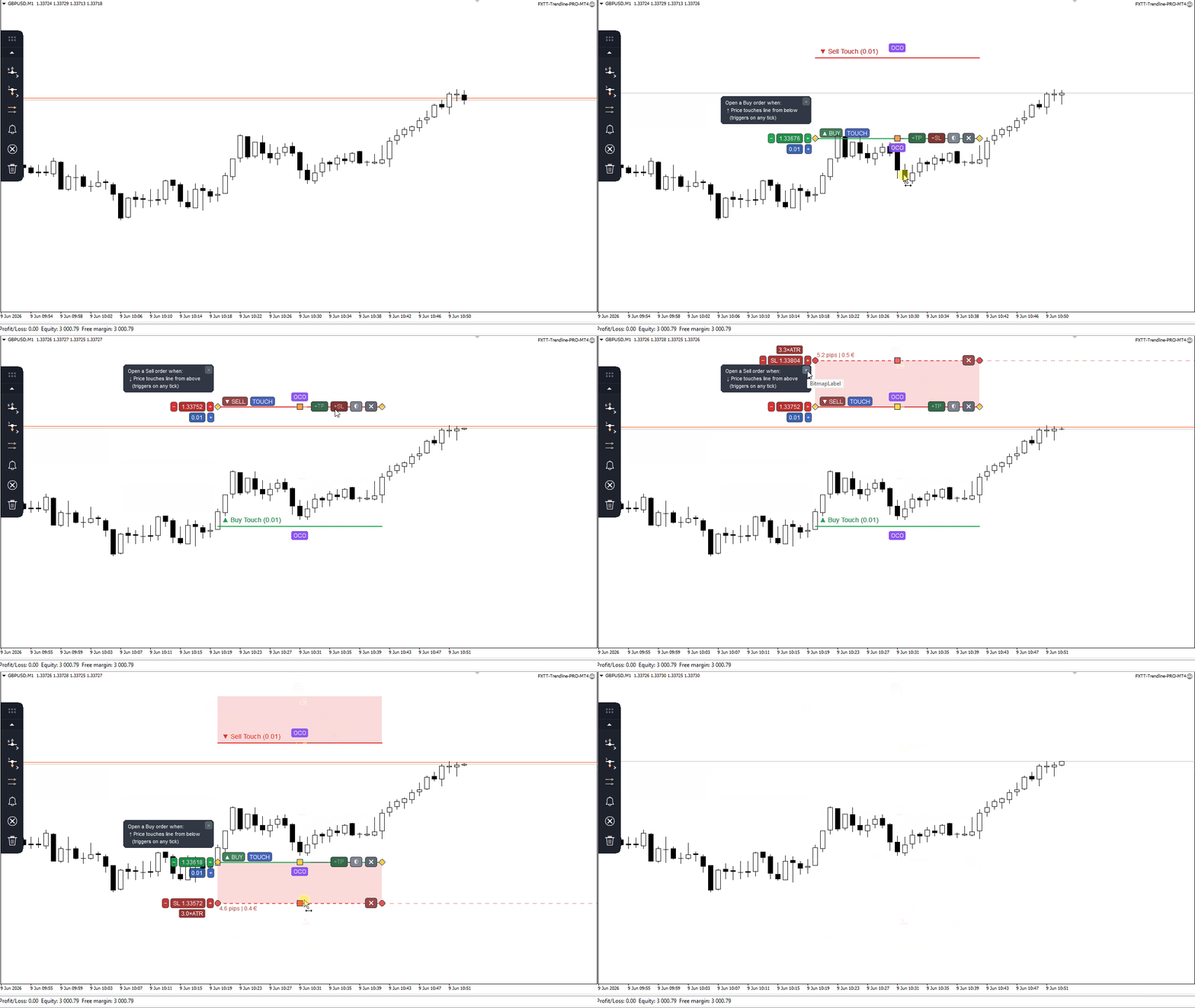
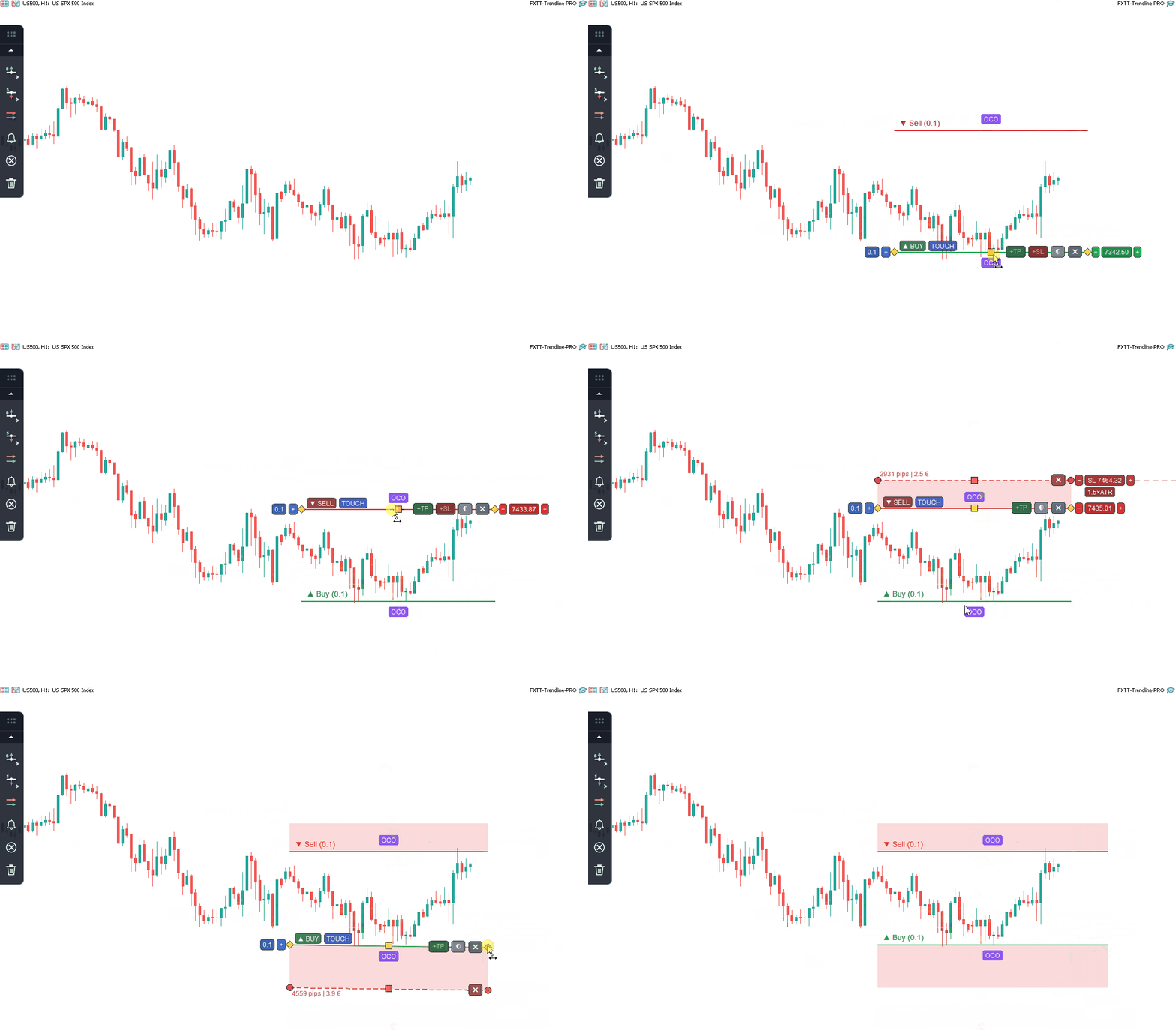
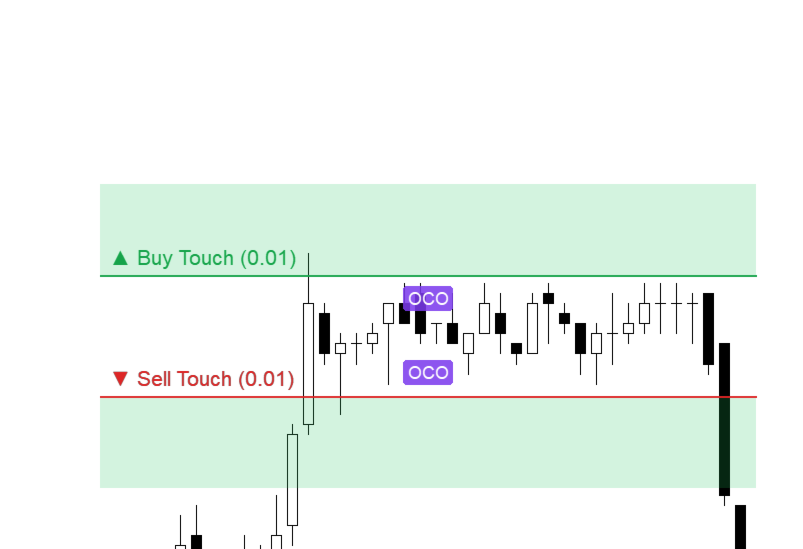
- Use OCO pairs so the opposite linked entry line is disabled after one side opens
- Apply per-line lot size while respecting symbol minimum, maximum, and lot step
- Check maximum spread and free margin before order placement
- Respect broker stop level and freeze level when applying SL, TP, and protection rules
Trade Management
- Close all matching orders from a close line
- Close partial lot size from a close line
- Move stop loss to breakeven after the configured trigger distance
- Lock in a configurable number of pips when auto-breakeven is applied
- Trail stop loss as price moves in profit
- Manage matching MT4 orders according to symbol, magic number, and configured filters
Alerts and Manual Workflows
- Use alert lines without opening or closing trades
- Receive MT4 popup alerts, terminal sound, and Journal messages
- Receive mobile push notifications when they are enabled in the MetaTrader terminal
- Disable trade orders in the EA inputs to run the product as a trendline alert tool
Basic Usage
- Attach Trendline PRO MT4 to a chart
- Make sure AutoTrading is enabled in MetaTrader 4 if order execution is required
- Select the required line type from the visual panel
- Move the line to the required price level
- Configure lot size, TP zone, SL zone, breakeven, or trailing stop if needed
- Use alerts only or allow trade orders for execution
- The Expert Advisor monitors price and applies the configured rule when the condition is met
Line Types
Entry lines
- Buy on touch
- Sell on touch
- Buy on breakout confirmed by closed candle
- Sell on breakout confirmed by closed candle
- Linked OCO buy and sell pair
Order management lines
- Close all matching orders
- Close partial lot size
- Apply auto-breakeven from entry-line settings
- Apply trailing stop from entry-line settings
Alert lines
- Alert when price crosses the line
- No order is opened or closed by alert lines
Why use Trendline PRO MT4?
MetaTrader 4 allows traders to draw trendlines and chart levels, but it does not natively turn those levels into executable trading rules. Trendline PRO MT4 helps bridge that gap by letting traders plan trades visually and automate the execution, exit, alert, and protection logic around those chart levels.
It is especially useful for traders who use support and resistance, trendline breaks, channels, breakout levels, manual price action plans, or semi-automated trade management.
Symbol and Account Compatibility
Trendline PRO MT4 can be used on any symbol and timeframe supported by MetaTrader 4 and allowed by the broker, including forex, metals, indices, and commodities. Each chart instance is independent. Order execution remains subject to broker permissions, spread, free margin, symbol trading rules, platform connection, and execution quality.
The product works with MetaTrader 4's order-based trading model. Matching orders can be filtered and managed according to symbol, magic number, and the configured EA settings.
Input Parameters
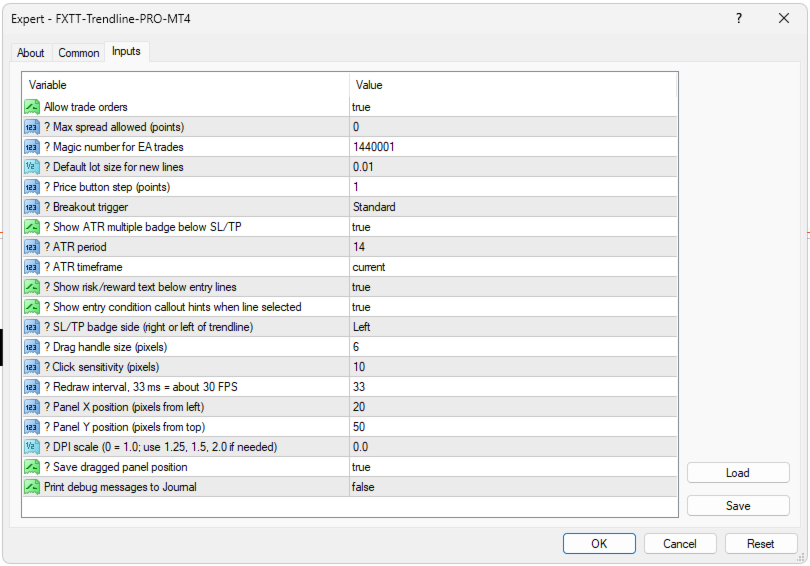
- Allow or block trade orders
- Maximum allowed spread
- Magic number for EA trade identification
- Default lot size for new lines
- Price button step in points
- Drag handle size and click sensitivity
- Redraw interval
- Panel position and DPI scale
- Save dragged panel position
- Debug messages to Journal
Strategy Tester Notes
Trendline PRO MT4 evaluates lines that already exist on the chart. For Strategy Tester use, draw the required lines in advance, save them in a chart template, and run the test in visual mode. If the test starts on a clean chart with no lines, no trade or alert action will be triggered.
Frequently Asked Questions
Does the Expert Advisor trade automatically?
No. It only executes actions configured by the user on the chart.
Does it generate trading signals?
No. There is no built-in strategy. The user defines every setup.
Can it be used only for alerts?
Yes. Trade orders can be blocked in the EA inputs, while alert lines continue to work.
What is OCO?
OCO means One-Cancels-Other. When one linked entry line opens a trade, the opposite linked line is disabled.
Does it support MT4 order management?
Yes. Trendline PRO MT4 works with MetaTrader 4's order-based model and can manage matching orders according to symbol, magic number, and the configured filters.
Is it compatible with all symbols and timeframes?
It can run on any MetaTrader 4 symbol and timeframe supported by the broker, subject to the broker's trading rules.
Is a VPS required?
A VPS is optional and depends on the user's execution and monitoring needs. If the user wants the EA to monitor the market continuously, MetaTrader 4 must remain open and connected, either on a local computer or on a VPS.
How can I get support?
Support is provided through MQL5 product comments and MQL5 messaging in English and Spanish.
Important Notes
- This is a semi-automated execution and alert tool
- No trading strategy or signal service is included
- MetaTrader 4 AutoTrading must be enabled for order execution
- Trade orders must be allowed in the EA inputs for order execution
- Alert lines do not open or close orders
- Trading results depend on user configuration, market conditions, broker rules, spread, connection, and execution quality
- Testing on a demo account is recommended before live use

































































Another excellent EA from Carlos. Only 1 request please. Can we have a stop and reverse included please