
Trendline EA MT5
- Utilities
- Version: 2.21
- Updated: 5 April 2026
- Activations: 10

Trendline EA MT5
Trendline EA MT5 is a semi-automated Expert Advisor for MetaTrader 5 designed to execute trading actions or alerts based on trendlines drawn by the user.
MetaTrader 5 does not provide native functionality to place or manage trades directly from trendlines. This Expert Advisor extends standard platform behavior by monitoring user-defined trendlines and executing predefined actions when price interacts with them.
The Expert Advisor does not define or apply any trading strategy. All trading logic and decisions remain fully under the user’s control.
Functionality Overview
Trendline-Based Trade Execution
- Execute buy or sell actions when price touches, breaks, or pulls back from a trendline
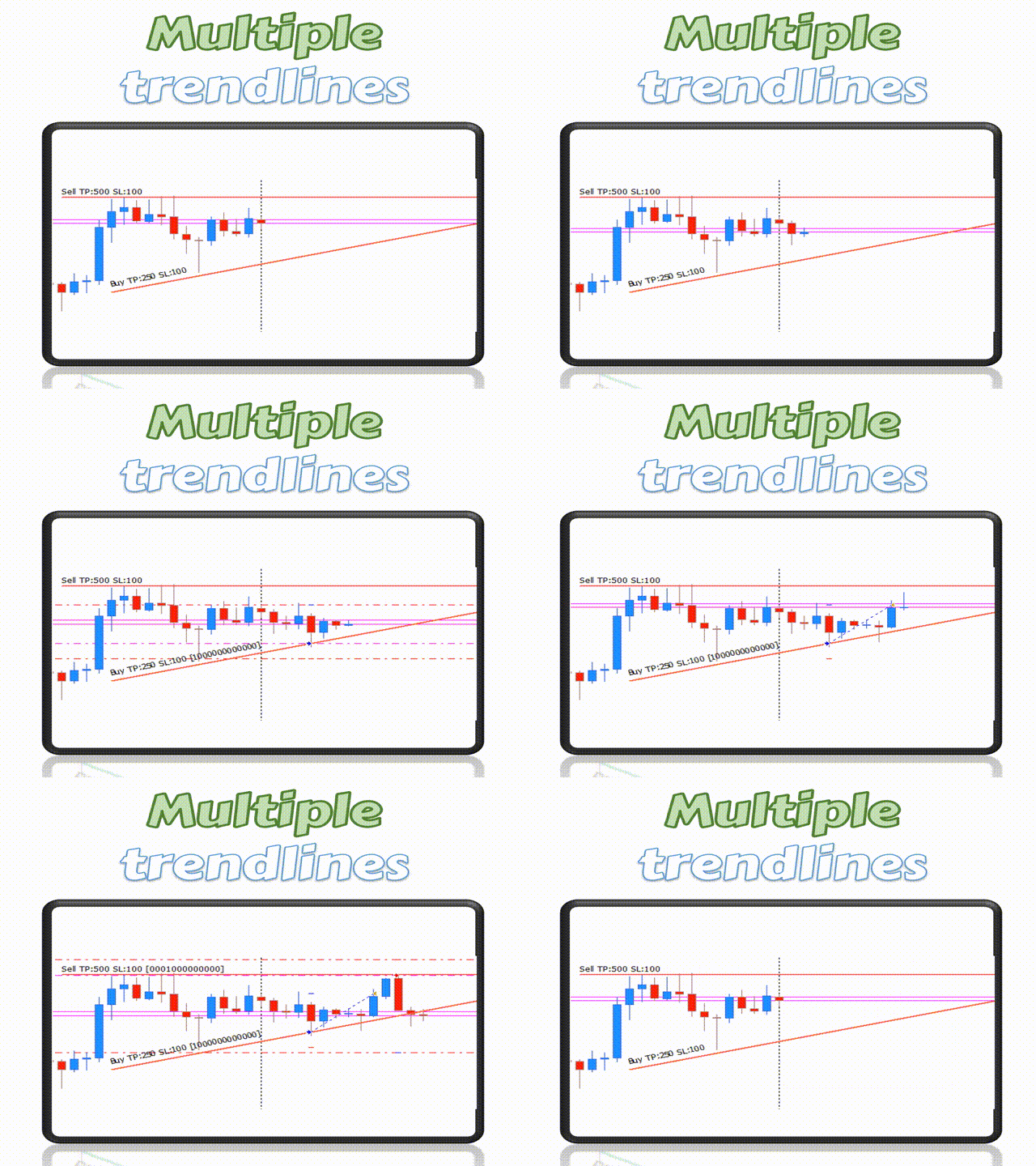
- Configure stop loss, take profit, and volume per trendline
- Trigger actions based on candle close or price distance from the trendline
Monitoring and Alerts
- Generate alerts on trendline touch, breakout, pullback, or false breakout
- Support for popup, email, push notification, and sound alerts
- Optional automatic position closing when price reaches an exit trendline
User-Controlled Analysis
- The Expert Advisor does not draw, modify, or reposition trendlines
- All chart analysis remains unchanged and fully controlled by the user
Basic Usage
- Attach the Expert Advisor to a chart
- Draw a trendline using standard MetaTrader tools
- Add an action command to the trendline name
- The Expert Advisor monitors the trendline and executes the specified action
Supported Action Commands
Trade actions
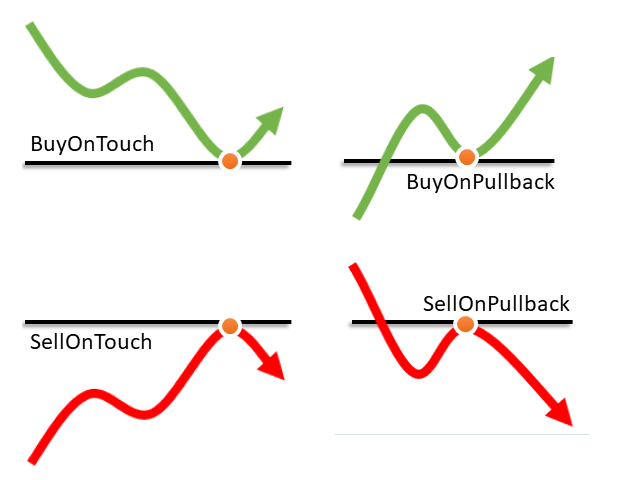
- Buy / BoT / BuyOnTouch
- Sell / SoT / SellOnTouch
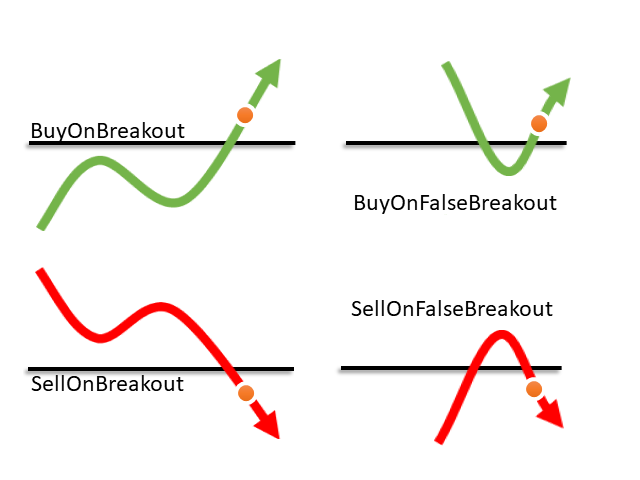
- BoB / BuyOnBreakout
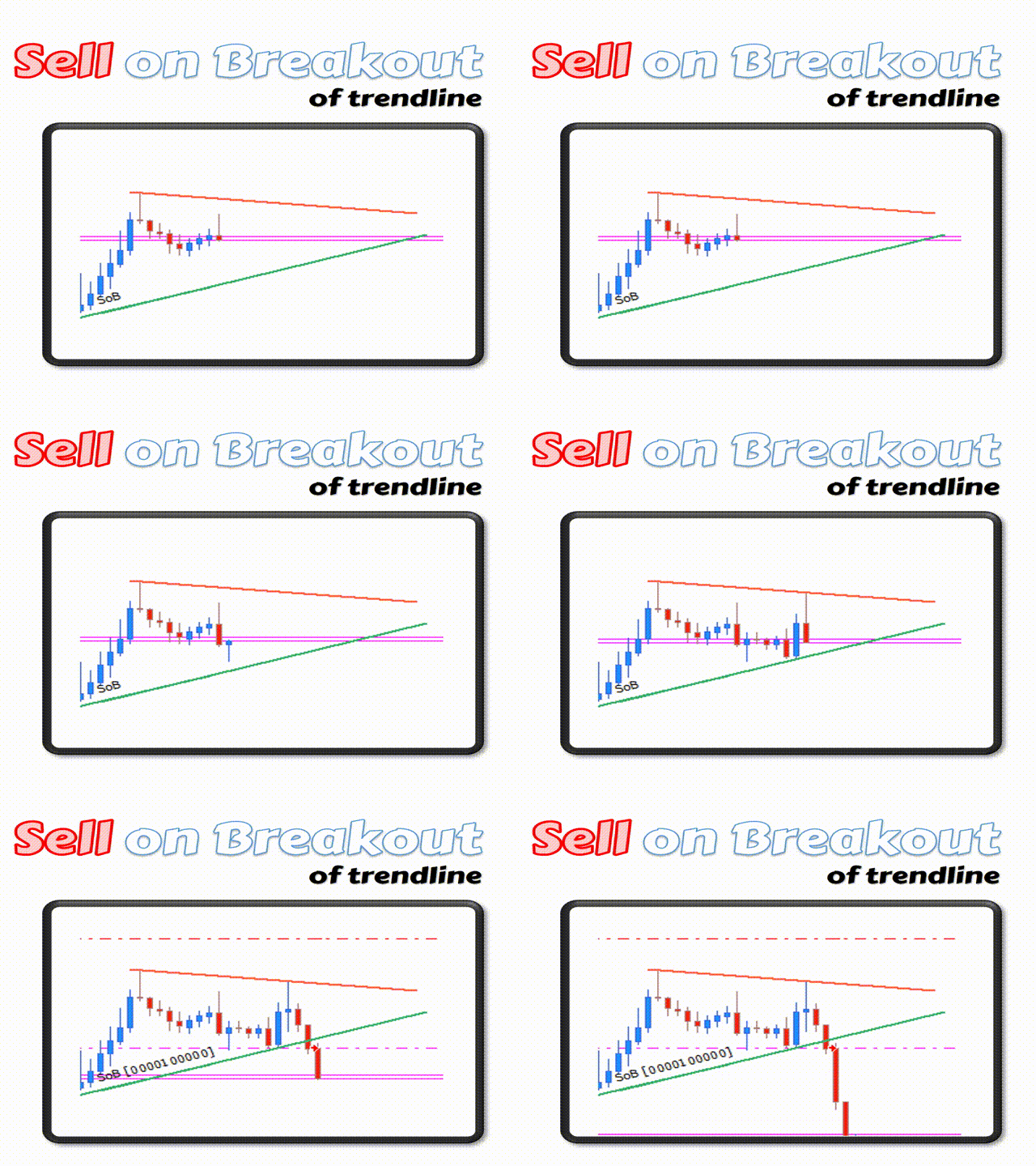
- SoB / SellOnBreakout
- BoPB / BuyOnPullback
- SoPB / SellOnPullback
- BoFB / BuyOnFalseBreakout
- SoFB / SellOnFalseBreakout
Position management
- CaB – Close all Buy positions
- CaS – Close all Sell positions
- CaO – Close all positions
- CP – Close partial volume
Alert actions
- Alert / AoT – Alert on touch
- AoB – Alert on breakout
- AoP – Alert on pullback
- AoFB – Alert on false breakout
Action parameters
- TP – Take profit in points
- SL – Stop loss in points
- V – Trade volume
Input Parameters
- Enable or disable Expert Advisor operation
- Magic Number for trade identification
- Maximum slippage
- Default stop loss and take profit
- Default trade volume
- Breakout detection method
- Breakout distance in pips
- Buy trigger price type
- Re-entry configuration per trendline
- False breakout minimum shift
- Alert delivery options
- Alert sound file
Usage Examples
Buy on breakout with predefined parameters
Alert when price touches a trendline
Sell on pullback
Close all Buy positions
Frequently Asked Questions
Does the Expert Advisor trade automatically?
No. The Expert Advisor only executes actions explicitly defined by the user.
Does it modify trendlines?
No. All trendlines remain unchanged.
Can it be used for alerts only?
Yes. Trading actions are optional.
Is it compatible with all symbols and timeframes?
Yes, provided they are supported by MetaTrader 5.
Is a VPS required?
A VPS is optional and depends on the user’s execution and monitoring needs.
Important Notes
- This is a semi-automated Expert Advisor
- No trading strategy is included
- Trading results depend entirely on user configuration and market conditions
- Testing on a demo account is recommended before live use




















































Excellent product with amazing support. I am extremely satisfied. The developer is always helpful and created a new version with a new feature I requested. Lots of thanks to Carlos. Already I recommended to 3 of my friends. They are also very happy. :)