Manual Zone Lines
- Indicators
- Kohei Nakajima
- Version: 1.0
Manual Zone Lines is a simple chart tool that lets you create manual price zones and right-extending lines with one click.
Unlike standard horizontal lines, the line does not extend infinitely to the left.
It starts from the point where it was created and extends to the latest candle, making your chart cleaner and easier to read.
You can also create a price zone with one click.
Created zones and lines automatically extend to the latest candle, so you do not need to keep adjusting them manually.
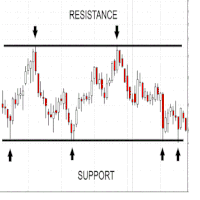
This free version is designed for traders who want a clean and simple way to manage manual support and resistance areas on the chart.
Main features
- Create one manual price zone
- Create one right-extending line
- Auto-extend zones and lines to the latest candle
- Show price labels on the right side
- Show or hide label name and price
- Customize button display
- Customize zone color, line color, and line style
- Delete selected objects
- Clear all objects created by this tool
- Button positions are saved and restored
Free version limitation
This free version includes the basic zone and line tools.
The Pro version includes additional features such as:
- Two zones and two lines
- Multi-timeframe display
- Zone touch and break alerts
- Line touch and break alerts
- More flexible practical use for live trading and analysis
Manual Zone Lines is useful for traders who want to mark important price areas manually and keep the chart clean without using ordinary infinite horizontal lines.