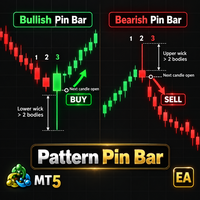
AI Trade Ass Pro 28

🚀 ( AI Trade Ass Pro 28 ) Innovative Trading Assistant — a flagship panel for professional manual and algorithmic trading!
It features - 30 one-click modes on the control panel + 48 modes inside 9 tabs 🤖 + Auto-trading: 28 built-in bots based on 16 Price Action patterns, 7 indicators, and a smart Scheduler with 5 algo strategies at session opens (news breakout, London Box).🎓 Interactive Instructor [?]: A unique "Help" mode instantly prompts and teaches you how to use any panel function upon hovering.📊 Ergonomics: Info-dashboard, visual trade history, OCO orders, 6 languages, 🛡️ Deposit Armor: Hidden virtual orders, strict daily limits (Profit/Loss limit), auto lot calculation by Risk % and precise Breakeven.📈 Smart-Trailing: Smart position management, 7 types of trailing for pending orders and a unique Trailing Profit to quickly recover past losses.🖱️ Visual Control (VOM): Manage orders, SL, TP and multi-level partial close by simple drag-and-drop on the chart, Trade history markers, and Telegram/Email notifications.
----------------------------------------------------------------------------------------------
INSTRUCTIONS: - 1) due to MT5 limitations, the Advisor Control Panel is not displayed in the Tester. All settings are made in the standard general MT5 menu. The main Control Panel is displayed only when working on real and demo accounts after purchasing this Advisor. 2) to test the operation, you must select in section 2 (10) the (BOT) mode + indicator option, or (Pattern) + pattern option in section (12 - Price Action Pattern).

                             CONTROL PANEL ELEMENTS (46 elements)

1 - DASHBOARD — Information board: displays spread, floating profit and statistics of closed trades (for the day, week, month, year).
2 - "Slip" window (Slippage) — Sets the maximum allowed price worsening when executing a market order.
3 - "Sprd" window (Spread protection) — Sets a filter: if the current market spread is higher than this value, the algorithm will block trade opening.
4 - "Offset" window (Price offset) — Determines the distance from the current market price for precise placement of pending orders.
5 - "SL" window (Stop-Loss) — Sets a hard size for the protective stop-loss to limit potential trade losses.
6 - "TP" window (Take-Profit) — Sets a fixed target profit size for automatic successful position closure.
7 - "Bal %" window (Risk from Balance) — Sets the risk percentage from the total account balance for automatic calculation of a safe trading lot.
8 - "Dep %" window (Risk from Equity) — Sets the risk percentage from current available funds (Equity) for dynamic volume calculation.
9 - "Vol %" window (Margin Risk) — Determines the exact percentage of your deposit to be used as collateral (margin).
10 - "Lot Size" window (Trade Volume) — Sets a fixed working volume (ignored if you use "Bal/Dep/Vol %" risk fields).
11 - "Magic #" window (Magic number) — A unique digital identifier allowing the EA to flawlessly manage only its own orders.
12 - "SL_Limit_Off" window (Stop-Limit Corridor) — Sets the distance between the breakout price and the actual placement price of a limit order.
13 - "Part %" window (Close Share) — Sets the exact percentage of the total trade volume to be liquidated during a fast partial close.
14 - "Language" button (Localization) — Instantly switches the panel interface language to one of 6 built-in languages (EN, RU, IT, ZH, ES, AR).
15 - "Help" button [?] — Activates the smart interactive instructor mode, displaying detailed tutorial tooltips on mouse hover.
16 - "Time Settings" button [⚙] — Opens a window to change the working time zone and visually adjust the panel's main timer.
17 - "Minimize" button [-] — Minimizes the interface, hiding the trading block and leaving only a compact info header on the chart.
18 - "OCO" toggle button (One Cancels Other orders):
● OCO Mode: ON — When one pending order is triggered, all other opposite pending orders are automatically deleted.
● OCO Mode: OFF — Classic mode, all placed pending orders work and trigger absolutely independently of each other.
19 - "Offset Measurement Units" toggle button (PTS / %):
● PTS Mode — All distances (SL, TP, entry offsets) are calculated in classic fixed broker points.
● % Mode — All distances are calculated as a percentage of the current asset price, ideal for volatile stocks and cryptocurrencies.
20 - "Entry Mode" toggle button (ENTRY):
● ENTRY Mode: STD — A pending order is placed at a strictly defined distance (Offset) from the current price.
● ENTRY Mode: IND — A pending order becomes "sticky" and dynamically attaches to the moving line of the selected indicator.
21 - "Stop-Loss Mode" toggle button (SL):
● SL Mode: STD — Stop-loss is set statically at the distance from the entry price specified in the SL window.
● SL Mode: IND — Stop-loss is calculated and set automatically, relying on the boundaries of the selected technical indicator.
22 - "Execution Mode" toggle button (REAL / VIRTUAL):
● REAL Mode — Classic trading, all stops and pending orders are transparently sent directly to your broker's trading server.
● VIRTUAL Mode — Stealth mode: stops and pending orders are drawn on the chart only for you and executed at market, protecting against broker spikes.
23 - "Indicator" toggle button (Base selection for smart modes):
● STANDARD Mode — Basic mode without using technical indicators.
● HI/LO CNDL Mode — Uses extremes of previous candles (Price Action logic).
● MOVING AVG Mode — Uses the dynamic line of the Moving Average (MA).
● BOLLINGER Mode — Uses the outer bands of the Bollinger Bands volatility channel.
● PARABOLIC Mode — Uses the reversal dots of the Parabolic SAR trend indicator.
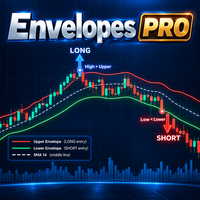
● ENVELOPES Mode — Uses the boundaries of the Envelopes trading bands.
● DONCHIAN Mode — Uses the classic Donchian breakout channel.
● KELTNER Mode — Uses the flexible Keltner volatility channel.
● PRICE CH Mode — Uses the standard classic Price Channel.
24 - "Volume Calculation Type" toggle button (LOTS / CASH / UNIT):
● LOTS Mode — Manual input of trade volume in standard forex lots.
● CASH Mode — Investment input: you specify an exact amount of risk or purchase in real money (deposit currency).
● UNIT Mode — Input of the exact number of units of the underlying asset being purchased.
25 - "Trailing Stop-Loss" toggle button (SL TR):
● SL TR Mode: ON — The system automatically pulls the protective Stop-Loss following the price strictly along the line of the selected indicator.
● SL TR Mode: OFF — Static Stop-Loss, the protective line remains stationary after trade opening.
26 - "Trailing Pending Orders" toggle button (ORD TR):
● ORD TR Mode: ON — Untriggered pending orders dynamically chase the price, moving along the indicator line in search of a better entry point.
● ORD TR Mode: OFF — Pending orders are rigidly fixed at initially set price levels.
27 - "Trailing Profit" toggle button (TP TR):
● TP TR Mode: ON — A unique algorithm dynamically expands the Take-Profit of a new trade to mathematically cover all past losses of the current series.
● TP TR Mode: OFF — The dynamic target profit increase function is disabled.
28 - "Assistant Working Mode" toggle button (System Brain):
● ASSISTANT Mode — Manual control mode: orders are placed only by user command via interface buttons.
● BOT INDK Mode — Automatic bot: trades absolutely independently based on breakouts of the selected technical indicator lines.
● PATTERN Mode — Automatic bot: trades independently by finding selected classic Price Action candlestick patterns on the chart.
29 - "MARKET SELL" button — Instantly opens a market sell trade with automatic calculation of all risks and stops.
30 - "MARKET BUY" button — Instantly opens a market buy trade with automatic calculation of all risks and stops.
32 - "SELL STOP" button — Places a pending breakout sell order below the current market price.
33 - "BUY STOP" button — Places a pending breakout buy order above the current market price.
34 - "SELL LIMIT" button — Places a pending bounce-down (sell) order above the current market price.
35 - "BUY LIMIT" button — Places a pending bounce-up (buy) order below the current market price.
36 - "SELL ST LIM" button — Places a complex Sell Stop Limit pending order (sell entry after support breakout and a slight pullback).
37 - "BUY ST LIM" button — Places a complex Buy Stop Limit pending order (buy entry after resistance breakout and a slight pullback).
38 - "Order Type" toggle button (HORIZ / T-LINE):
● HORIZ Mode — Placement of classic horizontal pending price orders.
● T-LINE Mode — Placement of slanted trend lines: when the price crosses them on the chart, a market order is instantly triggered.
39 - "Fast Partial Close" toggle button (PARTIAL):
● PARTIAL Mode: ON — When manually closing a trade from the panel (or cross on the chart), only the volume chunk specified in the "Part %" window will close.
● PARTIAL Mode: OFF — When clicking any manual close, the trade will be liquidated entirely at 100%.
40 - "Auto-Reverse" toggle button (SL REVERSE):
● SL REVERSE Mode: ON — Protective flip: if a position is closed by Stop-Loss, the Assistant instantly opens an opposite trade.
● SL REVERSE Mode: OFF — Instant reverse flip function is disabled.
41 - "ALL CLOSE SELL" button — Closes absolutely all open Sell (Short) trades with one click.
42 - "ALL CLOSE BUY" button — Closes absolutely all open Buy (Long) trades with one click.
43 - "ALL CLOSE PROFIT" button — Intelligently closes exclusively those trades currently bringing floating profit (green).
44 - "ALL CLOSE LOSS" button — Intelligently closes exclusively those losing trades currently dragging the balance down (red).
45 - "CLOSE ALL POSITIONS" (Panic) button — Emergency brake: urgently closes the entire market, deletes all lines, pending orders, and completely resets the Martingale cycle.
46 - "SYSTEM POWER" toggle button (Main switch):
● SYSTEM POWER Mode: ON — Power supplied: the Assistant analyzes the market, manages bots, trailings, and the Task Scheduler.
● SYSTEM POWER Mode: OFF — Complete blackout: all automatic algorithms and management are frozen, preventing any unplanned actions.

VOM (Visual Order Manager) CONTROL ELEMENTS ON CHART (14 elements):

47 - Take-Profit Line (TP) — Target level (shows points, percentages, money, and price): drag it up or down with the mouse to instantly change Take-Profit.
48 - [P] Button (Parts Lock) — Rigidly anchors the orange partial close lines to the Take-Profit: when moving TP, levels will shift proportionally with it.
49 - [R] Button (Risk/Reward Lock) — Fixes the current mathematical RR ratio: when manually dragging the Stop-Loss, the Take-Profit line will shift automatically!
50 - Partial Close Line (Orange) — Visual profit-taking level: drag up or down to fine-tune the price where a part of the trade will close upon touch.
51 - [-] Button (on the orange line) — Decreases the share of closed volume (Vol %) at this specific level in 10% increments.
52 - [+] Button (on the orange line) — Increases the share of closed volume (Vol %) at this specific level in 10% increments.
53 - [X] Button (on the orange line) — Permanently removes the selected visual partial close level from the chart.
54 - Zones Toggle Button [+/-] (On the left of the main line):
● [-] Mode — Hides the colored background zone fill (green and red), leaving only strict minimalist lines on the chart.
● [+] Mode — Expands the visual color zones of profit and loss for maximum risk assessment clarity.
55 - Main Entry Line (ENTRY / Gray) — Order core (shows type, lot, profit, RR, and price): for pending orders, drag it up/down to instantly change entry price.
56 - [<<] Button (For open positions) — Instant reverse: closes the current trade and immediately opens an opposite one with precise preservation of SL and TP distances.
57 - [<<] or [ASK/BID] Toggle Button (Depends on order status):
● [ASK/BID] Button (For pending orders) — Switches the trigger price whose touch activates your virtual pending order (Blue - Ask, Red - Bid).
58 - [+P] Button (Add Part) — Creates a new additional orange level on the chart in one click to fix part of the profit.
59 - [X] Button (on the gray line) — Instantly closes the position or deletes the order (Warning: if "PARTIAL: ON" is enabled on the panel, only the specified percentage will close!).
60 - Stop-Loss Line (SL) — Protective barrier: drag it up or down with the mouse to quickly and visually change the maximum allowable loss.
61 - Interactive Construction Edges (Colored blocks) — The left and right edges of the VOM panel are "magnetic": pull them to narrow or stretch the entire construction horizontally anywhere on the chart.
-------------------------------------------------------------------------------------------------------------------------------------------------------------------------------------------------------


62. "TRADE" Tab (MAIN PANEL / TRADE)
Main working area of the assistant.

Acts as the main control panel: here you place market and pending orders, calculate risks (from balance, equity, or margin), set offsets for stop-loss and take-profit, and activate smart modes (VIRTUAL, OCO, smart-trailing, and reverse).

62. Вкладка "TRADE" (ГЛАВНАЯ ПАНЕЛЬ / ТОРГОВЛЯ) Главная рабочая область ассистента. Выступает в роли основного пульта управления: здесь вы размещаете рыночные и отложенные ордера, рассчитываете риски (от баланса, эквити или маржи), устанавливаете отступы для стоп-лосса и тейк-профита, а также активируете умные режимы (VIRTUAL, OCO, смарт-трейлинг и реверс).

63. Вкладка "DASHBOARD SETTINGS" (НАСТРОЙКИ ПАНЕЛИ) Отвечает за визуальный дизайн панели и отображение маркеров истории сделок на рабочем графике. Здесь вы настраиваете цвета интерфейса, переключаете темы (светлая/темная), регулируете размер шрифтов и привязываете звуковые уведомления.

64. Вкладка "RR % T-PROFIT" (Риск-Прибыль / Risk-Reward) Автоматизирует выставление тейк-профита на основе заданного расстояния до стоп-лосса. Вы задаете множитель, и система всегда будет устанавливать цель строго пропорционально определенному вами риску.

65. Вкладка "MARTINGALE" (Система восстановления убытков) Отвечает за автоматический вывод просадочных серий в плюс за счет увеличения торгового объема после убытка. Оснащена гибкими алгоритмами (умножение/прибавление) и защитными лимитами шагов для предотвращения слива депозита.

66. Вкладка "PARTIAL CLOSE" (Частичное закрытие) Управляет сеткой уровней для постепенного и безопасного фиксирования прибыли по мере движения цены к цели. Позволяет настроить автоматическое пошаговое деление дистанции или вручную добавлять уровни фиксации прямо на графике.

67. Вкладка "PATTERNS" (Паттерны Price Action) Превращает ассистента в автономного робота, самостоятельно сканирующего график на наличие 16 классических свечных формаций. Содержит встроенную интерактивную справочную базу с подробным описанием логики торговли для каждого паттерна.

68. Вкладка "LIMIT PROFIT" (Глобальный контроль прибыли) Выступает в качестве главного фиксатора прибыли за день или по всему торговому счету. Как только прибыль достигает заданной цели, алгоритм останавливает торговлю и экстренно закрывает все сделки.

69. Вкладка "LOSS LIMIT" (Система защиты капитала) Служит жестким предохранителем (Stop-Out) для защиты вашего депозита от крупных непредвиденных убытков. При достижении критического дневного убытка бот закрывает все активные сделки и полностью блокирует работу системы.

70. Вкладка "SCHEDULER" (Планировщик и уведомления) Многофункциональный тайм-менеджер на 10 слотов для запуска стратегий и торговых команд точно по расписанию. Здесь вы также настраиваете мгновенную маршрутизацию отчетов и торговых сигналов прямо в ваши Telegram и Email.

71. Вкладка "BREAKEVEN" (Безубыток) Защищает уже прибыльные открытые позиции от внезапных разворотов рынка в обратном направлении. Как только цена проходит заданное расстояние в плюсе, система автоматически переводит стоп-лосс в безрисковую зону.

Уважаемые трейдеры! 🚀

Обратите внимание, что наш торговый ассистент — это мощный профессиональный комплекс, включающий в общей сложности 158 элементов настроек. Этот массивный арсенал состоит из окон ввода параметров и многофункциональных кнопок, поддерживающих одновременное изменение сразу нескольких режимов торговли. По этой причине уместить абсолютно все нюансы управления и детали логики в этот текстовый список невозможно — описание было бы бесконечным. Но вам и не придется читать тома инструкций! Специально для вашего удобства в Ассистента встроена уникальная интерактивная система подсказок (Инструктор). С ее помощью абсолютно любой трейдер может легко и интуитивно изучить функцию любой кнопки, любого окна ввода и любого режима, не отрывая глаз от графика.

💡 Как активировать систему подсказок и эффективно ее использовать: Найдите кнопку с символом [?] на самой верхней панели (в шапке) и нажмите ее. Режим обучения активирован! Теперь просто наведите курсор мыши на любой непонятный элемент панели, кнопку или линию на графике. Ассистент мгновенно выведет на экран всплывающее окно с подробным и понятным описанием назначения и логики этого конкретного инструмента.

⚠️ ВАЖНОЕ ПРЕДУПРЕЖДЕНИЕ ПО ОПТИМИЗАЦИИ: Интерактивная система подсказок работает в режиме реального времени и непрерывно сканирует положение вашего курсора. Обязательно отключайте режим подсказок (повторным нажатием кнопки [?]) во время активной торговли. Это необходимо делать для того, чтобы не создавать фоновую нагрузку на терминал MT5 и процессор вашего компьютера. Отключение подсказок гарантирует молниеносный отклик панели и идеальную плавность работы!


63. "DASHBOARD SETTINGS" Tab
Responsible for the visual design of the panel and the display of trade history markers on the working chart.
Here you configure interface colors, switch themes (light/dark), adjust font sizes, and bind sound notifications.


64. "RR % T-PROFIT" Tab (Risk-Reward)
Automates the placement of Take-Profit based on the set Stop-Loss distance.
You set a multiplier, and the system will always set a target strictly proportional to your defined risk.


65. "MARTINGALE" Tab (Loss Recovery System)
Responsible for automatically pulling drawdown series into profit by increasing the trading volume after a loss.
Features flexible algorithms (multiply/add) and protective step limits to prevent deposit depletion.


66. "PARTIAL CLOSE" Tab
Manages a grid of levels for gradual and safe profit fixing as the price moves towards the target.
Allows configuring automatic step-by-step distance division or manually adding fixing levels directly on the chart.


67. "PATTERNS" Tab (Price Action Patterns)
Turns the assistant into an autonomous robot independently scanning the chart for 16 classic candlestick formations.
Contains a built-in interactive reference base with a detailed description of trading logic for each pattern.


68. "LIMIT PROFIT" Tab (Global Profit Control)
Acts as the main profit fixer for the day or across the entire trading account.
As soon as the profit reaches the set target, the algorithm stops trading and urgently closes all trades.


69. "LOSS LIMIT" Tab (Capital Protection System)
Serves as a hard fuse (Stop-Out) to protect your deposit from large unforeseen losses.
Upon reaching a critical daily loss, the bot cuts all active trades and completely blocks the system's operation.


70. "SCHEDULER" Tab (Planner and Notifications)
A multifunctional 10-slot time manager for launching strategies and trading commands precisely on schedule.
Here you also set up instant routing of reports and trading signals directly to your Telegram and Email.


71. "BREAKEVEN" Tab
Protects already profitable open positions from sudden market reversals in the opposite direction.
As soon as the price travels a set distance in profit, the Stop-Loss is automatically moved by the system into the risk-free zone.


Dear Traders! 🚀

Please note that our Trading Assistant is a powerful professional complex that includes a total of 158 settings elements.
This massive arsenal consists of parameter input windows and multifunctional buttons supporting the simultaneous change of multiple trading modes.
For this reason, it is impossible to fit absolutely all control nuances and logic details into this text list — the description would be endless.
But you won't have to read volumes of instructions! Specifically for your convenience, a unique interactive help system (Instructor) is built into the Assistant.
With its help, absolutely any trader can easily and intuitively learn the function of any button, any input window, and any mode without taking their eyes off the chart.

💡 How to activate the help and use it effectively:
Find the button with the [?] symbol on the very top panel (in the header) and click it.
Learning mode is activated! Now simply hover your mouse cursor over any unclear panel element, button, or line on the chart.
The Assistant will instantly bring up a pop-up window on the screen with a detailed, clear description of the purpose and logic of that specific tool.

⚠️ IMPORTANT OPTIMIZATION WARNING: The interactive help works in real-time and continuously scans your cursor's position.
Be sure to turn off the help mode (by clicking the [?] button again) during active trading.
This must be done so as not to create a background load on the MT5 terminal and your computer's processor.
Disabling the help ensures lightning-fast panel response and perfect operational smoothness!
Recommended products
Hamster Scalping mt5
Ramil Minniakhmetov
4.71 (241)
Hamster Scalping is a fully automated Expert Advisor. Night scalping strategy. The RSI indicator and an ATR-based filter are used for entries. The advisor needs a hedging account type Be careful i not sell EA or sets at telegram it scam. All settings free here at   blog .  IMPORTANT! Contact me immediately after the purchase to get instructions and a bonus! Real operation monitoring as well as my other products can be found here: https://www.mql5.com/en/users/mechanic/seller General Recommendati
Exclusive EA for FOREX HEDGE account The EA (FuzzyLogicTrendEA) is based on fuzzy logic strategies based on the analysis of a set of 5 indicators and filters. Each indicator and filter has a weight in the calculation and, when the fuzzy logic result reaches the value defined in the EA parameter, a negotiation is opened seeking a pre-defined gain. As additional functions it is possible to define maximum spread, stop loss and so on . Recommended Symbol: EURUSD, AUDUSD, GBPUSD, NZDUSD, USDCAD, AU
Magic EA MT5
Kyra Nickaline Watson-gordon
Magic EA is an Expert Advisor based on Scalping, Elliot Waves and with filters such as RSI, Stochastic and 3 other strategies managed and decided with the robot smartly. Large number of inputs and settings are tested and optimized and embedded in the program thus inputs are limited and very simple. Using EA doesn't need any professional information or Forex Trading Knowledge. EA can trade on all symbols and all time frames, using special and unique strategies developed by the author. The EA w
Gold Adaptive EA MT5 is an automated Expert Advisor for MetaTrader 5 designed for trading Gold (XAUUSD). The EA uses several internal trading models and market filters to adapt to different phases of Gold price movement. Instead of relying on one fixed entry pattern, Gold Adaptive EA MT5 analyzes market behavior and selects suitable logic for trend continuation, impulse moves, pullbacks and selected recovery conditions. The main goal of the Expert Advisor is to provide a structured Gold tradi
FREE
| Fully-automated Smart Money Concept (ICT) inspired trading solution with multi-strategy capabilities | Built by a grid trader >> for grid traders.  This is MT5 version, click  here  for  Blue CARA MT4  (settings and logics are same in both versions)     Real monitoring signal  -->  Cara Gold Intro Blue CARA EA   ('CARA') - short for  C omprehensive  A lgorithmic   R esponsive   A dvisor is a next-gen  multi-currency    multi-timeframe  EA base on the widely known (and perhaps the most popul
GoldSpire MT5
Mohamed Gaith Mouzeik
5 (3)
GoldSpire MT5 is a professional Grid and Basket Expert Advisor for MetaTrader 5, developed for trading XAUUSD / Gold. The EA combines controlled grid management, adaptive market filters and integrated protection features to manage trading cycles in a structured and risk-aware way. GoldSpire MT5 is not designed as a simple grid robot that opens positions continuously. The EA analyzes the current market environment and adapts its behavior to different market regimes. In calmer market phases, it ca
SolarTrade Suite Financial Robot: LaunchPad Market Expert - designed to open trades! This is a trading robot that uses special innovative and advanced algorithms to calculate its values, Your Assistant in the World of Financial Markets. Use our set of indicators from the SolarTrade Suite series to better choose the moment to launch this robot. Check out our other products from the SolarTrade Suite series at the bottom of the description. Do you want to confidently navigate the world of inves
Magic Grid MT5
Aliaksandr Charkes
4.14 (7)
Magic Grid MT5 is a non-indicator Expert Advisor using a grid strategy (on a hedging account). The strategy is based on automatic reopening of grid pending orders, after closing their market positions (by Take-Profit, Stop-Loss or manually). Pending orders are placed with a specified step from the initial prices, which can be entered manually or generated automatically (once at the beginning of the trade).   The robot can trade on any timeframe, on any currency pair, on several currency pairs,
Viking Alpha DAX Ivar Edition
Valdeci Carlos Dos Passos Albuquerque
Viking Alpha DAX — Germany 40 Expert Advisor for MetaTrader 5 LAUNCH PROMO Only 10 copies at launch price. Price increases with each sale. Launch price: $297 Next price: $497 Final price: $997 Live Performance: FX Blue — Vikingtradingbots What Makes Viking Alpha DAX Different Most DAX robots fail for one simple reason: they treat the Germany 40 like a forex pair. It isn't. The DAX has a heartbeat — a specific rhythm tied to the Frankfurt Stock Exchange opening, the European session structure, an
ID Trade_Bot BS - an effective tool for automated trading using RSI Trade_Bot BS is an efficient solution for automated trading based on RSI, allowing flexible parameter customization and risk management. Thanks to the ability to choose a trading mode, dynamic Stop-Loss and Take-Profit levels, and trading mode adjustment (buying, selling, or both), it is suitable for various trading strategies. Key Features: Uses the RSI indicator to determine market conditions. Automatically opens an
HMA Scalper Pro EA
Vladimir Shumikhin
5 (2)
HMA Scalper Pro EA — Automated Trading Advisor Based on Hull Moving Average (HMA) for MetaTrader 5 OVERVIEW HMA Scalper Pro EA is a professional trading robot (Expert Advisor) for MetaTrader 5 that trades in the direction of the Hull Moving Average (HMA). The HMA indicator determines the current trend direction, and the EA opens trades in that direction, enhanced by Smart Risk capital management, adaptive grid trading, trailing stop, breakeven, and time filters. The EA supports both Netting a
Pro Trader Assistant 1.1 - The Ultimate Trading Companion NB: DOES NOT WORK ON STRATEGY TESTER. FOR TESTING, DM ME   Trade Simple, Smarter, Safer, and More Efficiently Are you ready to transform your trading with institutional-grade risk management? Pro Trader Assistant 1.1  is your complete solution for mastering trading psychology, risk control, and execution efficiency. Built for both prop firm challenges and retail trading. Why Choose Pro Trader Assistant 1.1 Perfect for retail trading
Sonic R Pro Enhanced EA - Version 2025 $249 Only for the First 5 Buyers! Live Signal Check the live performance of Sonic R Pro Enhanced: Live Sonic R Trading Strategy Sonic R Pro Enhanced is an upgraded version of the traditional Sonic R strategy, automating trades based on the Dragon Band (EMA 34 and EMA 89) and incorporating advanced algorithms to maximize performance. Timeframes: M15, M30 Supported Pairs: XAUUSD, BTCUSD, AUDJPY, USDJPY Trading Style: Swing Trading - Pullback & Counter-
Mir Station MT5
Marta Gonzalez
Mir Station MT5  it is a Secure Automated Software for trade Forex market and indices.    The architecture is a Fully Automatic Autonomous Robot Expert capable of independently analyzing the market and making trading decisions      Mir Station MT5   Have neurals nets to used the correct algoritm in the correct market situation   Mir Station MT5         It is an advanced trading system. This is a fully automatic Expert Advisor.      Mir Station MT5   is a plug and play system Mir Sta
ISS Station MT5
Marta Gonzalez
ISS Station MT5      it is a Secure Automated Software for trade Forex market and indices. The architecture is a Fully Automatic Autonomous Robot Expert capable of independently analyzing the market and making trading decisions ISS Station MT5       Have neurals nets to used the correct algoritm in the correct market situation ISS Station MT5           It is an advanced trading system. This is a fully automatic Expert Advisor.        ISS Station MT5       is a plug and play system   ISS Stat
Bober Real MT5
Arnold Bobrinskii
4.88 (16)
Bober Real MT5 is a fully automatic Forex trading Expert Advisor. This robot was made in 2014 year and did a lot of profitbale trades during this period. So far over 7000% growth on my personal account. There was many updates but 2019 update is the best one. The robot can run on any instrument, but the results are better with EURGBP, GBPUSD, on the M5 timeframe. Robot doesn't show good results in tester or live account if you run incorrect sets. Set files for Live accounts availible only for cu
Investopedia FIVE
Joseph Anthony Aya-ay Yutig
Investopedia FIVE EA is based on this article: https://www.investopedia.com/articles/forex/08/five-minute-momo.asp TRADING CONDITIONS - Look for currency pair trading below the X-period EMA and MACD to be in negative territory. - Wait for price to cross above the X-period EMA, then make sure that MACD is either in the process of crossing from negative to positive or has crossed into positive territory within five bars. - Go long X pips above the X-period EMA. - Sell X of the position at en
ProTrade EA
Jim Ariel Camarce Ignao
Key Features   Automated Candle Pattern Recognition 10 Professional Patterns : Detects Bullish/Bearish Engulfing, Hammer/Shooting Star, Morning/Evening Star, Piercing/Dark Cloud, and 6 additional professional candlestick patterns Smart Filtering : Combine multiple patterns with configurable confirmation logic Volume Confirmation : Optional volume filter to validate pattern strength Multi-Timeframe Analysis : Separate execution and bias timeframes for better timing   Trading Dashboard Int
XAU Momentum Sniper
Napat Puangjunkum
XAUUSD MOMENTUM SNIPER AI    MMD Precision Sniper - Know exactly which pip the trend runs out of gas.  XAUUSD Momentum Sniper AI is a revolutionary trading robot built on the elite "Momentum Mass Decay (MMD)" theory. Retail traders constantly get burned because they try to guess resistance and support lines. The reality is: Gold doesn't stop because it hits an imaginary line; it stops because it RUNS OUT OF FUEL. This AI converts Tick Volume into a measurement of "Fuel" and compares it against
Exclusive Imperium MT5 — Automated Trading System Exclusive Imperium MT5 is an Expert Advisor for MetaTrader 5, based on market analysis algorithms and risk management. The EA operates in a fully automated mode and requires minimal trader intervention. Attention! Contact me immediately after purchase to receive setup instructions! IMPORTANT: All examples, screenshots, and tests are provided for demonstration purposes only. If a certain currency pair shows good results with one broker, it does no
THE 8 PILLARS OF STATISTICAL EDGE TRADING:  Introduction In trading, the past doesn't predict the future. But patterns embedded in time reveal the rhythm of markets waiting to repeat. This guide introduces you to the Eight Pillars of Statistical Edge Trading—a comprehensive framework that transforms historical data into actionable trading intelligence. At the heart of this system stands Historical Data. Unlike fleeting indicators or lagging signals, historical patterns reveal the seasonal heart
Powerful Multi-Strategy Forex EA – Flexible Automated Trading System for MT5 Powerful Multi-Strategy Forex EA is a fully automated Expert Advisor developed for traders who want a customizable trading system with multiple signal-generation methods, integrated risk management, and flexible trade execution controls. The EA combines two independent trading strategies that can operate separately or together, allowing users to adapt the system to different market conditions and trading styles. The sy
GOLD XAU ARRAK EA Automated Gold / XAUUSD trading EA with filtered market direction, grid management, equity-based risk lot calculation, virtual TP/SL and manual chart panel. GOLD XAU ARRAK EA is an automated trading Expert Advisor for MetaTrader 5, designed mainly for Gold / XAUUSD trading. The EA uses an internal filtered market direction engine to identify the current market bias and manage positions according to the active direction. The system is built for traders who want automated Gold
Gold M3 Doji Breakout H1 Gold M3 Doji Breakout H1 is an automated MetaTrader 5 Expert Advisor designed to identify a fixed M3 compression structure inside a closed H1 candle and evaluate a breakout during the following H1 trading window. This product is designed for Gold symbols. Its default absolute-price distances are not intended for Forex pairs, cryptocurrencies or stock indices. Position management The EA divides the position into three stages: - Stage 1 closes at the configured first
Risk Manager is an MT5 Expert Advisor that opens a market order with a precisely sized lot at the cursor’s vertical level as Stop-Loss, using a single hotkey. Side is detected automatically: SL below price → BUY, SL above price → SELL. Risk is computed in account currency via OrderCalcProfit, so it works correctly on FX, metals, indices, and crypto. Why traders use it Eliminates mental math and lot calculators. Turns any discretionary setup into a consistent, risk-fixed execution in one keystr
Precision TradePad PRO
Daniel Rafal Jaworski
Precision TradePad PRO is an advanced trading panel designed for traders who want full control, speed, and precision in every trade. This tool eliminates manual errors and simplifies the entire trading process. No more calculating lot sizes, forgetting stop losses, or managing trades manually. Everything is handled instantly and automatically. Main Features: Automatic Lot Calculation - Based on risk percentage - Based on fixed amount - Based on equity - Manual lot option Instant Stop Loss &
Stormer RSI 2
Ricardo Rodrigues Lucca
This strategy was learned from Stormer to be used on B3. Basically, 15 minutes before closing the market, it will check RSI and decided if it will open an position. This strategy do not define a stop loss. If the take profit reach the entry price it will close at market the position. The same happens if the maximal number of days is reached. It is created to brazilian people, so all configuration are in portuguese. Sorry Activations allowed have been set to 50.
Aurum Forest AI
Bintang Indra Maulana Firmansyah
"Trading Gold shouldn't be a gamble; it should be a calculation." Aurum Forest AI is a premium Expert Advisor utilizing a Native .ONNX Machine Learning Architecture . Unlike 99% of "AI" robots on this market that use hidden Martingale, this system is built on a Random Forest Classifier trained on 10 years of institutional Gold liquidity data. ## The Neural Core Advantage: Real-Time Data Processing: Evaluates 20+ non-linear features including SMC Liquidity Sweeps , Fair Value Gaps (FVG) , and Vo
Gold Somnia
Murad Nagiev
Gold Somnia — Automated Trading Expert Advisor for XAUUSD Gold Somnia is a fully automated trading robot designed specifically for trading gold (XAU/USD) on MetaTrader 5. Built on a robust breakout/momentum strategy, it identifies high-probability entry points while applying strict risk management. Key features: - Automated entry and exit logic tailored for gold volatility - Dynamic lot sizing: risk-based or fixed lot - Built-in news filter to avoid high-impact economic events - Trailing stop
The Gold Buyer
Moses Aboliwen Aduboa
Ride the Gold Trend with a Simple Buy-Only EA The  EA is a fully automated Buy-Only Expert Advisor for MetaTrader 5. It is designed to capture upward market opportunities with safe risk management and seamless execution. Why Traders Choose It: Best performance on Gold (XAUUSD) – highly liquid and trending. Buy-Only EA – focuses purely on long positions. Plug & Play setup – attach and let it trade automatically. Built-in Stop Loss & Take Profit protection. Smart one-position contro
Buyers of this product also purchase
Trade Assistant MT5
Evgeniy Kravchenko
4.43 (214)
It helps to calculate the risk per trade, the easy installation of a new order, order management with partial closing functions, trailing stop of 7 types and other useful functions. Additional materials and instructions Installation instructions - Application instructions - Trial version of the application for a demo account Line function -   shows on the chart the Opening line, Stop Loss, Take Profit. With this function it is easy to set a new order and see its additional characteristics bef
Forex Trade Manager MT5
InvestSoft
4.98 (668)
Trade Manager MT5 is an advanced position size calculator and trade management tool for MetaTrader 5, designed to help traders plan trades faster, control risk more precisely, and manage open positions directly from the chart. It combines order placement, risk based lot calculation, Stop Loss and Take Profit management, Break Even, Trailing Stop, Partial Close, Equity Protection, and external trade management in one panel. Whether you trade forex, indices, metals, commodities, crypto, or future
Local Trade Copier EA MT5
Juvenille Emperor Limited
4.97 (143)
Experience exceptionally fast trade copying with the   Local Trade Copier EA MT5 . With its easy 1-minute setup, this trade copier allows you to copy trades between multiple MetaTrader terminals on the same Windows computer or Windows VPS with lightning-fast copying speeds of under 0.5 seconds. Whether you're a beginner or a professional trader, the   Local Trade Copier EA MT5   offers a wide range of options to customize it to your specific needs. It's the ultimate solution for anyone looking t
TradePanel MT5
Alfiya Fazylova
4.88 (162)
Trade Panel is a multi-functional trading assistant. The app contains over 50 trading functions for manual trading and allows you to automate most trading tasks. Before making a purchase, you can test the demo version on a demo account. Download the trial version of the application for a demonstration account: https://www.mql5.com/en/blogs/post/750865 . Full instructions here . Trade. Allows you to perform trading operations in one click: Open pending orders and positions with automatic risk cal
Beta Release The Telegram to MT5 Signal Trader is nearly at the official alpha release. Some features are still under development and you may encounter minor bugs. If you experience issues, please report them, your feedback helps improve the software for everyone. Telegram to MT5 Signal Trader is a powerful tool that automatically copies trading signals from Telegram channels or groups directly to your MetaTrader 5 account. It supports both public and private Telegram channels, and you can conn
FarmedHedge Pair Trading Dashboard
Tanapisit Tepawarapruek
5 (3)
Farmed Hedge Yield Farming | All Markets (Manual - Hybrid - Semi/Automated EA) MULTI-ASSET SUPPORT Trade any asset available on your broker - Forex: Major, Minor, Exotic pairs - Crypto: BTC, ETH, XRP, SOL, BNB - Stocks: Apple, Tesla, Amazon, Google, etc. - Commodities: Gold, Silver, Oil, Gas - Indices: US30, NAS100, SPX500, DAX40 - Any CFD your broker offers VERIFIED TRADING RESULTS - Farmed Hedge Yield Axi Copy:  https://www.mql5.com/en/signals/2356376 - Farmed Hedge Yield Exn Copy:   https:/
================================================================================ POC BREAKOUT - V20.72. Full Professional Grade Toolkit ================================================================================ POC Breakout is a full MetaTrader 5 trading dashboard for discretionary traders who want breakout signals, Point of Control (POC) context, volume profiles, order flow, market structure, news, alerts, and advanced trade planning in one professional workspace. Attached directly to you
Power Candles Strategy Scanner - Self-Optimizing Multi-Symbol Setup Finder Power Candles Strategy Scanner runs the same self-optimizing engine that powers the Power Candles indicator - on every symbol in your Market Watch, side by side. One panel tells you which symbols are statistically tradable right now, which strategy wins on each, the optimal Stop Loss / Take Profit pair, and pings you the moment a fresh signal fires. This tool is part of the Stein Investments ecosystem - 18+ tools plus Max
Trade copier MT5
Alfiya Fazylova
4.59 (49)
Trade Copier is a professional utility designed to copy and synchronize trades between trading accounts. Copying occurs from the account / terminal of the supplier to the account / terminal of the recipient, which are installed on the same computer or VPS . PROMOTION - If you have already purchased the "Trade Copier MT5," you can receive the "Trade Copier MT4" for free (for copying MT4 > MT5 and MT4 < MT5). For more detailed information about the conditions, please contact us via private message
Telegram to MT5 Multi-Channel Copier automatically copies trading signals from your Telegram channels directly into MetaTrader 5. No bots, no browser extensions, no manual copying. You receive a signal on Telegram and the EA opens the trade on your terminal in a few seconds. The product includes two components: a Windows application that listens to your Telegram channels, and this Expert Advisor that executes the signals on your MT5 terminal. An MT4 version is also available. Setup guide and app
Exp COPYLOT CLIENT for MT5
Vladislav Andruschenko
3.97 (35)
Professional Trade Copier for MetaTrader 5 Fast, professional, and reliable trade copier for MetaTrader . COPYLOT allows you to copy Forex trades between MT4 and MT5 terminals with support for Hedge and Netting accounts. COPYLOT MT5 version supports: - MT5 Hedge to MT5 Hedge - MT5 Hedge to MT5 Netting - MT5 Netting to MT5 Hedge - MT5 Netting to MT5 Netting - MT4 to MT5 Hedge - MT4 to MT5 Netting MT4 version Full Description +DEMO +PDF How To Buy How To Install How to get Log Files H
YuClusters
Yury Kulikov
4.93 (43)
Attention: You can view the program operation in the free version  YuClusters DEMO .  YuClusters is a professional market analysis system. The trader has unique opportunities to analyze the flow of orders, trade volumes, price movements using various charts, profiles, indicators, and graphical objects. YuClusters operates on data based on Time&Sales or ticks information, depending on what is available in the quotes of a financial instrument. YuClusters allows you to build graphs by combining da
Trade Manager DaneTrades
Levi Dane Benjamin
4.28 (29)
DaneTrades Trade Manager is a professional trade panel for MetaTrader 5, designed for fast, accurate execution with built‑in risk control. Place market or pending orders directly from the chart while the panel automatically calculates position size from your chosen risk, helping you stay consistent and avoid emotional decision‑making. The Trade Manager is built for manual traders who want structure: clear risk/reward planning, automation for repeatable management, and safeguards that help reduc
Footprint Chart Pro — Professional OrderFlow EA for MetaTrader 5 Version 6.34 | Professional tool for real traders | Institutional-Grade Visualization DEMO USERS - PLEASE SELECT EVERY TICK / REAL TICK WHEN TESTING AND YOU HAVE DOWNLOADED HISTORICAL DATA. IF YOU SEE A WAITING SCREEN AND IT IS NOT DOWNLOADING, IT MEANS YOU HAVE LOW HISTORICAL DATA. TRY 1 MIN AND 5 MIN FIRST ON 1 DAY DATA. ONE DAY DATA SHOULD BE THE NEWEST AND MOST CURRENT DATE. PLEASE WAIT UNTIL THE MARKET HAS ROLLED OVER PERIOD.
Welcome to ENTRY IN THE ZONE WITH SMC MULTI TIMEFRAME Entry In The Zone with  SMC Multi Timeframe  is a professional trading indicator built on Smart Money Concepts (SMC), combining market structure analysis with a No Repaint BUY / SELL signal system in a single indicator. It helps traders understand market structure more clearly, identify key price zones, and focus on higher-quality trading opportunities. By combining Multi-Timeframe Analysis, Points of Interest (POIs), and real-time signals, t
Anchor Trade Manager
Kalinskie Gilliam
5 (6)
Anchor: The EA Manager Run your full EA portfolio without conflicts, without stacked risk, and without watching every chart yourself. Anchor coordinates up to 64 Expert Advisors on a single account, including daily loss protection built for prop firm rules. Attach Anchor to any chart. Type your EA names and magic numbers in one line. Click OK. Anchor begins coordinating immediately. Built for portfolios. Built for prop firms. Built for discipline. The Problem Running multiple EAs on the same acc
Trade Dashboard MT5
Fatemeh Ameri
4.95 (131)
Trade Dashboard simplifies how you open, manage, and control your trades, with built-in lot size calculation. It allows you to execute trades, manage risk, and control positions directly on the chart, with tools such as partial close, breakeven, and trailing stop. Designed to reduce manual work and help you stay focused on your trading decisions. A demo version is available for testing. Detailed explanations of features are provided within the MQL5 platform. Installation instructions are include

Unlimited Trade Copier Pro MT5 is a tool to copy trade remotely to multiple MT4, MT5 and cTrader accounts at different computers/locations over internet. This is an ideal solution for you if you are a signal provider and want to copy your trades to other receivers globally on your own rules. One provider can copy trades to multiple receivers and one receiver can get trade from multiple providers as well. The provider can even set the subscription expiry for each receiver, so that receiver will n
EasyInsight AIO MT5
Alain Verleyen
4.92 (12)
EASY Insight AIO – All-In-One Power for AI-Driven Trading Want to skip the setup and start scanning the entire market – Forex, Gold, Crypto, Indices, and even Stocks – in seconds? EASY Insight AIO is the complete plug-and-play solution for AI-powered trade analysis. It includes all core Stein Investments indicators built-in and automatically exports clean, structured CSV files – perfect for backtesting, AI prompts, and live market decision-making. No need to install or configure indicators manu
HINN Lazy Trader
ALGOFLOW OÜ
5 (1)
LIMITED SUMMER SALE -40% ! ONLY $470 insead of $790!  Maximum real discount! ONLY UNTIL 08/22 The core idea: using the user interface, you configure the parameters the chart must meet before entering a position (or positions), choose which entry models to use, and set the rules for when trading and planning should end. Lazy Trader  handles the rest: it  takes over all the routine chart watching and execution! full description  :: 3 key videos [1] ->  [2]   ->  [3] What can it do? - Understand
Quant AI Agents
Ho Tuan Thang
5 (1)
Quant AI Agents are independent trading Expert Advisors. Instead of trading using a fixed strategy like other conventional EAs, Quant AI Agents   is a   multi-agent AI trading framework   that turns natural-language strategy prompts into live.  WANT THE SAME RESULTS AS MY LIVE SIGNAL?   Use the exact same brokers I do:   IC MARKETS , IC TRADING   .  Unlike the centralized stock market, Forex has no single, unified price feed.  Every broker sources liquidity from different providers, creating un
FUTURES ORDERFLOW FOOTPRINT CHART Professional OrderFlow EA for MetaTrader 5 Version 1.01| Professional tool for real traders | Institutional-Grade Visualization STRATEGY TESTER USERS - PLEASE SELECT EVERY REAL TICK WHEN TESTING AND YOU HAVE DOWNLOADED HISTORICAL DATA. IF YOU SEE A WAITING SCREEN AND IT IS NOT DOWNLOADING, IT MEANS YOU HAVE LOW HISTORICAL DATA. TRY 1 MIN AND 5 MIN FIRST ON 1 DAY DATA. ONE DAY DATA SHOULD BE THE NEWEST AND MOST CURRENT DATE. PLEASE WAIT UNTIL THE MARKET HAS ROL
The product will copy all telegram signal to MT5 ( which you are member) , also it can work as remote copier.  Easy to set up, copy order instant, can work with almost signal formats, image signal,  s upport to translate other language to English Work with all type of channel or group, even channel have "Restrict Saving Content", work with  multi channel, multi MT5 Work as remote copier: with signal have ticket number, it will copy exactly via ticket number. Support to backtest signal. How to s
Seconds Chart MT5
Boris Sedov
4.61 (18)
Seconds Chart is a unique tool for creating second-based charts in MetaTrader 5 . With Seconds Chart , you can construct charts with timeframes set in seconds, providing unparalleled flexibility and precision in analysis that is unavailable with standard minute or hourly charts. For example, the S15 timeframe indicates a chart with candles lasting 15 seconds. You can use any indicators and Expert Advisors that support custom symbols. Working with them is just as convenient as on standard charts.
EA Auditor
Stephen J Martret
5 (4)
EA Auditor is an independent analysis tool for traders evaluating Expert Advisors and trading signals on MetaTrader 5. It audits backtest reports, reviews posted developer signals, and cross-verifies the two against each other to help traders assess strategies before committing capital. The MQL5 market offers a wide range of Expert Advisors from many developers, with varying approaches, quality, and transparency. EA Auditor provides a consistent, data-driven framework for reviewing them, answer

Timeless Charts
Samuel Manoel De Souza
5 (7)
Timeless Charts is an all-in-one trading utility for professional traders. It combines custom chart types such as Seconds Charts and Renko with advanced order flow analysis using Footprints , Clusters , Volume Profiles , VWAP studies, and anchored analysis tools for deeper market insight. Trading and position management are handled directly from the chart through an integrated trade management panel , while Market Replay and Virtual Accounts provide environments for practicing trading skills and
ManHedger MT5
Peter Mueller
4.83 (6)
THIS EA IS A SEMI-AUTO EA, IT NEEDS USER INPUT. Manual & Test Version Please TEST this product before BUYING  and watch my video about it. The price of the ManHedger will increase to 250$ after 20 copies sold. Contact me for user support or bug reports or if you want the MT4 version! MT4 Version  I do not guarantee any profits or financial success using this EA. With this Expert Advisor, you can: Implement your own Zone Recovery strategy to capitalize on trending markets. Create Grid trading s
VirtualTradePad One Click Trading Panel
Vladislav Andruschenko
4.59 (74)
Trading Panel for MetaTrader 5 — professional one-click trading from chart and keyboard A powerful trading panel for active manual trading, designed to open, manage, and close trades far faster and more efficiently than the standard MetaTrader interface. This panel is built for traders who want full control over positions, pending orders, profit management, and trading execution inside one professional workspace. This is not just another utility. It is a complete trading cockpit for MetaTrader
The News Filter MT5
Leolouiski Gan
4.78 (23)
This product filters   all expert advisors and manual charts   during news time.  It is able to remove any of your EA during news and automatically reattach them after news ends. This product also comes with a complete  order management system   that can handle your open positions and pending orders before the release of any news. Once you purchase   The News Filter , you will no longer need to rely on built-in news filters for future expert advisors, as this product can filter them all from her
Equity Protect Pro: Your Comprehensive Account Protection Expert for Worry-Free Trading If you're looking for features like account protection, equity protection, portfolio protection, multi-strategy protection, profit protection, profit harvesting, trading security, risk control programs, automatic risk control, automatic liquidation, conditional liquidation, scheduled liquidation, dynamic liquidation, trailing stop loss, one-click close, one-click liquidation, and one-click restore, Equity P
More from author
ZigZag 1
Saniyat Nabiyeva
User Guide  Trading Direction (InputDirect) Selects allowed trading directions: both, long only, or short only. Signal Level Usage (Direction) Enables or disables the use of calculated signal levels (Point A) for order placement. Max Orders per Level (MaxOpenOnLevel) Limits the number of orders that can be placed from the same price level to help control risk. Order Entry Logic (InputType) Determines the method of interpreting ZigZag signals (options 1, 2, or 3) that affect entry timing. Lo
AiBot 30
Saniyat Nabiyeva
( AiBot 30 ) is the ultimate trading Expert Advisor featuring: Auto-Trading: 30 built-in bots based on 16 Price Action patterns, 7 indicators, and 5 ready-made algorithmic strategies via a Smart Scheduler for session opens (News Breakout, London Box, etc.). It also features timer-based order placement (Stop, Limit, and Market orders) at customized price levels. It boasts 46 one-click modes on the control panel + 48 modes across 9 tabs. Interactive Instructor [?]: A unique "Help" mode t
AI Bollinger + RSI PRO — The Evolution of a Classic. It belongs to the EA AI PRO series, which means the code is 100% designed and written by Artificial Intelligence, and it is equipped with 24 different institutional-level position management functions. AI Bollinger + RSI PRO — This is a professional trading algorithm. At the core of the Expert Advisor lies a time-tested trend and counter-trend strategy, enhanced by modern filtering and an entry confirmation system. The decision-making logic i
BreakSniper
Saniyat Nabiyeva
USER GUIDE FOR THE ADVISOR 1. General Settings MagicNumber – Unique number for advisor order identification. OrderVolume – Lot size for each trade. OffsetPoints – Offset from the signal level (in points). Slippage – Allowed slippage when opening an order. 2. Operating Modes OppositePositionClose – Closes the opposite position before opening a new one. EnableNextSignalMode – Allows a new signal only after the previous trade closes. EnableReversMode – Reverse mode changes the trading dir
AI Stochastic
Saniyat Nabiyeva
AI Stochastic Pro — Evolution of a Classic. It is from the AI PRO EA series, which means that the code is 100% designed and written by Artificial Intelligence, and is equipped with 24 different institutional-level position management functions. This is a professional trading algorithm that transforms the classic Stochastic oscillator into a powerful trend and counter-trend system thanks to a unique Price Action filter. Trading Logic and Strategy: Unlike standard robots that blindly enter the ma
AI Bolinger PRO
Saniyat Nabiyeva
AI Bolinger Pro — Evolution of a Classic. It is from the AI PRO EA series, which means that the code is 100% designed and written by Artificial Intelligence, and is equipped with 24 different institutional-level position management functions, making it one of the leading (EAs) in terms of the variety of modes. The absence of the human factor in the creation of this advisor via (AI) has allowed the price to be minimized for users; similar functionality created by a real programmer would cost the
AI Rsi PRO
Saniyat Nabiyeva
AI RSI PRO — Evolution of a Classic. It is from the EA AI PRO series, which means the code is 100% designed and written by Artificial Intelligence, and equipped with 24 different position management functions of institutional level, AI RSI PRO — Evolution of the Mean Reversion Strategy This is a professional trading algorithm that turns the legendary RSI (Relative Strength Index) indicator from a simple oscillator into a high-precision sniper system thanks to additional signal confirmation by a
AI Macd PRO
Saniyat Nabiyeva
AI MACD PRO — The Evolution of a Classic. It is part of the EA AI PRO series, which means the code is 100% designed and written by Artificial Intelligence, and it is equipped with 24 different institutional-level position management functions. The advisor works based on signals from the MACD indicator. In the robot's wide arsenal: A Smart News Filter, four SL options, three Trailing SL options including advanced High/Low Trailing, a Partial Close system also with three different options includi
Filter:
No reviews
Reply to review