Bollinger Edge Breakout
- Experts
-
Saniyat Nabiyeva
 - C# - Java - Kotlin - JavaScript - TypeScript - C++ - Python, MQL4, MQL5
- (Expert Advisors, indicators, utilities, API integration) - 5 years of experience - Version: 1.0
- Activations: 7
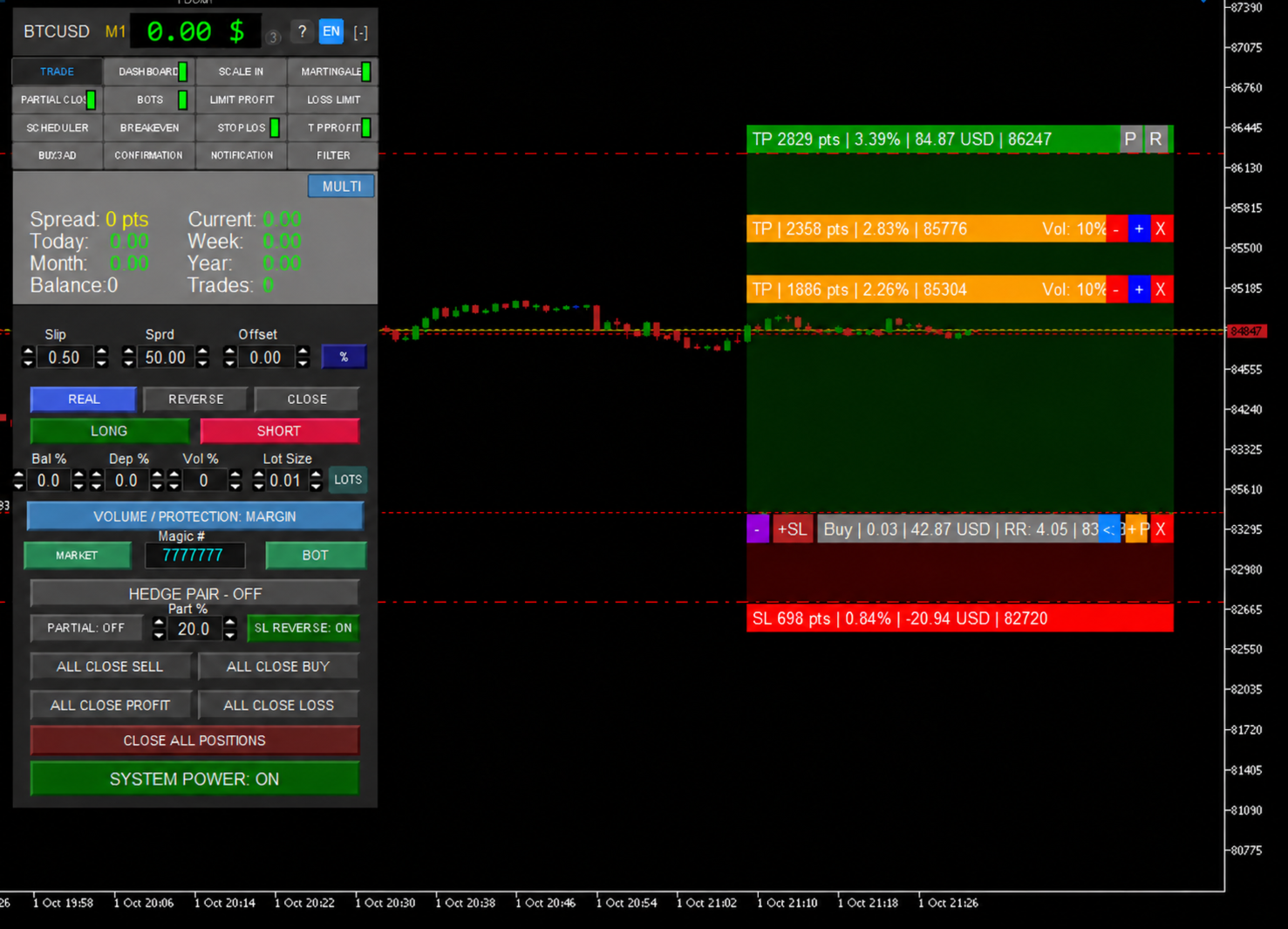
1) BOT with logic for breaking through the upper and lower lines of the Bollinger indicator, and with more than 870 position management functions, 2) 45 types of stop-loss + trailing SL, 3) 10 types of take-profit + trailing profit, 4) 9 risk-management modes, 5) 3 money-management modes, 6) 5 options for increasing position volume, 7) 4 types of notificationss, 8) 8 protection filters, 9) 9 signal confirmation options, 10) Visual Position Manager, 11) Partial position reduction for TP and SL, 12) Break-even, 13) SCHEDULER mode, 14) Loss limit, 15) Profit limit, 16) RR% SL to profit, 17) external CONTROL PANEL works both in live trading and in the Tester, 18) HEDGE - PAIR, 19) Standard and Multi trading mode, 20) works on all trading instruments in MT5: Gold - Cryptocurrency - Forex - Stocks - Futures, 21) 6 language selection options, 22) real and broker-hidden virtual order placement mode, 23) Order reverse, 24) position reversal when closed by stop-loss, 25) all broker account types, 26) HELP function, 27) additional (Assistant) mode only for manual trading, 28) + weekly updates, 29) + BONUS - free installation of any one custom buyer strategy on request as an update - ( for convenient settings in the Tester, the EA's external Control Panel is available, and through it you can configure both Bots and test manual trading through Assistant mode - but due to MT5 limitations, the following rules must be observed to activate this Control Panel - instructions: - in Tester mode do not enable ( Optimization ), because the external Control Panel does not work in it, and in Optimization mode settings must be made through the standard general Tester settings menu - the external Control Panel works only in the Tester's Visualization mode, to activate it enable Visualization by placing a (check mark) in its field - the method of entering parameters into the mode setting fields on the external Control Panel in the Tester is performed only by means of the arrows ( spin box ) in each settings input field, due to system limitations parameter input via the keyboard does not work - after pressing the (START) button in the Tester, configure on the external Control Panel all necessary parameters of the selected Bot strategy and when finished press the orange button on the Control Panel ( SETTINGS READY - START TEST ) - for convenient navigation through the Control Panel functionality in the Tester, the (Help) function is called by moving the mouse cursor over any parameter field or button + right-clicking this object, after which you will receive a pop-up window with detailed help about this function in any of the selected 6 languages in the EA Control Panel settings )