Haven ORB
- Experts
-
Maksim Tarutin
 🔷 MQL5 Developer | Haven
------------------------------------------------------------
I develop trading tools for MetaTrader 5, including indicators, utilities, and Expert Advisors.
My main areas of interest are market structure, liquidity, price action, volatility, and systematic trading. - Version: 2.2
- Updated: 25 March 2026
- Activations: 5
Haven ORB v2.0 - New York Opening Range Breakout Automation (Nasdaq 100)
Introducing Haven ORB – an Expert Advisor for automating the Opening Range Breakout strategy during the New York session. This tool is designed for traders who value a systematic approach and want to trade during one of the most volatile times of the day without constantly monitoring the charts.
The EA features Smart Time Sync technology. You no longer need to calculate your broker's server time offset or track Daylight Saving Time (DST) changes. The EA automatically synchronizes with the exact New York time via precision time servers.
Why do traders choose Haven ORB?
-
Plug & Play (Set and Forget): The strategy is already fully optimized and configured. You don't need to spend time on endless backtests and parameter tuning. Just set your desired risk level, and the EA is ready to work.
-
Built-in Risk Presets: One-click ready-made money management profiles: Conservative (1%), Balanced (1.5%), Standard (2.0%), and Aggressive (3.0%), along with full manual control.
-
Auto NY Time Detection: The EA automatically detects 09:30 AM New York time (accounting for summer/winter time), regardless of your broker's time zone.
-
Iron Discipline: Strictly one trade per day. This protects your account from tilt and overtrading. If a trade has already been executed today, the EA switches to a safe standby mode until the next trading day.
-
Informative Panel and Visuals: A convenient on-chart panel displays the time synchronization status, current risk profile, and operating mode, while the range lines visually show the entry logic.
Key Settings
-
TimeMode – Time mode. AUTO is recommended (automatic synchronization with NY via Web API).
-
RangeStartHour / RangeStartMinute – Start time for the MANUAL mode (or for Strategy Tester runs).
-
LotCalculationMode – Position sizing method (Fixed lot / % of balance / Lot per balance step).
-
RiskProfilePreset – Select a ready-made risk profile (from Conservative to Aggressive) or use the MANUAL mode for custom risk percentage input.
-
ShowInfoPanel & EnableVisuals – Enable the information panel and the drawing of trading range lines on the chart.
Requirements and Installation
IMPORTANT: For the Auto-Time feature to work on a live chart!
To allow the EA to automatically synchronize New York time, you must allow WebRequest in your terminal:
- Open Tools -> Options -> Expert Advisors.
- Check the box for "Allow WebRequest for listed URL".
- Click "Add" and enter TWO addresses (one by one):
https://timeapi.io
https://worldtimeapi.org
Recommendations
-
Instrument: USTEC, NAS100, US100 (Nasdaq).
-
Timeframe: Any (the EA reads data from its own internal timeframes regardless of the chart it is attached to).
-
Account type: ECN, RAW, or accounts with low spreads and fast execution.
-
Deposit: Recommended from 300 USD (to properly calculate minimum lots based on your specified risk %).
Haven ORB is your reliable assistant for systematic trading at the market open. Download the demo version and test the EA right now!
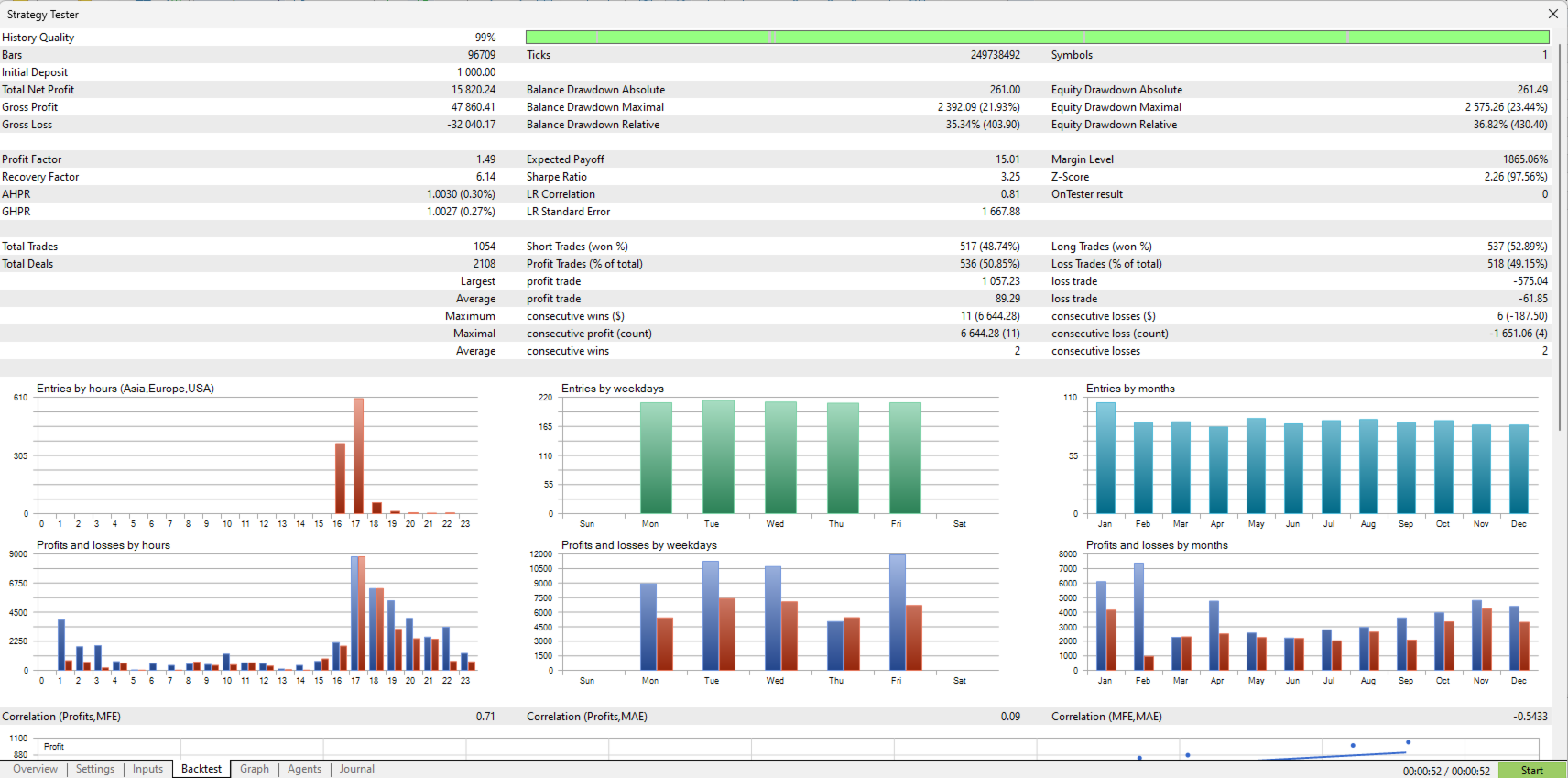
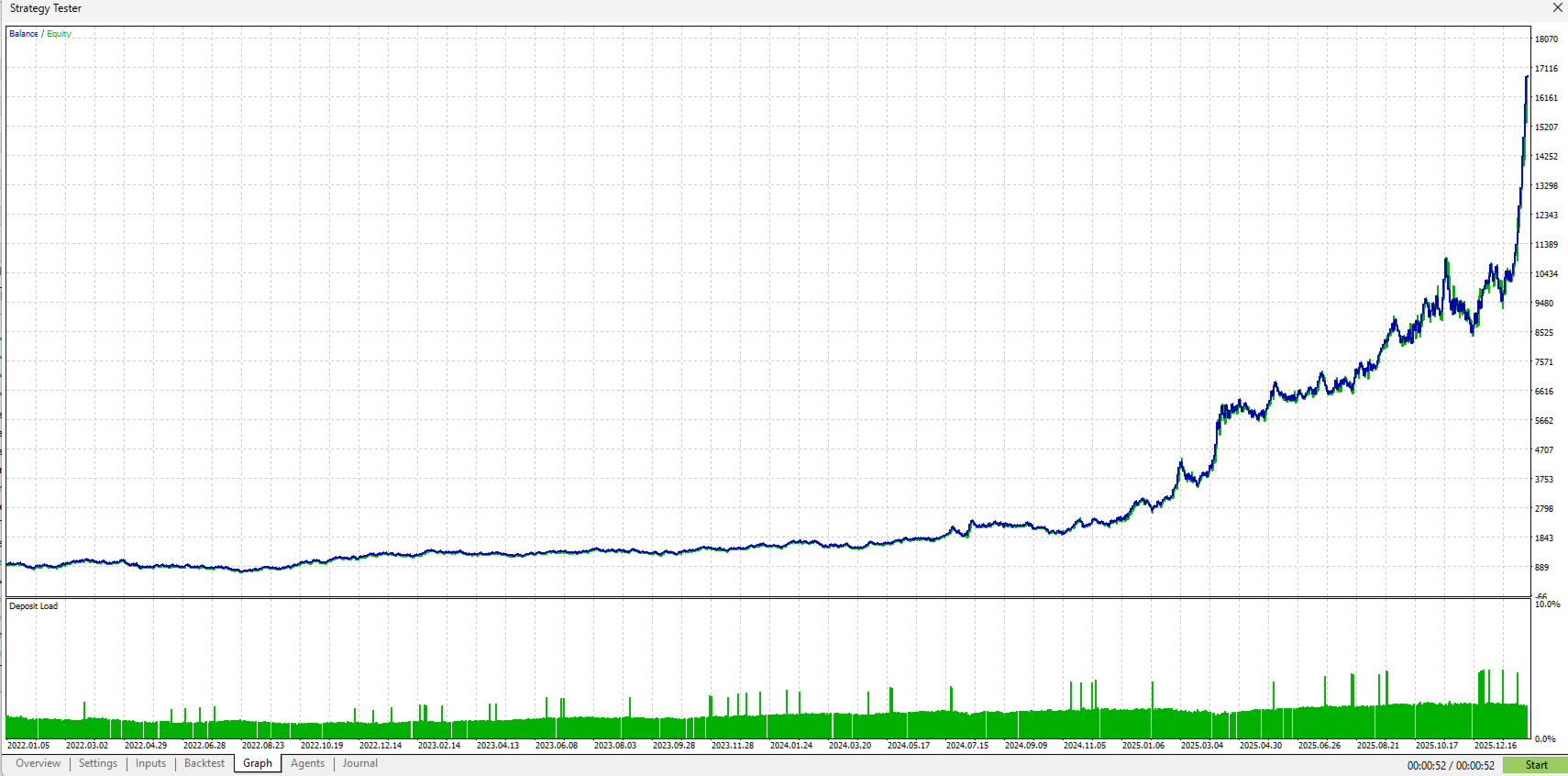
Attention for the Strategy Tester: In the MetaTrader 5 Strategy Tester, WebRequest functions are blocked by the terminal itself. To make backtesting possible, the EA automatically detects when it is running in the Tester and switches the time logic to Tester Fallback.
Important: When running a backtest, ensure that the RangeStartHour and RangeStartMinute parameters are set to the correct server time of the NY session open for your broker's historical data (e.g., 16:30). On a live chart in AUTO mode, these parameters are ignored.