
Aikon MT5
- Experts
- Version: 8.18
- Updated: 7 September 2026
- Activations: 10

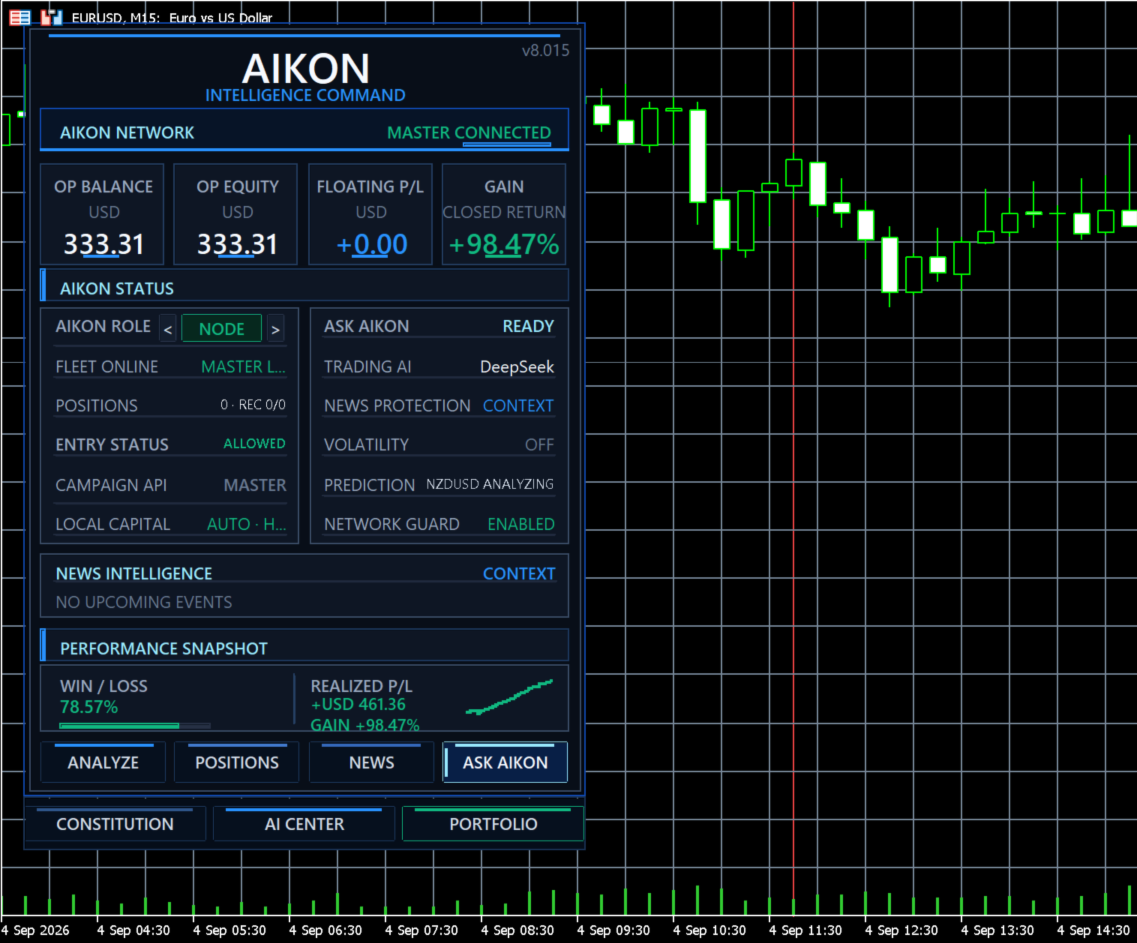
Aikon changes the way you operate an Expert Advisor.
CURRENT PRICE — NEXT 10 PURCHASES
The 24-hour launch period has ended. The current Market price will remain available for the next 10 purchases. After those 10 purchases, the price will increase again toward the final price of $4,997.
Start quickly. Talk to the system naturally. Choose how trades take risk. Control how much capital is allowed to work. Use AI across the operation without paying for unnecessary calls.
QUICK START — New to AI? No problem.
Aikon is designed to be deep without making the first setup difficult.
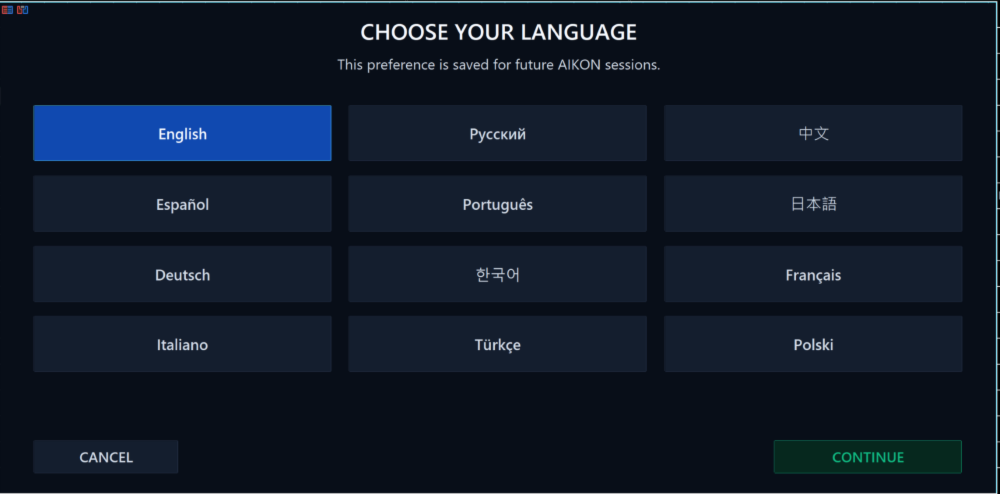
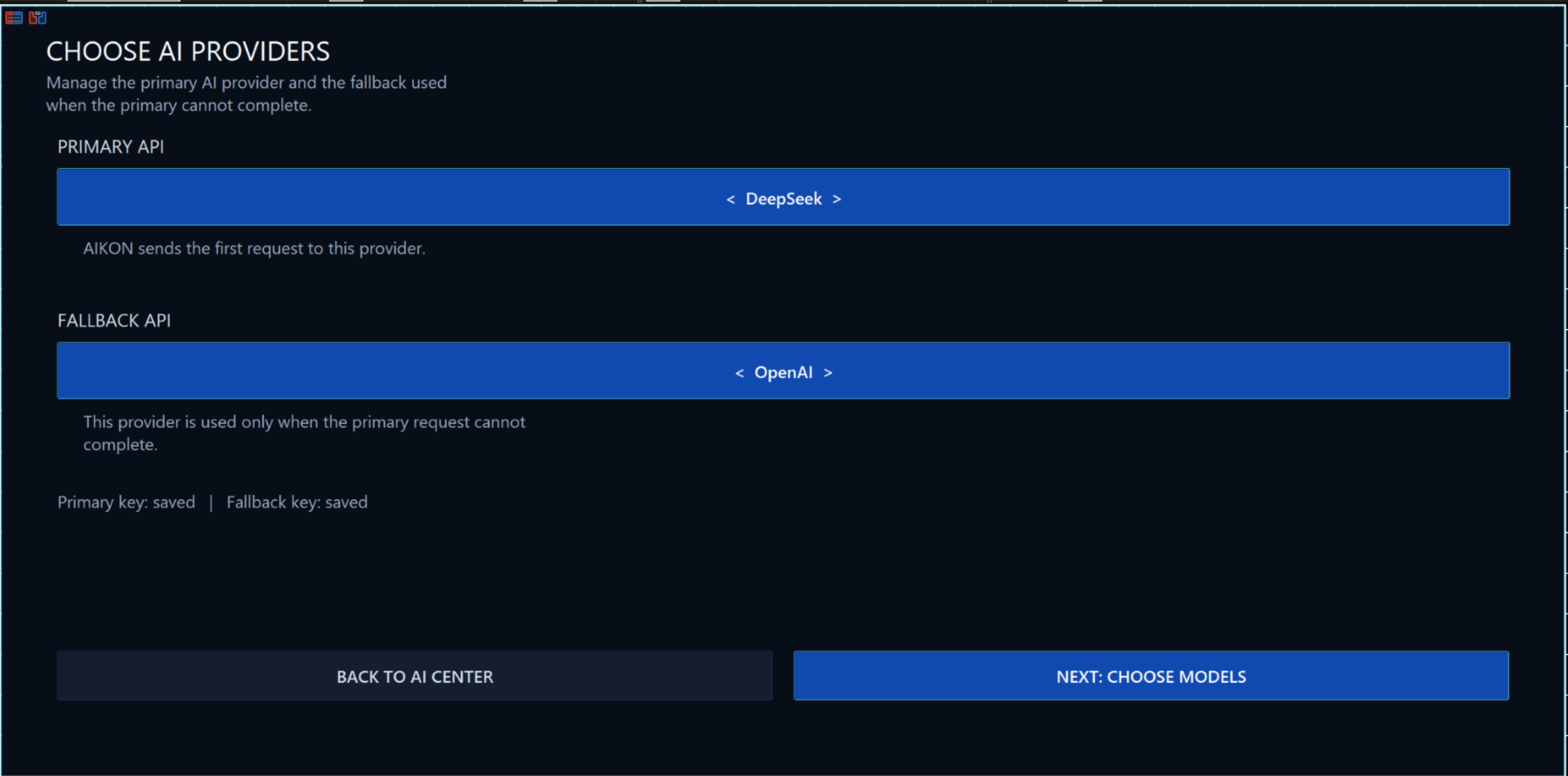
Unified AI onboarding can begin with one provider, one model and one API key. That first connection seeds the main Aikon intelligence roles automatically. Advanced model routing is there later if you want it.
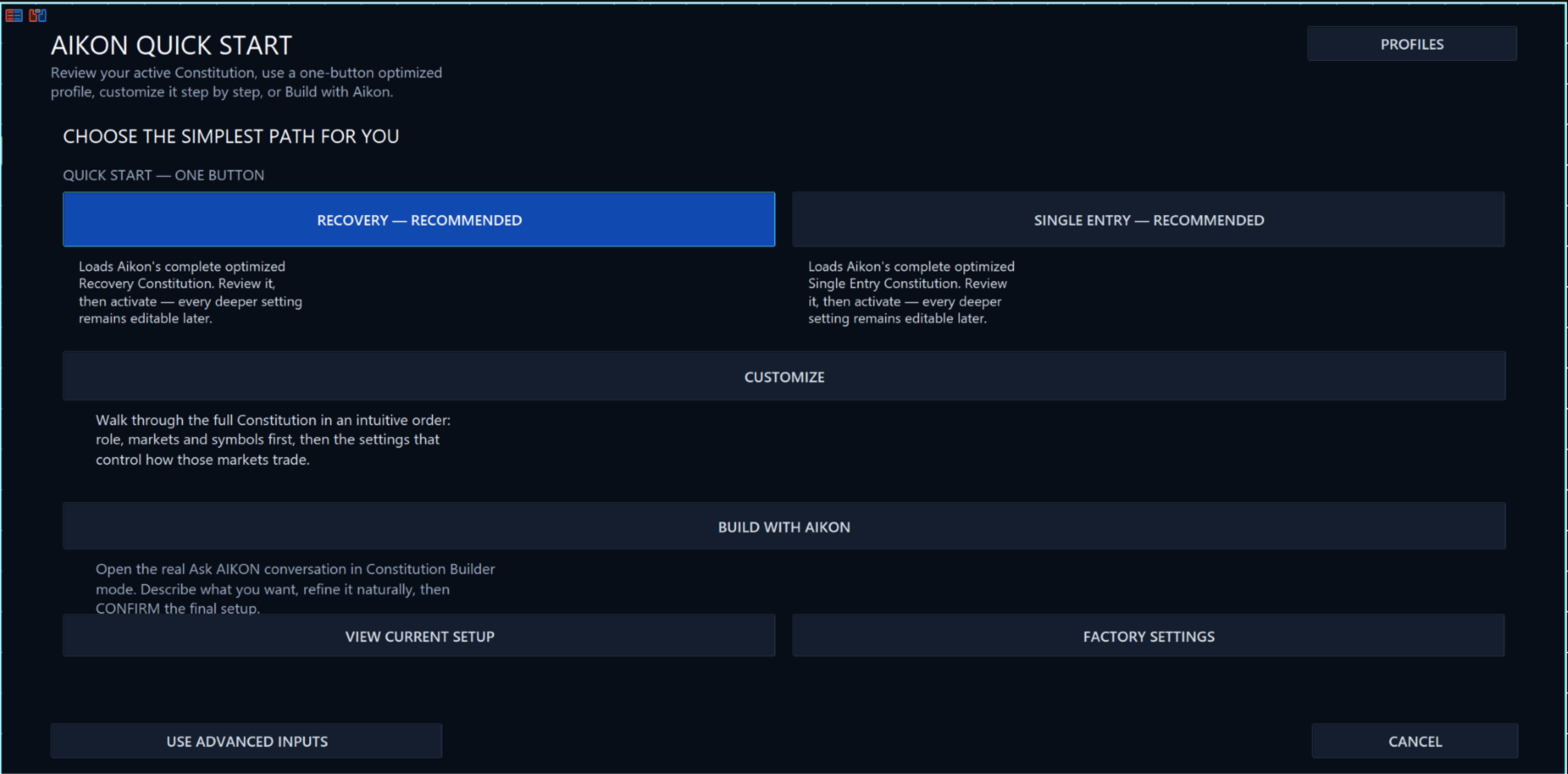
Quick Start then gives you three ways forward:
- Use an optimized one-button starting profile.
- Build the setup conversationally with Ask Aikon.
- Customize the Trading Constitution directly.
Optimized starting paths include Forex Single Entry with Stop Loss, Gold / XAUUSD Single Entry with Stop Loss and Forex Recovery.
Choose symbols yourself, ask Aikon for guidance, or use AIKON CHOOSES. Review the proposed Trading Constitution before activation. You do not need to understand every advanced input before getting started.
ASK AIKON — Ask anything. Tell it what you want done.
This is the center of the Aikon experience.
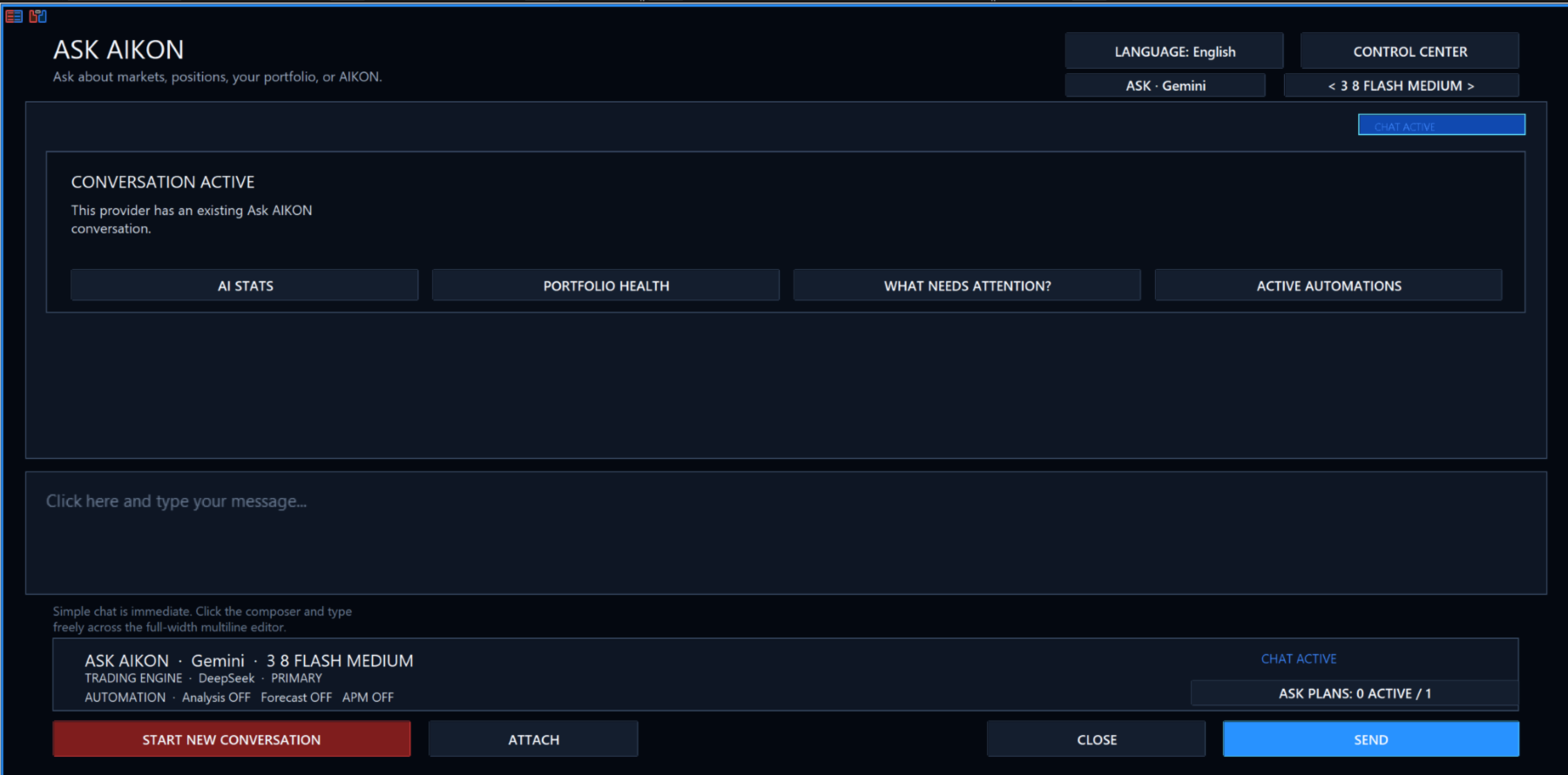
Ask Aikon is not limited to EA settings, trade predictions or a fixed command list. You can talk to it naturally about the market, your strategy, your accounts, your portfolio, an economic event, diversification, risk, prop-firm rules, uploaded files or something you simply do not know.
Ask it a question. Ask it to research. Ask it to recommend. Or tell it to act.
One request can become a conversation, a research task, an alert, an automation, a settings change, a scheduled action, a trade-management instruction, a Node command or a fleet-wide operation.
For example:
- “What do you think happens around today’s CPI release? Look it up first.”
- “Explain my current strategy and tell me what you would improve.”
- “Am I too concentrated in USD? Give me a better diversification plan.”
- “Set Forex to Single Entry with a Stop Loss and apply the profile.”
- “Set my maximum exposure and trading limits to these values.”
- “Close my profitable positions.”
- “Close the losing positions on this account.”
- “Pause new entries until Monday morning.”
- “Alert me if Gold reaches this level.”
- “Monitor XAUUSD for longs only under these entry conditions, allow one trade, manage it if it opens and stop watching Friday at 15:00.”
- “Prepare this account for FTMO, recommend the protection settings and apply them after I confirm.”
- “Show me what is happening across the fleet and change the Nodes that need it.”
If it can be done inside Aikon, you can ask Aikon to do it.
You do not need to know where the setting lives, which menu controls it, whether the request belongs to the Trading Constitution, an automation, an alert, position management, capital control or fleet coordination. Tell Aikon the outcome you want. It works out the path.
Aikon can read the live operating state, combine that with market data and research, recommend a course of action, build the required settings or commands and show you what will happen. You press CONFIRM, and Aikon carries it out.
WATCH. ALERT. AUTOMATE. ACT.
Ask Aikon can keep working after the conversation ends. Tell it what to watch, what condition matters, what should happen if that condition occurs, how many times it may act and when the instruction should expire.
That can be as simple as an alert, or as complete as: monitor a market, wait for your conditions, enter if permitted, manage the position, stop after one trade and retire the plan at the time you specified.
ASK AIKON ABOUT THINGS OUTSIDE THE EA
Do not know something? Ask. Aikon can use available web research and tools to look up current information when the answer depends on something outside MetaTrader.
Talk strategy. Discuss an economic release. Compare approaches. Ask about diversification. Ask about prop-firm rules. Ask what a setting means. Ask why a market behaved the way it did. Ask what could be better.
You can also give Aikon your own context. Upload supported files and ask it to use them in the conversation. Ask Aikon can analyze that information alongside live account, portfolio, market and fleet state.
Need something to share? Ask Aikon can create bounded TXT, CSV or JSON exports for you.
FULL CONTROL FROM YOUR PHONE
Private Telegram pairing gives you the same Ask Aikon conversation and the same operating control while you are away from MetaTrader 5.
From your phone you can ask questions, research events, discuss strategy, request recommendations, change settings, apply profiles, set limits, create alerts, create or remove automations, schedule actions, pause or resume trading activity, close or manage positions, configure protection, control a Node or coordinate the fleet.
Ask once. Review. Confirm. Aikon does it.
No companion application is required. Telegram does not receive broker credentials or its own trading authority. The request returns to the same Aikon instance inside MetaTrader, where the same deterministic validation, confirmation and safety rules apply.
Ask. Research. Recommend. Change. Watch. Alert. Automate. Trade. Manage. From anywhere.
CAPITAL MANAGEMENT + TRADING TYPES
Aikon does not force every customer into one trading philosophy.
Single Entry with Stop Loss means one initial trade with a defined loss-side exit instead of starting a Recovery sequence. Stop Loss and Take Profit can come from supported AI or deterministic exit logic depending on the selected setup.
Recovery is a campaign-based approach that can manage additional positions according to the selected Recovery contract.
You are not required to use Recovery to use Aikon. Different market classes can use different trading contracts.
Risk control also extends beyond the individual trade.
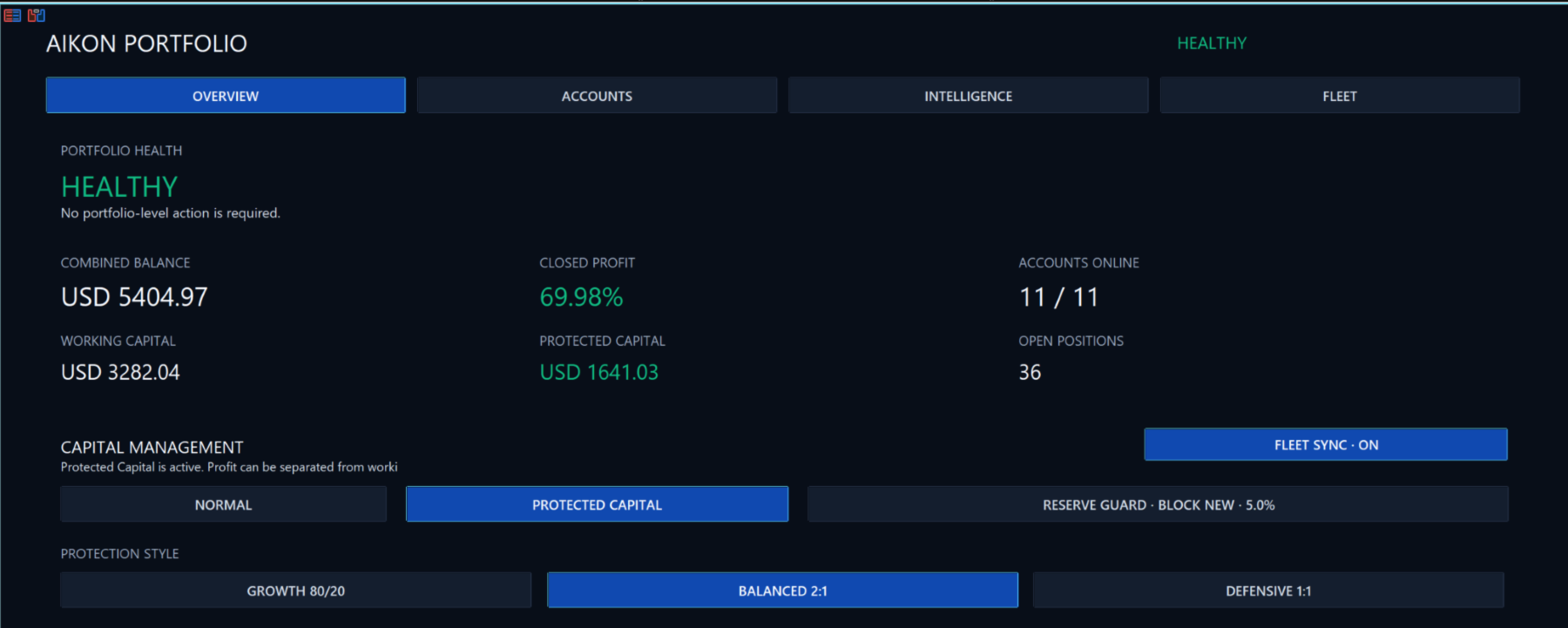
- Operating Capital is capital authorized to work.
- Protected Reserve is capital excluded from normal operating authority.
- Harvestable Profit is profit recognized above the active capital charter.
A Stop Loss controls how a trade can fail. Capital management controls how much of the account is authorized to participate in the operation at all.
Reserve Guard and operating allowance can restrict new work independently of a signal. Fresh campaign research can also be paused while existing-position management and protection continue.
Risk management controls the trade. Capital management controls the operation behind the trade.
AI PERFORMANCE + LOW OPERATING COST
Aikon is not optimized by simply choosing the cheapest possible AI response or starving the model of useful context.
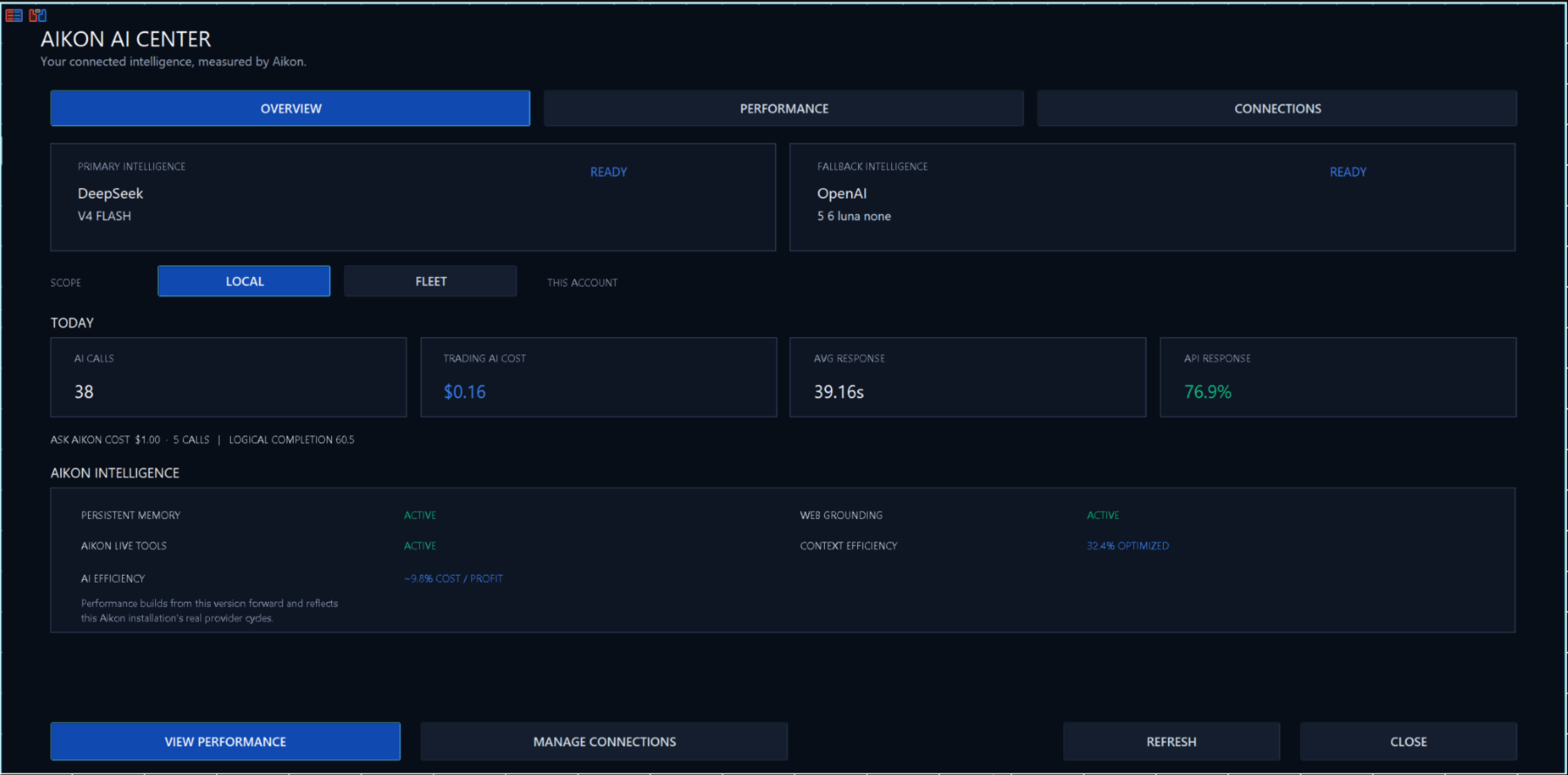
The architecture is designed to remove low-value and duplicate calls while giving the model richer information, tools and role-specific context when a meaningful decision actually needs to be made.
Aikon can wait until a setup is actionable, reuse shared fleet intelligence instead of repeating the same decision across accounts, preserve relevant case continuity and separate different AI jobs into dedicated operating lanes.
The goal is not simply fewer calls. It is better use of each call.
AI Economics tracks calls, response time, tokens, tool and web usage and tracked API cost. This design can keep normal API usage very low while still allowing deeper reasoning, live Aikon context, web grounding and tool use when the situation warrants it. Actual cost depends on provider, model, market activity and customer usage.
MORE THAN ENTRY SIGNALS
Prediction is one use of AI. It is not the product.
Aikon can also use AI to explain, research, configure, automate, review active positions, analyze portfolio conditions, coordinate fleet objectives and help operate the system around the trading.
Other capabilities include named automations, scheduled actions, APM live-position management, Universal Portfolio, Fleet Protocols, FTMO and custom prop protection, provider web research, supported code tools and Aikon Link for connecting compatible Syna networks into the wider Aikon operating layer.
NOT JUST AN AI LABEL ON A GRID EA
Recovery is optional. Single Entry with Stop Loss is a first-class path. AI is used beyond prediction. Capital authority is separate from trade risk. Ask Aikon can inspect and control supported parts of the live operation. Fleet logic can coordinate different accounts without blindly copying one trade everywhere.
Those are architectural differences, not marketing labels.
IMPORTANT ABOUT BACKTESTING
Aikon cannot be fully demonstrated in MetaTrader Strategy Tester. The tester does not provide the live API connectivity required for Ask Aikon, AI analysis, web research, Telegram, live Tool Bus interaction or the wider operating layer.
Backtesting therefore shows only a small part of the product, roughly 10% of the full Aikon experience. It can demonstrate the underlying mechanical trading behavior that is available in simulation, but not the conversational control, live AI, automations, remote operation, portfolio intelligence or fleet coordination that define Aikon in live use.
Aikon's normal configuration is handled through its on-chart UI, and live AI features require an active provider connection. Those elements are not available inside a backtest simulation.
REQUIREMENTS AND IMPORTANT LIMITS
AI and remote features require internet access plus customer-configured AI-provider or Telegram credentials. External API charges are separate. MetaTrader Strategy Tester does not execute WebRequest, so live AI, public web research and Remote Ask Aikon cannot be fully demonstrated in the Market tester.
Netting accounts cannot run Recovery. FIFO/no-hedge conditions change supported execution behavior. Aikon does not guarantee profit, remove trading risk or replace the trader's responsibility for configuration and capital decisions.
Start. Ask. Control. Operate.

































User didn't leave any comment to the rating