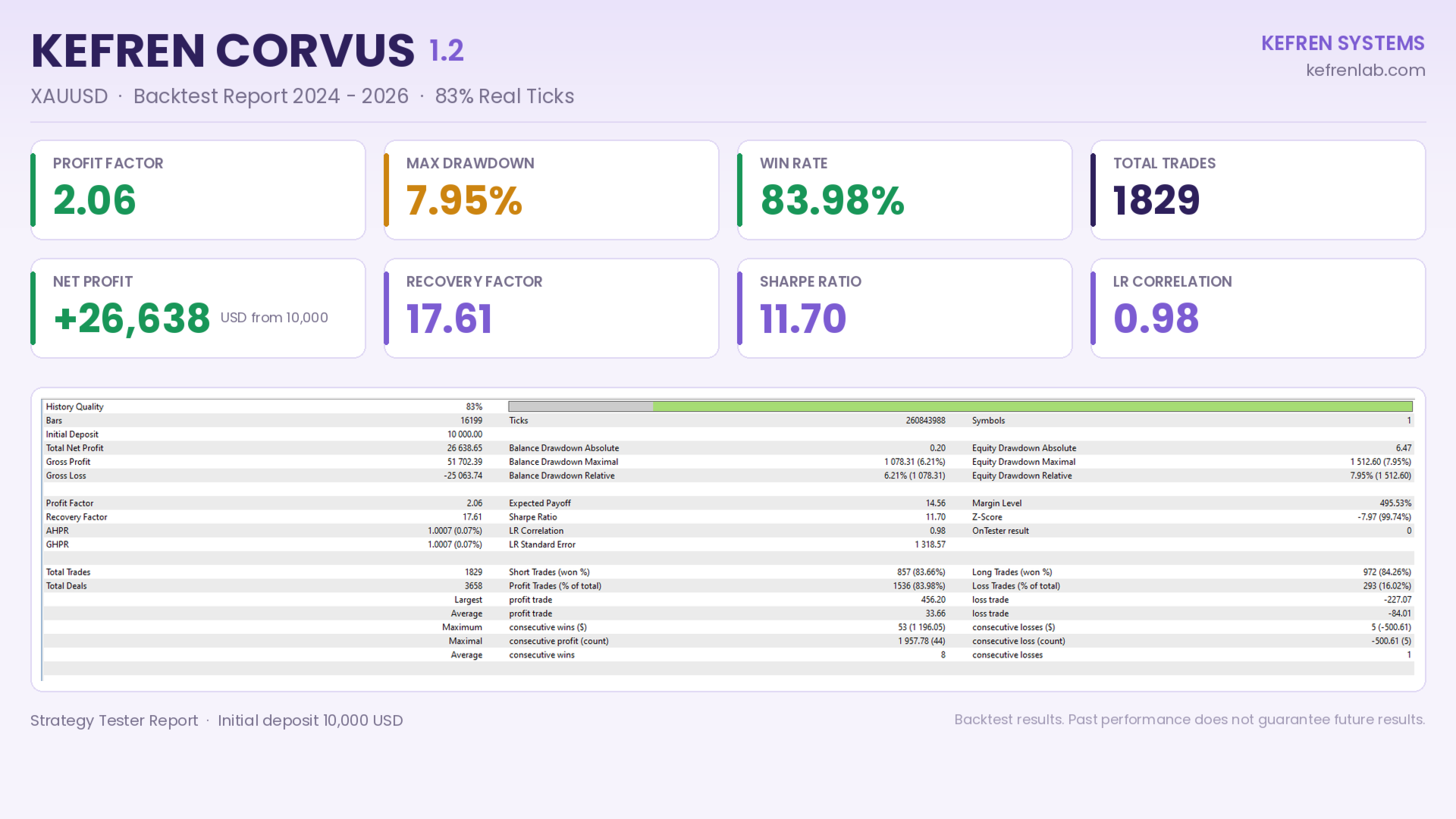
Kefren Corvus
- Experts
- Version: 1.20
- Updated: 26 September 2026
- Activations: 10

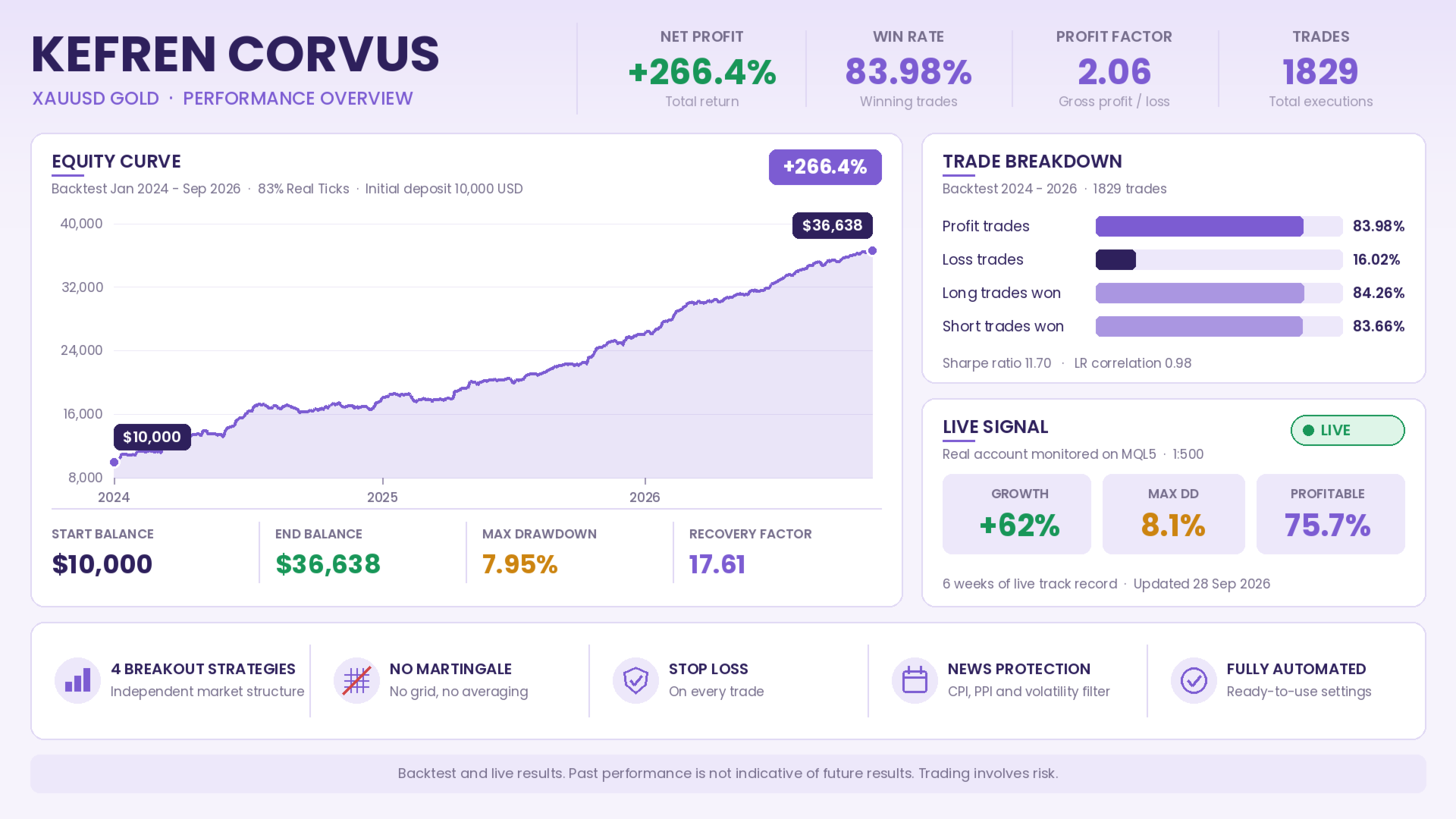
Kefren Corvus is a scalping and breakout Expert Advisor for XAUUSD (Gold) on MetaTrader 5, with 4 independent strategies, no martingale and no grid. It combines four market structure breakout strategies with advanced position management, money management and a three-layer protection system against news and volatility. It does not average down losses and every trade is opened with a Stop Loss.
After purchase, users get access to a private group and additional guidance to ensure proper setup, optimization and long-term use. Members can also access updates, important announcements and direct support when needed. After purchasing the robot, send me a private message to receive access to the group and the manual.
How it works
Each strategy analyzes market structure on its own internal timeframe, identifies relevant highs and lows and places breakout pending orders. When price breaks the structure and the entry conditions are met, the order is triggered. Each strategy has its own volatility, ADX and trading hours filters, and distances automatically adapt to the current gold price.
During development, extremely short-duration trades, the most sensitive to spread, slippage and latency, are analyzed and filtered so that the backtest matches live trading as closely as possible.
Position management
Each position is managed independently with Stop Loss and Take Profit, Break-Even, classic and structural Trailing Stop, Trailing Take Profit, fake breakout filter and automatic time-based exit. The fake breakout filter closes the position early if the confirmation candle after entry moves against the breakout.
Development methodology
The strategies have been validated with In-Sample and Out-of-Sample analysis, Walk-Forward and Monte Carlo tests on trade order, spread, slippage and parameters. Configurations that do not remain stable outside the optimization period are discarded.
News and volatility protection
Economic calendar: blocks new entries during a configurable period around US CPI and PPI releases, and can delete pending orders when the block starts. It uses the economic calendar built into MetaTrader 5, with no WebRequest setup or URLs required. In the Strategy Tester it uses historical release dates.
Volatility circuit breaker: temporarily stops opening new trades during abnormal spread expansion or extreme moves relative to ATR, even when no news is scheduled.
Panic button: immediately stops opening new trades from the chart.
Money management
Trade with a fixed lot or a risk percentage of equity, calculated from each strategy's Stop Loss. Includes a dynamic lot limit based on balance, free margin check, pending order margin control, Stop Level and Freeze Level validation and virtual expiration of pending orders.
Main parameters
- Money management: Lot Sizing Mode, Fixed Lot and risk percentage per trade.
- Strategies: Trade Frequency, enabling strategies 1 to 4, buy and sell direction and time-based exit.
- Protection: spread filter and settings for the three news and volatility layers.
- Dashboard: balance, equity, P&L, open positions, active strategies and filter status.
No .set files required. The EA includes a factory configuration ready for XAUUSD.
Requirements
VPS REQUIRED. As a scalping system, MetaTrader 5 must stay connected throughout market hours, on a VPS with low latency to the broker server.
- Symbol: XAUUSD. If your broker uses a suffix (XAUUSD.r, XAUUSD+, GOLD), attach the EA to that chart.
- Timeframe: any, since the strategies use their own internal timeframes. H1 recommended.
- Recommended initial capital: 500 USD.
- Leverage: 1:100 or higher.
- Account: Hedging, with low spread and fast execution. ECN or Raw recommended.
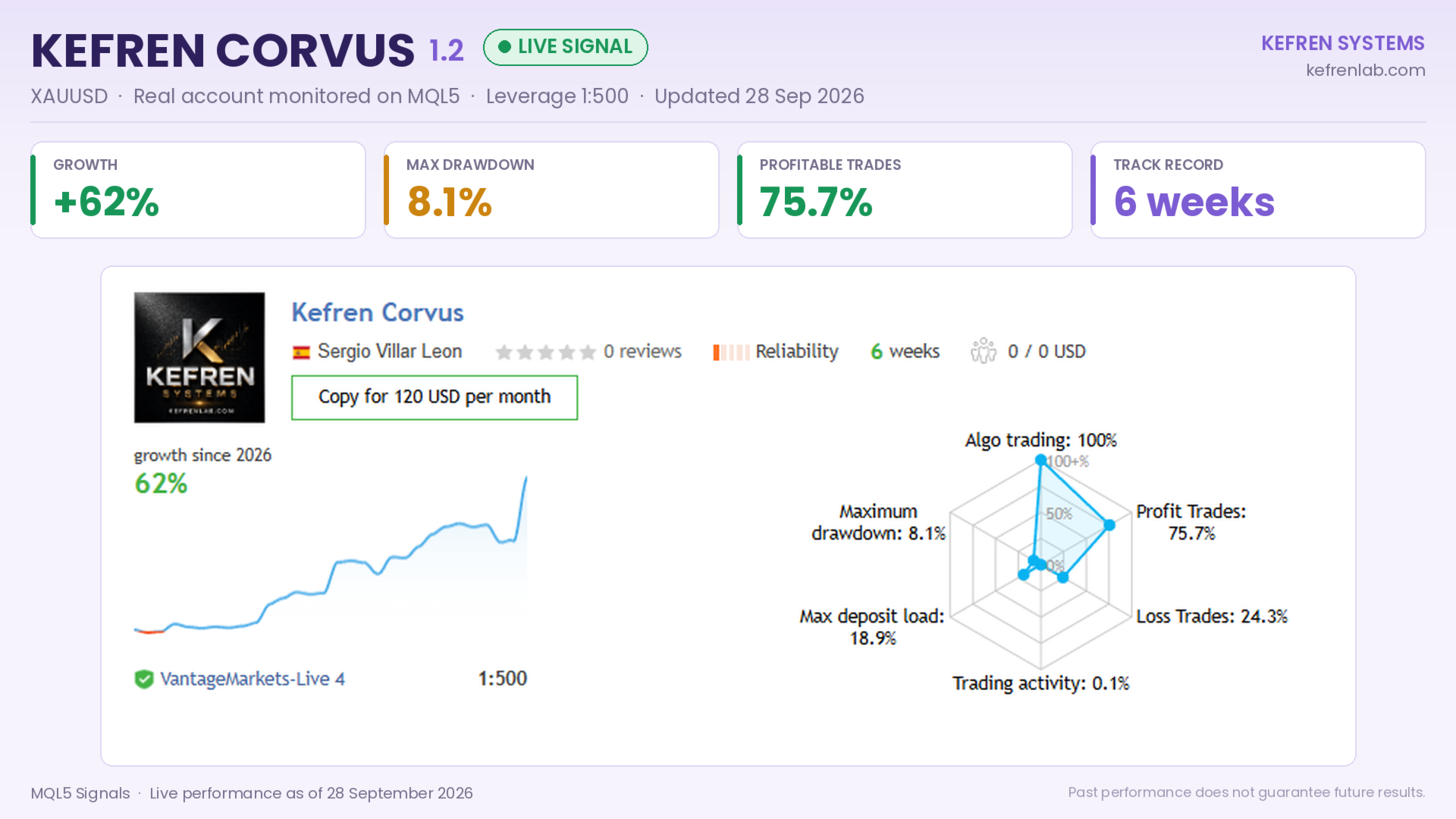
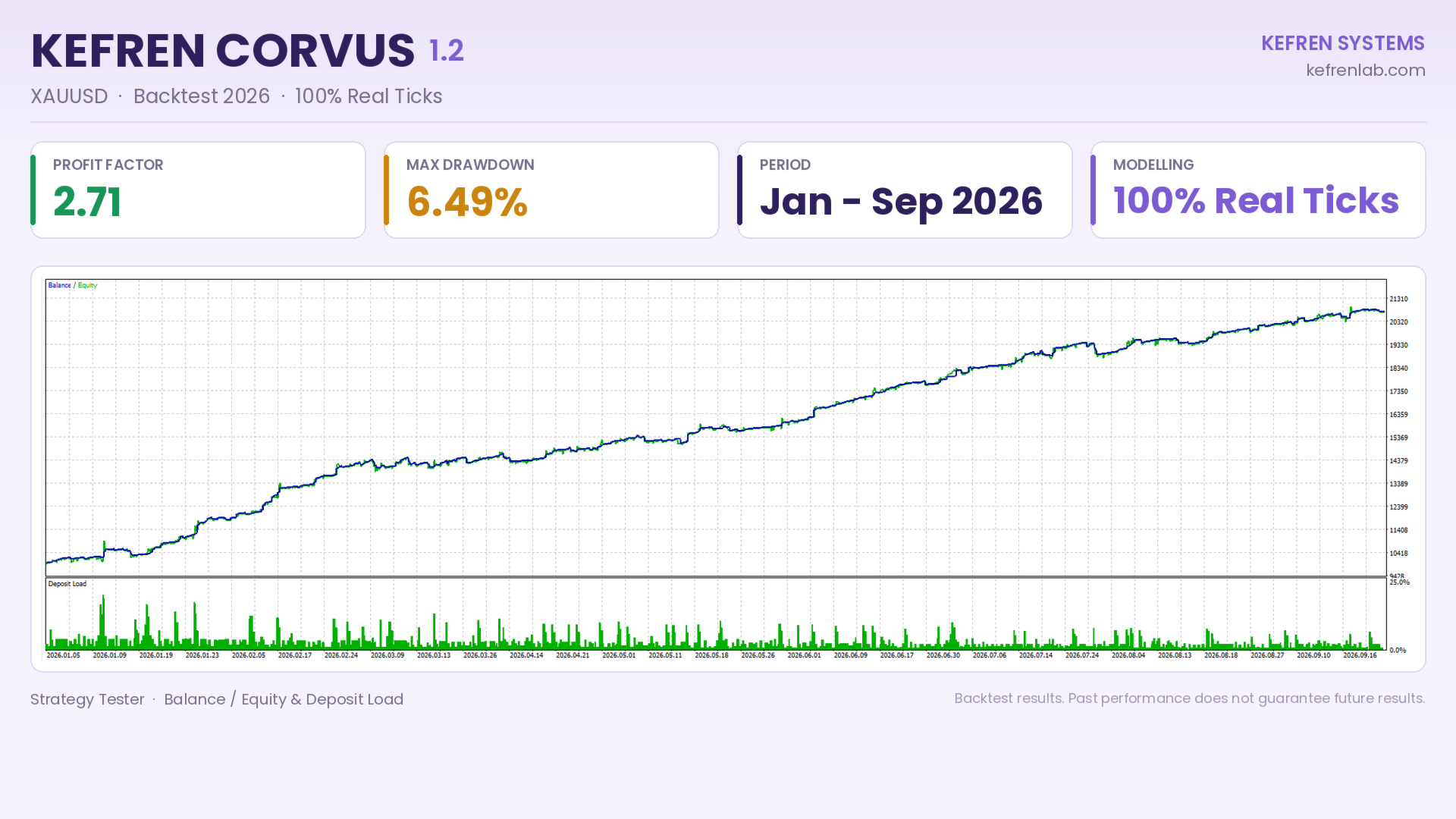
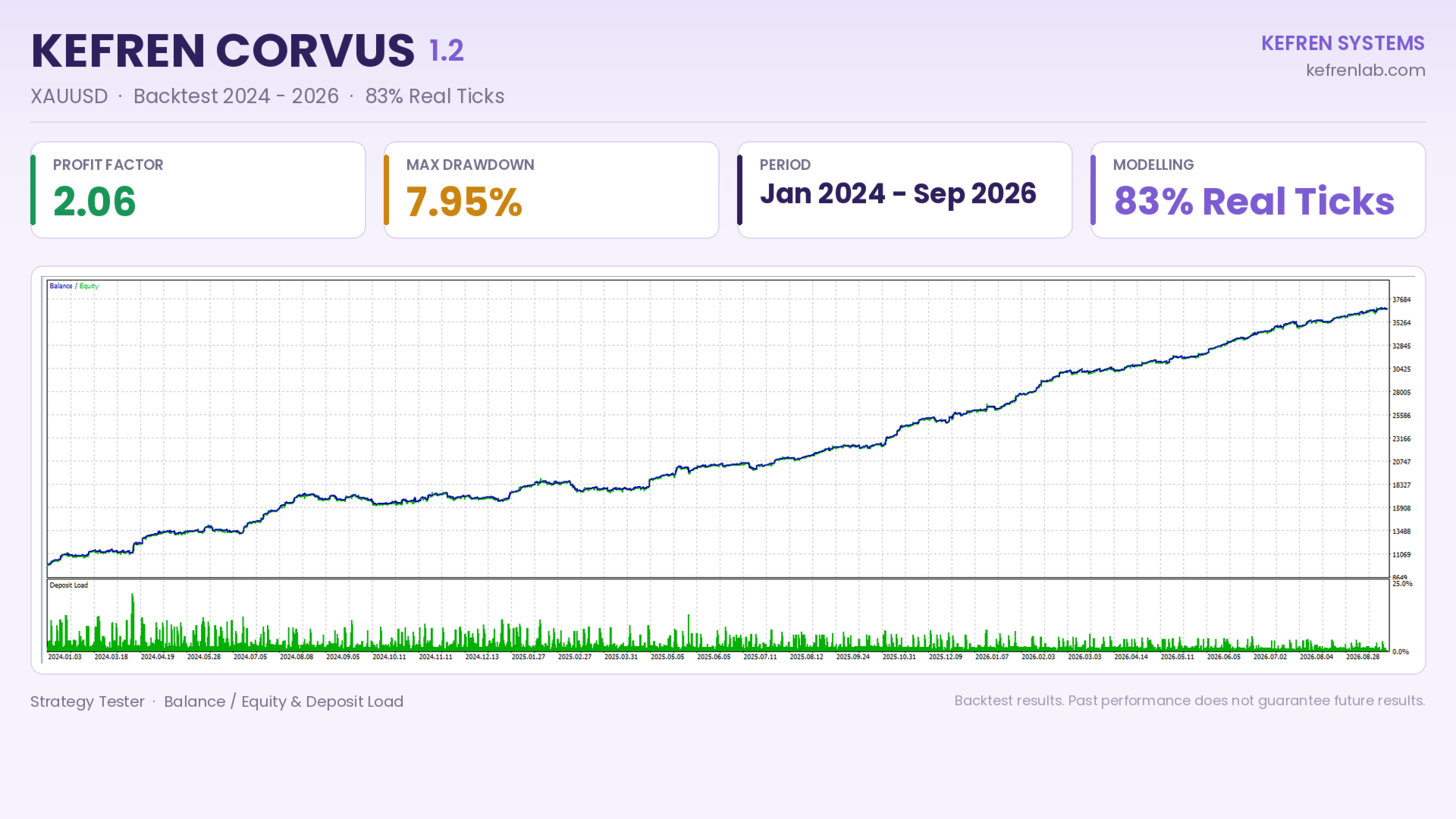
- Backtest: Every tick based on real ticks mode.
Support and updates
Support is provided via MQL5 private message for installation and setup. Updates are distributed through the MQL5 update system.
Risk warning
Leveraged trading involves a high level of risk and may not be suitable for all investors. Kefren Corvus may experience losing periods and drawdown. Backtest, optimization or monitoring results do not guarantee future results, and live conditions may vary depending on the broker, spread, commissions, liquidity, slippage and latency. Only trade with capital you can afford to lose.