Pips Architects
- Experts
-
Andriy Sydoruk
 https://www.mql5.com/ru/users/andreys/seller
Large selection of products for different tastes.
e-mail: andriisydoruk@gmail.com - Version: 1.8
- Updated: 29 September 2026
- Activations: 5
Pips Architect
Pips Architect is an automated trading Expert Advisor for MetaTrader 4 and MetaTrader 5, using time-series analysis and dynamic market modeling.
The Expert Advisor works without third-party indicators and provides flexible control over trading logic, risk management, order execution, and position management.
Main Features
• Real-time market data analysis
• Automated trading 24/5
• Market and pending orders
• Real and virtual trading modes
• Multi-symbol trading
• Timeframes from M5 and higher
• Configurable logic for trending and ranging market conditions
• Built-in risk and position size management
• Trailing stop and breakeven management
• Built-in signal filtering
• Configurable logging for testing and analysis
How It Works
Pips Architect analyzes changes in market data and uses an internal model to evaluate the current market environment.
No third-party indicators are required.
The trading logic can use different order-series configurations depending on the current market conditions.
The user can configure the main trading parameters, including:
• trading range;
• distance between orders;
• maximum number of active trades;
• order-series formation rules;
• risk and position size settings;
• position management parameters.
Trading Modes
Pips Architect supports several order management modes.
Market Orders
Opening and managing positions according to the configured trading rules.
Pending Orders
Configurable activation levels, Take Profit, Stop Loss, and trailing parameters.
Virtual Orders
A virtual mode is available for testing the corresponding trading logic without placing the respective real order.
Risk Management
Pips Architect provides configurable position sizing and risk management parameters.
Available settings include:
• fixed initial lot size;
• risk-based position sizing;
• maximum lot limitation;
• margin level control;
• maximum number of active trades.
When using multiple symbols, it is recommended to evaluate risk and position size settings individually for each instrument.
Grid and Order Series
Dedicated parameters are available for configuring order series.
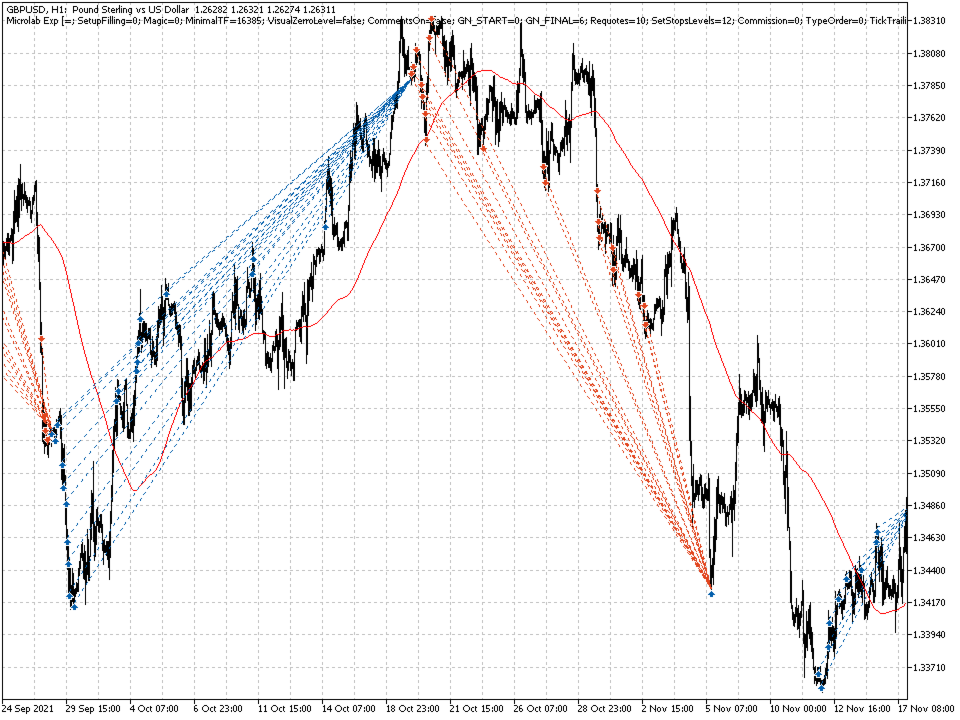
GN_START / GN_FINAL
Define the operating range of the grid.
GridStepMin
Sets the minimum distance between orders.
LimitTrades
Limits the maximum number of active trades.
TypeSeria
Defines the selected order-series formation mode.
SeriaTrendBuyOn / SeriaAntyTrendSellOn
Configure the corresponding trading directions within the order-series logic.
Pending Orders
Pending order parameters include:
• PendingLevelStartBuy
• PendingLevelStartSell
• PendingTakeProfit
• PendingStopLoss
• PendingTrailingOn
These settings allow the user to define activation levels, profit targets, loss limits, and trailing rules for pending orders.
Position Management
The built-in position management module provides:
• trailing stop management;
• breakeven management;
• configurable trailing start conditions;
• configurable trailing distance;
• virtual Take Profit and Stop Loss levels.
Main parameters:
RealTrailingOn
Enables trailing management.
RealBreakeven
Enables breakeven management.
RealTrailingStart
Defines the condition for starting the trailing process.
RealTrailingStop
Defines the trailing distance.
VirtualTakeProfit / VirtualStopLoss
Define virtual position management levels.
Signal Filter
Pips Architect includes an internal signal filter that allows the user to adjust the sensitivity of the trading logic.
Main parameters:
• LengthSignal — signal analysis length;
• FixationSignal — signal fixation setting;
• DeviationSignal — deviation parameter.
Main Settings
General Settings
SetupFilling
Order execution method.
Magic
Unique Expert Advisor identifier.
MinimalTF
Minimum working timeframe.
TypeOrder
Selects real or virtual trading mode.
CommentOrders
Comment added to orders.
Commission
Accounts for spread and broker commission in calculations.
Capital and Position Size
StartLot
Initial trading volume.
PercentRisk
Risk-based position size parameter.
LimitMaxLot
Maximum allowed trading volume.
SelfMarginLevel
Accounts for the current margin level.
CatchingGenerVolume
Position size calculation method.
Logging
Pips Architect includes a built-in logging system for testing and analyzing Expert Advisor operation.
Available parameters:
• FileLogCommonOn — enables file logging;
• LogginingMetod — selects the logging method;
• LogLevelPrint — controls the amount of information displayed.
Logging detail can be increased during testing and reduced during normal operation.
Multi-Symbol Trading
Pips Architect can be used with multiple financial instruments simultaneously.
When configuring several symbols, consider the individual characteristics of each instrument, including:
• contract specifications;
• point value;
• spread;
• available margin;
• volatility;
• permitted trading volume.
Risk and position size parameters should be evaluated separately for each instrument.
Recommended Usage
Before using the Expert Advisor on a live account, it is recommended to:
-
Test the selected parameters in Strategy Tester.
-
Verify the Expert Advisor on a demo account.
-
Configure risk and position size for the selected instrument.
-
Test each symbol separately when using multi-symbol trading.
-
Take the broker's actual trading conditions into account.
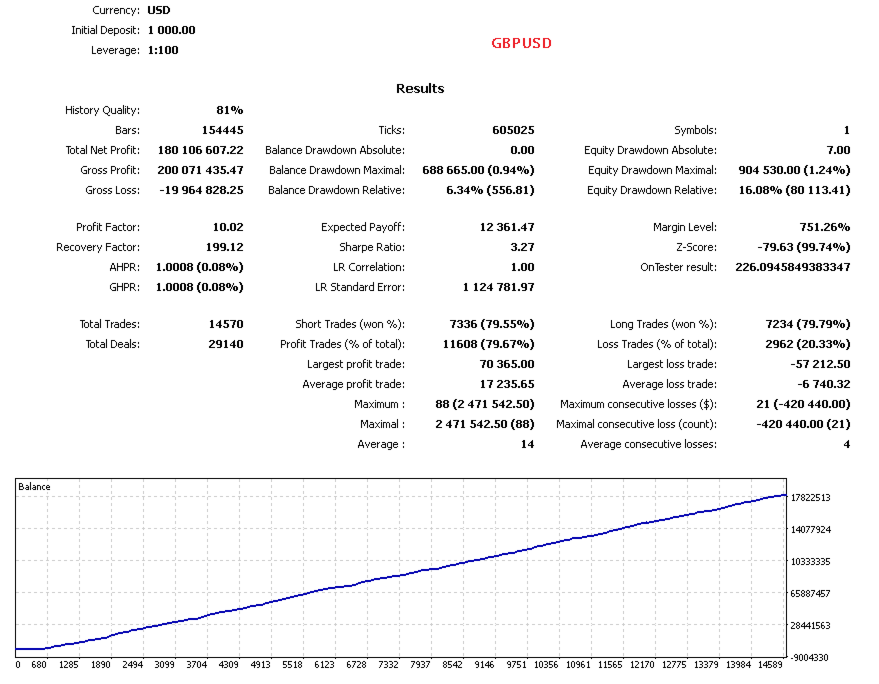
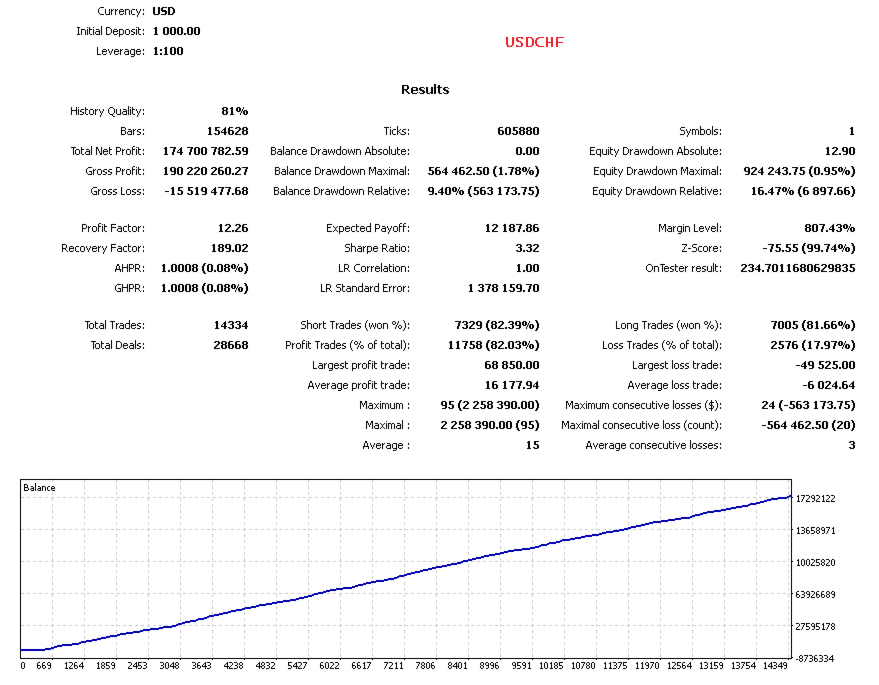
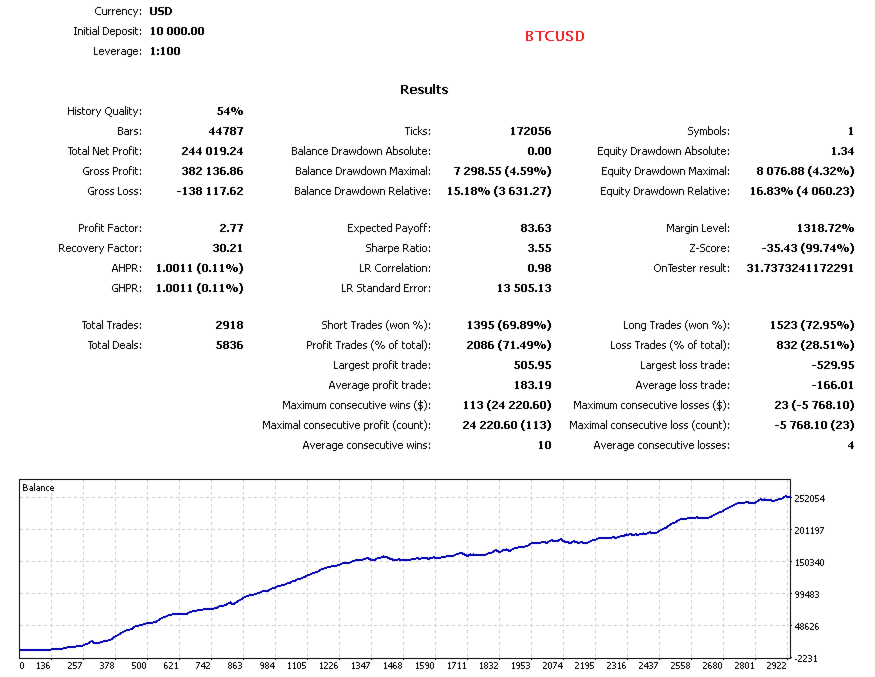
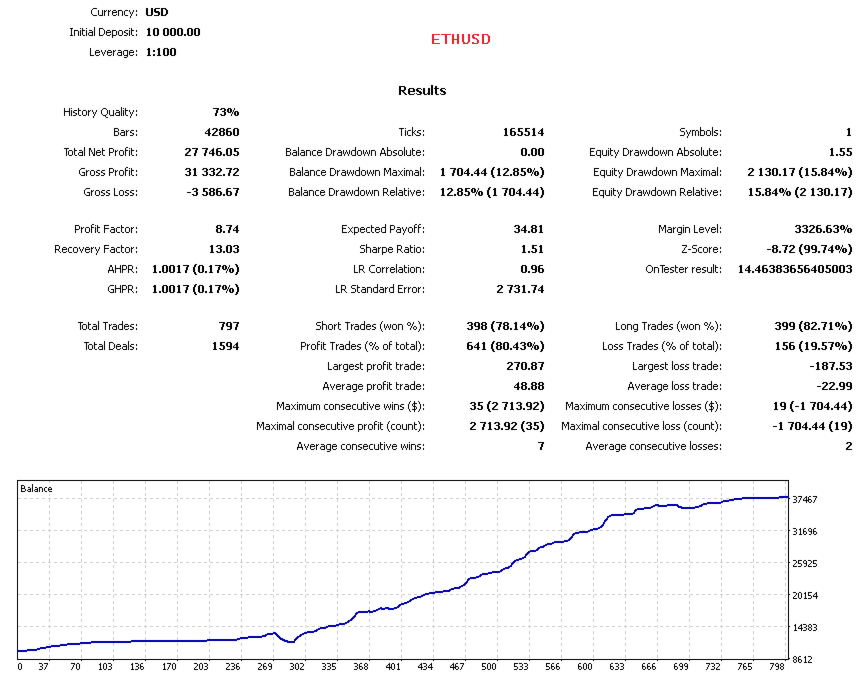
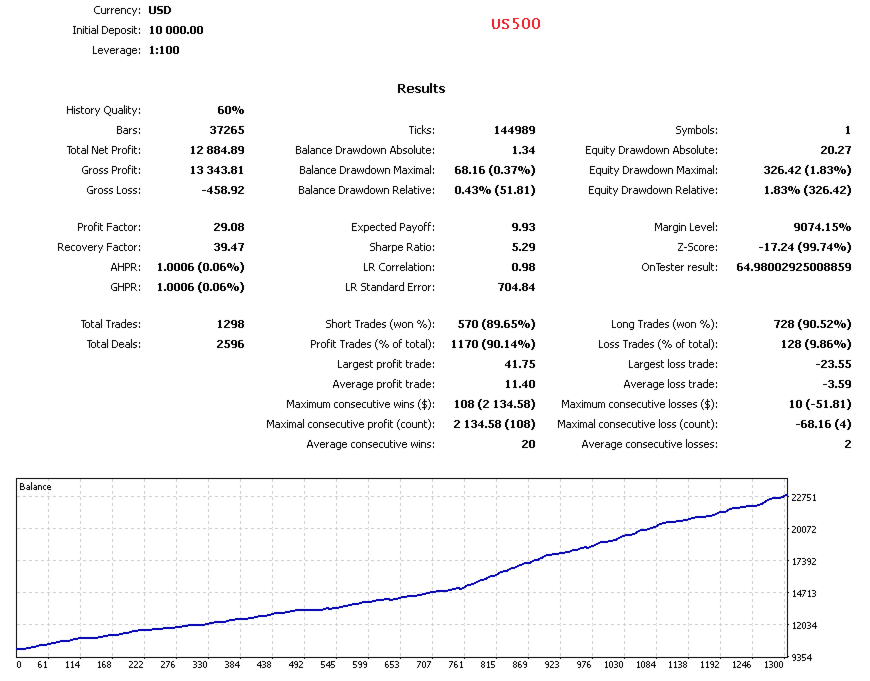
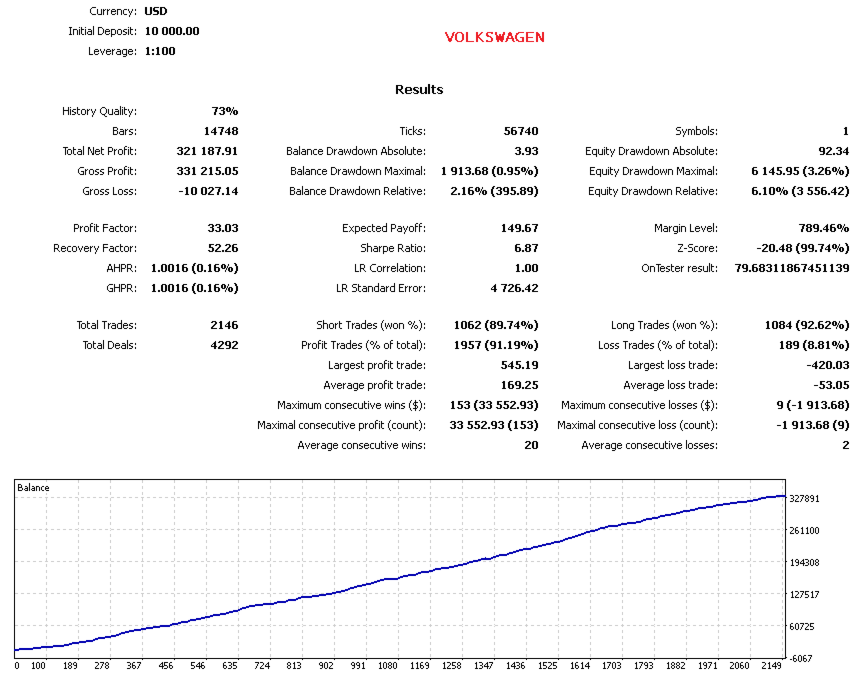
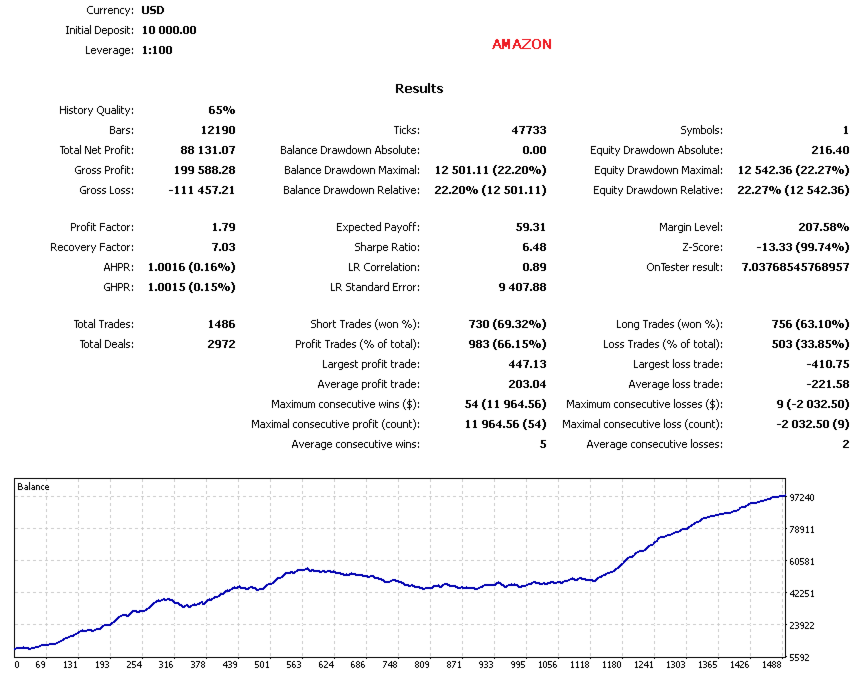
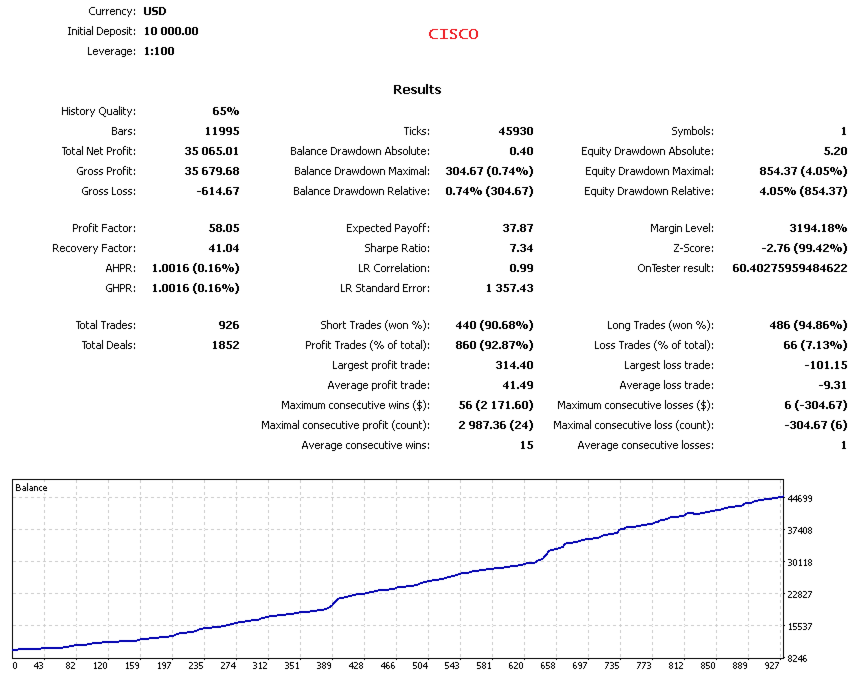
As an initial reference, a deposit of 1,000 USD or more is recommended. The deposit size does not guarantee any particular result and should be appropriate for the selected risk level.
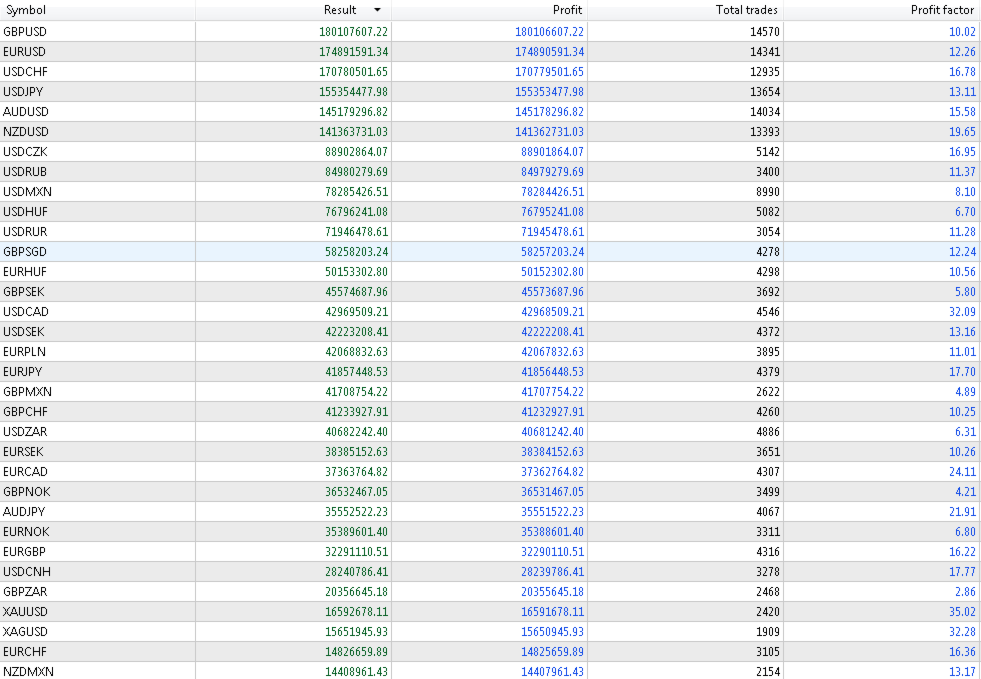
Testing results depend on the instrument, testing period, trading conditions, account parameters, and Expert Advisor settings. Past test results do not guarantee future results.
MetaTrader 4 / MetaTrader 5
Pips Architect is available for:
MetaTrader 4
MetaTrader 5
Recommended minimum timeframe: M5.
The Expert Advisor can be used with a single financial instrument or configured for multi-symbol trading.
Important
Pips Architect is a tool for automated trading.
Before using it on a live account, the user should independently determine an appropriate risk level and configure the trading parameters accordingly.
For meaningful testing, use consistent testing conditions and take spread, commission, and other trading costs into account.