 MetaTrader 5
 エキスパート
 インディケータ
 ライブラリ
ライブラリ
 ユーティリティ
 ウィジェット
 ルール
ルール
YouTubeにあるマーケットチュートリアルビデオをご覧ください
ロボットや指標を購入する
仮想ホスティングで
EAを実行
EAを実行
ロボットや指標を購入前にテストする
マーケットで収入を得る
販売のためにプロダクトをプレゼンテーションする方法
MetaTrader 5版新取引ユーティリティ - 54
 以下はMetaTrader5での取引を簡素化する取引プログラムです。ユーティリティにカーソルを合わせると、その説明と目的が表示されます。
Trade Simulator は単なるトレードパネルではありません。 過去のヒストリカルデータを使って、リアルに近い取引練習が可能です。インタラクティブなチャート操作で、注文、ストップの調整、結果の確認がまるで本番のように行えます。さらに、MT5のストラテジーテスター上で直接注文・管理も可能です。 このツールとインターフェースは、ライブチャートでもそのまま実際の取引に使用できます。 Trade Simulatorを正しく使用するには、 セットアップ&ユーザーガイド に従って、ストラテジーテスターを正しく設定・使用してください。 主な機能 ストラテジーテスターでのシミュレーション取引に対応 ワンクリックでの買い / 売り / 全決済 損益分岐点やTP/SLラインの自動表示 ドラッグ&ドロップでライン調整(ライブチャート限定) トレーリングストップ機能 ライブチャートでもそのまま実取引可能 使い方 – ストラテジーテスター(シミュレーションモード) テスターを起動 :ストラテジーテスターを開き、「Trade Simulator」を選択します。 パラメータを設定 :通貨ペア、時間足、日付を
FREE

アグリャーダス戦略用スキャナー このスキャナーは、ブラジルのトレーダーの間で非常に人気のある戦略の一つ、通称「アグリャーダス」のシグナル識別を自動化するために開発されました。この手法は、明確な視覚的ルールを持つ5つの主要なインジケーターを使用して、チャート上のエントリーおよびエグジットの可能性のあるポイントを特定します。スキャナーを使うことで、時間を節約し、手作業でこれらのチャンスを探す手間を省けます。 こちらからスキャナーインジケーターを無料でダウンロード スキャナーの仕組み このスキャナーはリアルタイムで複数の銘柄を分析し、特定のテクニカル指標の組み合わせに基づいて買いまたは売りのシグナルを探します。完全な設定(または希望により部分的な設定)を見つけると、結果パネルに銘柄が表示され、迅速かつ自信を持った意思決定を支援します。 使用される基準 スキャナーは市場でよく知られている5つのテクニカル指標の組み合わせを基に動作します: 移動平均線(3/8/20) — 短期移動平均線が中期移動平均線を上抜ける ADX — DI+またはDI-の優勢によるトレンドの存在 ボリンジャーバンド — ボ

テーマスイッチャー - 取引ターミナルをカスタマイズ 概要 テーマスイッチャー は、MetaTrader 5 のチャートの配色を素早く変更できるインタラクティブなパネルです。快適でパーソナライズされた視覚環境を求めるトレーダーのために設計されたこのインジケーターは、ブランド、映画、プロフェッショナルなデザインにインスパイアされた様々なテーマスタイルを提供します。 使用方法 パネルを開く : インジケーターをチャートに追加するだけで、異なるテーマのボタンが表示されたウィンドウが現れます。 テーマを選択 : 利用可能なスタイルをクリックすると、チャートが瞬時に変更されます。 閉じて完了 : 好みのテーマを選択したら、 X をクリックしてパネルを閉じ、快適で自分のスタイルに合った視覚環境でテクニカル分析を続けます。 利用可能なスタイル AMD : ゲーマーやテクノロジーの美学にインスパイアされた、鮮やかなコントラスト。 Batman (バットマン) : ダークでエレガントなデザインで、豪華さと洗練された雰囲気が漂います。 Bloomberg Dark (ブルームバーグダーク) : プロのトレ
FREE

PipsCounter Basic は MetaTrader 5 用のインジケーターで、未決済ポジションのリアルタイムでのピップ変動を表示し、当日にクローズされた取引のサマリーを提供します。 すべての情報は、チャートのメインウィンドウにわかりやすく控えめな形式で表示されます。 機能 リアルタイムのピップ追跡
各未決済ポジションのピップ差を、市場のティックごとに継続的に更新します。 デイリーピップ合計
当日のすべてのクローズ済み取引の純ピップ値を表示します。 TP/SL 価格ラベル(新機能)
テイクプロフィットおよびストップロスの価格を、それぞれのライン上に自動的に表示。色、フォント、位置はカスタマイズ可能です。 表示のカスタマイズ
パネルの位置(チャートの四隅)、フォント、文字サイズ、利益/損失/ニュートラル状態の色を自由に設定可能。 幅広い互換性
通貨ペア、株価指数、金属、商品、シンセティック資産など、すべての MetaTrader 5 インストゥルメントに対応。ティックサイズ、小数点精度、価格形式に依存しません。 使用例 未決済ポジションのピップ変動を視覚的にモニター。
FREE

Crystal Copycat ULTIMATE v4.00 – プロ仕様 MT5 トレードコピーツール 概要
Crystal Copycat ULTIMATE v4.00 は MetaTrader 5 用の高性能トレードコピーツールです。 MT5 のローカル Common フォルダを介して動作し、 DLL や外部 API を必要としません。複数アカウントや VPS 環境での運用に最適です。 主な機能 デュアルモード : MASTER: 注文送信・修正・クローズ。 SLAVE: 受信注文を即時実行、リスク管理内蔵。 ボリュームスケーリング : 固定ロット、エクイティ比率、リスク % (SL ベース ) 。 リスク管理 : 最大ドローダウン保護、エクイティ監視、取引ごとのリスク制限。 注文カバー : 成行、指値 / 逆指値、修正、削除、 CLOSE_ALL 。 シンボルマッピング : 自動 / 手動対応、ブローカー接尾辞対応。 ファイル通信 : ローカル動作、リトライ・リカバリ機能、ループ防止。 ダッシュボード : 送信済 / 受信済注文、リスク状況、取引状態表示。 利用シーン 複数
FREE
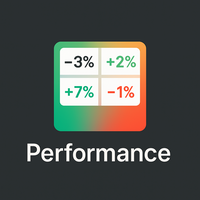
概要
Performance Indicator は、構成可能な時間間隔にわたる複数のシンボルのパーセントリターンを ヒートマップ で表示します。相対的な強さと弱さを視覚的に比較するためのもので、結果を保証するものではありません。 設定
SymbolsList: カンマ区切りのシンボル。ターミナルの名前と正確に一致する必要があります。
BaseTF: 計算の基準タイムフレーム。
UpdateSeconds: 自動更新の間隔(秒)。
CapPercent: 色の強度を正規化する値。
PeriodsList: 表示する期間を定義する文字列(例:D1, W1, M1, M3, M6, Y1, YTD)。 1M , 2W , YTD のような形式を受け付けます。 リターン計算
Standard periods: 現在の終値と N 期間前の終値を比較。
YTD: 一貫した比較のために、現在の年の始まりに最も近い終値を使用。 視覚的エンコーディング
背景: 非負のリターンは緑、負のリターンは赤。強度は CapPercent でスケーリング。
テキスト: リターンが ≥ 0 の場合は緑、負
FREE

Pending Orders EA BOT - MetaTrader 5のための究極のトレーディングパートナー Pending Orders EA BOT は、MetaTrader 5(MT5)向けの強力で使いやすいエキスパートアドバイザー(EA)です。初心者から経験豊富なトレーダーまで、グリッドトレーディングをシンプル、迅速、効果的に行えるよう設計されています。ユーザーフレンドリーなダッシュボードで、トレードの設定、リスク管理、利益のリアルタイム追跡が可能です。このEAは、最小0.01の価格間隔でのスキャルピング、数分間で数百のトレードを配置、または長期トレーディングシグナルの設定に最適です。将来、このEAを通じてトレーディングシグナルを提供し、トレードをさらに簡単にすることも計画しています。詳細やサポートについては、お問い合わせください。 アカウント1 : tinyurl.com/3u3f4cjt
アカウント2 : tinyurl.com/4u6ukvzs Pending Orders EA BOTを選ぶ理由 高速トレーディング : 最小0.01の価格間隔で数分間に数百のトレードを
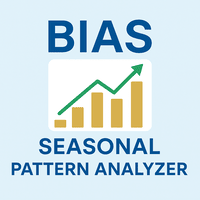
Bias Seasonal Pattern Analyzer – 季節的バイアスパターン分析インジケーター(MT5対応) Bias Finder は、マーケットの季節的・統計的傾向を視覚的に分析するために設計された、上級者向けのツールです。時間に基づいた繰り返し発生するパターンを明確に表示します。 分析できるバイアスタイプ: 時間別バイアス(Hourly Bias): 一日の中で最も利益が出やすい時間帯を特定 曜日別バイアス(Weekday Bias): 各シンボルにおける最もパフォーマンスが良い曜日を分析 月日別バイアス(Day-of-Month Bias): 月初や月末に見られる価格傾向を評価 月別バイアス(Monthly Bias): 長期的な季節トレンドや周期性を分析 各バイアスは、ローソク足の「終値-始値」の差をベースに、設定された本数分のヒストリーデータから平均化されて算出されます。 主な機能: 結果をわかりやすく表示する整列済みテーブル プラスとマイナスのバイアスを色分け(例:緑と赤) CSV形式でのエクスポートが可能 バイアスの種類、履歴本数、フォントサイズ、ラベルの位

️ TradeForge Trade Copier – マスターアカウントから複数アカウントへの取引ミラーリング TradeForge Trade Copier は、MT5用の強力なEAで、1つのアカウント(マスター)から複数の他アカウント(スレーブ)へ取引をリアルタイムにコピーします。ファンドマネージャー、プロップトレーダー、またはさまざまなブローカーで戦略を展開してリスクを分散したい個人トレーダーに最適です。 中核概念: トレードコピー/ミラートレード 複数クライアント口座を管理するファンドマネージャーに最適 異なるブローカーで同じ戦略を運用可能 リスクを分割して分散 2層アカウント構成 マスターアカウント :取引の発信源 スレーブアカウント :マスターの取引を反映 共有のバイナリファイルによる高スピード通信 ️ 技術的実装方法 マスターがバイナリファイルに取引情報を書き込む スレーブがそのファイルを読み取り、取引を同期 テキストやサーバー経由より高速かつ安定 リアルタイムポジション管理 新規オープンポジションの正確なコピー SL/TPも同等に同期 マスター

利益獲得戦略の防御策!
孫子の言葉にある通り:敗北を防ぐには防御戦術を、敵を打ち破るには攻勢を取ることを要する。
エキスパートアドバイザー(EA)の不具合による馬鹿げたドローダウンを止めたいですか? 勝敗を記録し、リスク管理を真剣に考えたいですか?次のプロップファーム口座やEAを購入する前に、ちょっと待ってください。まず、おめでとうございます!私はあなたのために「取引における予期せぬ損失に対する最初の防衛ライン」を開発しました。この強力なツールは、1日の利益目標または1日のドローダウンが設定した限界に達すると、自動的に口座をロックし、感情的な判断、変動の激しい市場、または不具合のあるEAから資本を保護します。このツールを取引の武器庫に加え、自信を持って取引しましょう!
MT4版: https://www.mql5.com/en/market/product/145636
主な機能:
自動取引停止: 1日の純資産損失または利益目標額に達すると、全ての取引活動を停止します。 リアルタイム監視: 取引時間中、常に資金残高とドローダウンを追跡。 日次リセット:ドロ
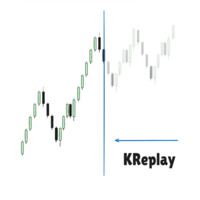
Candlestick Replay Tool - Professional Backtesting & Practice Assistant The Candlestick Replay Tool is a powerful indicator designed for MetaTrader 5 (MT5). It allows you to replay historical market data in an isolated simulation environment, making it the ideal choice for backtesting trading strategies, reviewing past market movements, and improving your trading intuition. The tool supports loading custom indicators and enables multi-timeframe synchronized replay by loading it onto multiple cha
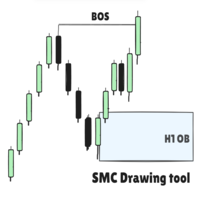
SMC Drawing Tool - Advanced Charting and Analysis Assistant Due to limitations in MetaTrader 5, this EA does not work in the Strategy Tester. To see it in action, you can download the demo version. SMC Drawing Tool is a professional technical analysis indicator for MetaTrader 5, designed to enhance the Smart Money Concepts (SMC) trading methodology. It deeply integrates a comprehensive suite of drawing tools with an intelligent labeling system and includes advanced features such as multi-timefra

Dashboard – Trading Panel for MetaTrader 5 Dashboard is an essential tool for traders who need a centralized view , efficient order control , and quick access to key market information , all displayed directly on the MetaTrader 5 chart. Features: Clear display of open positions Quick order management (open/close) Profit/loss tracking per trade Built-in trend indicators (moving averages, candles, etc.) Customizable panel for different trading styles Optimized interface for day trading, swing
FREE

The Ultimate Drawdown Recovery & Trade Protection EA for MT5
Watch tutorial video here: https://youtu.be/jkTFLoaHwnQ?si=qzUXLbJc9clSCMrr Now with Smart Direction Logic + Equity Drawdown Protection, Your Trades Deserve a Second Chance. Give Them This Soldier. Struggling with floating losses or sudden drawdowns that threaten your account? The Ultimate Drawdown Recovery EA (UDR) is a powerful, intelligent MT5 Expert Advisor designed to potentially recover losing trades, help protect your equity,

Unified Scroll – Effortless Multi-Timeframe Chart Synchronization (MQL5)
Tired of manually scrolling through multiple charts? Unified Scroll is the ultimate MQL5 utility that instantly syncs scrolling and panning across all charts of the same symbol—regardless of timeframe. No more misaligned charts, no more wasted time. Just smooth, synchronized analysis at your fingertips.
Seamless Scrolling & Panning – Move one chart, and all others follow in real time .
Works with Any Sym
FREE
This EA does not perform trading operations. It's a auxiliary visual tool for graphics synchronization.
The “there are no trading operations” error in the validator is expected and intentional. CHARTCONNECT – Chart Synchronizer (Version 1.19) Connect all your charts to the same symbol with just one click.
What is CHARTCONNECT? ChartConnect is a lightweight and efficient tool designed to automatically synchronize the ticker symbol of all open charts in MetaTrader 5

TradeBlitz: The Intelligent Forex Trading Assistant TradeBlitz is a highly efficient trading assistant tool specifically designed for forex traders. It helps traders make quick decisions and precisely manage risks in the complex and volatile forex market, thereby enhancing trading efficiency and returns. Core Features One-Click Trading: Supports instant one-click opening and closing of positions, allowing traders to swiftly seize market opportunities and capture every crucial moment. Intelligen

Target Lot Calculatorは、指定した損益額と十字カーソルで測定した値幅から、最適なロットサイズを瞬時に計算・表示するMQL5ツールです。もう手動でロットを計算する必要はありません。このツールが、あなたのトレードをより直感的かつ効率的にサポートします。 主な機能 直感的な操作性 : 十字カーソルを動かすだけで、現在の値幅における最適なロットサイズをリアルタイムで確認できます。 動的なロット計算 : 設定した 想定損益額 と、十字カーソルで測定した 値幅 に基づき、最適なロットを自動で算出・表示します。 損益額を超えない安全設計 : 表示される最適ロットは、設定した損益額を上回らないように調整されます。意図しない大きなリスクを回避できます。 複数通貨対応 : 口座通貨は日本円 (JPY) のほか、主要通貨に対応しています。 こんな方におすすめ リスク管理を徹底したいトレーダー : 意図した損益額に収まるようにロットを調整したい方。 素早いエントリーを重視するトレーダー : いちいちロット計算をする手間を省き、チャンスを逃したくない方。 裁量トレードの精度を高めたい方 :
This EA does not execute any trading operations.
It is a visual utility tool designed solely for chart synchronization.
The “there are no trading operations” validation error is expected and intentional. CHARTCONNECT – Chart Synchronizer (Version 1.19) Synchronize all your charts to the same symbol with a single click.
What is CHARTCONNECT? ChartConnect is a lightweight and efficient tool developed to automatically synchronize the symbol (ticker) across all open charts in MetaTrade
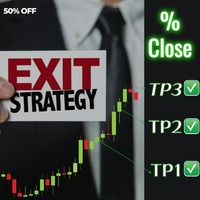
Introducing Exit strategy EA – Smart Trade Manager for MT5, designed to save you screen time and manage your open trades. Set your own TP levels. SL adjustments. Lot size percentages.
How It Works:
Set up to 2 Take Profits for each trade (TP1,TP2). I can add more TP levels
At each target hit:
1. Automatically close a customizable percentage of your position e.g 50% close on TP1
2. Instantly adjust your Stop Loss to a predefined level e.g Move stop loss to breakeven at TP1 hit.
Why Y

Telegram Notifier EA: Instant MT5 Trade Alerts & Reports Stay connected to your trading account 24/7 with the most comprehensive Telegram notifier on the MQL5 marketplace. This powerful Expert Advisor instantly sends all your MetaTrader 5 trading activity directly to your phone, tablet, or desktop via Telegram. Never miss an important market event or trade execution again. Whether you're away from your terminal or managing multiple accounts, this EA gives you the peace of mind that comes from be

Tired of losing money? Neuro_Inverted_Panel_EA is your solution — the ultimate manual trading panel for those ready to embrace inverted psychology! Simply attach the EA to your chart, set the maximum daily loss you're willing to accept (for smart risk control), and trade as you normally would — but without watching your "Toolbox" for open trades . This panel turns your typical losing habits into a winning strategy by flipping your decisions upside down — literally. Once attached, the panel displ

This EA automatically manages trailing stop-losses for all positions on the attached symbol using a visual control panel you interact with on the chart. Attaching the EA Load the EA onto the chart of the symbol you want it to manage (e.g., XAUUSD , EURUSD ). It only affects positions on that chart's symbol . Using the Panel Controls When you attach the EA, a panel appears in the top-left corner: UI Element Functionality Trailing: ON/OFF Click to enable or disable trailing logic Trailing Stop

The Vix100 Sniper Fx EA is a fully automated trading system designed for Scalping Volitility 100 on the MetaTrader 5 platform . It uses a combination of moving average filters and optional RSI divergence detection to identify potential Buy or Sell trade opportunities. The EA dynamically calculates lot size based on a user-defined risk percentage, adapting position size to account equity and stop loss distance. It includes advanced trade management tools such as trailing stop, break-even funct
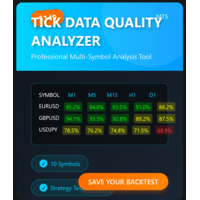
MT5 TICK DATA QUALITY ANALYZER Professional tick data quality analysis tool for MetaTrader 5 traders and developers Price: $69 USD (Launch Special $69 - Regular $99) Product Type: Expert Advisor / Utility Platform: MetaTrader 5 License: Lifetime, 5 Activations
INTELLIGENT BACKTEST RECOMMENDATIONS Automated Backtest Mode Selection - Tells you EXACTLY which tick data format to use in Strategy Tester Optimal Time Period Detection - Automatically identifies the BEST historical range for backtes

他の製品もチェック: ここをクリック ビジュアルトレーディングを簡単に: チャート上に水平線を配置してドラッグするだけで、エントリー、ストップロス、テイクプロフィットのレベルを設定できます。 見たままの操作が可能です。ビジュアルラインにより、トレード設定が即座に明確になります。 ロットサイズの自動計算: 意図した以上のリスクを負うのはやめましょう。リスクを固定額 または口座残高の割合(例:1%)として設定します。 EAがストップロスまでの距離に基づいて正しいロットサイズを即座に計算し、リスクが常に管理されていることを保証します。 すべての注文タイプを完全にサポート: 成行注文:市場の売買ボタンで即座に市場に参入します。 指値・逆指値注文:特定の戦略に合わせて、買い/売り指値注文や買い/売り逆指値注文を簡単に設定できます。市場価格が近づきすぎた場合、EAは自動的にラインを調整します。 高度な利益確定とトレード管理: 複数のテイクプロフィット:途中で利益を確保します。最大4つの部分的なテイクプロフィットレベルを設定できます。情報ラベルには、各レベルのリスク/リワード比率と潜在的な利益が表
FREE

**あらゆるTelegramチャンネルからシグナルをコピーし、管理者権限なしでMT5上で即座にトレードを実行!**
Telegramでトレードシグナルを受信し、それをMetaTrader 5で即座に実行できたらと思いませんか?
**Telegram to MT5 Signal Copier** は、TelegramのシグナルチャンネルとMetaTrader 5を強力に連携するブリッジです。指定されたTelegramチャンネルのメッセージを監視し、トレードシグナル(銘柄、売買方向、エントリー価格、ストップロス、テイクプロフィットを含む)を自動的に抽出し、即座に実行します。
プレミアムシグナルプロバイダーをフォローしている方でも、ご自身のTelegramアラートを自動化したい方でも、このツールはトレードワークフローを効率化し、手作業を減らし、機会損失を防ぐお手伝いをします。
️ **主な機能:** Telegramチャンネルに直接接続 主要なトレード指示(買い/売りまたは指値注文、銘柄、エントリー価格、SL、TP)を解析 MQL5からアクセス可能なシグナルを保存

FJUNIVERSE | MT5 最小ロット価格スナップショットツール 取引ごとのリスクを理解するためのシンプルかつ効果的な方法。 このスクリプトは、初心者トレーダーが「マーケットウォッチ」にリストされている各シンボルで最小ロットサイズを取引する際の潜在的なリスクを明確に把握できるように設計されています。ワンクリックで、スクリプトは現在の市場(アスク)価格と契約サイズを使用して、最小ロットサイズでオープンしたポジションの推定価値を計算します。そして、その銘柄の価格がゼロに下落した場合にどのくらいのリスクがあるかを判定します。 すべての結果は構造化されたCSVファイルに保存され、MetaTraderターミナルのログにも印刷されて素早く確認できます。 特徴: 現在の市場価格に基づいて各シンボルの最小金銭的エクスポージャーを計算します。 最小許可ロットサイズに対して、100%の価格下落に基づく潜在的な最大損失を表示およびエクスポートします。 データの正確性とリアルタイムの市場状況を反映するために、現在の価格のスナップショットを取得します。 結果を、シンボル、スナップショット価格、ロットごとの

Auto SLTP Risk Assistant は、MetaTrader 5 向けに設計された自動取引ツールで、トレーダーが1回の取引ごとの固定リスクに基づいて、ストップロス(SL)とテイクプロフィット(TP)を正確に設定できるよう支援します。 シンプルでインタラクティブなインターフェースにより、チャート上で SL ラインをドラッグするだけで、選択したリスクリワード比率に基づいてロットサイズと TP を自動的に計算し、BUY または SELL の注文を即座に実行します。 ️ 主な機能: 固定リスク(例:1回の取引につき $10)に基づいたロットサイズ自動計算 柔軟な SL ライン:戦略に合わせて自由にドラッグ可能 チャート上でリスクおよびリスクリワード比を直接入力可能 パネルからワンクリックで BUY、SELL、CLOSE ALL を実行 スキャルピングやスイングトレードに最適な、クリーンで反応の良いUI ロック機能(手動ヘッジ): LOCK ボタンでポジションを手動でロック セント口座および標準口座に対応 ️ 入力パラメータ: RiskPerTrade :1回の取引でリスクに

Close All % Balance EA - クイックガイド
このEAは、設定された損益目標(%またはUSD)に基づいて、すべてまたは個別のポジションを自動で決済します。 主な機能
2つのモード: 全ポジション対象: 現在のシンボル + Magic Numberのすべての損益を監視。 ポジションごと: 個別に監視・決済。 損益ターゲット: 残高の%またはUSDで設定可能。 0に設定すると無効になります。 シンボル固定: チャートに適用されたシンボルにのみ対応。
マジックナンバー対応: 手動またはEAによる注文に対応(手動の場合はMagic = 0)。
情報パネル: オプションでリアルタイム統計を表示。 ️ パラメーター TargetProfitPercent / USD: 利益が目標に達すると決済。 TargetLossPercent / USD: 損失が目標に達すると決済。 Mode: 全体か個別かを選択。 Magic Number: 指定の番号でフィルタリング。 表示設定: 色、位置、フォントをカスタマイズ可能。 動作概要
EAは各ティックで損益をチェッ

- Statistics and monitoring of account - Sending screenshot to TG and push notification to the phone : bot report by schedule and by pressing the button; notifications of the drawdown (in % or currency) of a symbol and/or account by schedule; - Closing the position of the symbol by pressing its current profit/loss My bot's token is written in the "Bot token (0=off)" parameter . To work it, you need to find it in search of TG called " GR_BOT_MT5_TO_TG_bot " and send a message "/start" . After

Alert Relay Helper (EA) – MT5 & MT4
Encrypted bridge that forwards indicator alerts to external messengers * in real-time. Plug-and-play utility – simply attach it to one chart. Zero trading functions – does not open, modify or close orders. End-to-end AES-256 encryption – only custom indicators that support the same key can broadcast messages (e.g. VWAP Ultimate Pro v1.20+). Multi-platform – MT5 build 4150+, MT4 build 1380+. Before you turn it on : Open Tools > Options > Expert Advisors and
FREE

Auto BreakEven Pro is a lightweight, no-nonsense Expert Advisor designed to automatically move your Stop Loss to breakeven once your trade reaches a predefined profit level. This EA is ideal for traders who want to protect profits without constantly monitoring the charts.
Key Features: Automatically sets Stop Loss to break-even after a custom number of pips in profit. Optional break-even offset to lock in small gains (e.g., +0.5 pips). Compatible with any manual or automated strategy – simpl
FREE

Introduction Copytrade Online is a powerful EA tool that helps you automatically copy trades from a Master account to Slave accounts on MetaTrader 4/5 (MT4/MT5) platforms. The EA ensures fast, secure, and easy trade transmission, suitable for both individuals and trading groups. Copy online via the internet from an MT4/MT5 account on one computer to MT4/MT5 accounts on multiple other computers. Key Features Automatically copy trades from the Master account to multiple Slave accounts. Supports b

Discretion Assistant v1【裁量トレード支援ユーティリティ】 Discretion Assistant v1 は、裁量トレーダーの操作と判断を強力に支援するMT5専用ツールです。チャート上における情報視認性の向上と、ポジション操作の簡便化を目的とした多機能アシスタントで、短期〜中長期トレードまで幅広く対応します。 実装機能一覧(すべてpips・秒単位で調整可能) ポジション管理系 TP(利確ライン)自動設置 固定トレーリングストップ(X pips固定幅でストップを追従) ATRベースのトレーリング開始ロジック 指定pips以上含み益が乗った場合にのみトレール開始 ポジション一括クローズ機能(Buy/Sell/All単位で選択) 視覚支援系 JST時間グリッドの自動描画(ローソク足の区切り) カウントダウンタイマー表示(次足までの秒数) 倍率・現在のスプレッド情報表示 水平価格グリッドの自動描画(わかりやすいpips単位) 相場状況分析支援 MA乖離終盤判定(簡易) 現在価格が指定移動平均に指定pip

This Tool is designed to automate one of the most critical aspects of trade management — setting and managing Stop Loss, Take Profit , and Trailing Stop levels — directly on your MetaTrader 5 platform.
Key Features:
Automatic SL, TSL and TP Placement: Instantly sets initial Stop Loss and Take Profit levels on any new position based on customizable parameters, helping to enforce disciplined risk and reward management.
Dynamic Trailing Stop: Automatically moves the Stop Loss to lock in profits
FREE

Free Slave Version – Remote Trade Receiver MT5.
This is the FREE Slave version of our professional Remote Trade Copier system. It allows you to receive trades from a Master account running our full Copy Trade solution. Designed for simplicity and reliability, this version is read-only and cannot send trades or operate independently.
Key Features: One-click setup – simply connect to the Master. Fast and accurate order copying. Supports all symbols, order types, and brokers. Minimal resource us
FREE

TRADEX EDGE MANAGER V1.00 – Configuration Overview The Tradex Edge Manager V1.00 offers an intuitive and powerful set of customizable inputs, designed for precision trading and seamless automation with MT5. Below is a breakdown of its configuration categories and parameters: TELEGRAM SETTINGS Telegram Bot Token: Unique token to connect your EA to your Telegram bot. Telegram Chat ID: Destination group or channel where messages will be sent. Enable Telegram Notifications: Set to true to activ

Overview Stratbot is a sophisticated and highly flexible Expert Advisor designed for MetaTrader 5 that combines multiple advanced trading strategies into one powerful system. This EA is built for serious traders who demand precision, flexibility, and professional-grade risk management in their automated trading operations. Key Features & Capabilities 1. Advanced Multi-Condition Trading System 5 Customizable Conditions : Set up to 5 different trading conditions for both BUY and SELL signals
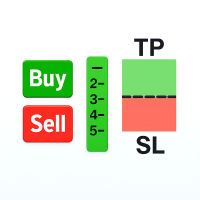
Easily analyze the trade setup and make adjustments before placing any order. This Tool allows you to analyze if the trade is worth taking based on its potential return. The Risk-to-Reward (R:R) Ratio is one of the most critical concepts in successful forex trading and long-term profitability. It measures how much you stand to gain (reward) for every unit of risk you take (risk).
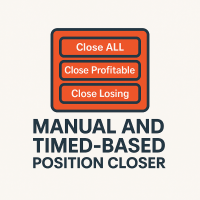
This EA puts simple, useful close buttons right on your chart—so you’re always one click away from managing your positions. Whether you want to clean up before the market closes or just take profits without hassle, Custom Close EA helps you do it fast, safely, and your way. What it does: Close All – Instantly closes every open trade. Close Profitable – Closes only trades that are in profit. Close Losing – Closes only trades that are in loss. Close Symbol Only – Closes trades only for t

Trade With Ease Risk Management Tool MT5 - Professional Trading Assistant Short Summary The TWE Risk Management Tool MT5 is a powerful and versatile Expert Advisor designed to enhance your trading experience with advanced risk management, precise order execution, and intelligent trailing stop features. Whether you're a beginner or an experienced trader, this tool helps you trade with confidence by automating key aspects of your strategy while giving you full control over risk parameters. Key

The Multi-Account Trade Copier EA is a lightweight, high-performance Expert Advisor designed to replicate trades across multiple MetaTrader 5 (MT5) accounts on the same device . The EA mirrors positions from a designated Master account to one or more Slave accounts running on the same device , ensuring reliable and fast trade synchronization without the need for third-party services.
You can copy all trades from one MT5 terminal to another MT5 terminal hosting two different accounts on the same

複数の注文を簡単に管理するためのアシスタント
1. 「ワンクリックで複数注文管理をマスター – リスクベースのロットサイジング、部分クローズ。 電力会社の主な強みである自動化された量/リスク制御、複数注文の監視を強調します。
2. 「難しい取引ではなく、より賢い取引 – 同時取引管理のための完全なダッシュボード」 EA をオールインワンのコントロール パネルとして構成し、複数の取引にわたって効率を拡張します
3. 「すべての注文を決定する 1 つのパネル – 部分決済、半決済、利益決済、すべて決済
複数のポジションを同時に扱うトレーダーにとって魅力的なコア機能をリストします。
4. 「楽な複数ポジション制御 – MetaTrader5 の SL/TP ラインと平均価格ライン」 リスク管理、グラフィカルな取引インターフェースを重視し、
5. 複数の注文をドラッグしてクリックするだけで、SL と TP を簡単に変更できます
これらが機能する理由 マルチ注文制御: 複数注文の EA 取引支援ツールでユーザーが検索する内容に正確に対応します。
視覚的なダッシ
FREE

Hello, trading champs! I trust you are doing well. Have you experienced entering a position where the market initially moves in your favour or approach your takeprofit then suddenly the market reversed opposite your position? Well, it has happened to me numerous times and today I decide to fight back.
I present to you a trade manager that help you protect your position(s). This project helps you set your position(s) to breakeven either when a certain amount of pips you specify is reached or a
FREE

Expert TP SL v04 - Professional Trading Assistant with AI Motivation System Advanced manual trading tool with automatic risk management, overtrading protection, and intelligent psychological support for disciplined trading. PRODUCT OVERVIEW Expert TP SL v04 is a comprehensive trading assistant designed for manual traders who want to maintain emotional discipline while automating risk calculations. This isn't just another order placement tool - it's a complete trading psychology system that pr

This Expert Advisor MoneyProtect is a tool developed to support traders in their operations within defined parameters: adding a Stop Loss to open positions, activating the Trailing Stop, and setting the maximum loss value the trader is willing to accept on open trades. The operation works by adding a Stop Loss to the position when an order is opened, based on the number of points defined in the parameter Points To Stop Loss . The Trailing Stop can be enabled, starting from the profit points def

MT5 Premium App - Picture Based (Chart Screenshot) Telegram Alerts - Visual Notifications straight to your phone via Telegram Get the software at a discounted price of $80 for a Limited Time Only. Price Monitoring & Instant Alerts with Chart Screenshots for Traders. Stay ahead of the markets with Faithstream Forex Telegram Price Alert App, a professional MetaTrader 5 script that monitors key price levels and sends real-time Telegram alerts—complete with chart screenshots—when your targets are h

Market & Pending Risk Manager EA Operation Manual Market & Pending Risk Manager is a professional MT5 trading panel EA that integrates multiple functions such as market order trading, pending order trading, risk management, and trailing stop loss, providing traders with a comprehensive trading solution. Core Advantages Intelligent Dual-Mode Trading Market Order Mode: One-click buy/sell for fast execution Pending Order Mode: Precise entry to wait for the optimal timing Seamless Switching
FREE

Virtual SL TP Trailing Pro – Client-Side Stop Loss / Take Profit and Trade Management Looking for MetaTrader 4 version? I t is available separately in the Market: Virtual SL TP Trailing Pro MT 4 Public channel: CLICK HERE
Virtual SL TP Trailing Pro is a trade management utility for MetaTrader that keeps Stop Loss (SL) and Take Profit (TP) levels on the client side instead of sending them to the trading server. It is designed to help you manage exits in a structured way using a clear on-cha
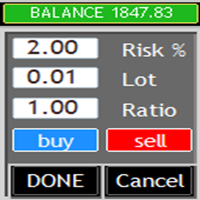
What is this? This Expert Advisor adds a visual trading panel to MetaTrader 5 charts. Key features: - Open/close trades with one click - Manage Stop Loss (SL) and Take Profit (TP) levels - Auto-apply risk settings - Light/dark theme toggle
Interface: 1. Main panel with buttons: - `BUY` – open buy order - `SELL` – open sell order - `CLOSE ALL` – close all trades - `On/Off` – hide/show panel 2. Input fields: - `Stop Loss (SL)` – SL distance in points
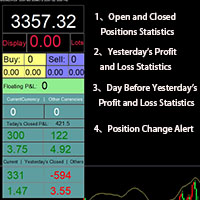
Smart Trading Monitor - Real-Time Position Tracking, P/L Analysis & Alert System Real-Time Monitoring: Automatically tracks open/closed positions, clearly displays yesterday's/previous day's P/L - no more manual calculations!
Smart Alerts (Premium only): Instant push notifications + sound alerts for position changes - never miss a trading opportunity!
Simple & Intuitive: One-click installation with key data displayed directly on charts for faster decision making
High Compatibility: Su
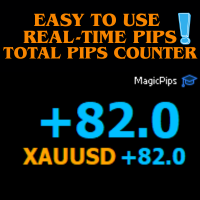
MagicPips - Ultimate Free Position Pip Counter Track Your Trading Performance in Real-Time with Precision MagicPips is a professional-grade tool for MetaTrader 5 (MT5) that provides traders with immediate, accurate pip calculations for all open positions. This utility offers a clear and customizable display of profit and loss in pips, helping traders monitor performance efficiently. Key Features Real-Time Pip Tracking Continuously updates pip gains and losses for all open positions (both buy and
FREE

SimpleKeys — Hotkey Trade Manager for MT5 Most trade managers give you a dashboard full of buttons you'll click once and forget. SimpleKeys does the opposite. Every action is a single keypress. Every level is a visual line you place exactly where you want it. No panels to navigate, no dropdowns to open mid-trade. Place your stop, place your target, press Space. Done. Who This Is For SimpleKeys is built for traders who already know what they're doing and need execution to keep up with their think

Template Loader : Automate Your Chart Setup with Precision
Automate chart template loading daily at your chosen time with Template Loader for MT5. Why Buy Template Loader? Template Loader is a must-have tool for traders who rely on specific chart setups for their strategies. Its straightforward design, reliable performance, and time-saving automation make it a valuable addition to any MT5 trading arsenal. Get started today and streamline your trading workflow! Full Description : Simplify Your T

"Success in trading isn't about perfect predictions - it's about knowing your performance and making informed decisions based on accurate data." Get started now and trade with complete confidence!
Introduce
Trading Performance Calculator Panel or " ProfitCalculator" - Your Smart Trading Companion
Transform Your Trading Success with Real-Time Profit Intelligence! Are you tired of guessing your trading performance? Stop flying blind and take control of your trading destiny with ProfitCalcu

1. Move SL to BE On/Off: allow EA move SL to BE or not allow. 2. BE mode: BE Single order: move SL of single order when condition match. BE multi order: Move Sl of multiple orders base on BE of multiple orders. 3. Move SL to BE when profit >= (pips): set how many pips you want EA move SL to BE when profit. 4. Add value from BE: number of pips you want to add from BE (offset). 5. Audible Alert: Enable audible alert on/off. 6. Push notification: Enable Push notification on/off. 7. Three button hel
FREE
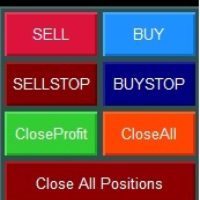
Smart Trading Panel MT5 - Умная торговая панель Обзор продукта Smart Trading Panel MT5 — это не просто панель управления - это профессиональная торговая панель для MetaTrader 5 больше похожа на советник, который значительно упрощает процесс торговли и добавляет функции, отсутствующие в стандартном терминале: 3 режима расчета лота, Автоматическая установка StopLoss, Продвинутый трейлинг-стоп, Трейлинг отложенных ордеров. Ключевые преимущества Эффективность и скорость Мгновенное открытие по
FREE
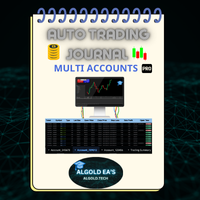
The ALGOLD EA’s Automatic Trade Journal Professional Multi-Account Automation for MetaTrader 5 Experience the next generation of trading documentation with the ALGOLD EA’s Automatic Trade Journal , an elite, fully-automated solution meticulously designed for professional traders, prop firms, and asset managers who demand precision and efficiency. This advanced system leverages the power of Google Sheets to seamlessly integrate with MetaTrader 5 (MT5) exclusively capturing every trade in rea

JA Reverse Trade Tool - V1 Tired of buying when prices drop and selling when they soar?
Reverse Trade is your solution!
This smart tool flips the script: turn every "BUY" into a "SELL" and every "SELL" into a "BUY" to outsmart the market & solve your psychology problem!
Perfect for traders who feel cursed with bad timing.
Try Reverse Trade today and trade with confidence!
Key Features: Eight buttons (four BUY & four SELL) which lot size can be customized in EA's properties. One button to
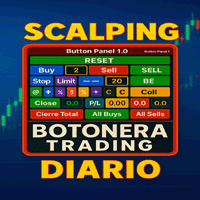
トレーディングキーボード 金融市場における機敏かつ正確な取引を実現する高度なツールです。 DAX、XAU/USD、FX、その他市場(スキャルピング、デイトレード、スイングトレードなど)を取引するトレーダー向けに設計されたこのキーボードは、ワンクリックで取引を執行でき、複数の専門的な設定も使用できます。
「デイリースキャルピングキーボード」を使用すると、ワンクリックで取引の発注、決済、プロテクトが可能で、M1/M5での取引を時間をかけずに行うのに最適です。ヘッジ、損益分岐点、トータルクローズ、クイックロットコントロール用のボタンも搭載されています。貴重な時間を無駄にしたくないアクティブなトレーダー向けに設計されています。
主な機能: 直接注文とスケジュール注文:市場で売買注文を執行するか、売買指値または売買ストップを使用して取引をスケジュールできます。
ロットサイズ管理:ポジションサイズを設定し、ヘッジ戦略を自動化します。
自動ヘッジ:インテリジェントなヘッジシステムでリスクを最小限に抑えます。
ハイライトボタン: TSL(トレーディングストップロス):取引が利益確定した時点で

Custom Alerts AIO:マルチマーケット監視を一括で実現 — 設定不要ですぐに使えるインテリジェントツール 概要
Custom Alerts AIO は、追加のインジケーター設定が不要で、インストール後すぐに利用できる高機能マーケットスキャナーです。FX Power、FX Volume、FX Dynamic、FX Levels、IX Power を内部にすべて統合し、主要なすべての資産クラス(為替、金属、指数、暗号資産)を一括監視できます。MetaTrader の仕様により、株式は個別のシンボルとして追加可能ですが、一般的には利用頻度は低めです。 1. なぜ Custom Alerts AIO を選ぶべきか 追加ライセンス不要
• 必要なすべての Stein Investments インジケーターが内蔵されており、すぐに使用可能です。
• チャートに表示されるグラフィックは省略されており、アラート生成に特化した構成です。 市場を広範囲にカバー
• 為替、金属、暗号資産、株価指数に対応(株式は手動追加可能)。
• シンボル名を入力する必要はなく、プロパティで資産クラス

イージーレンコチャート:かつてないほど価格変動を視覚化! 真のトレンドを覆い隠すノイズの多いローソク足チャートにうんざりしていませんか? イージーレンコチャート は、MetaTrader 5プラットフォームで市場の動きに関する明確な洞察を直接得るための究極のソリューションです。この強力なユーティリティは、生のティックデータをクリーンで洞察力のあるレンガ足に変換し、重要な価格変動に集中し、市場のノイズをフィルタリングすることができます。 イージーレンコチャート は、アクティブなチャートに基づいてカスタムの合成シンボルを作成し、その後、過去およびライブの価格アクションをレンガ足に綿密に再構築します。時間ベースの歪みに別れを告げ、より純粋な需給表現を歓迎しましょう! カスタムレンコ分析の力を解き放つ: これらの直感的な入力パラメータを使用して、レンコチャートを取引スタイルに完璧に合わせましょう: レンガサイズ(ポイント): 新しいレンガを形成するのに必要な正確な価格変動を定義します。EURUSDのような銘柄の場合、1ポイントは0.00001に相当し、レンコの感度を細かく制御できます。 ヒゲの

Take Control of Risk with Smart Trailing Stop Manager for MetaTrader 5 Looking for MetaTrader 4 version? I t is available separately in the Market: Smart Trailing Stop Manager MT4 Full User Guide – Public channel: CLICK HERE Tired of missed profits or manual stop loss adjustments?
Smart Trailing Stop Manager is a powerful utility for MetaTrader 5 designed to automate your trailing stop, breakeven, partial close, and SL management. Whether you're a discretionary trader, signal follower, o

Break Even Helper – Simple SL Manager for MT5 Break Even Helper is a lightweight and efficient MetaTrader 5 utility that helps traders manage risk by automatically moving the Stop Loss (SL) to break-even when a trade reaches a certain profit level. Looking for MetaTrader 4 version? I t is available separately in the Market: Break Even Helper MT4 This tool is ideal for traders who want a simple break-even function without the complexity of full trailing stop systems . It supports all account ty

Telegram Trade Notifier EA Enhanced Utility Expert Advisor
Real-time Telegram notifications for new positions AND TP/SL closures on its chart symbol Core Functionality Monitors all new positions (manual/EA/script) on its attached chart Alerts when positions close via Take Profit or Stop Loss Sends Telegram alerts within 0.5-2 seconds Works concurrently with other EAs New Position Alerts Include :
• Symbol
• Direction (Buy/Sell)
• Entry Price
• Take Profit Level
• Stop Loss Level
• Position Tick

Laissez votre robot gérer vos sorties pendant que vous vous concentrez sur vos entrées. Ce robot ne prend aucune position par lui-même. Il est conçu pour vous assister dans votre trading manuel en fermant automatiquement vos positions lorsque le Take Profit (TP) ou le Stop Loss (SL) virtuels définis en argent sont atteints. Simple, léger, et sécurisé : vous tradez en toute sérénité.
Description :
Ce robot MQL5 est un outil d’accompagnement au trading manuel, conçu pour les traders qui souhait
FREE

The only EA for TRADING PSYCHOLOGY:Discipline, Mindset Training & Risk Control Checklist-Enforced Trading (No trades allowed until strategy checklist is met)
1-Click Revenge Trade Blocker (Auto-freezes account after losses)
Overtrading Circuit Breaker (Hard daily trade limits enforced)
Neuroplasticity Training (Rewires retail habits into institutional discipline)
Institutional Risk Protocols (Auto SL/TP, position sizing, daily loss cutoffs)
Prop Firm and account Safeguard (Preve

Description The New York Auto1 Trade is a precision Expert Advisor for MetaTrader 5 , built to capture high-probability trades during the New York session — the most active time of the trading day.
It uses only essential filters: trend direction via MA and volume confirmation via MA , placing trades at clean whole number levels for maximum efficiency. No clutter, no unnecessary indicators — just focused, fast execution. Key Features: New York Session Exclusive: Trades only during the New Yo

自分の取引ルールで Telegram のシグナルをコピー Telegram to MT5 Signal Trader は、Telegram の公開・非公開チャンネルやグループから、テキスト形式の取引シグナルを MetaTrader 5 へ自動でコピーします。1つのデスクトップアプリで複数の配信者と MT5 口座を管理し、 配信者ごとにリスクと取引設定を個別に指定 できます。 シグナルのコピーに Telegram ボットや API 設定は必要ありません。 電話番号または QR コードでご自身の Telegram アカウントにログインし、すでに参加しているチャンネルやグループを選ぶだけです。ボットの作成や、Telegram API トークン、API ID、API hash の入力は不要です。 ポジションサイズを選び、複数の利確水準に分けて決済し、建値へのストップ移動やトレーリングストップを自動化できます。配信者のシグナルを受け取りながら、実際の取引方法は自分で管理できます。 本製品は、この MT5 エキスパートアドバイザ(EA)と、必須の Windows 連携アプリで構成されます。 インス
MetaTraderマーケットは、他に類のない自動売買ロボットやテクニカル指標の販売場所です。
MQL5.community ユーザーメモを読んで、取引シグナルのコピー、フリーランサーによるカスタムアプリの開発、支払いシステムを経由した自動支払い、MQL5Cloud Networkなど、当社がトレーダーに対して提供するユニークなサービスについて詳しくご覧ください。

取引の機会を逃しています。
- 無料取引アプリ
- 8千を超えるシグナルをコピー
- 金融ニュースで金融マーケットを探索