 MetaTrader 5
 エキスパート
 インディケータ
 ライブラリ
ライブラリ
 ユーティリティ
 ウィジェット
 ルール
ルール
YouTubeにあるマーケットチュートリアルビデオをご覧ください
ロボットや指標を購入する
仮想ホスティングで
EAを実行
EAを実行
ロボットや指標を購入前にテストする
マーケットで収入を得る
販売のためにプロダクトをプレゼンテーションする方法
MetaTrader 5版新取引ユーティリティ - 60
 以下はMetaTrader5での取引を簡素化する取引プログラムです。ユーティリティにカーソルを合わせると、その説明と目的が表示されます。
チャートリンク補助ツール: このツールは、MetaTraderで開いているチャートとメインチャートのエキスパートの間のインターフェースとして機能します。多くのマルチタイムフレームエキスパートは、画面上の開いているチャートと通信するためにこのファイルを必要とします。このツールをチャート上で実行することで、チャートをメインチャートのエキスパートに簡単に接続することができます。 このファイルの主な機能は、開いているチャート上で発生したすべてのイベントをメインチャートのエキスパートに送信することです。例えば、メインチャートにガイドラインが配置されても、これらのガイドラインの変更がメインパネルのエキスパートのパラメータに反映されない場合があります。このツールをチャート上にドラッグ&ドロップまたは実行することで、それらをリンクさせ、チャート上の変更がメインチャートのエキスパートに確実に伝達されるようにします。 また、このツールには、メインチャートのエキスパートのデバッガーとアクティブ状態のチェッカーも備わっています。メインチャートのエキスパートへの接続が失われた場合、このツールは次のアクションを実
FREE

This script is designed for traders who need to quickly place trades across multiple currency pairs during critical news releases, where every second counts. With this tool, you can pre-select your desired currency pairs and assign independent volumes for each one. When a major news event hits, such as Non-Farm Payroll (NFP) or PMI data releases, the script allows you to execute all your trades instantly without the need to open each pair manually. Key Features: Customizable Pairs : Choose from
FREE

The Stop Loss Manger - SL Mange With the Stop Loss Manager you can finally sleep peacefully while it effectively manages your risk in stock market trading. Simply set your individual stop loss limits and let the manager trade for you. Never worry about losses again - the Stop Loss Manager takes care of it for you! Get the ultimate support for your trading now and maximize your profits with ease. Join the community of successful traders who swear by Stop Loss Manager today. Function overview: 1.

This expert advisor automatically sets the stop loss and take profit for your position once you have opened it, with a point ratio that you define in advance. No more worrying about where to place your stops or not following your strategy. Problem solved, traders. You just need to enter your values in the ‘Input’ tab, and the parameters are set for execution. This Advisor does everything for you. Any recommendations or suggestions, we are open to a new version. ONLY HANDLE ONE POSITION AT A TIME

This Expert Advisor creates charts with seconds Time Frames, that can be customized to any value. Option to load history, allowing analysis of past candles. Can be used with indicators.
It can be used for any asset from any broker. The charts created are opened automatically and updated in real time. Inputs :
Seconds -> How many seconds will the Time Frame be.
Candles History -> How many candles will be loaded on the chart.
Custom Symbol Suffix -> The suffix for the chart to be generated.
Custo

Position Limit Monitor: Efficient Control of Your Trading Operations Have you ever worried about having too many open trades simultaneously? Would you like precise control over the maximum number of positions in your account? Position Limit Monitor is the solution you need. Main Features: • Real-time monitoring: Constantly supervises the number of open positions in your account.
• Customizable limit: Easily set the maximum number of positions you want to keep open.
• Automatic closure: When the

Position Limit Monitor Full: Total Control of Your Trading Operations Are you looking for an efficient way to manage both your open positions and pending orders? Position Limit Monitor Full is the all-in-one solution you need to maintain total control over your trading activity. Key Features: Real-time Monitoring: Constantly tracks the number of open positions and pending orders in your account. Customizable Limits: Easily set the maximum number of open positions and pending orders you want to m
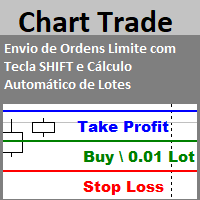
Envio de Ordens Limite com Tecla SHIFT (Cálculo Automático de Lotes) Funcionalidades: Definição de Níveis: Estabeleça os níveis de Stop Loss, Take Profit e o preço da ordem utilizando a tecla SHIFT e cliques do mouse. Cálculo Automático de Lotes: Os lotes são calculados automaticamente com base no risco da conta.(A opção também para usar volume fixo) Gerenciamento de Posições: Botão para fechar todas as posições abertas enviadas pelo EA. Botão para cancelar todas as ordens pendentes enviadas pe
FREE

Centage: Your Smart Trading Bot for Risk Management. Unlike typical trading bots, Centage prioritizes risk management by incorporating an essential feature: it closes all open trades when your account balance reaches a predefined threshold. This feature makes Centage ideal for traders who want to maintain a disciplined approach and avoid emotional decision-making. Let Centage be your reliable partner in the world of trading, while safeguarding your investments with smart balance-based exits. Ce

ニュースイベントの洞察でトレードを強化
トレードの世界では、ニュースイベントが市場価格に大きな影響を与えることがあります。これらのイベントが価格変動にどのように影響するかを理解することは、ボラティリティの高い時期にトレードを管理するために重要です。News Tool EA は、過去および今後のニュースイベントに関する洞察を提供し、情報に基づいたトレードの意思決定を支援します。 このEAは、ストラテジーテスターでは実行できません。 ユーザーガイド 主な機能:
歴史的影響分析 過去の特定のニュースイベントに対して価格変動がどのように反応したかを理解します。イベントがしばしば強気または弱気のトレンドに従うかを分析し、調整可能な時間枠でポイントまたはパーセンテージの平均価格影響を表示します。ビジュアルグラフを使用して、ニュースイベントと価格反応を並べて観察し、より深い市場の洞察を得ることができます。 リアルタイムニュースの統合 MT5内で直接、今後のニュースイベントのライブアップデートを受け取ります。特定のイベントや重要度レベルに対するアラートを設定し、通貨や関連性でイベントをフィルタリン

EA 自動テイクプロフィット、自動買い/売り、ボリューム マネージャー、サイドウェイ トレード、トレーリング オープン ポイント 1 – 自動買い/売りオープン EA は、設定 (利益、ストップロス、ボリューム) に従って、買いまたは売りを自動的にオープンします。 ボリューム管理: 注文の総数と固定サイズ 2 – 自動テイクプロフィット: 設定に従って最小利益でテイクプロフィット、最小および最大利益に従ってテイクプロフィット ボタン 3 – 注文処理: EA で設定されたピップ数に従って、ポジションのストップロスには 3 つのレベルがあります 4 – サイドウェイ トレード: サイドウェイ ピーク領域で売り注文をオープン – サイドウェイ ボトム領域で買いをオープン、サイドウェイ ピークとボトムの値は EA で設定されています。 5 – トレーリング オープン ポジション: 1 つの価格ポイントを追跡し、価格がそのポイントに達すると売りをオープンし、EA の設定に従ってピップ数を減らします。価格が買いウォッチ ポイントに達し、価格が設定のピップ数に回復すると買いをオープンします。

Simple Telegram Trade Alert
概要 : Simple Telegram Trade Alertは、MetaTrader 5 (MT5)ユーザー向けに設計された、シンプルながら効果的なエキスパートアドバイザー(EA)で、取引活動に関するリアルタイムの通知をTelegramで直接受け取ることができます。 数ステップで、ポジションが開かれたり閉じられたりする際に通知が送信され、エントリープライス、テイクプロフィット(TP)、ストップロス(SL)、口座通貨での利益/損失、残高変動率、総残高などの重要な情報を詳述します。 MT5プラットフォームを常に監視せずに、取引状況を把握したいトレーダーに最適です。
特徴 : 取引開始と終了に関する即時のTelegram通知。 提供される情報: 注文タイプ(買い/売り) シンボル 開始価格 テイクプロフィットとストップロス 注文番号(開始時と終了時) 口座通貨での利益/損失 残高変動率 現在の残高 ユーザーが構成可能なオプション : 取引開始および/または終了時の通知を有効/無効にする。 Telegramボットのトークンとチャ

Copy trades locally between MetaTrader terminals with a simple interface and professional risk controls. Use it to mirror trades across accounts, brokers, and platforms in any MT4/MT5 combination. Designed for reliability : supports trade updates such as breakeven, trailing stop, partial closes, and more. User Guide + Demo | MT4 Version Important notes Local Trade Copier MT5 does not work in the Strategy Tester. For a demo, please use the User Guide + Demo link above. To copy to MT4, you will n

This tool for the MetaTrader 5 trading platform allows setting the stop loss of open positions to breakeven (entry price) plus an adjustable distance in points. The stop loss is only adjusted if the position is already in profit.
Main functions:
Button: A button is displayed on the chart with the text "StopLoss to BreakEven". The color of the button can be customized, by default it is red.
User interaction: When you click the button, for all open positions that are in profit, the stop loss i
FREE

Equity Control expert advisor - this is a tool for controlling your account funds. It allows you to limit the general and daily drawdown, number of simultaneously existing positions, as well as the equity increase. The acceptable general drawdown can be set not only from the current account balance value, but also below this value. Which is convenient if you deal with Prop Firms. Daily drawdown is calculated from the balance value or equity if it is higher than the balance value. If the drawdown

GRInvest Breakeven Manager is an MT5 trade-management Expert Advisor designed to manage existing open positions after entry. Its purpose is to automate breakeven protection, staged partial closes, trailing stops and position management while still giving the trader full manual control over individual trades. The EA does not need to open trades itself . It can manage manual trades and trades opened by other Expert Advisors according to the selected symbol, direction and magic-number filters. The
FREE

Hello Traders. This product is for you who like to copy a signal on MQL5.
Before you go dive deeper, copy some signal and waste some money, it will be better if you know how the signal provider trading style, right?
Sometimes its hard to read history by list and table, it will be easier when you see the position on the chart.
So, this simple utility will help you to plot any history on MQL signal to your trading view. You can analyze how the signal works, and you are able to see how and when t
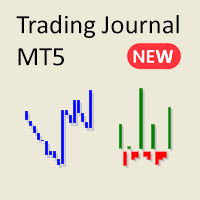
MetaTraderでの複雑で混乱したレポートに疲れていませんか?取引を追跡するための、よりクリーンで簡潔な方法をお試しください。 私の新しいユーティリティ/エキスパートアドバイザーは、取引のパフォーマンスを簡単に読み取れるミニマリストなビューを提供します。
このEAは現在、フィードバックを収集し、機能を改善している間、無料で提供されています。提案には前向きに対応しますが、開発は他の予定と並行して進行していることをご理解ください。
主な機能:
アカウント残高のラインチャート シンプルなラインチャートを使って、時間とともにアカウント残高の変化を追跡します。アカウントのパフォーマンスを瞬時に把握し、取引履歴のトレンドを一目で確認できます。
勝敗比の棒グラフ 毎日の取引セッションごとの利益と損失を可視化します。緑の棒は勝ち取引を、赤の棒は損失を表し、良い取引日と悪い取引日を迅速に識別するのに役立ちます。取引を閉じると、グラフは即座に更新されます。
詳細な統計表 このEAには、取引パフォーマンスを分析するために必要なすべての重要な指標が含まれています:
総純利益 総取引数 勝敗比
FREE

Flex One is able to open and manage orders based on any indicator. Flex One is ideal for you to automate trades with the signals of an indicator you have or even validate the signals received by an indicator are really profitable. In addition to Flex One opening a source based on any indicator you have, it also has numerous options to manage your trade, among these options you can count on: Partial • You can perform up to two partials. • Different volumes can be set for each partial, always resp

Master Close via Telegram can help you perform some management tasks on MT4/MT5 remotely via your Telegram by one click, easy to set up & use. Demo here (see more Master Notify Master Control ) ************************************************************************************ LIST OF COMMANDS: info_acc - Get account info info_pen - Get pending orders details info_pos - Get positions details info_pos_sum - Get positions summary
close_pen - Delete all pending orders close_pos_all -

This is a simple tool to display the maximum lot size permitted for any asset based on the size of your account (or more accurately the free margin), and the leverage. It will display the max lot size allowed, and then the script will naturally exit after 3 seconds which gives you enough time to see the information. When you have an active position, it will calculate the maximum number of lots that are left while a position of a certain lot size is already running. Before the script terminates
FREE

To achieve mutual support between MT4 and MT5, and to purchase the MT4 version, please click here>> Main follow-up function: 1. Reverse order capability 2. Cross platform follow-up, ignoring different names 3. Proportional order, magnification and reduction order 4. Compared to a specified currency pair, not compared to a specified currency pair 5. Can be ordered one to many, many to one, any order 6. Other unclear messages

Overview :
The Advanced News Trading Panel is a versatile tool designed for traders who rely on news-based trading strategies. This Expert Advisor (EA) provides an intuitive graphical interface that allows users to quickly set up pending orders and manage risk with ease. With the ability to automatically place Buy/Sell Stop orders based on your pre-set stop order distance from the bid/ask price, stop-loss and take-profit levels, the EA allows for precision trading during high-volatility news eve

Having more expert advisors running on the same account , eventually leads us to the question , which one of them are winners , or which are dragging down the account ? With this in mind I created this simple utility for displaying profits or losses taken by each expert advisor over time . This utility can be run as an expert advisor and can display up to 9 magic number results . If the inputs are left to zero , the results displayed are from the manually placed orders . It also displays deposi
FREE
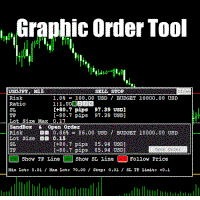
Graphic Order Tool
Graphic panel to help trader to make orders.
Drag TP line, SL line and/or ENTRY line with immediate calculation of the profit and loss in pips and USD.
Risk management: Set % of your balance you can risk in the order to make it safe for your money.
Automatically detect the type of possible order (BUY, SELL, BUY_STOP, SELL_LIMIT, BUY_LIMIT, SELL_STOP) depending on mode (BUY/SELL) and position of lines ENTRY , TP , SL .
Panel is semi-transparent, not to cover the main char

Build an HFT Bot with source code. This specialized algorithm in the bot will build an HFT bot for you, to alter, enhance and optimize to trade by. The algorithm in the bot is a special recipe to build an HFT program. One that you can enhance upon creation. Just follow the steps:
Load the bot on a chart Wait for it to load, could takes some time depending on computer, refresh chart if needed (USE DEMO SO IT WON'T MAKE REAL TRADES WHILE YOU BUILD). THIS IS BEING USED AS A BUILDER NOT AN EA A
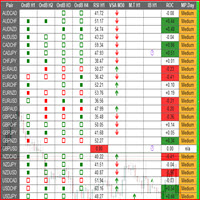
This is a multipurpose indicator and has the following indicators in it with dashboard ( scanner) and chart indicator on multi time frames .
Divergent Bar
Market Profile ( Daily Weekly Monthly Intraday and Custom Period , Market Profile Day type )
Order Block
Inside Bars
Higher High Higher Close and Lower Low and Lower Close
Imbalance Finder
Scalping
Currency Strength Meter
Momentum candles
VSA Setups
Much more See for your self Who am I? - https://www.linkedin.com/in/adnanreh

トレーディングは不確実性に満ちています。トップトレーダーでさえも予期しない問題に直面することがあります。こうした状況では、戦略を再評価するための時間が重要ですが、多くの場合、その時間は確保できません。
私たちのソリューションがここにあります。ワンクリックのツールを使用することで、ポジションを簡単にヘッジし、損失を抱えた取引を閉じることなくドローダウンを抑えることができます。これにより、一時的に立ち止まって、情報に基づいた決定を下したり、専門家のアドバイスを求めたりする時間が確保できます。
機能には以下が含まれます:
- ワンクリックで全ポジションをヘッジする。 - ドロップダウンメニューから選択した通貨をヘッジする。 - 現在アカウントに開いている通貨をヘッジする。
ツールの使い方は簡単です:
1. ツールをインストールして、取引チャートに追加します。 2. アルゴリズム取引と自動取引機能を有効にします。 3. 必要なアクションを選択し、ツールに残りを任せます。 4. ツールが行った取引を追跡するためのマジックナンバーフィールド。
私たちのツールはプロセスを効率化します

究極の **トレード管理パネル** をご紹介します。取引の運営を効率化し、パフォーマンスを向上させるために設計されています!私たちの先進的なパネルには、取引作業を簡素化し、リアルタイムでの洞察を提供する強力な機能が満載です:
- **ワンクリックのTPとSL管理**:全アカウントまたは特定の通貨ペアに対して、Take Profit (TP) および Stop Loss (SL) レベルを簡単に削除できます。ボタンを一度押すだけで完了します。
- **リアルタイム注文追跡**:取引活動をリアルタイムで把握し、全アカウントおよび個別通貨ペアの注文総数、買い/売り数量、利益/損失を表示します。
- **利益と損失の最適化**:全アカウントまたは選択した通貨ペアで、すべての利益が出ているまたは損失が出ている注文を迅速にクローズし、市場の変化に素早く対応できます。
- **自動ヘッジ**:ドローダウンが指定されたパーセンテージに達した場合に自動ヘッジを設定します。パネルはSLおよびTPの削除を自動的に処理し、追加の確認なしで明確な通知を提供します。
- **ワンクリック手動ヘッジ*
More about ATR: www.atr-trading.com
Introducing the Trade Assistant EA, a comprehensive tool designed for traders seeking advanced control. With this manager, you can effortlessly set stop loss and take profit at preferred distances in Points or ATR (Average True Range), and conveniently determine Breakeven and Trailing sizes. Enjoy the flexibility of trailing on candle close or in real-time, utilizing trailing distances based on points or ATR. Adjust Preview SL and TP lines based on % or l

Introducing the SL Limiter Bot: Your Friendly Stop-Loss Management Solution! Take control of your trading like never before with the SL Limiter Bot, a powerful and intelligent tool designed to enhance your risk management strategy on MetaTrader 5 platforms. Say goodbye to manual monitoring and hello to automated precision! Whether manual trading, EA trading, or using Trade Signals, SL Limiter Pro will help you minimize your risk!
Another utility from the Trade Agent Toolbox! Key Features: Advan
FREE

Experience a new level of precision and control with the SL Limiter Pro , an enhanced version of the SL Limiter, now available on MetaTrader 5. Built for serious traders, SL Limiter Pro offers sophisticated features that allow you to manage your trades more effectively and with greater flexibility. Take your trading strategy to the next level with this powerful risk management tool! Whether manual trading, EA trading, or using Trade Signals, SL Limiter Pro will help you minimize your risk! Anoth

A simple script which will trigger a download of your broker's tick data for a specific trading instrument.
Simply add to your chart and it will start the process. You may add the script to multiple charts, enabling you to download tick data for more than one instrument at a time After a short period, the script will stop running and remove itself from your chart. Following this, it may take a few more minutes to finish downloading the tick data.
The Tick Data folder can be found via MetaTrad
FREE

METATRADER5 This program is designed to monitor and evaluate the market performance of 21 minor currency pairs by tracking key metrics such as maximum spread and the time of occurrence. For each selected currency pair, the program calculates the current spread and compares it against the highest recorded spread. If a new maximum spread is detected, it updates the maximum value and logs the time. The spread information is dynamically displayed, providing insights into market conditions.
Additio

ようこそ! Darwinex Zero 20%割引コード: DWZ2328770MGM_20
今日は、新しい便利なツール、HiperCube SuperVisor をご紹介します。このツールは、異なる EA を同時に実行するときに発生する、難しい監視作業の問題を解決します。このツールにより、1 つのチャートで最大 5 つの EA を同時に表示でき、それぞれのオープン ポジション、買いの利益、売りの利益、合計利益を確認できます。
機能 EA ごとにカスタム名を設定 色は自由に設定可能。完全にカスタマイズ可能! 1 つのチャートで最大 5 つの EA を監視 情報の色は現在の利益に応じて変更されます Chat gptとAIが開発に使用されました
手順 スーパーバイザーとして使用する EA と同じ ID / MAGICNUMBER を設定する必要があります。この番号は、「HiperCube SuperVisor」が各 EA の正確な情報を個別に取得するのに役立ちます。
FREE

This utility sets the same stop loss and take profit level on several open positions at the same time. It does not open, close or analyse any trade.
Modifying positions one by one in the terminal takes time, and while you are doing it the price can move away. This EA applies the levels you enter to all selected positions in one action, so the whole basket is protected in a single step.
Example
You hold five XAUUSD buy positions opened at 2510, 2508, 2506, 2504 and 2495. You enter 2530 as tak

The Bot Father: Advanced Trading EA for MetaTrader 5 Unlock the power of automated trading with The Bot Father , an advanced Expert Advisor designed for MetaTrader 5. This sophisticated trading bot combines robust functionality with user-friendly features to help you navigate the forex market with confidence. Key Features: Automated Trading : The Bot Father automates your trading strategies, reducing the need for manual intervention. It continuously monitors the market and executes trades based

Signal Anywhere is an advanced version of Panel Anywhere , featuring an additional panel called Signal panel. This panel allows you to copy trades from a Signal Anywhere Provider to a Signal Anywhere Subscriber seamlessly. With Signal Anywhere , you can view market symbols and copy signals simultaneously without the need to switch between Expert Advisors (EAs). Features of the Signal panel: Local and internet-based trade copying Searchable, request, and acceptance functionalities Support for mu
FREE
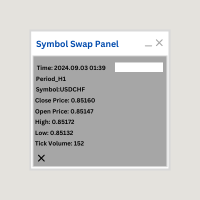
Symbol Swap Panel: Effortlessly switch the active symbol on your chart while simultaneously adding the new symbol to Market Watch. This tool ensures seamless integration and access to real-time market data, optimizing your trading workflow.
Description:
The "Symbol Swap Panel" is a versatile utility designed for traders seeking to manage their chart symbols and Market Watch more efficiently. This tool allows you to easily swap the current symbol on your chart while automatically adding the se
FREE

Signal Anywhere is an advanced version of Panel Anywhere , featuring an additional panel called Signal panel. This panel allows you to copy trades from a Signal Anywhere Provider to a Signal Anywhere Subscriber seamlessly. With Signal Anywhere , you can view market symbols and copy signals simultaneously without the need to switch between Expert Advisors (EAs). Features of the Signal panel: Local and internet-based trade copying Searchable, request, and acceptance functionalities Support for mu

Panel Anywhere with Server is similar to the free version of Panel Anywhere but includes server files and allows you to edit the host URL. In the free version, the host URL is set to "forex.chjonline.com" and cannot be changed. With this version, you can build a complete client-server system in your local environment without worrying about data being sent elsewhere. Additionally, you’ll experience faster internet response times since you won’t be connecting to a server on the other side of the

BuySellClose Hotkeys provides an efficient and rapid way to manage trades with just a single keystroke on your keyboard. This feature allows you to assign specific hotkeys for Buy, Sell, and Close All actions, making your trading experience smoother and faster. Key Benefits: Instant Order Execution: Assign hotkeys to quickly execute buy and sell orders, enabling immediate trade entry without navigating through multiple menus or moving the mouse extensively. Easy Order Closure: Configure a hotke

Metatrader5 Trailing Stop Loss Program Platform Compatibility : This program is designed for the MetaTrader 5 platform. Functionality : The program scans all open Forex currency pair trades on MetaTrader 5 and adjusts their STOP LOSSES to a PROFIT position based on your specified input parameters. Parameters and Example : Example Trade : EURUSD Long (BUY) trade @ 1.0800 STOP LOSS (-50 pips) @ 1.0750 TAKE PROFIT (+50 pips) @ 1.0850 Program Settings : WhenToTrail = 20 PIPS (Pips profit amount to

Turbo Close All is a powerful and versatile script designed to help traders quickly and efficiently manage their trading positions and pending orders on MetaTrader 5. With its advanced features and customizable settings, this script is an essential tool for traders who want to streamline their trading process and maintain control over their positions and orders.
Key Features: Comprehensive Closing Options: Turbo Close All allows you to close all market positions and/or delete pending orders bas

Overview: The TropangFX AutoMgmt is a versatile trading utility designed to enhance your averaging strategy by automatically placing take profit and stop loss orders. This utility empowers traders by integrating a risk calculator and lot-size customization, ensuring that each trade aligns with their risk management preferences and financial goals. Key Features: Automated Take Profit & Stop Loss: Automatically sets take profit and stop loss levels for each trade based on predefined criteria. Ens

Signal Anywhere is an advanced version of Panel Anywhere , featuring an additional panel called Signal panel. This panel allows you to copy trades from a Signal Anywhere Provider to a Signal Anywhere Subscriber seamlessly. With Signal Anywhere , you can view market symbols and copy signals simultaneously without the need to switch between Expert Advisors (EAs). Features of the Signal panel: Local and internet-based trade copying Searchable, request, and acceptance functionalities Support for mu

Automatic scale that shows the distance in pips on the chart, so the user can get a sense of the size of the bar. More options and features will be added over time and as requested by users. The software has been tested on many variables, if there are bugs or errors, please report it describing as best as possible what their cause is and if possible, with a screenshot attached so that I can understand how to fix it. Report it only in English language.

Quick Close 1S は、迅速かつ整理されたトレード管理のために設計されたユーティリティです。シンプルなコントロールパネルから即座に注文を開閉し、柔軟な SL/TP 設定を適用し、バスケット目標を管理し、全体の損益をコントロールできます。精度・効率・明確な執行を重視するトレーダーに適しています。 主な機能 簡潔なトレード管理:直感的なパネルから、特定タイプまたは全ての注文を開閉可能。 柔軟な SL/TP 設定:固定またはローソク足ベースの SL/TP を、注文ごとまたは全バスケットに適用。 バスケット目標 & トレーリングストップ:ポイント単位でバスケットTPを設定し、カスタマイズ可能なトレーリングストップでポジションを維持。 グローバルリスク管理:指定した利益または損失レベル(通貨または%)に達すると全注文を自動決済。 カスタマイズ可能なインターフェース:Magic Number、スリッページ制限、クリック音を設定可能。 このユーティリティをご利用いただきありがとうございます。便利だと感じられた場合は、開発者の努力を評価するために前向きな評価をいただけると幸いです。本ツールは
FREE

Description ea-PartialClose&VirtualTrailing – fully automated advisor for transaction support. Version = Multi = provides support for any BUY or SELL positions. The adviser almost perfectly averages profit and loss. In open positions, it is recommended to use Stop-Loss, and do not set TakeProfit, which limits profit during sharp surges of the symbol price. The trailing process is virtual, since each movement of the levels that are responsible for a certain part of the position does not modify th

OrderCalc opens a window in the chart with the data of your orders:
Position size, stop loss, take profit, profit/loss
Only the positions for this symbol are displayed. If several positions exist, these are totalled and displayed in the last line. If you work with pyramids, you can see at a glance how big the total profit or loss is.
M can be used to display information about the symbol: Margin, spread, minimum order size, increment etc. R opens the risk calculator. A click in the chart calc
FREE
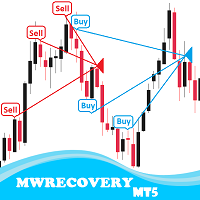
MWRecovery is a system designed to recover unprofitable positions.When the market moves by a certain amount against the direction of a trade and brings it to a loss, the system opens other trades in the same direction at specified intervals. Once these trades reach a certain profit, a magic trailing stop is activated to maximize your profit. How it works : The utility resets StopLoss levels for all processed orders. New trades will be placed if the conditions are met according to what you hav

The Day Trading Price Patterns Scanner is an EA that searches for all Day Trading Price Patterns on the all pairs and send to your Telegram Channel. Scan all the main Price Patterns are introduced in the Ebook Day Trading With Price Action - Galen Wood You won't never miss any potential trading setup.
[ Demo ] [ Manual ] [ Free Indicator ]
Setup
A step by step user guide is available. No knowledge of Telegram API is required; all you need is provided by the developer.
Free Day Trading
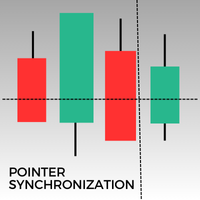
このMetaTrader 5インジケーターは、同じアセットのすべての開いているチャートにポインターを自動的に同期します。1分足チャートであれ、日足チャートであれ、ポインターはすべての開いているウィンドウで同じ価格に自動的に揃います。この機能により、一貫した迅速な分析が可能になり、意思決定が向上します。複数のチャート間でポインターを同期させることは、異なる時間枠で価格変動の正確な概要を維持しようとするトレーダーにとって、貴重なツールです。
FREE
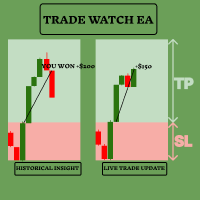
TradeWatch EAで取引戦略を強化しましょう TradeWatch EAは、リアルタイムの情報と取引コントロールを提供する強力なツールで、取引プロセスを簡素化し、リスク管理を改善します。 主な特徴: 取引の視覚化: グラフ上にストップロスとテイクプロフィットのレベルを直接表示します。 視覚的な表示により、迅速な意思決定とより良いリスク管理が可能です。 ポジションインデックス: ポジションインデックス番号を設定することで特定のポジションを監視できます(インデックスは0から始まります)。 複数の取引を同時に扱う際に非常に便利な機能です。 包括的な取引概要: すべての取引および履歴データを単一のグラフで表示します。 詳細な取引情報への簡単なアクセスにより、過去のパフォーマンスの分析と将来の戦略計画が容易になります。 リアルタイムの利益と損失の追跡: 取引の利益や損失に関する即時のフィードバックを提供します。 利益を最大化し、損失を最小化するためのタイムリーな意思決定をサポートします。 ユーザーフレンドリーなインターフェース: シンプルで直感的なデザインにより、すべての経験レベルのトレ
FREE

Trade shot is a management tool. Automatically closes pending orders at X profit or Y loss. You define the $ you want to earn or lose per trade, the advantage in relation to take or stop loss is that here you define the money to be gained or lost and not based on points. Ideal for Scalp day trade strategies Your trades will easily be better managed based on what you want to win or lose, orders are closed automatically without worrying about managing money.
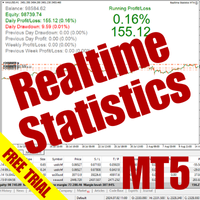
The Realtime Statistics MT5 is an innovative tool designed for traders who want to keep track of their trading performance in real-time. This MetaTrader 5 Expert Advisor (EA) is packed with customizable features that allow you to monitor crucial trading statistics directly on your chart, ensuring you always have the insights you need to make informed trading decisions. Check out the Realtime Statistics MT5 User Guide Here Try out the FREE Realtime Statistics MT5 Demo Here Key Features: Compr

A bot utility designed to streamline trade management. It offers auto lot calculation based on money, account risk, or fixed lot size, with order setup featuring draggable take profit, stop loss, and entry price to fit your plan. It supports Buy/Sell market, Buy/Sell limit, and Buy/Sell stop orders, with or without stop loss and take profit. Additional features include single-click breakeven, deleting positions/orders, and more, making trade management efficient and easy.
FREE

Make Trades in MetaTrader 5 with Profit Panel! If you are a MetaTrader 5 trader, you know how important it is to act quickly and accurately. With this in mind, we created the Profit Panel – an essential tool for negotiations What is the Profit Panel? Designed to make your daily trading easier. It offers a simplified and intuitive interface where you can open, manage and close transactions with just a few clicks. How does it work? The MT5 Trading Dashboard puts all the most important trading func

This custom indicator enhances your MetaTrader 5 trading experience by adding an intuitive crosshair tool that follows your mouse's movement across the chart. Here's what it does:
1. **Real-Time Mouse Tracking**: As you move your mouse over the chart, the indicator dynamically draws a crosshair on the exact point your cursor is hovering over. This crosshair consists of two lines—a horizontal and a vertical line—that intersect at the current mouse position.
2. **Precise Data Reference**: The c
FREE

Overview Custom Logic for Trading MT5 Mini is the free version that designed to execute trades based on custom indicator signals, with robust position management features with break-even settings. This script allows traders to implement their strategies with high precision and flexibility, enhancing their trading efficiency and profitability. Input Parameters Indicator Settings indicator_name : Name of the custom indicator to be used for generating signals. buy_signal : Signal value indicating a
FREE

This MT5 Utility is designed to simplify the process of managing multiple trades. If you have several open positions, it can be time-consuming to close each one manually. With this tool, you can easily close all profit trades, losing trades, or just the trades that are linked to the chart you're currently viewing. It saves you time and effort by allowing you to manage your trades with just a few clicks, making your trading experience smoother and more efficient. Whether you're focusing on profit
FREE

Unlock the Power of Automated Trading with Human Intelligence and Advanced Technical Analysis in GOLD (XAUUSD)! Are you ready to take your trading to the next level? Introducing our cutting-edge trading bot, designed for MetaTrader 5 (MT5) users, that seamlessly integrates human intelligence with sophisticated technical analysis to deliver consistent and reliable trading signals in GOLD (XAUUSD) directly to your account. Why Choose Our Trading Bot? Automated Precision : Say goodbye to missed op

手動取引を改善: Trade Manager Assistant による正確で高速な自動リスク管理 提供されている無料のデモ バージョンを使用して、完全なセットアップ手順を入手し、Trade Manager Assistant の機能を調べてください。より詳しい情報は https://www.mql5.com/blogs/post/758625 をご覧ください。 。 手動取引では、慎重な分析と迅速な意思決定が必要ですが、実行エラー、矛盾、取引パラメータの混乱のリスクにより、利益が損なわれ、不必要なストレスがかかる可能性があります。 Trading Manager Assistant のご紹介: 手動取引プロセスを効率化するように設計された必須アシスタントで、チャートに精度、制御、自動化された効率をもたらします。 実行の遅さや計算ミスによる取引損失とはお別れです。アシスタント ビジネス マネージャーは、プロフェッショナルのスピードと正確さで業務を遂行できるようサポートし、重要な管理タスクを処理している間、ビジネス チャンスの発見に集中できるようにします。これは単なるウィザー

ウォーターマーク MT4 バージョン: https://www.mql5.com/ja/market/product/120783 MT5 バージョン: https://www.mql5.com/ja/market/product/120784
ロゴ MT4 バージョン: https://www.mql5.com/ja/market/product/121289 MT5 バージョン: https://www.mql5.com/ja/market/product/121290
「ウォーターマーク」スクリプトは、チャートの背景に重要な情報を直接表示することで、取引チャートをより魅力的に見せるように設計されています。このスクリプトは、現在の取引ペア、時間枠、各種時間指標などの重要な情報を、明確かつ目立たないように把握できる方法を提供します。
機能:
取引ペア表示:
このスクリプトは、チャートに表示されている現在の取引ペア(例: EUR/USD、BTC/USD)を自動的に検出し、表示します。これにより、トレーダーは常にどの資産を分析しているかを把握でき、間違ったペアに基づいて意思決
FREE

ロゴ MT4 バージョン: https://www.mql5.com/ja/market/product/121289 MT5 バージョン: https://www.mql5.com/ja/market/product/121290
ウォーターマーク MT4 バージョン: https://www.mql5.com/ja/market/product/120783 MT5 バージョン: https://www.mql5.com/ja/market/product/120784
「ロゴ」スクリプトは、MetaTrader 4 (MT4) の取引チャートの背景にカスタムロゴまたは画像を表示するために設計されています。このスクリプトを使用すると、トレーダーはロゴやその他の任意の画像を使用してチャートをカスタマイズできます。
使い方:
画像の準備: まず、チャートにロゴとして表示したい画像を選択します。
任意の画像編集ソフトウェアを使用して、画像をビットマップファイル形式 (.bmp) に変換します。 画像の保存: 変換が完了したら、.bmp 画像ファイルを MT4 インストールディ
FREE

Proteção contra volatilidade durante eventos de notícias
Movimentos bruscos de mercado são comuns durante a divulgação de notícias econômicas. Esses eventos impactam significativamente as operações de negociação, volatilidade inesperada e podem resultar em perdas.
O Impacto das Notícias no Mercado
1. Volatilidade inesperada: notícias econômicas podem causar flutuações graves de preços, potencialmente levando a perdas. 2. Imprevisibilidade: A incerteza em torno do impacto das notícias pode in

Enhance Your Trading with the Support and Resistance Alert! Ready to take your trading to the next level? Introducing the Support and Resistance Alert—the ultimate tool to precisely identify market turning points! Key Features: Dynamic Support and Resistance Lines: The indicator automatically draws support and resistance levels based on local lows and highs, giving you clear guidance on where the market is likely to reverse. Real-Time Alerts: Stay ahead of the market with customizable alerts. G
FREE

Introducing our advanced Fast Trades Manager for MT5 Designed to seamlessly copy trades and provide comprehensive trade statistics. Link to MT4 version: Fast Trades Manager for MT4 Key features include: Fast Trade Copying: Efficiently copy trades from one broker to another, ensuring your strategies are implemented across different platforms. MT4 support: Fast copying between different terminal version, you copy trades from MT4 to MT5 or the opposite from MT5 to MT4 easier. Symbol Copying with

SL Maestro - Forex Expert Advisor SL Maestro - Forex Expert Advisor with Advanced Stop-Loss Features Introducing SL Maestro , the ultimate Forex Expert Advisor (EA) designed to enhance your trading strategy by adding stop-losses to existing trades with precision and flexibility. SL Maestro is not just limited to simple pips-based stop-losses; it incorporates a variety of advanced techniques to ensure optimal protection for your trades. Key Features: Pips-Based Stop-Loss : Easily set a stop-loss
FREE

Zone Trader is a professional semi-automated trading assistant designed to help manual traders execute precise grid strategies with built-in risk management. Instead of manually calculating lot sizes and placing individual pending orders, Zone Trader allows you to visually define your grid directly on the chart using drag-and-drop lines. With a single click, the EA calculates the risk, splits the volume across your specified layers, and places the necessary orders to fill the zone between your S
MetaTraderマーケットはトレーダーのための自動売買ロボットやテクニカル指標を備えており、 ターミナルから直接利用することができます。
MQL5.community支払いシステムはMetaTraderサービス上のトランザクションのためにMQL5.comサイトに登録したすべてのユーザーに利用可能です。WebMoney、PayPal または銀行カードを使っての入金や出金が可能です。

取引の機会を逃しています。
- 無料取引アプリ
- 8千を超えるシグナルをコピー
- 金融ニュースで金融マーケットを探索