 MetaTrader 5
 エキスパート
 インディケータ
 ライブラリ
ライブラリ ユーティリティ
 ウィジェット
 ルール
ルール
YouTubeにあるマーケットチュートリアルビデオをご覧ください
ロボットや指標を購入する
仮想ホスティングで
EAを実行
EAを実行
ロボットや指標を購入前にテストする
マーケットで収入を得る
販売のためにプロダクトをプレゼンテーションする方法
MetaTrader 5版新取引ユーティリティ - 57
 以下はMetaTrader5での取引を簡素化する取引プログラムです。ユーティリティにカーソルを合わせると、その説明と目的が表示されます。
Introducing our advanced Fast Trades Manager for MT5 Designed to seamlessly copy trades and provide comprehensive trade statistics. Link to MT4 version: Fast Trades Manager for MT4 Key features include: Fast Trade Copying: Efficiently copy trades from one broker to another, ensuring your strategies are implemented across different platforms. MT4 support: Fast copying between different terminal version, you copy trades from MT4 to MT5 or the opposite from MT5 to MT4 easier. Symbol Copying with

BreakEvan Utility Is a simple tool in a panel with this utilities: This utility will draw a Golden Line in the chart applied showing the breakeven price, considering all the positions opened for that specific symbol.
Also the information panel shows: Balance Breakeven Price for that chart Force Breakeven (for that symbol) as ON/OFF Force Breakeven Global (takes into account all trades opened) as ON/OFF Total Lots opened for Symbol Total Lots opened Global
And two buttons: Force Breakeven: Whe

This MetaTrader 5 (MT5) indicator script is designed to create a visual book representation of the market order book, displaying buy and sell orders directly on the chart. The indicator uses the following features: Customizable Width and Colors : The width of the visual book can be adjusted, and different colors can be set for buy and sell orders. Market Book Data Handling : It retrieves the current market order book data for the symbol and visualizes this data as rectangles overlaid on the char

This Utility is designed for price action strategies, trading flags and retests, such as Guerrilla Trading and similar strategies It allows to: place pending orders for retests (on the Retest line or x PIPs away from the retest line) place orders for flag formations calculate lotsizes based on account size, currency pair and risk percentage split trades and place multiple trades if lot size exceeds max lot size given by broker manage trades with a trailing SL/TP behind the most recent highs/lows
このユーティリティ EA は、希望の利益値に達したとき、またはストップゲインが有効になったときに、買い注文または売り注文を閉じます。手動または他のロボットによってオープンされた注文をクローズします。 急激な価格変動で利益を保護または保証するのに非常に効果的です。 MT5 で利用可能なあらゆる期間およびあらゆる資産で機能します。
トレーリングスタート: たとえば、価格が 70 ピップス有利に動いた場合、ストップゲインが有効になります。 トレーリングストップ: またはトレーリングステップ: 価格がトレーリングスタートよりも上に定義された量だけ動く場合、利益を最大化するためにストップゲインを動かします。
ストップロス: 手動で設定する必要があります。
この製品は常により良いアップデートを受けます。 ご質問がございましたら、チャットで直接質問していただけます。
ご相談や改善提案など承ります。
FREE

Hola Traders. By popular demand from my fellow traders, I am excited to announce the release of my newly developed tool for placing pending order grids. Many of you have already benefited from this tool, and several have requested a version for MT5. Now, it is available for everyone! This automatic grid trading placement tool is convenient, easy to use, and fast. It also includes quick action buttons for closing profits, losses, and pending orders. No matter how many pending orders you have, jus
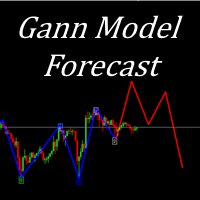
I present to your attention a powerful utility for predicting the future movement of an asset based on W.D. Ganna’s law of vibration. This utility analyzes the selected market model and provides codes for future possible market movement patterns. If you enter the selected code into the appropriate box, you will receive a forecast of the potential market movement. The utility has the ability to display several potential forecast models. The forecast is not yet tied to time and price and gives th

Program Features 1. Calculation of Margin Call and Liquidation Prices Monitoring all open positions: The program continuously analyzes all open positions on the trading account. Determining critical price levels: Margin Call Price: The price at which additional funds must be deposited to keep positions open. If this does not occur, liquidation follows. Liquidation Price: The price at which positions are automatically closed by the broker to prevent further losses. 2. Display of Prices on the Ch
FREE

Introduction to SWARM CALCULATOR The SWARM CALCULATOR is a revolutionary tool designed for traders who prioritize effective risk management and optimized trading strategies. With its advanced features and intuitive interface, the SWARM CALCULATOR enhances your trading experience, allowing you to make informed and precise decisions. Key Features: Customized Risk Management: Automatic Position Size Calculation: Automatically determine the optimal position size based on the percentage of risk you a

Hola Traders. By popular demand from my fellow traders, I am excited to announce the release of my newly developed tool for placing pending order grids. Many of you have already benefited from this tool, and several have requested a version for MT5. Now, it is available for everyone! This automatic grid trading placement tool is convenient, easy to use, and fast. It also includes quick action buttons for closing profits, losses, and pending orders. No matter how many pending orders you have, jus

IAMFX offers the ultimate solution to make trading easier and more flexible on IAMFX Web using IAMFX Agent .
With our exclusive IAMFX-Agent and IAMFX-Center, you can effortlessly manage your trading anytime, anywhere through web and mobile interfaces. Fully compatible with both web and mobile environments, IAMFX allows real-time multi-account management and monitoring with a simple installation. IAMFX Benefits Manage multiple MT5 accounts Easy orders with market, stop and limited Manage orde
FREE

DRS Semi Automated: Fair Value Gap Trading Inspired by the DRS strategy made by SMT FX. To learn more, visit their website.
Key Features:
1. Fair Value Gap Detection: Identifies bullish and bearish Fair Value Gaps on the 5-minute timeframe. 2. Customizable Trading Sessions: Trade London, New York, or both sessions with adjustable start times. 3. Risk Management: Set risk percentage and choose between equity-based or fixed balance risk calculation. 4. Bias Selection: Manually select bullish or
Symbol Drawdown Protector is a utility tool used to manage your desired Max Daily Drawdown only on a specific trading symbol. It's like a %-based stop loss, but it's functioning as a revenge protector tool too.
In the era of prop firms and challenges, it's highly important to be aware of daily drawdown limits. It's an effective EA that is simple to use for Equity Drawdown Management and prevention of revenge trading. Input parameters: Daily % Drawdown - Here you set the Maximum Daily Dra

概要 Stats Dashboardを使用して、トレーディングパフォーマンスを追跡、分析、および向上させましょう。日次、週次、月次、カスタム期間など、さまざまな期間にわたる主要な統計を表示します。インタラクティブなラインチャートを使用して、最もパフォーマンスの良い、または悪い取引商品を簡単に特定できます。 EAはストラテジーテスターでは動作しません。無料トライアルをご希望の方はご連絡ください。 表示される統計: 利益 - 利益率(%)および総純利益($) 取引 - 総取引数および勝率 統計 - 利益ファクターおよび回復ファクター 勝率 % ドローダウン - エクイティドローダウン %およびバランスドローダウン % ブローカーフィー - 総手数料および総スワップフィー 総取引ロット数および平均取引期間 初期バランスおよび現在のバランス 主な機能 詳細な利益とパフォーマンスのメトリクス リアルタイムデータ分析 日次サマリーレポート 月次カレンダービュー 特定のアルゴリズムでフィルタリング(マジックナンバー) リアルタイムデータ分析 リアルタイムのトレーディングデータにアクセス : 最新の市

このアドバイザーは、複数のペアをワンクリックで取引できるダッシュボードです。 クリック 開ける 選択したペアの注文を開くボタン。 クリック 近い 選択したペアの注文を閉じるボタン。 注文ロットはユーザーが入力した番号です。正の数は買い注文に対応し、負の数は売り注文に対応します。 部分的に閉じるのではなく、注文全体を閉じるには、 「CLOSE」 ボタンをクリックします。クロージングアクションはロット数とは関係ありません。 マジックインプットを 0 に設定すると、アドバイザーが同時に手動注文を閉じるのを手伝ってくれます。 エントリーマジックを別のアドバイザーのマジックで構成すると、アドバイザーは、別のアドバイザーがオープンした注文を同時にクローズするのに役立ちます。 三角生垣 ワンクリックで。 取引シンボルはカスタマイズ可能です。市場観察からインポートするか、ユーザーが入力します。
禁止: Magic - アドバイザーのマジックナンバー。 MaxLots: 最大ロット。ロット数がこのMaxLotsを超える場合、注文ロットはMaxLotsとなります。 StopLo

説明: VPS ヘルス チェック EA は、ブローカーへの接続を監視し、接続の状態に関する通知をタイムリーに提供するように設計された MetaTrader 5 ユーティリティです。このツールにより、接続の問題がすぐに通知され、取引活動の安定性と信頼性が維持されます。 特徴: 接続チェック モード: 新しいキャンドルごとに接続をチェックするか、特定の時刻に接続をチェックするかを選択します。 カスタマイズ可能な時間: スケジュールされた接続チェックの正確な時間と分 (24 時間形式) を設定します。 リアルタイム通知: MetaTrader 5 アプリ経由で接続ステータスに関する即時通知を受け取ります。 情報表示: 最後の通知時間とメッセージをチャート上に直接表示して簡単に参照できます。 入力: モード: 接続チェックのモードを選択します Check_On_Each_Candle - チャートに新しいローソク足が表示されたときに通知をトリガーします。 Check_At_Particular_Time - 指定されたブローカー時間 (デフォルトでは 14:00) に毎日チェ
FREE

Trade on Bybit with MT5/MT4 EAs and indicators! GRat_BybitImport is a tool for manual and automated trading , including ANY available EA, ANY cryptocurrency on one the most popular crypto exchanges Bybit 24/7. Features 1. ALL Bybit instruments are available. 2. Import(automatic copying) to the specified Bybit currency all trades (made manually or by an EA) from an MT5 account (including demo) by the specified symbol and/or magic number. 3. Import(automatic copying) to the specified By

Zone Guardian is an advanced Expert Advisor (EA) designed to automate trade management. This EA manages trades within specified risk parameters using automatic lot calculation and multi-layered trade activation. It supports up to 5 layers within the entry zone, each with customizable risk percentages. Visual aids on the chart display entry zones, stop loss (SL), and take profits (TP), ensuring easy level adjustments. The EA adapts to market conditions by closing trades at each TP and moving SLs

Experience the ultimate trendline auto-trading solution! Our expert advisor/utility allows you to effortlessly place one or more trendlines from different timeframes - it places a trade in the breakout direction. 1. AUTO TRADING / MANUAL TRADING Trendscout can place orders for you automatically. You have to enable “Auto trading” and also check the “Enable live trading” box at the parameter window. When price crosses a trend lines for the first time two massages are sent to your mobile phon

This utilities can constantly monitors and handle the equity/ balance account to prevent drawdowns and protect your account. This Utilities can handle manually order and automatically order by other Expert Advisors. If the conditions are reached, the open position will be close/ all close (depending your setting).
How to use :
attach this utilities on new chart (same pair) you need to handle make sure magic number is same with other EA you need to handle entry magic number '0' if you need han
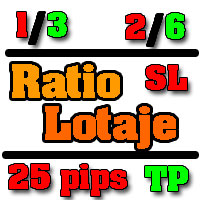
Utilidad de uso informativo la cual ayudará a gestionar el riesgo de los trades con la ayuda visual de los datos proporcionados. el usuario se encargará de ubicar sus SL y TP manual acorde al lotaje. Asesor experto desarrollado para MT5 con el objetivo de ingresar ratios de utilidad y % de riesgo, adicional los Pips de SL para el cálculo del lotaje para dicho riesgo. Estos se calculan sobre el balance actual. El usuario tomaría como dato ingresar el lotaje que se calculó y arrastrar el S
FREE
This indicator is for " Replaying charts " and is designed for Metatrader 5 , which can be used in all different time frames.
Some of the most important advantages of the indicator are: Switching between time frames: The most important advantage is that, for example, you are working in the time frame M15, when you change your time frame to a higher or lower time frame, the place that you had been doesn't change, and you can easily see your position and candles in other time frames without any

Q市价做空,W市价做多,E市价全部平仓。 持仓最大数量为1,即:禁止加仓。 ea的输入为手数,止损和最大滑点,不支持设置止盈。 专为短线吃一个小波段设计。 无论下单还是止损都会有提示声。 Q W E sell buy close
The Q key is short, the W key is long, and the E key is closed. The maximum number of positions is 1, i.e., it is forbidden to add positions. The EA's inputs are lots, stop loss and maximum slippage, and take profit is not supported. Designed for short-term swing trader. Play sound whenever position open or stoploss.
FREE

応答時間は数秒になる可能性があるため、ボットには辛抱強く待ってください。応答します。送信を押して、待ってください。これは、MT5 および MQL5 用のシンプルなチャット GPT ボットです。コメントで、入力に API キーを追加し、Expert Advisor タブの Web リクエストに以下を追加します:
MQL5 および MT5 で AI とチャットします。プロンプトには MQL5 または MT5 が含まれている必要があります。そうでない場合は応答しません。MT5 および MQL5 でのみトレーニングされています。バックテストではなく、リアルタイム チャートでのみ機能することに注意してください。入力に API キーを追加し、Expert Advisor タブの Web リクエストにこれらを追加します:
MT4 バージョン: https://www.mql5.com/en/market/product/118576
このチャットボットは、ユーザーが Meta Trader 5 (MT5) および MQL5 とより効率的にチャットできるように設計されたツールです。これは、
SmartSetup Bot Is an advanced trading tool that combines the flexibility of manual configurations with the power of semi-automated features. It automatically generates graphical objects, displaying critical zones such as support and resistance levels, stop loss and take profit areas, and other essential indicators. SmartSetup Bot provides clear and precise visualization of your trading parameters, facilitating informed decision-making. This bot is designed for traders who value manual control bu
FREE

Risk Oracle - Expert Advisor Description Risk Oracle is a sophisticated yet user-friendly Expert Advisor (EA) designed for risk management and trade execution. This utility tool is tailored to assist traders in executing orders at optimal prices while managing risk efficiently, without the need to manually calculate volumes and other parameters. By automating these critical aspects, Risk Oracle simplifies the trading process and allows traders to focus on strategy and market analysis. All Produc

这是一个辅助ea,在电脑或者vps上开启后,可以方便的在手机上下单,自动设置止损止盈,特别适合超短线和剥头皮的快速止盈,让你在手机上就可以方便的设置损赢。这个ea只有两个参数,TP就是你想要设置的止盈数字,比如xauusd当前价格是2450.32,设置止盈100,当buy后价格达到2451.32的时候即可以止盈。 SL就是你想要设置的止盈数字,比如xauusd当前价格是2450.32,设置止损100,当buy后价格达到2449.32的时候即可以止损。这是一个很方便的工具,可以使您在使用mt5手机软件操作的时候,更方便快捷的交易,而不需要点开下单界面然后再输入止盈止损或者是下单后再去手动设置止盈止损,快人一步就是金钱。

トレードアドバイザー:チャートの習得
プロのトレーダーのための究極のエキスパートアドバイザー(EA)アシスタント
バージョン MT4 バージョン | MT5 バージョン | ブログ
v.3.0 - Telegram ボット統合
注:MT4 バージョンは MT5 バージョンよりも軽量です
トレードアドバイザー:チャートの習得
トレードアドバイザーは、主要な市場分析ツールとトレーダー向けのシームレスな機能を統合することで、トレーディング戦略を強化するように設計された高度なトレーディングアシスタントです。トレードアドバイザーがトレーダーにとって強力な資産となる理由の概要は次のとおりです。
主な機能と利点
1. 供給ゾーンと需要ゾーン:トレードアドバイザーは、ユーザーが重要な供給ゾーンと需要ゾーンを特定できるようにし、市場でのより戦略的な参入ポイントと退出ポイントを確保します。
2. スマートマネーコンセプト:この機能により、トレーダーは市場のトレンドと構造をよりよく理解し、強気、弱気、統合フェーズを明確に特定できます。
3. 公正価値ギャップ検出: Trade Advi

Trader Protector: Professional Risk Manager for MetaTrader 5 Safeguard your trading account and optimize profits with Trader Protector - an advanced risk management tool for MetaTrader 5. Key Features: Multi-level Risk Control: Daily risk limit Monthly risk limit Risk per trade Trailing stop for daily profit Flexible Settings: Customizable risk percentages Choice of order execution modes Maximum lot size restriction Excessive Loss Prevention: Limits on losing positions (daily, weekly, monthly) A

The Telegram Blue Chili Alerter is still in full development. Many more options are still being programmed. Signals for trades will be added next. I am also happy to respond to customer requests. The only thing you need to do is create a Telegram bot and enter the bot token and chat ID in the presets. If you have any questions or want to know which features are still to come, just get in touch with me. I will be happy to help you and answer your questions as quickly as possible. Quick guide:
1:
By :ForextraderEanow Green Mower 10.0
This EA is Famous Grid Strategy that open grid of trades with the same size (not martingale) and make PROFIT even when the Forex price moves in the WRONG Direction
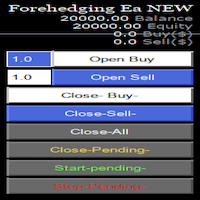
Semi Automatic Ea(MT5). Buy or Sell or Let it Trade . Either Buy or Sell Manually with the panel. Second option: Press Auto with one of the 4 options. Plug and play mode. This Panel can trade with very good result. As a Beginner trader as you ,if you want to be part of the 5% that can make it just give a chance and see for your self. 1:500-1000 leverage, lower then that rise the balance times 2' Recommend: Auto Trading choose one option from below. $5000. false/true $8000. false/true $250

## Version 2.50
I created this EA with the intention of making it free for everyone to use. It serves as a tool to assist in trading with money management, entering order lots according to a percentage of the account balance, and automatically setting TP/SL based on high/low prices.
In Version 2.50, The Auto TP/SL feature adjusts from the Line In (entry point), and Auto price in this version only shifts the entry line to the current price. Input settings: Ato update SL/TP Line >>> In version
FREE
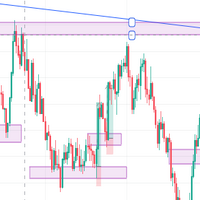
IMPORTANT NOTE THIS EA IS NOT FULLY AUTOMATED, IT ONLY TAKES POSITIONS IN ZONES YOU DEFINE IT ASSISTS YOU. SO YOU NEED TO WATCH THE CHART CLOSELY THE MAIN POINT OF THIS EA IS TO FORCE THE TRADER TO RESPECT ENTRY RULES <<CONFIRMATION IS THE KEY>>. SO THE TRADER WILL ONLY LOOK FOR ZONES THE EA WILL LOOK FOR CONFIRMATION CANDLES AND ENTER IF A CONFIRMATION IS FOUND FOR EXAMPLE: If price is in a Bullish zone. Rule, look for buys. If Bullish Candlestick Pattern or any other bullish candle pattern s

MQL Tool "Ofir Email to Telegram": Never Miss a Trading Alert Again! Tired of missing important alerts from your indicators and Expert Advisors (EAs)? Ofir Email to Telegram is the solution you've been waiting for! This revolutionary MQL tool automatically forwards all email alerts from your indicators and EAs directly to your Telegram account. Never again will you miss a trading opportunity or important notification! Here are just a few of the benefits of Ofir Email to Telegram: Quick and easy
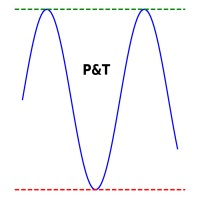
It is used to automatically detect and draw horizontal lines on a chart that represent price peaks and troughs based on analysis of historical price data.
The script allows the user to select the number of recent candles to analyze, the minimum gap between high and low, and the minimum number of candles needed to recognize a high or low. It is a useful tool for traders who want to automatically detect and visualize important support and resistance levels on a chart, making it easier to make in

Trade Utility Pro is a bot utility designed to help you manage trades more easily, quickly, and accurately. This utility features a control panel interface and supports MetaTrader 5 exclusively. This utility does not link to any account information or external sources, ensuring safety. Main Features: Open Trade Support: Lot size calculation Fixed Lot: Custom input lot required Money Risk Lot: Automatically calculated based on stop loss and money risk Account % Risk Lot: Automatically calculated
FREE

EA Auto Martingale MT5の紹介 Auto Martingale は、手動トレードからドルコスト平均法(DCA)トレードを簡単に作成できるエキスパートアドバイザー(EA)です。高度な設定により、EA Auto Martingale は、利益を最適化し、リスクを効果的に管理しながら、独自の方法で完璧なマーチンゲール戦略を作成することができます。 Auto Martingaleの主な機能: Magic Number : デフォルトは0です。この値は最初の手動トレードに基づいて自動的に設定されます。 Maximum Deviation / Slippage : トレードを保護するための最大偏差/スリッページを制限します。 Validate Available Order Margin : 新しいトレードを実行する前に利用可能なマージンを確認します。 Indicator Input : Auto Martingaleは、period=3およびshift=2のパラメータを持つSMAインジケーターを使用して、価格が逆行したときのエントリーポイントを決定し、その後価格が回復する兆候
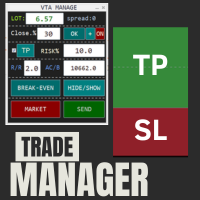
This is a trade manager which is designed to simplify your trading experience and allow you to enter any type of trade with the set risk management within seconds. This trade manager has two modes. (1) The Market order which opens instant orders and the pending orders which consists of buy stop order, buy limit orders, sell stop orders, sell limit order, all these trades can be achieved by moving your stop loss and entry to the desired point and the givn trade will be opened. You do not need to

TimeToClose The "TimeToClose" indicator is an essential tool for traders who need to monitor the remaining time before a candle closes. This indicator displays the remaining time directly on the BID line, providing a clear and precise reference during real-time trading. Key Features: Displays the remaining time for the current candle to close. Direct integration on the BID line for better visualization. Simple and user-friendly configuration. Ideal for all types of traders, from beginners to pro
FREE

Telegram Informer A simple and reliable utility for monitoring your account. To make it work, you just need to add the following commands to your telegram bot: show_info - Show account information buy_sl_del - Delete Stop Loss for Buy position buy_tp_del - Delete Take Profit for Buy position sell_sl_del - Delete Stop Loss for Sell position sell_tp_del - Delete Take Profit for Sell position all_sl_del - Delete all Stop Loss all_tp_del - Delete all Take Profit breakeven - Convert to breake

This EA get all the opened postions on the current symbol and add SL and TP And also MoveSl to perfect value. Principle Small SL according to current bid or ask. Ex: If current SL is too big compared to the configured SL, move it. But never move a position SL Higher
The EA also go through all positions and activate trailing stops, so that you never lose any winning position.
FREE

To manually open buy and sell at the same moment, with a certain StopLoss Distance, and earn from news movements. You have a button, that says 'Ready' or 'Wait'; to open the pair of hedging trades click once on the button at 'Ready' and wait for it to open; then wait for the market movement due to the news or any other reason to close one of the trades, once the earnings are large enough: manually close the trade that is left.

残り 10 部 @ 49.55 次の価格 $65.77
Big Market Traderは、市場で優位に立つための究極のAI取引支援ツールです。最高の技術で設計されており、タイムリーな取引のための高頻度応答率を備えています。
ダイナミックAIオートメーションを搭載しており、これについては後ほど説明します。当社は高度なリスク管理システムを備えています。世界中のトレーダーが使用する株式ストップオプション、トレーリングストップシステム、タイムストップ、スプレッドテクノロジー。プロップファームトレーダー、従来のトレーダー、高資本および低資本取引などに適しています。
あらゆる種類の取引注文を行います。つまり、
買い注文、売り注文、買いストップ注文、売りストップ注文、買い指値注文、売り指値注文です。このAIマシンには、非常に多くの独自の機能があります。また、スキャルパートレーダー、デイトレーダー、スイングトレーダーなど、あらゆるタイプのトレーダーに適合するように設計されています。 Meta Trader 4 version 主な機能:
ダイナミック AI 自動化
高頻度応答率
保留

The wait is over, the AI for Traders has arrived!
The Elite Market AI is an Expert Advisor powered by one of the most advanced generative AI models available today. It processes the price and indicator data displayed on the screen, providing traders with valuable insights into the current market situation. This analysis can be crucial for making informed buy or sell decisions, assisting in trading strategy, and enhancing the accuracy of operations.
Configurations Country Code Description: Def

AIP – MT4/MT5 To Telegram 1 Main features of MT4/MT5 EA To Telegram: Send all types of orders (Open Order/Close Order/Modify Order/Pending Order/Delete Order) Close and Modify Order with replies to the corresponding Open Order Support sending to both private, public channels and group, topic group Support sending to multiple channels simultaneously Send Chart Screenshots Manage all symbols with a single EA on one terminal Automatic loading of templates, logos, and screenshots Support sen
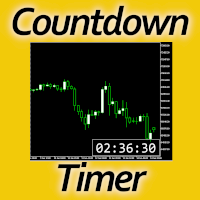
Timing can make the difference between a winning and a losing trade. Therefore, a bar countdown display is a must-have tool for any trader. Knowing exactly how much time is left, before the current bar will close, certainly helps decision-making in real time. Technical detail: This indicator uses the MQL5 function "OnTimer", ensuring the accurate measure of each passing second, rather than relying on the flow of incoming tick information from the server. Most other countdown indicators for MetaT
FREE

Ofir blue is the first full trading application for Telegram. It is proposed in 2 versions : OfirBlueLite (without trading) and OfirBluePro (with trading). The Pro version is still in beta (available on request).
To access Ofir Blue Lite, go to Telegram and open the bot @OfirBlueLite. All demos, tutorials and docs are available in Telegram.
Join the Telegram group @OfirBlueUserGroup to get updated information and support.
Features: Dashboard ️ Account summary ️» Profit of the day ️» Eq
FREE

Revolutionize Your Trading with Auto SLTPTS Expert Advisor .
Take your trading to the next level with this powerful, professional-grade Expert Advisor designed for serious traders who demand excellence in risk management and profit optimization.
Key Features :
️ Advanced Risk Management Suite : - Customizable Stop Loss protection - Smart Take Profit targeting - Dynamic Trailing Stop technology - Innovative Break Even system
Professional Trading Tools : - Intelligent Break Even trig

Advantages: - you do not need to drag each instrument with the mouse, just press the N-forward or B-backward key, which will significantly save your time when viewing trading instruments. Installed like a regular advisor. > Save it to the MQL folder in the Experts folder > then go to the terminal: view > Navigator > Expert Advisors > Scroll > drag it onto the screen and you can use it.
FREE

Utilities for MetaTrader 5 - Average Price Calculator Maximize your trading analysis without breaking the bank with our Utilities for MetaTrader 5 - Average Price Calculator, available to you completely free of cost. This tool is meticulously crafted to provide traders with a convenient solution for calculating average prices within the MetaTrader 5 platform. Key Features: Efficient Calculation : Quickly compute average prices to streamline your trading analysis, saving you valuable time and eff
FREE

DYJ Mathematical model trader is a system analysis software that allows indicator trading. It can directly analyze the overall profit and maximum floating loss of indicator trading. And draw beautiful performance histograms and curves. In this way, you can compare the different performances of indicators in each chart period, which is convenient for you to quickly respond to market trend changes and optimize the best trading plan. It requires an improved indicator signal source software, as show

MetaTrader 5 플랫폼에서 사용되는 사용자 정의 인디케이터로, 다양한 타임프레임에서의 시장 트렌드를 시각적으로 표시하는 데 사용됩니다. 이 인디케이터는 사용자가 지정한 X 및 Y 좌표에 위치하는 패널을 생성하여, M1부터 MN1까지 총 21개의 타임프레임에 대한 트렌드를 각각 라벨 형태로 보여줍니다. 각 타임프레임의 트렌드는 20기간 단순 이동평균(SMA)과 50기간 단순 이동평균을 비교하여 결정되며, 상승 트렌드는 초록색, 하락 트렌드는 빨간색, 보합은 회색으로 표시됩니다. 또한, 모든 타임프레임에서의 트렌드를 종합하여 상승 비율을 계산하고, 이 비율에 따라 전체 시장 트렌드가 표시됩니다. 전체 트렌드는 일정 간격으로 깜빡이며 사용자에게 시각적 주의를 끌도록 설계되었습니다. 이 인디케이터는 시장 상황을 빠르게 파악하고자 하는 트레이더들에게 유용하며, 업데이트 간격과 깜빡임 간격은 사용자의 필요에 맞게 조정할 수 있습니다. 또한, 패널의 위치와 색상도 사용자 정의가 가능하
FREE

Price live on the Chart Description: The Real-Time Price Display is a powerful tool for MetaTrader 5 users that provides continuous updates of the current bid (SELL) and ask (BUY) prices directly on your trading chart. This script is ideal for traders who need to stay updated on market prices at a glance. Key Features: Live Price Updates : Displays the latest bid and ask prices for your selected trading symbol in real-time. Customizable Display : Adjust the horizontal and vertical position of th
FREE

Stop Guardian の紹介:トレーリングストップと利益確定でリスク管理を向上。 Stop Guardian は、トレーリングストップと利益に基づく自動ポジションクローズシステムを組み合わせ、あなたの取引戦略におけるリスク管理を最適化するために設計されたエキスパートアドバイザー (EA) です。 主な機能
自動リスク管理 :トレーリングストップを使用して、オープンポジションを自動的に調整し、利益を保護し損失を最小限に抑えます。
カスタマイズ可能な設定 :トレーリングストップのパラメーター (Trailing Start と Trailing Step) を戦略に応じて調整することができます。
自動ポジションクローズ :*Profit To Close All Positions* というパラメーターにより、アカウントの総利益が指定された値に達したときに、EAがすべてのオープンポジションを自動的にクローズします。この機能により、利益が確実に保護されます。
取引の識別 :特定のトレードのみを管理し、調整するためにマジックナンバー (Magic) を使用します。
カスタマイ
FREE
Prop Max Daily Loss Manager — プロップトレーディング会社向け日次リスク管理アシスタント Prop Max Daily Loss Manager は、チャレンジを受けているトレーダーやプロップ会社(FTMOなど)の資金提供アカウントで取引するトレーダー向けに設計されたMetaTrader 5ユーティリティです。このツールは日次リスクを自動的に監視し、設定された最大日次損失限度の違反を避けるのに役立ちます。 主な機能 指定された日次損失レベルに達した際の全取引の自動決済; 限度に達した際のアラート通知; 柔軟な設定:損失計算タイプの選択(%またはアカウント通貨); 異なるリスク計算方法のサポート:初期残高、日次開始残高/エクイティ、または最大値から; スリッページの可能性を考慮して、指定レベルより10-20%低く限度を設定することを推奨。 設定 Input your Challenge\Funded Account Balance — チャレンジ\資金提供アカウントの初期残高を指定; Input Maximum Daily Loss % in Challeng

The "FVG Screener PRO" is a utility tool designed to identify and alert on "fair value gaps" (FVGs), a concept popularized by ICT, but also to allow fast and efficient trade executions through its panel. This EA is intended to be used by traders who use fair value gaps in their trading. The panel provides a simple and intuitive interface for selecting the desired timeframes, enabling traders to focus on specific timeframes regardless of the timeframe that their chart is on. The EA scans the mar

A HalfTrend scanner for MT5 (MetaTrader 5) is a technical analysis tool designed to help traders identify trend reversals and trade opportunities in the market. The HalfTrend indicator itself is based on price movements and a specific algorithm that identifies changes in market direction. Here’s a detailed description of an MT5 HalfTrend scanner: Overview The MT5 HalfTrend scanner is an advanced tool that scans multiple currency pairs or financial instruments for potential trend reversal signals

Эксперт TerminalConnectionChecker - надежный инструмент для мониторинга соединения торгового терминала MetaTrader 4 с сервером. Он обеспечивает своевременное оповещение трейдера о потере связи или ее восстановлении с помощью настраиваемых звуковых сигналов. Этот э ксперт незаменим для трейдеров, которые хотят быть всегда в курсе состояния своего подключения.
Основная функция этого э ксперта - отслеживание состояния подключения. Как только связь пропадает, советник активирует звуковой сигнал

TradeMirror は、MT4/MT5プラットフォーム向けに開発されたローカル注文同期ツールで、リアルタイム取引をサポートします。 チュートリアル Trademirror チュートリアル のリンクをクリックして、さらにチュートリアルをご覧ください。 製品の特長 金融ソフトウェアにおけるセキュリティ・安定性・プライバシー保護の高基準に準拠し、以下の3つの核心領域を最適化しました: 直感的なグラフィカルインターフェースで操作が容易 金融シナリオにおける機密データ分離のための強化されたプライバシー保護 ミリ秒単位の注文同期で信号遅延ゼロを実現 MT4/MT5完全互換、多様な取引環境にシームレス対応 システム監視機能とメール通知による取引安定性管理 主要機能 本製品には以下のプロフェッショナルコピー機能を搭載: 複数アカウント並列接続 リアルタイムメール通知 ロットサイズカスタマイズ 信号フィルタリング機構 逆方向コピーモード テイクプロフィット/ストップロス再設定 無料デモ手順 購入前に以下の手順で全機能を体験可能: ページ内の「無料デモ」ボタンをクリック 「MetaTrader 4/5

This is a simple indicator type thing to track potential total risk if all the stop losses to be hit. It gives the sum of the total stop losses for a certain currency in positions and orders. These are the functions. (I will add more functions later, eg - total profits per symbol etc.) ( Add a comment if you need any feature. I will add it ) Total risk exposure - This is the total risk that can happen if all the stop losses in positions and open orders were to hit. Total positions risk - This is
FREE

The Pending Order Grid is a multi-symbol multi-timeframe script that enables multi-strategy implementation based on pending order grids. General Description
The Pending Order Grid allows the performing of a user-defined strategy through the creation of pending order grids. The script places pending orders of a given type (Buy Limit, Sell Limit, Buy Stop, or Sell Stop) at equidistant price levels to form each grid. The beginning and finish of every grid are defined by the Start Price and Sto
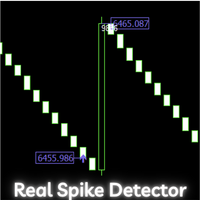
Boom and Crash Range Detector: Your Secret Weapon for Trading Spikes! Introducing the Boom and Crash Range Detector , a powerful tool designed to revolutionize your trading experience. Developed using a strategy composed and optimized with the help of a machine learning model, the system is built on vast amounts of historical data that have been analyzed to perfection. The result? A highly accurate system that identifies where those lucrative spikes are likely to occur. Here’s why this needs to

The Pending Order Grid is a multi-symbol multi-timeframe Expert Advisor that enables multi-strategy implementation based on pending order grids. General Description
The Pending Order Grid allows the performing of a user-defined strategy through the creation of pending order grids. The Expert Advisor places pending orders of a given type (Buy Limit, Sell Limit, Buy Stop, or Sell Stop) at equidistant price levels to form each grid. The user might set up different grids to exist simultaneously

The Position Selective Close is a multi-symbol multi-timeframe script used to close simultaneously various positions. General Description
The Position Selective Close possesses three operation modes (Intersection, Union and All) that control the way as four position features (symbol, magic number, type and profit) are used. The modes, available through the Selection Mode input parameter, relate to the features, available through the “Select by Feature” and “Feature” input pa
FREE

The Order Selective Delete is a multi-symbol multi-timeframe script used to delete simultaneously various pending orders. General Description
The Order Selective Delete possesses three operation modes (Intersection, Union and All) that control the way as three pending order features (symbol, magic number and type) are used. The modes, available through the Selection Mode input parameter, relate to the features, available through the “Select by Feature” and “Feature” input pa
FREE

The Environment State Info Print is a script to display the constants that describe the current runtime environment of a MQL5 program. General Description
The constants are divided into four groups in the Environment State section of the MQL5 documentation and each group is divided into enumerations/subgroups (with designations “Integer”, “Double” or “String”). The script displays constants in two ways: a single constant or all group constants. The constants are obtained by selecting the
FREE

The Double Trailing Stop is a multi-symbol multi-timeframe Expert Advisor that allows the Stop Loss and Take Profit trailing of positions. General Description
The Double Trailing Stop’s purpose is to secure profit and minimize losses of the opened positions. The Expert Advisor places stop orders (Stop Loss or Take Profit) at the Trailing Stop distance from the market price when the symbol's quote reaches/overcomes the Trailing Start distance from the position’s opening price (a single-time

The Multiple Position Opening is a multi-symbol multi-timeframe script used to open simultaneously various positions. Risk Management
The volume used to open a position is chosen between a fixed and a variable lot size, available through the Volume and Free Margin % input parameters, respectively. If there isn't enough money in the account for the chosen volume, this is reduced to the highest possible value (corresponding to free margin). If this reduction leads to a correct volume (if the

Introducing the Scalping Expert Advisor (EA) for Short Trades This Expert Advisor (EA) is meticulously designed for short trades scalping, offering a blend of precision and efficiency to maximize your trading performance. Below, we delve into the key functions and features that make this EA an essential tool for scalpers.
Key Features: Automatic Take Profit (TP) and Stop Loss (SL) Settings: Take Profit Input: Allows you to set a specific TP value, enabling precise control over your exit points
FREE
MetaTraderマーケットは、開発者がトレーディングアプリを販売するシンプルで便利なサイトです。
プロダクトを投稿するのをお手伝いし、マーケットのためにプロダクト記載を準備する方法を説明します。マーケットのすべてのアプリは暗号化によって守られ、購入者のコンピュータでしか動作しません。違法なコピーは不可能です。

取引の機会を逃しています。
- 無料取引アプリ
- 8千を超えるシグナルをコピー
- 金融ニュースで金融マーケットを探索