 MetaTrader 5
 エキスパート
 インディケータ
 ライブラリ
ライブラリ
 ユーティリティ
 ウィジェット
 ルール
ルール
YouTubeにあるマーケットチュートリアルビデオをご覧ください
ロボットや指標を購入する
仮想ホスティングで
EAを実行
EAを実行
ロボットや指標を購入前にテストする
マーケットで収入を得る
販売のためにプロダクトをプレゼンテーションする方法
MetaTrader 5版新取引ユーティリティ - 53
 以下はMetaTrader5での取引を簡素化する取引プログラムです。ユーティリティにカーソルを合わせると、その説明と目的が表示されます。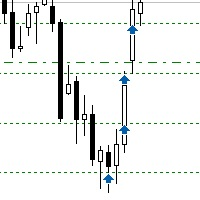
Sometimes the markets are in such a trending phase that it is impossible not to notice and it is enough to simply buy with the trend. 1) So, we scroll through the charts of different instruments, and see a good entry point, so let's specify the desired price for the first order in the Price_for_First_Order parameter and the direction in the Trend_Direction parameter, this is already enough for a good deal. (If Price_for_First_Order=0, the position will open immediately at the market price.) 2) T

Apeiron Edge Alerts - Advanced Price Level Alert System Overview Apeiron Edge Alerts is a powerful and intuitive alert management tool designed for active traders who need reliable notifications when price reaches critical levels. Track unlimited price levels across multiple timeframes with customizable alert settings, visual feedback, and persistent session management. Key Features Flexible Alert Creation Draw Mode : Click anywhere on the chart to create instant horizontal line alerts Make M

Guardian Equity PropFirm EA for MetaTrader 5 Guardian Equity PropFirm is an Expert Advisor designed to automatically enforce daily and monthly loss limits. It is especially useful for accounts subject to strict risk management rules, such as those required by proprietary trading firms. The EA continuously monitors the account and performs automated actions if predefined thresholds are exceeded. Key Features Daily loss control: Set a maximum daily loss percentage (e.g., 4%). Monthly loss c
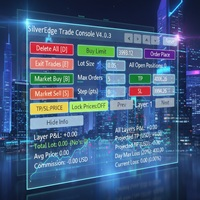
Description SilverEdge Trade Console is a fast, layer-based trading console for MT5 that lets you place, manage, and exit trades in a few keystrokes. It combines one-tap market orders, guided pending orders, per-layer TP/SL control, and a built-in break-even/trailing engine—wrapped in a clean dashboard that docks anywhere on your chart. Designed for scalpers and intraday traders who need speed, consistency, and clear logs. Features Layer-Based Workflow (1–9): Assign and work within layers to sep

AutoLotEqualizer – Smart Position Balancing Tool AutoLotEqualizer is a precision trade management utility designed to keep your total BUY and SELL volumes balanced automatically.
It detects differences between your open BUY and SELL positions and opens compensating trades — ensuring both sides stay equal in exposure.
This helps grid, hedge, and basket systems maintain symmetry and control over total position risk — all while saving you time and manual effort. ️ Key Features Automatic Lot Ba
FREE

Script Name: Close All Positions Language: MQL5 Type: Utility Script Primary Function: Instantly close all open positions on the current trading account Purpose The “Close All Positions” script is a lightweight and efficient tool designed for traders using MetaTrader 5. Its main purpose is to help users quickly exit all active trades with a single click, especially during volatile market conditions or when risk management requires immediate action. Instead of manually closing each position on
FREE

Selam arkadaşlar özellikle gold scalp yaparken zamana ve reflekse ne kadar ihtiyacımız olduğunu biliyorsunuz.
Bu sebeple ben kendime scalp yaparken bana yardımcı olacak buttonlar hazırladım.
ben gold scalp yaparken : 3 .çeşit Sell
3 .çeşit buy close sell close buy
açık emirleri kapat hepsini kapat
şeklinde kendime butonlar hazırladım. ve çok faydasını gördüm.
bütün butonların renklerini lot değerlerini isimlerini değiştirebililrsinz.
kesinnikle çok seveceğinize eminim
bol kazançlar.
FREE

Product Overview Trade with Natural Language, Let AI Execute Fully. This is a revolutionary MT5 trading program that allows you to describe trading strategies directly in natural language. AI will fully understand and automatically execute all trading operations. No programming knowledge required - simply describe your trading ideas, and the system will fully manage your trading account. It executes your strategy with creativity and optimizes trading strategies on its own! Contact me for a 15-d

EA Info Display Master Stop clicking through charts to find your EA configurations! Get a complete overview of all running Expert Advisors with their symbols and magic numbers in seconds. Managing multiple EAs across different symbols? Monitoring performance on FX Blue or other platforms? This tool instantly displays: All running EA names Their symbols and magic numbers Account details (number, broker, currency) Direct FX Blue statistics links (other provider will follow! Tell me what you need)

Colors schemes powerful MetaTrader 5 script designed for traders who value speed and a personalized trading environment. With a single click, you can instantly transform your chart's appearance using one of several professional, pre-designed color schemes, including popular styles like ICT/SMC. How to Use: In your MetaTrader 5 terminal, open the Navigator window (Ctrl+N). Find the Colors schemes script under the "Scripts" section. Drag and drop the script onto the chart you want to customize. A

This EA help traders close their open positions at a specific MT5 server time before news or before ending of H4 timeframe of the morning New York session to protect their profit or prevent from unexpected loss. The default setting is 19:30 (HH:MM) and you can adjust as require to fit trading strategies. It very user friendly where contain only single input parameter to specify a time that position will be closed.
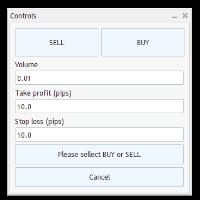
Trade Panel – Smart Order Execution Tool for MetaTrader 5 Trade Panel is a lightweight and intuitive trading assistant designed to simplify manual order execution in MetaTrader 5. It allows traders to quickly place BUY or SELL orders with custom lot size, stop loss, and take profit values — all managed through a clean, responsive interface. Key Features: Fast order placement with one-click confirmation Real-time visualization of Stop Loss and Take Profit lines Editable fields for lot size and pi
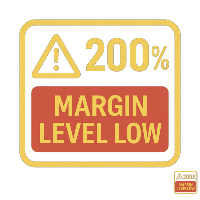
Margin Level Monitor EA Stay ahead of margin calls with real-time alerts and visual feedback. This Expert Advisor is designed for traders who prioritize risk management. It continuously monitors your account’s margin level and triggers alerts when it drops below a customizable threshold (default: 200%). Whether you're trading manually or using other EAs, this tool keeps you informed and protected. Key Features: • Continuous Monitoring: Checks your margin level every few seconds. • Mult

General Overview This Expert Advisor (EA) is a semi-automatic trading assistant for MetaTrader 5 that provides a graphical user interface (GUI) panel directly on the chart.
It allows traders to quickly place pending orders (Buy Limit, Sell Limit, Buy Stop, Sell Stop), set Stop Loss (SL) and Take Profit (TP) levels for all positions, close all open trades, and delete pending orders. Key Features Interactive Control Panel:
Displays input boxes, buttons, and labels on the chart.
You can manu
VM Auto SLTP Pro - Advanced Order and Risk Management EA VM Auto SLTP Proは、MetaTrader 5向けのプロフェッショナルな取引管理・リスク管理Expert Advisorです。手動または他のExpert Advisorによって開かれたポジションに対して、Stop Loss、Take Profit、Trailing Stop、Breakeven、Partial Closeを自動的に設定・管理します。さらに、自動ロット計算、Recoveryモード、Prop Firmフィルター、ニュース・セッションフィルター、保留注文ツール、Smart Money Concepts (SMC)機能を搭載し、これらを見やすいチャート上のパネルから操作できます。 完全なドキュメントは製品ブログで確認できます: [User Guide] EAは、ATR、固定ポイント、固定価格、USD金額、残高に対する割合、リスクベースのロット計算など、複数の計算方法による柔軟なStop LossおよびTake Profit管理を提供します。Breake

Anti Revenge Trading Police Bot v1.80 (Revenge Trading Protector) 開発元: Mindfultradeness
復讐トレードのサイクルに囚われていると感じますか?毎回の損失が再入場を誘惑しますか?あなたのそばに立つガーディアン、Anti-Revenge Police Botを想像してください。これは復讐トレードを克服する究極のツールです!この革新的なユーティリティは、あなたのあらゆる動きを見守り、閉じた損失を検出し、カスタマイズ可能なクールダウンを起動して毒性衝動を止めます。リアルタイム介入により、すべてのポジションと保留注文を閉じ、希望に満ちたマインドフルトレーディングの旅へと導きます。どう働くか、共に設定を進めましょう!
主な機能と利点: - **リアルタイム多言語 HUD with プログレスバーとカウントダウン:** あなたの言語で動的な表示を即座に確認し、取引の明確さを提供します。 - **Anti-Revenge Police:オープンポジションを閉じ、保留注文を削除:** 衝動的な再入場を防ぎ、安心感
FREE

RM Pro – 高度トレードマネージャー
賢くトレードしよう、もっとシンプルに
ロットサイズ、リスク割合、ストップロスの計算に悩む必要はもうありません。 RM Pro は、あなたの頭をクリアにし、戦略とエントリータイミングに集中できるように設計されています。 単に リスク金額 と ストップロス価格 を設定し、Buy または Sell をクリックするだけで、 EA(エキスパートアドバイザー)が即座に注文を実行します。 正しいロットサイズを自動で計算し、ストップロスを設定し、 あなたが指定したリスクに基づいて取引を完全に管理します。 さらに、Buy Limit および Sell Limit の指値注文も自動で正確に配置・管理されます。
RM Pro は、複雑な計算や人的ミスから解放されたいトレーダーのために作られました。 プロップファームチャレンジ(資金提供型口座)を突破したい人、 PAMM口座を管理している人、または個人トレーダーとして取引している人に最適です。 規律・精度・自信をもって取引を行うことができます。
---
トレーダーが RM Pro を選ぶ理由
数学的な

**Sync MT5 – リアルタイムマルチチャート分析マネージャー**
MT5プラットフォームをプロフェッショナルな分析ステーションに変革します。Syncは、複数のウィンドウ間でチャート、オブジェクト、クロスヘアを同期する包括的なツールであり、これまでにない精度と効率で取引できるようになります。
**主な機能**
1. **スマートチャート同期** - 複数のチャート間でシンボルと時間枠をワンクリックで同期。 - グループシステム – 戦略や資産ごとにチャートを整理。 - 不必要な更新を防ぐ調整可能な感度。
2. **高度なクロスヘア(デュアル軸)** - グループ内のすべてのチャートで同期されたクロスヘア。 - ローカル時間またはサーバー時間での表示。 - 各チャートでクロスヘアポイントへの自動ナビゲーション。 - ESCキーによる迅速な有効化/無効化。
3. **完全なオブジェクト管理** - チャート間でのライン、四角形、テキスト、矢印の自動同期。 - スクロールと検索機能付き管理パネル。 - 作成された最

これは取引の管理に役立つツールです。ターゲット1、2、3をポイントで設定し、これらのターゲットで決済したいロットサイズの割合を設定できます。例えば、ターゲット1、2、3を5ドル、10ドル、15ドルに設定し、サイズを40%、30%、30%とします。xauusdの4220で0.1ロットでエントリーすると、ターゲット5ドルで0.04ロット、ターゲット10ドルで0.03ロット、ターゲット15ドルで残り数量が決済されます。
ストップロスもポイントで設定できます。
ストップロスとターゲットは、取引を行うと自動的に設定されます。
また、トレーリングストップロス条件があり、tp1に到達した後はエントリーポイントに移動し、tp2に到達した後はtp1に移動します。この条件はオン/オフにできます。
チャートにはすべての TP と SL の詳細を表示するパネルが表示されるので、ポイントを簡単に確認できます。 Kore wa torihiki no kanri ni yakudatsu tsūrudesu. Tāgetto 1, 2, 3 o pointo de settei shi, korera

Kalifx Trade Manager is a smart on-chart trading and risk-management panel for MetaTrader 5. It replaces manual order tickets and spreadsheet risk math with a compact, draggable panel that lets you place, size, and manage trades directly from the chart — including automatic breakeven, trailing stops, and a 3-level partial close (multi-TP) system with draggable on-chart lines. Built for discretionary traders who want the speed of a one-click panel with the discipline of automated risk rules runni

Binance Copier allows to seamlessly and easily copy trades between MT5 and Binance Futures! The tool's main feature is to replicate trades and all available orders between MetaTrader 5 and Binance that can be applied to both Expert Advisors and manually opened ones.
Before purchase please familiarize with comparison between MT5 to Binance and Binance Copier Key Features: Bidirectional Copying - MT5 → Binance (Master Mode): Copy your MT5 trades to Binance - Binance → MT5 (Slave Mode): Mirror Bi

Operative Management Pro – Advanced Trading Utility Operative Management Pro is a smart visual tool for traders who want to analyze and simulate their trades before placing them on the market. This panel displays in real-time the most important parameters of the current symbol: Current price and minimum lot size Required margin Spread cost in USD and pips Take Profit and Stop Loss value in USD Automatic risk and reward calculation With just a click on the chart, you can simulate BUY or SELL t

Imagine flying a real aircraft without ever stepping into a flight simulator. That's what trading is like. You have to simulate your strategy before you can take it to a live market. It is good if you can simulate things speedily before even stepping into any live market, or before coming up with an automated system. People don't have all day to stare at a higher timeframe chart until the entry signal finally arrives. That's why I built this so that you can simulate your strategy with speed. Th
FREE

AZ Trade Recovery Assistant MT5 combines manual trading flexibility with intelligent automated management.This advanced on-chart panel isn’t just for trade execution — it’s a complete trade management assistant. You can open or close positions instantly, adjust lot size, manage trailing stops, and modify Take Profit or Stop Loss — all directly from the panel. It’s built for traders who want full control of their trades with smart automation running in the background. What truly makes this assist

Heartbeat Agent is a cross-platform utility for monitoring the status of your trading terminal, compatible with both Windows and Linux. This tool sends regular GET requests to a specified URL, allowing you to monitor the terminal's performance and receive real-time updates on its status. If the connection to the terminal is lost for any reason, you will be immediately aware and can take the necessary actions. Key Features of Heartbeat Agent: Cross-Platform Compatibility: Heartbeat Agent supp
FREE
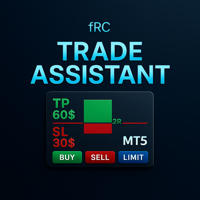
Manual trading panel — opens one test trade for validation only.
fRC Trade Assistant — Smart Manual Trading Panel fRC Trade Assistant is an intelligent trading panel designed for manual traders.
It allows you to open positions with one click, calculate lot size based on your predefined risk, and automatically place Stop Loss (SL) and Take Profit (TP) levels. For example, if your balance is $1000 and you set a 1% risk ,
the panel automatically calculates the appropriate lot size.
When the trad

Overview MAVIS Trader is a powerful one-click trading panel designed for traders who value speed, clarity, and precise control.
It lets you open multiple Buy/Sell positions instantly, automatically synchronize SL/TP levels across all open trades, and close every position on the symbol with a single click.
Perfect for scalpers, grid traders, and anyone who needs consistent, mirrored risk management without manual editing Key Features One-Click Buy/Sell: Open several trades at once with your

Overview:
The Drawdown Control Limiter MT5 is a robust and efficient tool designed for traders who aim to monitor and limit drawdown levels in their MetaTrader5 Live/Demo accounts. This Expert Advisor provides real-time tracking of drawdown percentages or amounts and automatically closes positions if the specified limits are exceeded, helping protect your capital. EA account drawdown protector is designed for normal trading Live and Demo accounts (not for Prop Firms) . Key Features: Customiza

Toma el Control Absoluto de Tus Operaciones ¿Cansado de calcular manualmente el tamaño de tu posición o de sudar frío esperando a que el precio toque tu stop loss? La gestión del riesgo es la línea que separa a los traders consistentes del resto. No dejes tu capital en manos de la improvisación. Presentamos la Calculadora de Posición y Riesgo , tu nueva aliada esencial para operar con precisión y disciplina profesional. Con esta poderosa herramienta, tú: Maximiza tu Potencial: Calcul
FREE

️ EquityShield is your automated risk management guardian for MetaTrader 5. If you've ever exceeded your daily loss limit, struggled to enforce your own trading rules during volatile markets, or wanted to automatically lock in profits when you hit your targets, EquityShield is built for you. This is not a trading strategy - it's a safety system that watches your account 24/7, automatically closes positions when your risk limits are breached, and helps you maintain consistent trading discipline
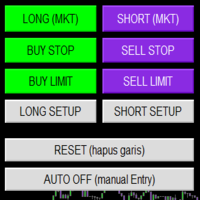
Smart Trade Panel
Trading Assistant is a powerful and elegant one-click trading panel for MetaTrader 5 — designed for professional traders who value speed, precision, and clarity.
Whether you scalp XAUUSD, swing trade indices, or run tight risk management, this tool gives you complete control with a clean visual layout, automatic ATR-based setups, and adaptive risk calculation.
️ Main Features One-Click Execution
Instant Buy/Sell Market Orders with pre-defined SL/TP
Supports Buy Stop
FREE

NiceProTrader Manager - Professional Risk & Trade Management Panel Trade with Confidence, Not with Fear! Control Your Exact Risk in Dollars with One Click. 2. Product Overview (The "Why") "Tired of complex lot size calculations and the fear of risking more than you planned? NiceProTrader Manager is a powerful and intuitive panel for MetaTrader 5 that revolutionizes how you manage your trades. Set your exact risk, stop loss, and take profit in dollars , not pips, and let the EA handle all the co

Indique facilmente zonas de preço com espaçamento fixo!
O Price Steps Marker desenha linhas horizontais automáticas a cada 5 unidades. Price Steps Marker é um indicador visual simples que organiza o gráfico em zonas de preço equidistantes.
Ele marca automaticamente linhas horizontais a cada valor de 5 em 5 unidades, tanto acima quanto abaixo do preço atual — facilitando a leitura de volume.
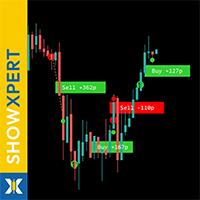
すべての無料商品を見るにはここをクリック
ShowXpert は MetaTrader 5 のための ビジュアル・コントロールセンター です。 ShowXpert は、あなたのすべてのクローズ済み Buy と Sell の取引をチャート上に直接表示 し、 その結果を ポイントと通貨 で確認できるインテリジェントなツールです。 利益のある取引は緑、損失のある取引は赤で表示され、すべてが明確・直感的・リアルタイムです。 どのセットアップが機能したのか、現在の取引がどう進行しているのかを一目で判断できます。 戦略分析、ライブ監視 、またはトレードをより視覚的に理解する目的にも最適です。 すべての要素は完全にカスタマイズ可能です:色、フォント、ラインスタイル、表示形式(pips または USD)。 結果として得られるのは、正確・透明・モチベーションを高めるあなた専用のパフォーマンスパネルです。 ShowXpert は生データを目に見える結果へ変換し、 トレードを本当に “感じられる” ものにします。 また、厳しい基準を持つトレーダーのために設計されたプロフェッショナルな Xpert-
FREE

Telegram2MT5 Signal Copier — TelegramのシグナルをMetaTrader 5で自動コピー Telegram2MT5 Signal Copierを使えば、Telegramで受け取ったあらゆるシグナルが、あなたのMetaTrader 5口座で即座に自動執行されます。 高速・信頼性・フルカスタマイズ対応。
Windows Bridge APP ファイルとチュートリアル を入手してください Bridgeファイルは、ローカルWebパネルをMT5 EAに接続するために必要です Windows 10 & Windows 11(64ビット)および Windows Server 2016以降に対応 Main Features 完全な互換性: 公開チャンネル・非公開チャンネルのどちらでも問題なく動作し、制限はありません。 瞬時の執行: ENTRY、STOP LOSS、最大5つのTAKE PROFITレベルをミリ秒単位で検出して発注します。(現時点ではペンディングオーダーを使用) カスタムパターン対応: コーディング不要で、Telegramチャンネルが使っているシグナルの

SmartLimits - ビジュアル保留注文マネージャー SmartLimits は、チャート上で保留注文を直接管理できるプロフェッショナルな取引ツールです。
MetaTrader の注文ウィンドウを開くことなく、直感的なオンチャートパネルを通じて、Buy または Sell の Limit/Stop 注文を作成、調整、確認できます。 このツールは、繰り返しの操作を最小限にし、入力ミスを減らしながら、視覚的にすばやく整理された方法で注文を管理したいトレーダーのために設計されています。 主な機能 「New Order」ボタンを使って、チャート上から直接新しい保留注文を作成できます。 エントリー(Entry)、ストップロス(SL)、テイクプロフィット(TP)のレベルをドラッグまたはパネル内で数値を編集して調整できます。 ワンクリックで任意の注文を即座に変更または削除できます。 複数の保留注文を同時に管理でき、それぞれに専用のコントロールパネルがあります。 価格、距離、リスクリワード比(R:R)などのリアルタイムデータを表示するビジュアルインターフェース。 価格位置に基づいて、注文が Lim
FREE

AIX GROK FJU ASSISTANT | MetaTrader 5 AI搭載トレーディングアドバイザー AIX GROK FJU ASSISTANTでトレーディングを革新しましょう。この先進的なMetaTrader 5(MT5)エキスパートアドバイザー(EA)は、xAIが開発したGROKの最先端AI技術を活用して、リアルタイムのテクニカル分析とトレーディングインサイトを提供します。初心者から経験豊富なトレーダー向けに設計されたこのEAは、MT5チャートをGROK AIに接続し、データに基づいた感情に左右されないトレーディングシグナルを直接DiscordまたはTelegramに配信します。毎回のローソク足の終値でチャートデータを分析することで、AIX GROK FJU ASSISTANTはよりスマートで迅速な意思決定を可能にし、AIの精度で手動トレーディング戦略を強化します。 スキャルピング、スイングトレーディング、または長期ポジションの管理を行う場合でも、このEAは比類のない柔軟性とリアルタイムのサポートを提供し、変動の激しい市場で一歩先を行くお手伝いをします。AI駆動のトレー

裁量トレードにおけるポジション管理の手動操作は、決済の遅れ、感情的な判断ミス、そしてストップロスの未設定による予期せぬリスクを招きがちです。
Trade Manager Lite は、MetaTrader 5 上で保有中のすべてのポジションに対して、ストップロス(Stop Loss)、テイクプロフィット(Take Profit)、ブレークイーブン(建値移動)、トレーリングストップ、および部分決済(Partial Close)を自動で執行・管理する軽量高機能ユーティリティです。 PCからの手動注文、MT5モバイルアプリからの発注、インジケーターからのシグナルエントリーを問わず、本ツールがストップロスの設定されていないポジションを即座に検知し、あらかじめ設定したリスクパラメータを自動適用します。 主な機能(無料版) SL / TP の自動設定: ストップロスやテイクプロフィットが未設定のポジションを検知し、指定したポイント幅で瞬時に自動発注します。 スマート建値移動(Break-Even): 含み益があらかじめ指定した目標ポイントに到達した際、SLをエントリー価格(手数料やスプレッドを相殺
FREE

Trade2Telegram — MetaTraderからTelegramへの自動取引通知用プラグインです。 このツールは、資金を管理するトレーダー、シグナルチャンネルを運営する人、または教育コミュニティをリードする人向けに設計されています。プラグインは、ターミナル上のすべての取引操作をコピーし、選択したTelegramのチャット、グループ、またはチャンネルに公開します。 ポジションのオープンやクローズ、ストップロス(SL)やテイクプロフィット(TP)の変更、未決注文の発動、または部分決済が行われた際に、メッセージは自動的に送信されます。 メッセージ形式はカスタマイズ可能で、以下の情報を含めることができます:銘柄、取引方向、取引量、エントリー・エグジット価格、SL/TPレベル、ポイントおよび金額での結果。ハッシュタグやコメントの追加、サーバー時間またはローカル時間の選択にも対応しています。 このプラグインは、サードパーティのサービスを使用せず、Telegram Bot APIを直接利用して動作します。接続は簡単で、ボットのトークンと目的のチャットまたはチャンネルのIDを提供するだけです
FREE

Strifor SmartTrade Expert — プロトレーダー向けのソリューションで、注文の主要ステップを自動化します: 即座にストップロスとテイクプロフィットを設定 取引ごとのリスクを固定(エキスパート設定で指定) 時間を節約し、手入力ミスを防止 Strifor Lot Calculator と連携可能(計算機でロットを計算し、エキスパートで同じリスクを設定) ショートカットキー
ALT+F4 — ワンクリックで注文。SL/TPと固定リスクを設定して即開設。 利点 速度 — 手動操作なしで瞬時に取引開始 規律 — リスクが常に一定、人為的ミスを排除 汎用性 — すべての銘柄・時間足で利用可能 信頼性 — すべての取引が保護される Strifor SmartTrade Expert — ALT+F4 一発で取引開始:SL/TP自動設定、リスク固定。
Strifor Lot Calculator と相性抜群。迅速。規律。ミスなし。 設定 Risk per Trade (%) — 取引ごとのリスク(Lot Calculatorと同じ) Stop/Take Parameters —
FREE

SFG Grid Manager MT5 – スマートグリッド&ミラーシステム SFG Grid Manager MT5 は、既存のポジション(手動または他のEAによって開かれたもの)を追跡し、設定されたステップ(GridPips)ごとに平均化注文を自動的に発注するプロフェッショナルな自動グリッドマネージャーです。 メインポジションがクローズまたは消失すると、マネージャーによって開かれたすべてのグリッド注文は自動的にクローズされます。
Netting および Hedging アカウントの両方に対応し、手動取引や他のEAとの併用も完全に可能です。 ️ 主な特徴 メインポジション(手動または他のEA)を追跡
ステップごとに1つの注文を追加 – マーチンゲールなし、バーストなし
Forexとゴールドに対して自動的にGridPipsを調整
スプレッドおよびスリッページ保護
メインポジションがクローズされた際に全てのグリッド注文を自動クローズ
Hedging / Netting アカウントに完全対応
シンプルな設定とクリーンなジャーナルログ
すべてのブロー

QuotesDownloader is a script for MetaTrader 5 that exports historical quotes of 28 currency pairs and gold (XAUUSD) to Excel. Key Features: Export data for the last 2290 days, hours, or 15-minute intervals. Supports 28 currency pairs and XAUUSD. Select timeframe: daily, hourly, or 15-minute. Automatic export to Excel for further analysis. Benefits: Simplifies the process of obtaining historical data. Suitable for traders, analysts, and strategy developers. Compatible with MetaTrader 5.

TM Assistant Trade is a trading assistant tool designed for MetaTrader 5 (MT5). It helps users configure, monitor and manage trades directly on the chart through an interactive interface, minimizing manual operations and improving trading consistency. Introduction to TM Assistant Trade 1. Trading Interface
Line Function - Display on the trading screen (Entry price - Take profit - Stop loss) through icons and lines to help traders perform operations more conveniently.
Main area with screens displ

[Regarding Investment Issues]
Question 1:
When market opportunities arise, most investors tend to place orders frantically. However, when placing orders in such a frantic manner, you have no way of knowing whether you will be liquidated. The only reference is the margin ratio, but the margin ratio cannot accurately determine whether you will be liquidated.
If the order quantity is large or the product order quantity is even larger, you cannot calculate the loss and profit. If there is a t

TradeVision is a simple and elegant performance indicator for MetaTrader 5. It was designed to give traders a clear and instant overview of their results. Gone are the days of digging through your account history! TradeVision displays a comprehensive and visually intuitive dashboard directly on your trading chart. At a glance, you can assess your efficiency and make more informed decisions. The widget displays your real-time performance statistics, segmented by key periods for a detailed and re

ATTENTION ! Utilities do not have a good functionality on backtest mode. For Having a Demo Trial, message me from message box and receive 3 days trial.
Our Team Services: If you are want to see our products click the link: LINK If you have an idea you'd like to develop into an application, click the link: LINK
Instant on-chart stop & target levels, from 1:1 up to 1:6. Trade Ratio Lines MT5 draws an open stop line and objective lines (take-profit) at fixed R-multiples relative to your entry

Auto-Shutdown MT5 Terminal - Saves you from Over-Trading by automatically closing MT5 Termial when daily loss limits are breached Love it? Hate it? Let me know in a review! Feature requests and ideas for new tools are highly appreciated. :)
Try "The AUDCAD Trader":
https://www.mql5.com/en/market/product/151841 ️ Your Automated Discipline Enforcer "I'll just make back what I lost..."
"One more trade to break even..."
"I can't end the day red..."
Sound familiar? These thoughts have d
FREE
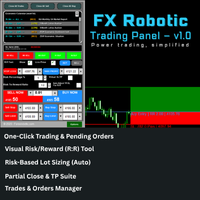
FX Robotic Trading Panel — v1.0 by Forex Robotic All-in-one MT5 panel for one-click execution, visual R:R control, risk-based lot sizing, partial closes (incl. virtual TPs), news, and MA signals—right on your chart. Overview FX Robotic Trading Panel is a professional, on-chart control center for MetaTrader 5 that blends lightning-fast trade execution , visual Risk/Reward management , auto lot sizing from risk% , staged partial take-profits (real or virtual ), an economic calendar , and a multi
FREE

Category: Utilities → Trade Panels
Version: 1.2 (auto-sizing buttons + adjustable font size) ClickCloserExpress is a super-lightweight panel for MetaTrader 5 that lets you close positions instantly by profit/loss, symbol, side (Buy/Sell), and magic number— without opening new trades or cluttering your chart. Perfect for manual/semi-auto management, scalping, and fast portfolio clean-ups. What it does One-click closing of: All positions. Profitable only or losing only . Symbol on chart o

Candle Time (MT5) The Candle Time indicator shows the remaining time for the current candle on the active chart timeframe. It adapts automatically to the chart period and updates on every tick. This is a charting utility; it does not provide trading signals and does not guarantee any profit. Main functions Display the time remaining for the current candle on any timeframe (M1 to MN). Color-coded state: green when price is above the open (up), gray when unchanged, and red when below the open (do
FREE

Elsna Alert (MT5 EA) is a lightweight Expert Advisor that monitors your trading account in real time and alerts you whenever a trade is opened or closed . It uses MetaTrader 5’s built-in OnTradeTransaction event to instantly detect any new executed deals—manual or automated—and plays a custom sound for each event.
You can choose whether it tracks all symbols or only the chart’s symbol . Key features: Instant audio alert when a trade opens or closes. Works with both manual and EA-driven trades. O
FREE

Short Description:
Prop Firm Protector EZ MT5 is an EA designed to protect your funded account by managing risk and ensuring compliance with the Prop Firm's trading rules. This EA automatically monitors equity levels, closes trades when profit targets or drawdown limits are reached, and provides a visual display of key account metrics. The EA features a Super Easy setup, is simple to use, and works with all different Prop Firm service providers.
Overview:
Prop Firm Protector EZ MT5 is an Draw

BTC Trading Assistant EA (MT5) Manual trading assistant that helps place and manage trades with automated risk and stop management. Overview BTC Trading Assistant EA is a utility Expert Advisor for MetaTrader 5 intended for manual traders. It provides a chart interface to execute BUY/SELL/CLOSE actions and automates selected trade management functions such as position sizing, initial SL/TP placement, break-even, trailing stop and optional partial profit taking. This EA does not generate trade si

Trade History By Magic Indicator Unlock Your Trading Insights with Trade History By Magic! Enhance your MetaTrader 5 experience with this powerful indicator designed for traders who demand precision and clarity. Trade History By Magic provides a clear, real-time display of your trading history, organized by magic numbers, directly on your chart. Perfect for both automated and manual traders, this tool helps you track performance effortlessly. Key Features: Organized Trade Tracking : Displays tra

# Trading Info Panel - Your Complete Trading Dashboard
## Why This Indicator Was Created
As a fullscreen trader, I was constantly frustrated with the hassle of: - Exiting fullscreen mode to check positions - Switching between charts and the terminal window - Losing focus on price action while checking account status - Missing critical margin levels during active trading
**I needed a simple, elegant solution that kept all vital trading information visible at a glance - without disruptin
FREE

Product Name: Magic Simulator “ Find your own 'Signature Setup ” Version: 1.0
From 'I Missed It' to 'I Took It' Transform those frustrating near misses into consistent winners. Practice each setup until your reaction becomes automatic and hesitation-free.
Full Product Description: Become a Confident, Disciplined Trader – Risk-Free Have you ever felt the sting of a bad trade and wished you could rewind time? Do you struggle with fear, greed, or hesitation? Ever spotted the perfect setup but mi

sTrade UI is a compact, lightweight alternative for O ne-Click Trading which built-in MT5 didn't offer.
Designed for traders especially scalpers who want a clean and fast trade execution. Key features: Minimal CPU footprint Docked One-click Right Panel to Perform New Position*
One-click Close at Position's Price* Ability to Close All Position* Option to stick Position's PL info to latest candle and able to colorize it *: Tied to EA's Magic number (EA's Id), set to 0 if want Globally This is m

The Trade Panel Dashboard is a powerful, user-friendly interface designed to streamline and enhance your trading experience. This centralized hub provides real-time data visualization, advanced analytics, and seamless execution tools, empowering traders to make informed decisions with precision and speed. Key Features: Real-Time Market Data
Access live price feeds, market trends for multiple assets (stocks, cryptocurrencies, forex, commodities, etc.) in one consolidated view. Order Management
すべての無料商品を見るにはここをクリック
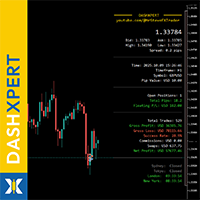
DashXpert は MetaTrader 5 のための完全無料で強力なダッシュボードで、すべての重要な 市場データ、アカウント情報、パフォーマンス統計 を直接チャート上に表示します。 ウィンドウやタブを切り替える代わりに、 DashXpert は 集中型でインテリジェントな概要 を提供します - 最大限の視認性、最小限の視覚的ノイズ、そしてプロフェッショナルな外観のために最適化されています。 これにより、 保有中のポジション、損益、勝率、口座残高 をリアルタイムで明確に把握できます。 これによって DashXpert は、日常的に便利なツールであるだけでなく、 完全なパフォーマンスモニター として、あなたのトレードを理解し、改善し、透明性のある可視化を可能にします。 さらに、このダッシュボードは最も重要な トレーディングセッション(Sydney、Tokyo、London、New York) を自動的に表示し、そのステータスも示します - つまり、 市場がいつどこで動いているか を瞬時に確認できます。 その モダンでミニマルなデザイン 、
FREE
すべての無料商品を見るにはここをクリック
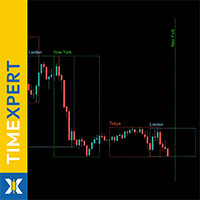
TimeXpert は MetaTrader 5 のための完全無料ツールで、世界の トレーディングセッション - Tokyo、Sydney、London、New York - をチャート上に直接表示します。 時間を手動で計算する代わりに、 自動のカラーコード付き概要 が表示され、 市場が開いている時、重なっている時、閉じている時 を一目で確認できます。 これにより、 どこでボラティリティが発生するか 、 流動性が高まるタイミング 、そしてどの時間帯があなたのトレード戦略に最適かを瞬時に判断できます。 すべての要素は 完全にカスタマイズ可能 で、色、線のスタイル、表示するセッション数まで調整でき、 TimeXpert はあらゆるトレーダーにとって柔軟な相棒となります。 TimeXpert は 取引タイミングを完璧にする のに役立ち、 動きがいつ始まり、どのセッションが最も強いマーケットインパルスを提供するか を正確に表示します。これはプロフェッショナルなセットアップに不可欠なツールです。 その クリーンでミニマルなデザイン により
FREE

MT5用 Stats Dashboard & Journal Pro - トレード分析ツール MetaTrader 5用 リアルタイムパフォーマンス分析 & プロフェッショナルジャーナル Stats Dashboard Proは、詳細なパフォーマンスの洞察、データに基づく分析、そしてトレードの規律を習得するためのプロフェッショナルな記録システムを必要とするMetaTrader 5トレーダー向けに設計された包括的な分析ツールです。 主な機能 マルチビュー分析インターフェース 6つのインタラクティブなタブ: ジャーナル設定(新規)、取引履歴、チャート、カレンダー、時間別パフォーマンス、アリーナ統計。 リアルタイム更新: 決済済みポジションの自動更新と、保有中(LIVE)および予約注文(PENDING)のリアルタイム追跡。 プロフェッショナルジャーナルシステム: すべてのトレードにメモを追加し、戦略(セットアップ)を追跡し、ミスを記録します。 TradingView統合: TradingViewのスクリーンショットをトレードにリンクできます。ダッシュボードはそれらをダウンロードし、MT5内
FREE

R.E.A. Automatic Risk Monetary (MT5) – Per-symbol manager for manual entries & pending orders Summary (hero) Automate risk management for manual trades (magic 0) and pending orders on the chart’s symbol : SL/TP by % of balance or fixed amount , BreakEven and Trailing (for positions), with instant reaction on order placement/execution. What it does Locked to the symbol where you attach it, this EA manages only: Your manual positions on that symbol. Your pending orders on that symbol (limit/stop/s
FREE

Take your technical execution to the highest level with the Fimathe Robot Designed specifically for professional traders who demand absolute precision, stability, and tactical flexibility, this Expert Advisor automates the time-tested Fimathe methodology by combining the intelligence of modern algorithms with a robust, high-performance interface. With a modern visual layout, the Painel Pro 5.5 offers complete operational freedom: execute trades in 100% manual mode with panel assistance or activ
OVERVIEW Transform your MT5 trading account into an automated signal execution station! This Expert Advisor automatically receives and executes trading signals from Telegram channels in real-time, enabling seamless copy trading operations from master accounts.
SYSTEM NOTICE: This EA receives and executes trading signals FROM Telegram channels. To broadcast signals TO Telegram, you need the companion EA: " Telegram Signal Broadcaster MT5 " (sold separately). KEY FEATURES: Automated signal recept

Play Trading: Get started in trading by playing and learning how Limit (rebound) and Stop (continuation) orders work. From a mobile and transparent panel (by clicking on the header), anticipate market developments and place Limit and/or Stop orders. Set the initial distance to generate the grid with the number of orders you want (for each type of order). Set the take profit points and lot size as you wish. Set the type of orders you want: BUY – SELL – NO (delete orders) – BOTH (Buy and Sell
FREE

PGS Trade Panel – Professional Trade Management Tool for MT5 Take full control of your trading with structured execution, real-time feedback, and customizable automation, all directly on your chart. Profit Guard System Trade Panel is an advanced on-chart trading tool designed to give you discipline, clarity, and precision in every trade. It supports manual, semi-automated, and automated workflows with multiple strategies that can be enabled, customized, or disabled at any time. Automatic Take P
Indicator Automator EA: The Ultimate Indicator Automation Tool Tired of being chained to your desk, waiting for signals from your favorite indicator? Do you want to eliminate emotional trading and unlock the true potential of your manual strategy? Indicator Automator EA is a powerful and highly versatile Expert Advisor for MetaTrader 5 designed to automate any trading indicator that provides clear Buy and Sell signals through its indicator buffers. You don't need to be a programmer. If you have

Product Overview The Simple Telegram Copy Trader is a FREE unified Expert Advisor that combines both Master and Slave functionality in a single EA with easy mode switching. This simplified version focuses on OPEN TRADES ONLY , making it perfect for basic copy trading setups without the complexity of advanced features.
Get professional-grade copy trading with complete lifecycle management: Telegram Signal Broadcaster MT5 (Master)
Telegram Signal Subscriber MT5 (Slave) Key Features Unified Des
FREE

OVERVIEW Transform your MT5 trading account into a professional signal broadcasting station! This Expert Advisor automatically publishes your trading activity to Telegram channels in real-time, enabling seamless copy trading operations.
SYSTEM NOTICE: This EA broadcasts trading signals TO Telegram channels. To receive and execute signals FROM Telegram, you need the companion EA: " Telegram Signal Subscriber MT5 " (sold separately).
KEY FEATURES: Real-time trade broadcasting to Telegram Support

TradeDataLogger - Essential Data Collection Tool for Professional Trading Analytics Suite EA TradeDataLogger is a powerful MQL5 utility designed to seamlessly integrate with the Professional Trading Analytics Suite, enabling comprehensive analysis of your trading performance. This tool automatically captures and logs critical trading data from your MetaTrader 5 platform, making it ready for in-depth analysis and visualization. The logger systematically records all essential trading metrics inclu
MetaTraderマーケットはMetaTraderプラットフォームのためのアプリを購入するための便利で安全な場所を提供します。エキスパートアドバイザーとインディケータをストラテジーテスターの中でテストするためにターミナルから無料のデモバージョンをダウンロードしてください。
パフォーマンスをモニターするためにいろいろなモードでアプリをテストし、MQL5.community支払いシステムを使ってお望みのプロダクトの支払いをしてください。

取引の機会を逃しています。
- 無料取引アプリ
- 8千を超えるシグナルをコピー
- 金融ニュースで金融マーケットを探索