 MetaTrader 5
 Experts
 Indicators
 Libraries
 Utilities
 Widgets
 Rules
Rules
Watch the Market tutorial videos on YouTube
How to buy а trading robot or an indicator
Run your EA on
virtual hosting
virtual hosting
Test аn indicator/trading robot before buying
Want to earn in the Market?
How to present a product for a sell-through
New trading utilities for MetaTrader 5 - 54
 Below are trading programs simplifying trading in MetaTrader 5. Hover over a utility to read its description and purpose.
Overview The MT5 Local Trade Copier synchronizes trades from a Master account to one or more Slave accounts. It copies positions and pending orders with duplicate protection, symbol mapping, and adjustable lot sizes. Time and day filters can be applied for flexible operation Features Copy positions and pending orders from Master to Slave accounts. Select which trades to copy: all trades, positions only, orders only, buy-only, or sell-only. Adjust lot sizes using fixed lots, risk percentage of ac
FREE

Trade Panel Pro is a powerful and easy-to-use trading utility designed for traders who need fast execution, accurate position sizing, and complete risk management directly from the chart. Whether you scalp on the 1-minute chart or swing trade on the 4H, Trade Panel Pro gives you the tools to manage trades with confidence and precision — all in one clean interface. Price will double after 5 purchases. Grab this offer Key Features Fast Trade Execution Open Buy/Sell positions instantly from the pan
FREE

AEGIS Account and Drawdown Protector Real-Time Account-Level Risk Enforcement for MetaTrader 5 AEGIS is a real-time account protection Expert Advisor designed to enforce strict equity and loss limits across your entire MT5 account. It continuously monitors account equity and intervenes immediately when user-defined thresholds are reached. AEGIS does not generate trading signals and does not open positions — its sole function is capital protection. IMPORTANT AEGIS operates exclusively as a protec

SMART MONEY SCALPER EA - ICT Scalping Strategy Description INTRODUCTION - WHY THIS ICT SCALPING EA IS ESSENTIAL FOR YOUR SUCCESS Dominate the markets with the most advanced ICT scalping system ever created. The Smart Money Scalper EA is specifically engineered for high-frequency ICT scalping, combining Inner Circle Trader concepts with lightning-fast execution to capture multiple quality trades throughout each trading session. This specialized scalping EA transforms ICT methodology into a pr
FREE
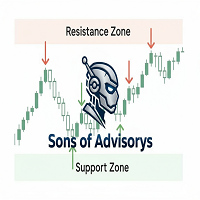
Sons of Advisorys: QuantumLevel This advanced MT5 Expert Advisor automates trading decisions based on a robust Support and Resistance breakout and retest strategy. It performs multi-timeframe analysis across H4, H1, and M15 charts to identify high-probability trade setups with precise zone validation. Key Features: Strategy: Support/Resistance breakout with retest continuation. Multi-Timeframe Detection: Independent analysis and toggle options for H4, H1, and M15 timeframes. Auto-Trading:
FREE

PS Assistance is hybrid EA. It make trade easier than general trading. It shows necessary value real time for help to trading and has button for Buy/Sell/Close All Buy/Close All Sell/especially close remain 3 orders has profit highest. It has break event line for order buy or sell. It made you get price when you have profit or you plan to order in big lots for close all. I hope you enjoy trading with my "PS Assistance".

Equity Risk Manager EA is a smart tool designed to protect your trading capital by monitoring equity performance in real time. It automatically blocks new trades when your profit or loss thresholds are reached, based on your selected period — daily, weekly, or monthly. No more accidental overtrading or commission losses: once your target is hit, the EA alerts you and halts further entries. Ideal for prop trading firms traders.

Why You Need VLine Alarm
Stop Missing Trade Setups.
News events, session opens, key timeframes - they all happen whether you're watching or not. VLine Alarm keeps you on point.
Set It Once. Forget It.
Drag a line. Walk away. Get alerted. No babysitting charts. No missing opportunities because you switched timeframes or stepped away.
The Problem It Solves:
You know that moment when you realize the news already hit 5 minutes ago? Or you miss the London open because you were analyzing the daily cha
FREE
Trades Manager Pro – Only Buy is a professional trade management tool designed to fully automate risk control and profit-taking for BUY trades only, on any symbol, pair, or instrument you apply it to . It calculates a risk-based stop loss once per position, ensuring consistent capital protection without repeated modifications. The system supports up to three customizable partial take profit levels (TP1, TP2, TP3), each closing a defined percentage of trade volume to secure profits step by step,

Trades Manager Pro – Only Sell is a professional trade management solution built exclusively for SELL trades, giving traders full automation of risk control and profit-taking with maximum precision on any symbol, pair, or instrument you apply it to . The EA calculates a risk-based stop loss once per trade, ensuring disciplined capital protection without unnecessary modifications. It supports up to three customizable partial take profit levels (TP1, TP2, TP3) to secure profits step by step, plus

StableRisk Manager is a utility designed for order control. Regardless of whether orders are opened manually or by other Expert Advisors, when the specified profit or loss percentage is reached, the EA will close all positions, delete pending orders (if needed), and automatically close chart windows — preventing other EAs from opening new trades. This tool is especially useful for traders who trade with Expert Advisors or manually on several currency pairs simultaneously. The advisor can be use

Limited Launch Sale: First 10 Copies Only. Special Price: $30 (Regular: $40). Remaining: 10 Left To increase market visibility, I am offering this discount for the first 10 buyers.
"Reproduce past charts with real-time movement"
Chart Auto Flow is a verification support tool that allows you to play and reverse past charts on a candlestick basis with variable speed . Instead of just looking at static charts, you can reproduce movement closer to real-time , enabling training that is closer to a
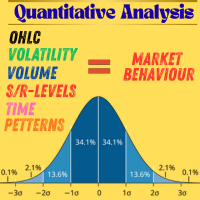
Transform your trading from guesswork to data-driven decision making. Experience the power of quantitative analysis used by professional institutions, now accessible to every serious trader. "In trading, what gets measured gets managed. Start measuring what matters." 50% OFF for a limited period. This is a complete quantitative analysis toolkit original and copyrighted by the author, for traders who want to deeply understand market behavior, volatility, liquidity, and trading opportunities. T
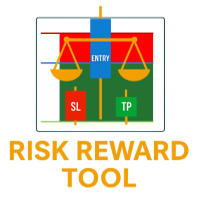
Risk Reward Tool – Smart Trade Planning Indicator The Risk Reward Tool is a simple yet powerful indicator designed to help traders plan every trade with confidence .
It instantly calculates and displays your Entry, Stop Loss, Take Profit, and Risk : Reward Ratio (RR Ratio) directly on the chart. With just a few clicks, you’ll know: How much you risk if your Stop Loss is hit How much you can earn if your Take Profit is reached ️ The exact Risk : Reward Ratio so you can decide if the trade
FREE

Global Risk Manager Auto Stop Loss Automate Your Risk Management This utility works seamlessly with any symbol, by intelligently setting your initial Stop Loss and Take Profit the instant a new position is opened.
Perfect for traders who enter manually or via an EA but want consistent, rules-based risk management applied automatically.
Why You Need This
Eliminates Human Error: Never forget to set a stop loss again. Ensures every trade is protected from the start.
Enforces Discipline: Removes

Historical Trading Info A simple, free utility to display essential trade information directly on your chart. This lightweight tool helps you keep track of your performance at a glance. Features: Current Open Trades: Instantly view a summary of all your active positions. Recent Trade History: Analyze your closed trades from a selected period within the last 30 days. Clear Timeframe: The historical data is neatly organized starting from the beginning of the day(s) you choose to review. Economic
FREE

Trade Manager – BreakEven and Global Stop Loss with one click
This Expert Advisor (EA) is designed to help traders manage their positions faster and more efficiently. It comes with two main features, accessible through on-chart buttons:
BreakEven function:
Instantly moves all open trades to the entry price with a single click.
Option to add a configurable margin (e.g., +2 pips) to cover spreads or commissions.
Global Stop Loss function:
Instantly applies the same stop loss level to
FREE

Automatic calculation of lot size for the specified risk and order placement. A simple and concise interface, optimized for fast operation and taking up very little workspace in the instrument window. YouTube guide: https://www.youtube.com/watch?v=9aBKakAMdts
IMPORTANT: When installing Position Wizard, don’t forget to allow algorithmic trading in your terminal! Risk can be set as: An absolute value in dollars (deposit currency) A percentage of the deposit Supported order types: Market (Sell &

MT5 to Telegram Signals
This utility is simple to use and supports a wide variety of settings: Pick your desired Telegram group and enter the bot token and the chat id Get notified when orders are placed, modified, executed, closed… or any combination of states Connect your broker account with Telegram and stop missing important notifications. Would you like to receive Telegram notifications? Are you looking for a simple way to share trade signals with your followers? Do you need to start docume
FREE

CopyStar – File-based Trade Copier (MT5 Master/Slave, MT4-compatible) Short description
CopyStar mirrors changes to your open net positions from the master to any slaves – quickly, robustly, and without network configuration. Communication runs via common files (shared file folder), enabling CopyStar to support MT5↔MT5, MT5→MT4, MT4→MT4, and MT4→MT5. Supports symbol mapping, lot multiplication, optional SL/TP copying, magic/comment filters, and a clear chart status display including heartbeat.
FREE

REMOTE COPY TRADE PRO révolutionne le trading social en brisant les limites traditionnelles des systèmes de copy trading ! Contrairement aux solutions classiques qui vous obligent à utiliser le même ordinateur ou VPS, ou s'inscrire sur les plateformes en ligne, notre technologie brevetée permet une copie d'ordres SANS LIMITES GÉOGRAPHIQUES entre n'importe quel ordinateur dans le monde ! AVANTAGE EXCLUSIF : COPIE D'ORDRES À DISTANCE Les limites des autres systèmes : Obligation d'u
FX Ticket Sections 1. Quantity (Lot Size – volume)
Field to define the lot size (volume) of the order to be opened. There are shortcut buttons (0.10, 0.20, 0.40) for quick selection that can be customized. It is also possible to manually enter the value in the field (e.g., 0.20). 2. TP / SL (in points)
Allows setting Take Profit (TP) and Stop Loss (SL) at the time of entry. Values are configured in points , not as direct prices. Checkboxes: TP: Take Profit enabled – when placing or sen
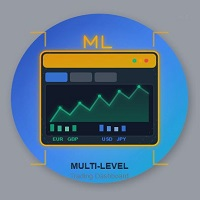
Multi-Level Trading Dashboard - Professional Market Analysis Tool Transform Your Trading Experience with Advanced Multi-Symbol Monitoring The Multi-Level Trading Dashboard is a sophisticated MetaTrader indicator that revolutionizes how you monitor and analyze multiple currency pairs simultaneously. Built with professional traders in mind, this comprehensive tool combines real-time market data, technical analysis, and account management in one intuitive, Windows-style interface. Key Features

Unlock the power of professional risk management with the Hardstop Risk Manager — your ultimate safeguard against devastating trading losses! Are you tired of watching your hard-earned capital erode due to unexpected market swings? Then Unlock the power of professional risk management with the Hardstop Protection EA — your ultimate safeguard against devastating trading losses! This all-in-one, intelligent risk management tool continuously monitors your account, employing multiple layers of prot

Scorpion 73 Bot – User Manual MT5 Version: 1.0 | Author: Salman (Signalsview.com) | Sep 1, 2025 Contents 1️⃣ Overview
2️⃣ Installation & Setup
3️⃣ Main Control Panel ️
4️⃣ Multi-Pair Monitor
5️⃣ Trades Panel ️
6️⃣ Stop Loss & Profit Lock ️
7️⃣ Account Info
8️⃣ Best Practices
9️⃣ FAQs 1. Overview Scorpion 73 is a MetaTrader 5 Expert Advisor (EA) acting as a trader’s command center :
Fast execution & automation
️ Full trade/order control
️ Advanced risk

Smart Tp Manager – Profit & Loss Closure Expert Advisor for MT5 Smart Tp Manager is a powerful yet lightweight Expert Advisor for MetaTrader 5, built to help traders enforce discipline and protect profits with zero guesswork. Whether you’re managing a single strategy or multiple EAs, Smart Tp Manager ensures your trades close exactly when your profit or loss thresholds are reached — automatically and without hesitation. Key Features Automated Profit & Loss Closure – Instantly closes all trades w

TradePilot Expert Advisor (EA) for MetaTrader 5 TradePilot is a professional and user-friendly Expert Advisor (EA) for MetaTrader 5 (MT5) . It simplifies automated trading , risk management , and trade execution with a smart trading panel . Perfect for beginners and experienced traders looking for a reliable trade manager EA with automated lot size calculation and smart position management. Key Advantages User-Friendly Trading Panel: Customizable panel with buttons and hotkeys for fast ex

EA Pro Risk Panel — Free Trade Planning and Partial Exits for MT5
Plan your entry, calculate position size from your chosen risk and stop-loss distance, and manage partial exits from one panel. You choose the trades; the panel helps you carry out your plan.
NEW IN VERSION 3.7 • Added proportional panel resizing by dragging the bottom-right corner. • The selected panel size is automatically saved for each chart. • Added a button in Settings to restore the default panel size. • Fixed initial siz
FREE

LIVE PRICE AND TOTAL PROFIT DISPLAY INDICATOR PERFECT FOR LIVE TRADING & SCREEN SHARING Designed specifically for day traders, scalpers, and live stream trading sessions This professional indicator provides real-time price display and comprehensive profit tracking directly on your chart - essential for high-frequency trading and live trading broadcasts. KEY FEATURES REAL-TIME PRICE DISPLAY Live bid price updates every second Professional formatting for all symbol types Special Gold/XAU formatti
FREE
The OCOBreakEven order is a simple EA that, upon identifying a buy/sell order, whether sent to the market or limit, sends the take and stop orders you define in the settings and also uses the breakeven to protect the trade.
This version does not have a trailing stop and does not calculate the average price to combine orders.
If you are interested, please contact us so we can add additional features.

Introducing the Elite Chart Navigator — your ultimate MetaTrader 5 Expert Advisor designed to revolutionize multi-symbol trading with seamless chart navigation and superior usability. Product Overview The Elite Chart Navigator EA is a sophisticated trading utility enabling rapid switching between multiple trading pairs through an intuitive on-chart button interface. Built for professional traders managing numerous instruments, this EA dramatically improves workflow efficiency, ensuring

Telegram Alert With Emoji Description and User Manual
EA Description Purpose:The Telegram Alert With Emoji sends real-time trading notifications to a Telegram chat or group for all trading activities in MT5, including new Positions (BUY/SELL), Pending Orders (BUY LIMIT, SELL LIMIT, BUY STOP, SELL STOP), Stop Loss/Take Profit (SL/TP) triggers, and closed Positions with profit/loss details. It includes a Rainbow Display on the chart and uses Global Variables to prevent duplicate notifications. [

Trading assistant NewsRForestExpert v4.01 Purpose and principle of operation NewsRForestExpert is a trading assistant for MetaTrader 5, using the built-in economic calendar
and the machine learning model "Random Forest" of the ALGLIB library (hereinafter simply "model"). The assistant: in this version works only on the EURUSD currency pair timeframes M1 – M5; loads news history for the selected period and forms training and test samples; trains on the obtained data or loads an already trained
FREE

RiskManagerOptimum for MetaTrader 5 – Your Ultimate Trading Safety Net!
RiskManagerOptimum is the most advanced and professional trade and account risk management Expert Advisor for MetaTrader 5.
It does not open trades. It monitors and manages existing positions in real time to control risk, drawdown, and exposure across all symbols. The EA is designed for manual traders, algorithmic traders, and portfolio traders who require strict and automated risk control across Forex, metals, crypto, indi

Overview Order Manager PRO MT5 is a comprehensive trading tool designed to streamline order management and risk control in MetaTrader 5. It provides visual order placement with drag-and-drop interfaces, advanced risk management, and automated partial profit-taking capabilities. Key Features Visual Order Management Interactive Trading Bars : Drag-and-drop BUY/SELL bars that follow price movements or can be positioned manually Visual SL/TP Positioning : Real-time adjustment of Stop Loss and Take P

EA Close All Set TPSL All Panel EA Close All Set TPSL All MT5 is a professional utility tool for MetaTrader 5 that helps traders manage orders quickly and efficiently.
With a clean on-chart control panel, you can close trades or set Take Profit / Stop Loss levels for all orders with just one click. [MT4 Version ---> click . ]
Key Features On-Chart Control Panel – Light gray background with simple and intuitive design. Close All Orders – Instantly close all active Buy, Sell, and
FREE

Liquidity Seeker EA
Why You MUST Have This EA Unlock the power of ICT (Inner Circle Trader) methodology with the most advanced Smart Money Concept trading system available. This EA transforms complex institutional trading concepts into automated precision, giving you the unfair advantage that professional traders use to consistently profit from liquidity manipulation and market structure shifts. START trading WITH market makers using their own playbook. You don't need to do much other than to
FREE
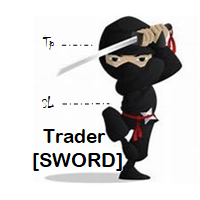
Trader [SWORD] is a panel EA designed to help the trader [scalper]. From the dashboard, the trader can: set the order volume, stop loss and take profit values [in points]; open a market order with its respective stop loss and take profit values. close all [win only, loss only or win and loss] positions opened through the EA. On the panel we have: the buttons to open new market orders [buy and sell]; the buttons to set the order volume [increasing and decreasing de volume order]; the buttons
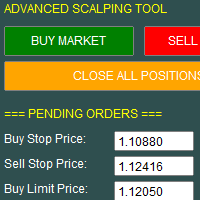
This utility allows for fast and flexible execution of market, stop, and limit orders, giving traders full control over their entries. It includes built-in support for setting stop loss, take profit, and trailing stop parameters at the time of order placement, streamlining trade management from the start.
The interface also displays key trading data in real time, including spread, live profit/loss, and position metrics, helping traders make informed decisions quickly and efficiently

Limiter Drawdown EA – Automatic Account Protection for MetaTrader 5
Description
Limiter Drawdown EA is a lightweight risk management tool for MetaTrader 5.
It monitors your account drawdown in real time and will automatically close all open trades once the threshold you define is reached. This provides a reliable safeguard for any trading strategy. Main Functions Monitors equity versus balance continuously Closes all positions when your chosen drawdown percentage is reached Optionally removes
FREE

BossFXTradePanelEA (MT5) [First 10 copies sold at 50 USD price will increase to 99USD] BossFXTradePanelEA is a fully interactive trade management panel designed for MetaTrader 5, providing traders with an easy-to-use, one-click interface to execute and manage trades. This EA simplifies trade execution , risk management, and position control by combining market orders, stop loss, take profit, trailing stops, and breakeven functionalities into a single, intuitive panel.
Key features include: On

How To Use Prop Guardian: 1. The enabled/ disabled button is used to turn Prop Guardian On/Off. 2. You can add your name by double clicking the expert advisor icon at the top right corner of the chart, then add your name where it says 'optional default trader name'. Once you add your name Prop guardian will address you by your name anytime it needs to send you a message. 3. You can choose your Prop firm's drawdown type by choosing between the 'Balance', 'Equity' and 'trailing' button .NOTE; this
Title: ClosePanel MT5 — Instant Order Management from the Chart Description: ClosePanel MT5 is a convenient utility Expert Advisor for MetaTrader 5 that allows you to instantly close orders directly from the chart using three intuitive buttons. Perfect for manual traders who need to react quickly to market changes and manage risk without unnecessary clicks. Key Features: Close All Orders — instantly closes all open positions and pending orders Close Profitable Orders — closes onl
MSP_Bridge is the Free utility that connects AI Grok 4 to RiskKILLER AI Navigator a multi-timeframe Market Direction & Strategy Assistant based on AI.
This bundle will help you get institutional-level insights with AI-driven trend, sentiment, and macro analysis, tailored to your trading style.
RiskKILLER AI Navigator [ MT5 - MT4 ]
Implementation
Just download it and follow the hereunder instructions.
We are at your disposal in case of difficulties, just send a private message.
FREE

This free indicator helps optimize technical analysis in MetaTrader 5 with clear and practical drawing tools. Main Features: Draw rectangles to highlight zones of interest. Easily plot trendlines. Mark structures such as BOS and Market Structure (MS). Customize colors and styles to match your preferences. Perfect for traders who use Price Action or structure-based analysis, keeping charts organized and easy to read. Download it for free and enhance your analysis in MT5
FREE
Bollinger Bands TP Guardian This utility Expert Advisor use Bollinger Bands to modify Take Profit (TP) level of open orders, improve your trade management & hands free after manual trade executed. Key Features Automatic TP Adjustment : The EA automatically adjusts the TP of open orders. Bollinger Bands Integration : TP levels are set using the Upper, Middle, or Lower Bollinger Band. Customizable Settings : Users can specify Bollinger Bands parameters and the frequency of TP modifications. E
Lot Size Calculator Advanced– Position Sizing Tool with Drawdown Balance This lot size calculator based on the selected risk percentage and stop loss distance. it also has a new feature with additional amount to risk per trade, this approach helps manage drawdown smoothly by spreading the risk increase over time instead of doubling it immediately. It allows for better control and safer risk management. It is designed for Forex, metals, indices, commodities, and cryptocurrency trading.
Main Feat
Trading Manager Tool – Execute and Manage Your Trades with Professional Precision Introduction
The Trading Manager Tool is a complete solution for traders who want precise control over risk, execution, and trade management.
No more manual calculations or complex steps — this tool simplifies your trading process and enhances your efficiency. Key Features Smart Risk Management Define SL/TP in real values (e.g., “I risk $30”) and let the tool calculate the lot size automatically Visualize risk and
FREE

Local MT5 Trade Copier EA – Safe, Fast & Flexible Account-to-Account Trade Copier
The Local MT5 Trade Copier EA is designed to help traders copy trades from a Master account to a Slave account safely, quickly, and automatically. This tool is perfect for: Account managers: Copy trades from your main account to multiple client or personal accounts. Traders with multiple accounts: Execute trades on several accounts at the same time without extra effort. Risk management: Control lot sizes, trading

Reflex Panel - A Revolution in Semi-Automatic Trading! Tired of the clumsy standard MT5 interface? Forget about constantly switching between windows and complex calculations! Reflex Panel is a next-generation professional trading panel that will turn your chart into a full-fledged trader's command center! WHY CHOOSE CHART REVOLUTION? Everything on one screen - no more extra windows
Instant execution - open trades in one click
Smart risk calculation - automatic lot calculation based on
FREE

CHART REVOLUTION EA - A Revolution in Semi-Automatic Trading! Tired of the clumsy standard MT5 interface? Forget about constantly switching between windows and complex calculations! Chart Revolution EA is a next-generation professional trading panel that will turn your chart into a full-fledged trader's command center! WHY CHOOSE CHART REVOLUTION? Everything on one screen - no more extra windows
Instant execution - open trades in one click
Smart risk calculation - automatic lot calcul
FREE

Professional-Grade Chart Analysis – AI-Powered & Visually Enhanced The AInalyzer is an Expert Advisor for MetaTrader 5 that leverages artificial intelligence to analyze market structures and automatically places visual objects directly on your charts. Instead of spending hours manually examining charts, you'll get a clear overview of support levels, resistance zones, trend structures, and potential trading opportunities in no time – all logically presented, visually marked, and available at you

ELITE REVERSE TRADER (MT5)
Instantly hedge or invert any trade opened on your account—manual or EA. Reverse Mirror EA monitors your live positions and opens an opposite trade using your chosen lot mode (Fixed or Multiplier). When the original position is closed (manual close, SL/TP hit, EA exit—any method), the mirrored position closes automatically. Because it runs in the same terminal, it reacts faster than third-party copy tools. WHY THIS MATTERS
It is widely cited that a large majority of
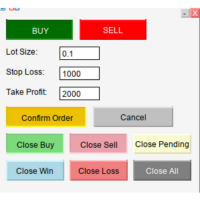
MQL5 SmartLevel Panel with Auto-Update Level Lines Description This SmartLevel Panel is a powerful and intuitive trading tool for MetaTrader 5, designed to help traders place orders with precision and efficiency. The panel features intelligent Level Lines that automatically update with price movements and are automatically removed if not confirmed within 1 minutes, preventing forgotten pending orders. Key Features Smart Level Line Management Auto-Update Functionality : The BuyLevelLine and Sell

TrumpFeed to Telegram – Lightweight News Forwarder especially for Gold-Trader This Expert Advisor reads the Trump Truth Social RSS (mirror feed) , classifies new posts via OpenAI , neatly shortens the quote, and forwards it to your Telegram group/topic – including a compact XAUUSD impact summary . Ideal if you want to be notified immediately of potentially market-moving statements. Key Features Fetch: EA reads the RSS feed https://trumpstruth.org/feed every 30 seconds. Parse & Clean: Removes HTM

Empowering MQL5 with an AI Brain in Python
Use *** Grok 4 and Chatgpt 5 *** Try Our AI System with 10 Free Daily Analyses Experience the power of AI for free: Every 24 hours, receive 10 free analyses directly in your terminal. Our system, by default, is configured to offer you high-precision signals on the 1-hour timeframe, every 3 hours. These analyses have a real cost in tokens from cutting-edge AI APIs like GPT-5 and Grok . We appreciate you valuing this access and considering our premiu

Talents ATR Scalper Utility (MT5) The Talents ATR Scalper Utility is a professional-grade trade execution and management tool built for MetaTrader 5. Inspired by the Biblical Parable of the Talents , this utility is designed to help traders multiply their potential with precision risk control, one-click simplicity, and advanced automation. Whether you’re scalping forex, gold, or indices, this tool delivers speed, consistency, and confidence. Key Features One-Click Trade Preview Click below price

TradeMetrics – Advanced Trading Analytics Exporter Turn your trading history into a professional, shareable report in seconds. Get a full breakdown of performance with balance, profit/loss, win rate, equity curve, detailed statistics, streaks, money management, and risk/reward analysis. Includes performance by day, hour, session, and instrument. Perfect for traders, signal/EA providers, and mentors who need a clear and reliable performance dashboard . Turn your trading history into profession

If you optimize your EA with backtest+forward, this is the script you need.
Imagine this: you have 10k simulations in the Optimization step (the back test), and you get another 10k in the Forward step. Each pair of simulation is done with a set of input parameters for your EA. Then the question are: Which set of parameters should you select for live trading? What criteria should I use to select such set? How much weight should I put to profit versus draw down or versus recovery factor? OPS help

Global Market Sessions – Visual Analyzer for MT5
A lightweight MT5 indicator that visually maps Tokyo, London and New York sessions, auto-detects broker timezone & DST, and highlights the best liquidity windows for smarter trading. See the market’s rhythm at a glance. Trade with clarity, precision, and confidence. Overview Global Market Sessions is a powerful yet easy-to-use MT5 indicator that visually displays the world’s major trading sessions (Tokyo, London, New York) directly on your chart
FREE

This MQL5 indicator creates a customizable grid of horizontal lines on your trading chart. Here's what it does:
**Main Functions:** - Draws equally spaced horizontal lines across the visible price range - Supports two line types: horizontal lines or trend lines with forward projection - Automatically adjusts to price scale changes
**Key Features:** 1. **Customizable Spacing**: Set grid distance in pips (20 pips by default) 2. **Flexible Starting Point**: Auto-calculates starting price or lets
FREE

This MQL4 code is a custom indicator that draws multiple colored rectangles on a chart, spaced apart by a defined pip distance, and projected into the future. Here's a brief breakdown: Purpose: Draws several horizontal rectangles (zones) starting from a specified price. Rectangles are spaced apart vertically by a pip distance. Colors alternate between FirstColor and SecondColor . Rectangles can be drawn behind candles and optionally filled. Each rectangle extends into the future for a specif
FREE

it's a combination of my rectangle and a line at half the distance of the between the upper part of a rectangle and the lower of the next rectangle /zone
It’s a pure charting indicator that builds a fixed-price zone grid: Anchor: Uses StartUpperPrice as the top of index 0 (fixed, not auto-shifting). Zones: Draws rectangles every StepPips , each RectHeightPips tall, with 100 above and 100 below the anchor. Style: Alternating FirstColor / SecondColor , optional fill and “dra
FREE

The indicator is a real-time trading dashboard for MT5, showing account, trade, and risk information in a compact panel directly on the chart. Key Features Dashboard Display Shows instrument, price, spread, and remaining candle time. Shows account stats: balance, equity, margin, free margin, margin used. Floating profit and pips of all open trades. Historical profits: today, this week, this month, and all-time. Risk stats: total lot size, average risk per trade, average R:R ratio, average tr
FREE

Trader Menu Info v5 is a powerful trading tool designed to enhance decision-making for traders by providing a comprehensive suite of analytical features. This advanced platform integrates multiple technical analysis components, delivering real-time insights directly within the trading environment. The first key feature is the detection of candlestick patterns, offering clear buy, sell, or neutral signals based on recognized formations such as Doji, Hammer, Engulfing, and more. This allows trader

This MQL5 indicator, detects candlestick patterns for BUY/SELL/NEUTRAL signals using dynamic tolerance and volume analysis. It features a minimizable GUI displaying the symbol and detected pattern, updating on new bars. Scans candles from current to 6 (six bars back), covering single-candle (Doji, Hammer, Marubozu), two-candle (Engulfing, Harami), three-candle (Morning Star, Three Soldiers), and up to six-candle patterns (Mat Hold). Part of Trader Menu Info v5 suite for enhanced trading insights

This MQL5 indicator detects Volume Spread Analysis (VSA) patterns for BUY/SELL/NEUTRAL signals. Features minimizable GUI showing symbol and patterns. Scans candles from current to 4 bars ago.
Patterns BUY/SELL:
SellingClimax, StoppingVolume, Shakeout, Test, End of Rising Market, No Demand, Upthrust, Supply Coming In.
Part of Trader Menu Info v5 - All in One.

Features Broadcasts new trades , SL/TP modifications , partial closes , and full closes . Supports up to 3 Discord channels and 3 Telegram bots simultaneously. Includes direction (LONG/SHORT) , entry, SL, TP, Risk : Reward, ticket ID, and close reason. Time zone: default UTC+5:30 (IST). Users can select their own time zone via input parameters.
How to Configure Allow Web Request in Meta Trader: Go to Tools → Options → Expert Advisors . Tick Allow Web Request for listed URL . Add https://discor

The default trade notifications option in MT5 sends notification for all new orders created or deleted; and for every change in SL when a trailing SL is active. This can sometimes be annoying. I created this utility for my own use and then decided to share with the community. This utility sends only trade notifications (buy/sell/close) and deposit/withdrawal notifications. A sample of the notification format is given below. For customizations, please DM.
FREE

TradePanel EA – Manual + Semi-Auto Trading Dashboard TradePanel EA is a powerful assistant for traders who want precision, speed, and full control over their trades.
It combines on-chart execution , basket profit management , drawdown protection , and market/session awareness into one easy-to-use panel. Core Features Click-to-Trade System Place BUY/SELL instantly from the panel Click on the chart to set Stop Loss — TP is auto-calculated by your chosen R:R Risk Control & Lot Sizing Risk
Do you know why the MetaTrader Market is the best place to sell trading strategies and technical indicators? No need for advertising or software protection, no payment troubles. Everything is provided in the MetaTrader Market.

You are missing trading opportunities:
- Free trading apps
- Over 8,000 signals for copying
- Economic news for exploring financial markets
Registration
Log in
You agree to website policy and terms of use
If you do not have an account, please register