Wonnfx Monitor MT4

WONNFX MONITOR: Account Dashboard for MT4

is a Expert Advisor that turns a chart window into a full account monitoring dashboard. Balance, growth, drawdown, monthly returns and dozens of statistics are gathered on one screen. The layout is the familiar one from public monitoring sites, but it runs right inside your terminal and updates in real time.
The EA does not open, modify or close trades. It only reads the account history. No internet connection or third-party services are needed, so your data never leaves the terminal.
It suits monitoring a live or demo account, tracking your Expert Advisors, showing results to investors and subscribers, and making clear screenshots and videos for reports and social media.


Features

  • Header. Shows the account name and number, account type (real, demo, contest), platform, autotrading share, leverage, currency, broker, server and server time.
  • Account curve in four views:
    • Growth
    • Balance
    • Profit
    • Drawdown
      Hover the curve to see the date and value at any point. The last point includes floating profit.
  • Advanced statistics in three tabs:
    • STATS: 26 metrics, including win rate, profit factor, recovery factor, expectancy, Sharpe ratio, Z-score, AHPR / GHPR, best and worst trade, average trade length, consecutive wins and losses, and max drawdown in money;
    • SYMBOLS: trades, win rate, lots, pips and profit for every instrument;
    • MAGIC: the same metrics for every magic number, so you can compare Expert Advisors on one account and see manual trading separately.
  • Monthly returns. A year / month table with yearly totals, with each cell colored by its result. You can scroll through years with the buttons, and in MT5 also with the mouse wheel.
  • Periods. Profit, growth, trades and win rate for today, this week, this month and this year.
  • Summary bar. Gain, absolute gain, average daily and monthly return, drawdown on equity and on balance, balance, equity, floating P/L, closed profit, deposits and withdrawals.
  • CSV export. One click saves the full report to the terminal’s Files folder, and the file opens in Excel.
  • Fold mode. One click folds the dashboard into a compact bar with gain, drawdown and today’s result, and the chart comes back.
  • Flexible layout. Every block can be switched off, and the remaining blocks take the free space. The dashboard adapts to the window size and screen DPI.
  • Honest numbers. Gain is a time-weighted return, so deposits and withdrawals do not distort it. Drawdown is shown both on balance and on equity.
  • Light on resources. The dashboard redraws only when the data changes.
  • Safe. The EA does not trade. All chart settings are restored when it is removed.

Note for MT4: the EA only sees the history shown on the Account History tab. Right-click that tab and choose “All History” before starting.

Settings
MONITOR SETTINGS

  • Account title: name shown in the header. Leave it empty to use the account owner name.
  • Hide account number: hides the account number, which is useful for public screenshots.
  • Default curve: the curve shown at start. The options are Growth, Balance, Profit and Drawdown.
  • Monthly returns: max years shown: how many years are visible in the monthly table at once. Older years scroll with the buttons.
  • Points per pip: points in one pip. 0 means automatic (10 for 3/5-digit symbols and gold).
  • Screen refresh, seconds: how often the dashboard checks for new values.
  • Full history recalculation, seconds: how often the whole history is recalculated. It is also recalculated right after every trade.
  • Lots decimal places: decimals for lot values.
  • Currency decimal places: decimals for money values.
  • Thousands separator: shows 12 345.67 instead of 12345.67.

BLOCKS

  • Show account curve: the growth / balance / profit / drawdown chart.
  • Show advanced statistics: the statistics block with the STATS / SYMBOLS / MAGIC tabs.
  • Show monthly returns: the year \ month table.
  • Show periods: the today / week / month / year block.
  • Show account summary bar: the bottom bar with gain, drawdown, balance, deposits and more.

BREAKDOWN & EXPORT

  • Statistics card: tab “by symbol”: shows the SYMBOLS tab.
  • Statistics card: tab “by magic number”: shows the MAGIC tab.
  • Magic numbers for the magic tab: a comma-separated list, for example 12345,777,0. Leave it empty for all magic numbers. 0 means manual trades.
  • Show EXPORT button: the button that saves the report to a CSV file.

PANEL POSITION

  • Dashboard margin from chart edges, px: the gap between the dashboard and the chart edges.
  • Dashboard collapsed at start: starts the dashboard folded into the compact bar.
  • Hide price chart & scales while dashboard is open: hides the price chart and scales while the dashboard is open. In MT4 it hides the scales and the OHLC line. Everything is restored when the dashboard is folded or removed.
  • Collapsed bar: chart corner: the chart corner for the folded bar.
  • Collapsed bar: offset X, px: horizontal offset of the folded bar from that corner.
  • Collapsed bar: offset Y, px: vertical offset of the folded bar from that corner.

PANEL STYLE

  • Panel scale: size of the dashboard. 1.0 means automatic, based on screen DPI and window size.
  • Text size: 0.9 is small, 1.0 is default and 1.2 is large.
  • Profit color: color of profit and positive values.
  • Loss color: color of loss and negative values.
  • Text color: main text color.
  • Secondary text color: color of labels and row names.
  • Growth curve color: color of the growth curve.
  • Balance curve color: color of the balance curve.
  • Striped table rows: zebra rows in tables for easier reading.
Recommended products
Austin Currency Strength
Augustine Kamatu
5 (1)
Check out other great products from  https://www.mql5.com/en/users/augustinekamatu/seller   This indicator is the best so far at determining the currency strength of each pair. It provides stable values and is highly adaptive to market changes. It is a great tool to add to your arsenal to make sure you are on the right side of the trend at all times. No inputs required, it is simple plug and play. A Winning Trading Strategy This article describes the components and logic needed to develop a tra
FREE
Top Clock MT4
Blasius Kiss
5 (1)
Displays a digital clock in the chart in realtime. Benefits: Current time always in sight for market open/close, economic data, etc. Displays accurate time (server/broker time) Clearly visible (set color, size, font, position) Always runs/refreshes even without new price tick Hint: To display the most accurate time, use the server (broker) clock setting combined with the time (hour) offset for your time zone.
FREE
Scalping Day Trading Support Utility Scalping One MT4 free One position is displayed with one button. View P & L, Lot, and Point in real time. It is possible to switch the display of positions of only chart currencies and all currency pairs.  (The free version has only 3 positions) Supports automatic identification in Japanese and English   Account currency notation corresponds to dollar, euro, pound, yen (automatic identification) The timeline drawing function can be linked with the clock disp
FREE
This indicator alerts you when/before new 1 or 5 minute bar candle formed. In other words,this indicator alerts you every 1/5 minutes. This indicator is especially useful for traders who trade when new bars formed. *This indicator don't work propery in strategy tester.Use this in live trading to check functionality. There is more powerful Pro version .In Pro version,you can choose more timeframe and so on. Input Parameters Alert_Or_Sound =Sound ----- Choose alert or sound or both to notify y
FREE
The Matrix Arrow Indicator Multi Timeframe Panel MT4 is a free add on and a great asset for your Matrix Arrow Indicator MT4 . It shows the current Matrix Arrow Indicator MT4 signal for 5 user customized timeframes and for 16 modifiable symbols/instruments in total. The user has the option to enable/disable any of the 10 standard indicators, that the Matrix Arrow Indicator MT4 consists of. All of the 10 standard indicators attributes are also adjustable, as in the Matrix Arrow Indicator MT4 . The
FREE
Period Change Button
Rainer Albrecht
3 (1)
Fastest way to change the period. Suitable for traders who use many charts and timeframes. Size, shape and color can be customized. Inputs Parameters Corner — Choose corner placement Standart is "Right lower chart corner" Color — Background color of the button ColorText — Text color of the button ColorOn — Background color of the button for the current period ColorOnText — Text color of the button for the current period Font — Arial, Verdana... FontSize — Size of the font in pixels DistanceX —
FREE
Manual zig zag
Andrey Koshcheev
5 (7)
Manual Zig-zag allows you to build a zig-zag with the mouse, to build it is necessary to turn on the zig-zag and left-click. The file must be placed in the \ MQL4 \ Indicators folder then in the terminal from the list of indicators put it on the chart. A zigzag can be built so that this zigzag can only be seen on the current time frame or in all halves at once. You can change the color and thickness of the line while on the chart without getting into the settings. You can quickly remove each
FREE
Show Pips
Roman Podpora
4.27 (59)
This information indicator will be useful for those who always want to be aware of the current situation on the account. The indicator displays data such as profit in points, percentage and currency, as well as the spread for the current pair and the time until the bar closes on the current timeframe. VERSION MT5 - More useful indicators There are several options for placing the information line on the chart: 1. To the right of the price (runs behind the price); 2. As a comment (in the upper
FREE
Ultra Scalper Pro
Vadim Korolyuk
4.4 (10)
Scalping Expert Advisor trades from daily support and resistance levels. Trading expert does not use indicators. Recommended use a broker with 5 signs and a low spread. To protect the account from trading during spread expansion, added parameter: "MaxSpread", in which you specify the maximum allowable spread (15-20 pips). A month opens 16-18 deals on average. Benefits: Expert always uses Takeprofit, Stoploss and Traillingstop; Expert does not use a grid or martingale system; Expert can work with
FREE
NeuroExtMT4
Dmytryi Voitukhov
https://t.me/mql5_neuroExt   actual version Signal  https://www.mql5.com/ru/signals/1516213 You can use any tool. The bases will be automatically created at the start of the Learn. If you need to start learning from 0 - just delete the base files. Initial deposit - from 200 ye. Options: DO NOT ATTEMPT TO TEST WITHOUT NEURAL NETWORK TRAINING! it is enough for the balance graph after training to be horizontal. generating a training base is extremely simple.  there is a ready-made training for
FREE
Gold Confluence by Bongkah is a manual trading assistant for Gold (XAUUSD) on MetaTrader 4. The product provides a dashboard that combines several technical market conditions into a single visual interface. It is designed to support traders who use their own trading methods, such as Price Action, Support and Resistance, Supply and Demand, trendlines, breakouts, or other technical approaches. The product does not execute trades automatically. Trade entries, exits, Stop Loss, Take Profit, positio
FREE
PZ Trade Pad EA
PZ TRADING SLU
4.29 (31)
This simple visual expert advisor allows you to trade easily from the chart. It handles risk management for you and can perform several useful tasks with your existing trades, saving time and making risk-management for each individual trade easier.  [ Installation Guide | Update Guide | Troubleshooting | FAQ | All Products   |  Get Help ] Trade easily from the chart Trade with precise risk management, hassle free Trade pending order with drag and drop price selection Set SL and TP levels with
FREE
Local Trade Copier LTC
AMIRUL SHAFIQ BIN OTHMAN Shafiq
Local Trade Copier Local Trade Copier (LTC) provides an on-chart way to copy supported orders between connected MetaTrader accounts. It works with compatible MT4 and MT5 terminals, including cross-platform connections when the corresponding LTC edition is installed on each side. The tool copies eligible trading activity rather than generating independent entry signals, while leaving receiver settings under your control. Connection Structure For one-way trade copying, assign MASTER to the source
FREE
IceFX TradeInfo
Norbert Mereg
4.77 (44)
IceFX’s TradeInfo is an utility indicator which displays the most important information of the current account and position. Displayed information: Information about the current account (Balance, Equity, Free Margin). Current spread, current drawdown (DD), planned profit, expected losses, etc. Number of open position(s), volume (LOT), profit. Today’s and yesterday’s range. Remaining time to the next candle. Last day profit information (with integrated IceFX ProfitInfo indicator). Risk-based LOT
FREE
Trendline indicator
David Muriithi
2 (1)
Are you tired of drawing trendlines every time you're analyzing charts? Or perhaps you would like more consistency in your technical analysis. Then this is for you. This indicator will draw trend lines automatically when dropped on a chart. How it works Works similar to standard deviation channel found on mt4 and mt5. It has 2 parameters: 1. Starting Bar 2. Number of bars for calculation The   starting bar   is the bar which drawing of the trend lines will begin, while the   number of bars for c
FREE
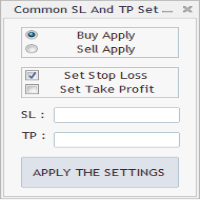
As in the Title. This is simply, but very usefull utility. Program "Common StopLoss And TakeProfit Value" enables You to set one value to Stop Loss, Take Profit, or both Stop Loss and Take Profit. For all Sell or Buy items, Depending on the option selected. All you need to do is select options, enter a value/values and press a button "APPLY THE SETTINGS". God Luck ! Enjoy using !
FREE
DF Fib Trader Pro DF Fib Trader Pro is an automated trading system designed for MetaTrader 4. It uses Fibonacci-based price levels combined with trend and structure analysis to define entry and exit points. The EA supports both long and short positions and includes built-in risk management parameters. Core Features: Uses Fibonacci retracement and extension logic to plot entry, SL and TP points. Configurable lot size and stop loss/take profit levels Choice of 1 or 2 entry points Supports fixed o
FREE
The Saz_Timer indicator belongs to the Saz_Forex suite of professional indicators designed by Traders, for Traders. This indicator will show minutes and seconds of real time on the chart window. The indicator uses the OnTimer() event so it can update even while no ticks received on the chart. The text is shown toward the bottom right of the chart, encircled red in the screenshot. Inputs: Text Colour, allows selection of the colour for the text.
FREE
Lot Calculate
Maksim Neimerik
This simple but useful script calculates the lot in % of the deposit. It is indispensable for risk management. There is only one customizable parameter: MaxRisk - risk in % for lot calculation. The product works as a standard script. Launch it once on an appropriate chart and start trading using the calculated lot value. Genious is simplicity! Happy trading!
FREE
Indicator Test Report MT4
Narayanan Mohanan Mohanan Krishnan
Indicator Test Report for MetaTrader 4 — an MT4 repaint checker and indicator tester that shows how any indicator actually behaves You cannot see inside a compiled indicator. The Indicator Test Report loads any indicator — bought, written, or built into MetaTrader — and answers the question a description cannot: does it repaint, how much history does it need, and what does it really publish? It reports behaviour. It does not grade. Load any indicator into the Strategy Tester and get a plain-lang
FREE
Gelişmiş Profesyonel İşlem Paneli - Hızlı İşlem Gerçekleştirme ve Görsel Risk Yönetimi Gelişmiş Pro İşlem Paneline hoş geldiniz! Bu güçlü, hafif ve kullanıcı dostu araç, MT4 işlem deneyiminizi kolaylaştırmak için tasarlanmıştır. İster hızlı işlem yapan bir scalper olun, ister stratejik bir swing trader, bu panel size doğrudan grafik üzerinden işlem yürütme ve risk yönetimi üzerinde tam kontrol sağlar. https://www.youtube.com/watch?v=rFM6OcDmJZM&t=13s Başlıca Özellikler ve Öne Çıkanlar: 1 T
FREE
Pip and Margin Value
SHANE O MAR EDWARDS
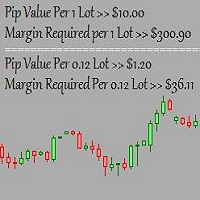
This is a basic tool that displays the Pip Value and Margin  required for each symbol. It displays the same information for both a standard lot and the amount based on lot amount entered in the input section. It allows you to use different colors for each line Font Size FontType (Based on what fonts are installed in the system folder on the pc. Set to Ariel by default if the font entered is not available.) Allows X &Y coordinates so you can decide where on the chart the info is displayed.
FREE
FFx Force Index
Eric Venturi-Bloxs
5 (1)
The purpose of this new version of the MT4 standard indicator provided in your platform is to display in a sub-window multiple timeframes of the same indicator. See the example shown in the picture below. But the display isn’t like a simple MTF indicator. This is the real display of the indicator on its timeframe. Here's the options available in the FFx indicator: Select the timeframes to be displayed (M1 to Monthly) Define the width (number of bars) for each timeframe box Alert pop up/sound/ema
FREE
Wise Men Indicator demo
Bohdan Kasyanenko
3 (2)
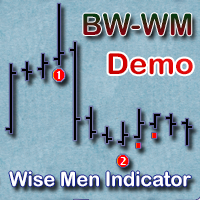
The indicator displays signals according to the strategy of Bill Williams on the chart. Demo version of the indicator has the same features as the paid, except that it can work only on a demo account . Signal "First Wise Man" is formed when there is a divergent bar with angulation.  Bullish divergent bar - with lower minimum and closing price in the upper half. Bearish divergent bar - higher maximum and the closing price at the bottom half. Angulation is formed when all three lines of Alligator
FREE
Automated Timeframe cycling with Symbols centered.  Force every timeframe onto one clock window, so the story you see on Daily is the same story you are slicing on H4, H1, and M1.  Traders usually flip timeframes and lose the span. A Daily chart shows a few weeks, then M15 shows a few hours, and the eye treats them as different markets. This indicator locks the window to N bars of the highest enabled timeframe — default 10 Daily — and maps every lower timeframe to that same stretch. You stay ins
FREE
ClearEdge Daily Candle MT4 New York-close daily candle on any timeframe, with candle countdown, live spread and volatility information. Overview  ClearEdge Daily Candle draws the current day's candle next to the live price on any chart timeframe. On the 1-minute, 5-minute, 15-minute, 1-hour or higher charts, you can see where the trading day opened, how far price has moved in both directions, and whether the day is currently bullish or bearish, without switching to the daily (D1) chart. Why
Trading panel; “Little Helper” will help you to instantly place Buy or Sell orders for several pairs in a short period of time. The advantage of this panel is that orders are placed immediately with take profit and stop loss limits, which, ultimately, has a good effect on your profit, lot and magik for orders, you can set in the corresponding parameters of the panel when adding it to the chart. Also, there is a large selection of panel colors, a choice of panel anchor angles and setting the fon
FREE
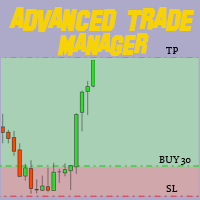
Revolutionize Your Trading with Our MT4 and MT5 Advanced Trade Manager Mt5 Version : https://www.mql5.com/en/market/product/107253 Supercharge your trading strategy with the ultimate tool for precision and control – our MT4 and MT5 Advanced Trade Manager. Beyond conventional trade managers, ours not only adapts dynamically to market conditions but also sets automatic stop-loss and take-profit levels the moment you enter a trade. Key Features: Automated Entry Strategy: Seize opportunities instant
FREE
Vik Standart
Ivan Kopchuk
4.43 (7)
Features: 1. Your constructor strategies. 2. Large selection of standard indicators. 3. Exact market entry according to your strategy. 4. Slip filter. 5. Support for four and five characters. 6. Trend trading. 7. Trading in flat. 8. Minimum deposit. 9. Aggressive or quiet trade. 10. Limit the lot. 11. Position tracking. 12. Restoring balance after loss. Input parameters    Lot - fixed lot size.    StopLot - lot restriction.    UseVxod - enable / disable login pattern.    UseStop -
FREE
Buyers of this product also purchase
Forex Trade Manager MT4
InvestSoft
4.98 (447)
Trade Manager MT4 is an advanced position size calculator and trade management tool for MetaTrader 4, designed to help traders plan trades faster, control risk more precisely, and manage open positions directly from the chart. It combines order placement, risk based lot calculation, Stop Loss and Take Profit management, Break Even, Trailing Stop, Partial Close, Equity Protection, and external trade management in one panel. Whether you trade forex, indices, metals, commodities, or crypto, Trade M
Exp COPYLOT CLIENT for MT4
Vladislav Andruschenko
4.69 (65)
Professional Trade Copier for MetaTrader 4 Fast, professional, and reliable trade copier for MetaTrader 4 . COPYLOT helps you copy Forex trades between MetaTrader 4 and MetaTrader 5 terminals with flexible synchronization for different account setups. COPYLOT MT4 version supports: MetaTrader 4 to MetaTrader 4 MetaTrader 5 Hedge to MetaTrader 4 MetaTrader 5 Netting to MetaTrader 4   MT5 version Full Description + DEMO + PDF How To Buy How To Install How to get Log Files How To Test and Optimize A
Trade Assistant MT4
Evgeniy Kravchenko
4.43 (197)
It helps to calculate the risk per trade, the easy installation of a new order, order management with partial closing functions, trailing stop of 7 types and other useful functions. Additional materials and instructions Installation instructions   -   Application instructions   Line function -   shows on the chart the Opening line, Stop Loss, Take Profit. With this function it is easy to set a new order and see its additional characteristics before opening.   Risk management  - The risk calcu
Local Trade Copier EA MT4
Juvenille Emperor Limited
4.96 (111)
Local Trade Copier EA MT4 is a fast and flexible trade copier for copying and managing trades between multiple MetaTrader 4 accounts on the same Windows computer or Windows VPS. It combines local trade synchronization with Receiver-side controls for lot sizing, risk management, trade filtering, symbol mapping, trade management and account protection. Set up your Transmitter and Receiver terminals in about 1 minute and copy manual or EA trades between accounts at the same or different brokers. U
News Filter EA MT4
Rashed Samir
5 (10)
News Filter EA: Advanced Algo Trading Assistant News Filter EA is an advanced algo trading assistant designed to enhance your trading experience. By using the   News Filter EA , you can integrate a Forex economic news filter into your existing expert advisor, even if you do not have access to its source code. In addition to the news filter, you can also specify   trading days   and   hours   for your expert. The News Filter EA also includes   risk management   and   equity protection   features
CloseIfProfitorLoss with Trailing
Vladislav Andruschenko
4.88 (32)
Close If Profit or Loss with Trailing for MetaTrader 4 — automatic closing by total profit or loss A reliable trade-management utility for MetaTrader 4 that automatically closes positions when the total profit or total loss reaches the level you set. The Expert Advisor monitors open trades, calculates floating profit and loss, can trail profit, and helps close positions faster than manual reaction. MetaTrader 4 is still used by many manual traders, grid traders, scalpers, and Expert Advisor use
RS Trade Copier
Boris Sedov
5 (1)
RS Trade Copier - the ultra-fast local trade copier with a real graphical interface. Stop typing account numbers manually. No more 200+ cryptic inputs. A reliable and flexible tool for copying trading operations between multiple MT4 and MT5 terminals. It suits experienced traders, signal providers, and individual investors. It enables trade synchronization from one or multiple Providers to one or multiple Clients with high precision and minimal latency. It supports simple automatic configuration
Trade copier MT4
Alfiya Fazylova
4.62 (37)
Trade Copier is a professional utility designed to copy and synchronize trades between trading accounts. Copying occurs from the account / terminal of the supplier to the account / terminal of the recipient, which are installed on the same computer or VPS . Before buying, you can test the demo version on a demo account. Demo version here . Full instruction here . Main functionality and benefits: Supports copying MT4> MT4, MT4> MT5, MT5> MT4, including MT5 netting accounts. * Supports copying Dem
Telegram to MT4 Coppy
Sergey Batudayev
4.09 (11)
Telegram to MT4: The Ultimate Signal Copying Solution Streamline your trading with Telegram to MT4 , the cutting-edge utility designed to copy trading signals directly from Telegram channels and chats to your MetaTrader 4 platform—without the need for DLLs. This robust solution ensures seamless execution of signals with unparalleled precision and customization options, saving you time and boosting your efficiency. [ Instructions and DEMO ] [ FAQ ] [ How atach logs properly ] [Settings descrition
TradePanel MT4
Alfiya Fazylova
4.84 (95)
Trade Panel is a multi-functional trading assistant. The app contains over 50 trading functions for manual trading and allows you to automate most trading tasks. Application instructions: https://www.mql5.com/en/blogs/post/756482 Trial version of the application for a demo account: https://www.mql5.com/en/blogs/post/750865 How to install the application: https://www.mql5.com/en/blogs/post/756239 How to test the application in visual mode: https://www.mql5.com/en/blogs/post/770277 How to install
Automatic Trailing Stop Based on Take Profit Percentage with Profit Lock EA MT4   Lock in your profits and "let your winners run" past your 100% take profit target with this EA.  This Expert Advisor automatically adjusts your Stop Loss based on up to 4 user-defined Take Profit Target Percentages, locking in your profit.  If price pushes past your 100% take profit target, the EA will automatically trail the price by user-defined pips, so you won't miss that runaway train again.   EA Features The
Telegram to MT4 Multi-Channel Copier   automatically copies trading signals from your Telegram and Discord channels straight to MetaTrader 4. No bots, no browser extensions, no manual copying. A signal arrives in Telegram or Discord and the EA opens the trade in your terminal within seconds. And before you copy a channel, the built-in backtester shows you what that channel would have done in your account. The product has two components: a Windows application that listens to your Telegram channel
TradeMirror is a trade copier EA for MT4/MT5 platform. Tutorial Please click the Trademirror Tutorial link to view more tutorials. Why TradeMirror We understand the importance of security, stability and privacy for financial software, so we've gone the extra mile to harden these three elements in detail: Provides a user-friendly graphical interface that is easy to operate Focus on privacy and security, suitable for various financial scenarios with privacy requirements for order distribution Prec
Local Copier MT4
Rodrigo Arana Garcia
Local Copier – Trade Copier for MetaTrader 4 and MetaTrader 5 A local trade copier for MetaTrader 4 and MetaTrader 5. It copies trades between terminals that run on the same Windows computer or VPS, in any direction: from MetaTrader 4 to MetaTrader 4, from MetaTrader 5 to MetaTrader 5, and between the two platforms. This is the MetaTrader 4 version. The MetaTrader 5 version is a separate product. To copy between the two platforms, install the matching version in each terminal. Additional materi
Exp Averager
Vladislav Andruschenko
4.82 (22)
Averager for MetaTrader 4 — advanced trade recovery and position series management system A professional Expert Advisor created for traders who need a controlled way to average losing positions, build a structured trade basket, and manage exits with more flexibility. Averager is designed to open additional trades when positions move into drawdown, helping you improve the average entry price and manage the entire series as one coordinated structure. This is not just another averaging utility. It
PZ Trade Pad Pro MT4
PZ TRADING SLU
3.67 (3)
Effortlessly calculate lot sizes and manage trades to save time and avoid costly errors The Trade Pad Pro EA is a tool for the Metatrader Platform that aims to help traders manage their trades more efficiently and effectively. It has a user-friendly visual interface that allows users to easily place and manage an unlimited number of trades, helping to avoid human errors and enhance their trading activity. [ Installation Guide | Update Guide | Troubleshooting | FAQ | All Products ] One of the k
Copy Cat More Trade Copier MT4 is not just a simple local trade copier; it is a complete risk management and execution framework designed for today’s trading challenges. From prop firm challenges to personal portfolio management, it adapts to every situation with its blend of robust execution, capital protection, flexible configuration, and advanced trade handling. Need Support? How to setup? Has questions? Ask here in your language , fast reply: https://www.mql5.com/en/market/product/139089/co
Trade Indicator Assistant is a powerful MT4 utility designed to turn indicators into automated trading systems. Its main feature is the ability to automatically detect an indicator’s   BUY and SELL signal buffers , without requiring you to know the buffer numbers, search through indicator settings, or modify the indicator source code. Bonus Indicator: After purchasing Trade Indicator Assistant, contact me to receive Trade Signal Pro completely free as a bonus indicator. [Download Demo Version]
DMI Drawdown Watcher: Track your Drawdowns in Real Time 100% free, functional and without limitations! The DMI Drawdown Watcher is an essential tool for traders, designed to monitor your drawdowns in real time. Ideal for optimizing your risk management, this indicator tracks your current and maximum losses, helping you meet the strict criteria of prop firms and protect your capital. Key Features: Max DrawDown Value Alert: Triggers an alert when the maximum drawdown threshold is reached. (Def
TimeFilter 4
Andrej Nikitin
1 (1)
TimeFilter indicator allows you to visually select bit masks (GoodHourOfDay, BadHoursOfDay, GoodDayOfWeek, BadDaysOfWeek) for the  Intraday Time Filter  module of trading signals of the Standard Library. The use of time filters allows you to take into account the particulars of each trading session in performing trading operations.
The Envelopes Trailing Stop is a tool that implements trailing of the stop loss order after the price based on the Envelopes trend indicator. The utility provides all the necessary parameters for customization, which allows to select the optimal configuration for any user. The EA allows to choose the trailing line depending on the type of the trade. For example, buy trades can be trailed based on the lower line of the indicator, and sell trades can be trailed based on the upper line. The Magic p
Trading History MT4
Siarhei Vashchylka
5 (9)
Trading History - A program for trading and money management on the history of quotes in stratagy tester. It can work with pending and immediate orders, and is equipped with trailing stop, breakeven and take profit functions. Very good for training and testing different strategies. Manual (Be sure to read before purchasing) Advantages 1. Allows you to test any trading strategy in the shortest possible time 2. An excellent simulator for trading training. You can gain months of trading experience
Trade Manager Pro MT4
Bryan Djoufack Nguessong
This is an Utility to make your trading easier by putting at   one click or a few clicks   time-consuming tasks as order management and risk management. Contact for a free trial. Features Risk Management   Calculates automatically lots based on risk specified in either   % or $  in the risk field and let you enter just   by placing lines for SL TP   etc and display   real-time Risk Reward . TrueRisk   so   it includes commissions when calculating lot size on FX pairs only so you risk 1% with
Copier->Convenient and fast interface interaction, users can use it right away   ->>>> Recommended to use on Windows computers or VPS Windows Features: Diversified and personalized copy trading settings: 1. Different lot modes can be set for different signal sources 2. Different signal sources can be set for forward and reverse copy trading 3. Signals can be set with comments 4. Whether to calibrate the lot according to the contract lot Diversified and personalized copy order settings 2: 1. Dif
Shepherd Safety EA
AW Trading Software Limited
4.92 (13)
AW Shepherd Safety EA is an Expert Advisor for managing open positions. The trader opens the first order from the panel, and from there the EA runs the basket on its own: it adds recovery orders with a trend filter, closes a side on TakeProfit, trailing or stop, and shows the close levels on the chart. Buys and sells are managed separately, and both sides can be open at the same time. A recovery order opens not just on a price step but once Parabolic SAR, two MAs or candle color show a reversal
Trade Assistant Pro 36 in 1
Makarii Gubaydullin
4.76 (21)
Multifunctional tool: Lot Calculator, Grid Orders, R/R ratio, Trade Manager, Supply and Demand zones, Price Action and much more Demo version   |   User manual Trade Assistant   doesn't work in the strategy tester: you can download the Demo Version HERE  to test the utility . Contact me for any questions  / ideas for improvement / in case of a bug found If you need a MT5 version, it is available   here Simplify, speed up and automate your trading process . Expand the standard terminal capabilit
Rhino Chart Drawing Tools provides a TradingView-style drawing workflow for MetaTrader 4. It includes 54 drawing tools , a customizable toolbar, Favorites, quick styling, object settings, templates and an object manager. User manual: How to use the product Free demo version: Download the demo MetaTrader 5 version: Rhino Drawing Tools for MT5 Drawing Tools Group Object List Lines Trend line, ray, extended line, horizontal line, vertical line, horizontal ray, cross line, trend angle, arrow, path
Equity Protect Pro: Your Comprehensive Account Protection Expert for Worry-Free Trading If you're looking for features like account protection, equity protection, portfolio protection, multi-strategy protection, profit protection, profit harvesting, trading security, risk control programs, automatic risk control, automatic liquidation, conditional liquidation, scheduled liquidation, dynamic liquidation, trailing stop loss, one-click close, one-click liquidation, and one-click restore, Equity P
Trade Dashboard MT4
Fatemeh Ameri
4.96 (55)
Trade Dashboard simplifies how you open, manage, and control your trades, with built-in lot size calculation. It allows you to execute trades, manage risk, and control positions directly on the chart, with tools such as partial close, breakeven, and trailing stop. Designed to reduce manual work and help you stay focused on your trading decisions. A demo version is available for testing. Detailed explanations of features are provided within the MQL5 platform. Installation instructions are include
MT4 to Telegram Signal Provider   turns your trading account into a signal provider. Every trade action, whether manual, by EA or from your phone, is instantly sent as a message to Telegram. You can fully customize the format or use a ready-made template for quick setup. [ Demo ] [ Manual ] [ MT5 Version ] [ Discord Version ]  New: [ Telegram To MT5 ] Setup A step by step user guide is available. Key Features Ability to customize order details sent to subscribers You can create a tiered subs
More from author
WONNFX trade panel MT4
Sergei Tsirat
5 (3)
WONNFX TradePanel — Trading Panel for MT4 One-click trading panel that lets you trade right from the chart. It handles market, limit and stop orders, calculates the lot from your risk automatically, moves trades to break even, trails the stop, and shows floating profit in money, points and percent. Everything sits in a compact, modern panel. Once a pending order has been placed on the chart, it can be manually moved to the desired price level. One-click trading BUY / SELL : market orders. BUY
FREE
WONNFX MONITOR: Account Dashboard for MT5 is a Expert Advisor that turns a chart window into a full account monitoring dashboard. Balance, growth, drawdown, monthly returns and dozens of statistics are gathered on one screen. The layout is the familiar one from public monitoring sites, but it runs right inside your terminal and updates in real time. The EA does not open, modify or close trades. It only reads the account history. No internet connection or third-party services are needed, so your
FREE
WONNFX TradePanel — Trading Panel for MT5 One-click trading panel that lets you trade right from the chart. It handles market, limit and stop orders, calculates the lot from your risk automatically, moves trades to break even, trails the stop, and shows floating profit in money, points and percent. Everything sits in a compact, modern panel. Once a pending order has been placed on the chart, it can be manually moved to the desired price level. One-click trading BUY / SELL : market orders. BUY
FREE
WONNFX iSTATS: Account Statistics on Your Chart A free indicator for MetaTrader 5. It shows your account’s trading results in a compact panel right on the chart: balance, equity, profit for the day, week, month, quarter and year, plus key risk metrics. No reports, no History tab, no calculators: everything you need at a glance. The indicator does not trade. It never opens or closes positions; it only reads the account history and open positions. Features Account card Balance and equity in larg
FREE
WONNFX iSTATS: Account Statistics on Your Chart A free indicator for MetaTrader 4. It shows your account’s trading results in a compact panel right on the chart: balance, equity, profit for the day, week, month, quarter and year, plus key risk metrics. No reports, no History tab, no calculators: everything you need at a glance. The indicator does not trade. It never opens or closes positions; it only reads the account history and open positions. Features Account card Balance and equity in larg
FREE
WONNFX INFOLINE: Info Line for MT5 WONNFX INFOLINE is a free indicator that shows the result of your open trades directly on the chart, right next to the price. It is a compact line in the WONNFX style with pips, profit in money, percent of balance, spread and a countdown to bar close. You don’t need to open the Trade tab or look away from the chart, because everything is in one place. It suits manual trading, monitoring Expert Advisors and scalping, where every second and every point matters.
FREE
WONNFX INFOLINE: Info Line for MT4 WONNFX INFOLINE is a free indicator that shows the result of your open trades directly on the chart, right next to the price. It is a compact line in the WONNFX style with pips, profit in money, percent of balance, spread and a countdown to bar close. You don’t need to open the Trade tab or look away from the chart, because everything is in one place. It suits manual trading, monitoring Expert Advisors and scalping, where every second and every point matters.
FREE
WONNFX ULTRA MAX is an Expert Advisor for algorithmic intraday trading on MetaTrader 5. It trades many forex pairs and gold from a single chart , by a strict trading logic and with tight risk control. Safe methods only: NO MARTINGALE — the lot is never doubled after losses. NO GRID — no ladder of counter-orders. NO AVERAGING / no adding to losing trades. Does not use "artificial intelligence." Every trade has its own Stop Loss and Take Profit . Built-in capital protection and a dedicated prop-f
WONNFX INGOT PRO is an Expert Advisor for intraday gold trading. It follows strict rules. Every trade has its own Stop Loss and Take Profit, and risk per trade is fixed as a percentage of your capital. The EA never increases lot size after a loss, never builds grids of positions, and never averages down losing trades. It is built for prop firm accounts and for brokers that enforce FIFO. It includes a Prop Firm protection module (daily limits and equity protection) and a FIFO mode that allows on

Filter:
No reviews
Reply to review