Wonnfx Monitor MT4

WONNFX MONITOR: Account Dashboard for MT4

WONNFX MONITOR is a Expert Advisor that turns a chart window into a full account monitoring dashboard. Balance, growth, drawdown, monthly returns and dozens of statistics are gathered on one screen. The layout is the familiar one from public monitoring sites, but it runs right inside your terminal and updates in real time.
The EA does not open, modify or close trades. It only reads the account history. No internet connection or third-party services are needed, so your data never leaves the terminal.
It suits monitoring a live or demo account, tracking your Expert Advisors, showing results to investors and subscribers, and making clear screenshots and videos for reports and social media.


Features

  • Header. Shows the account name and number, account type (real, demo, contest), platform, autotrading share, leverage, currency, broker, server and server time.
  • Account curve in four views:
    • Growth %;
    • Balance;
    • Profit;
    • Drawdown %.
      Hover the curve to see the date and value at any point. The last point includes floating profit.
  • Advanced statistics in three tabs:
    • STATS: 26 metrics, including win rate, profit factor, recovery factor, expectancy, Sharpe ratio, Z-score, AHPR / GHPR, best and worst trade, average trade length, consecutive wins and losses, and max drawdown in money;
    • SYMBOLS: trades, win rate, lots, pips and profit for every instrument;
    • MAGIC: the same metrics for every magic number, so you can compare Expert Advisors on one account and see manual trading separately.
  • Monthly returns. A year × month table with yearly totals, with each cell colored by its result. You can scroll through years with the ▲ ▼ buttons, and in MT5 also with the mouse wheel.
  • Periods. Profit, growth %, trades and win rate for today, this week, this month and this year.
  • Summary bar. Gain, absolute gain, average daily and monthly return, drawdown on equity and on balance, balance, equity, floating P/L, closed profit, deposits and withdrawals.
  • CSV export. One click saves the full report to the terminal’s Files folder, and the file opens in Excel.
  • Fold mode. One click folds the dashboard into a compact bar with gain, drawdown and today’s result, and the chart comes back.
  • Flexible layout. Every block can be switched off, and the remaining blocks take the free space. The dashboard adapts to the window size and screen DPI.
  • Honest numbers. Gain is a time-weighted return, so deposits and withdrawals do not distort it. Drawdown is shown both on balance and on equity.
  • Light on resources. The dashboard redraws only when the data changes.
  • Safe. The EA does not trade. All chart settings are restored when it is removed.

Note for MT4: the EA only sees the history shown on the Account History tab. Right-click that tab and choose “All History” before starting.


Settings
MONITOR SETTINGS

  • Account title: name shown in the header. Leave it empty to use the account owner name.
  • Hide account number: hides the account number, which is useful for public screenshots.
  • Default curve: the curve shown at start. The options are Growth, Balance, Profit and Drawdown.
  • Monthly returns: max years shown: how many years are visible in the monthly table at once. Older years scroll with the ▲ ▼ buttons.
  • Points per pip: points in one pip. 0 means automatic (10 for 3/5-digit symbols and gold).
  • Screen refresh, seconds: how often the dashboard checks for new values.
  • Full history recalculation, seconds: how often the whole history is recalculated. It is also recalculated right after every trade.
  • Lots decimal places: decimals for lot values.
  • Currency decimal places: decimals for money values.
  • Thousands separator: shows 12 345.67 instead of 12345.67.

BLOCKS

  • Show account curve: the growth / balance / profit / drawdown chart.
  • Show advanced statistics: the statistics block with the STATS / SYMBOLS / MAGIC tabs.
  • Show monthly returns: the year × month table.
  • Show periods: the today / week / month / year block.
  • Show account summary bar: the bottom bar with gain, drawdown, balance, deposits and more.

BREAKDOWN & EXPORT

  • Statistics card: tab “by symbol”: shows the SYMBOLS tab.
  • Statistics card: tab “by magic number”: shows the MAGIC tab.
  • Magic numbers for the magic tab: a comma-separated list, for example 12345,777,0. Leave it empty for all magic numbers. 0 means manual trades.
  • Show EXPORT button: the button that saves the report to a CSV file.

PANEL POSITION

  • Dashboard margin from chart edges, px: the gap between the dashboard and the chart edges.
  • Dashboard collapsed at start: starts the dashboard folded into the compact bar.
  • Hide price chart & scales while dashboard is open: hides the price chart and scales while the dashboard is open. In MT4 it hides the scales and the OHLC line. Everything is restored when the dashboard is folded or removed.
  • Collapsed bar: chart corner: the chart corner for the folded bar.
  • Collapsed bar: offset X, px: horizontal offset of the folded bar from that corner.
  • Collapsed bar: offset Y, px: vertical offset of the folded bar from that corner.

PANEL STYLE

  • Panel scale: size of the dashboard. 1.0 means automatic, based on screen DPI and window size.
  • Text size: 0.9 is small, 1.0 is default and 1.2 is large.
  • Profit color: color of profit and positive values.
  • Loss color: color of loss and negative values.
  • Text color: main text color.
  • Secondary text color: color of labels and row names.
  • Growth curve color: color of the growth curve.
  • Balance curve color: color of the balance curve.
  • Striped table rows: zebra rows in tables for easier reading.
Produtos recomendados
Check out other great products from  https://www.mql5.com/en/users/augustinekamatu/seller   This indicator is the best so far at determining the currency strength of each pair. It provides stable values and is highly adaptive to market changes. It is a great tool to add to your arsenal to make sure you are on the right side of the trend at all times. No inputs required, it is simple plug and play. A Winning Trading Strategy This article describes the components and logic needed to develop a tra
FREE
Top Clock MT4
Blasius Kiss
5 (1)
Displays a digital clock in the chart in realtime. Benefits: Current time always in sight for market open/close, economic data, etc. Displays accurate time (server/broker time) Clearly visible (set color, size, font, position) Always runs/refreshes even without new price tick Hint: To display the most accurate time, use the server (broker) clock setting combined with the time (hour) offset for your time zone.
FREE
Scalping Day Trading Support Utility Scalping One MT4 free One position is displayed with one button. View P & L, Lot, and Point in real time. It is possible to switch the display of positions of only chart currencies and all currency pairs.  (The free version has only 3 positions) Supports automatic identification in Japanese and English   Account currency notation corresponds to dollar, euro, pound, yen (automatic identification) The timeline drawing function can be linked with the clock disp
FREE
This indicator alerts you when/before new 1 or 5 minute bar candle formed. In other words,this indicator alerts you every 1/5 minutes. This indicator is especially useful for traders who trade when new bars formed. *This indicator don't work propery in strategy tester.Use this in live trading to check functionality. There is more powerful Pro version .In Pro version,you can choose more timeframe and so on. Input Parameters Alert_Or_Sound =Sound ----- Choose alert or sound or both to notify y
FREE
O Matrix Arrow Indicator Multi Timeframe Panel MT4 é um complemento gratuito e um grande trunfo para o seu Matrix Arrow Indicator MT4 . Ele mostra o sinal atual do Matrix Arrow Indicator MT4 para 5 intervalos de tempo personalizados pelo usuário e para 16 símbolos / instrumentos modificáveis ​​no total. O usuário tem a opção de habilitar / desabilitar qualquer um dos 10 indicadores padrão, que compõem o Indicador de Seta de Matriz MT4 . Todos os atributos dos 10 indicadores padrão também são aj
FREE
Period Change Button
Rainer Albrecht
3 (1)
Fastest way to change the period. Suitable for traders who use many charts and timeframes. Size, shape and color can be customized. Inputs Parameters Corner — Choose corner placement Standart is "Right lower chart corner" Color — Background color of the button ColorText — Text color of the button ColorOn — Background color of the button for the current period ColorOnText — Text color of the button for the current period Font — Arial, Verdana... FontSize — Size of the font in pixels DistanceX —
FREE
Manual zig zag
Andrey Koshcheev
5 (7)
Manual Zig-zag allows you to build a zig-zag with the mouse, to build it is necessary to turn on the zig-zag and left-click. The file must be placed in the \ MQL4 \ Indicators folder then in the terminal from the list of indicators put it on the chart. A zigzag can be built so that this zigzag can only be seen on the current time frame or in all halves at once. You can change the color and thickness of the line while on the chart without getting into the settings. You can quickly remove each
FREE
Show Pips
Roman Podpora
4.27 (59)
Este indicador de informação será útil para quem quer estar sempre atento à situação atual da conta. O indicador exibe dados como lucro em pontos, porcentagem e moeda, bem como o spread do par atual e o tempo até o fechamento da barra no período atual. VERSÃO MT5 -   Indicadores mais úteis Existem várias opções para colocar a linha de informação no gráfico: À direita do preço (corre atrás do preço); Como comentário (no canto superior esquerdo do gráfico); No canto selecionado da tela. Também é
FREE
Ultra Scalper Pro
Vadim Korolyuk
4.4 (10)
Scalping Expert Advisor trades from daily support and resistance levels. Trading expert does not use indicators. Recommended use a broker with 5 signs and a low spread. To protect the account from trading during spread expansion, added parameter: "MaxSpread", in which you specify the maximum allowable spread (15-20 pips). A month opens 16-18 deals on average. Benefits: Expert always uses Takeprofit, Stoploss and Traillingstop; Expert does not use a grid or martingale system; Expert can work with
FREE
NeuroExtMT4
Dmytryi Voitukhov
https://t.me/mql5_neuroExt   actual version Signal  https://www.mql5.com/ru/signals/1516213 You can use any tool. The bases will be automatically created at the start of the Learn. If you need to start learning from 0 - just delete the base files. Initial deposit - from 200 ye. Options: DO NOT ATTEMPT TO TEST WITHOUT NEURAL NETWORK TRAINING! it is enough for the balance graph after training to be horizontal. generating a training base is extremely simple.  there is a ready-made training for
FREE
Gold Confluence by Bongkah is a manual trading assistant for Gold (XAUUSD) on MetaTrader 4. The product provides a dashboard that combines several technical market conditions into a single visual interface. It is designed to support traders who use their own trading methods, such as Price Action, Support and Resistance, Supply and Demand, trendlines, breakouts, or other technical approaches. The product does not execute trades automatically. Trade entries, exits, Stop Loss, Take Profit, positio
FREE
PZ Trade Pad EA
PZ TRADING SLU
4.29 (31)
This simple visual expert advisor allows you to trade easily from the chart. It handles risk management for you and can perform several useful tasks with your existing trades, saving time and making risk-management for each individual trade easier.  [ Installation Guide | Update Guide | Troubleshooting | FAQ | All Products   |  Get Help ] Trade easily from the chart Trade with precise risk management, hassle free Trade pending order with drag and drop price selection Set SL and TP levels with
FREE
Local Trade Copier LTC
AMIRUL SHAFIQ BIN OTHMAN Shafiq
Local Trade Copier O Local Trade Copier (LTC) permite copiar ordens suportadas entre contas MetaTrader ligadas através de um painel no gráfico. Funciona com terminais compatíveis MT4 e MT5, incluindo ligações entre plataformas quando a edição correspondente do LTC está instalada em ambos os lados. Copia atividade elegível sem gerar sinais próprios de entrada e mantém as definições da conta recetora sob o seu controlo. Estrutura de ligação Para cópia num único sentido, defina MASTER como origem
FREE
IceFX TradeInfo
Norbert Mereg
4.77 (44)
IceFX’s TradeInfo é um indicador de utilidade que exibe as informações mais importantes da conta e a posição atual. Informações exibidas: Informações sobre a conta (saldo, capital líquido, Margem Livre). spread, rebaixamento (DD), objetivos de lucro, expectativas de perdas, etc. Número de posições abertas, volume (LOTES), lucro. Intervalo diário e o de ontem. Tempo restante para o próximo candle. Informações de lucro do último dia (com indicador integrado IceFX ProfitInfo). Risco - informações b
FREE
Trendline indicator
David Muriithi
2 (1)
Are you tired of drawing trendlines every time you're analyzing charts? Or perhaps you would like more consistency in your technical analysis. Then this is for you. This indicator will draw trend lines automatically when dropped on a chart. How it works Works similar to standard deviation channel found on mt4 and mt5. It has 2 parameters: 1. Starting Bar 2. Number of bars for calculation The   starting bar   is the bar which drawing of the trend lines will begin, while the   number of bars for c
FREE
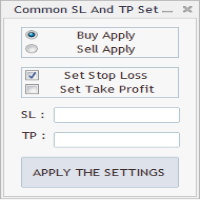
As in the Title. This is simply, but very usefull utility. Program "Common StopLoss And TakeProfit Value" enables You to set one value to Stop Loss, Take Profit, or both Stop Loss and Take Profit. For all Sell or Buy items, Depending on the option selected. All you need to do is select options, enter a value/values and press a button "APPLY THE SETTINGS". God Luck ! Enjoy using !
FREE
DF Fib Trader Pro O DF Fib Trader Pro é um sistema de negociação automatizado desenvolvido para o MetaTrader 4. Utiliza níveis de preços baseados em Fibonacci combinados com análise de tendências e estrutura para definir pontos de entrada e saída. O EA suporta posições longas e curtas e inclui parâmetros de gestão de risco integrados. Principais Recursos: • Utiliza a lógica de retração e extensão de Fibonacci para traçar pontos de entrada, SL e TP. • Tamanho de lote e níveis de stop loss/take
FREE
Free. A picture of every trade, saved for you, without lifting a finger. TrueRisk Trade Journal takes a picture of the chart the moment a trade opens and again when it closes, writes the trade's numbers on the picture (side, lots, entry, stop, target, profit, R, how long you held it) and adds one row per closed trade to a journal file you can open in Excel or Google Sheets. It works for every trade on the account: trades from your panel, from an Expert Advisor, or from the MetaTrader app on your
FREE
The Saz_Timer indicator belongs to the Saz_Forex suite of professional indicators designed by Traders, for Traders. This indicator will show minutes and seconds of real time on the chart window. The indicator uses the OnTimer() event so it can update even while no ticks received on the chart. The text is shown toward the bottom right of the chart, encircled red in the screenshot. Inputs: Text Colour, allows selection of the colour for the text.
FREE
This simple but useful script calculates the lot in % of the deposit. It is indispensable for risk management. There is only one customizable parameter: MaxRisk - risk in % for lot calculation. The product works as a standard script. Launch it once on an appropriate chart and start trading using the calculated lot value. Genious is simplicity! Happy trading!
FREE
Indicator Test Report MT4
Narayanan Mohanan Mohanan Krishnan
Indicator Test Report para MetaTrader 4 — um verificador de repintura e testador de indicadores MT4 que mostra como qualquer indicador realmente se comporta Você não pode ver o interior de um indicador compilado. O Relatório de Teste de Indicadores carrega qualquer indicador — comprado, escrito ou incorporado no MetaTrader — e responde à pergunta que uma descrição não pode: ele é redesenhado, de quanto histórico ele precisa e o que ele realmente publica? Ele relata comportamento. Não dá nota. Ca
FREE
Gelişmiş Profesyonel İşlem Paneli - Hızlı İşlem Gerçekleştirme ve Görsel Risk Yönetimi Gelişmiş Pro İşlem Paneline hoş geldiniz! Bu güçlü, hafif ve kullanıcı dostu araç, MT4 işlem deneyiminizi kolaylaştırmak için tasarlanmıştır. İster hızlı işlem yapan bir scalper olun, ister stratejik bir swing trader, bu panel size doğrudan grafik üzerinden işlem yürütme ve risk yönetimi üzerinde tam kontrol sağlar. https://www.youtube.com/watch?v=rFM6OcDmJZM&t=13s Başlıca Özellikler ve Öne Çıkanlar: 1 T
FREE
This is a basic tool that displays the Pip Value and Margin  required for each symbol. It displays the same information for both a standard lot and the amount based on lot amount entered in the input section. It allows you to use different colors for each line Font Size FontType (Based on what fonts are installed in the system folder on the pc. Set to Ariel by default if the font entered is not available.) Allows X &Y coordinates so you can decide where on the chart the info is displayed.
FREE
FFx Force Index
Eric Venturi-Bloxs
5 (1)
The purpose of this new version of the MT4 standard indicator provided in your platform is to display in a sub-window multiple timeframes of the same indicator. See the example shown in the picture below. But the display isn’t like a simple MTF indicator. This is the real display of the indicator on its timeframe. Here's the options available in the FFx indicator: Select the timeframes to be displayed (M1 to Monthly) Define the width (number of bars) for each timeframe box Alert pop up/sound/ema
FREE
Wise Men Indicator demo
Bohdan Kasyanenko
3 (2)
The indicator displays signals according to the strategy of Bill Williams on the chart. Demo version of the indicator has the same features as the paid, except that it can work only on a demo account . Signal "First Wise Man" is formed when there is a divergent bar with angulation.  Bullish divergent bar - with lower minimum and closing price in the upper half. Bearish divergent bar - higher maximum and the closing price at the bottom half. Angulation is formed when all three lines of Alligator
FREE
Automated Timeframe cycling with Symbols centered.  Force every timeframe onto one clock window, so the story you see on Daily is the same story you are slicing on H4, H1, and M1.  Traders usually flip timeframes and lose the span. A Daily chart shows a few weeks, then M15 shows a few hours, and the eye treats them as different markets. This indicator locks the window to N bars of the highest enabled timeframe — default 10 Daily — and maps every lower timeframe to that same stretch. You stay ins
FREE
ClearEdge Daily Candle MT4 New York-close daily candle on any timeframe, with candle countdown, live spread and volatility information. Overview  ClearEdge Daily Candle draws the current day's candle next to the live price on any chart timeframe. On the 1-minute, 5-minute, 15-minute, 1-hour or higher charts, you can see where the trading day opened, how far price has moved in both directions, and whether the day is currently bullish or bearish, without switching to the daily (D1) chart. Why
Painel de negociação; "Little Helper" irá ajudá-lo a colocar instantaneamente ordens de compra ou venda para vários pares em um curto período de tempo. A vantagem deste painel é que os pedidos são colocados imediatamente com limites de take profit e stop loss, o que, em última análise, tem um bom efeito no seu lucro, lote e magia para pedidos, você pode definir os parâmetros correspondentes do painel ao adicioná-lo ao gráfico. Além disso, há uma grande variedade de cores de painel, uma escolha d
FREE
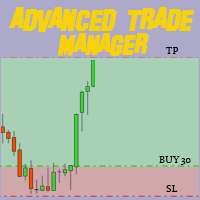
Revolucione seu trading com nosso Gerenciador de Operações Avançado para MT4 e MT5 Versão MT5: https ://www .mql5 .com /en /market /product /107253 Impulsione sua estratégia de trading com a ferramenta definitiva de precisão e controle – nosso Gerenciador de Operações Avançado para MT4 e MT5. Diferente dos gerenciadores convencionais, o nosso não apenas se adapta dinamicamente às condições de mercado, mas também define automaticamente níveis de stop-loss e take-profit assim que você inicia uma
FREE
Vik Standart
Ivan Kopchuk
4.43 (7)
Features: 1. Your constructor strategies. 2. Large selection of standard indicators. 3. Exact market entry according to your strategy. 4. Slip filter. 5. Support for four and five characters. 6. Trend trading. 7. Trading in flat. 8. Minimum deposit. 9. Aggressive or quiet trade. 10. Limit the lot. 11. Position tracking. 12. Restoring balance after loss. Input parameters    Lot - fixed lot size.    StopLot - lot restriction.    UseVxod - enable / disable login pattern.    UseStop -

FREE
Os compradores deste produto também adquirem
Bem-vindo ao Trade Manager EA—uma ferramenta de gestão de risco criada para tornar o trading mais intuitivo, preciso e eficiente. Não é apenas uma ferramenta para executar ordens, mas uma solução abrangente para planejamento de operações, gerenciamento de posições e controle de risco. Seja você um iniciante, trader avançado ou scalper que precisa de execução rápida, o Trade Manager EA adapta-se às suas necessidades, oferecendo flexibilidade em todos os mercados, desde forex e índices até commodi
Exp COPYLOT CLIENT for MT4
Vladislav Andruschenko
4.69 (65)
Copiador profissional de operações para MetaTrader 4 Copiador de operações rápido, profissional e confiável para MetaTrader 4 . COPYLOT permite copiar operações de Forex entre os terminais MetaTrader 4 e MetaTrader 5 , com sincronização flexível para diferentes tipos de conta e cenários de negociação. A versão COPYLOT MT4 oferece suporte para: MetaTrader 4 → MetaTrader 4 MetaTrader 5 Hedge → MetaTrader 4 MetaTrader 5 Netting → MetaTrader 4   Versão MT5 Descrição completa + DEMO + PDF Como compra
Local Trade Copier EA MT4
Juvenille Emperor Limited
4.96 (111)
Local Trade Copier EA MT4 é um copiador de operações rápido e flexível para copiar e gerenciar operações entre várias contas MetaTrader 4 no mesmo computador Windows ou Windows VPS. Ele combina a sincronização local de operações com controles no lado do Receiver para tamanho de lote, gerenciamento de risco, filtragem de operações, mapeamento de símbolos, gerenciamento de operações e proteção da conta. Configure seus terminais Transmitter e Receiver em aproximadamente 1 minuto e copie operações
Trade Assistant MT4
Evgeniy Kravchenko
4.43 (197)
Ajuda a calcular o risco por comércio, a fácil instalação de uma nova encomenda, gestão de encomendas com funções de fecho parcial, trailing stop de 7 tipos e outras funções úteis. Materiais e instruções adicionais Instruções de instalação - Instruções para a aplicação   Função de linha Mostra no gráfico a linha de Abertura, Stop Loss, Take Profit. Com esta função é fácil definir uma nova ordem e ver as suas características adicionais antes da abertura.   Gestão de risco A função de cálculo do
Trade copier MT4
Alfiya Fazylova
4.62 (37)
Trade Copier é um utilitário profissional projetado para copiar e sincronizar negociações entre contas de negociação. A cópia ocorre da conta / terminal do fornecedor para a conta / terminal do destinatário, instalada no mesmo computador ou vps. Antes de comprar, você pode testar a versão demo em uma conta demo. Versão de demonstração aqui . Instruções completas aqui . Principais funcionalidades e benefícios: Suporta a cópia de MT4> MT4, MT4> MT5, MT5> MT4, incluindo contas "MT5 netting". Os mod
TradePanel MT4
Alfiya Fazylova
4.84 (95)
Trade Panel é um assistente de negociação multifuncional. O aplicativo contém mais de 50 funções de negociação para trading manual e permite automatizar a maioria das tarefas de negociação. Instruções para o aplicativo: https://www.mql5.com/pt/blogs/post/762435 Versão de teste do aplicativo para conta demo: https://www.mql5.com/pt/blogs/post/762547 Como instalar o aplicativo: https://www.mql5.com/pt/blogs/post/762548 Como testar o aplicativo no modo visual: https://www.mql5.com/pt/blogs/post/770
Telegram to MT4 Coppy
Sergey Batudayev
4.09 (11)
Telegram para MT4:   A solução definitiva para cópia de sinais Otimize suas negociações com   o Telegram para MT4   , o utilitário de última geração desenvolvido para copiar sinais de negociação diretamente de canais e chats do Telegram para sua plataforma MetaTrader 4 — sem a necessidade de DLLs. Esta solução robusta garante a execução perfeita de sinais com precisão incomparável e opções de personalização, economizando seu tempo e aumentando sua eficiência. [ Instructions and DEMO ] Principais
News Filter EA: Advanced Algo Trading Assistant News Filter EA is an advanced algo trading assistant designed to enhance your trading experience. By using the   News Filter EA , you can integrate a Forex economic news filter into your existing expert advisor, even if you do not have access to its source code. In addition to the news filter, you can also specify   trading days   and   hours   for your expert. The News Filter EA also includes   risk management   and   equity protection   features
RS Trade Copier - o local trade copier ultrarrápido com uma interface gráfica verdadeira . Pare de digitar números de conta manualmente. Chega daquela lista enorme de 200+ parâmetros de entrada incompreensíveis. Uma ferramenta confiável e flexível para cópia de operações comerciais entre múltiplos terminais MT4 e MT5. Atende tanto traders experientes e serviços de sinais quanto investidores individuais. Permite sincronizar negociações de um ou múltiplos Provedores para um ou múltiplos Clientes c
O MT4 para Telegram Signal Provider é uma ferramenta fácil de usar e totalmente personalizável que permite o envio de sinais para o Telegram, transformando sua conta em um provedor de sinais. O formato das mensagens é totalmente personalizável! No entanto, para uso simples, você também pode optar por um modelo predefinido e habilitar ou desabilitar partes específicas da mensagem. [ Demonstração ]   [ Manual ] [ Versão MT5 ] [ Versão Discord ] [ Canal do Telegram ]  New: [ Telegram To MT5 ] Conf
Automatic Trailing Stop Based on Take Profit Percentage with Profit Lock EA MT4   Lock in your profits and "let your winners run" past your 100% take profit target with this EA.  This Expert Advisor automatically adjusts your Stop Loss based on up to 4 user-defined Take Profit Target Percentages, locking in your profit.  If price pushes past your 100% take profit target, the EA will automatically trail the price by user-defined pips, so you won't miss that runaway train again.   EA Features The
O Telegram to MT4 Multi-Channel Copier copia automaticamente os sinais de trading dos seus canais de Telegram e Discord diretamente para o MetaTrader 4. Sem bots, sem extensões de navegador, sem copiar à mão. O sinal chega ao Telegram ou ao Discord e o EA abre a operação no seu terminal em poucos segundos. E antes de copiar um canal, o backtester integrado mostra o que esse canal teria feito na sua conta. O produto inclui dois componentes: um aplicativo de Windows que escuta os seus canais de Te
TradeMirror é uma ferramenta local de cópia de ordens desenvolvida para as plataformas MT4/MT5, com suporte à sincronização de negociações em tempo real. Samouczek Kliknij link Samouczek Trademirror , aby zobaczyć więcej samouczków. Vantagens do Produto Alinhado com os altos padrões de segurança, estabilidade e privacidade para softwares financeiros, otimizamos três aspectos fundamentais: Interface gráfica intuitiva para operação simplificada Proteção de privacidade reforçada para isolamento de
Equity Protect Pro: Seu Especialista em Proteção de Contas Abrangente para Negociação Tranquila Se você está procurando recursos como proteção de conta, proteção de patrimônio, proteção de portfólio, proteção de múltiplas estratégias, proteção de lucro, coleta de lucro, segurança de negociação, programas de controle de risco, controle automático de risco, liquidação automática, liquidação condicional, liquidação programada, liquidação dinâmica, trailing stop loss, fechamento com um clique, liqu
Exp Averager
Vladislav Andruschenko
4.82 (22)
Averager para MetaTrader 4 — sistema profissional de recuperação de operações e gestão de séries de posições Um Expert Advisor profissional criado para traders que precisam de uma forma controlada de fazer média em posições em drawdown, reorganizar sua cesta de operações e administrar a saída com muito mais precisão. O Averager foi desenvolvido para abrir operações adicionais quando o mercado se move contra uma posição existente, ajudando a melhorar o preço médio de entrada e a construir uma es
PZ Trade Pad Pro MT4
PZ TRADING SLU
3.67 (3)
Este é um painel de negociação visual que ajuda você a realizar e gerenciar operações facilmente, evitando erros humanos e aprimorando sua atividade comercial. Ele combina uma interface visual fácil de usar com uma abordagem sólida de gerenciamento de riscos e posições. [ Guia de instalação | Guia de atualização | Solução de problemas | FAQ | Todos os produtos ] Surpreendentemente fácil de usar Negocie facilmente a partir do gráfico Negocie com gerenciamento preciso de riscos, sem complicações
Precisa de suporte? Como configurar? Tem dúvidas? Pergunte aqui no seu idioma, resposta rápida: https://www.mql5.com/en/market/product/139089/comments Baixar versão de teste funcional Copy Cat More (Gato Copião) — Copiador de Trades (Trade Copier) MT4 não é apenas um simples copiador local de trades; é um completo framework de gerenciamento de risco e execução (risk management and execution framework) projetado para os desafios de trading de hoje. De desafios de prop firm ao gerenciamento de
Trade Manager FX – Calculadora de risco, painel de negociação e gestão de operações para MT4 O Trade Manager FX é um painel de negociação completo para traders manuais. Planeje a operação no gráfico, deixe o painel calcular o lote correto para o seu risco e envie com um clique. Após a entrada, ele gere a posição por você com break even, trailing stop, fechamentos parciais e proteção de capital. Materiais adicionais e instruções Instruções de instalação - Manual do usuário  - Versão MT5 Arras
Trade Indicator Assistant is a powerful MT4 utility designed to turn indicators into automated trading systems. Its main feature is the ability to automatically detect an indicator’s   BUY and SELL signal buffers , without requiring you to know the buffer numbers, search through indicator settings, or modify the indicator source code. Bonus Indicator: After purchasing Trade Indicator Assistant, contact me to receive Trade Signal Pro completely free as a bonus indicator. [Download Demo Version]
TimeFilter indicator allows you to visually select bit masks (GoodHourOfDay, BadHoursOfDay, GoodDayOfWeek, BadDaysOfWeek) for the  Intraday Time Filter  module of trading signals of the Standard Library. The use of time filters allows you to take into account the particulars of each trading session in performing trading operations.
The Envelopes Trailing Stop is a tool that implements trailing of the stop loss order after the price based on the Envelopes trend indicator. The utility provides all the necessary parameters for customization, which allows to select the optimal configuration for any user. The EA allows to choose the trailing line depending on the type of the trade. For example, buy trades can be trailed based on the lower line of the indicator, and sell trades can be trailed based on the upper line. The Magic p
Trading History MT4
Siarhei Vashchylka
5 (9)
Trading History - A program for trading and money management on the history of quotes in stratagy tester. It can work with pending and immediate orders, and is equipped with trailing stop, breakeven and take profit functions. Very good for training and testing different strategies. Manual (Be sure to read before purchasing) Advantages 1. Allows you to test any trading strategy in the shortest possible time 2. An excellent simulator for trading training. You can gain months of trading experience
Trade Manager Pro MT4
Bryan Djoufack Nguessong
Esta é uma utilidade para facilitar a sua negociação, colocando a um clique ou alguns cliques tarefas demoradas como gestão de ordens e gestão de riscos. Características Gestão do risco   Calcula automaticamente os lotes com base no risco especificado em % ou $ no campo de risco e deixa-o entrar apenas colocando linhas para SL TP etc. e exibir a Recompensa de Risco em tempo real. TrueRisk para que inclua comissões ao calcular o tamanho do lote em pares FX apenas para que arrisque 1% com tod
Copiadora->Interação de interface conveniente e rápida, os usuários podem usá-la imediatamente       ->>>> Recomendado para uso em computadores Windows ou VPS Windows Características: Configurações de negociação de cópias diversificadas e personalizadas: 1. Diferentes modos de lote podem ser definidos para diferentes fontes de sinal 2. Diferentes fontes de sinal podem ser definidas para negociação de cópias direta e reversa 3. Os sinais podem ser definidos com comentários 4. Se deve calibrar o
The product will copy all telegram signal to MT4   ( which you are member  ) , also it can work as remote copier.  Easy to set up, copy order instant, can work with almost signal formats, image signal, s upport to translate other language to English Work with all type of channel or group, even channel have "Restrict Saving Content", work with  multi channel, multi MT5 Work as remote copier: with signal have ticket number, it will copy exactly via ticket number. Support to backtest signal. How to
FCK CurrencyStrength Pro
Patel Hitendrakumar Mahendrabhai
Hi Friends, " FCK Currency Strength Pro " is a auto & semi auto trading expert with direction of pair. Buy-Sell separate or multi currency in one click. The strategy of  FCK Currency Strength Pro  is a combination of custom indicator, Trendlines, Support & Resistance levels ( Price Action ) and most important secretive trading algorithm mentioned above. Download News Ex4 and csv file You need the following SDSnews.ex4 in MQL4/Libraries and the daylightsavings.csv in MQL4/Files. Only 4 of 5 copi
Shepherd Safety EA
AW Trading Software Limited
4.92 (13)
AW Shepherd Safety EA é um Expert Advisor para gerenciar posições abertas. A primeira ordem é aberta pelo trader no painel, e a partir daí o EA conduz a cesta sozinho: adiciona ordens de recuperação com filtro de tendência, fecha o lado por TakeProfit, trailing ou stop e mostra os níveis de fechamento no gráfico. Compras e vendas são geridas separadamente, e os dois lados podem ficar abertos ao mesmo tempo. A ordem de recuperação não é aberta apenas pelo passo de preço, mas depois de uma reversã
Trade Assistant Pro 36 in 1
Makarii Gubaydullin
4.76 (21)
Ferramenta Multifuncional: Calculadora de Lotes, Ordens Grid, Proporção R/R, Gerenciador de Trades, Zonas de Oferta e Demanda, Price Action e muito mais Versão Demo   |   Manual do usuário O Assistente de Trading não funciona no testador de estratégias: você pode baixar a Versão Demo AQUI para testar a utilidade . Entre em contato para qualquer dúvida / ideias de melhoria / em caso de encontrar um bug Se você precisa de uma versão MT5, está disponível aqui Simplifique, acelere e automatize seu
Rhino Chart Drawing Tools oferece um fluxo de trabalho de desenho no estilo TradingView para o MetaTrader 4. Inclui 54 ferramentas de desenho , uma barra de ferramentas personalizável, Favoritos, estilos rápidos, configurações de objetos, modelos e um gerenciador de objetos. Manual do usuário: Como usar o produto Versão demo gratuita: Baixar a demo Versão para MetaTrader 5: Rhino Drawing Tools para MT5 Ferramentas de desenho Grupo Lista de objetos Linhas Linha de tendência, raio, linha estendi
Trade Dashboard MT4
Fatemeh Ameri
4.96 (55)
Trade Dashboard simplifies how you open, manage, and control your trades, with built-in lot size calculation. It allows you to execute trades, manage risk, and control positions directly on the chart, with tools such as partial close, breakeven, and trailing stop. Designed to reduce manual work and help you stay focused on your trading decisions. A demo version is available for testing. Detailed explanations of features are provided within the MQL5 platform. Installation instructions are include

Mais do autor
WONNFX TradePanel — Trading Panel for MT5 One-click trading panel that lets you trade right from the chart. It handles market, limit and stop orders, calculates the lot from your risk automatically, moves trades to break even, trails the stop, and shows floating profit in money, points and percent. Everything sits in a compact, modern panel. Once a pending order has been placed on the chart, it can be manually moved to the desired price level. One-click trading BUY / SELL : market orders. BUY
FREE
WONNFX trade panel MT4
Sergei Tsirat
5 (3)
WONNFX TradePanel — Trading Panel for MT4 One-click trading panel that lets you trade right from the chart. It handles market, limit and stop orders, calculates the lot from your risk automatically, moves trades to break even, trails the stop, and shows floating profit in money, points and percent. Everything sits in a compact, modern panel. Once a pending order has been placed on the chart, it can be manually moved to the desired price level. One-click trading BUY / SELL : market orders. BUY
FREE
WONNFX iSTATS: Account Statistics on Your Chart A free indicator for MetaTrader 4. It shows your account’s trading results in a compact panel right on the chart: balance, equity, profit for the day, week, month, quarter and year, plus key risk metrics. No reports, no History tab, no calculators: everything you need at a glance. The indicator does not trade. It never opens or closes positions; it only reads the account history and open positions. Features Account card Balance and equity in larg
FREE
WONNFX iSTATS: Account Statistics on Your Chart A free indicator for MetaTrader 5. It shows your account’s trading results in a compact panel right on the chart: balance, equity, profit for the day, week, month, quarter and year, plus key risk metrics. No reports, no History tab, no calculators: everything you need at a glance. The indicator does not trade. It never opens or closes positions; it only reads the account history and open positions. Features Account card Balance and equity in larg
FREE
WONNFX INFOLINE: Info Line for MT5 WONNFX INFOLINE is a free indicator that shows the result of your open trades directly on the chart, right next to the price. It is a compact line in the WONNFX style with pips, profit in money, percent of balance, spread and a countdown to bar close. You don’t need to open the Trade tab or look away from the chart, because everything is in one place. It suits manual trading, monitoring Expert Advisors and scalping, where every second and every point matters.
FREE
WONNFX MONITOR: Account Dashboard for MT5 WONNFX MONITOR is a Expert Advisor that turns a chart window into a full account monitoring dashboard. Balance, growth, drawdown, monthly returns and dozens of statistics are gathered on one screen. The layout is the familiar one from public monitoring sites, but it runs right inside your terminal and updates in real time. The EA does not open, modify or close trades. It only reads the account history. No internet connection or third-party services are n
FREE
WONNFX INFOLINE: Info Line for MT4 WONNFX INFOLINE is a free indicator that shows the result of your open trades directly on the chart, right next to the price. It is a compact line in the WONNFX style with pips, profit in money, percent of balance, spread and a countdown to bar close. You don’t need to open the Trade tab or look away from the chart, because everything is in one place. It suits manual trading, monitoring Expert Advisors and scalping, where every second and every point matters.
FREE
WONNFX ULTRA MAX is an Expert Advisor for algorithmic intraday trading on MetaTrader 5. It trades many forex pairs and gold from a single chart , by a strict trading logic and with tight risk control. Safe methods only: NO MARTINGALE — the lot is never doubled after losses. NO GRID — no ladder of counter-orders. NO AVERAGING / no adding to losing trades. Every trade has its own Stop Loss and Take Profit . Built-in capital protection and a dedicated prop-firm module. It is not a “deposit booster”
Filtro:
Sem comentários
Responder ao comentário