LocalTimePlus
- Utilities
- Version: 1.0

LocalTimePlus replaces MT5’s default time and price scales with a fully custom system featuring automatic local‑time correction, high‑precision crosshair display, intuitive zoom controls, and a transparent canvas rendering engine.
It completely solves the “time‑offset problem” for scalpers, short‑term traders, and users trading on overseas servers.
📌 Overview
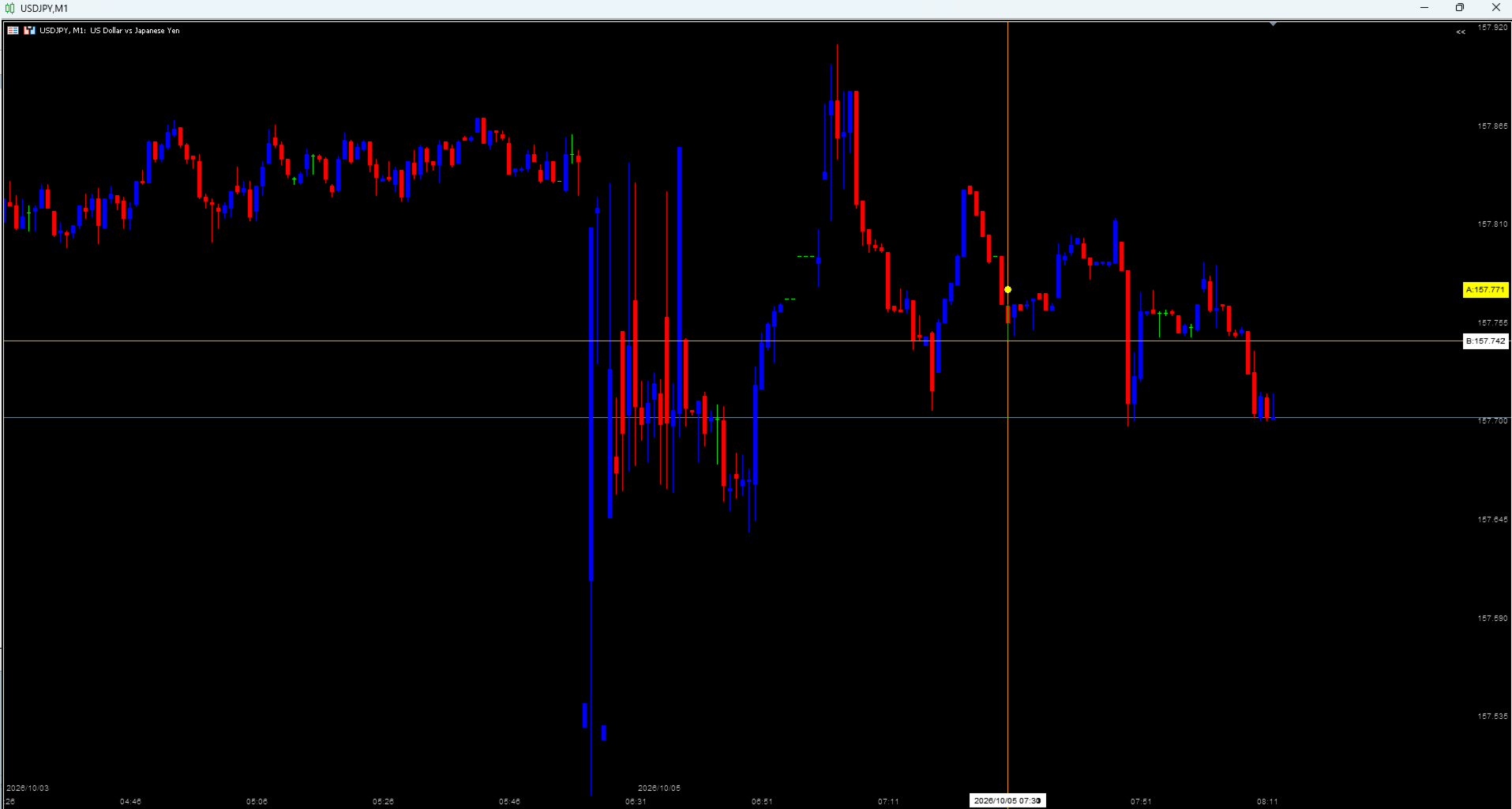
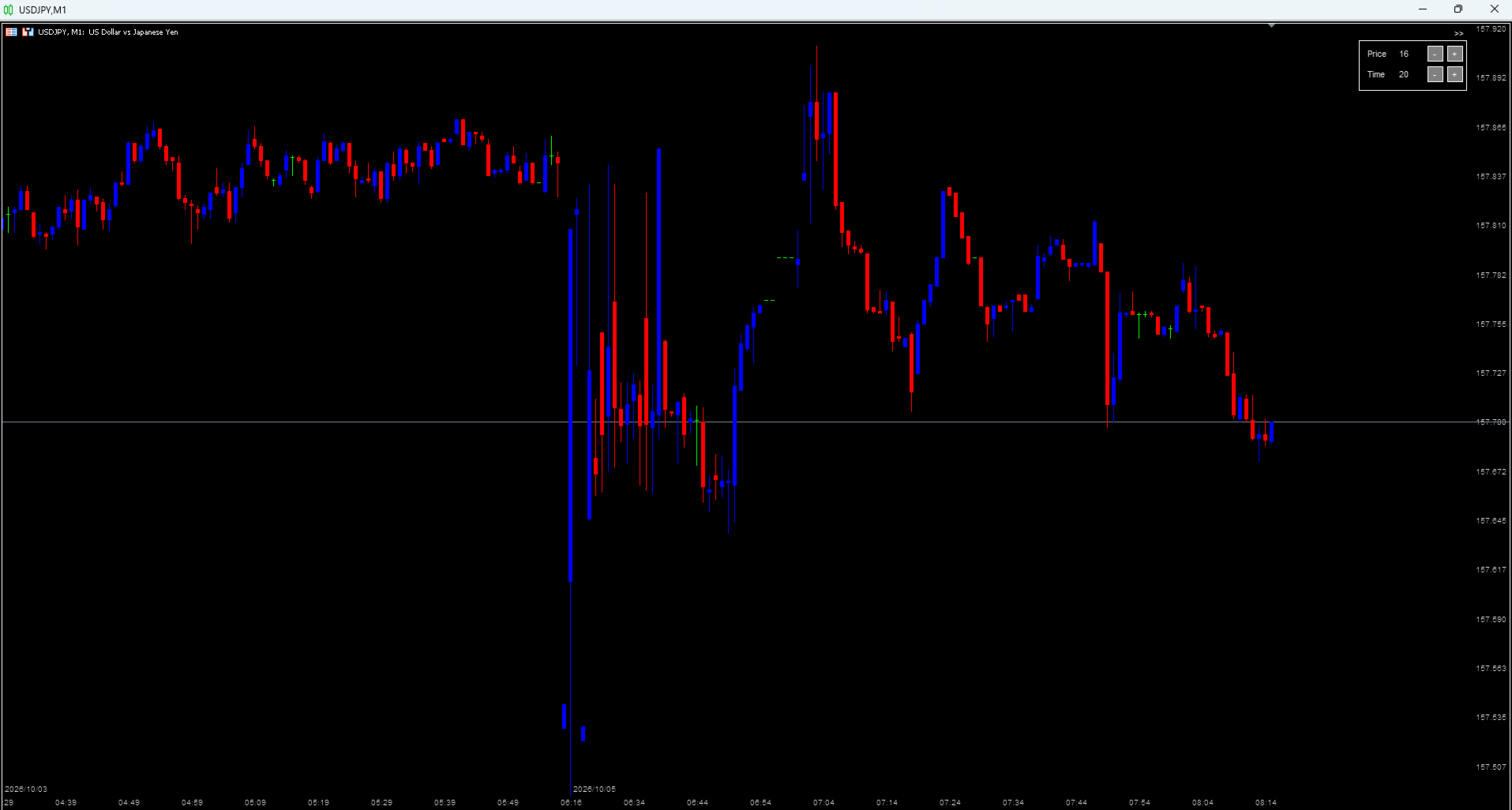
LocalTimePlus overlays a transparent canvas on the MT5 chart and draws a custom time scale, price scale, and enhanced crosshair UI.
You can hide MT5’s default scales and fully replace them with this custom system.
🚀 Main Features1️⃣ Automatic Local‑Time Correction (AutoOffset)
- Automatically calculates the difference between server time and local time
- Applies stable correction in 15‑minute increments
- Manual offset (hours/minutes) also available
- All time labels, crosshair timestamps, and date displays follow local time
2️⃣ Custom Time Scale (Bottom)
- Evenly spaced time labels
- Optional seconds display
- Date displayed only when the day changes
- Label density adjustable via + / – buttons in the top‑right panel
3️⃣ Custom Price Scale (Right)
- Evenly spaced price labels
- Fully adjustable label density
- Can completely replace MT5’s default price scale
- Always readable even during zooming
4️⃣ Enhanced Crosshair Display
- Toggle ON/OFF by clicking empty chart space
- Displays:
- Bid price badge
- Ask price badge (spread‑based calculation)
- Local‑time timestamp
- Date + time in one line (CrossShowDate)
- Snaps to candle start time to eliminate MT5’s “mid‑candle offset”
5️⃣ Intuitive Zoom Controls
- Vertical Zoom: Click the right price‑label area and drag up/down
- Horizontal Zoom: Click the bottom time‑label area and drag left/right
- Double‑click: Reset price scale to auto‑scale
- Zoom mode shows “V” / “H” hints
- Smooth zooming with pixel accumulation
6️⃣ High‑Performance Transparent Canvas Rendering
- Fully transparent canvas
- Custom UI drawn directly on top of the chart
- No flicker
- Lightweight and fast
- Works on any timeframe and any symbol
▶ Top‑Right Panel
- << / >> to open/close
- Price (price label density)
- Time (time label density)
- Adjust each with + / – buttons
▶ Mouse Controls
- Click empty chart → Crosshair ON/OFF
- Right price area click + drag up/down → Vertical zoom
- Bottom time area click + drag left/right → Horizontal zoom
- Double‑click right price area → Reset auto‑scale
- AutoOffset
- TimeOffsetHours / TimeOffsetMinutes
- ShowSeconds
- FontsizeA
- LabelDiv / PriceDiv
- ShowDef
- CrossColor / CrossBgColor / CrossTxtColor
- CrossAskBgColor / CrossAskTxtColor
- ShowDate / CrossShowDate
- RoundTime
- Traders who are bothered by time offsets
- Scalpers and short‑term traders who need precise timestamps
- Users who find MT5’s default scales hard to read
- Anyone frustrated by crosshair time drift
- Users who want a cleaner, more powerful chart UI
This tool is a high‑performance UI extension that effectively replaces MT5’s native drawing engine. Local‑time correction, custom scales, enhanced crosshair, and intuitive zoom controls are all combined into a single powerful package.