Stochastic Auto Close MT5
- Utilities
- Version: 1.20
- Activations: 5

Stochastic Auto Close is a specialized, utility-focused Expert Advisor designed to lock in profits and protect your capital by automatically liquidating open positions the moment the Stochastic Oscillator reaches extreme overbought or oversold conditions.
Unlike traditional trading robots, this utility never opens new trades. Instead, it monitors your chart in real time on every live tick and instantly liquidates ongoing manual positions when the market reaches exhaustion levels, helping discretionary traders exit at peak cycle extremes without hesitation.
Designed for traders who want an automated, zero-lag exit strategy based on oscillator momentum and cycle reversals.
-
Zero trade opening: Strictly manages and liquidates existing positions without opening any unwanted trades or interfering with manual entries
-
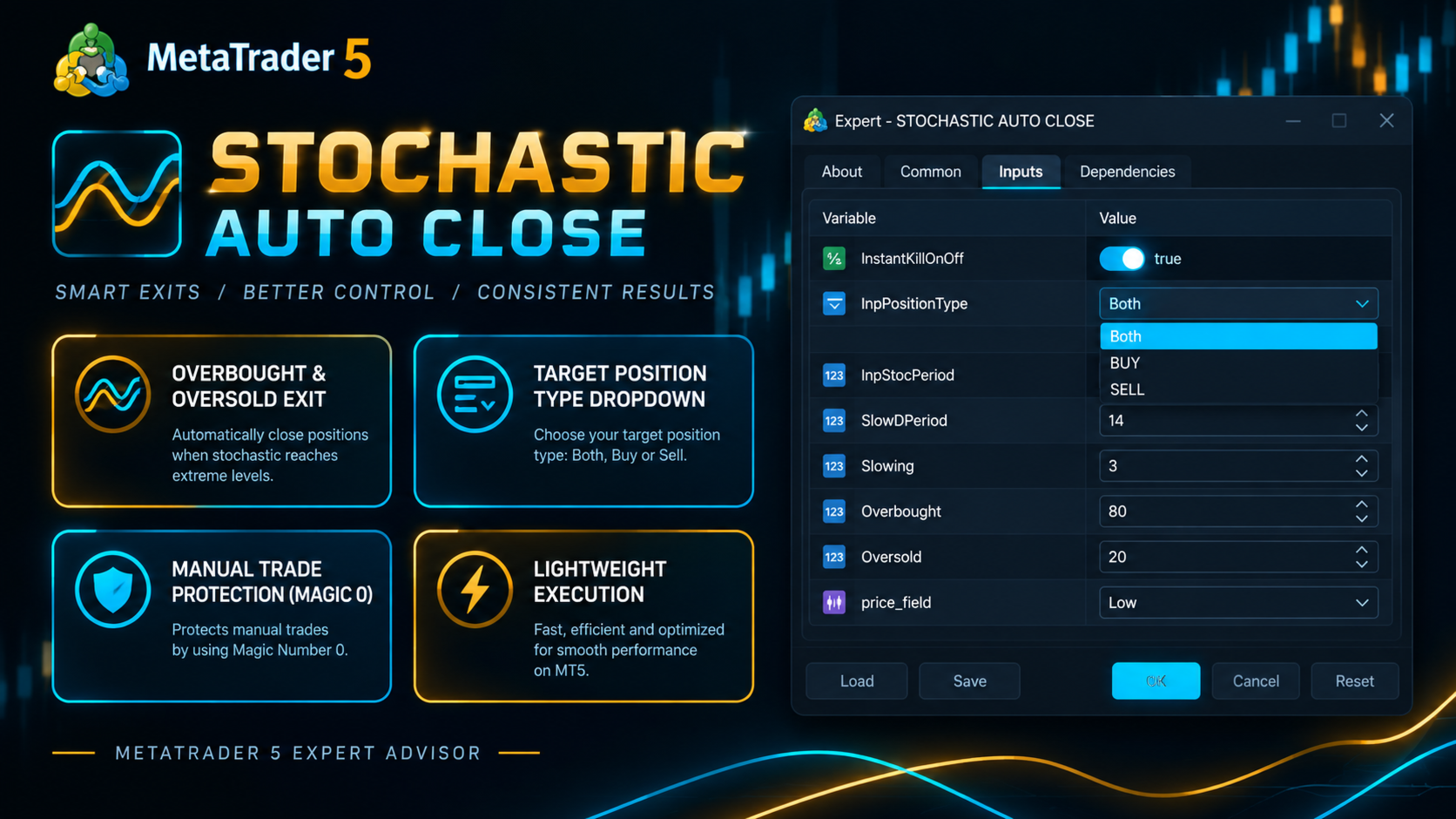
Target direction selection: Choose whether the utility manages BUY-only, SELL-only, or Both directions via a dedicated dropdown menu
-
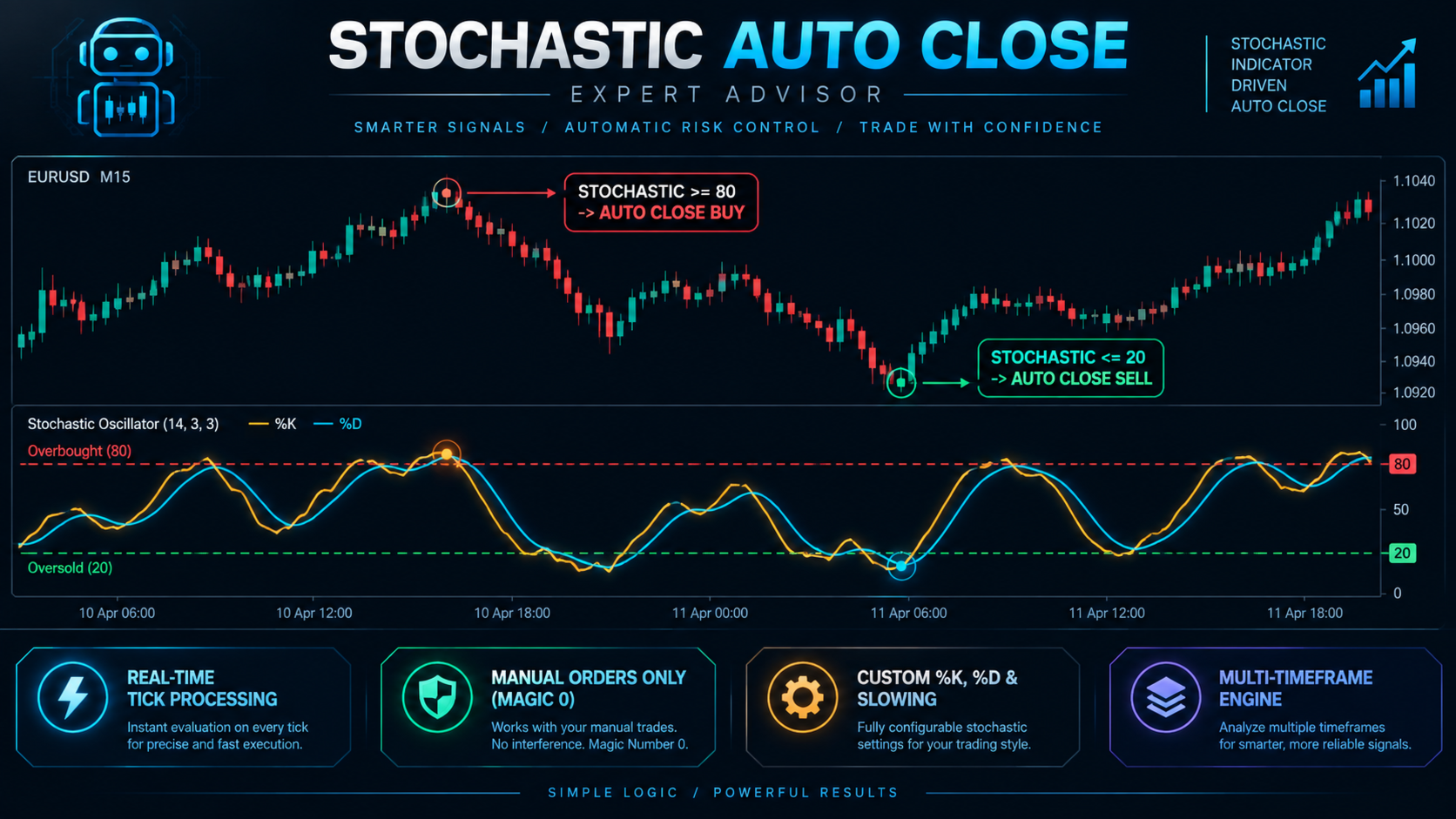
Instant tick-by-tick execution: Evaluates Stochastic levels on every live price tick for sub-millisecond response time
-
Exhaustion exit logic: Automatically closes BUY positions when Stochastic enters the Overbought zone, and closes SELL positions when Stochastic drops into the Oversold zone
-
Manual trade filter: Safely targets manual trades (Magic Number = 0) on the attached chart symbol
-
Customizable Stochastic settings: Fully adjustable %K period, %D period, slowing, smoothing method (SMA, EMA, SMMA, LWMA), and price field (Low/High or Close/Close)
-
Multi-timeframe capability: Calculate Stochastic on the current chart or link it to a higher timeframe for macro-level exit confirmation
-
One-click master switch: Enable or disable the instant kill feature with a single input toggle
-
High performance: Ultra-lightweight codebase optimized for minimal CPU and memory usage during live trading and backtesting
-
Instant Kill Switch: Master toggle (true / false) to enable or disable automatic position closure
-
Target Position Type: Dropdown selector to choose between Both (BUY & SELL), BUY Only, or SELL Only position management
-
Stoc Period: Calculation period for %K line (default: 14)
-
SlowD Period: Calculation period for %D line (default: 3)
-
Slowing: Slowing value for the Stochastic calculation (default: 3)
-
MA Method: Smoothing calculation method (Simple, Exponential, Smoothed, or Linear Weighted)
-
Price Field: Calculation price field (Low/High or Close/Close)
-
Stoc Overbought at: Upper threshold level for closing BUY positions (default: 80)
-
Stoc Oversold at: Lower threshold level for closing SELL positions (default: 20)
-
Stoc Timeframe: Target calculation timeframe (Current chart or specific timeframe)
-
Stoc Applied Price: Applied price parameter for calculation compatibility