Nse Bse Mcx Data For MetaTrader 5
- Utilities
-
Rajesh Kumar Nait
 Hi, I'm Rajesh, a MQL Developer with a B.Tech in Information Technology. With over 12 years of programming experience, I've transitioned from being a PHP developer, specializing in web development, to a full-time MQL5 programmer and crypto trader. Having expert level experience in coding EA related
- Version: 1.0
- Activations: 8
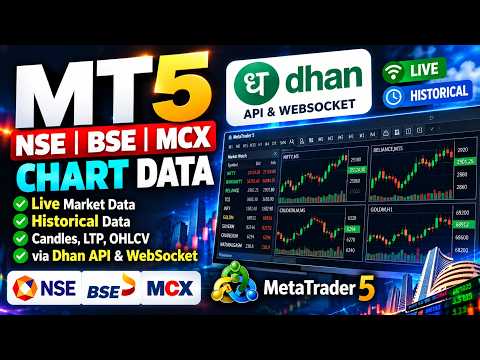
Dhan Market Data for MetaTrader 5
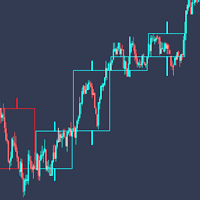
Stream live market data and download historical candles from your Dhan account directly into MetaTrader 5. This utility creates custom symbols for NSE, BSE and MCX, feeds real-time ticks over WebSocket, builds live candles, and backfills history from the Dhan v2 Data APIs. No trading operations are performed — market data only.
Features
- Create custom symbols for NSE, BSE and MCX under the "Dhan" folder from Dhan's official instrument master.
- Filter symbol creation by exchange (NSE/BSE/MCX), instrument class (Equity / Futures / Options / Index), exact names or name substrings.
- Live tick feed (Ticker / Quote / Full packet modes) with automatic ping-pong keep-alive and auto-reconnect.
- Live candle building that updates the current bar and rolls a new bar each period.
- Historical data downloader (1/5/15/25/60-minute and daily) via a chart button or scheduled auto-update mode.
- Feeds only the symbols you select in Market Watch, so you control your data usage.
- Feed disconnects cleanly when MT5 closes or the EA is removed from the chart.
Requirements
- A Dhan account with an active Data API subscription (live feed, depth and historical data require the paid Data plan).
- Dhan Client ID and Access Token (generate from web.dhan.co → My Profile → Access DhanHQ APIs; valid 24 hours).
Setup
- In MetaTrader 5, open Tools → Options → Expert Advisors → "Allow WebRequest for listed URL" and add:
- Enter your Client ID and Access Token in the inputs, or place them in MQL5\Files\dhan_auth.txt (line 1 = Client ID, line 2 = Access Token).
- Run in "Create Symbols" mode to build the symbols you need, then switch to Live or History mode.
Modes
- Create Symbols — builds custom symbols from the Dhan instrument list.
- Live — streams ticks and builds candles for Market Watch symbols.
- History / Scheduled Update — downloads OHLCV and keeps it updated.
This product uses the official DhanHQ v2 APIs. Documentation: https://dhanhq.co/docs/v2/