N8N AI Trading Assistant for Telegram or Discord
- Utilities
- Version: 1.0
- Activations: 5

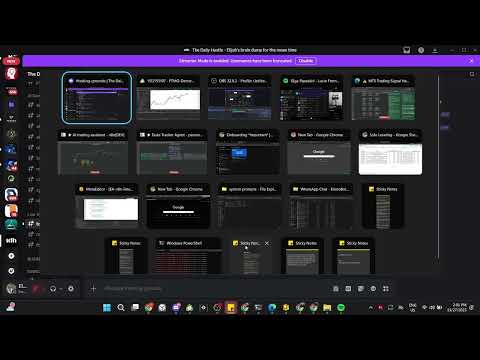
AI Trading Assistant | Discord/Telegram → MetaTrader 5 Automation
An advanced automation framework that enables natural language trade instructions sent from Discord or Telegram to be executed automatically on MetaTrader 5 using n8n workflows and a custom Expert Advisor.
This solution integrates modern workflow automation with MetaTrader 5, allowing users to send trade instructions such as:
-
“buy EURUSD 1% risk 30 pip SL 3R TP”
-
“sell GBPUSD now 2% 20 SL 60 TP”
-
“buy limit EURUSD at 1.0850 with 1% risk 15 SL 2R”
The system interprets, processes, and routes these commands to MT5 for execution without manual intervention.
Main Features
Natural Language Command Parsing
Trade instructions are interpreted in plain English without requiring strict syntax. The parser supports common shortcuts (e.g., EU = EURUSD, GU = GBPUSD) and handles both market and limit orders.
Discord/Telegram Integration
Monitors designated channels for trade commands. Messages are classified as trade execution, inquiries, help requests, or signal management.
Signal Management
Trade signals are queued and served via HTTP endpoints. The MetaTrader 5 Expert Advisor polls these endpoints and executes pending trades on reception.
Position Sizing Logic
Lot sizes are dynamically calculated based on risk percentage and stop loss pips. The system supports accurate pip handling across all major FX pairs and XAUUSD.
Execution Workflow
-
n8n workflows receive and preprocess user instructions
-
Signals are stored in a managed queue
-
The MT5 Expert Advisor polls for new signals
-
Trades execute according to risk parameters with stop loss and take profit rules
Included Components
-
n8n workflow for Discord/Telegram command capture
-
n8n signal handler for MT5 communication
-
Custom MetaTrader 5 Expert Advisor (MQL5)
Quick Setup
-
Import both n8n workflows and configure API credentials.
-
Add webhook URLs to the MT5 WebRequest whitelist.
-
Attach the EA to an MT5 chart and enable algo trading.
-
Use a demo account for testing before any live deployment.
Important Notes
This tool is provided as an educational automation example and is not financial advice. It is recommended for use with demo accounts to explore workflow automation and integration concepts. Users are fully responsible for validating logic, testing extensively, and ensuring compliance with applicable regulations.