Advanced HTF Multi
- Indicators
- Version: 1.0
- Activations: 20

Advanced HTF Multi is a Multi-Timeframe indicator for MetaTrader 5 designed to display higher-timeframe candles directly on the current chart.
The indicator allows multiple HTF structures to be monitored at the same time, making it easier to compare higher-timeframe candles with price action on the current chart without constantly switching between timeframes.
Up to 8 independent HTF groups can be configured.
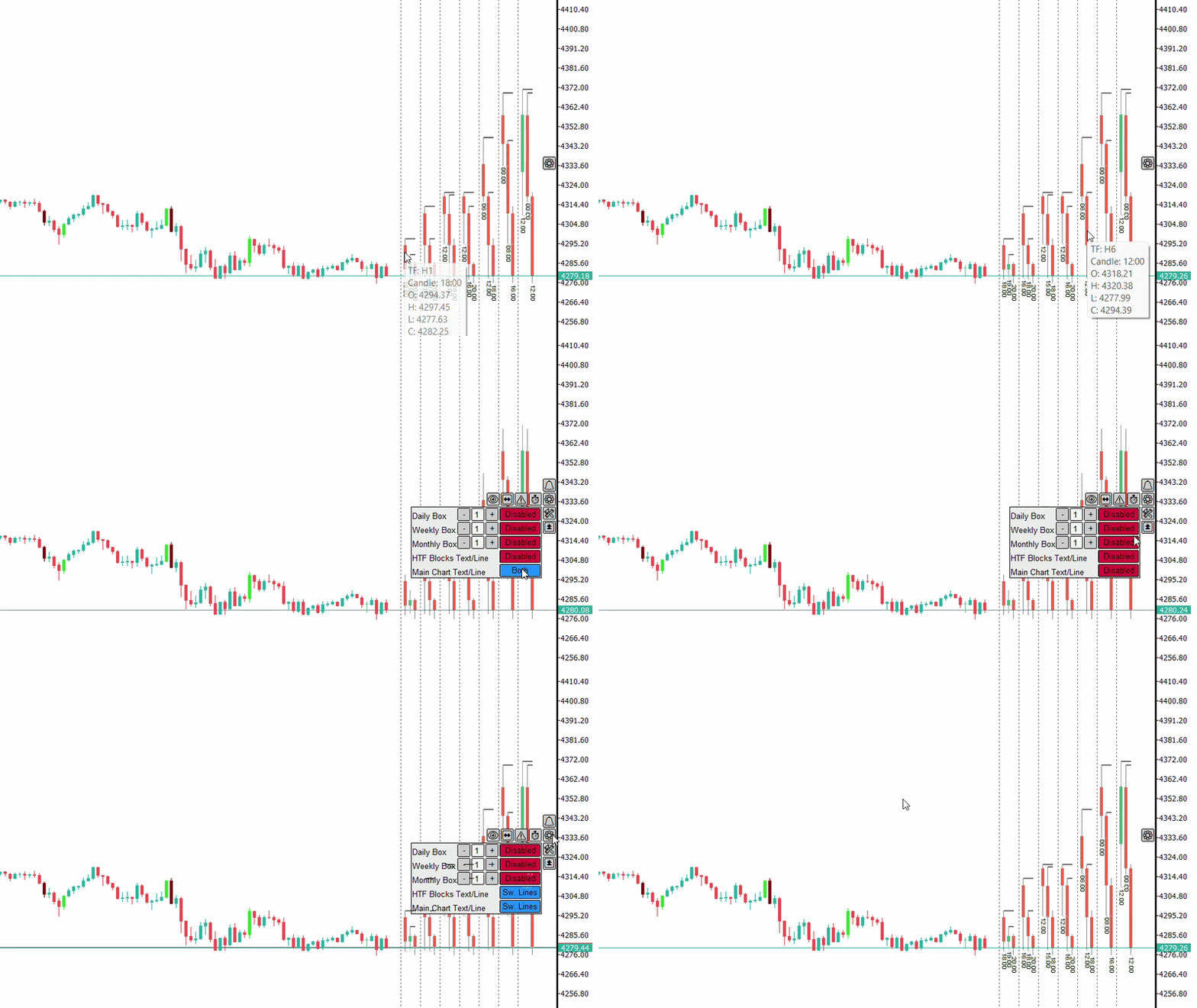
Multi-Timeframe Visualization
Each HTF group can have its own configuration:
- Timeframe
- Visibility state
- Number of candles in Multi mode
- Number of candles in Focus mode
- Alert settings
- Range Sweep settings
Timeframes and the main group settings can be changed directly from the indicator panel.
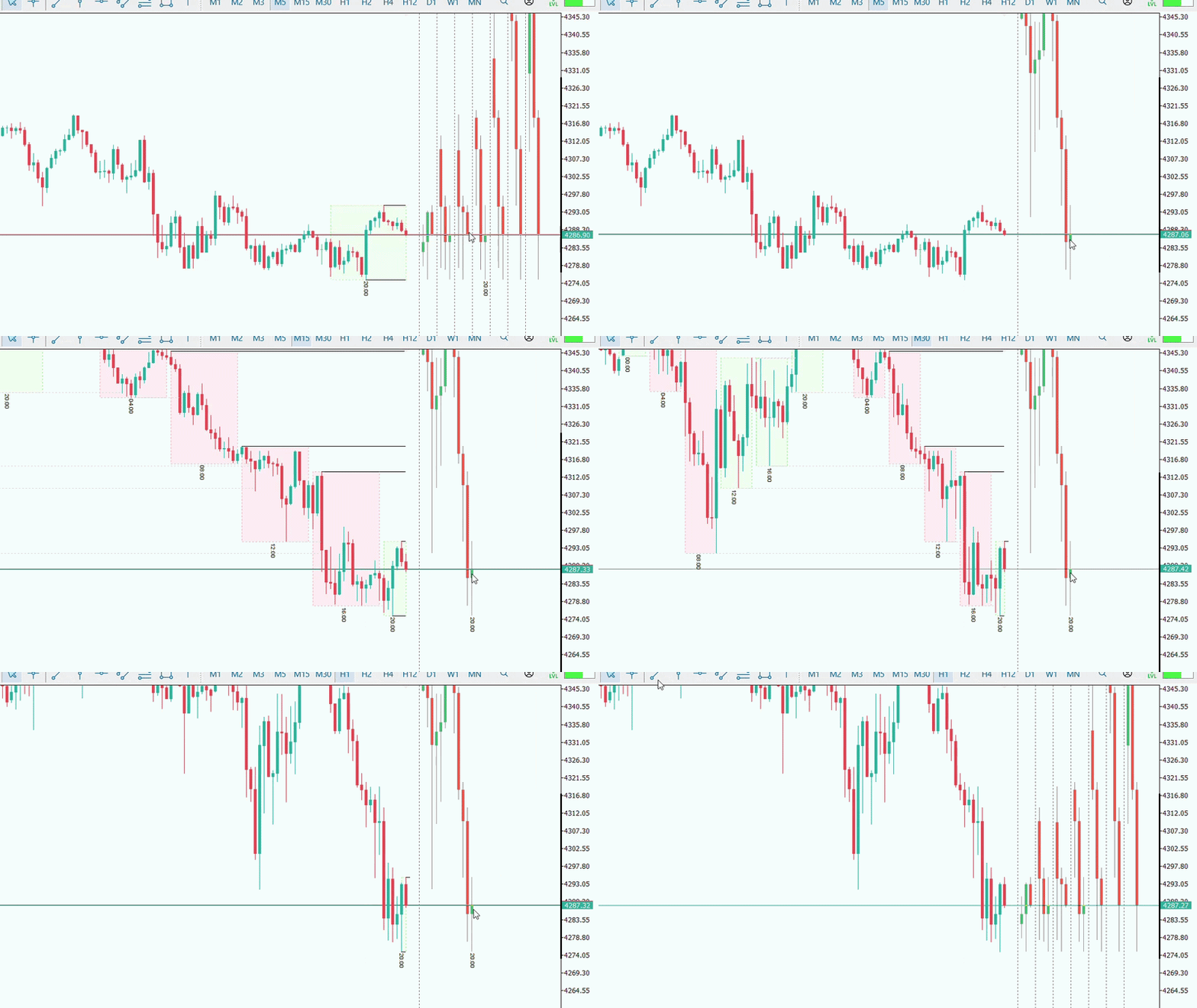
Multi Mode
Multi mode displays several configured timeframes simultaneously.
This allows different market structures to remain visible while the user works on a lower execution timeframe.
Each group displays its own HTF candles and corresponding price structure.
Focus Mode
Focus mode displays a selected HTF with a larger number of candles.
Switching between Multi mode and the individual view of an HTF can be done by interacting with the opening-time text of the HTF candle.
This allows a specific timeframe to be analyzed in more detail without changing the timeframe of the main chart.
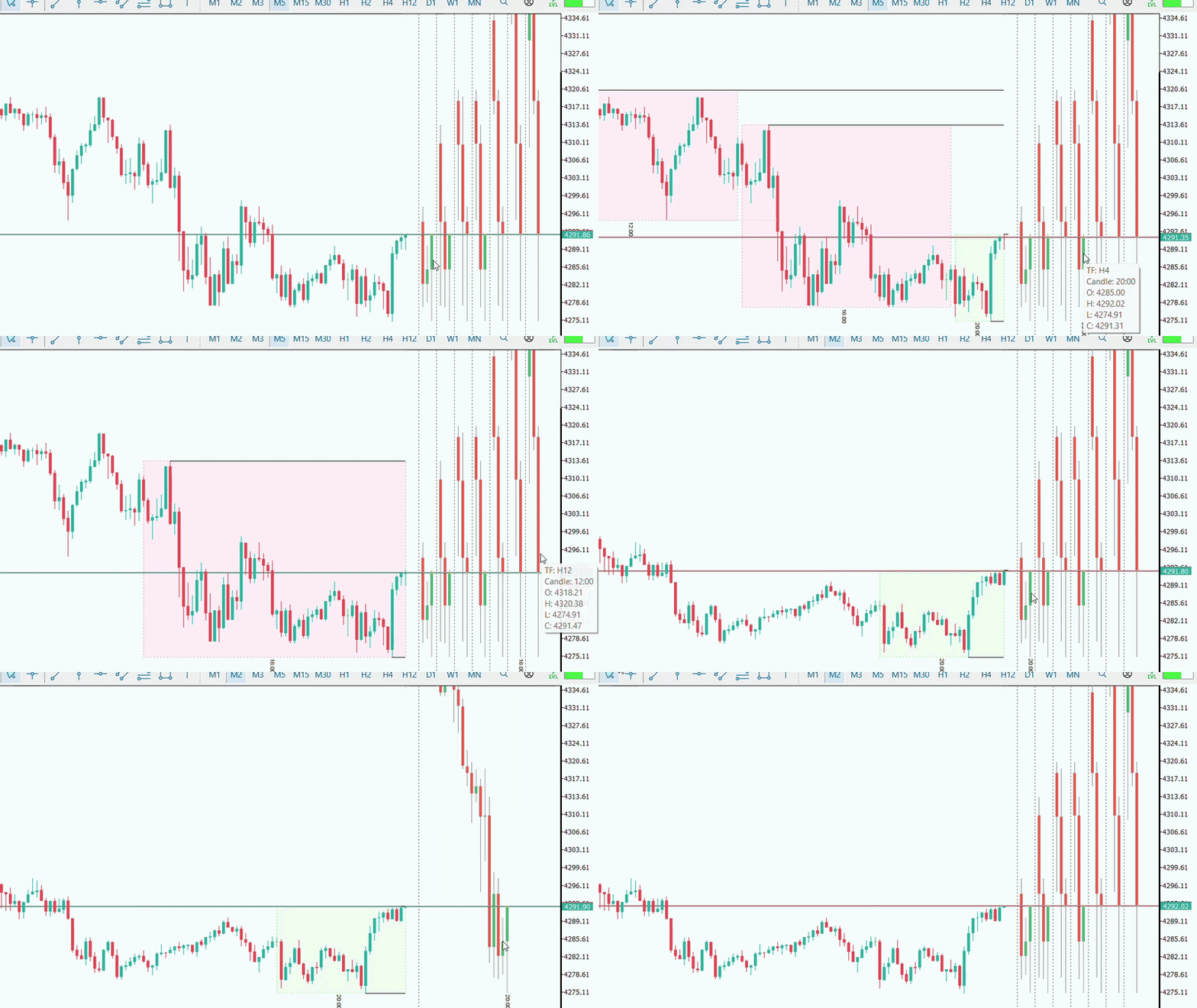
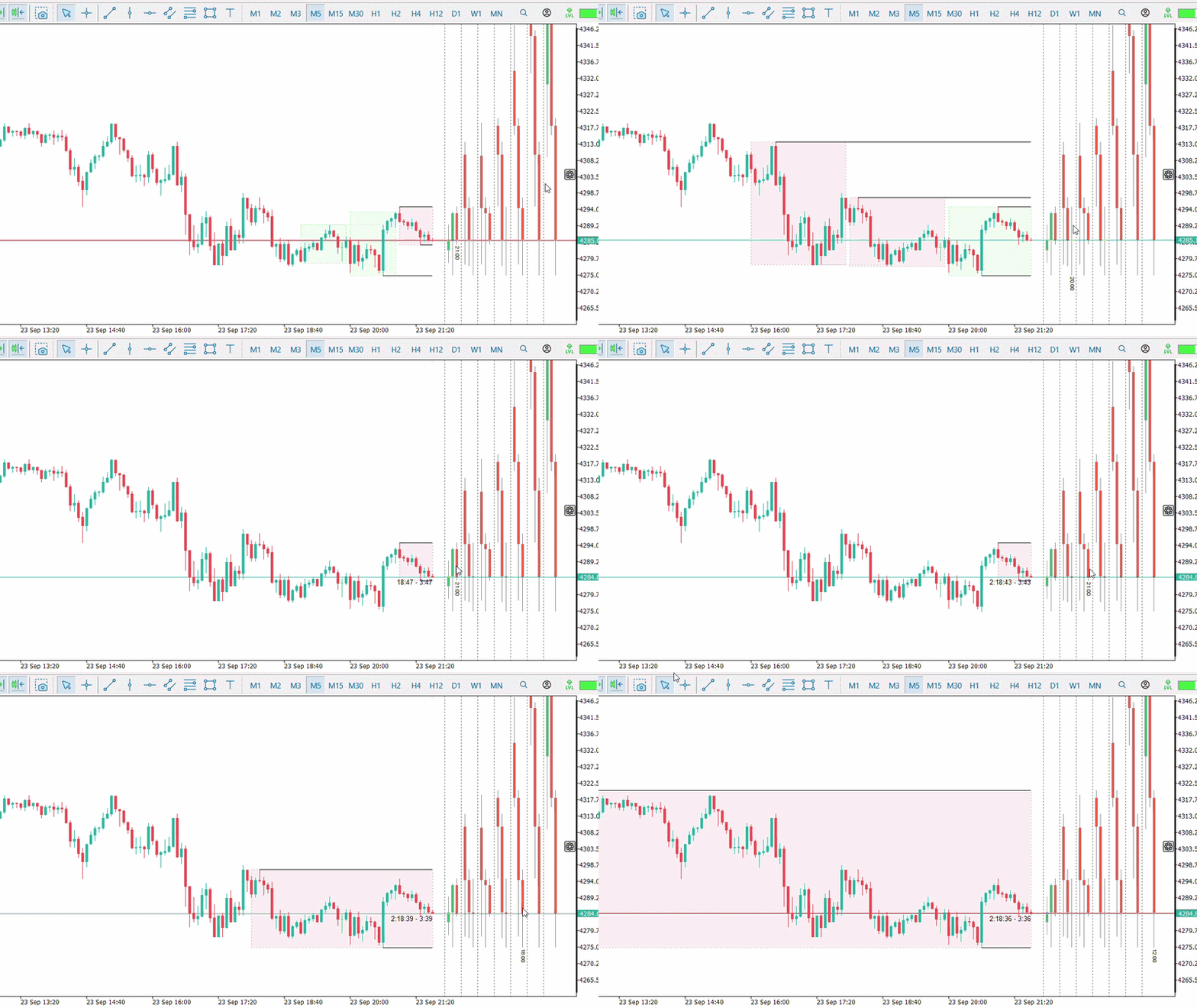
HTF Candle Projection
An HTF candle can be selected and projected directly onto the main chart.
The projection shows where the higher-timeframe candle was formed in relation to the candles of the current chart.
This feature can be used to compare:
- HTF structure
- Internal candle formation
- High and Low levels
- Sweep events
- Price movement inside the HTF range
The appearance of the projections can be configured through the indicator parameters.
Sweep High and Sweep Low
Advanced HTF Multi can monitor the High and Low levels of the displayed HTF candles.
When price reaches or crosses a previous HTF High, the event can be identified as a Sweep High.
When price reaches or crosses a previous HTF Low, the event can be identified as a Sweep Low.
Sweep Lines can remain visible on the chart to indicate monitored levels.
Line colors, styles and widths can be configured by the user.
Alert System
Alerts can be configured individually for each HTF group.
Available modes are:
- Off — disables alerts for that HTF.
- Popup — uses the native MetaTrader 5 alert window.
- Push — sends a notification to the MetaTrader 5 mobile application, provided Push Notifications are configured in the terminal.
- Popup + Push — uses both notification methods simultaneously.
This allows each timeframe to be monitored according to the user's preference.
Sweep Alert
The standard Sweep Alert monitors HTF High and Low levels during price movement.
When a valid level is crossed, the indicator can send a notification immediately according to the selected alert mode.
Examples:
Sweep High H1
Sweep Low H4
Range Sweep
Range Sweep adds an additional confirmation method based on the closing of the HTF candle.
Instead of confirming the event immediately when the level is crossed, this mode waits for the HTF candle to close.
Two confirmation modes are available.
Range
After a Sweep High or Sweep Low, the HTF candle must close back inside the High-Low range of the reference candle.
Range 50%
This mode also uses the midpoint of the reference HTF candle.
For a Sweep High, the candle must close inside the range and in the upper half of the reference candle.
For a Sweep Low, the candle must close inside the range and in the lower half of the reference candle.
Range Sweep settings can be configured individually for each HTF.
Candle Countdown
The indicator includes a candle countdown system.
It can display the remaining time until the selected HTF candle and the current chart candle close.
This information can be useful when monitoring events that depend on HTF candle close confirmation.
Calendar Boxes
Advanced HTF Multi can also display time-reference boxes directly on the main chart.
Available periods are:
- Daily
- Weekly
- Monthly
Each group can be enabled or disabled independently.
The number of historical boxes and the visibility of their texts can also be adjusted.
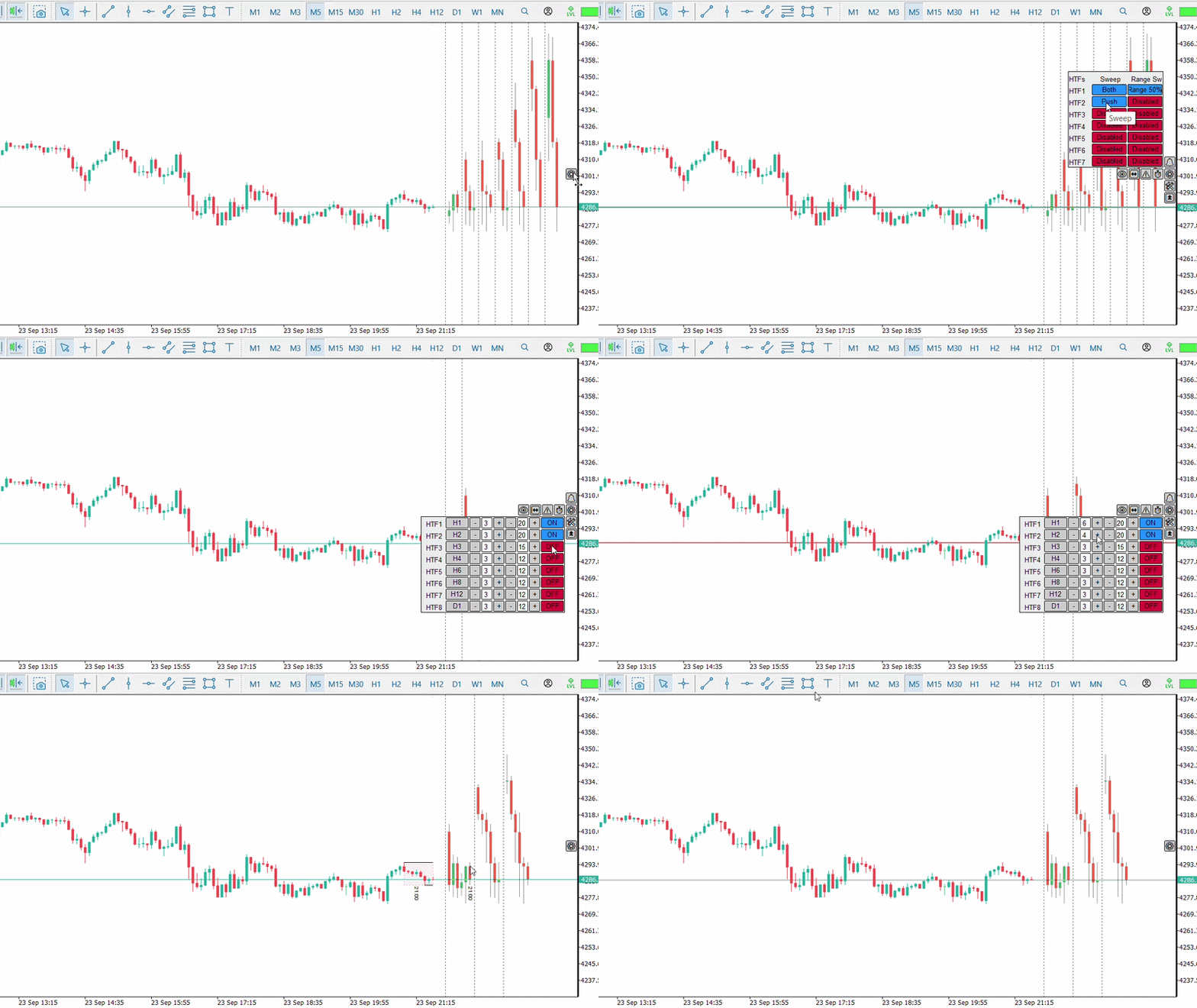
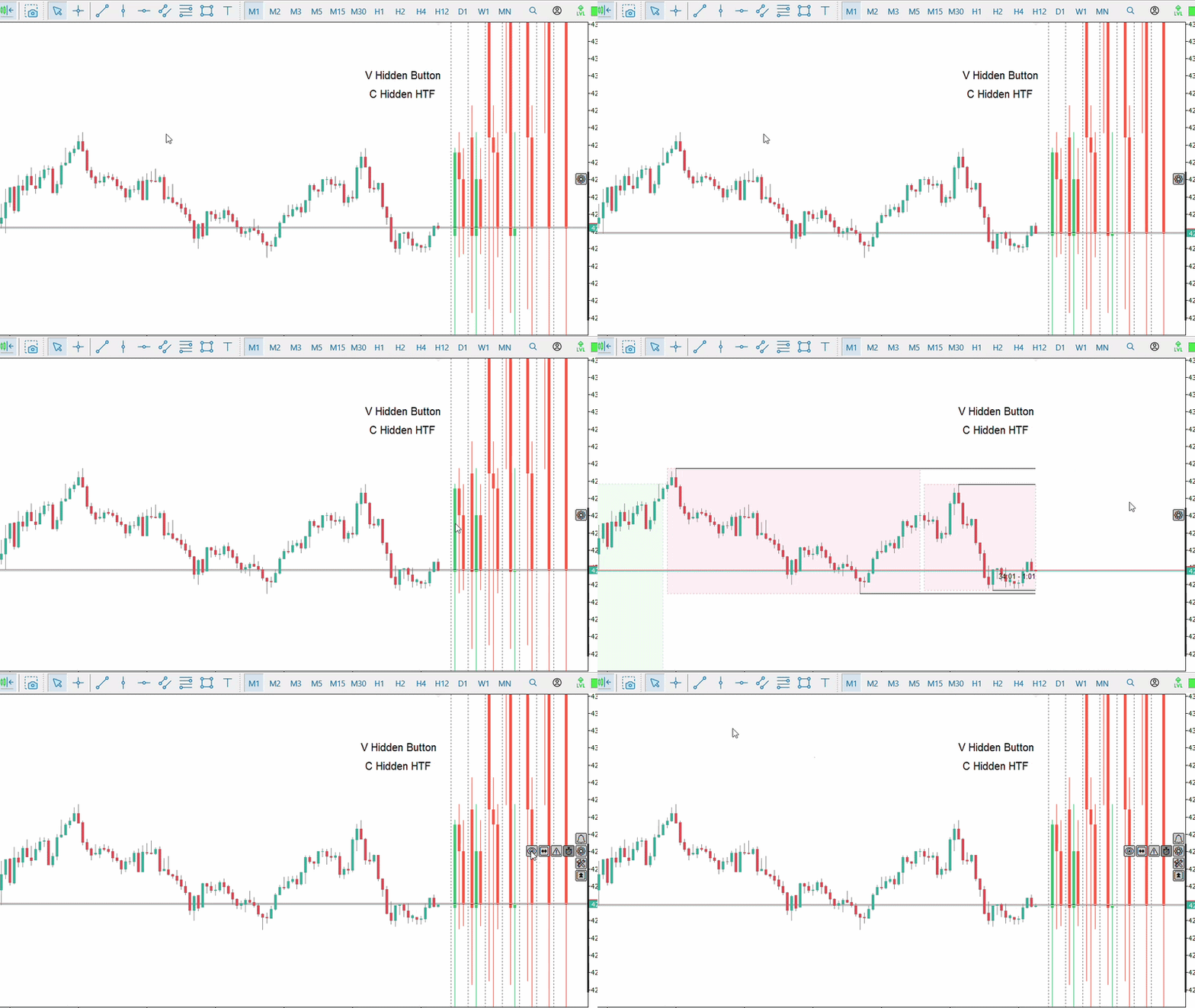
Interactive Panel
The indicator panel provides access to the main functions directly from the chart.
Through the panel, the user can control:
- HTF groups
- Multi and Focus modes
- Timeframes
- Number of candles
- Sweep Lines
- Text visibility
- Alerts
- Range Sweep
- Countdown
- Daily, Weekly and Monthly Boxes
This reduces the need to repeatedly open the indicator properties window.
Visual Controls
The indicator appearance can be adjusted through different settings, including:
- HTF candle colors
- Candle width
- Candle spacing
- Distance between the main chart and HTF blocks
- Text position
- Sweep Line appearance
- HTF projection appearance
- Calendar Boxes
- Countdown text
Visual elements of HTF blocks and the main chart can also be controlled independently.
Main Features
- Up to 8 configurable HTF groups
- Multi-Timeframe candle visualization
- Multi mode
- Focus mode
- Interactive HTF selection
- HTF candle projection on the main chart
- Sweep High and Sweep Low monitoring
- Sweep Lines
- Sweep alerts
- Range Sweep confirmation
- Range 50% confirmation
- Independent alerts for each HTF
- MetaTrader 5 Popup alerts
- Push Notifications to mobile devices
- HTF candle Countdown
- Daily, Weekly and Monthly Boxes
- Interactive panel
- Configurable keyboard shortcuts
- Persistent settings
- Customizable visual layout
Advanced HTF Multi was developed for users who work with Multi-Timeframe analysis and want to keep higher-timeframe information visible while analyzing the current chart.