SR Channels MTF
- Indicators
-
Evgenii Sutulov
 Premium components
1. https://www.mql5.com/en/market/product/201632 - Rotation Manager Console - Version: 1.3
The support and resistance level that is actually holding, chosen by counting rather than by drawing it yourself. S/R Channels MTF collects confirmed pivots, finds the band that the greatest number of them fall inside, publishes how many that is, and marks the break out of it. The strength is a number you can read and compare, not a line someone eyeballed. It is free: no trial, no locked features, no upgrade page.
Pivots confirmed by the bars on either side of them are collected into a ring of the most recent ones. A channel is the pivot with the most neighbours within a given width, and that width is taken as a per cent of the recent price range rather than in points, so the same setting works on any instrument.
How many pivots fall inside the channel is its strength, and that number is published as a buffer and used to grade a scanner cell. The signal is the break: price leaving the channel it had been trading inside.
What is on the chart
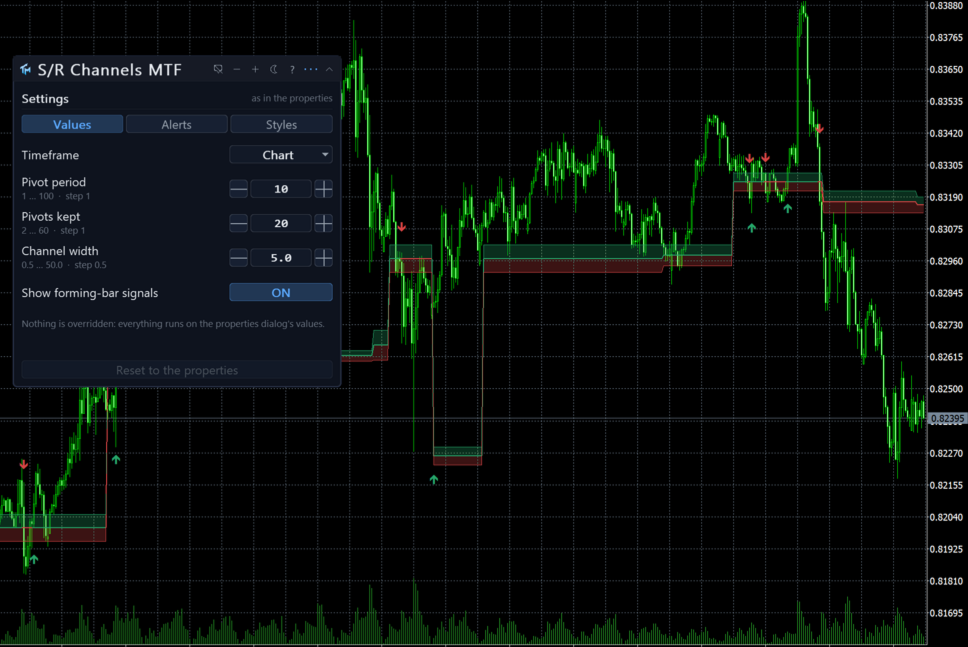
Drawn in the price window: the middle of the strongest channel as a line, coloured by the side price is on and unbroken across the break, the channel's top and bottom as thin lines, a shade over the channel while price is above it and another while price is below, and arrows on the break bar.
The panel
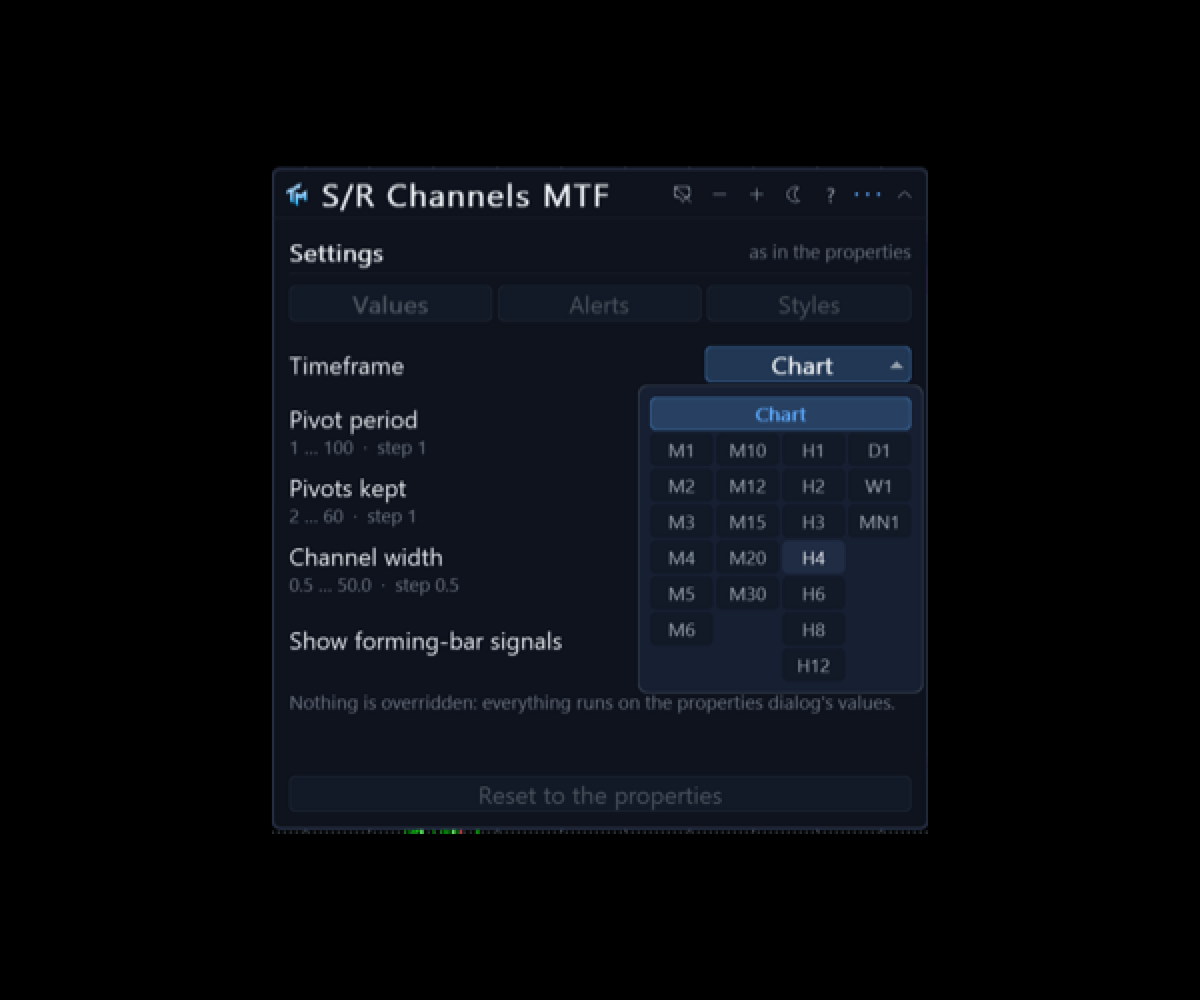
A canvas panel on the price chart, draggable, collapsible, closeable. It shows the timeframe in force and the setting values actually being used. It says what the last closed bar was: a BUY signal, a SELL signal, or neither. And it says whether the numbers on screen came from the properties dialog or from the panel, and how many of them were changed by hand.
Below that sit the settings the panel can move, with their current values. The gear opens a three-tab sheet.
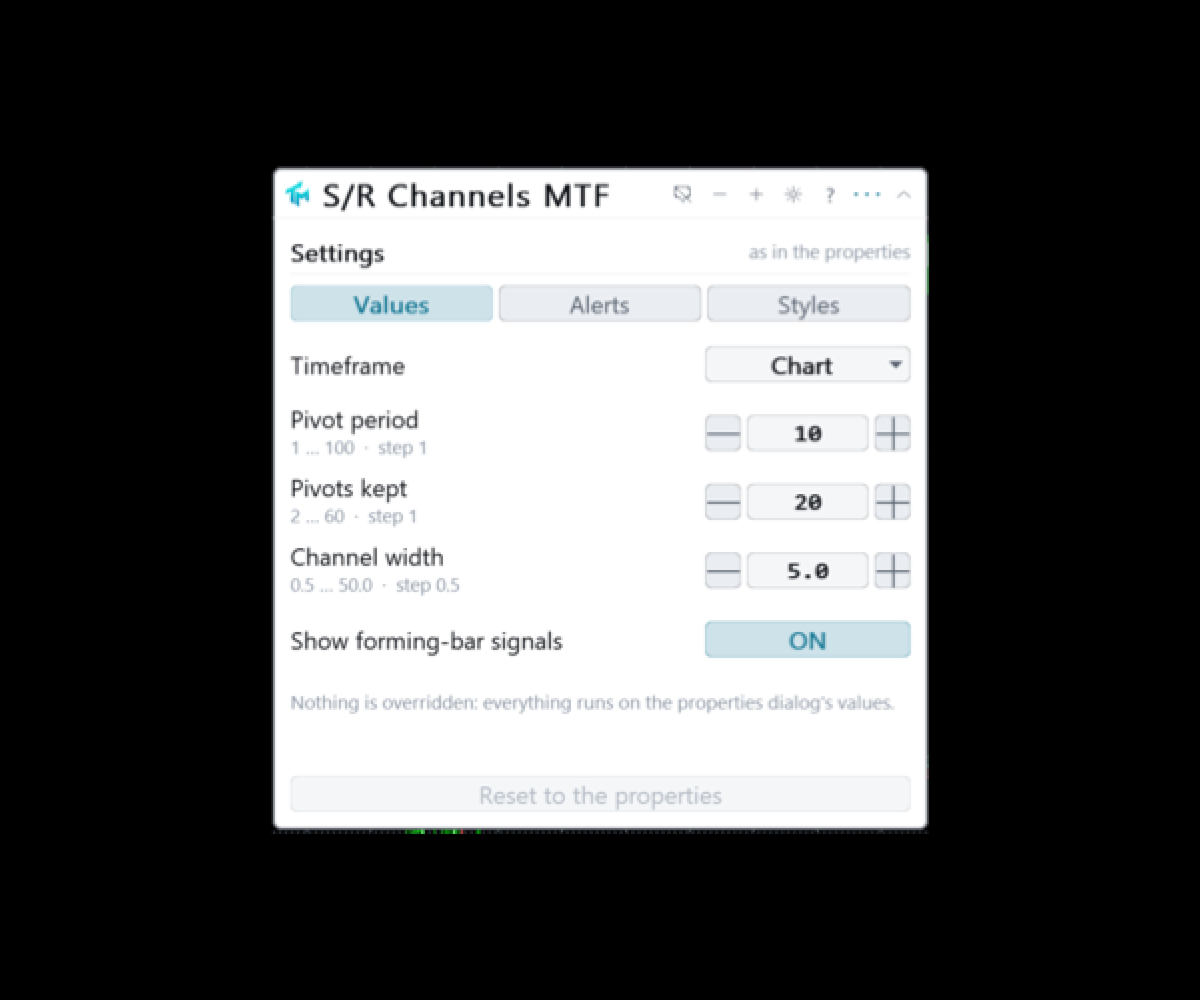
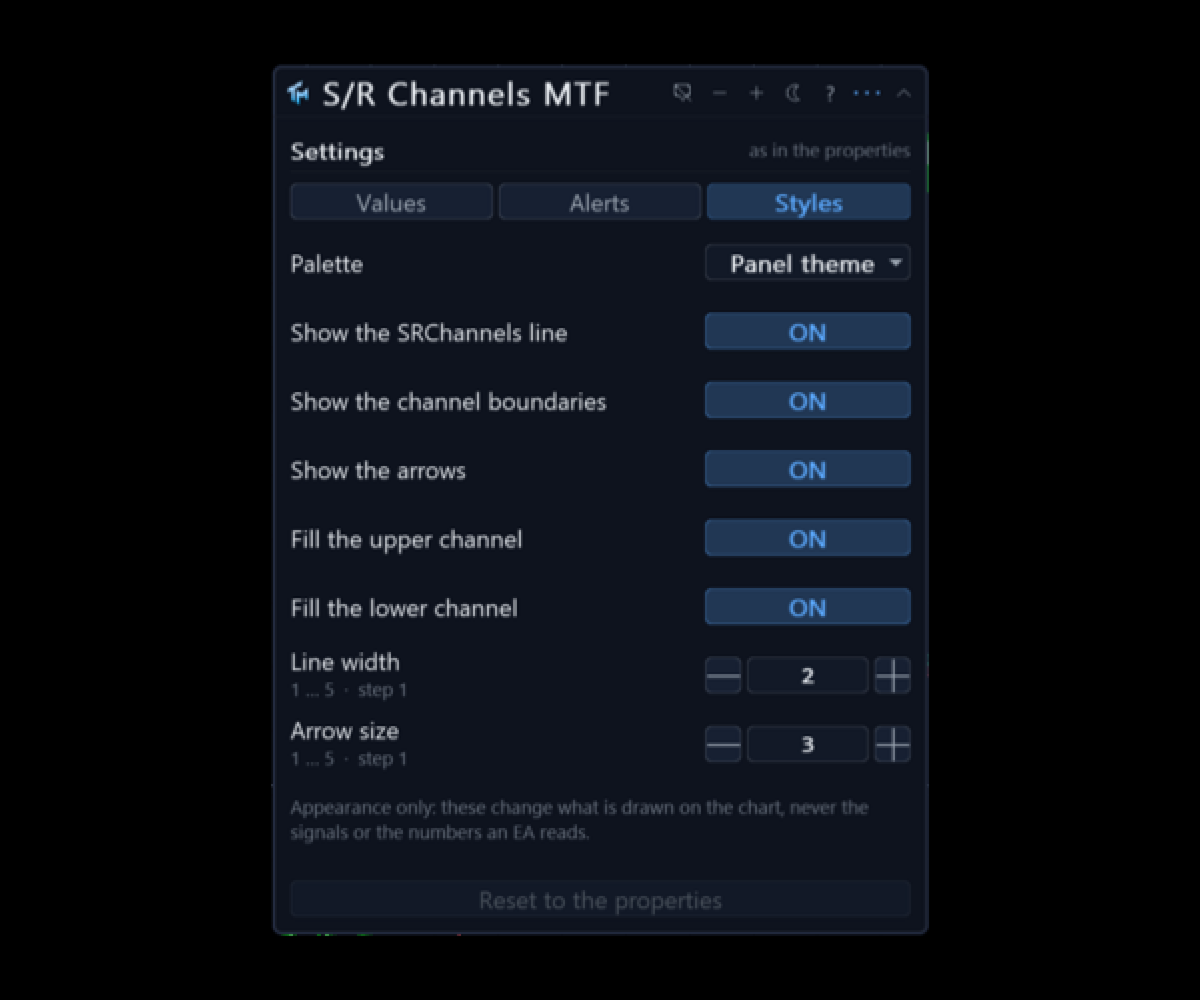
Values covers the timeframe, the pivot period of ten bars each side, how many recent pivots are kept, twenty by default, the channel width as five per cent of the recent range, and the lookback of three hundred bars that per cent is measured against. Styles covers the palette, the line and its width, the arrow size, the channel's edges and the two shades. Every Values row has steppers, a range and a sentence of help.
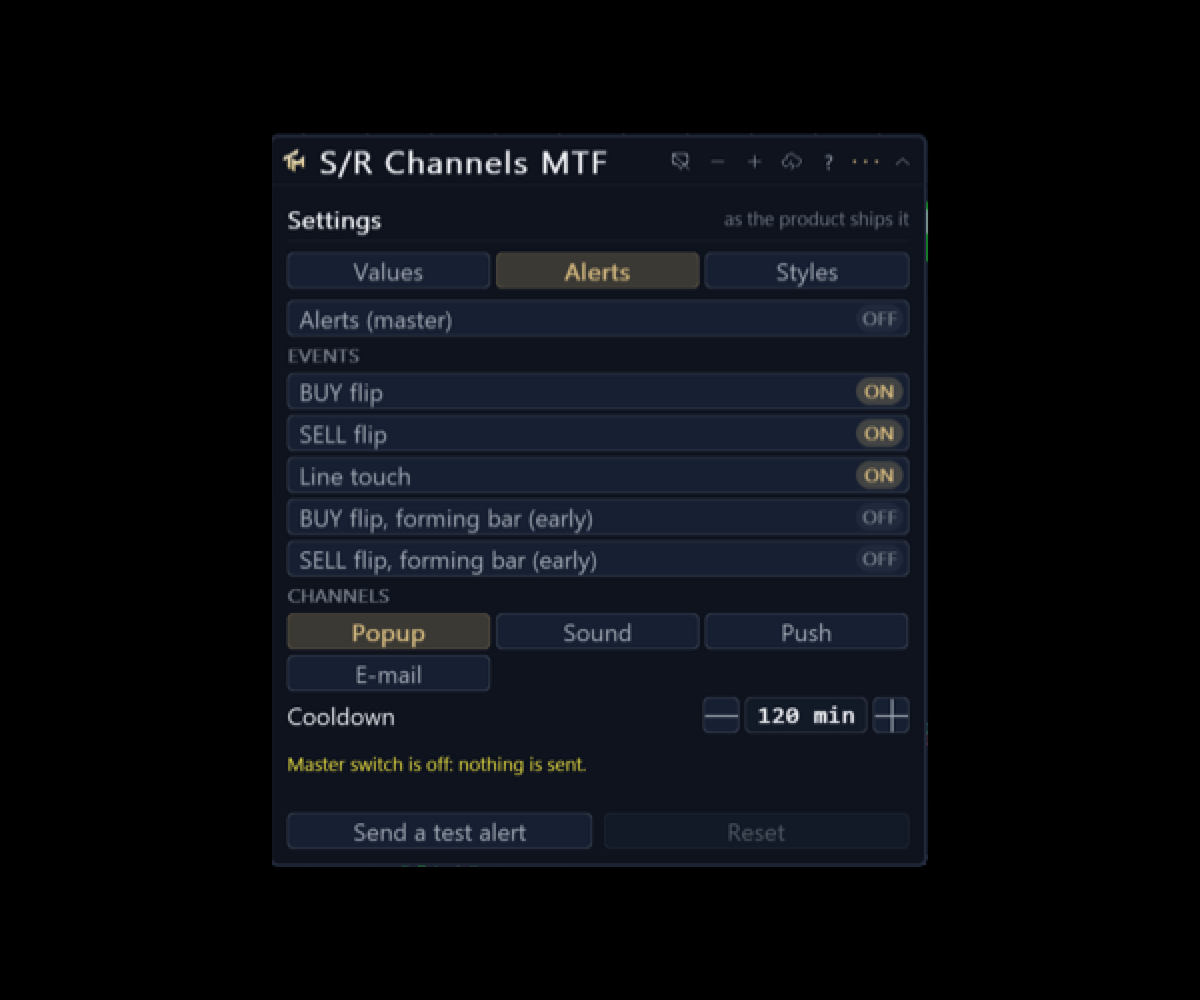
The Alerts tab covers the master switch, the per event switches, the channels, the cooldown in minutes and a test alert.
Three colour schemes: dark, light, and a colour-blind safe one that uses blue and orange rather than red and green. Everything about the panel, including every value changed on the sheet, is stored per chart and survives a timeframe change and a terminal restart. The interface is English.
Alerts
Off out of the box. Three events: a BUY signal, a SELL signal, and a touch of the middle of the strongest channel, which is the pull back event rather than a flip. Each has a switch of its own.
Channels: a popup window, a sound, a push to the mobile terminal and e-mail. There are per-event and per-channel switches, and a cooldown that defaults to two hours.
Alerts fire on the last closed bar. Two further alerts, off by default, speak on the forming bar within a chosen number of seconds of its close, and they are labelled early because a flip that exists mid-bar can un-happen. Telegram is not part of this product.
Signals on the forming bar
There is one switch that matters more than the others, and it is in the Values tab as well as in the inputs: whether buffers and arrows are allowed on the bar that is still forming.
With it on, which is the shipped default, you see a flip as soon as the market makes it. Sometimes that flip is undone before the bar closes and the arrow disappears. With it off, nothing is written on the forming bar at all: there is no repaint of any kind, and every signal arrives one bar late by construction.
Both behaviours are legitimate. The product does not pick for you and it does not hide which one it is doing: the panel and the setting name both say so.
Multi-timeframe
The Timeframe setting computes on a higher timeframe and draws the result here. Only closed senior bars are read: a chart bar shows the newest senior bar that had already closed by that chart bar's own close, so the flip lands on the bar that closes together with the senior bar, and nothing is drawn that could not have been known in real time.
The foreign series is built in the background. The first read of it can come back empty, the indicator retries, and the panel says whether it is waiting for a download or looking at a genuine shortage of history. It never fails initialisation over missing bars.
Reading it from an EA
Sixteen buffers, all readable through iCustom and CopyBuffer. Buffer 0, Buy, carries the arrow price on a BUY bar and EMPTY_VALUE otherwise, and is not drawn; buffer 1, Sell, is the same for a SELL. Buffers 2 to 5 belong to the two fills and are display plumbing, not for reading. Buffer 6 is the middle of the strongest channel while the trend is up and buffer 7 is the same line while it is down; on the turning bar both hold a value, which is what keeps the drawn line unbroken. Buffer 8 is the channel's top and buffer 9 is its bottom. Buffers 10 and 11 are the drawn copies of buffers 0 and 1. Buffer 12, Signal, is +1 on a BUY bar, -1 on a SELL bar and 0 otherwise. Buffer 13 is Override, buffer 14 is the middle of the strongest channel as one unbroken series, and buffer 15 is the trend itself, 0 while up and 1 while down.
Buffer 16 is added by this port and sits after the whole shared map: the strength of the channel, how many pivots fall inside it. It is a plain count, so it compares one symbol with another, which is what the board grades on.
Buffers 0 and 1 are the contract: never painted, filled on every pass whatever the Styles tab says, and present in the Data Window. Hiding the arrows on the display cannot starve a strategy of the signal, because hiding is done by changing how a plot is drawn and never by emptying a buffer.
An instance created by iCustom is read only and always uses the parameters you passed. The Override buffer lets a strategy detect that a chart instance is running on numbers changed by hand from the panel.
Provenance
This is a port of "Support/Resistance Channels + Breaks" by LonesomeTheBlue, an openly published TradingView script under MPL 2.0, which makes a port by formula admissible. The implementation is a reconstruction from the formulas rather than a translation.
The product is called S/R Channels MTF because that is the name of the method, not because authorship of the method is claimed here. The original work belongs to its author.
Honest limits
A pivot is confirmed only after the bars beside it have closed, so a channel appears some bars after the turn that created it. Nothing here looks ahead, and that delay is the price of not looking ahead.
The strength counts pivots, not money. A channel held by six pivots is one that price visited six times; it is not a statement that it will hold a seventh.
The channel width is a per cent of a recent range, so a change in volatility changes which pivots group together and therefore which channel is strongest. The level can move without price having done anything at all.
No profit figure, win rate or backtest result is claimed here.