Advanced HFT Multi
- Indicators
- Version: 1.0

Don't forget to comment and rate the product if you liked it!
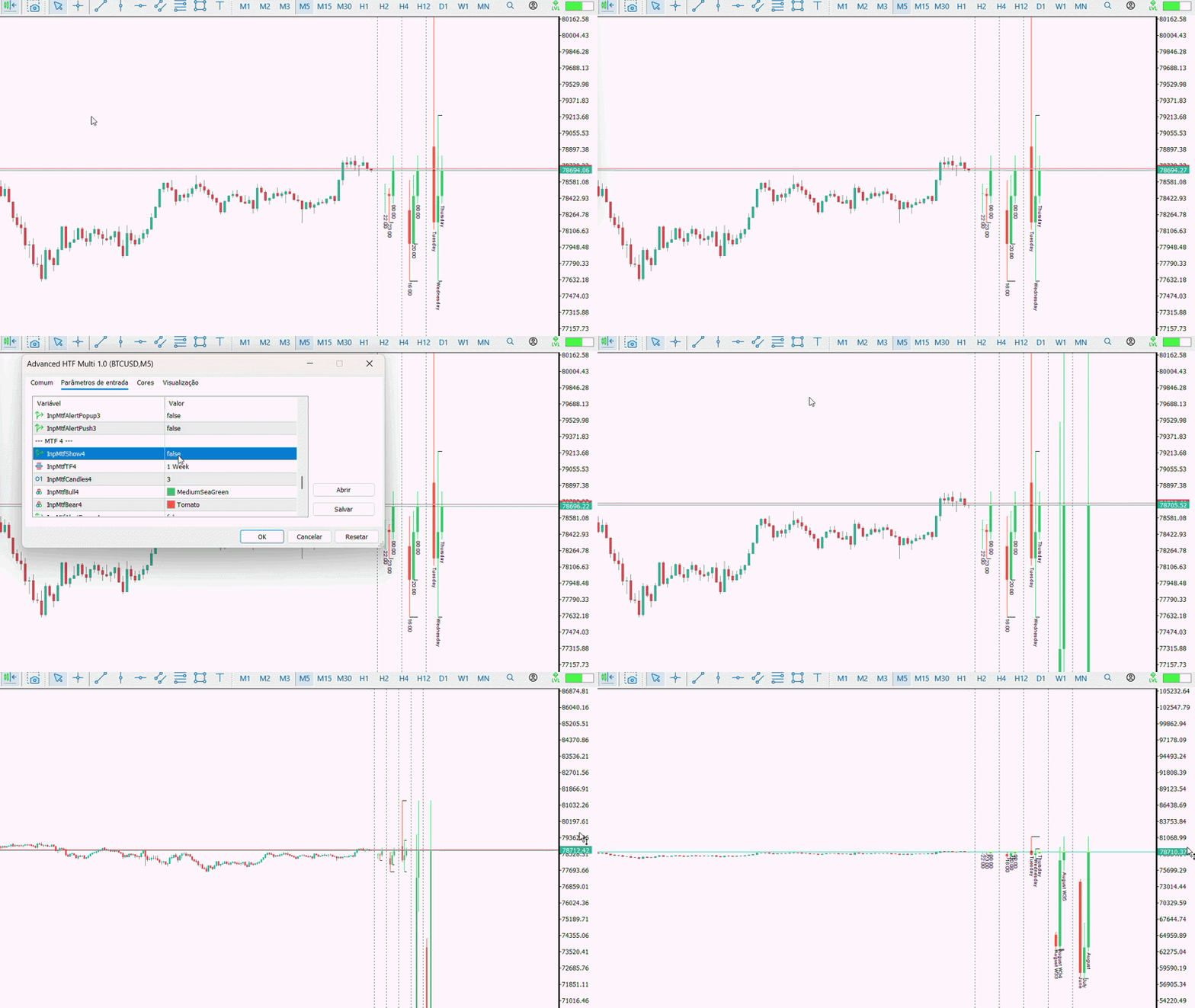
Advanced HTF Multi is a multi-timeframe visualization indicator.
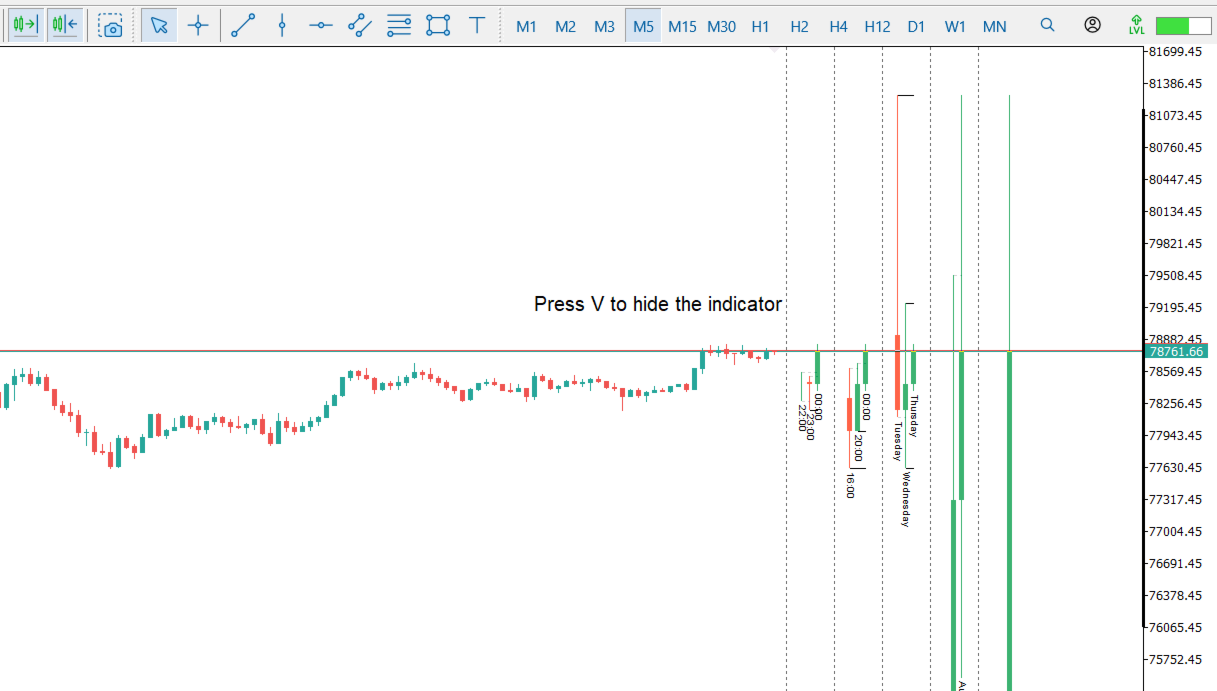
It allows you to display compact candle blocks from other timeframes directly on the current chart, making it easier to compare different periods without constantly changing the chart timeframe.
The indicator can display up to five independent timeframe groups, with individual settings for the timeframe, number of candles, candle colors, and alert options.
The main chart remains on the current timeframe, while the additional timeframe blocks are displayed alongside the main chart area.
Main Features
Multi-Timeframe Visualization
The indicator supports up to five timeframe groups simultaneously.
Each group can be configured individually with:
- Timeframe
- Number of candles
- Bullish candle color
- Bearish candle color
- Popup Alert
- Push Notification
The number of displayed candles can be configured separately for each group.
Timeframe Identification
Each block has a visual identification of the timeframe being used.
This makes it easier to read and compare the different periods displayed on the chart.
Time information associated with the candles can also be displayed according to the selected timeframe.
Sweep Lines
Advanced HTF Multi can identify the high and low levels of the displayed candles and draw horizontal reference lines.
When a previous candle's high or low is reached or exceeded by a subsequent candle, the corresponding level can be identified as a sweep.
The lines can be customized by color, style, and width.
A different appearance can also be applied to levels that have already been crossed.
Alerts
Each timeframe group has independent alert settings.
Available options:
Popup Alert
Displays an alert directly in MetaTrader 5 when a sweep condition is detected.
Push Notification
Sends a notification to the MetaTrader 5 mobile application, provided that the notification system is correctly configured in the terminal.
Alerts can be enabled or disabled independently for each group.
Keyboard Shortcut
The indicator has a configurable keyboard shortcut that allows you to quickly switch between visible and hidden states.
With a single command, you can show or hide the Advanced HTF Multi elements on the chart without removing or adding the indicator again.
The shortcut key can be defined in the indicator settings.
Customizable Layout
The position and appearance of the blocks can be adjusted to fit the chart layout.
You can configure:
- Distance between the blocks and the chart
- Spacing between candles
- Candle width
- Text visibility
- Text position
- Text color
- Text size
- Separators between blocks
These settings allow you to adapt the visualization according to your preferences.