
OwlHist
- Indicators
-
Tan Au Phuong
 New traders seek profit, experienced ones avoid losses first.
There's no need to start with a greeting and wait for my reply.
To save time and get help faster, feel free to describe your issue in detail right from the beginning! 😊
Telegram : @Xbee_coder - Version: 1.1
- Updated: 4 August 2026
OwlHist - Closed-Trade P/L Tracker for MetaTrader 5
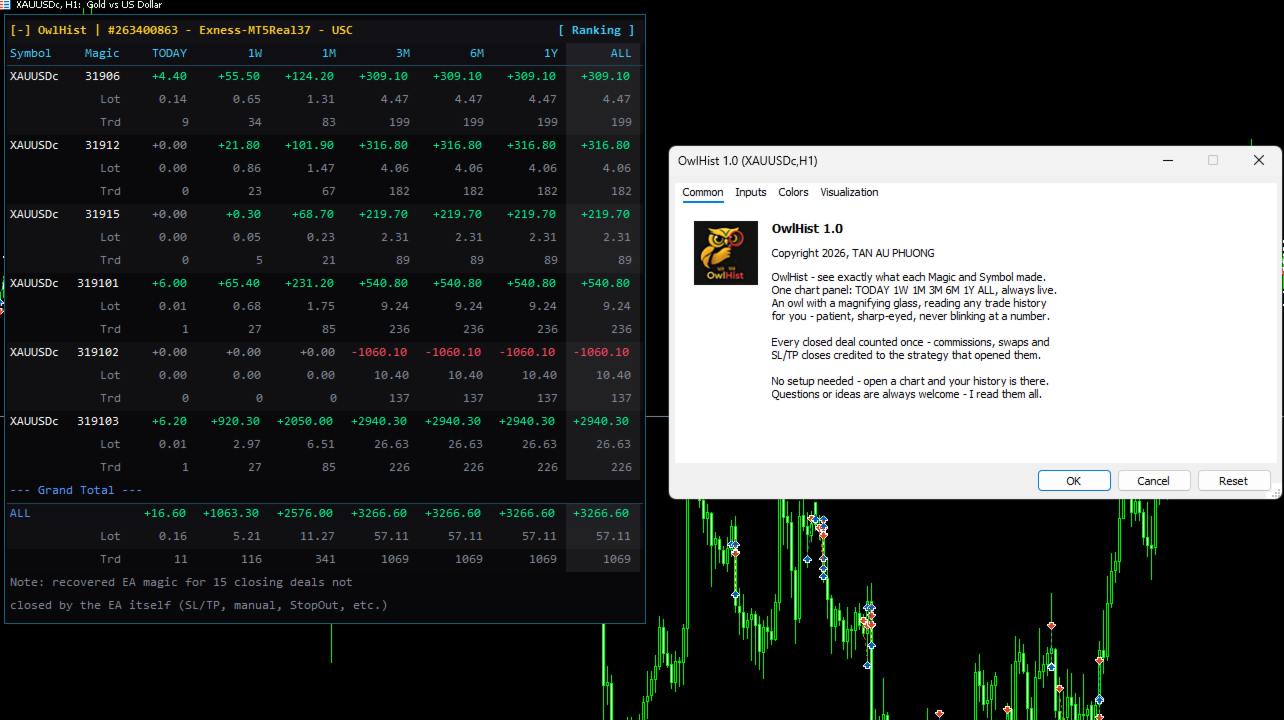
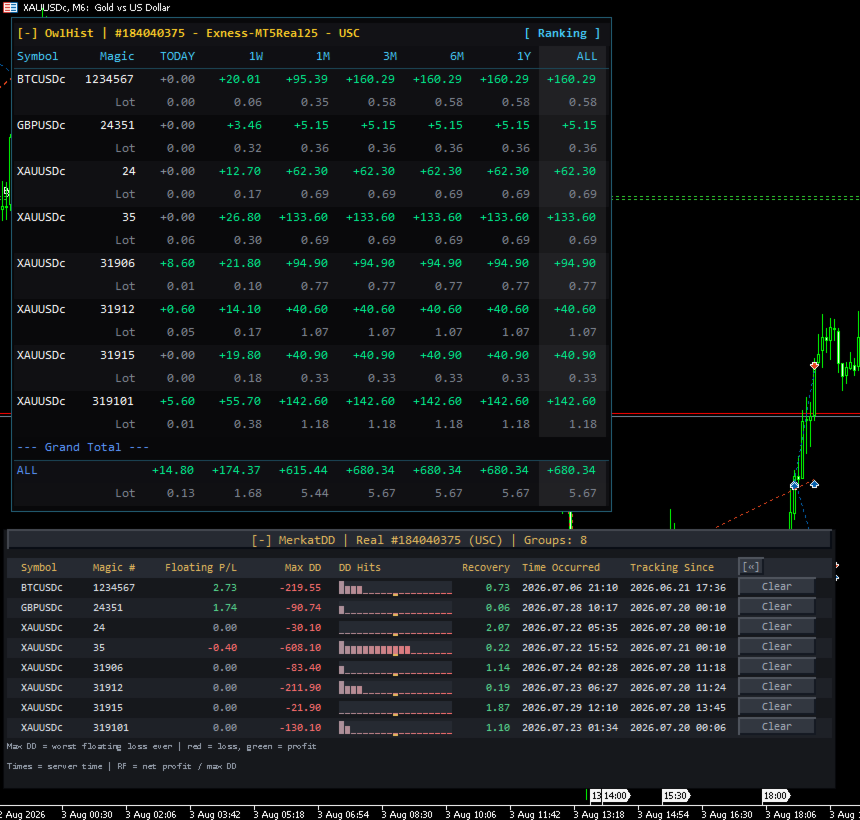
Ever close a trade, open the History tab, and start adding things up by hand just to know whether this week was actually green? OwlHist does that for you - a live on-chart panel showing your closed P/L, traded volume (lots) and trade count, across seven periods at once: Today, 1W, 1M, 3M, 6M, 1Y, ALL - broken down by Symbol and Magic number.
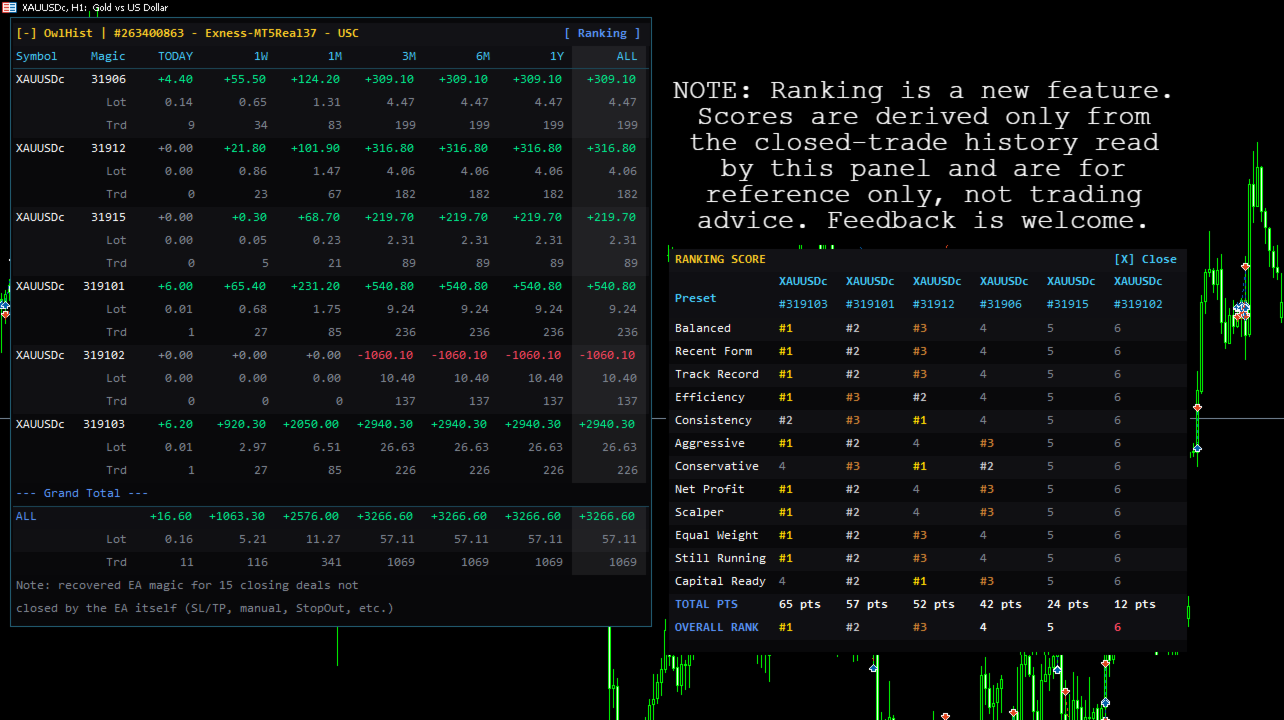
It earns its place fastest on an account running several EAs and several symbols side by side. That is exactly the account where the equity curve tells you nothing about who is responsible - and where OwlHist gives you the whole board at once, then lets you rank every setup against the others with a single click.
Think of it as an owl with a magnifying glass over your trade history: hundreds of closed deals in, one honest picture out. No spreadsheets, no manual filtering, nothing slipping through the cracks.
Key Features
- One glance, full picture - 7 periods side by side, each one toggleable.
- Know exactly which EA or symbol is carrying you (or dragging you down) - full breakdown by Symbol x Magic, with subtotals at every level.
- Bot-only, or was someone closing by hand? - every close is traced back to the EA that actually opened the position, even on SL/TP or a stop-out. So whatever is still left under Magic 0 is genuinely manual - one look tells you how automated that account really is.
- Ranking window - one click on the title bar and OwlHist scores every Symbol+Magic setup from 12 different angles, then gives you a single OVERALL RANK. Winners and losers are colour-separated, so you see at a glance who is really pulling their weight. A reference view - not trading advice.
- Not just money - lots and trade count too - see how much you're actually trading, and how much each lot is really worth.
- Numbers you can trust - closed history only, so open positions never flatter the result. Swap, commission and broker fees are all in; round-turn commission split across entry and exit is picked up; broker-archived deals are recovered instead of silently vanishing.
- Made to live on your chart - five themes (Dark, Light, Modern, Colorblind-safe, Auto-match-your-chart), any corner, monospace layout that auto-shrinks to fit, and one click to collapse it out of the way.
Quick Start (30 seconds)
- Drag OwlHist.ex5 from the Navigator onto any chart.
- Adjust the inputs to taste and click OK.
- A few seconds later the table is on screen.
Main Settings
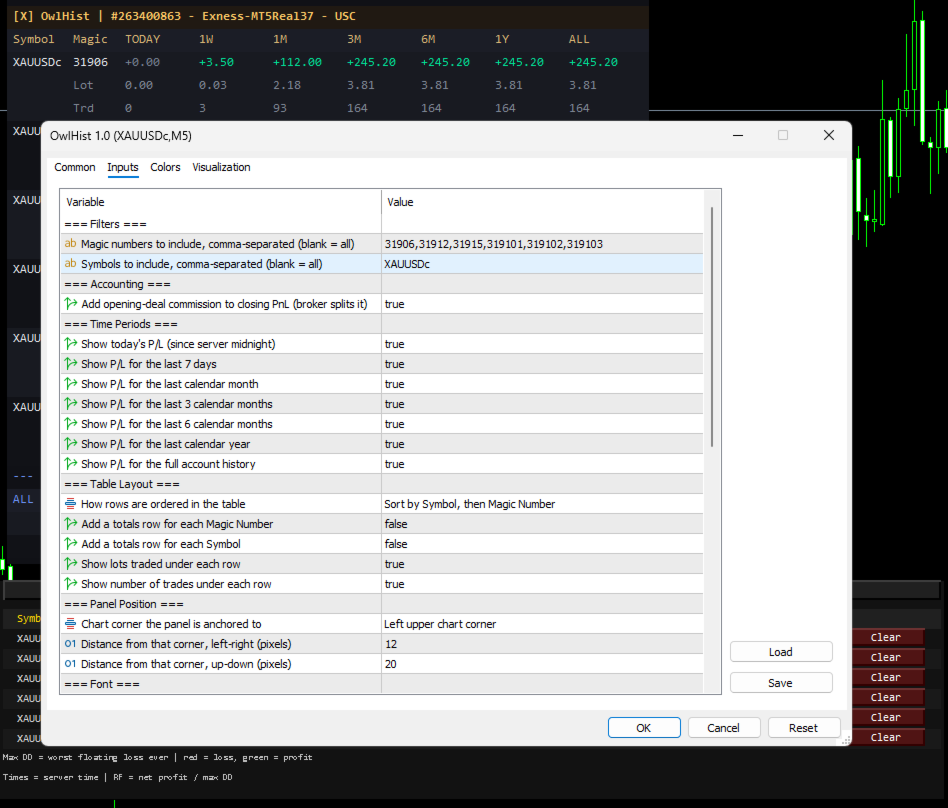
- Filters - restrict the panel to specific Magic numbers and/or Symbols (blank = everything).
- Accounting - attribute the opening deal's commission to the closing trade, for brokers that split round-turn commission across entry and exit.
- Time Periods - toggle each column: Today, 1W, 1M, 3M, 6M, 1Y, ALL.
- Table Layout - row order (Symbol/Magic, or all-time profit descending), plus optional subtotal, lot and trade-count rows.
- Refresh - auto-refresh interval in seconds (a closed trade always updates instantly).
- Panel Position / Font - chart corner, X/Y offset, font size and minimum size for auto-shrink.
- Colors: Theme - one theme picker instead of a dozen colour inputs.
OwlHist is built with real care for performance, stability and a clean interface. The goal is simple: help you keep a calmer, clearer eye on your own account.
Drop it on a chart, and in seconds you'll have the overview that used to take long minutes of digging through History.
If you find this indicator useful, please leave a rating to support my work. Questions or suggestions? Just message me!






























Hello, this is truly outstanding work. I’ve been trying for a long time to create an indicator like this, and I’m genuinely delighted to have finally found exactly what I was looking for. Congratulations on this excellent work, and thank you for sharing it with the community. Best regards!