Gold M3 Doji Breakout H1
- Experts
- Version: 4.0
- Activations: 5

Gold M3 Doji Breakout H1
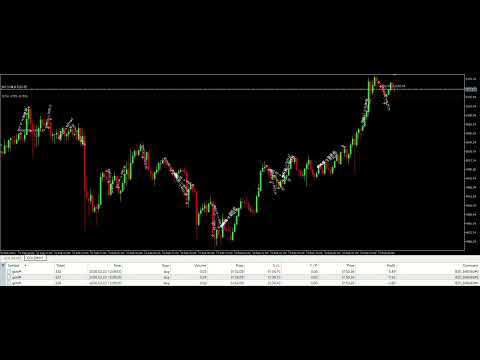
Gold M3 Doji Breakout H1 is an automated MetaTrader 5 Expert Advisor designed to identify a fixed M3 compression structure inside a closed H1 candle and evaluate a breakout during the following H1 trading window.
This product is designed for Gold symbols. Its default absolute-price distances are not intended for Forex pairs, cryptocurrencies or stock indices.
Position management
The EA divides the position into three stages:
- Stage 1 closes at the configured first R multiple.
- After Stage 1, the remaining exposure is moved to the actual entry price.
- Stage 2 closes at the configured second R multiple.
- Stage 3 remains open until a newly closed M3 candle confirms the configured MA14/MA50 exit cross.
The EA verifies broker return codes for entry, closing and stop-modification requests. It can restore an active basket after a terminal or VPS restart. Hedging accounts use three positions, while netting accounts use one combined position with staged volume reductions.
Main features
- Fixed H1-M3 compression and breakout workflow.
- BUY and SELL operation.
- Three-stage position management.
- Break-even retry until the stop modification is confirmed.
- TP3 close retry when a broker request is rejected.
- Active-basket recovery after terminal restart.
- Hedging and netting account support.
- Fixed-lot or optional equity-risk sizing.
- Optional maximum-spread filter.
- Input, margin, volume-step and symbol filling-mode validation.
- Optional CSV research recorder, disabled by default.
Default configuration
- Analysis timeframe: H1.
- Signal timeframe: M3.
- Fixed lots: 0.02 / 0.04 / 0.03.
- TP1: 1R.
- TP2: 2R.
- TP3: confirmed M3 MA14/MA50 cross after TP2.
- Risk-percent mode: disabled.
- Spread filter: disabled.
- Recorder: disabled.
The default configuration was designed for the symbol conditions used during development. Contract size, minimum volume, spread and price behaviour vary by broker. Users should test the EA with their broker's exact symbol and trading conditions before live use.
Important operating notes
- Use a unique Magic Number for each independent chart, symbol or parameter set.
- Do not run two instances with the same Symbol and Magic Number.
- Keep MetaTrader AutoTrading enabled.
- A stable VPS is recommended for continuous operation.
- When risk-percent mode is enabled, the EA blocks an entry if the broker minimum volume would exceed the calculated basket risk by more than 10 percent.
- The maximum-spread input uses an absolute price difference, not points.
Risk notice
Trading involves risk. Historical tests do not guarantee future results. Execution, spread, slippage, liquidity and broker specifications can materially affect performance. Test the EA on a demo account and select a position size appropriate for your account before live trading.