Multi ATR Dashboard
- Indicators
- Version: 1.0

Multi ATR Dashboard
Multi-currency volatility scanner based on ATR. Monitors up to 12 instruments across all timeframes simultaneously — all in one panel directly on the chart.
For Whom
For traders who need to see where volatility is currently accelerating or subsiding without switching between charts. The panel provides a complete market picture — at a glance.
How It Works
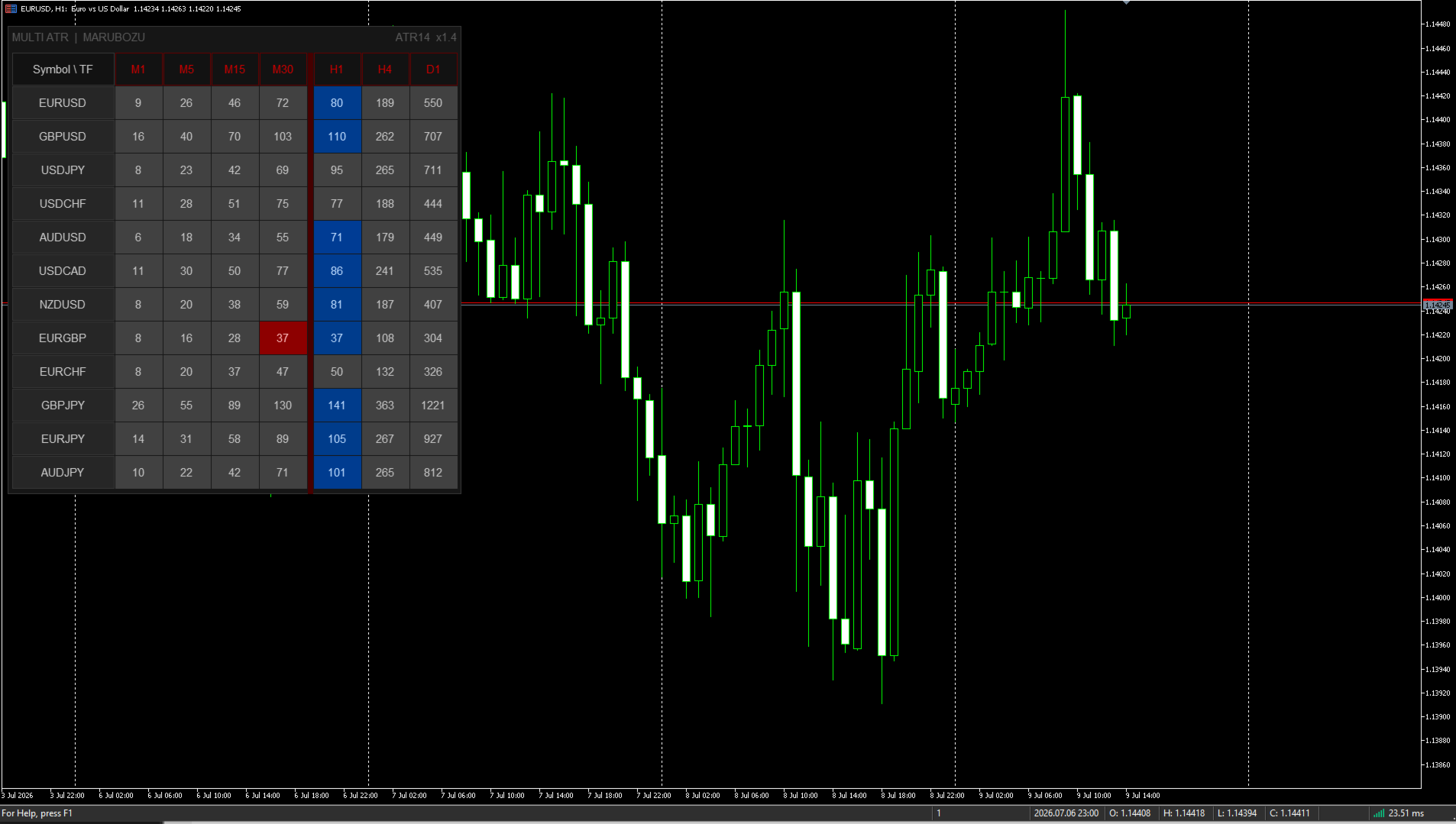
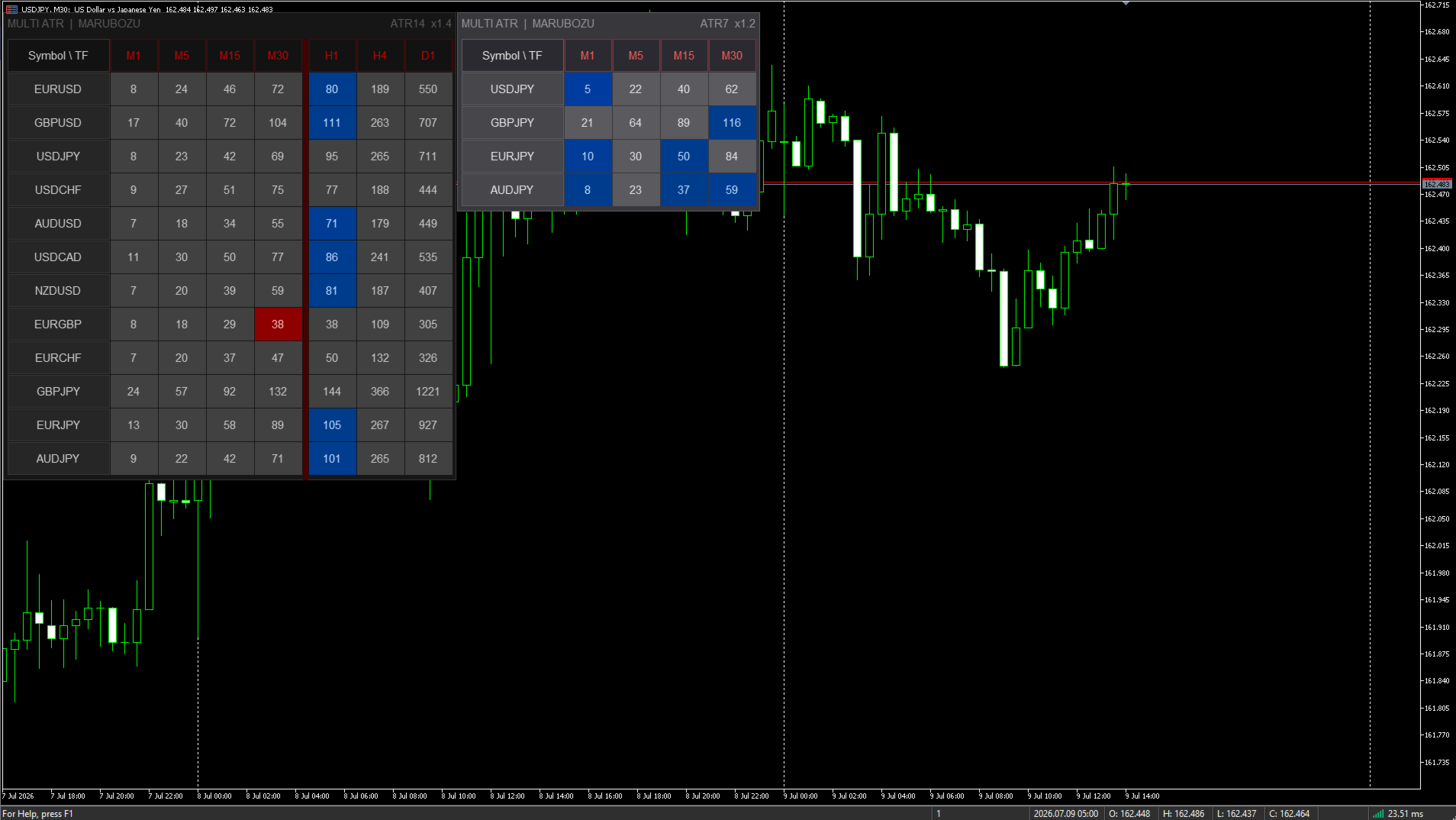
A table appears on the chart: instruments vertically, timeframes horizontally. Each cell shows the current ATR value and is colored according to its deviation from the instrument's own average volatility:
Red — volatility surge, movement stronger than usual. The brighter the color, the stronger the deviation.
Blue — anomalous calm, movement weaker than usual. The brighter the color, the deeper the compression.
Gray — volatility within normal limits.
When several timeframes of one instrument show the same direction — this is a moment for analysis.
Panel Features
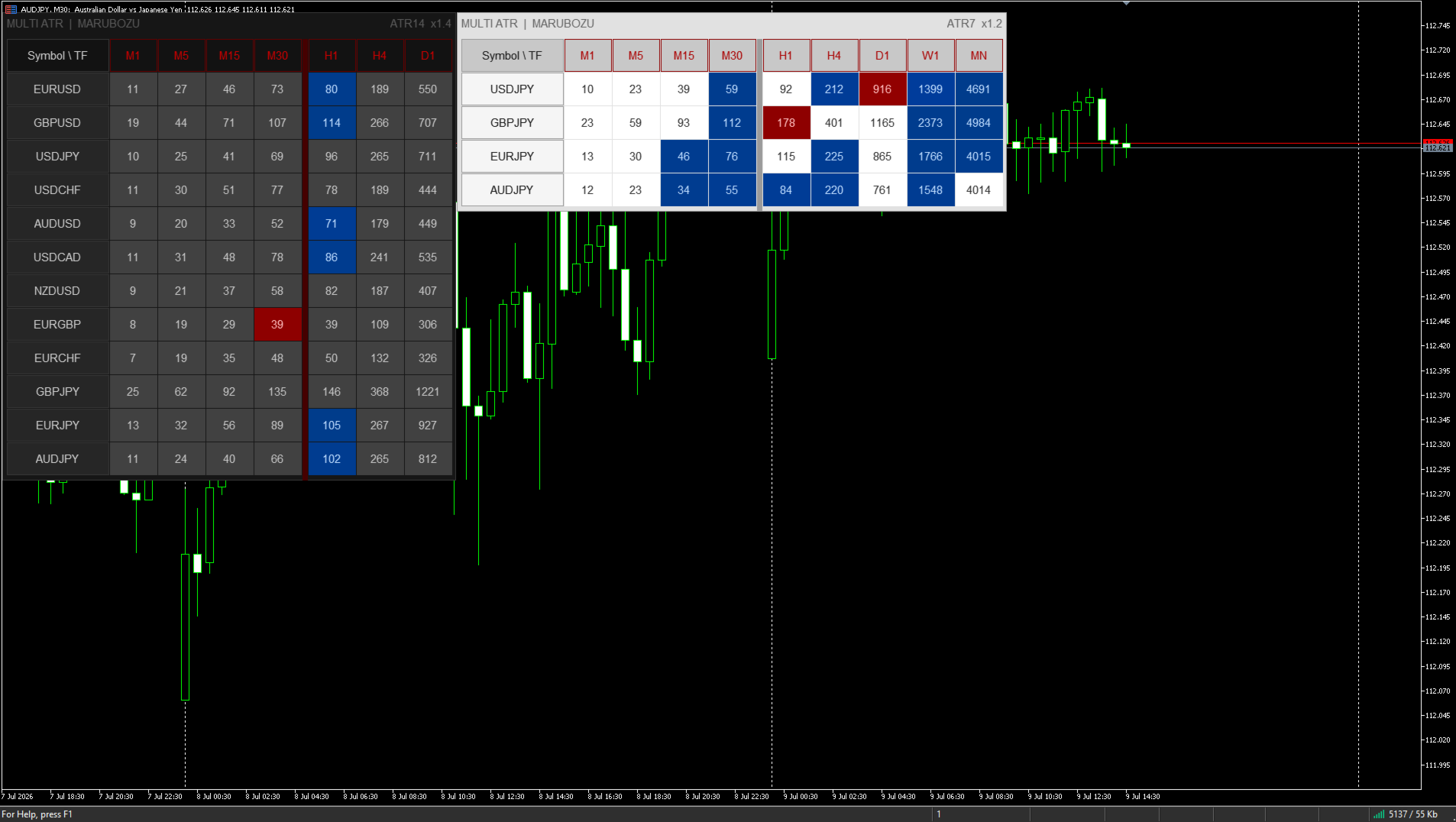
The panel is drawn via Canvas — without flickering or lags. Three color schemes: Dark, Medium, Light. Font size is adjustable. The panel can be dragged with the mouse to any part of the screen.
Clicking on an instrument name — instant switching of the current chart to it.
Multiple Copies
On one chart, you can run as many copies of the indicator as needed — for example, with different ATR periods side by side. For this, each copy needs to be assigned a unique Instance ID: 1 for the first, 2 for the second, and so on. The position of each panel and the state of alerts are saved separately for each copy.
Alerts
A notification comes once — at the moment a new signal appears. There are no repeated messages until the signal changes. Three types of notifications: Popup, Push, Email.
Parameters
ATR — calculation period.
Volatility Anomaly — averaging depth (lookback) and deviation multiplier from the norm.
Timeframes — M1, M5, M15, M30, H1, H4, D1, W1, MN — each enabled separately.
Symbols — up to 12 instruments, main forex pairs are configured by default.
Table — anchor corner, X/Y position, font size (5–30), color scheme.
Alerts — notification type, minimum timeframes, alert on startup.
General — Instance ID for running multiple copies simultaneously (1, 2, 3...).
Symbol names depend on the broker. If a symbol shows (--) on high timeframes — open its chart manually on the required timeframe. MT5 will load history and data will appear in a few seconds.
If the indicator proved useful — leave a review. This helps the project develop and new tools appear.