Multi Stochastic Dashboard
- Indicators
- Version: 1.0

Multi Stochastic Dashboard
Multicurrency scanner based on Stochastic. Monitors up to 12 instruments across all timeframes simultaneously — all on one panel right on the chart.
Who it's for
For traders who use Stochastic and are tired of switching between dozens of charts looking for an entry. The panel shows the full market picture — at a glance.
How it works
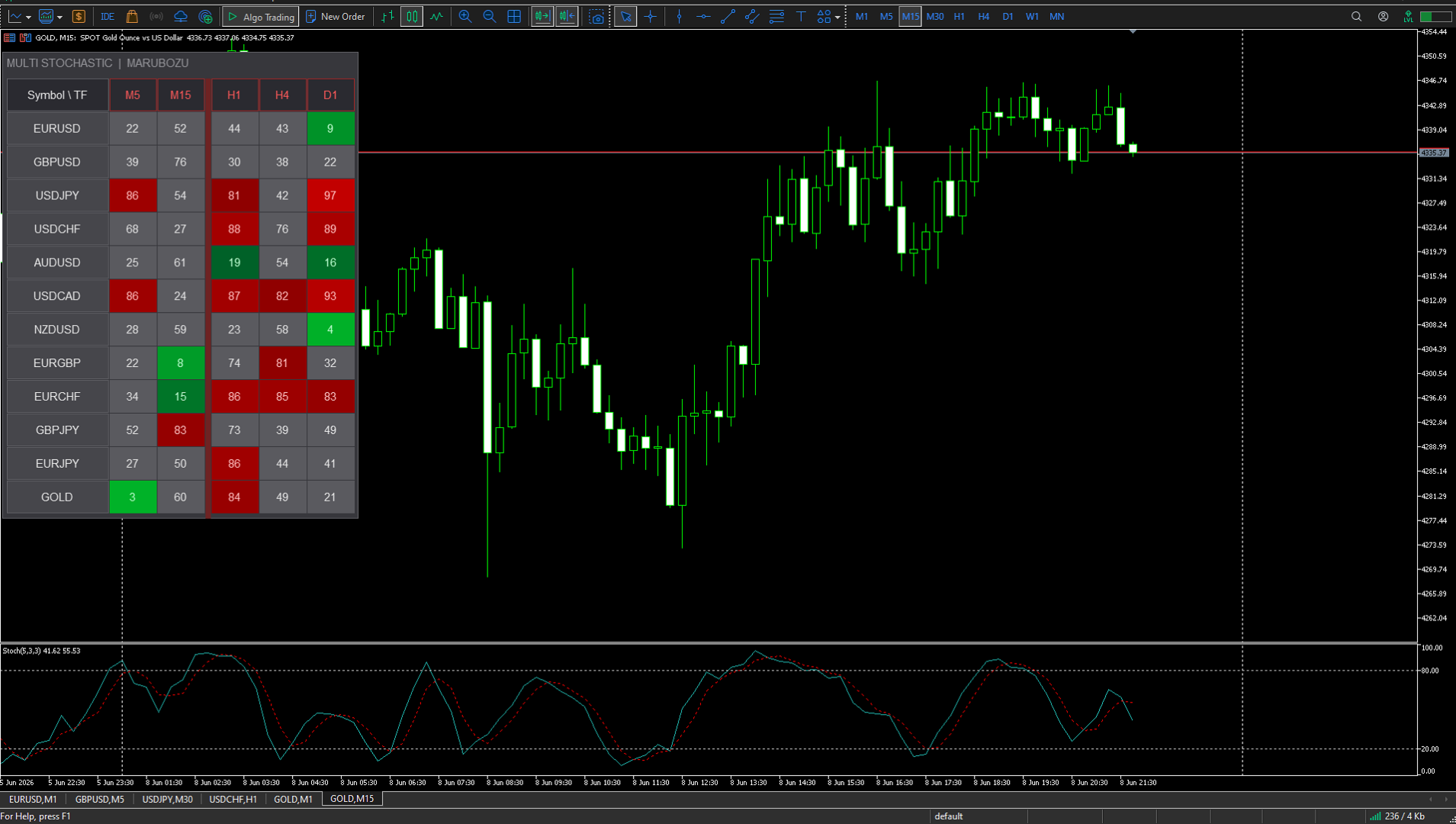
A table appears on the chart: instruments on the vertical axis, timeframes on the horizontal. Each cell shows the current Stochastic value and is colored by zone:
• Green — oscillator in the oversold zone. The brighter — the deeper in the zone.
• Red — oscillator in the overbought zone. Color intensity reflects signal strength.
• Gray — neutral zone, waiting.
When several timeframes of the same instrument show the same direction — that is the moment to analyze.
Panel features
The panel is drawn via Canvas — no flickering or lags. Three color schemes: Dark, Medium, Light. Font size is adjustable. The panel can be dragged anywhere on the screen.
Click on an instrument name — instantly switches the current chart to it.
Multiple copies
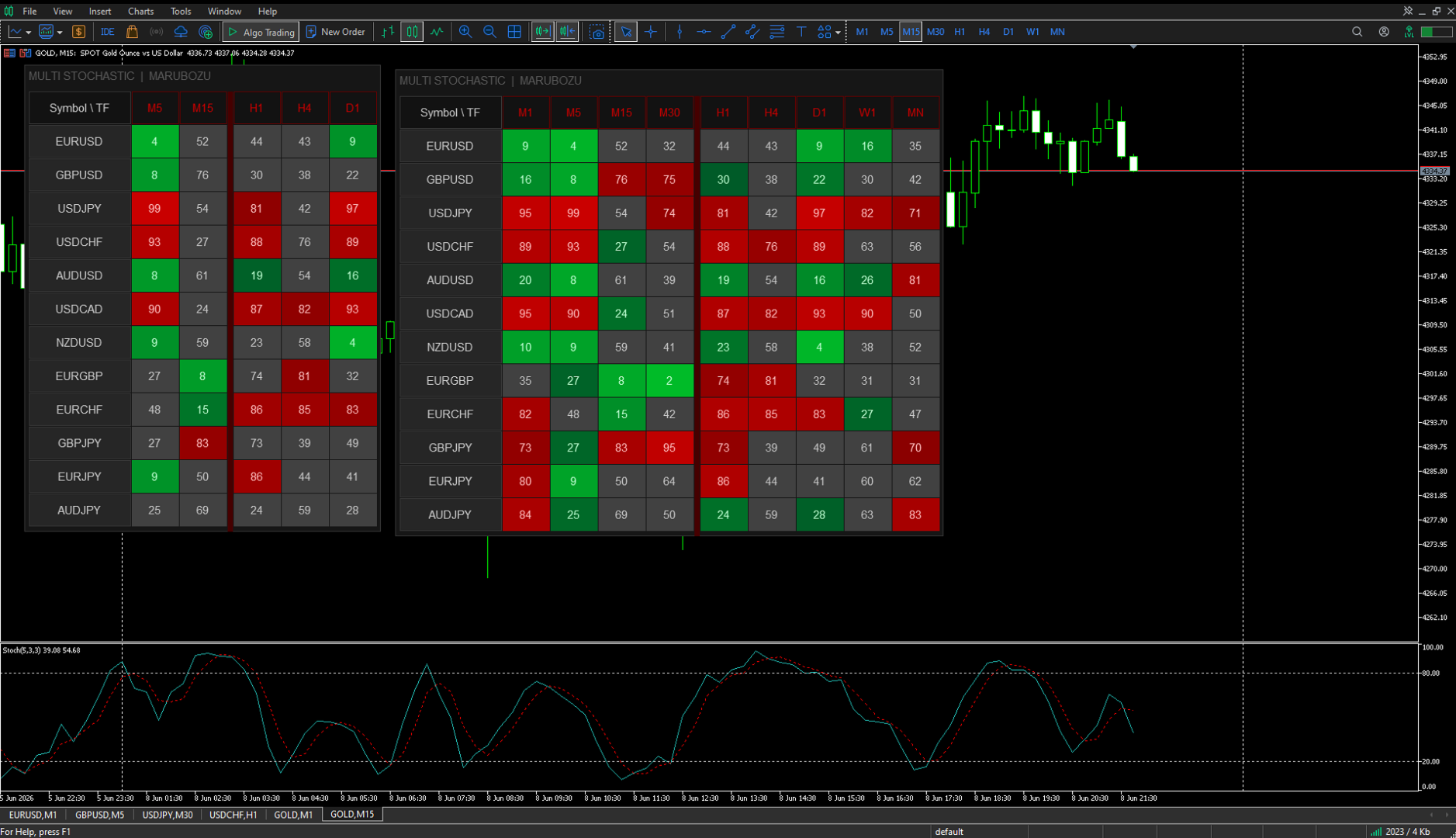
You can run as many copies of the indicator on the same chart as you need — for example, different Stochastic settings side by side. To do this, set a unique Instance ID for each copy: 1 for the first, 2 for the second, and so on. The position of each panel is saved independently.
Alerts
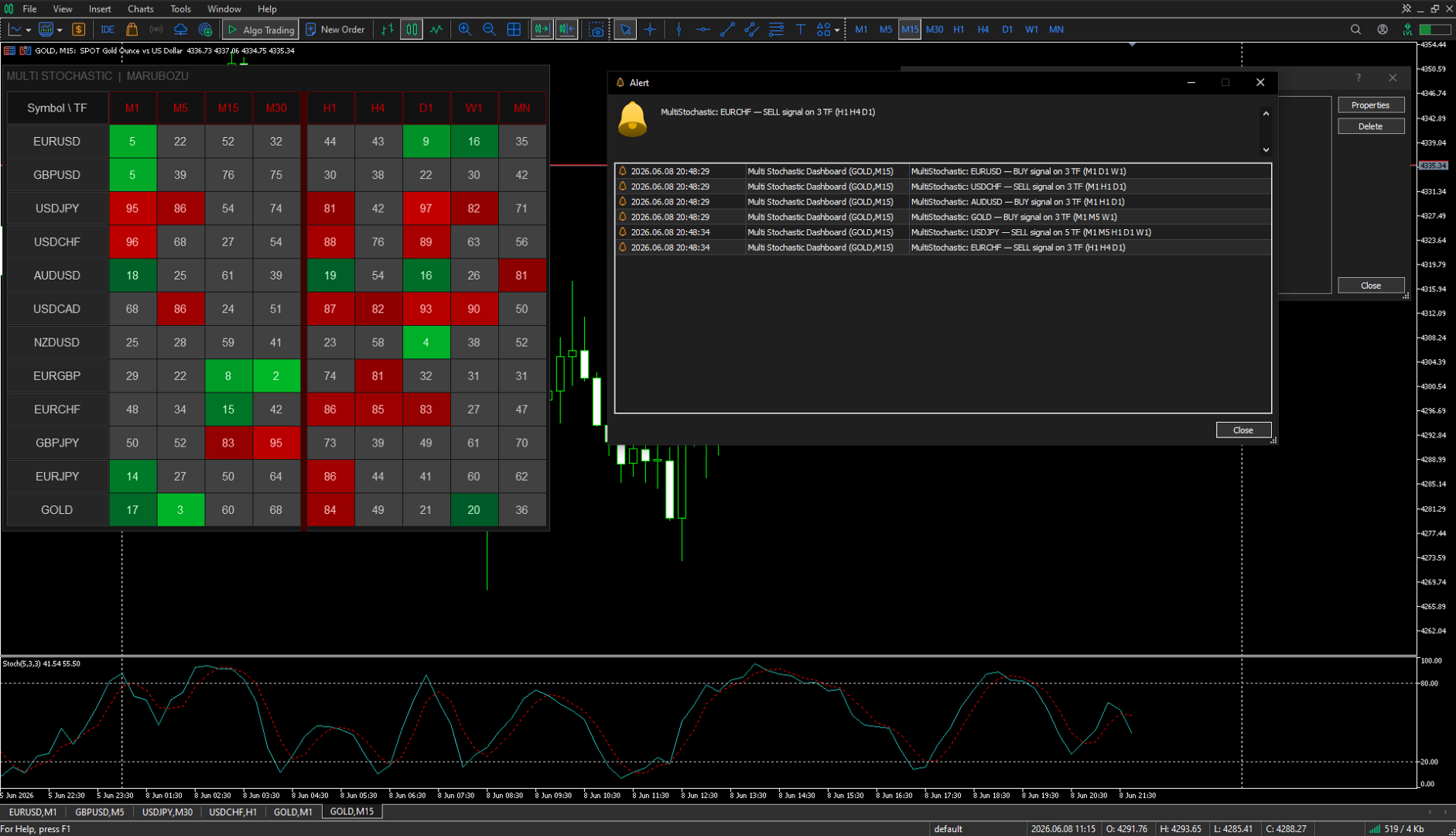
A notification arrives once — at the moment a new signal appears. No repeated messages until the signal changes. Three notification types: Popup, Push and Email.
Parameters
• Stochastic — K Period, D Period, Slowing, Method, Price, overbought and oversold zone levels.
• Timeframes — M1, M5, M15, M30, H1, H4, D1, W1, MN — each enabled and disabled separately.
• Symbols — up to 12 instruments, by default the main forex pairs are configured.
• Table — anchor corner, X/Y position, font size (5-30), color scheme.
• Alerts — Popup / Push / Email, minimum timeframes for a signal, alert on indicator start.
• General — Instance ID for running multiple copies simultaneously (1, 2, 3...).
Symbol names depend on the broker. For example, gold may be called XAUUSD instead of GOLD. If a symbol is not found in Market Watch — the indicator will report this on startup.
If a symbol shows (--) on higher timeframes — open its chart manually on that timeframe. MT5 will load the history and data will appear within seconds.
If the indicator proved useful — leave a review. It helps the project grow and new tools to appear.