Multi MA Dashboard
- Indicators
- Version: 1.0

Multi MA Dashboard
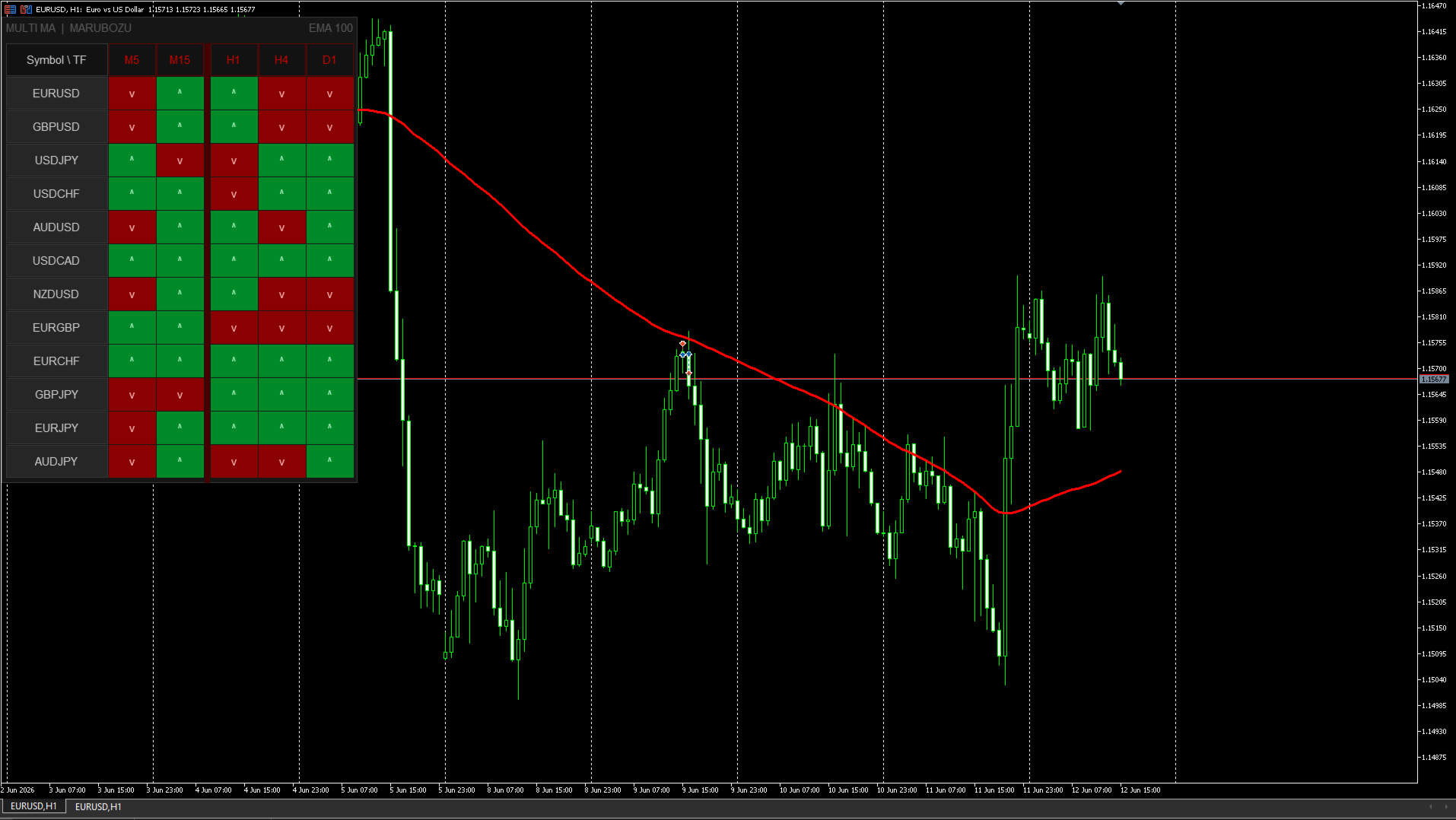
Multicurrency Moving Average dashboard for MetaTrader 5. Shows the position of price relative to the MA for up to 12 instruments across all timeframes simultaneously — all on one panel right on the chart.
Who it's for
For traders who use Moving Averages and are tired of switching between dozens of charts looking for a trend. The panel shows the full market picture — at a glance.
How it works
A table appears on the chart: instruments on the vertical axis, timeframes on the horizontal. Each cell shows the position of the closing price relative to the MA on the last closed bar:
• Green (^) — price is above the MA. Uptrend confirmed.
• Red (v) — price is below the MA. Downtrend confirmed.
• Gray (--) — data is loading.
When several timeframes of the same instrument show the same color — that is the moment to analyze.
Panel features
The panel is drawn via Canvas — no flickering or lags. Three color schemes: Dark, Medium, Light. Font size is adjustable. The panel can be dragged anywhere on the screen.
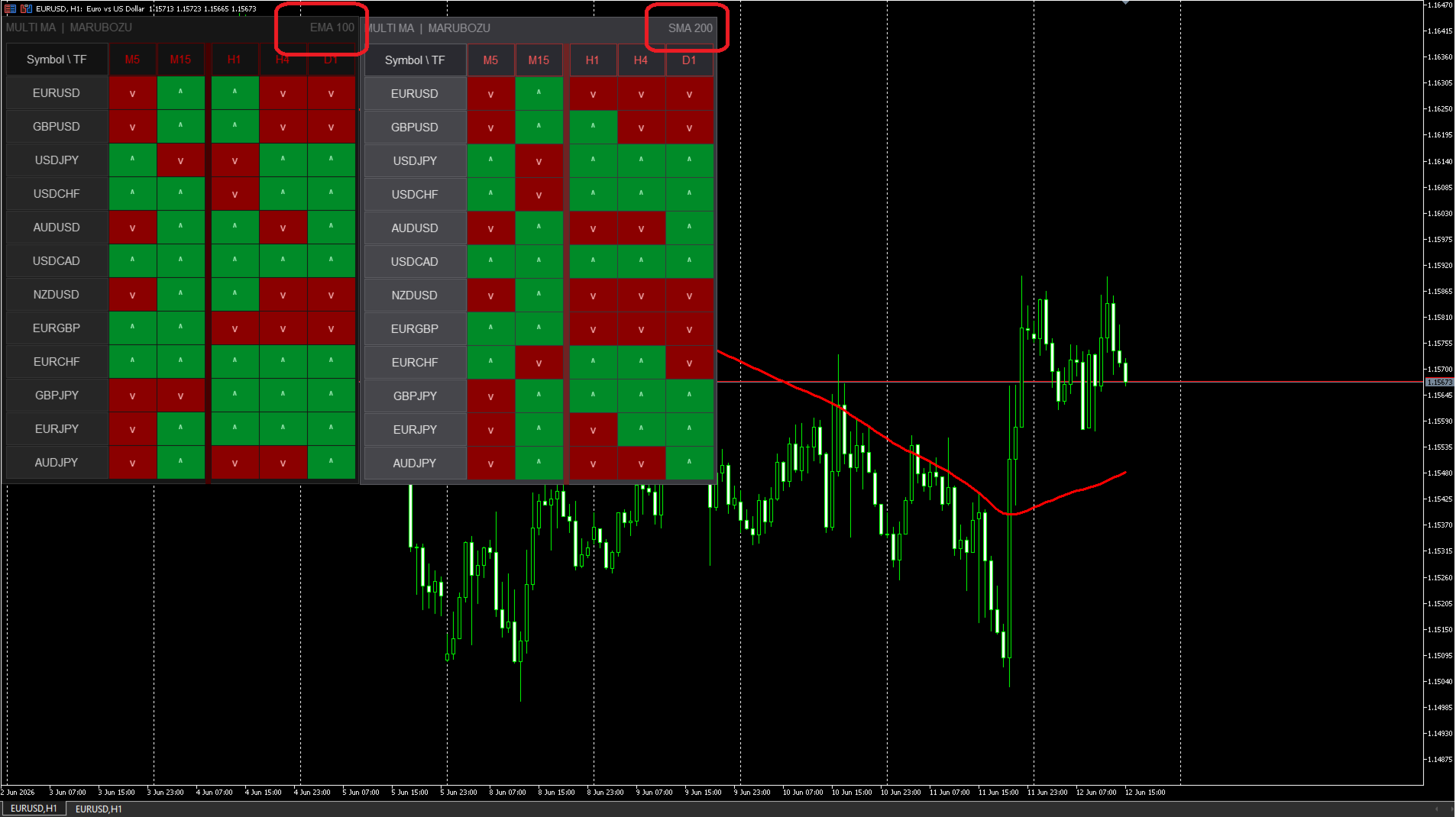
The MA method and period are displayed in the top right corner of the panel — so when running multiple copies simultaneously, it is always clear which panel uses which settings.
Click on an instrument name — instantly switches the current chart to it.
Multiple copies
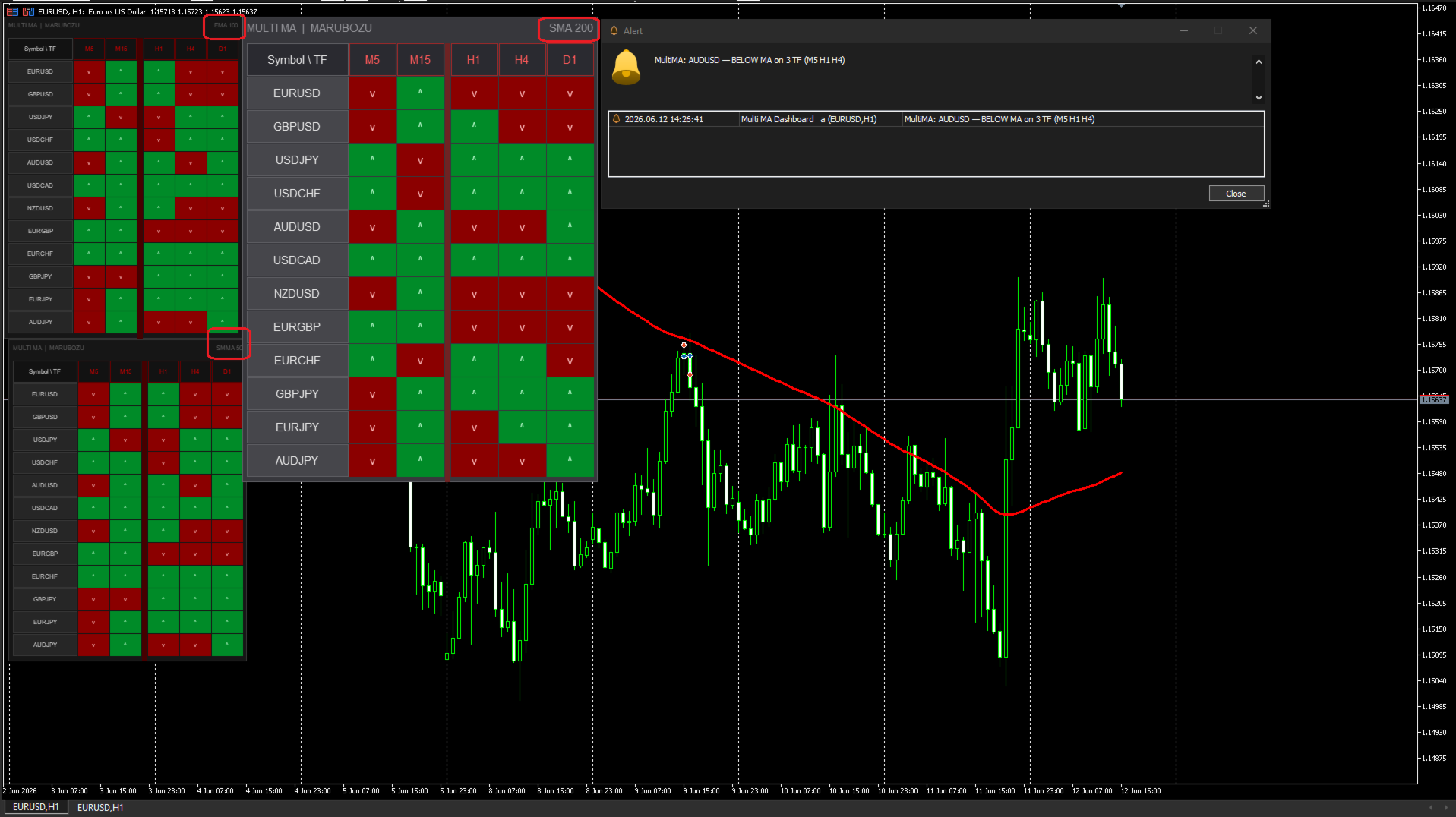
You can run as many copies of the indicator on the same chart as you need — for example, EMA 100 and SMA 200 side by side. To do this, set a unique Instance ID for each copy: 1 for the first, 2 for the second, and so on. The position of each panel is saved independently.
Alerts
A notification arrives once — at the moment a new signal appears. No repeated messages until the signal changes. Three notification types: Popup, Push and Email.
Parameters
• Moving Average — MA Period, MA Method (SMA, EMA, SMMA, LWMA), Applied Price.
• Timeframes — M1, M5, M15, M30, H1, H4, D1, W1, MN — each enabled and disabled separately.
• Symbols — up to 12 instruments, by default the main forex pairs, gold, silver, bitcoin and ethereum are configured.
• Table — anchor corner, X/Y position, font size (5-30), color scheme.
• Alerts — Popup / Push / Email, minimum timeframes for a signal, alert on indicator start.
• General — Instance ID for running multiple copies simultaneously (1, 2, 3...).
Symbol names depend on the broker. For example, gold may be called XAUUSD instead of GOLD. If a symbol shows (--) on higher timeframes — open its chart manually on that timeframe. MT5 will load the history and data will appear within seconds.
If the indicator proved useful — leave a review. It helps the project grow and new tools to appear.