Reversion Apex EA
- Experts
-
Michael Prescott Burney
 I am a professional trader and Expert Advisor developer focused on building high-performance, risk-driven systems for MetaTrader 5.
 - Version: 1.30
- Activations: 20
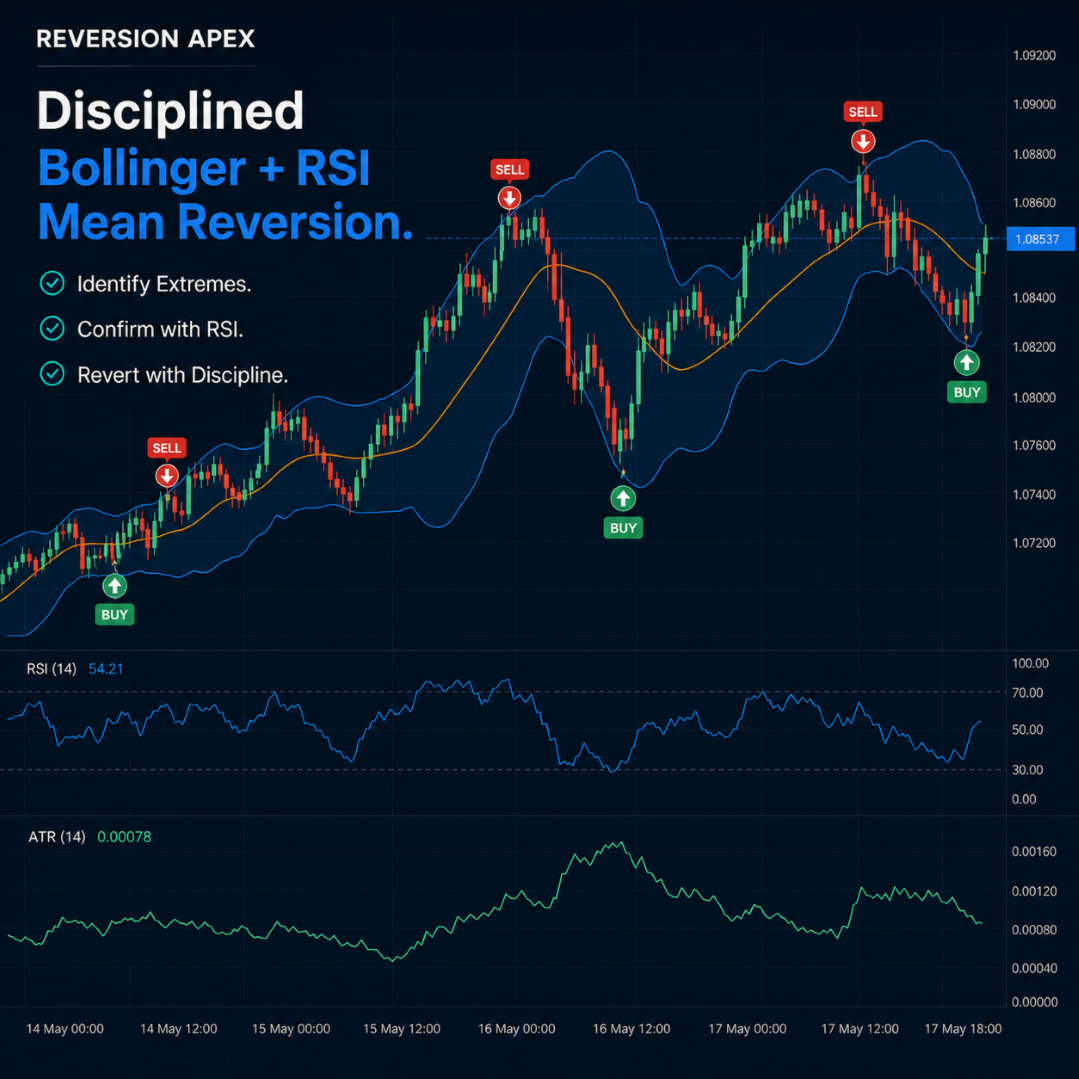
Reversion Apex EA is a MetaTrader 5 Expert Advisor designed for automated, rules-based market analysis and trade execution. The EA uses Bollinger Band and RSI conditions as part of a mean-reversion framework and evaluates entries on closed bars according to its active input settings.
The product is intended for traders who want to research and operate a structured automated approach with configurable position sizing, trade management, market filters, and account-protection functions. It can be used on supported broker symbols, including Forex pairs, metals, indices, and crypto CFDs, subject to the selected settings, available data, and broker trading conditions.
Main Features
- Bollinger Band and RSI-based mean-reversion entry framework
- Closed-bar signal evaluation to avoid acting on an unfinished candle
- Long and short trade evaluation according to the configured rules
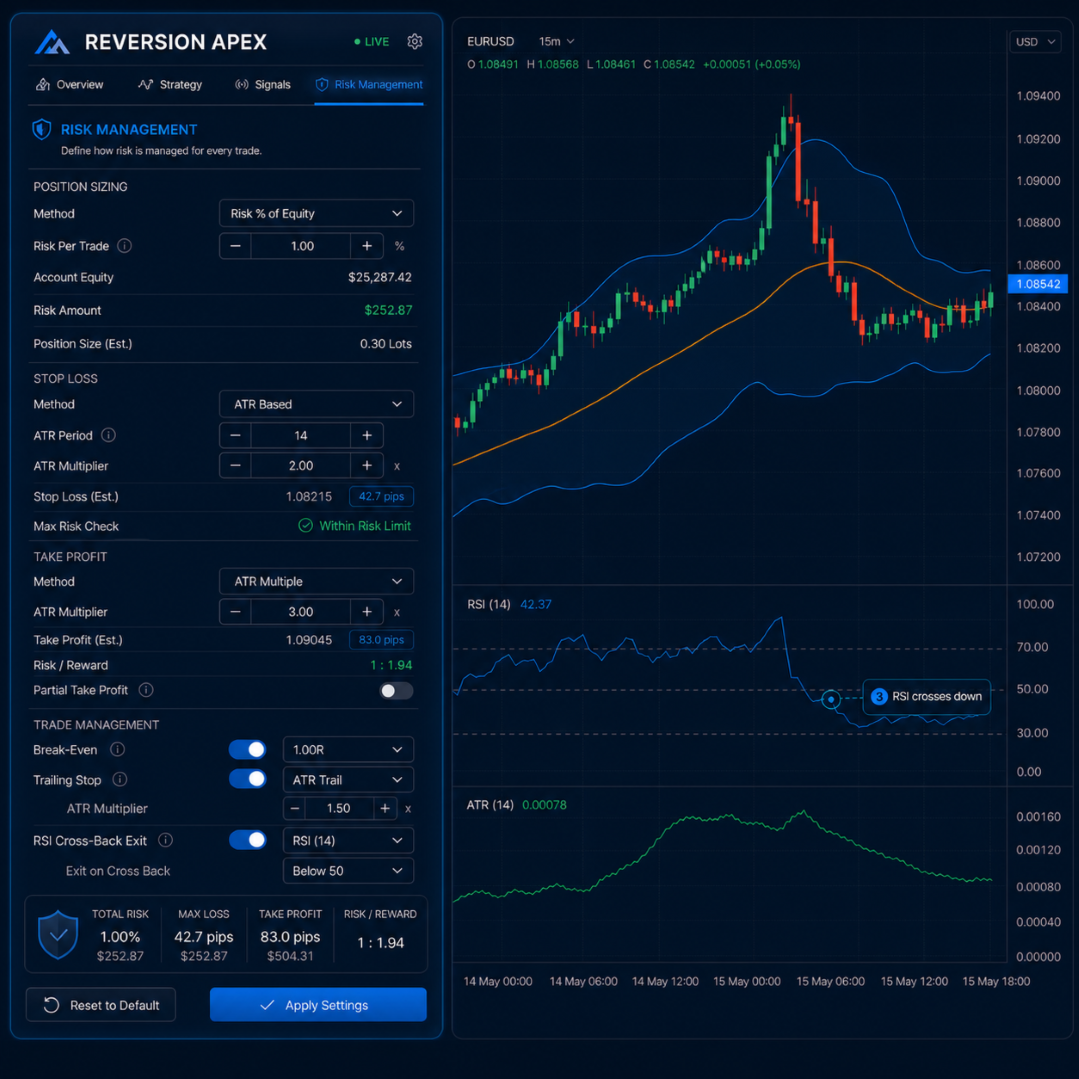
- Fixed-lot and configured risk-based position-sizing modes
- ATR-based or fixed-distance stop-loss and take-profit models
- Optional breakeven, trailing-stop, and RSI cross-back exit functions
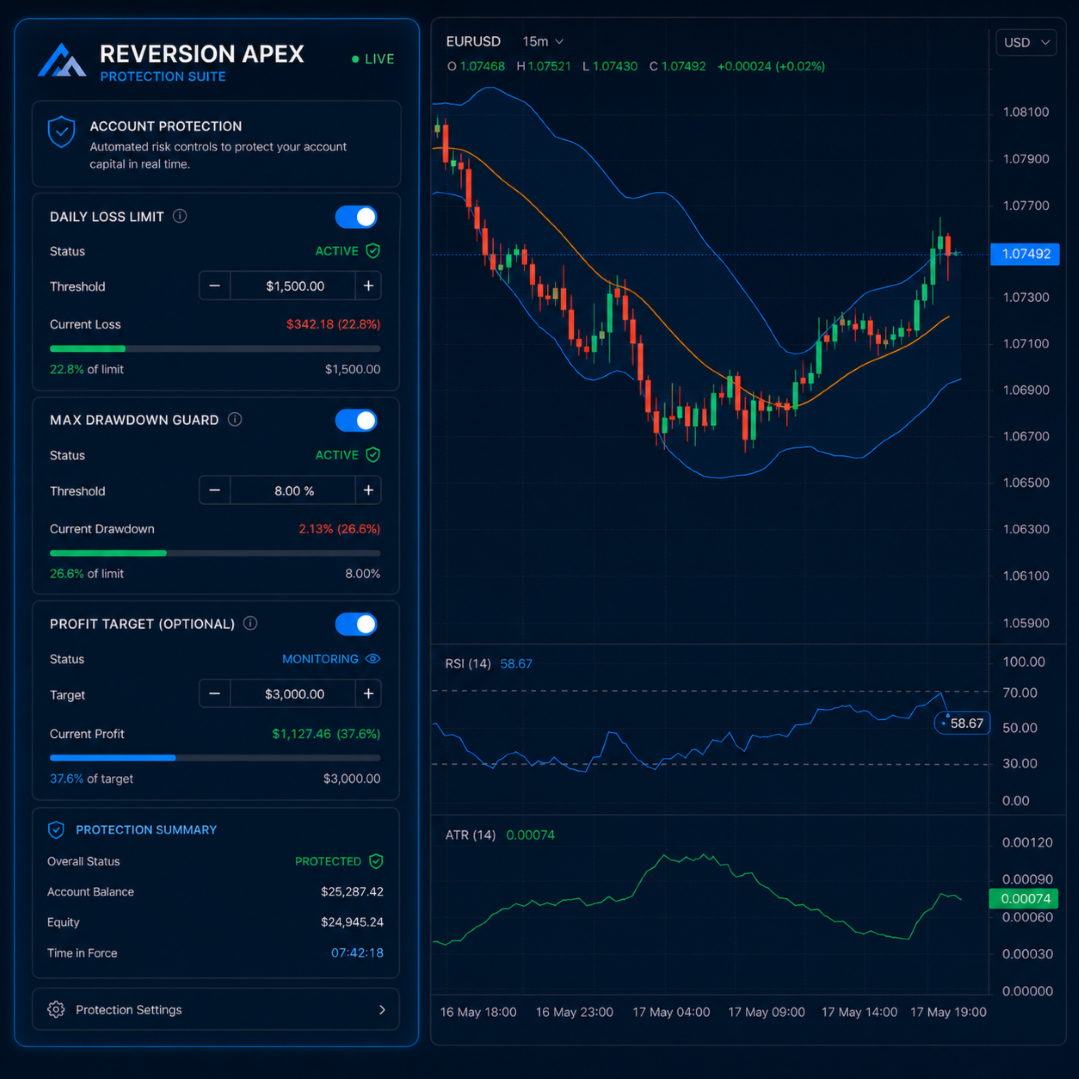
- Configurable daily loss, maximum drawdown, and profit-target controls
- Spread filter, trading-session filter, and one-entry-per-bar control
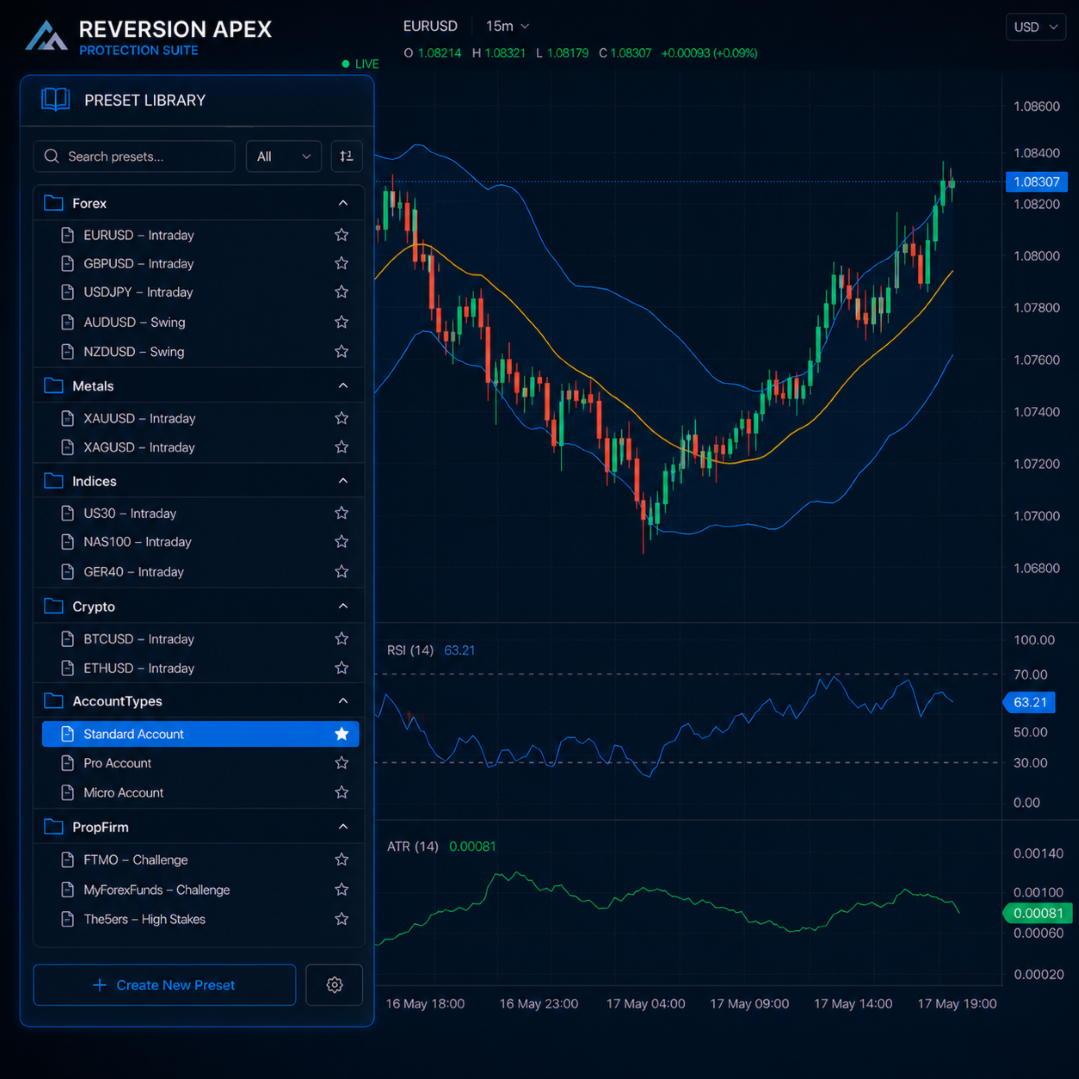
- Preset library for different symbols, chart periods, and configuration styles
- User documentation and setup guidance
- Matching indicator included with the product where stated in the product package
Mean-Reversion Framework
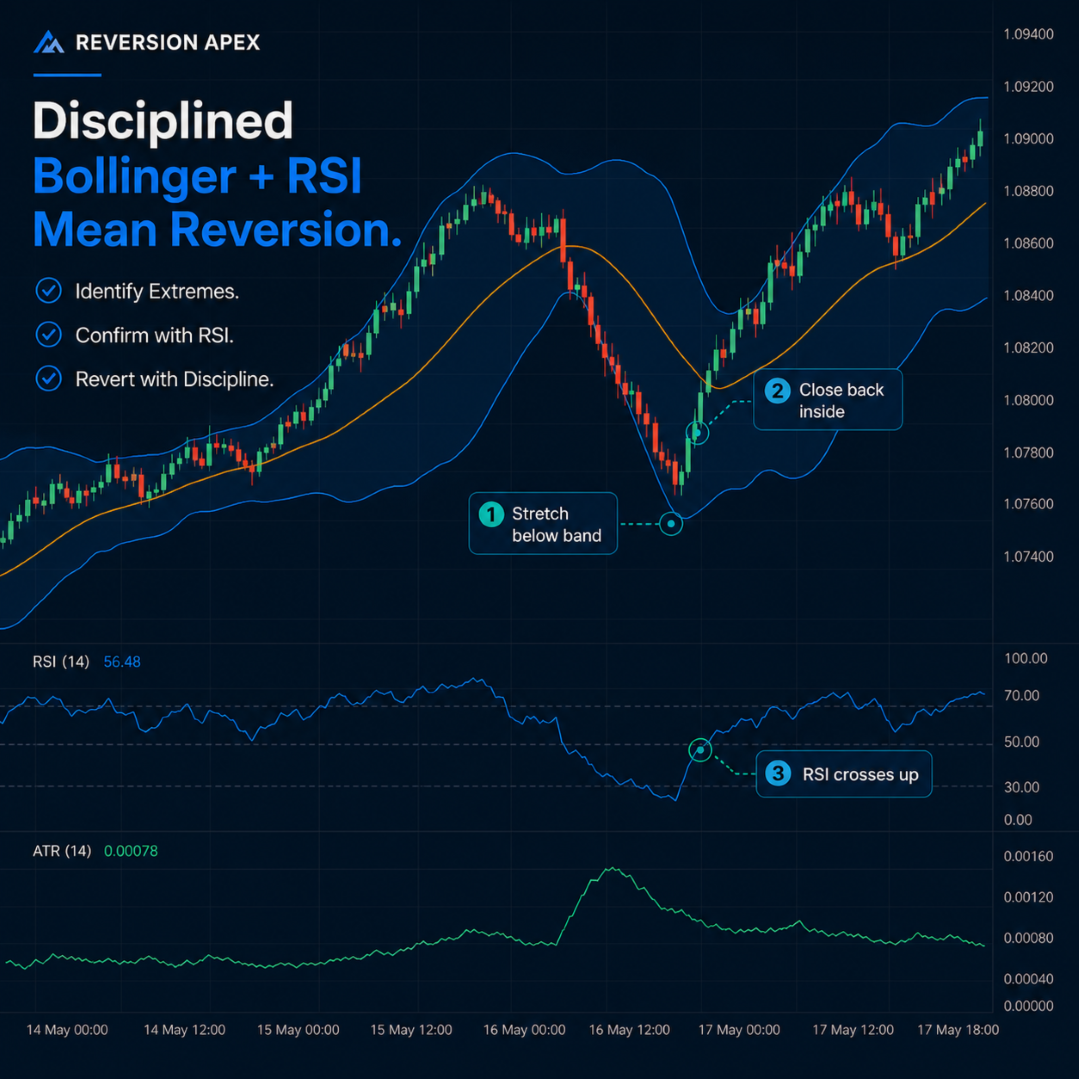
Reversion Apex EA uses Bollinger Band and RSI information to evaluate whether a market may be in a configured mean-reversion condition. The EA evaluates signals after the relevant bar has closed. Closed-bar processing is intended to make the entry rules operate from completed candle data rather than from values that can change while a bar is still forming.
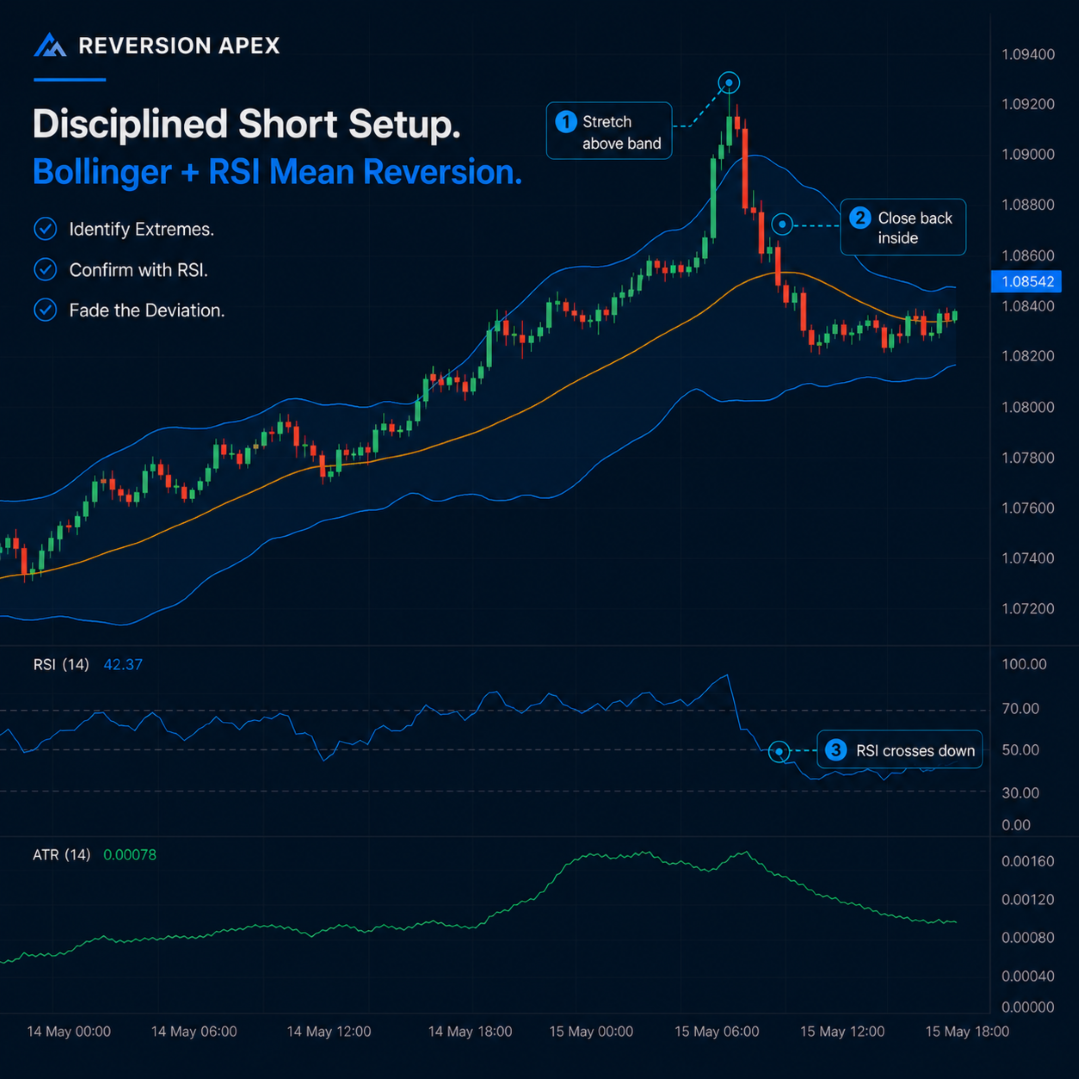
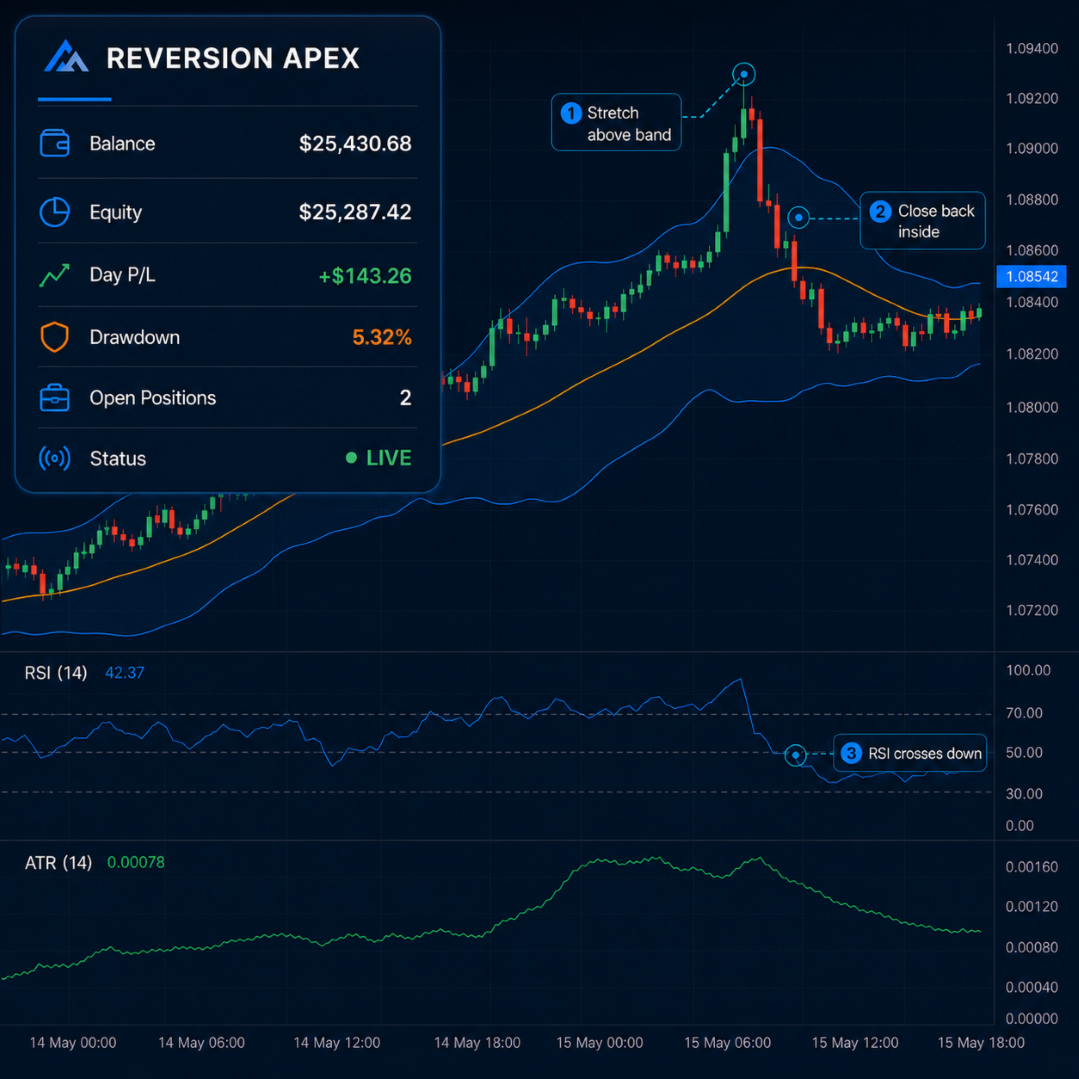
Depending on the selected settings, a long evaluation can require price to close back above the lower Bollinger Band together with an upward RSI cross of the configured midpoint. A short evaluation can require price to close back below the upper Bollinger Band together with a downward RSI cross of the configured midpoint.
These conditions are programmed entry criteria, not predictions. A Bollinger Band interaction or RSI cross does not guarantee a reversal, a profitable trade, or a specific price movement. Markets can remain extended, trend strongly, gap, or move rapidly against a mean-reversion position.
Trade and Risk Management
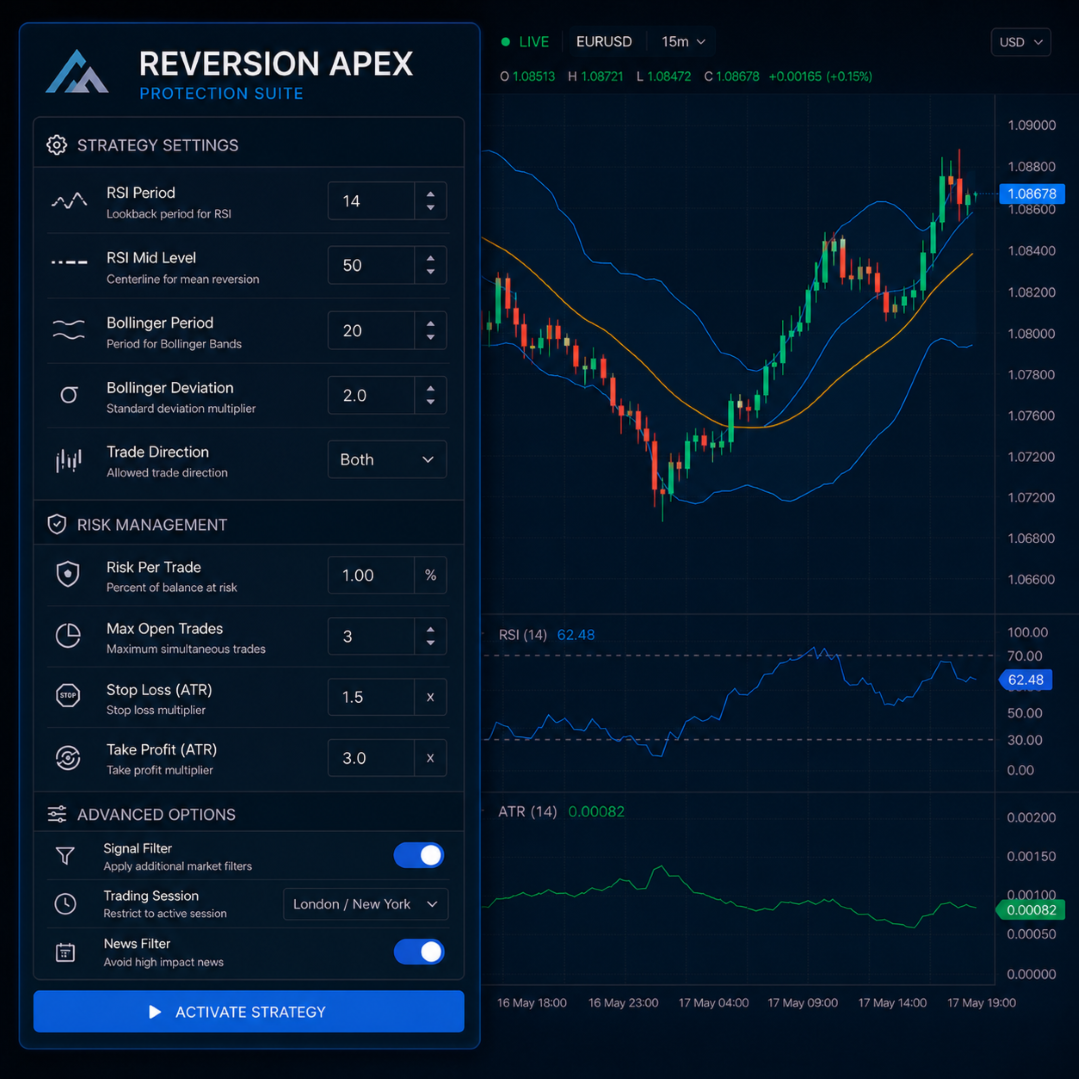
The EA includes configurable trade-management and account-protection functions. The user is responsible for reviewing each setting and selecting parameters appropriate for the account, symbol, broker, and personal risk plan.
| Function | Configuration Purpose |
|---|---|
| Position sizing | Allows fixed-lot sizing or a configured risk-based volume calculation. |
| Stop-loss and take-profit | Allows ATR-based or fixed-distance protective-stop and target settings. |
| Breakeven and trailing stop | Optional functions for modifying an active position according to the selected rules. |
| RSI cross-back exit | Optional exit function based on the configured RSI cross-back condition. |
| Daily loss and drawdown controls | Can apply configured restrictions after relevant daily-loss or drawdown thresholds are reached. |
| Profit-target control | Can apply the configured behavior after the selected profit target is reached. |
| Spread, session, and bar controls | Can restrict new entries according to maximum-spread, trading-session, and one-entry-per-bar settings. |
Protective stops, targets, trailing stops, breakeven functions, drawdown controls, and daily limits are subject to terminal operation, broker rules, liquidity, market prices, connectivity, and execution conditions. They cannot eliminate risk or guarantee that an order will be filled at a requested price.
Presets and Configuration
Reversion Apex EA includes a preset library intended to provide structured starting configurations for different symbols, chart periods, account types, and trading styles. Presets may be available for Forex majors, metals, indices, crypto CFDs, and more restrictive account-management configurations.
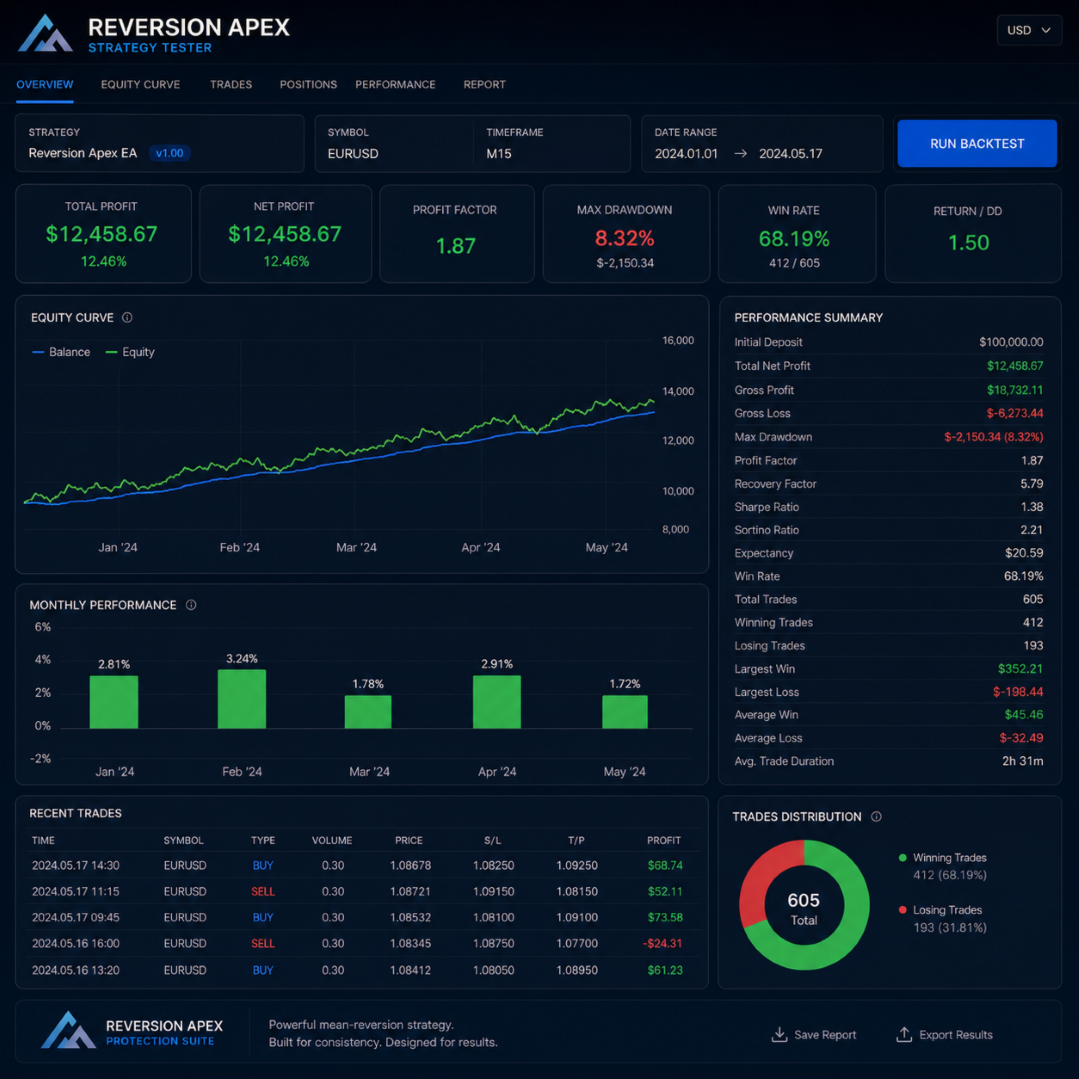
Each preset is a starting point for research and testing, not a recommendation, performance claim, or guarantee of suitability. Test settings using your broker's historical data and perform demo or forward testing before considering live use. Symbols, spreads, leverage, margin requirements, sessions, quote quality, and execution behavior can vary materially among brokers.
A user manual and setup guidance are included to assist with installation and input review. Documentation does not replace independent testing, risk assessment, or an understanding of the selected broker's contract specifications.
Matching Indicator
A matching indicator may be included with the product package as stated on the applicable product page. The indicator is intended to provide a visual representation of the related analytical conditions. It is an informational tool and does not guarantee signals, trading results, or future price direction.
Markets and Timeframes
The EA can be configured for use on broker-supported Forex pairs, metals, indices, and crypto CFDs. The appropriate symbol and chart period depend on the selected preset, available inputs, broker conditions, and the user's own testing.
Markets can behave differently across sessions and conditions. Trending periods, sharp volatility expansion, high-impact news, market openings, rollover, reduced liquidity, and price gaps can materially affect mean-reversion logic, spread conditions, stop-loss execution, and overall results.
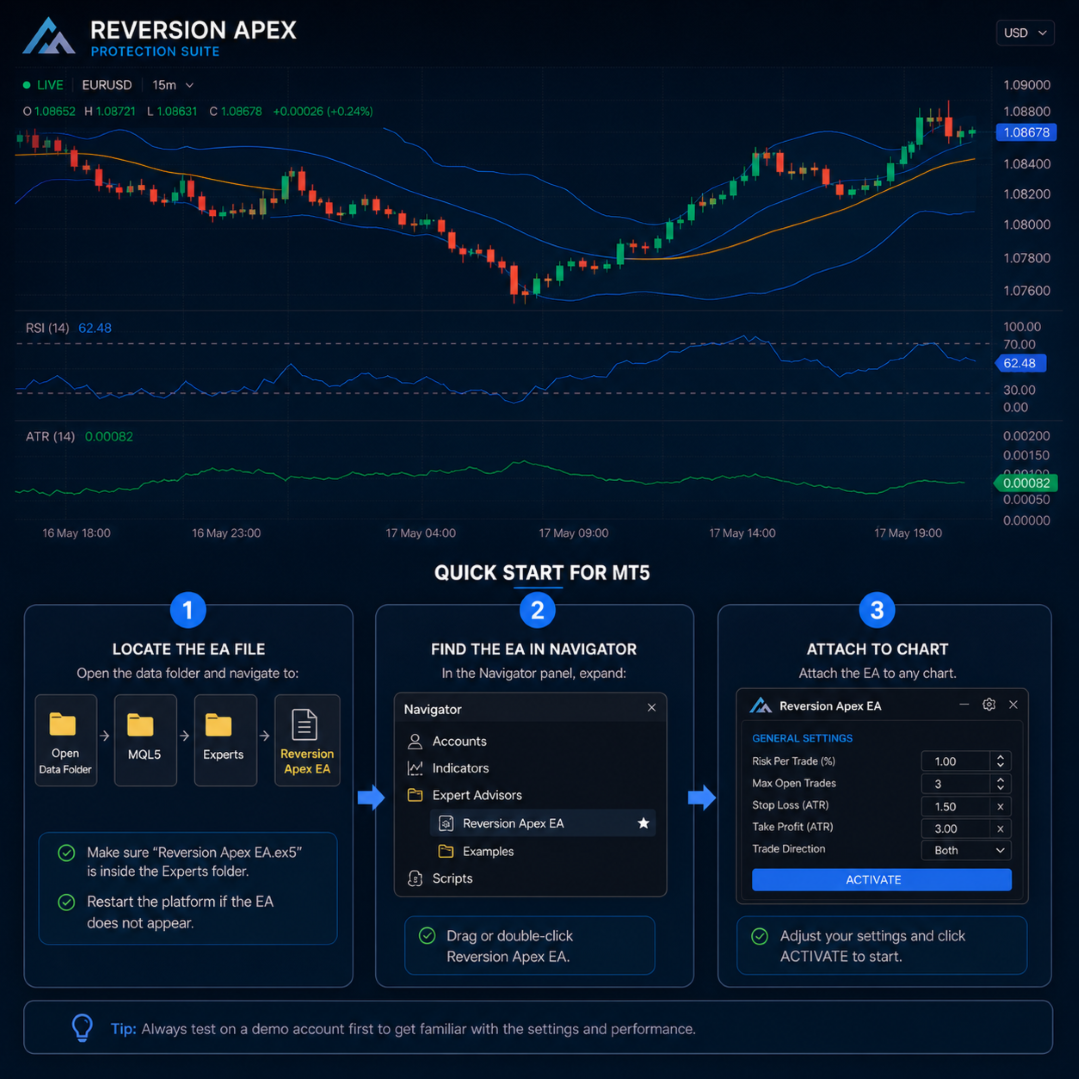
How to Install
- Open MetaTrader 5.
- Open the intended symbol chart provided by your broker.
- Select the timeframe appropriate for the chosen configuration or tested preset.
- Attach Reversion Apex EA to the chart.
- Review all Expert Advisor inputs, including lot size, risk settings, stops, filters, sessions, and account-protection limits.
- Use a unique magic number if you operate multiple Expert Advisors or strategies on the same account.
- Confirm that Algo Trading is enabled in MetaTrader 5.
- Keep the terminal running, or use a suitable VPS if uninterrupted automated operation is required.
Important Operating Notes
- Test the EA on a demo account using your broker's data before considering live operation.
- Use unique magic numbers when running multiple EA instances on the same account.
- Review every preset and input parameter before use; settings that may be appropriate for one symbol or timeframe may not be appropriate for another.
- Broker symbol names, suffixes, digits, contract sizes, tick values, minimum volumes, stop levels, leverage, margin requirements, swaps, spreads, and trading sessions can vary.
- High-impact economic events, central-bank decisions, geopolitical developments, market openings, rollovers, low-liquidity periods, and unexpected news can cause rapid movement, slippage, gaps, requotes, and wider spreads.
- Do not increase position size or risk solely because of a short period of positive performance.
- A VPS can help maintain terminal availability but cannot guarantee connectivity, broker service, order execution, or protection during fast markets.
Important Risk Disclosure
Trading foreign exchange, metals, indices, cryptocurrencies, CFDs, and other leveraged products involves substantial risk and may result in the loss of some or all invested capital. Reversion Apex EA is an automated trading tool and does not provide investment advice or guarantee profits, accurate entries, a particular win rate, protection from drawdown, funded-account qualification, or future performance. Mean-reversion strategies can experience adverse movement during persistent trends, high volatility, gaps, and news-driven conditions. The EA may experience losing trades, losing periods, and drawdowns. Historical testing, optimization results, set-file presets, demo results, and any past performance information are not reliable indicators of future live results. Market conditions, data quality, spreads, commissions, swaps, slippage, liquidity, price gaps, execution delay, broker specifications, leverage, margin requirements, and account settings can materially affect outcomes. Stop-loss, take-profit, trailing-stop, breakeven, daily-limit, drawdown-control, and profit-target functions do not guarantee exact execution prices or eliminate risk. Test carefully, use conservative and appropriate risk settings, and trade only with funds you can afford to lose.