Delta Pulse Auto EA
- Experts
-
Michael Prescott Burney
 I am a professional trader and Expert Advisor developer focused on building high-performance, risk-driven systems for MetaTrader 5.
 - Version: 1.30
- Activations: 20
DeltaPulse Auto is a MetaTrader 5 Expert Advisor designed for automated market analysis and trade execution using a structural-divergence framework. The EA evaluates its internal Quantum Delta Wave calculation on closed bars and applies configurable entry filters, trade-management rules, and account-protection controls before a new order is considered.
The product is intended for traders who want a rules-based automated trading tool with configurable position sizing, predefined protective stops and targets, and account-level guard settings. It can be configured for broker-supported Forex pairs, metals, indices, and crypto CFDs, subject to the selected settings, available historical data, and broker trading conditions.
Main Features
- Structural-divergence evaluation using the internal Quantum Delta Wave framework
- Closed-bar processing for entry evaluation
- Optional extreme-zone confirmation for configured divergence conditions
- ATR-based or fixed-distance stop-loss and take-profit settings
- Predefined stop-loss and take-profit logic for each new position
- Optional breakeven and ATR trailing-stop functions
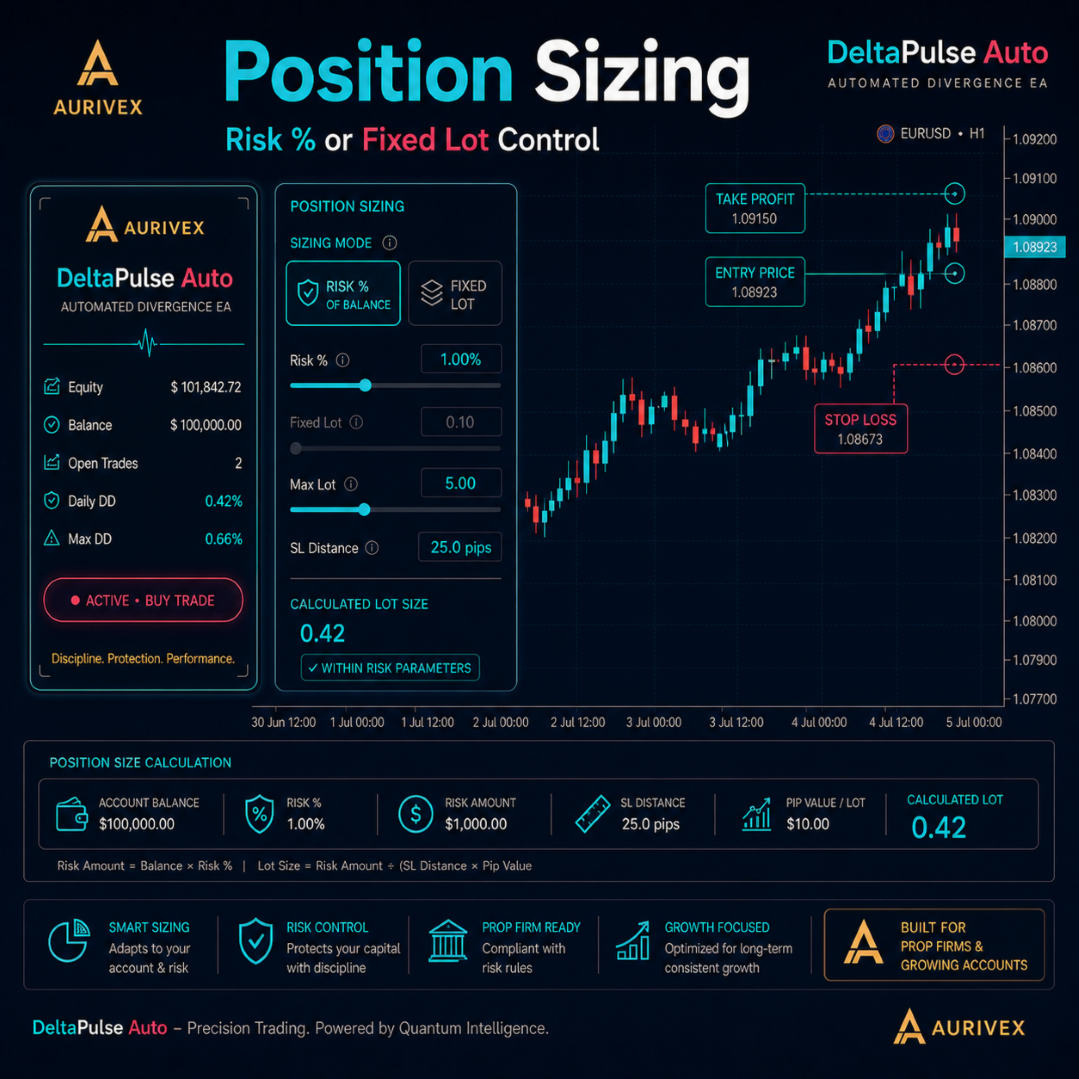
- Fixed-lot and configured risk-based position-sizing modes
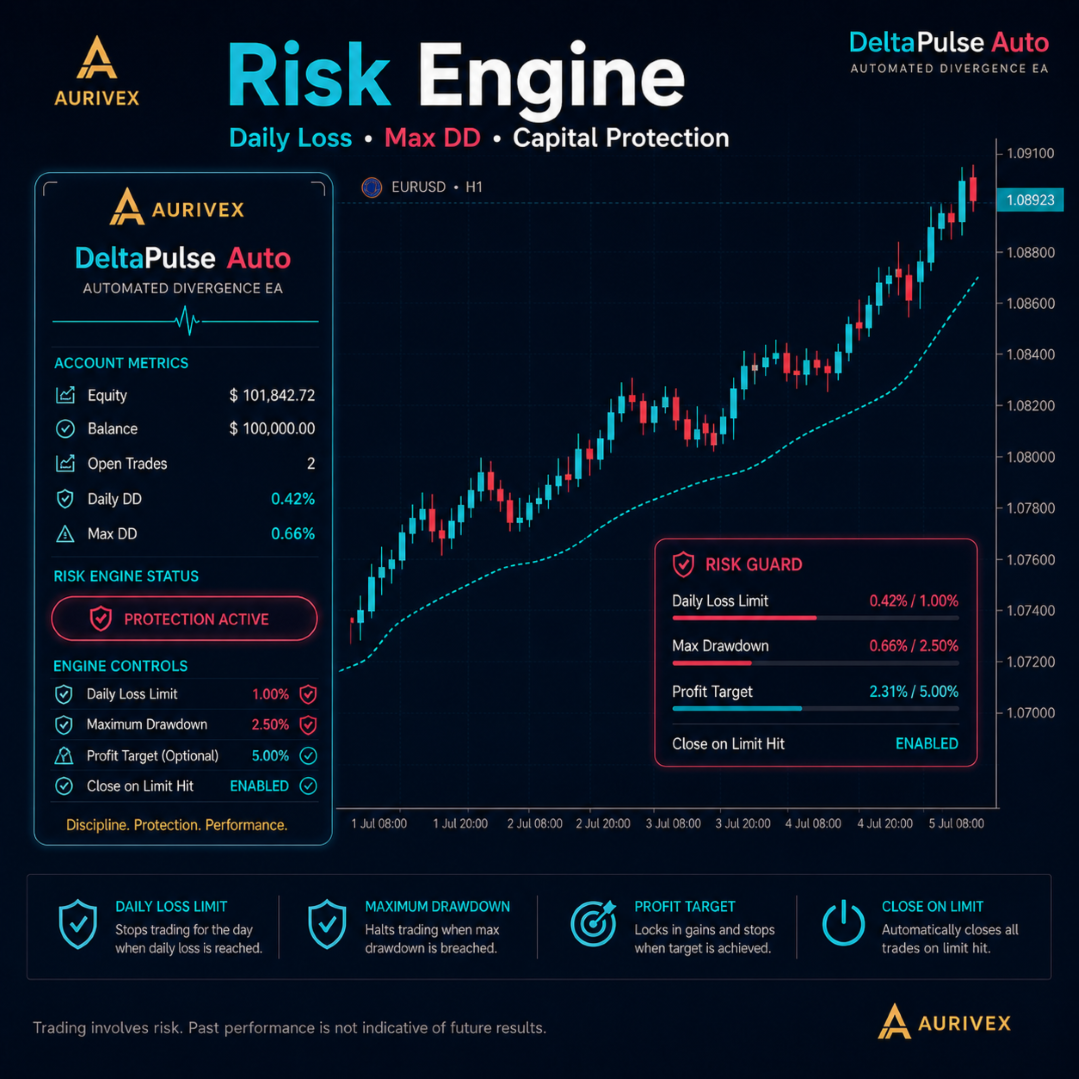
- Configurable daily-loss, maximum-drawdown, and profit-target controls
- Optional close-on-limit account-protection behavior
- One-position-per-symbol and one-entry-per-bar controls
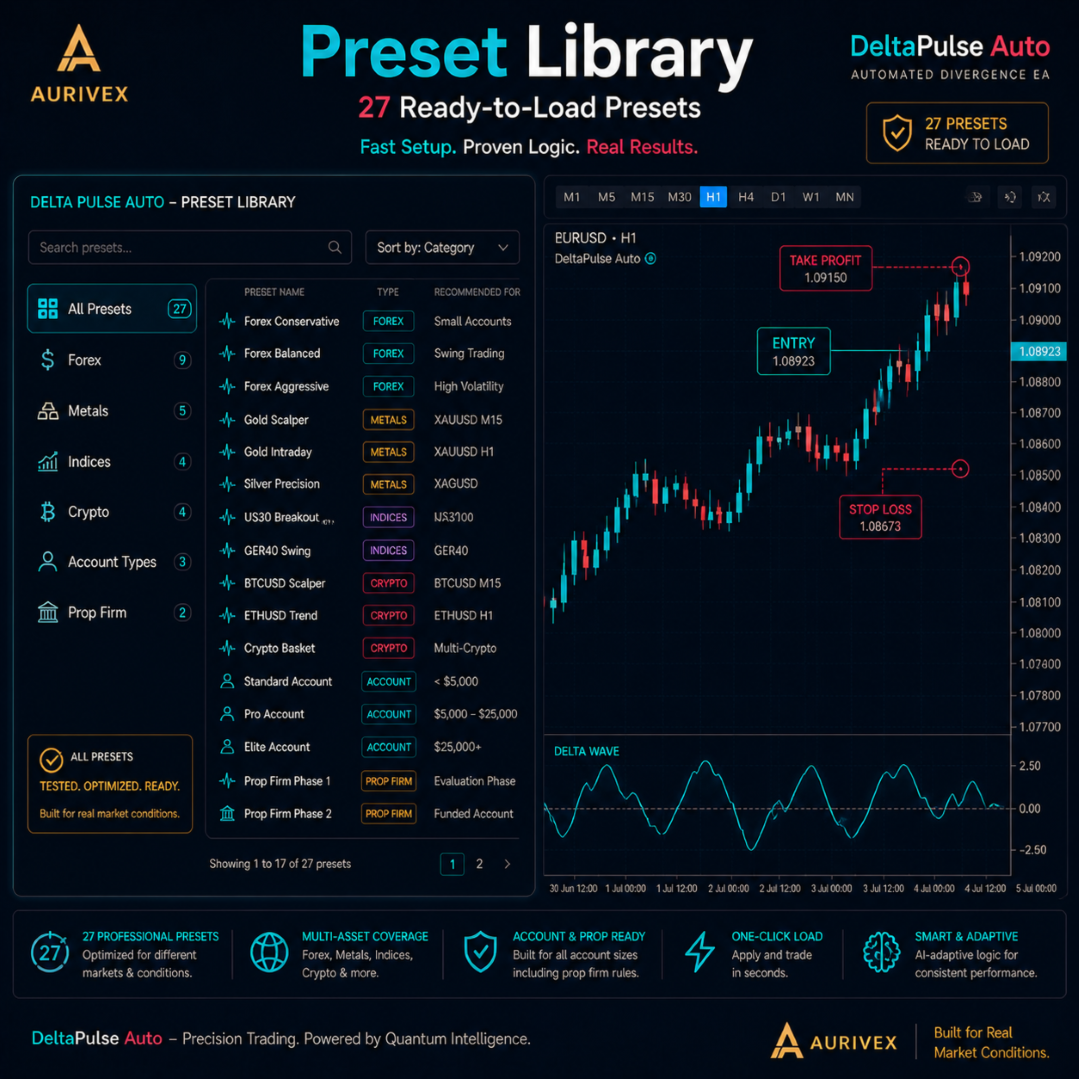
- 27 included set-file presets as testing and configuration starting points
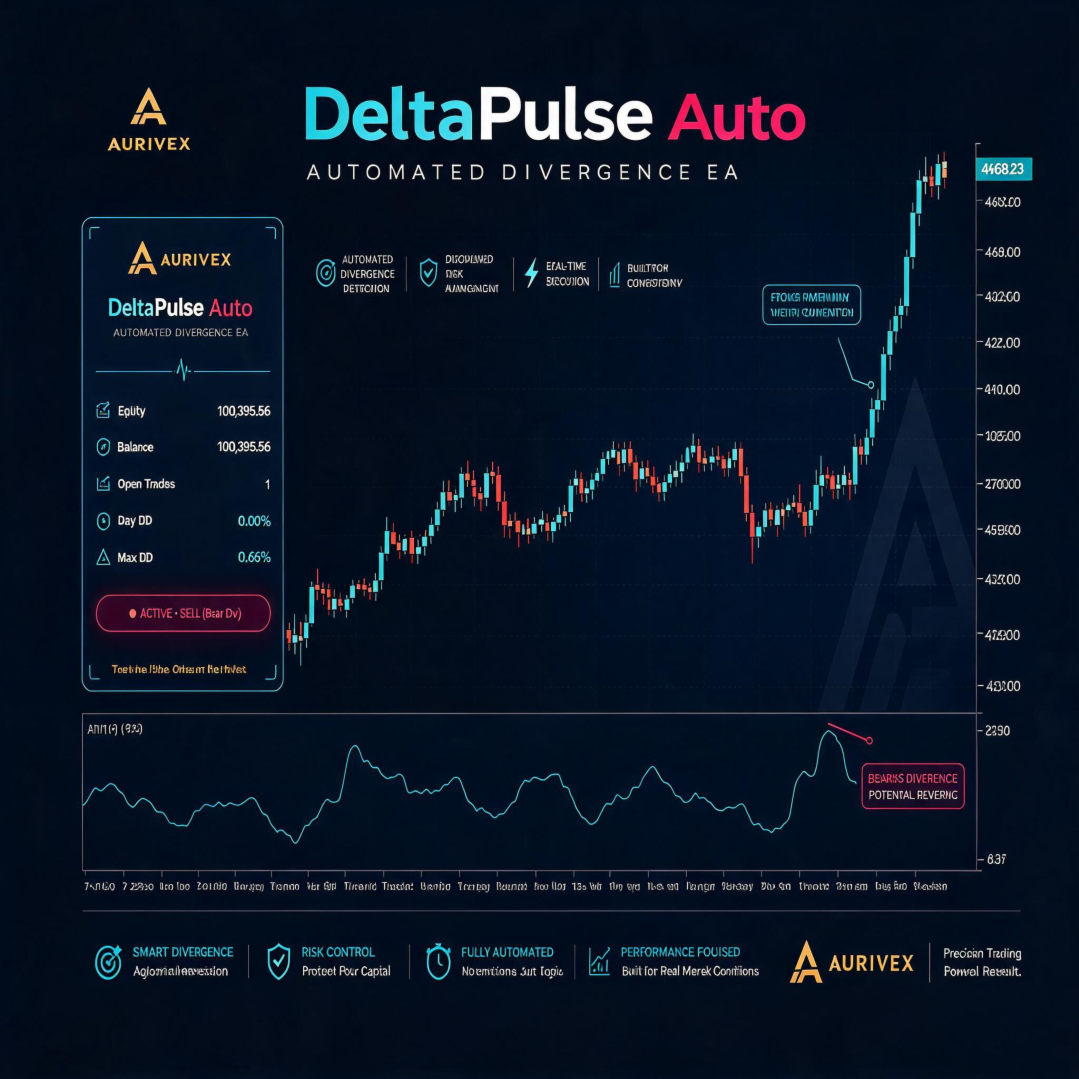
- On-chart dashboard for EA status and selected account metrics
Divergence Framework
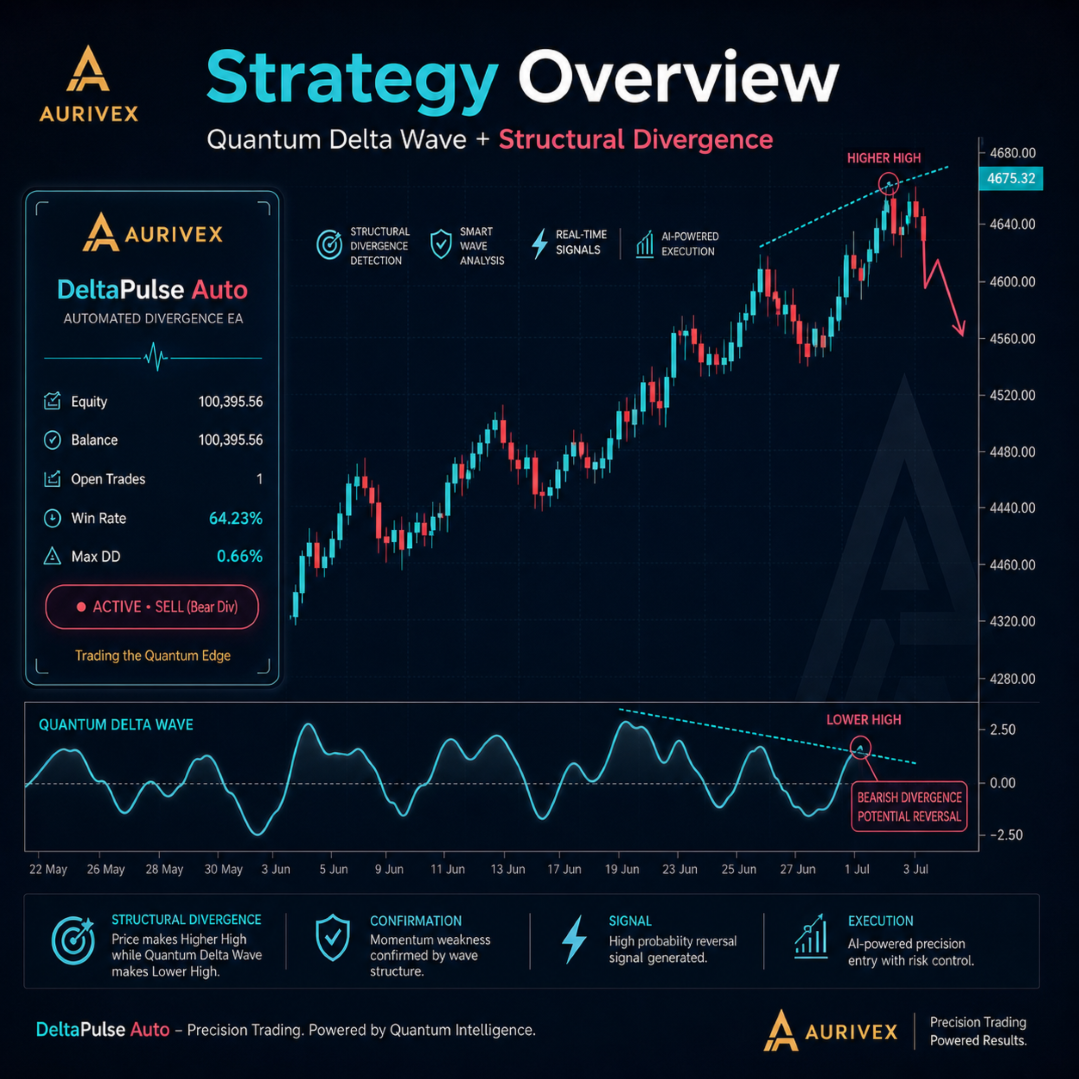
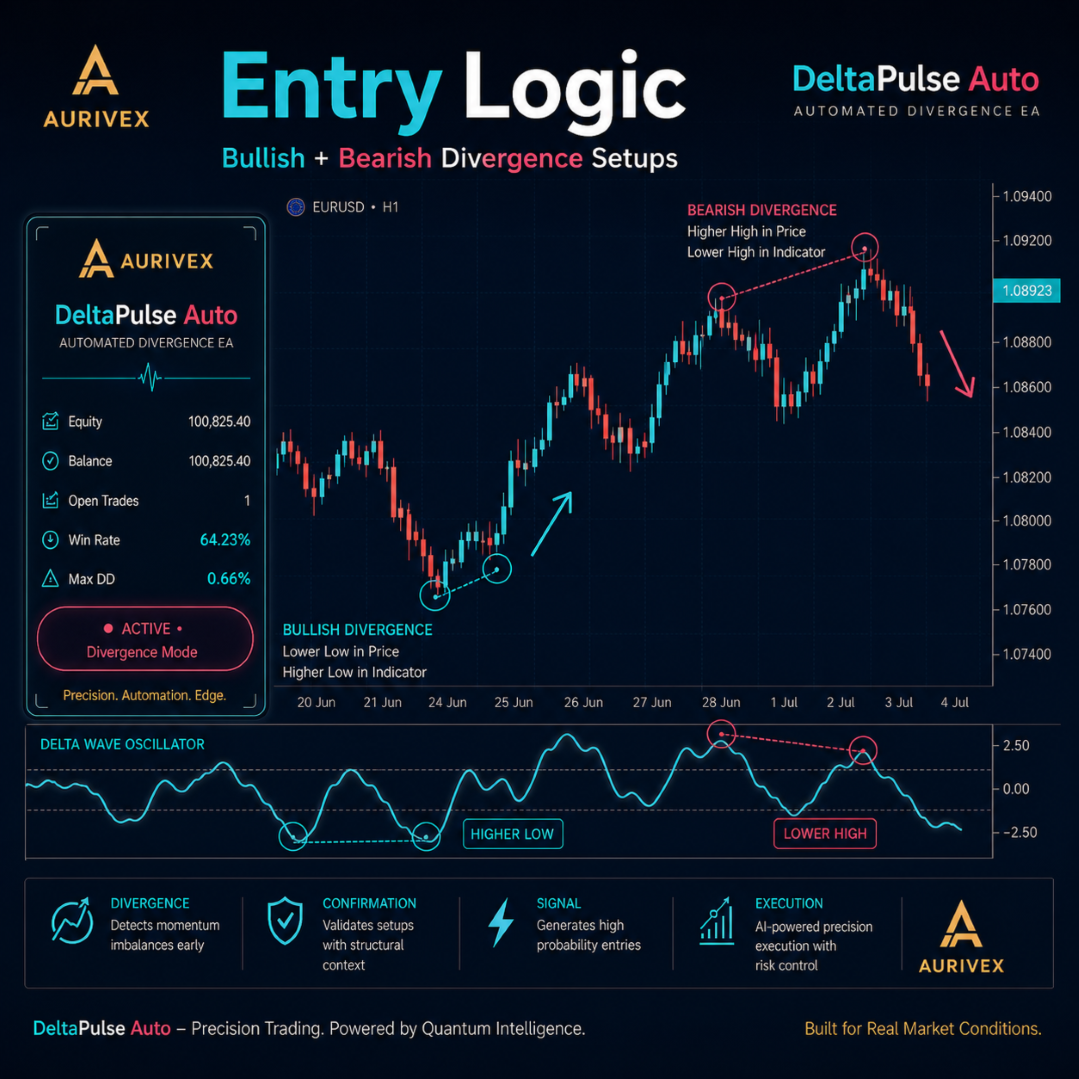
DeltaPulse Auto evaluates its internal Quantum Delta Wave calculation after an eligible bar has closed. It is designed to identify configured structural-divergence conditions around recent price and wave pivots. Closed-bar processing is intended to use completed candle information rather than values that can change while a candle is still forming.
Depending on the active settings, a potential long evaluation can require a bullish divergence condition: price forms a lower low while the internal wave calculation forms a higher low. A potential short evaluation can require a bearish divergence condition: price forms a higher high while the internal wave calculation forms a lower high.
The EA can also require the relevant wave condition to occur within configured oversold or overbought zones before an entry is considered. Divergence, pivot, wave, and extreme-zone conditions are programmed analytical criteria. They do not predict future price direction, guarantee a reversal, or ensure a profitable result.
Entry Controls and Filters
A potential order is evaluated only when the configured structural-divergence conditions and any enabled filters are satisfied. The user can configure the internal calculation and entry process through inputs such as Delta Wave lookback, smoothing, overbought and oversold boundaries, pivot spacing, extreme-zone confirmation, session filters, spread filters, and position controls.
The EA can be configured to restrict entries to one trade per symbol and one entry per bar. These settings are intended to apply consistent operational limits; they do not eliminate risk, prevent all repeat exposure, or guarantee that an order will be filled.
Trade Management
DeltaPulse Auto is designed to submit a stop-loss and take-profit level when a new position is opened, according to the active EA logic, selected inputs, and broker requirements. The default configuration can use ATR-based calculations, while fixed-distance stop-loss and take-profit values may also be available.
| Function | Configuration Purpose |
|---|---|
| Position sizing | Allows fixed-lot sizing or a configured risk-based volume calculation. |
| Protective stop and target | Allows ATR-based or fixed-distance stop-loss and take-profit settings. |
| Breakeven | Optional function that can modify a position when its configured trigger and profit-lock criteria are met. |
| ATR trailing stop | Optional trailing function that can update a protective stop according to the selected ATR-based rules. |
| Position controls | Can restrict maximum positions, positions per symbol, and entry frequency according to the selected settings. |
Stop-loss, take-profit, breakeven, and trailing-stop functions are subject to terminal operation, broker rules, quote availability, liquidity, price changes, and execution conditions. They do not guarantee execution at a requested price, especially during gaps, rapid movement, reduced liquidity, or connectivity disruption.
Account Protection Controls
The EA includes configurable account-protection functions intended to help users apply their own trading limits. Available controls can include daily-loss limits, maximum-drawdown limits, an optional profit target, and optional close-on-limit behavior.
| Control | Purpose |
|---|---|
| Daily-loss limit | Can restrict new activity after the configured daily-loss threshold is reached. |
| Maximum-drawdown limit | Can apply the configured restriction when the selected drawdown threshold is reached. |
| Profit target | Can apply the selected behavior after the configured account or EA profit target is reached. |
| Close-on-limit | Optional setting that can attempt to close positions when an applicable protection limit is reached. |
Account-protection functions cannot guarantee compliance with any third-party program, broker rule, evaluation account, or funding-provider requirement. They also cannot eliminate market, execution, or technology risk. Users are responsible for independently verifying all third-party rules and ensuring that their configuration is appropriate.
Strategy Restrictions
DeltaPulse Auto is not designed to use martingale, grid, or averaging techniques. Each new position is intended to use the configured stop-loss and target logic. This design characteristic does not make trading risk-free and does not prevent losing trades, losing periods, or drawdown.
Included Presets
The product includes 27 set-file presets intended as structured starting points for testing and configuration. Presets may cover Forex pairs, metals, indices, crypto CFDs, broker account types, and more restrictive account-management configurations.
- Forex configurations for major pairs and intraday or swing-style research
- Metals configurations for instruments such as gold and silver
- Index configurations with session-related settings
- Crypto CFD configurations with wider volatility-based parameters
- Starting profiles for Cent, Standard, ECN, and larger account types
- More restrictive profile examples for third-party evaluation or challenge-style workflows
Preset names and configurations are not performance claims, recommendations, or guarantees of suitability. In particular, references to third-party evaluation or challenge-style workflows do not imply compliance, approval, funding eligibility, or risk protection. Test every preset with your own broker data and perform demo or forward validation before considering live use.
Inputs and Configuration
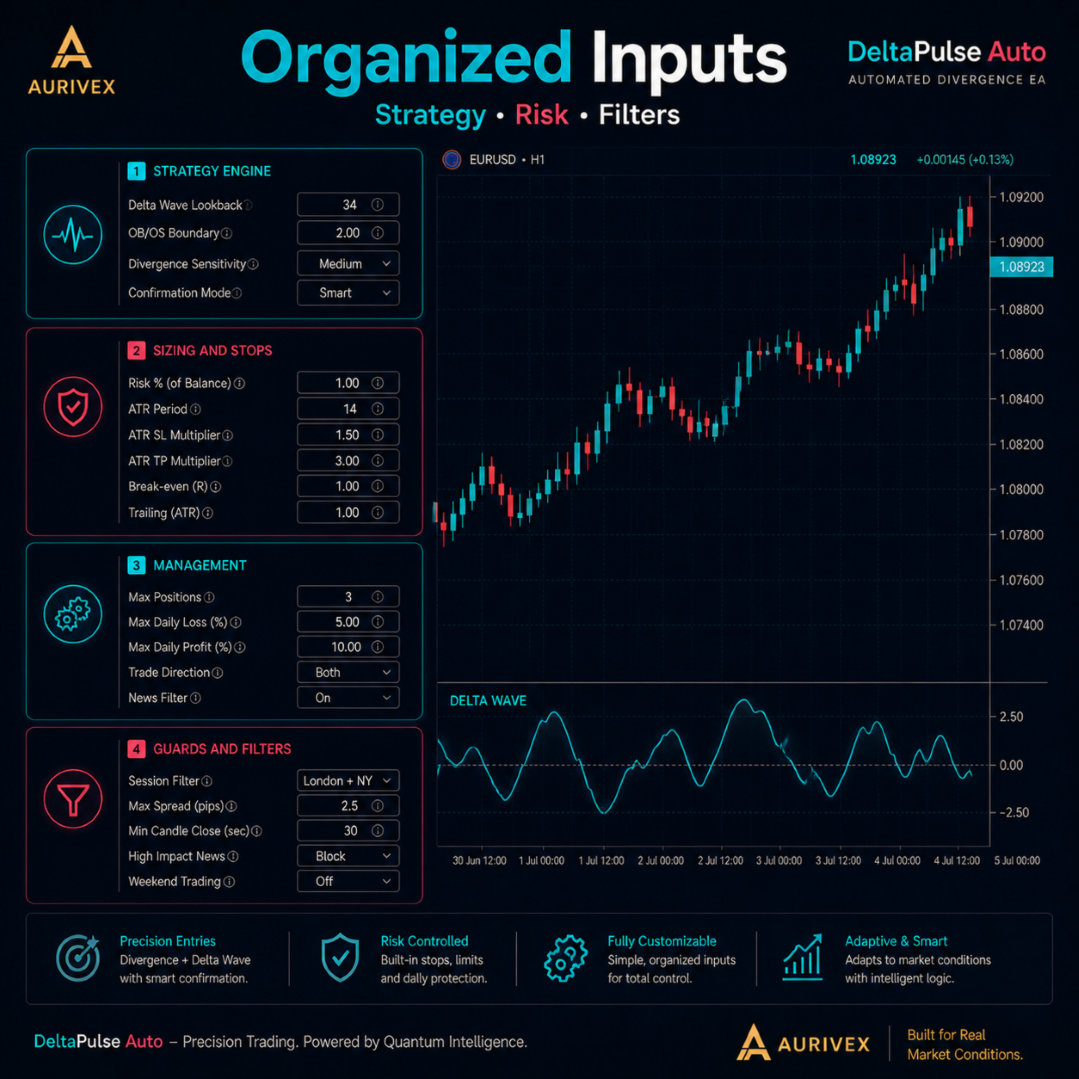
Inputs are organized into groups for strategy behavior, sizing and stops, trade management and filters, and account-protection controls. Available settings can include:
- Strategy engine: Delta Wave lookback, smoothing, overbought and oversold boundaries, pivot spacing, and extreme-zone confirmation
- Sizing and stops: sizing mode, risk percentage, fixed lot, maximum lot, and ATR-based or fixed stop-loss and take-profit settings
- Management and filters: breakeven, ATR trailing, maximum positions, one-entry-per-bar, session filter, spread filter, and magic number
- Guards: daily-loss limit, maximum drawdown, optional profit target, and close-on-limit settings
Review every input before enabling automated trading. Changes to inputs, broker conditions, or the selected symbol and timeframe can materially alter EA behavior.
Dashboard and Monitoring
The optional on-chart dashboard is intended to provide operational information during use. Depending on the configuration, it can display balance, equity, open positions, daily drawdown, maximum drawdown, and EA status. When an available protection rule blocks new activity, the dashboard may display the relevant status or reason.
Dashboard information is for monitoring purposes only. It does not replace account statements, broker calculations, independent risk monitoring, or a review of open positions and pending orders.
How to Install
- Open MetaTrader 5.
- Install DeltaPulse Auto in the MetaTrader 5 Experts folder and restart or refresh the terminal if required.
- Open the intended broker-supplied symbol chart and select the timeframe appropriate for the chosen configuration.
- Attach DeltaPulse Auto to the chart.
- Load a suitable preset only as a starting configuration, then review all inputs.
- Set a unique magic number for each chart instance if multiple Expert Advisors or strategies are running on the same account.
- Review lot size, risk controls, stops, filters, trading sessions, and account-protection settings.
- Enable Algo Trading and confirm that automated trading is permitted in the EA settings.
- Forward-test on a demo account before considering a live or third-party evaluation environment.
Important Operating Notes
- Use a unique magic number when running multiple Expert Advisor instances on the same account.
- Keep spread and session filters enabled where appropriate for the selected symbol, broker, and timeframe.
- Broker symbol names, suffixes, digits, contract sizes, tick values, minimum volumes, stop levels, leverage, margin requirements, swaps, spreads, and trading sessions can vary.
- Different brokers, spreads, commissions, execution speed, price feeds, and symbol specifications can produce live results that differ from testing or demo results.
- High-impact news, central-bank decisions, geopolitical events, market openings, rollovers, reduced liquidity, and unexpected events can cause rapid movement, wider spreads, slippage, gaps, rejected orders, and delayed execution.
- Lower timeframes, metals, indices, and crypto CFDs can be especially sensitive to volatility and transaction costs.
- Do not increase risk solely because of a short period of positive results.
- A VPS can help maintain terminal availability but cannot guarantee connectivity, broker service, order execution, or protection during fast markets.
Important Risk Disclosure
Trading foreign exchange, metals, indices, cryptocurrencies, CFDs, and other leveraged products involves substantial risk and may result in the loss of some or all invested capital. DeltaPulse Auto is an automated trading tool and does not provide investment advice or guarantee profits, accurate divergence detection, accurate entries, a particular win rate, protection from drawdown, third-party evaluation compliance, funded-account qualification, or future performance. Divergence, technical indicators, wave calculations, filters, presets, and account-protection settings cannot predict future market behavior or eliminate risk. The EA may experience losing trades, losing periods, and drawdowns. Historical testing, optimization results, set-file presets, demo results, and any past performance information are not reliable indicators of future live results. Market conditions, data quality, spreads, commissions, swaps, slippage, liquidity, price gaps, execution delay, broker specifications, leverage, margin requirements, and account settings can materially affect outcomes. Stop-loss, take-profit, trailing-stop, breakeven, daily-limit, drawdown-control, profit-target, and close-on-limit functions do not guarantee exact execution prices or eliminate risk. Test carefully, use conservative and appropriate risk settings, and trade only with funds you can afford to lose.