
OMG Trading
- Utilities
-
OMG FZE LLC
 Trial Versions:
You can request a 15-day trial version (VolumeHedger EA for Recommended Brokers) through the website.
I don’t provide support during the trial period. I expect you to understand how it works and figure out which set you need to use.
Recommended Brokers: - Version: 3.94
- Updated: 7 October 2026
[ My Products ] , [ My Channel ]
OMG Trading Panel
Now you can control your trading panel directly from your phone. Install OMG Trading Tool on your MQL VPS and trade comfortably from the mobile MetaTrader 5 app while the panel runs 24/7. I've also added two useful strategies: Smart Margin Protection and Grid Strategy. You can also set an alert that triggers when the price drops.
Key Features
Remote Control via Mobile MT5
Control your trading tool from anywhere using your smartphone! Simply place a pending order with special commands in the comment field, and the tool will execute your instructions automatically. It is for traders who need flexibility and mobility.
Example Commands:
- `omg auto`- Toggle Auto Mode ON/OFF
- `omg auto on` - Enable Auto Mode
- `omg auto off` - Disable Auto Mode
- `omg profit X` - Set Take Profit amount to X dollars
- `omg points X` - Set Take Profit to X points
- `omg loss X` - Set stop loss to X loss amount
- `omg slpoints X` - Set stop loss to X points
- `omg lot X` - Set lot size to X
- `omg each` - Set TP mode to Each position
- `omg total` - Set TP mode to Total positions
Note: Command orders are automatically deleted after execution.
Price Change Alert
Get notified when significant price movements occur! Monitor candle volatility and receive alerts when the price range exceeds your threshold.
How it works:
- Formula: (High - Low) / Open * 100
- Set your desired percentage threshold (e.g., 1.5%)
- Choose your timeframe (M1 to D1)
- Enable Mobile Notification and/or Sound Alert
Notifies once per candle to avoid spam.
Smart Margin Protection
Protect your account with the intelligent Margin Recovery system. When your free margin drops below a specified percentage, the tool automatically opens a hedge position to protect your account from margin calls.
When margin drops below the limit, a hedge position opens automatically BUY dominant : Opens SELL | SELL dominant : Opens BUY
Grid Strategy
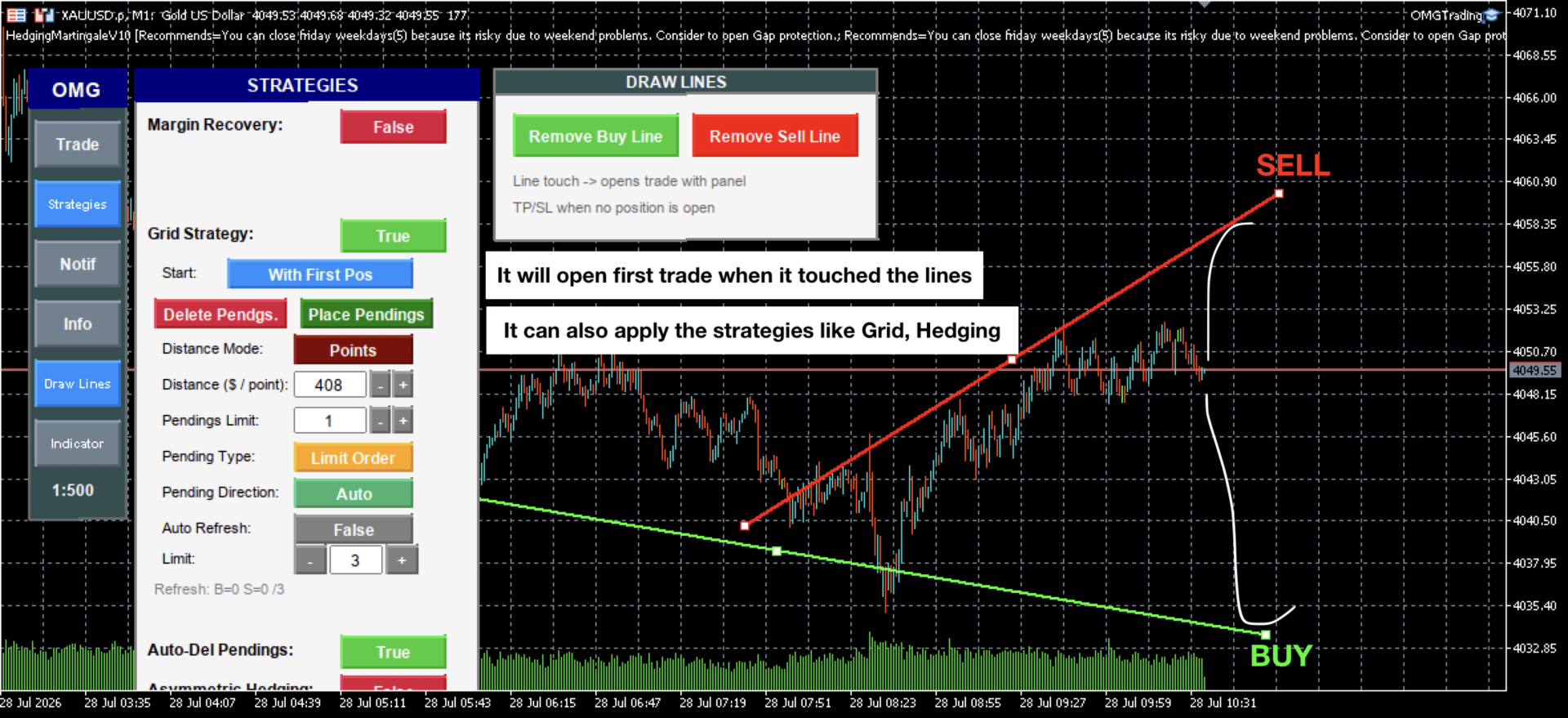
Automate your pending order placement with the built-in Grid Strategy. Create multiple pending orders at specified intervals with just one click.
Grid Options:
- Start Mode: Manual or Auto with First Position
- Distance Mode: Points or Profit-based
- Pending Type: Stop Orders or Limit Orders
- Direction: Both, Up Only, Down Only, or Auto (opposite of last position)
- Auto Refresh: Automatically recreates grid when orders are triggered
Auto-Save Settings
Never lose your configurations! All your settings are automatically saved and restored when you restart the tool. Your preferences persist across sessions.
VPS Integration
It can be used together with a VPS. You can control it remotely via the mobile application. Please check the Remote Command section.
#omgtradingpanel










































A fantastic tool made from fantastic developer! This tool will make you trade like an EA! You can trade faster and more organized! Good work!