
SwapSlap
- Experts
-
OMG FZE LLC
 Trial Versions:
You can request a 15-day trial version (VolumeHedger EA for Recommended Brokers) through the website.
I don’t provide support during the trial period. I expect you to understand how it works and figure out which set you need to use.
Recommended Brokers: - Version: 3.0
- Updated: 29 June 2026
- Activations: 5
[ LIVE SIGNALS ] , [ My Channel ] , [ BLOG ] , [ Public Chat ]
SWAPSLAP EA
Recommended accounts: Any, Standard, ECN, Raw; Cent; Propfirm (FTMO etc.)A new EA developed by Huseyin Furkan Öztürk, very easy to use with a plug-and-play structure, creative yet very powerful.
The working principle of SwapSlap EA is briefly based on generating profit using the carry trade method.
This method is a trading opportunity that arises because investors tend to switch sides during swap time due to interest rate differences between instruments. Usually, the side with the higher interest rate is preferred.
If no abnormal price movement is expected in the currency, investors will mostly trade toward the higher interest side. During this time, there is an opportunity to profit by buying low and selling high in a short period. Some filters exist within the EA, but they are not added as settings in order to keep things simple.
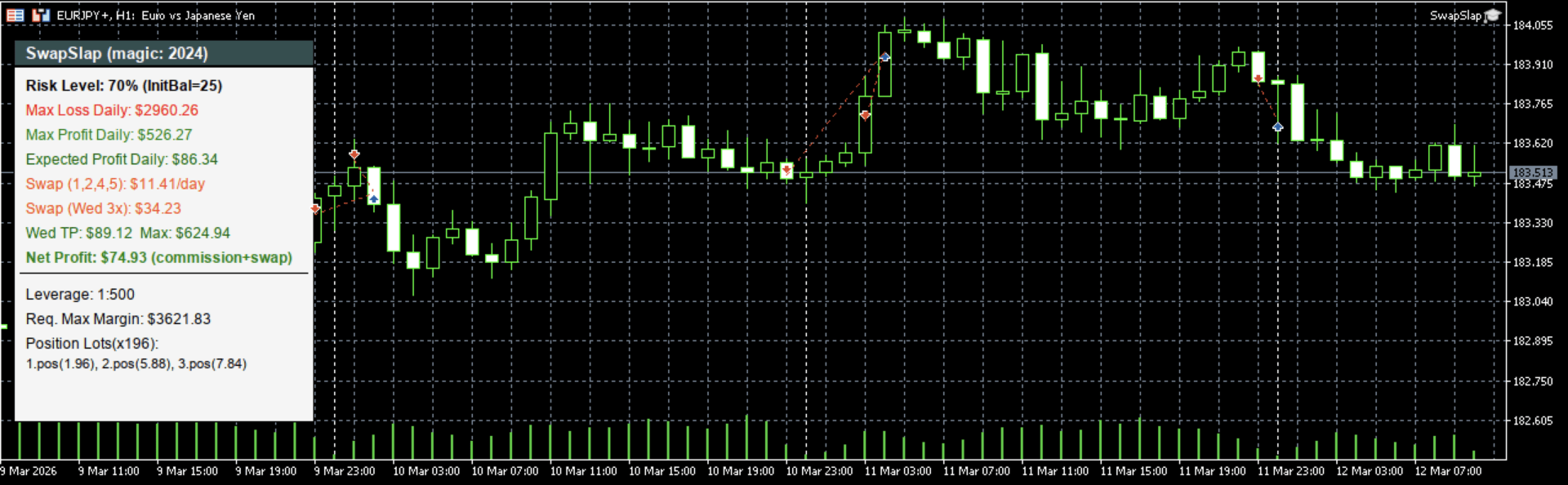
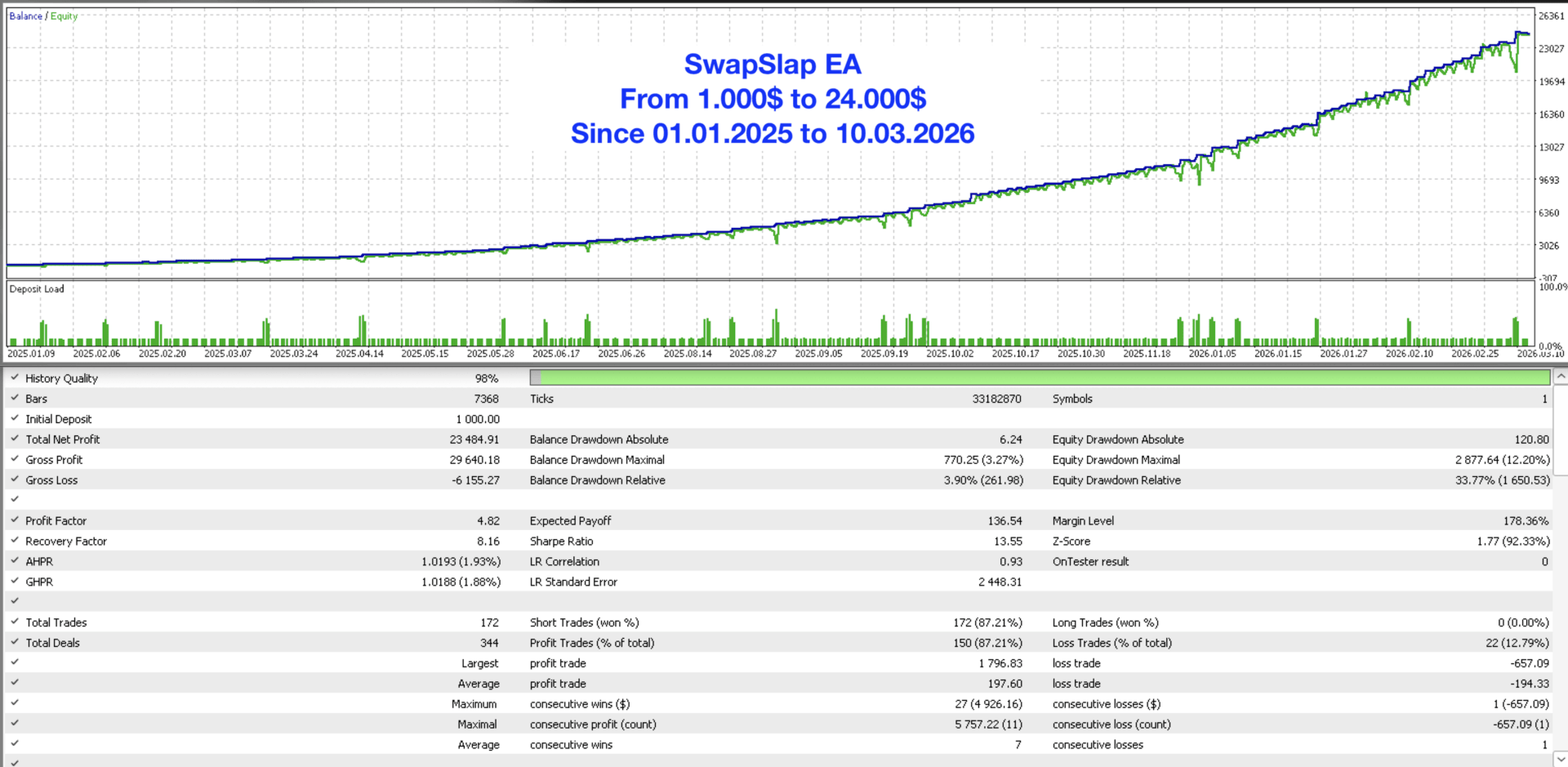
Pair: EURJPY
Min 25$ balance required. (Calculated for 500x leverage. If you have 50x leverage, you need to scale your balance accordingly)
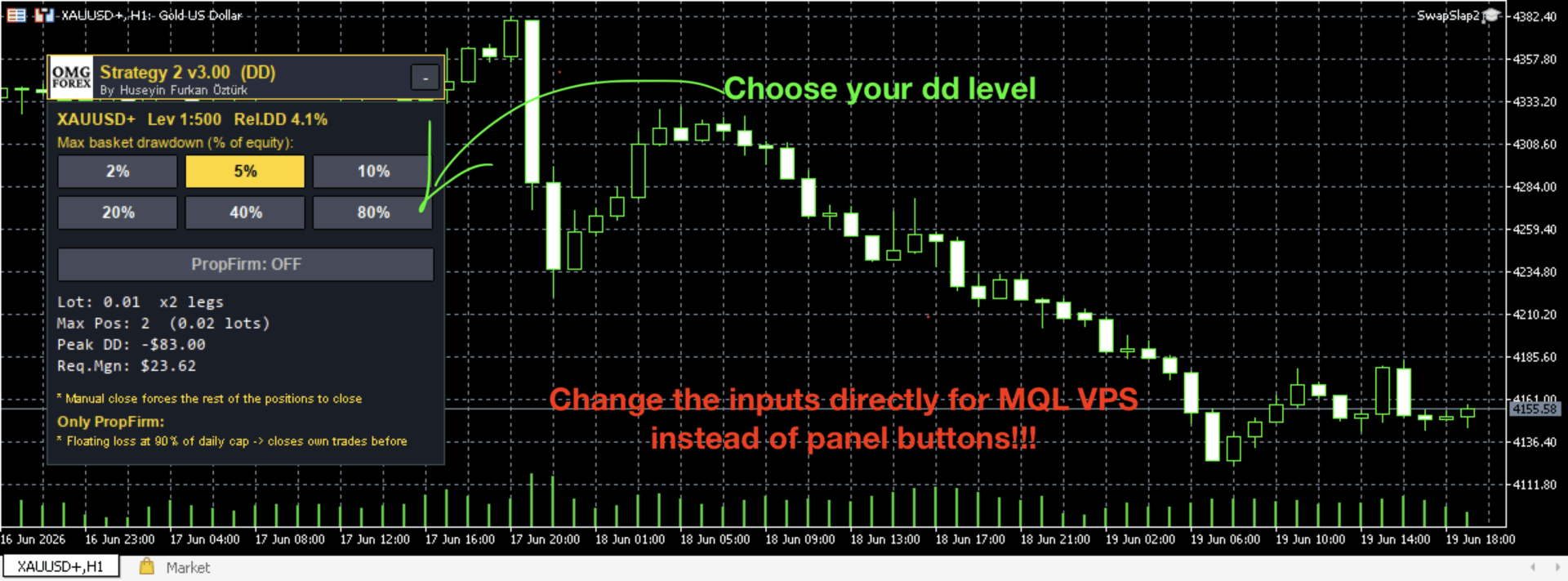
Adjustable DD: 4% - 8% - 17% - 35% - 52% - 70% (if your balance is very small, it will try to open trades with the minimum lot size and automatically adjust the risk level)
No set file required.
Your broker is expected to allow trading when the market is closed. It is not recommended to use without backtesting. Please check my blog for details
You can join the EA channel via the link
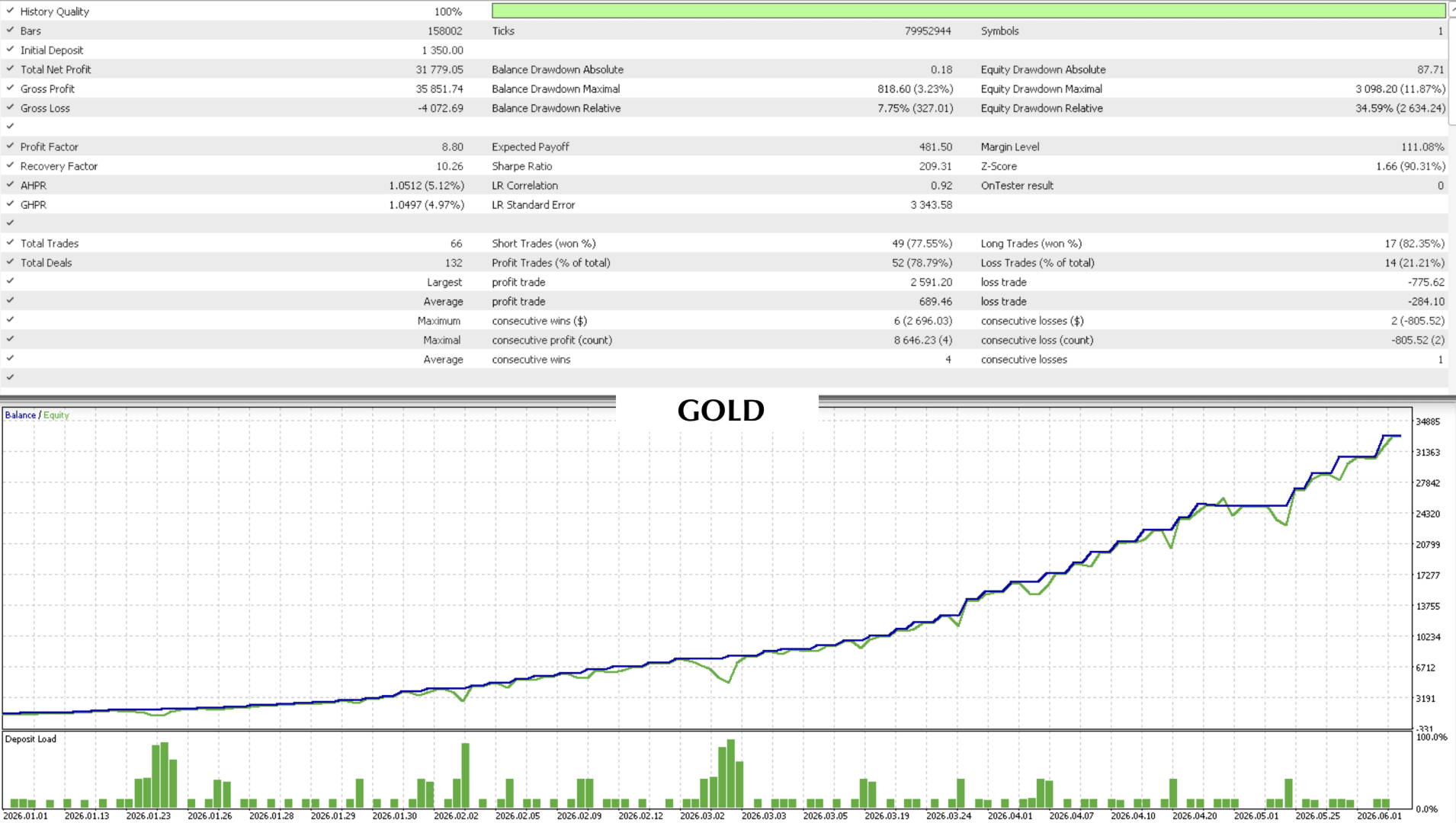
Pair: GOLD
Min 150$ balance required. (Calculated for 500x leverage, Risk level 40% as default so you need min 300$ balance. If you increase the risk level, it can be enough 150$ )
No set file required.
If you use mql vps, please dont use the panel buttons instead of inputs.
It opens high-lot trades using high margin. Therefore, it is a good option for users working as IB (introducing brokers) who aim to earn rebates.
Manage the EA Without Accessing Your VPS
You can stop the EA or change the risk level via the mobile MT5 application.
To send commands from Mobile MT5:
- Go to the Trade tab
- Click the + (new order) button
- Select Pending Order (Buy Limit or Sell Limit)
- Symbol: must match the symbol the EA is running on (e.g. EURUSD)
- Price: enter a price far from the current price (to avoid triggering)
- Write the command in the Comment field, for example:
- swapslap stop (stops)
- swapslap start (starts)
- swapslap risk level 5 ( Level Set (0-5) )
- swapslap risk up (increase risk level)
- swapslap risk down (decrease risk level)
- swapslap info (shows command list)
- Click Place / Send
The EA will detect the pending order, read the comment, execute the command, and automatically delete the order. The order will never be triggered; it is only used to transmit commands.
Can It Be Used Together with Other EAs?
Yes, it can. The average position holding time is approximately 90 minutes and can extend up to a maximum of 12 hours. The risk level is set to 70%.
If there is an open position, it is recommended to reduce the risk level by one step.
An input has been added to handle this automatically for you—you can set it to true. It is set to true by default.
If risk reduction is activated due to an open position, a notification will be sent to your mobile app. It will also log the reason in the journal section.
About the Developer
He has over 10 years of experience in software development. As a finance and mathematics enthusiast, he has spent the past 3+ years focusing on algorithmic trading systems. He takes pride in the many algorithms and strategies he has developed.
He has been actively using SwapSlap EA since 2024 and has made significant progress in overcoming various challenges encountered along the way. He has won broker-organized trading competitions twice using SwapSlap EA. On two occasions, stop-loss levels were triggered due to broker-side candle manipulation and gap movements; however, the losses were successfully recovered through legal action. The same issue has not occurred again since.






























Furkan answered all my questions, tested before purchasing. This has good potential and Furkan puts in the work in this bot.