Phoenix Spread Panel
- Indicators
- Jaamal Anthony Victor Black
- Version: 1.20
- Updated: 21 September 2026
Entering a trade when the spread has quietly widened costs more than expected, and that's easy to miss when you're only watching one symbol's chart.
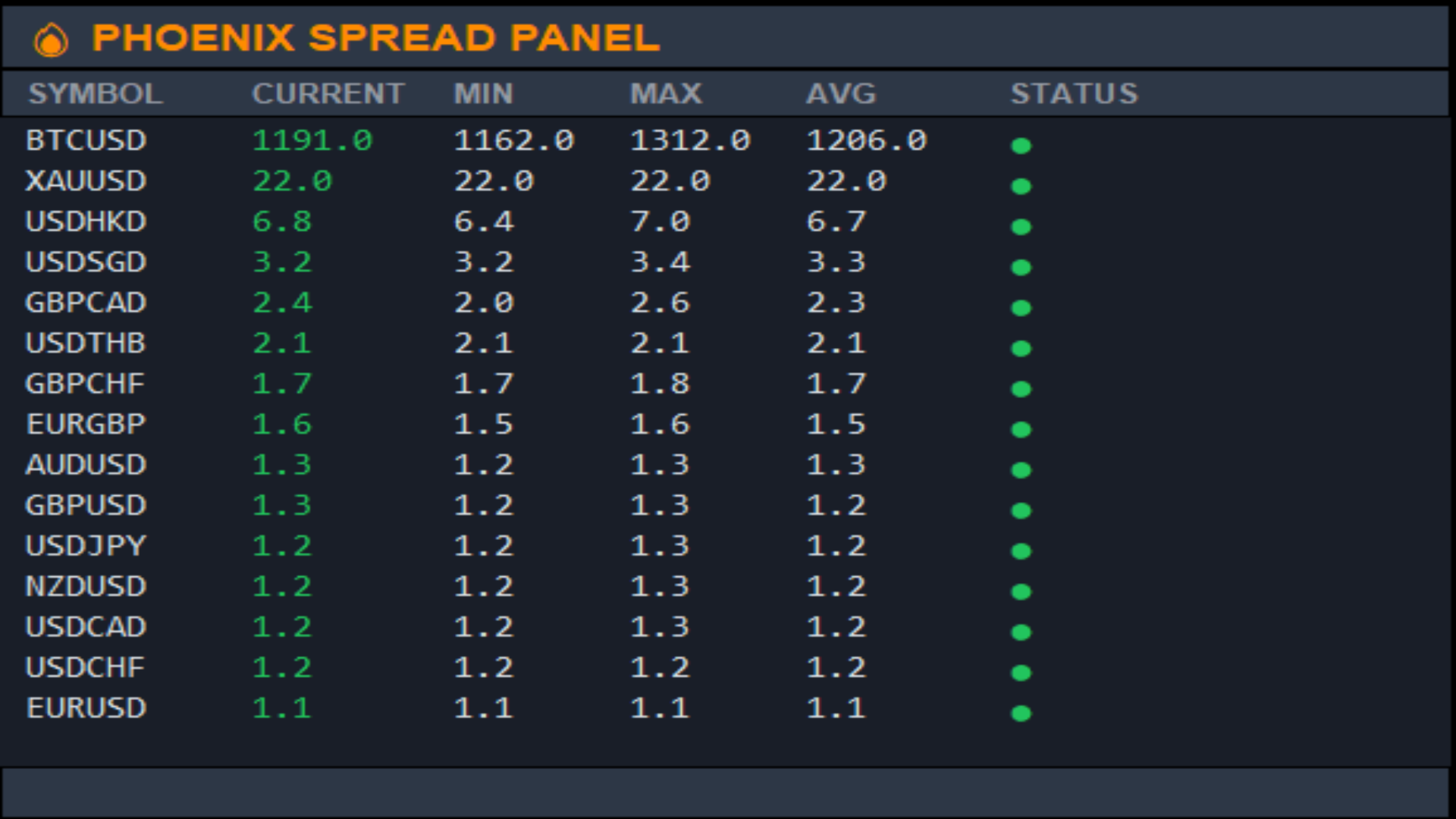
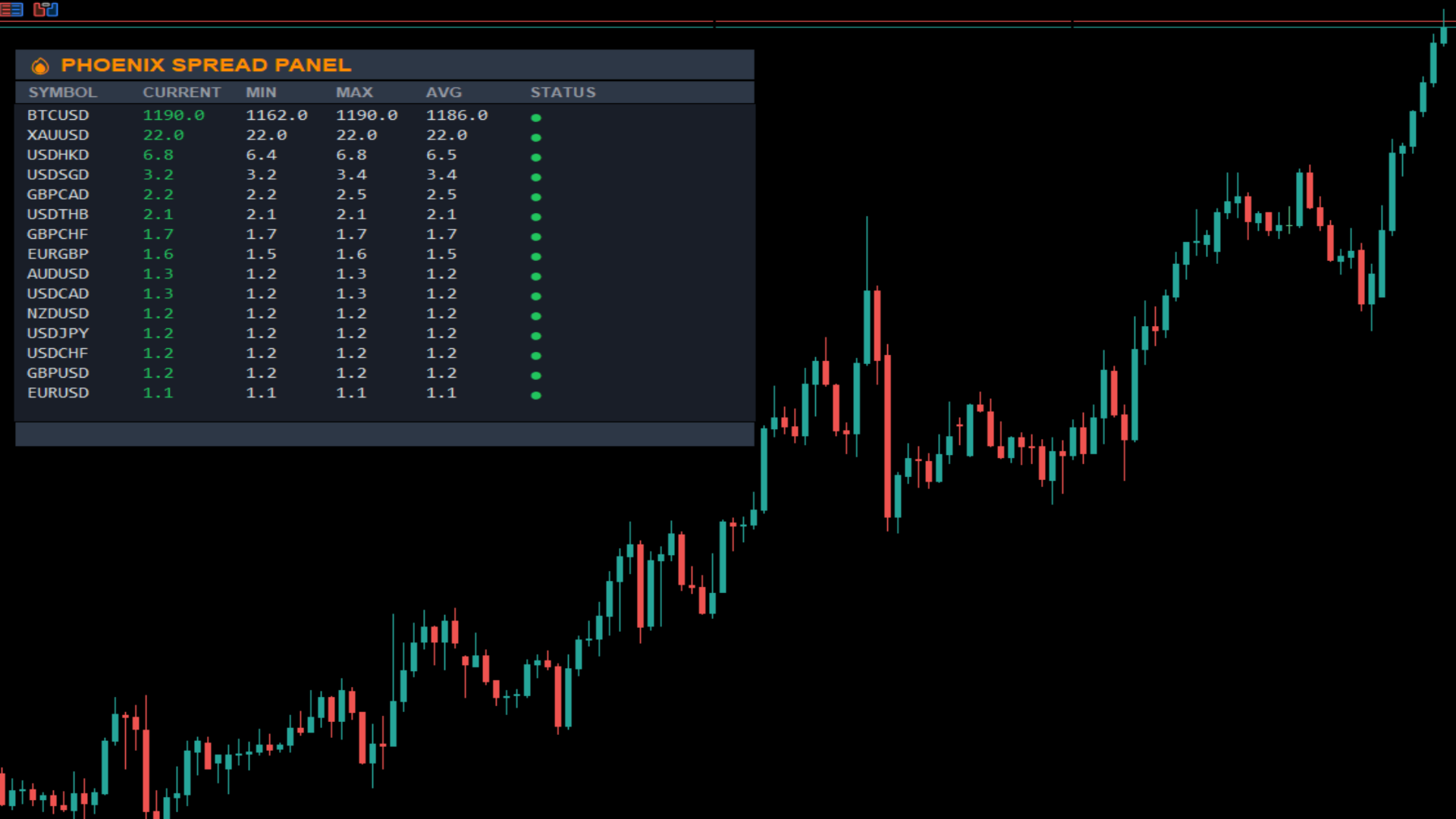
Phoenix Spread Panel shows a live table of spread across multiple symbols at once, colour-coded against each symbol's own average, so a widening spread is visible before you place the order.
How it keeps spread costs visible
- Live current, minimum, maximum and average spread for up to 15 symbols at once
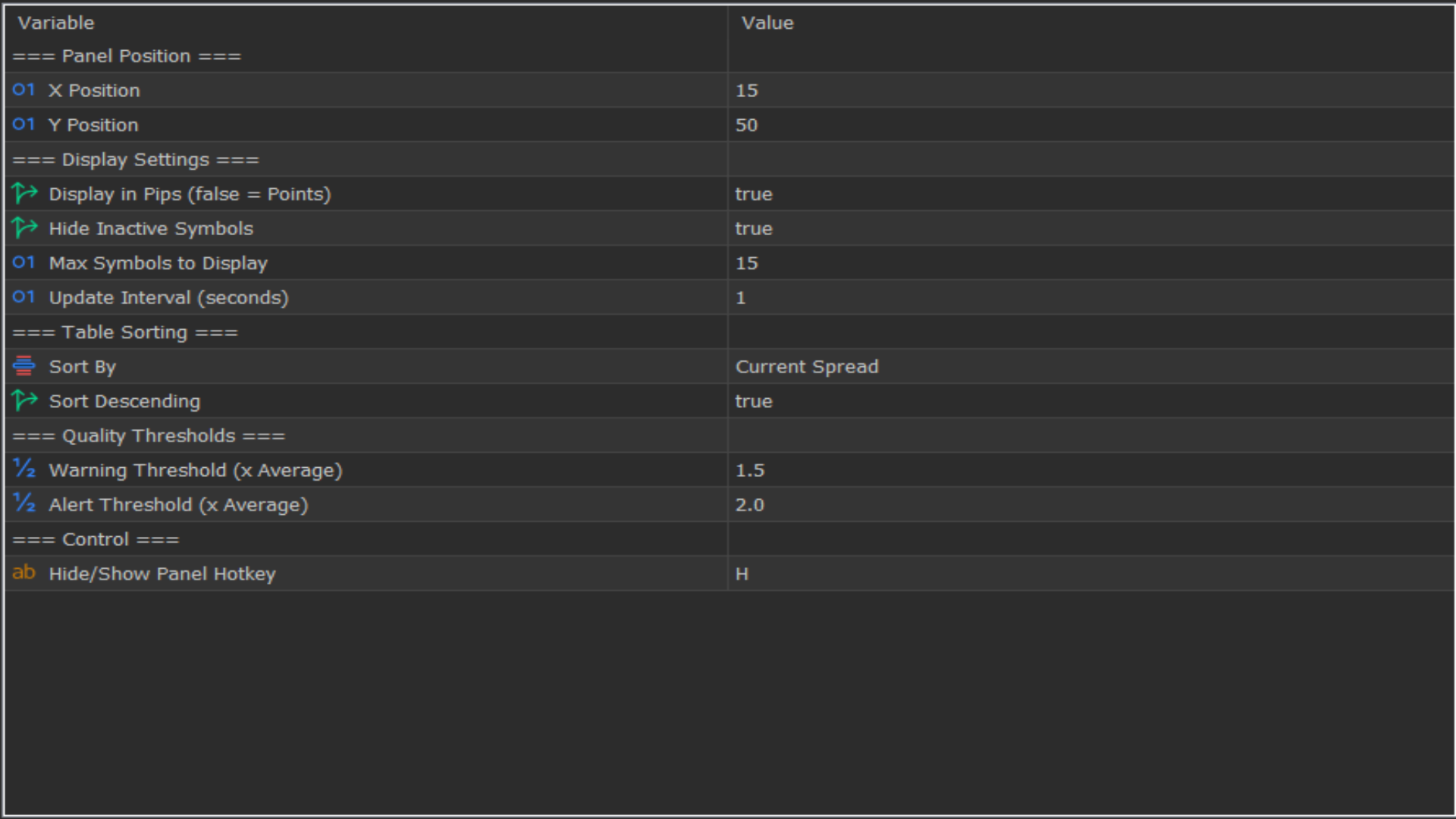
- Display in pips or points
- Sortable by any column (symbol, current, min, max, average)
- Colour-coded quality thresholds (good/warning/alert), set as multiples of each symbol's own average, rather than a fixed value that doesn't fit every instrument
- Hides inactive symbols automatically
Alerts
Sound and push notification when a symbol's spread crosses into the warning or alert zone.
Use Phoenix Spread Panel to:
- Check spread conditions across your whole watchlist before entering
- Avoid trading a symbol right as its spread widens beyond normal
- Compare current spread against a symbol's own typical range, not a guess
How to use it
1. Attach to any chart; symbols populate automatically from your Market Watch.
2. Sort by current, average, minimum or maximum spread to check conditions before entering.
3. Set the warning/alert thresholds to match what's normal for your instruments.
Installation
Download from the MQL5 Market and attach to any chart. Symbols are detected automatically from your Market Watch.
Requirements
MetaTrader 5 build 3280 or higher. Works with any broker and all symbol types.
Feedback & Reviews
If this saves you from a costly widened spread, a review from the Reviews tab above helps the next trader find it.
Support
Questions or a setup issue? Message us via MQL5 Private Message; we reply personally to every message.
Developed by Phoenix Global Investments Ltd.
© 2025 Phoenix Global Investments Ltd. All rights reserved.