INVAI Risk
- Indicators
- Version: 1.64
- Updated: 5 October 2026

# INVAI Risk Planner
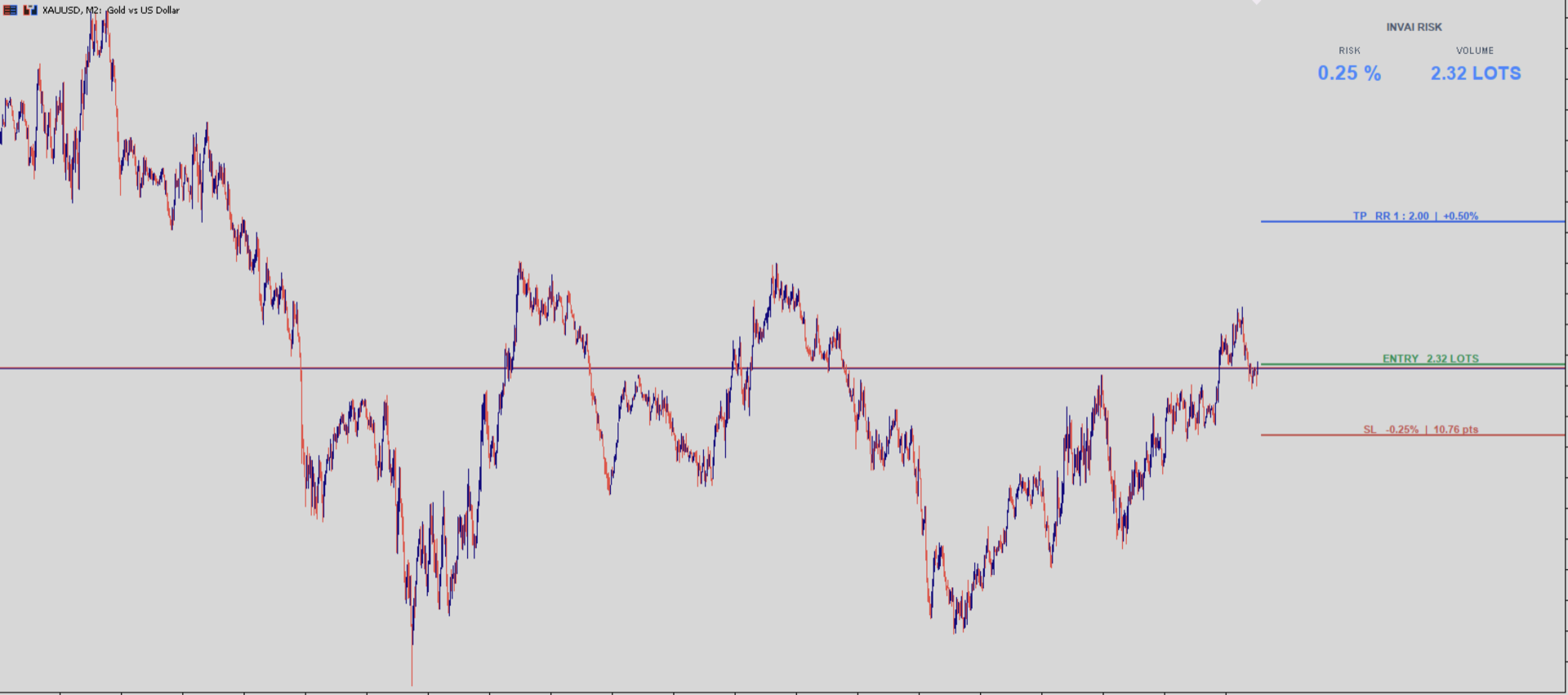
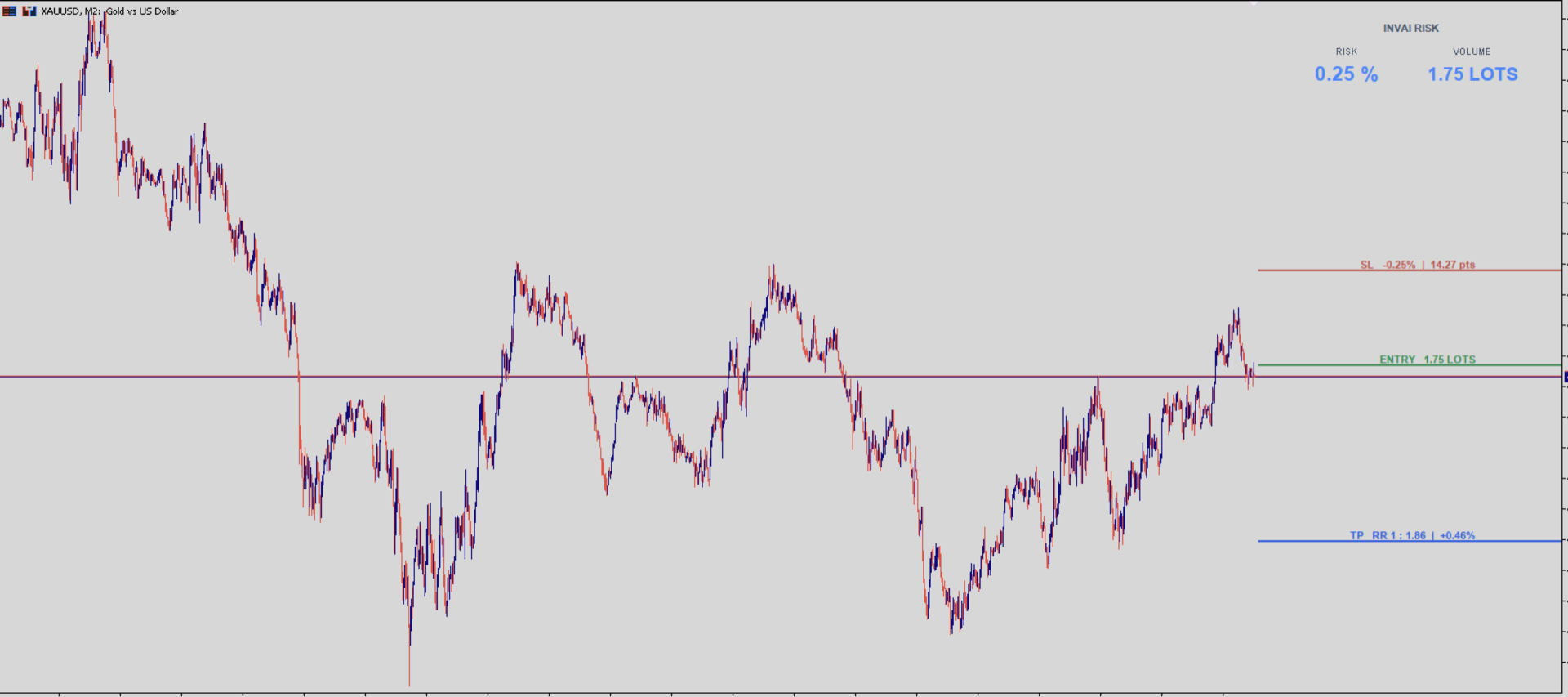
INVAI Risk Planner is a visual position sizing indicator for MetaTrader 5. It helps traders plan an Entry, Stop Loss and Take Profit before placing a trade manually.
The indicator does not open, close or modify trades. It does not place pending orders. All trading decisions and order execution remain under the user's control.
## Main features
- Three visual levels: Entry, Stop Loss and Take Profit.
- Direct vertical dragging without permanent selection points.
- Position size calculated from capital, risk percentage and Stop Loss distance.
- Manual reference capital or current MetaTrader 5 account balance.
- Live reward-to-risk ratio and potential return percentage.
- Optional monetary risk value next to the Stop Loss.
- Automatic use of the symbol's tick size, tick value, minimum volume, maximum volume and volume step.
- Forex Stop Loss distance displayed in pips. Other instruments are displayed in price points.
- Works as a visual calculator and does not require algorithmic trading to be enabled.
## How to use
1. Attach INVAI Risk Planner to a chart.
2. Set the reference capital and desired risk percentage in the Inputs tab.
3. Hold the left mouse button directly over Entry, Stop Loss or Take Profit and drag the level vertically.
4. Read the calculated volume in the panel and next to the Entry line.
5. Review the risk information next to the Stop Loss and the reward-to-risk information next to the Take Profit.
6. Place the trade manually only after checking the values against the broker's order window.
A buy layout requires Take Profit above Entry and Stop Loss below Entry. A sell layout requires Stop Loss above Entry and Take Profit below Entry.
## Inputs
### Capital and risk
- UseRealAccountBalance: when false, the indicator uses AccountSize. When true, it uses the current MetaTrader 5 account balance.
- AccountSize: manual reference capital in the account currency.
- RiskPercent: target risk as a percentage of the reference capital.
### Initial layout
- InitialATRPeriod: ATR period used only to create the initial line spacing.
- InitialSL_ATR: initial Stop Loss distance expressed in ATR units.
- InitialRewardRisk: initial Take Profit reward-to-risk ratio.
- StartEntryAtMarket: when true, Entry follows the current market price. When false, Entry remains freely movable.
### Appearance
- PanelRightOffset and PanelTopOffset: panel position.
- TradingLineWidth: width of Entry, Stop Loss and Take Profit lines.
- LineStartBarsAhead: number of bars to the right of the current price where the lines begin.
- LineTextRightOffset: distance between the line information and the right edge of the chart.
- ShowRiskMoneyOnSL: shows or hides the monetary risk value next to the Stop Loss.
- AccentColor, EntryLineColor, StopLineColor and TakeProfitLineColor: visual colors.
## Calculation notes
The position size uses the trading specifications supplied by the broker for the current symbol. The calculated volume is normalized to the broker's volume step and respects the minimum and maximum allowed volume.
If the calculated size is below the symbol minimum or above the symbol maximum, the resulting real risk can differ from the requested percentage. Always verify the final volume and risk before placing an order.
INVAI Risk Planner is a planning and calculation tool. It does not provide financial advice and does not guarantee trading results.