RC Trade Helper
- Utilities
-
Francisco Rayol
 MQL5 | MQL4 | PINESCRIPT | NINJASCRIPT
RC ATR Volatility Hedge Zones: https://www.mql5.com/en/market/product/114742 - Version: 1.0
- Activations: 5
RC Trade Helper is a comprehensive trading assistant designed for manual traders. The application provides a suite of visual tools for rapid order placement, advanced risk management, and efficient trade management directly on the chart.
Attention: Before purchasing, you can test the application on a demo account. The product does not operate in the Strategy Tester.
Trading Operations
Allows for execution and management of trades with a single click:
-
Open market and pending orders (Stop, Limit) with visual level confirmation on the chart.
-
Close all market positions or delete all pending orders.
-
Selective closing of Buy positions, Sell positions, Buy pending orders, or Sell pending orders.
-
Reset all trading lines (Entry, Stop Loss, Take Profit) to a default position on the chart.
-
Hide or show all trading lines to declutter the chart workspace.
-
Lock trading lines to prevent accidental movement or invert the trade setup.
Position Sizing and Risk Management
Provides multiple methods for calculating trade volume:
-
Fixed Lot Size.
-
Risk Percentage of account balance.
-
Profit Percentage of account balance.
-
Fixed Monetary Risk based on Stop Loss distance.
-
Fixed Monetary Target based on Take Profit distance.
-
Real-time display of Risk/Reward ratio, potential profit, and potential loss.
Order and Risk Configuration
When opening orders, the following functions can be applied:
-
Visualization of Entry, Stop Loss, and Take Profit levels with dynamic information labels.
-
Option to disable Stop Loss or Take Profit for specific strategies.
-
Automatic lot size calculation based on the selected risk method and the distance to Stop Loss or Take Profit.
-
Integrated Breakeven function to move Stop Loss to a specified level upon reaching a profit target. Activation can be set in Points, Percentage, or Monetary profit.
Trade Tracking
Allows for monitoring of open positions directly on the chart:
-
Automatically generates and updates on-chart labels for each open position.
-
Displays key information including ticket number, volume, entry price, current profit/loss, and Risk/Reward ratio.
-
Automatically removes trade labels when positions are closed.
User Interface
The control panel is organized for clarity and speed:
-
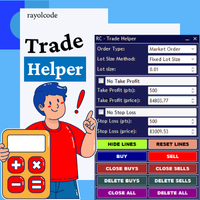
Intuitive layout grouping related functions (Order Type, Lot Sizing, Trade Levels, Management Buttons).
-
Large, color-coded buttons for primary trading actions (Buy, Sell, Close All, etc.).
-
Comboboxes and spinners for precise selection of order types, lot methods, and level values.