VegaXLR Manual Backtest Helper
- Utilities
-
Anderson Luiz Toledo Dos Santos
 My name is Anderson L. T. Santos, and I started trading 6 years ago.
I have 3 years of experience creating indicators and robots for other platforms and decided to expand to MetaTrader 5 now.
My main idea for the MQL5 market is to sell useful tools that I personally would use myself. - Version: 1.1
- Activations: 10
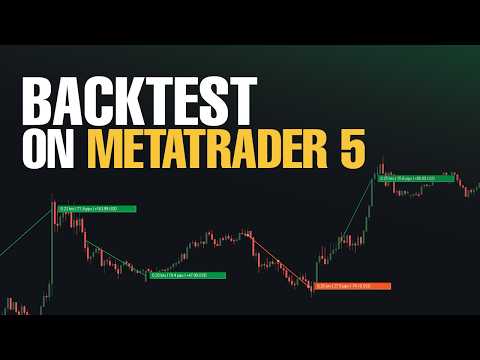
VegaXLR Manual Backtest Helper for MetaTrader 5 is a visual backtesting assistant designed for traders who want to test, review, and organize discretionary strategies directly on the MT5 chart.
Instead of using spreadsheets or manually writing down results, you can draw trades on price history, simulate entries and exits, calculate performance metrics, and inspect each trade in a clean panel directly on the chart. The tool helps make your manual backtesting process faster, more organized, and easier to analyze.
It supports both simple Win/Loss marking and Buy/Sell trade drawing, making it useful for different backtesting styles. You can also use simulated trades with visual entry, stop loss, and take profit areas to review setups and simulated scenarios.
The EA does not execute real trades. It is focused on manual strategy testing, trade review, journaling support, and visual performance tracking inside MetaTrader 5.
All displayed results are manual simulations/backtests and do not represent real trades, trading signals, investment recommendations, or any guarantee of future performance.
Main Features
- Draw manual trades directly on the chart
- Mark trades as Win/Loss or Buy/Sell
- Simulate trades with visual entry, stop loss, and take profit areas
- Track pips, profit/loss, commission, and simulated balance growth
- Use fixed lots, fixed money risk, or percentage balance risk
- Inspect selected trades with detailed information
- Display trade labels on the chart
- Customize shortcuts, default risk settings, and trade colors
- Automatically save your work between sessions
- Designed for discretionary backtesting and strategy review
Input Parameters
- Win_Line_Shortcut — Keyboard shortcut used to start drawing a winning trade line.
- Loss_Line_Shortcut — Keyboard shortcut used to start drawing a losing trade line.
- Trade_Shortcut — Keyboard shortcut used to start drawing a simulated trade.
- Buy_Line_Shortcut — Keyboard shortcut used to start drawing a buy line when manual buttons are in Buy/Sell mode.
- Sell_Line_Shortcut — Keyboard shortcut used to start drawing a sell line when manual buttons are in Buy/Sell mode.
- Default_Lot_Size — Default lot size used in manual trade calculations.
- Starting_Balance — Initial balance used to calculate metrics and simulated balance growth.
- Default_Stop_Loss_Pips — Default stop loss distance in pips used in risk calculations.
- Default_Fixed_Money_Risk — Default fixed money risk amount used when risk is calculated in money.
- Default_Balance_Percent_Risk — Default balance percentage used in risk calculations per trade.
- Apply_Commission — Enables or disables commission calculation.
- Commission_Per_Lot_Per_Side — Commission value per lot, per side.
- Win_Color — Color used for winning trades and related visual elements.
- Loss_Color — Color used for losing trades and related visual elements.
- Neutral_Color — Color used for neutral or unresolved states.
- Ambiguous_Color — Color used when the result of a simulated trade is ambiguous.
- Trade_Label_Text_Color — Text color used in trade labels displayed on the chart.