Ryodate Robot
- Experts
- Version: 1.2
- Updated: 25 March 2026
- Activations: 5

## My Dream: Creating a Stable Hedge Robot
"This EA is based on a logic that suddenly came to me before going to bed yesterday. I hurriedly took out my PC and created it so I wouldn't forget it."
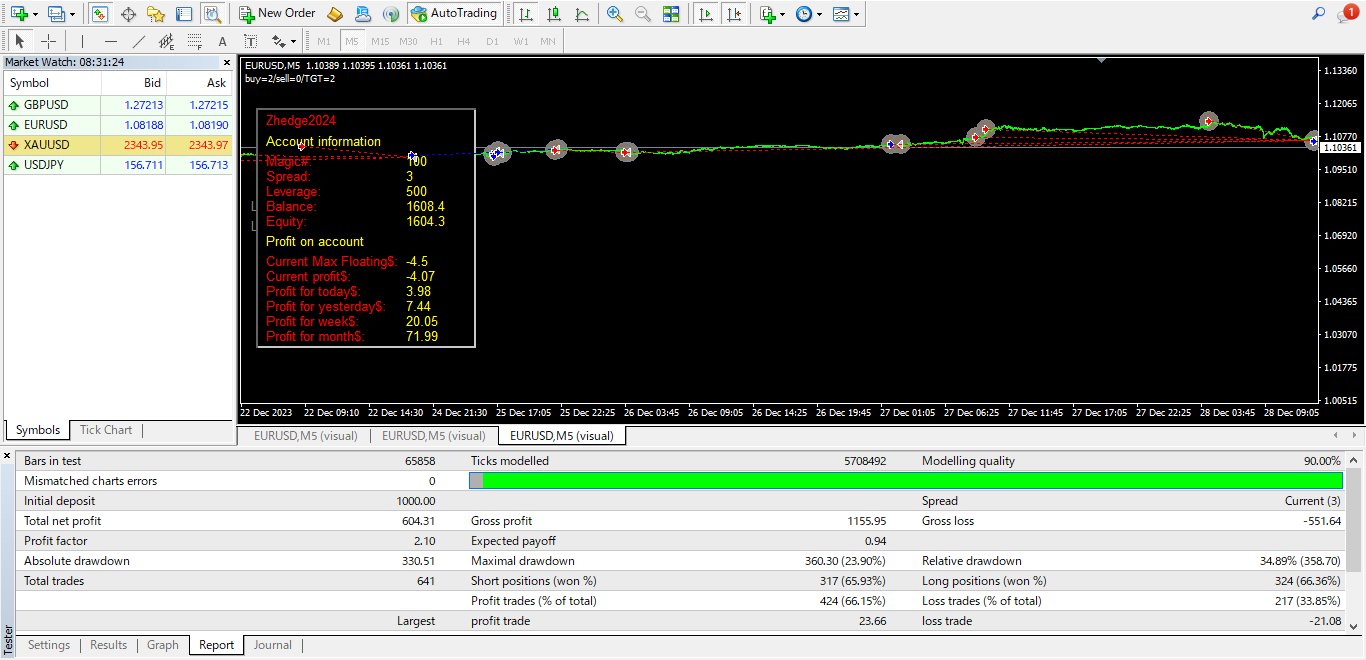
It has long been my dream to develop a stable hedge robot. However, despite years of effort, I have struggled to achieve consistent success. Hedge logic is inherently complex, and increasing the number of open positions often leads to larger drawdowns.
To address this challenge, I devised a new approach:
1. **Limited Hedge Orders:** I restrict the number of hedge orders to two, ensuring that excessive hedging does not exacerbate drawdowns.
2. **Dynamic Hedge Order Placement:** The first hedge order is placed at a fixed distance from the initial order, while subsequent hedge orders are placed as needed based on trend changes.
3. **Profit-Based Hedge Order Closing:** Hedge orders are closed one at a time, carefully monitoring profits to identify the optimal closing point. This approach prioritizes closing the hedge order that opposes the current trend, minimizing drawdowns.
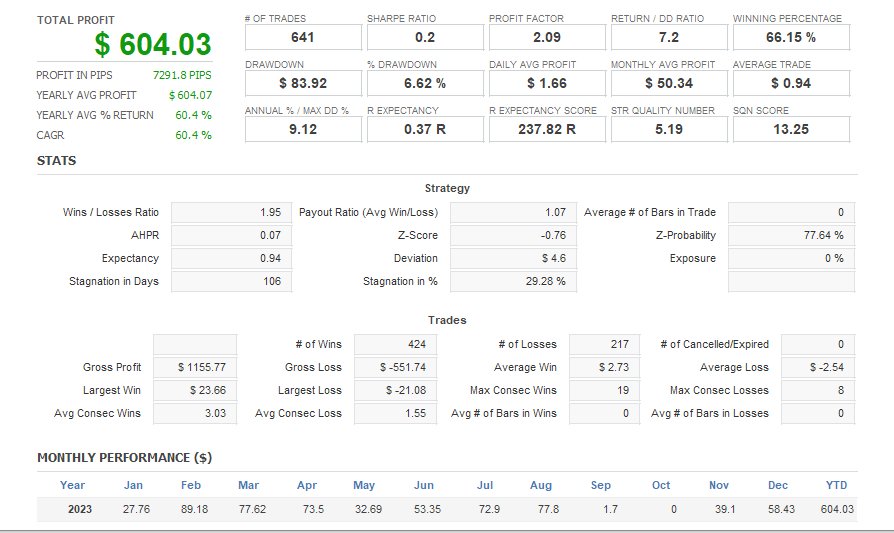
This EA is built upon these principles, demonstrating remarkable drawdown stability. The simplified settings minimize user complexity, focusing on:
- Initial lot size
- Grid order spacing
- Grid order lot multiplier
- Maximum number of hedge orders
#key logic
        if(  MaxDD*0.9<ProfitCheck() ){
         if( ProfitCheckBUY()>ProfitCheckSELL() && N_nanpinsell()>0  )CloseOrderAllBUY();
         if( ProfitCheckBUY()<ProfitCheckSELL() && N_nanpinbuy()>0    )CloseOrderAllSELL();
Designed for major currency pairs, this EA allows for time frame adjustments to optimize performance.
## Key Features:
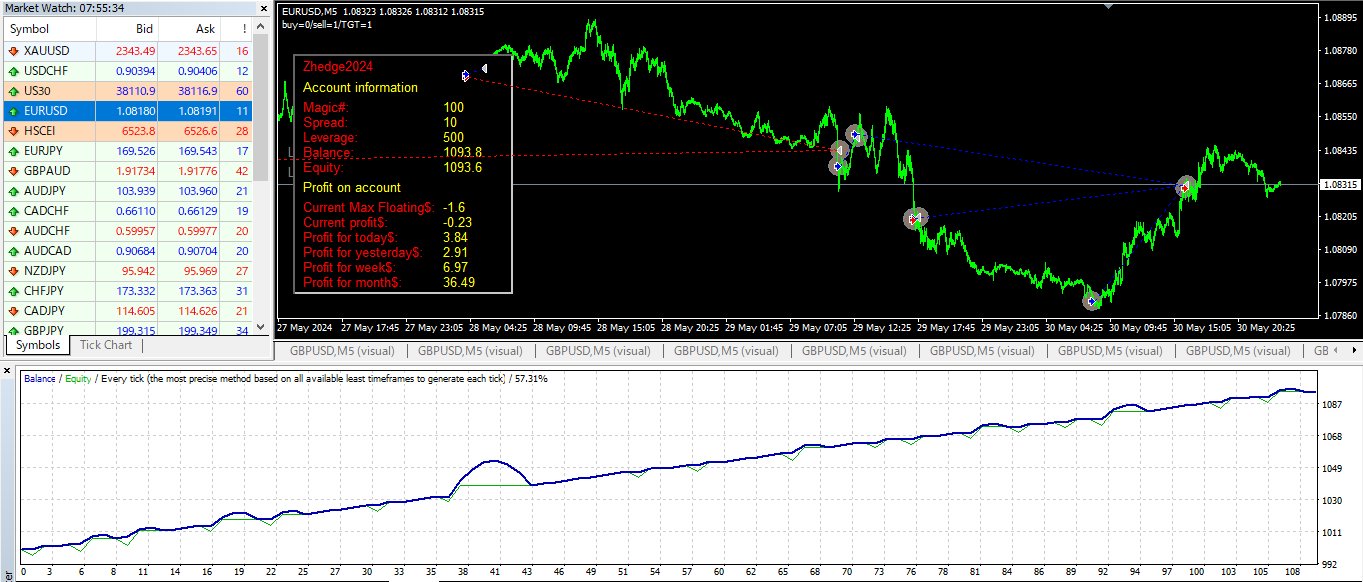
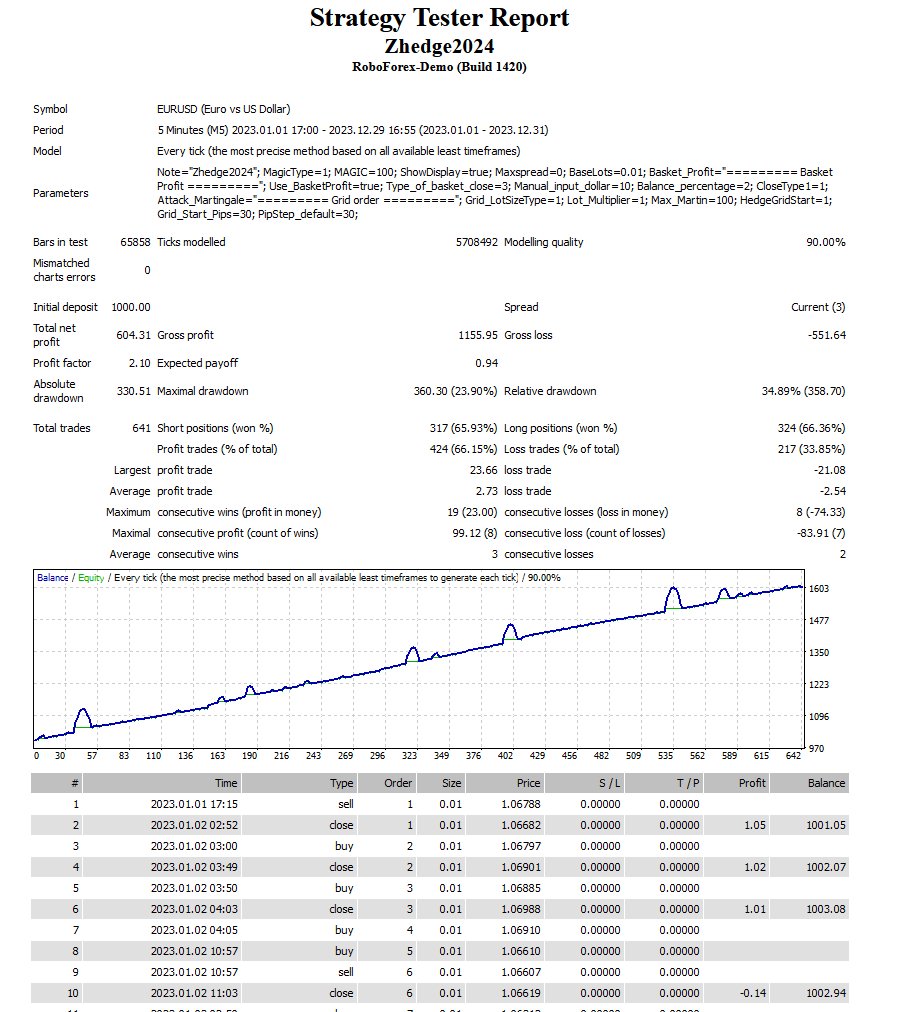
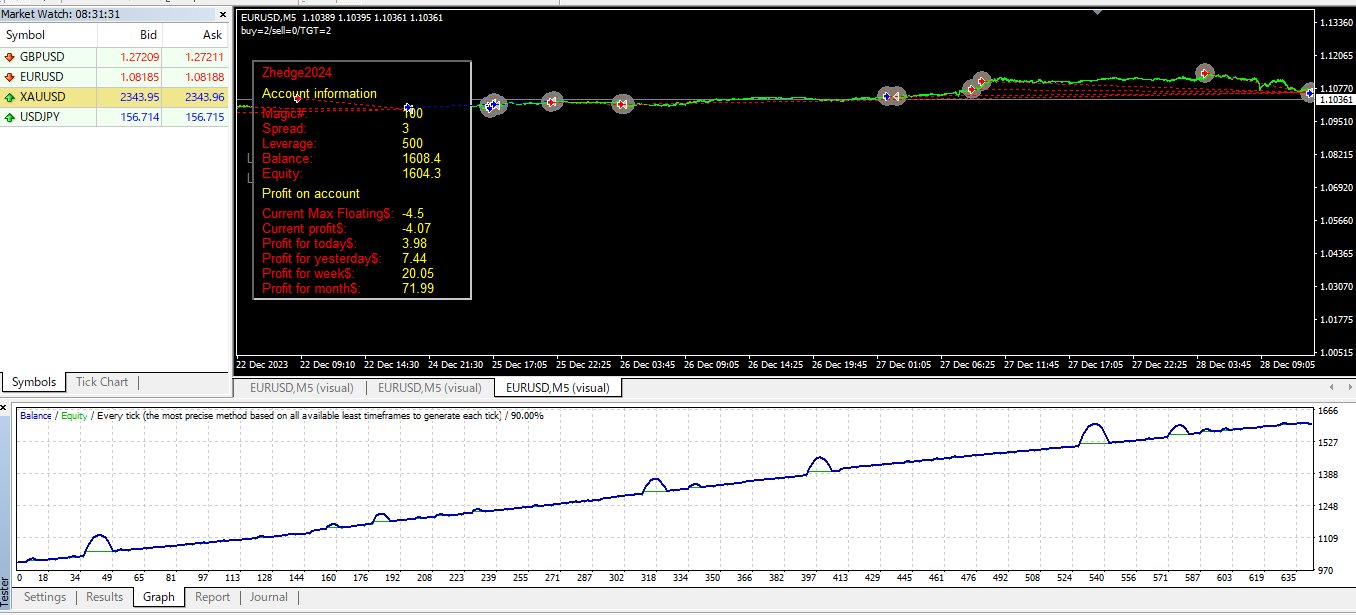
- Stable drawdown performance
- Simplified settings for easy configuration
- Applicable to major currency pairs
- Customizable time frames for optimal performance
Embrace the power of this EA and transform your trading experiences.
How to setup EA
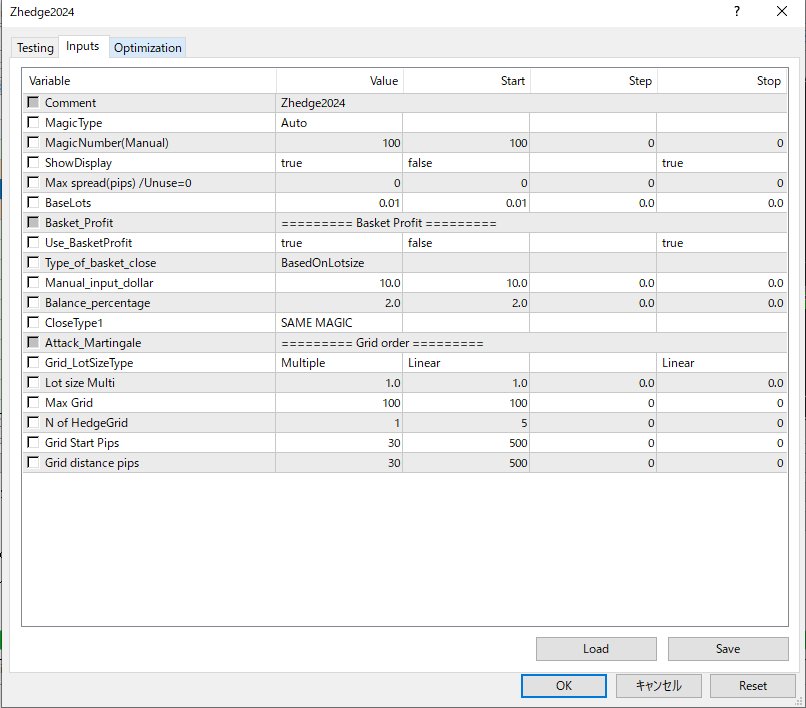
Magic number is selected AUTO or Manual
Spread filter
BaseLot size
Profit close function
Grid order
N of Grid / Grid distance pips/ N of Grid Hedge /Grid start distance pips and Grid distance pips
-------------------------------------------------------------------------------------------------------------------------------------------------------------------
MT4 EA Configuration Manual (Ryodata Robot)
This manual explains the settings for the Zhedge2024 Expert Advisor (EA) on MetaTrader 4 (MT4).
General Settings
-
Comment: Add a custom note for your trades. The default value is "Zhedge2024."
-
MagicType: Determines how the Magic Number is assigned.
-
Auto: The EA will automatically use a unique magic number, which is useful for running the EA on multiple charts.
-
Manual: You can manually enter a specific magic number.
-
-
MagicNumber (Manual): If MagicType is "Manual," enter your desired magic number here. The default is 100.
-
ShowDisplay: A boolean (true/false) setting that controls the on-chart information panel.
-
true: The EA will show its status, profit, and other details directly on the chart.
-
false: The display will be hidden.
-
-
Max spread (pips) / Unuse=0: Sets the maximum allowed spread in pips for the EA to open new trades. If the current spread is higher than this value, no new positions will be opened. Setting this to 0 disables the spread check.
-
BaseLots: The initial lot size for the first trade in a new basket. The default is 0.01.
Basket Profit Settings
-
Use_BasketProfit: A boolean setting to enable or disable the basket close function based on profit.
-
true: The EA will close all trades in a basket when the total basket profit reaches a set target.
-
false: The basket profit function is disabled.
-
-
Type_of_basket_close: Defines how the basket close profit target is calculated.
-
BasedOnLotsize: The target profit is calculated based on the total lot size of the basket.
-
Manual_input_dollar: The EA will close the basket when the total profit reaches the specific dollar value set in Manual_input_dollar.
-
-
Manual_input_dollar: The target profit in USD for the entire basket. This setting is only used if Type_of_basket_close is "Manual_input_dollar."
-
Balance_percentage: Sets the target profit as a percentage of your account balance. This is an alternative way to define the basket profit target.
-
CloseType1: This setting is related to the closing strategy. "SAME MAGIC" means all trades with the same magic number will be closed simultaneously when the profit target is met.
Grid Order Settings
-
Attack_Martingale: This setting likely controls the grid trading strategy. The "Grid order" section manages the placement of subsequent trades in a grid.
-
Grid_LotSizeType: Determines how the lot size of subsequent grid trades is calculated.
-
Multiple: The lot size of each new grid trade is a multiple of the previous trade's lot size. The multiplier is set by Lot size Multi.
-
Linear: The lot size of each new grid trade remains the same as the initial BaseLots.
-
-
Lot size Multi: This multiplier is applied to the previous trade's lot size to determine the size of the next grid trade, but only when Grid_LotSizeType is "Multiple." The default is 1.0, which means the lot size will not increase.
-
Max Grid: The maximum number of grid trades the EA is allowed to open in a single basket. The default is 100.
-
N of HedgeGrid: This is the number of hedging grids that will be opened in the opposite direction of your main trades. For example, if your main trading direction is "buy" and you set this to 3, the EA will open up to 3 "sell" grid trades to hedge the position.
-
Grid Start Pips: The minimum distance in pips between the initial trade and the first grid trade.
-
Grid distance pips: The distance in pips between subsequent grid trades. The default is 30.