Fabii Half Trend Mtf Alignment
- Indicators
-
Fabien Georges Andre Guillemaud
 I develop custom indicators and trading tools for MetaTrader 5.
- Version: 1.33
See when three timeframes agree on trend direction, in one strip under your chart. No repaint.
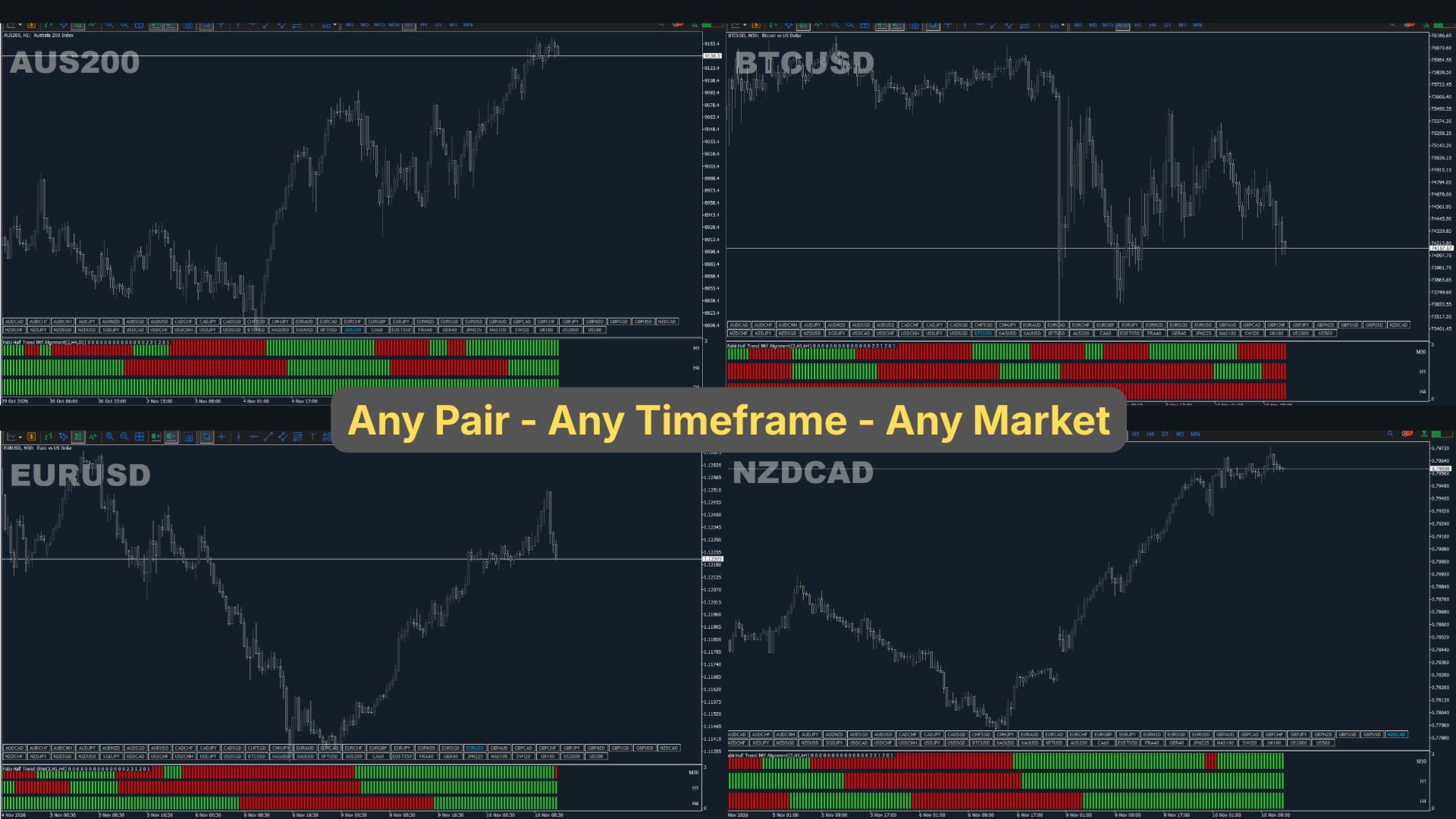
Any pair, any timeframe from M1 to W1. On your chart in 2 minutes. Free to test in the Strategy Tester.
Get more indicators here
Baselines, volatility filters and oscillators. No repaint.
Why you need it
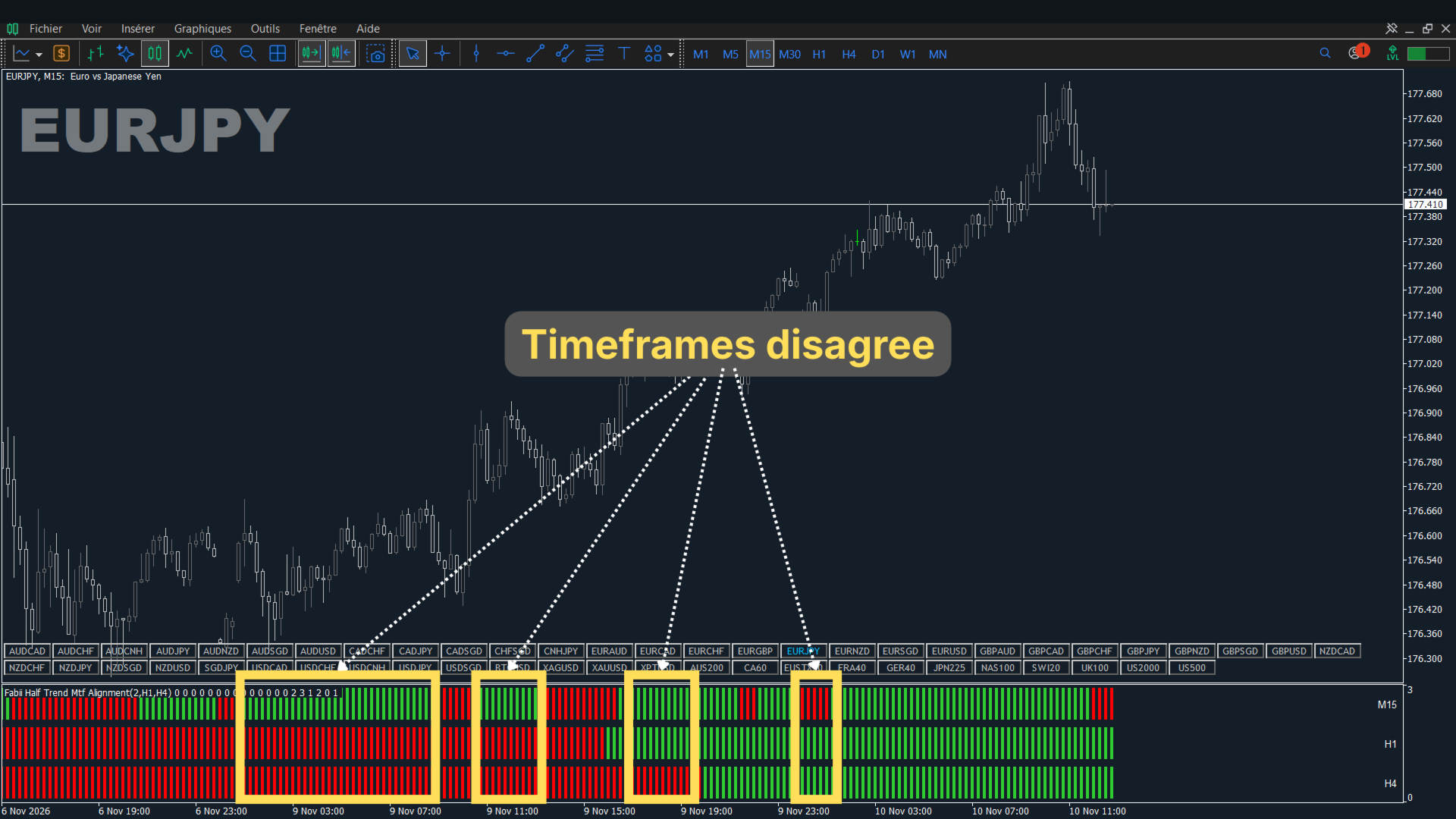
You take a trade on one timeframe, then find the higher timeframe pointed the other way. Checking means switching charts, and in a fast market you skip it. Entries against the higher trend are the ones that stall or reverse.
What you get
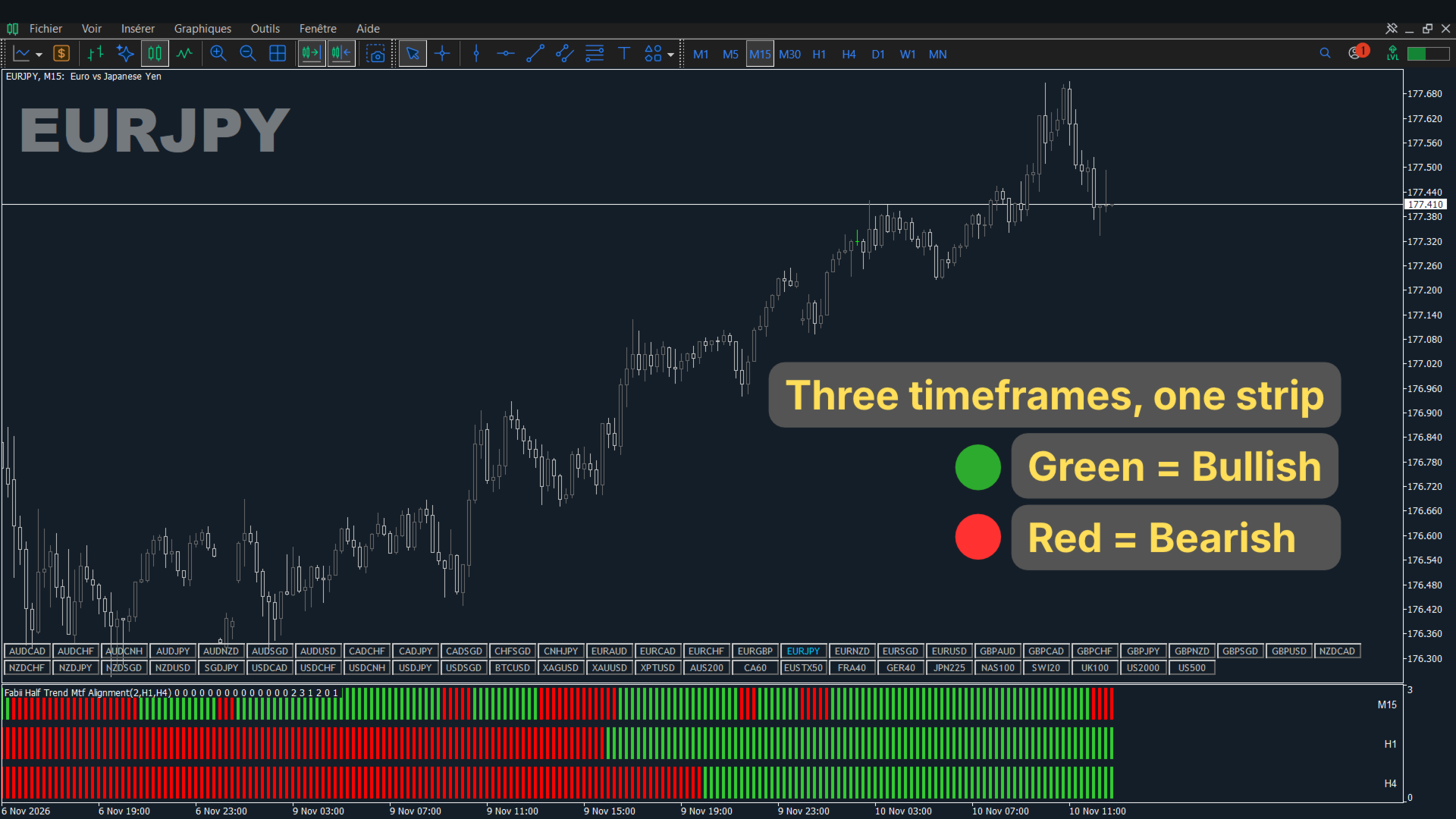
Fabii Half Trend Mtf Alignment shows the Half Trend direction of three timeframes in one strip, so you no longer switch charts to check the trend.
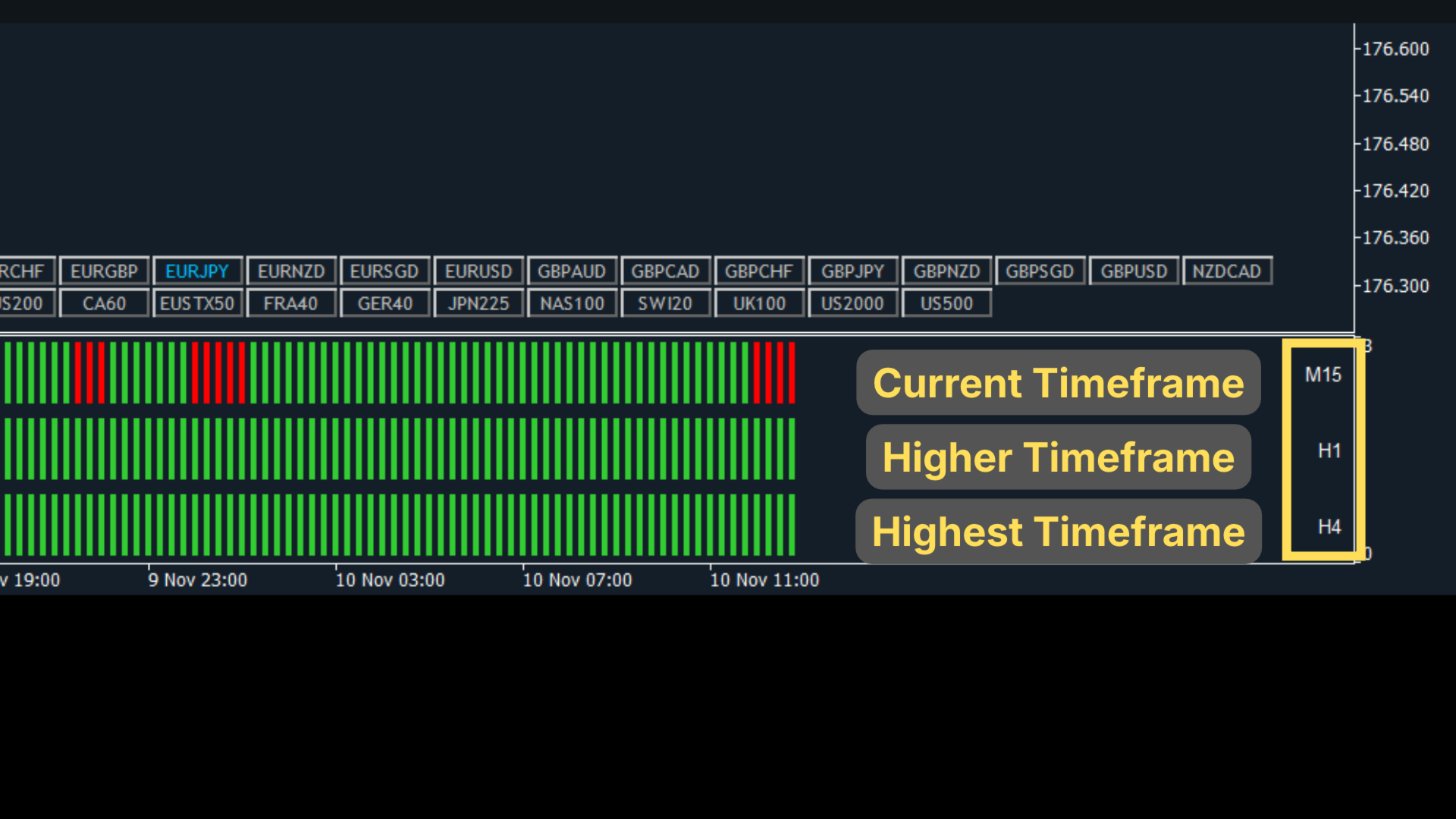
- Three stacked bands, your timeframe on top and two higher ones below, so you read the trend structure at a glance.
- Two colours, green for up and red for down, so you decide faster.
- Higher timeframes chosen automatically or by you, so it fits your method.
- Alerts for flips and full alignment, so you do not have to watch the chart.
- Buffers readable by an Expert Advisor, so you can use the trend data in your own systems.
How it works
Half Trend follows price direction using the highest high and lowest low over the amplitude, plus a moving average of highs and lows. It is calculated on your chart and on each higher timeframe from that timeframe's own candles. Higher bands use the last closed candle, so a band never changes after the fact. Forming bars are drawn thinner and never used for signals.
How to use it
- Attach the indicator to any chart.
- Read the strip: the top band is your chart, then the two higher timeframes.
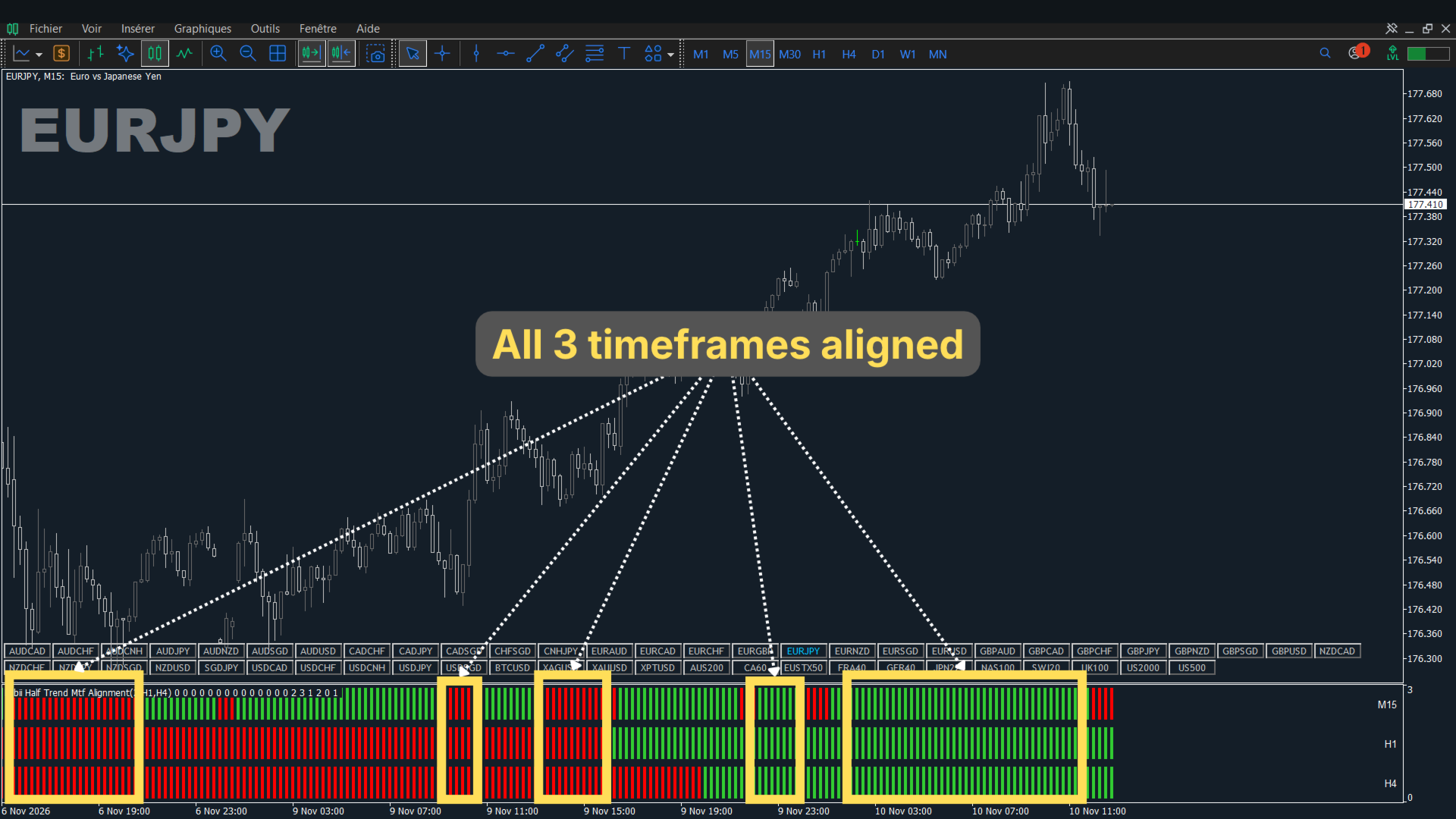
- Look for entries, with your own rules, only when the three bands share one colour.
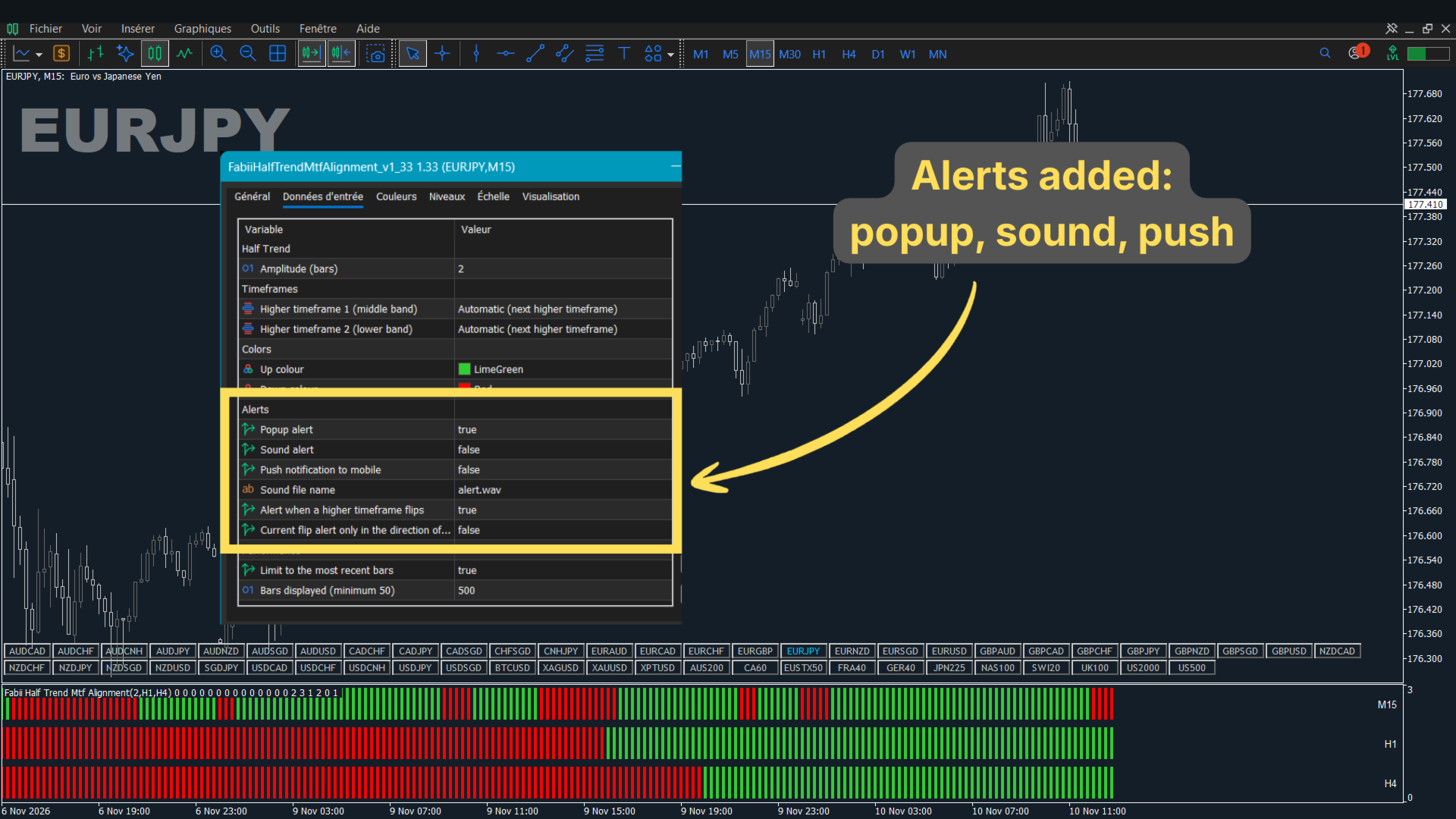
- Turn on the alerts you want in the Alerts group.
Key settings
| Setting | What it does | Default |
|---|---|---|
| Amplitude (bars) | How far back Half Trend looks. Lower reacts faster, higher is smoother. | 2 |
| Higher timeframe 1 (middle band), Higher timeframe 2 (lower band) | Timeframes of the two lower bands. Automatic picks the next two above your chart. | Automatic |
| Popup alert, Sound alert, Push notification to mobile | Chooses how all alerts reach you. | true, false, false |
| Alert when a higher timeframe flips | Alerts when a higher timeframe changes direction. | true |
| Current flip alert only in the direction of higher timeframes | Alerts a flip on your chart only when it matches the higher timeframes. | false |
| Limit to the most recent bars, Bars displayed (minimum 50) | Draws only the latest bars so it loads fast. | true, 500 |
Other settings control the sound file and the colours.
Test it before you decide
Let a bar close, then check in the Data Window that the value does not change. To test it: open the Strategy Tester, select this indicator and run it in visual mode on your pair and timeframe.
Updates are free and included. Every release is listed in the What's new section of this page, so you always know what changed.
Follow my profile to be notified when new indicators are published.
Get it and see your first signal on your own chart.
Comments and reviews
Questions? Post a comment on this page or message me and you get an answer within 24 hours.
If this saves you time, a short review that says which pair and timeframe you use helps other traders find it.
Past results do not predict future results. This indicator does not provide financial advice.