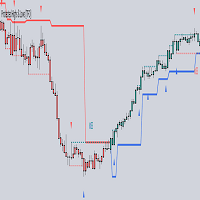
Fabii Rsx Ema Oscillator
- Indicators
-
Fabien Georges Andre Guillemaud
 I develop custom indicators and trading tools for MetaTrader 5.
 - Version: 2.13
- Activations: 20
Stop guessing when momentum turns: a smooth RSX line and a signal cross show you. No repaint.
Any pair, any timeframe. On your chart in 2 minutes. Free demo in the Strategy Tester.
Get more indicators here
Baselines, volatility filters and oscillators. No repaint.
Why you need it
You watch a momentum oscillator and every touch of its signal line looks like a turn. The line jumps from candle to candle, the histogram flips color on small moves, and you are left deciding which cross matters. You enter on a flip, price stalls, and the next candle flips it back. The cross was real. The clear read was not.
What you get
RSX EMA Oscillator shows momentum on a smooth 0 to 100 line with an Exponential Moving Average (EMA) signal line, so you read each turn with less noise.
- One smooth RSX line and one signal line, so you see each momentum cross as a clear event.
- A dead zone you set yourself, so a small dip of the RSX below its signal line does not turn a green histogram red.
- A colored histogram under the oscillator, green for up momentum and red for down momentum, so you read the current bias in one look.
- Popup, sound and push notification alerts when the RSX crosses its signal line on a closed candle, so you do not have to watch the chart.
- A dotted preview of the current candle, so you see where the line is heading while the candle is still forming.
- Works on any symbol and any timeframe, so you use the same tool across all your markets.
How it works
RSX EMA Oscillator is built on the RSX, a version of the Relative Strength Index (RSI) smoothed in three passes, following the Jurik method. This keeps the line responsive while reducing the candle-to-candle noise of a standard RSI. The result is scaled from 0 to 100, and the EMA of the RSX forms the signal line. The histogram compares the two lines: it turns green as soon as the RSX is above its signal line, and a green histogram turns red only when the RSX falls below the signal line by more than the dead zone. Values on closed candles are calculated once and are not rewritten, while the current candle is drawn as a separate dotted preview that becomes fixed when the candle closes. By default the last 500 candles are calculated, so the indicator loads quickly.
How to use it
- Attach the indicator to any chart. It opens in its own window below the price.
- Read the histogram: green means up momentum, red means down momentum.
- Watch the RSX line (green by default) against the signal line (red by default). A cross above shows momentum turning up, a cross below shows it turning down.
- For example, when a candle closes with the RSX line crossing above the signal line, you have a long setup to check against your own rules and your own stop loss.
- Turn on the alerts you want in the Alerts group, so you get a message as soon as a cross closes.
Key settings
| Setting | What it does | Default |
|---|---|---|
| RSX Period | Sets the smoothing of the RSX line. A lower value reacts faster, a higher value is smoother. | 5 |
| Signal EMA Period | Sets the length of the EMA signal line the RSX is compared with. | 5 |
| Applied Price | Chooses the price the RSX is calculated on. | Close price |
| Dead Zone (%) | Sets how far the RSX must fall below its signal line before a green histogram turns red. | 2.0 |
| Show Histogram | Shows or hides the colored histogram. | true |
| Histogram Up Color / Histogram Down Color | Set the histogram colors for up and down momentum. | LimeGreen / Red |
| Alerts | Switches for popup, sound and push notification, plus the sound file name. Everything stays off until you turn it on. | false (sound file: alert.wav) |
Other settings control the number of recent candles calculated (500 by default).
Test it before you decide
No repaint is easy to check: let a candle close, then check that the values of the RSX and signal lines in the Data Window do not change. To test it: click the free demo button, then run it in the Strategy Tester in visual mode on your pair and timeframe.
Updates are free and included. Every release is listed in the What's new section of this page, so you always know what changed.
Fabii Half Trend Baseline and Fabii Memory Baseline are separate indicators that each give you a trend baseline on the price chart, so you can read the RSX cross in the direction of the trend. Follow my profile to be notified when new indicators are published.
Comments and reviews
Questions? Message me first and you get an answer within 24 hours. I read every comment and reply to every review.
If this saves you time, a short review that says which pair and timeframe you use helps other traders find it. Even one line is enough.
Get it and have it on your charts in 2 minutes.
Past results do not predict future results. This indicator does not provide financial advice.