Telegram Master PRO mt4

ALIEN Telegram Master PRO MT4

Advanced Telegram Signal & Trading Account Monitoring System for MetaTrader 4

ONE EA — ALL CHARTS — ALL TRADING ACTIVITY — MULTIPLE TELEGRAM CHANNELS — FOUR LANGUAGES

ALIEN Telegram Master PRO MT4 is an advanced Telegram notification and trading account monitoring Expert Advisor designed specifically for MetaTrader 4.

The system automatically monitors trading activity, BUY/SELL indicator signals, manual and automated trades, Stop Loss and Take Profit modifications, pending orders, and position closures.

Trading signals can be delivered directly to Telegram with automatic MT4 chart screenshots.

Unlike traditional Telegram notification tools, ALIEN Telegram Master PRO can monitor the connected MT4 trading account using only one Expert Advisor instance.

There is no need to install a separate Telegram EA on every chart.

The system works independently alongside other trading robots.

ALIEN Telegram Master PRO is a monitoring and notification tool. It does not open, close, or modify trades.

1. ONE EA MONITORS YOUR MT4 TRADING ACCOUNT

Attach ALIEN Telegram Master PRO to a single chart in MetaTrader 4.

The system can monitor account trading activity across multiple instruments and scan compatible indicators on other open charts.

Example configuration:

  • XAUUSD M5 — Gold Trading Signals

  • BTCUSD M1 — Cryptocurrency Signals

  • EURUSD M5 — Forex BUY/SELL Signals

  • GBPUSD M15 — Trend Signals

  • NAS100 M5 — Index Trading Signals

  • US30 M1 — Automated Trading Strategy

All these instruments can be monitored by one EA instance.

The system supports manual trading, automated Expert Advisors, multiple trading instruments, and different timeframes.

Monitoring is limited to the currently connected MT4 account and the charts available within the running terminal.

2. AUTOMATIC BUY/SELL INDICATOR SIGNALS

ALIEN Telegram Master PRO can automatically detect BUY and SELL signals generated by compatible custom MT4 indicators.

No actual trade execution is required.

When an indicator produces a valid signal, the system can send a Telegram notification containing:

  • Trading symbol and timeframe

  • BUY or SELL direction

  • Signal entry price

  • Stop Loss

  • Take Profit levels TP1–TP4

  • Signal Score, if available

  • Indicator name

  • Automatic chart screenshot

Optional SL, TP, and Score values are included when the indicator provides the corresponding data buffers.

Custom Indicator Compatibility

The system uses the MT4 iCustom() function to read configured indicator buffers.

Supported buffer indexes: 0–7.

Users can configure different buffer mappings for individual indicators.

The indicator must be installed in the MT4 Indicators directory and expose compatible signal buffers.

Important: The current MT4 version reads custom indicators using their default input settings. Indicators requiring non-default parameters may need additional integration.

Indicators that generate signals only through graphical chart objects, without accessible buffers, are not automatically supported.

3. AUTOMATIC DIRECTION CHANGE ALERTS

The system can detect changes in indicator signal direction.

BUY → SELL

SELL → BUY

When the indicator changes direction, ALIEN Telegram Master PRO can automatically send a new notification with a chart screenshot.

Direction Changes Only

InpOnlyDirectionChanges = true

Only direction changes generate notifications.

Repeated signals in the same direction are ignored.

All Valid Signals

InpOnlyDirectionChanges = false

Additional signals in the same direction can also generate notifications on subsequent candles.

Closed Candle Monitoring

InpSignalShift = 1

Signals are checked using closed candles.

This helps reduce temporary alerts caused by signals appearing during candle formation.

The selected indicator's repainting behavior may still affect signal reliability.

4. AUTOMATIC MT4 CHART SCREENSHOTS

ALIEN Telegram Master PRO can automatically attach real MT4 chart screenshots to Telegram notifications.

Screenshots can be generated for:

  • BUY indicator signals

  • SELL indicator signals

  • Direction changes

  • Newly opened trades

Telegram subscribers can see the actual market situation when a signal appears.

Screenshots may include candlesticks, indicators, BUY/SELL arrows, trend lines, support and resistance levels, and other visible chart objects.

Screenshot Settings

InpPhotoOnSignal

Enable or disable screenshots for indicator signals.

InpPhotoOnTradeOpen

Enable or disable screenshots for newly opened trades.

InpPhotoWidth

Configure image width.

InpPhotoHeight

Configure image height.

Default resolution: 1200 × 720 pixels.

The corresponding MT4 chart must be open and accessible.

If a screenshot is unavailable, the system can send a text notification instead.

5. MANUAL AND AUTOMATED TRADE MONITORING

ALIEN Telegram Master PRO monitors trading activity across the connected MT4 account.

Supported events include:

  • Manually opened BUY/SELL orders

  • Trades opened by other Expert Advisors

  • New market orders

  • Stop Loss modifications

  • Take Profit modifications

  • Full position closures

  • Partial position closures

  • Trading activity across multiple instruments

Notifications can include the instrument, trading direction, execution price, Stop Loss, Take Profit, and optional trading volume.

The system does not require monitored orders to use the same Magic Number.

Technical identifiers such as Magic Number and order ticket numbers are hidden from public Telegram notifications.

6. STOP LOSS, TAKE PROFIT AND BREAK EVEN ALERTS

The system automatically monitors modifications to open trades.

Stop Loss Changes

Telegram notifications can be generated when a Stop Loss level is modified.

Take Profit Changes

The system can report updated Take Profit levels.

Manual Modifications

Changes made directly by the trader in MetaTrader 4 can be detected.

Automated Modifications

The system can monitor modifications performed by other Expert Advisors.

Break Even Detection

When Stop Loss is moved close to the entry price, the modification can be identified as Break Even.

Trailing Stop Monitoring

Stop Loss changes resulting from trailing mechanisms can be reported.

A configurable minimum notification interval helps reduce excessive messages.

MT4 monitoring uses periodic account checks. Very rapid modifications may be combined into a single detected update.

7. PENDING ORDER MONITORING

ALIEN Telegram Master PRO supports all four standard MT4 pending order types:

BUY LIMIT

SELL LIMIT

BUY STOP

SELL STOP

The system can notify Telegram when:

  • A new pending order is created

  • The pending entry price is modified

  • Stop Loss is modified

  • Take Profit is modified

  • A pending order is canceled

  • A pending order becomes a market trade

This functionality supports both manual trading and automated order management.

8. TRADE CLOSURE NOTIFICATIONS

When a trade is closed, ALIEN Telegram Master PRO can automatically send a notification.

Supported events include:

  • Full trade closure

  • Partial trade closure, where identifiable

  • Stop Loss execution

  • Take Profit execution

  • Manual closing activity

  • Stop Out events, where identifiable

The system can estimate the closing reason using available MT4 order information.

Financial Results

InpShowMoneyResult = true

Display the financial result.

InpShowMoneyResult = false

Hide the financial result.

This is useful for public Telegram signal channels where account performance should remain private.

Note: MT4 trade-history availability depends on the selected range in the Account History tab.

9. FOUR TELEGRAM NOTIFICATION LANGUAGES

ALIEN Telegram Master PRO supports four languages:

🇬🇧 ENGLISH — EN

🇵🇱 POLISH — PL

🇩🇪 GERMAN — DE

🇫🇷 FRENCH — FR

Each Telegram destination can use a different language.

Example:

Channel 1 — English

Channel 2 — Polish

Channel 3 — German

Channel 4 — French

The same trading event can be delivered to different Telegram channels in their configured languages.

One MT4 terminal can provide multilingual trading notifications.

10. MULTIPLE TELEGRAM CHANNELS

The system supports multiple Telegram destinations.

Supported destinations include:

  • Private Telegram chats

  • Telegram groups

  • Public Telegram channels

  • Private Telegram channels

The EA supports configuration of up to 20 Telegram destinations.

Users can configure Chat IDs and assign individual notification languages.

A Telegram bot must have the appropriate permissions to publish messages in each destination.

11. CLEAN AND PROFESSIONAL TRADING SIGNALS

ALIEN Telegram Master PRO uses a clear notification format designed for Telegram trading channels.

Unnecessary technical information is hidden.

Example — BUY Signal

👽 ALIEN TRADER$

🟢 BUY XAUUSD | M5

📡 INDICATOR SIGNAL

💰 Entry: 2750.50

🛑 Stop Loss: 2745.50

🎯 TP1: 2755.50

🎯 TP2: 2760.50

🎯 TP3: 2765.50

🎯 TP4: 2770.50

⭐ Signal Score: 87/100

📊 Indicator: ALIEN MASTER

📸 Chart Screenshot Attached

Example — SELL Signal

👽 ALIEN TRADER$

🔴 SELL BTCUSD | M1

🔄 DIRECTION CHANGE

💰 Entry: 77541.95

🛑 Stop Loss: 77581.70

🎯 TP1: 77489.94

🎯 TP2: 77457.13

🎯 TP3: 77416.12

📸 Chart Screenshot Attached

All prices and signal scores are illustrative examples.

SL, TP1–TP4, and Score values are displayed only when the indicator provides the corresponding data.

12. AUTOMATIC DAILY TRADING REPORTS

The Expert Advisor includes an optional daily trading report.

Reports can contain:

  • Daily realized Profit/Loss

  • Current floating Profit/Loss

  • Profitable closed orders

  • Losing closed orders

  • Report date

  • Account currency

The report time can be configured according to the broker server clock.

Daily reports can be enabled or disabled.

Financial values can also be hidden for privacy.

Reports use the trading history currently available in MT4.

13. ADVANCED TELEGRAM COMMUNICATION

ALIEN Telegram Master PRO communicates through the official Telegram Bot API.

The system includes:

  • Internal notification queue

  • Automatic retry attempts

  • Configurable request timeout

  • Adjustable monitoring interval

  • Configurable maximum queue size

  • Telegram connection testing

  • Communication status monitoring

These features help manage notification delivery during temporary communication problems.

An active internet connection is required.

Notifications waiting in memory may be lost if the terminal or Expert Advisor is restarted.

14. COMPACT MT4 CONTROL PANEL

ALIEN Telegram Master PRO includes an integrated monitoring panel.

The panel displays:

  • Telegram connection status

  • Number of configured recipients

  • Number of monitored charts

  • Number of recognized compatible indicators

  • Message queue status

  • Indicator monitoring configuration

  • Last communication event

Telegram Test Button

TG TEST

A dedicated button allows users to send a test notification without waiting for market activity.

Minimalist Panel

The control panel can be minimized to a small square.

Default size: 38 × 38 pixels.

🟢 GREEN

The monitoring system is configured, the terminal is connected, and no current communication error has been detected.

🔴 RED

The monitoring system is disabled, incorrectly configured, disconnected, or has detected a communication error.

Clicking the square restores the complete panel.

The status refers to Telegram monitoring, not the trading activity of other Expert Advisors.

15. MULTI-SYMBOL AND MULTI-TIMEFRAME SUPPORT

ALIEN Telegram Master PRO supports instruments available through the connected MT4 broker.

FOREX

EURUSD, GBPUSD, USDJPY, AUDUSD, USDCAD, and other currency pairs.

PRECIOUS METALS

XAUUSD, XAGUSD.

CRYPTOCURRENCIES

BTCUSD, ETHUSD, and other supported instruments.

INDICES

NAS100, US30, SP500, GER40, and others.

COMMODITIES

Energy products and other available instruments.

TIMEFRAMES

Standard MT4 timeframes include:

M1, M5, M15, M30, H1, H4, D1, W1, MN1.

Indicator monitoring requires compatible indicators installed and configured on accessible charts.

16. INDEPENDENT MONITORING — NO AUTOMATIC TRADING

ALIEN Telegram Master PRO MT4 is a monitoring and notification system only.

It does not:

  • Open trades

  • Close trades

  • Modify Stop Loss

  • Modify Take Profit

  • Change trading volume

  • Execute trading strategies

  • Manage trading risk

The EA can run alongside existing trading systems without intentionally interfering with their trading operations.

It is designed for traders who want centralized Telegram monitoring without adding notification modules to every trading robot.

17. INSTALLATION AND CONFIGURATION

STEP 1 — INSTALL THE EA

Copy the Expert Advisor into:

MQL4/Experts

Refresh the Navigator window or restart MetaTrader 4.

STEP 2 — CREATE A TELEGRAM BOT

Create a Telegram bot using the official BotFather service.

STEP 3 — CONFIGURE TELEGRAM

Enter your Bot Token and Telegram Chat ID in the EA settings.

STEP 4 — ENABLE WEBREQUEST

In MetaTrader 4, navigate to:

Tools → Options → Expert Advisors

Enable WebRequest permissions.

Add:

https://api.telegram.org

STEP 5 — ATTACH THE EA

Attach ALIEN Telegram Master PRO to one chart.

STEP 6 — CONFIGURE INDICATOR BUFFERS

If indicator notifications are required, configure the corresponding BUY, SELL, and optional additional buffers.

MT4 indicator buffer indexes must be between 0 and 7.

The EA reads indicator data using iCustom() and the indicator's default input parameters.

STEP 7 — TEST TELEGRAM

Click TG TEST on the control panel.

Verify that the notification reaches the configured Telegram destination.

VPS SUPPORT

The program can run on a computer or VPS with an active MetaTrader 4 terminal.

Continuous terminal operation is recommended for uninterrupted monitoring.

Telegram WebRequest communication cannot be tested in the MT4 Strategy Tester and should be verified in a running terminal.

18. WHO IS ALIEN TELEGRAM MASTER PRO FOR?

Manual Traders

Receive Telegram notifications about trading activity and account modifications.

Algorithmic Traders

Monitor trades generated by multiple MT4 Expert Advisors.

Telegram Signal Providers

Automatically publish compatible indicator BUY/SELL signals with chart screenshots.

Trading Communities

Distribute notifications across multiple Telegram channels.

Multi-Symbol Traders

Monitor multiple markets and chart timeframes from one EA.

International Trading Channels

Publish notifications in English, Polish, German, and French.

VPS Users

Monitor MT4 trading activity remotely through Telegram.

KEY FEATURES SUMMARY

✅ One Expert Advisor monitors the connected MT4 account.

✅ Multiple charts and trading instruments.

✅ Automatic BUY/SELL indicator signals.

✅ Indicator signals without opening trades.

✅ Automatic direction change alerts.

✅ Real MT4 chart screenshots.

✅ Manual trading activity monitoring.

✅ Monitoring of trades opened by other Expert Advisors.

✅ Stop Loss modification alerts.

✅ Take Profit modification alerts.

✅ Break Even detection.

✅ Trailing Stop modification notifications.

✅ Pending order monitoring.

✅ Full and partial trade closure notifications.

✅ Optional financial results.

✅ Automatic daily reports.

✅ Multiple Telegram channels and groups.

✅ Four notification languages: EN, PL, DE, FR.

✅ Configurable custom indicator buffers 0–7.

✅ Message queue and retry system.

✅ Telegram connection test button.

✅ Compact, minimizable control panel.

✅ VPS-compatible operation.

✅ No automatic trading or position modification.

IMPORTANT INFORMATION

ALIEN Telegram Master PRO MT4 is a monitoring and notification tool, not an automated trading strategy.

The program does not generate independent trading recommendations or guarantee profitable signals.

Indicator signal accuracy depends on the indicators used and their configuration.

MT4 indicator monitoring requires compatible custom indicators with accessible buffers 0–7. The current scanner uses the indicators' default input parameters.

Trade monitoring uses periodic checks rather than MT5-style trade transaction events. Very rapid account modifications may not generate separate notifications.

Trade history and daily reporting depend on the history available in MetaTrader 4.

Telegram notifications require an active terminal, internet connectivity, and correctly configured Telegram permissions.

Temporary network interruptions or terminal restarts may result in delayed or missed notifications.

The system monitors one connected MT4 account within the running terminal. It does not automatically monitor separate MT4 terminals or different accounts.

Always test the system on a demo account and verify your indicator buffer configuration before relying on live trading notifications.

ALIEN TELEGRAM MASTER PRO MT4

ONE EA — ALL CHARTS — ALL TRADING ACTIVITY

AUTOMATIC BUY/SELL SIGNALS

REAL CHART SCREENSHOTS

MANUAL & AUTOMATED TRADE MONITORING

MULTIPLE TELEGRAM CHANNELS

FOUR LANGUAGES

Monitor Your Trading. Share Your Signals. Stay Connected.


Recommended products
Symbol Cost Monitor is a professional analytical utility for MetaTrader 4 designed to provide fast control over trading costs across multiple instruments simultaneously. Spread and swap directly affect the final trading result. This is especially important for scalping, active intraday trading, holding positions for several days, and working with multiple symbols at the same time. The standard MetaTrader 4 interface does not provide a convenient way to compare all these parameters in one window,
FREE
BackTester FX
Mikhail Nazarenko
BackTester FX — симулятор  ручной торговли MetaTrader 4 . Позволяет моделировать рыночные условия на исторических данных в тестере стратегий, вручную открывать и закрывать сделки, анализировать торговые стратегии без рисков потерять. Ключевые возможности Эмуляция ручной торговли в визуальном тестере стратегий Совместимость с любыми инструментами и таймфреймами Быстрое управление ордерами (открытие/закрытие) Настройки объема сделки, Stop Loss, Take Profit Работает как в тестере стратегий так и на
FREE
Automated Timeframe cycling with Symbols centered.  Force every timeframe onto one clock window, so the story you see on Daily is the same story you are slicing on H4, H1, and M1.  Traders usually flip timeframes and lose the span. A Daily chart shows a few weeks, then M15 shows a few hours, and the eye treats them as different markets. This indicator locks the window to N bars of the highest enabled timeframe — default 10 Daily — and maps every lower timeframe to that same stretch. You stay ins
FREE
The script closes all positions for which the profit is more than 5 pips. Works only on an open pair (on an open chart). The terminal must have the "Algo trading" mode enabled. Effective if there are many open positions that need to be closed quickly. The script does not replace trailing stop or advisor.   The script checks all open deals and closes those that meet the condition (profit is more than 5 pips) once at the time of launch. For the subsequent closing of new profitable positions, y

FREE
DI Drop Order
Dmitry Iglakov
This is a script for quick and easy placement of orders (Buy Stop, Sell Stop, Buy Limit, Sell Limit) to the user's choice. Simply drop the script on a chart part where you want to place the selected order. You can also set the automatic calculation of the lot size for the position, depending on the risk as a percentage. Also, you can use the script as a supplement to your trading strategy, since it is possible to specify a magic number. Features Fast placing of a required order (Buy Stop, Sell S
FREE
Copier Provider RAlabs MT4 — a signal source for local trade copying. A lightweight trade publishing tool for a copying system consisting of Copier Provider RAlabs (signal source) and Copier Master RAlabs (receiver). Copier Provider RAlabs is installed on the donor account whose trades need to be copied and transmits those trades to the Copier Master RAlabs receiver. The provider publishes: position openings, modifications, and trade closures. Features: instant local transmission, minimal resour
FREE
Left4Trade MT4 Script  A script allows displaying the closure of a trade on the current chart. It helps to see where the trade was opened and closed and how it affects the overall trading result. When using this script, arrows indicating the opening and closing of trades are displayed on the chart. They can be configured with different colors according to your preferences. One of the main advantages of using this script is the ability to quickly analyze trading operations, which allows you to
FREE
MT4 to Telegram & Discord Notifier MT4 to Telegram & Discord Notifier is a lightweight and practical notification utility for MetaTrader 4 that automatically sends real-time trade updates to your Telegram and Discord channels. It is designed for traders who want to stay informed about trading activity without constantly watching the terminal. Once connected, the notifier delivers instant alerts whenever a trade is opened or closed, helping you monitor live activity, improve communication, and ke
FREE
NEW :    integration with Ofir Signals to send personalized alerts Ofir Notify is a tool which send alerts on trades to Telegram Alert on any event concerning a position : Opening, Closing, modification (SL, TP) Send alerts to Chats, Groups and Channel Alert on Equity change Display Risk, Reward and progress of profit/lost for each position Customization of alerts Sending charts screenshots with alerts Send signals from your indicators or experts Multi-lingual NEW  : version 2 brings integratio
FREE
Bar Countdown   is an MT4 indicator that shows the size of the current candle and exactly how much time is left before it closes. It is a practical tool that many traders rely on in high-frequency trading and short-term scalping, where a few seconds or a couple of points can decide whether a trade wins or loses. By putting the three pieces of information you check most often — time, range, and spread — directly on the chart, it helps you make faster, calmer decisions. Core functions Time — Count
FREE
AQ RiskOptimizer
HIT HYPERTECH INNOVATIONS LTD
5 (1)
Risk Optimizer is the absolute solution for applying risk management on your account. Bad risk management is the main reason that causes traders to lose money. Risk Optimizer calculates and suggests the correct lot size for each position according to your personal, customized risk profile. You can give directly your preferred risk as percentage (%) for each position or you can trust our algorithms to calculate and optimize according to your risk category selection. But it is not only that! Selec
FREE
Pro Close Panel
Fatemeh Ameri
3.75 (4)
This is a very simple yet useful tool to close positions with different conditions and methods. You can use panel buttons to close positions or set multiple rules to close all positions. Panel has two main tab, Active Order and Pending Orders: Active Tab: You can set profit or loss target to close all positions. You can set equity target to close all positions, You can set a special time to close all positions. Moreover, by panel buttons you can close only buy/sell positions or only negative/pos
FREE
Rainbow MT4
Jamal El Alama
Rainbow MT4 is a technical indicator based on Moving average with period 34 and very easy to use. When price crosses above MA and MA changes color to green, it’s a signal to buy. When price crosses below MA and MA changes color to red, it’s a signal to sell. The Expert advisor ( Rainbow EA MT4) based on Rainbow MT4 indicator, as you can see in the short video below is now available here .
FREE
See my other products here. One Click Order This product helps you to send your order as quickly and easily as possible. Send your order as fast as possible: Just set your position parameter values(Price, TP, SL, Ex Date) with just a few simple mouse drags. On the other hand, the calculation of the losses and profits value before ordering is always a big challenge for traders; This expert is very useful in taking a position and calculating the amount of the stop loss/the take profit(in the curr
FREE
High Low Open Close MT4
Alexandre Borela
4.81 (21)
If you like this project, leave a 5 star review. This indicator draws the open, high, low and closing prices for the specified period and it can be adjusted for a specific timezone. These are important levels looked by many institutional and professional traders and can be useful for you to know the places where they might be more active. The available periods are: Previous Day. Previous Week. Previous Month. Previous Quarter. Previous year. Or: Current Day. Current Week. Current Month. Current
FREE
Quantum Falcon Signal Free is a smart visual trading indicator for MetaTrader 4 designed for Forex and Gold traders. The indicator combines: • Trend analysis • RSI momentum confirmation • MACD momentum filtering • ATR volatility filtering • Higher timeframe confirmation • Smart exit signal detection Main Features: • Smart Buy and Sell signals • Exit Buy / Exit Sell alerts • Real-time dashboard on chart • Professional candle arrows • Multi-timeframe trend confirmation • ATR market volatility filt
FREE
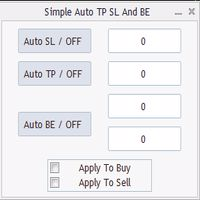
Program for automatic placement of stop loss and take profit orders. Values are calculated as points distance from open price. BreakEven option is also included. all options could be applied to BUY, SELL separately or together. Enter values ​​in points in the fields on the right side of the menu and press dedicated button to aplly your settings. If in doubt, The instruction is displayed in the tooltip.
FREE
Position Selective Close MT4
Francisco Manuel Vicente Berardo
The Position Selective Close is a multi-symbol multi-timeframe script used to close simultaneously various positions.  General Description   The Position Selective Close   possesses   three operation modes (Intersection,   Union   and All) that control the way   as   four position features (symbol, magic number,   type   and profit) are used. The modes, available through the Selection Mode input parameter, relate to the features, available through the “Select by Feature” and “Feature” input pa
FREE
Show Pips
Roman Podpora
4.27 (59)
This information indicator will be useful for those who always want to be aware of the current situation on the account. The indicator displays data such as profit in points, percentage and currency, as well as the spread for the current pair and the time until the bar closes on the current timeframe. VERSION MT5 - More useful indicators There are several options for placing the information line on the chart: 1. To the right of the price (runs behind the price); 2. As a comment (in the upper
FREE
This indicator alerts you when/before new 1 or 5 minute bar candle formed. In other words,this indicator alerts you every 1/5 minutes. This indicator is especially useful for traders who trade when new bars formed. *This indicator don't work propery in strategy tester.Use this in live trading to check functionality. There is more powerful Pro version .In Pro version,you can choose more timeframe and so on. Input Parameters Alert_Or_Sound =Sound ----- Choose alert or sound or both to notify y
FREE
Trendline indicator
David Muriithi
2 (1)
Are you tired of drawing trendlines every time you're analyzing charts? Or perhaps you would like more consistency in your technical analysis. Then this is for you. This indicator will draw trend lines automatically when dropped on a chart. How it works Works similar to standard deviation channel found on mt4 and mt5. It has 2 parameters: 1. Starting Bar 2. Number of bars for calculation The   starting bar   is the bar which drawing of the trend lines will begin, while the   number of bars for c
FREE
HMA Trend
Pavel Zamoshnikov
4.56 (72)
A trend indicator based on the Hull Moving Average (HMA) with two periods. The Hull Moving Average is an improved variant of the moving average, which shows the moment of trend reversal quite accurately. It is often used as a signal filter. Combination of two types of Hull Moving Averages makes a better use of these advantages: HMA with a slow period identifies the trend, while HMA with a fast period determines the short-term movements and signals in the trend direction. Features The movement d
FREE
This is a light version of OneClickWonder. It has a limitation of lotsize ( 0.01 ) and also the trade direction (only SELL ) and magic number is fiexd (magic number = 11 ) ------------------------------------ OneClickWonder manages open trades by   Magic Number   and   Symbol , providing: ·            Individual or Basket Trailing Stop ·            Optional Averaging system   (adds new trades automatically) ·            OneClickOrder buttons   (BUY / SELL directly from chart) ·            Works
FREE
Fair Value Gap FGV MT4
Jean Charles Vilhena Maia
The Smart FVG Visualizer is a high-performance indicator designed to automatically and accurately identify market imbalances (Fair Value Gaps). Based on Smart Money Concepts (SMC) and ICT methodologies, this indicator highlights price inefficiency zones that act as powerful magnets or reversal points. Key Features: Instant Detection: Automatically spots Bullish and Bearish FVGs across all timeframes. Professional Aesthetics: Displays colored rectangles with "FVG" labels, perfectly aligned with i
FREE
VisualTicksEA
Dariusz Grywaczewski
VisualTicks_EA is an Expert Advisor dedicated to the VisualTicks chart. Works ONLY on the VisualTicks chart. Is a tool that lets you open and close transactions directly on the VisualTicks chart. There is only one parameter in EA settings: magic - next EA number. If you use more than one VisualTicks_EA on MT4, you must enter a different magic number. After starting VisualTicks_EA, the following buttons will appear on the chart: Open BUY - opens one BUY transaction of a specified lot size. Cl
FREE
Auto Stop Trail And Profit
Joaquin Nicolas Metayer
5 (1)
Auto Stop Trail And Profit is an expert advisor that monitors orders, when it detects that one has been placed, on the same chart that has been activated or on all assets, depending on its configuration, it will place its respective stop loss, take profit and perform trail stop loss (in a classic way, keeping a distance or "step by step"). You can see more of my products here: www.mql5.com/en/users/joaquinmetayer/seller
FREE
Macd Martin
Roman Yablonskiy
2.5 (2)
Double Breakout   is an automatic expert advisor with two separate strateges that uses martingale. The MACD indicator with adjustable parameters is used as inputs for each flow of orders. The specified takeprofit and stoploss levels are used to exit the position.  General recommendation The minimum recommended deposit is 1000 cents. Spread is recommended not more than 3 points. It is better to use trend currency pairs. The martingale parameter can be set from 0.1 to any value. When martingale i
FREE
PZ Trade Pad EA
PZ TRADING SLU
4.29 (31)
This simple visual expert advisor allows you to trade easily from the chart. It handles risk management for you and can perform several useful tasks with your existing trades, saving time and making risk-management for each individual trade easier.  [ Installation Guide | Update Guide | Troubleshooting | FAQ | All Products   |  Get Help ] Trade easily from the chart Trade with precise risk management, hassle free Trade pending order with drag and drop price selection Set SL and TP levels with
FREE
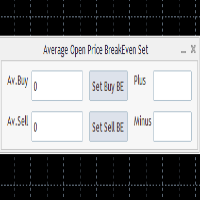
This program calculates the average opening price for sell and buy positions separately. Program allows you to modify the stop loss value to the calculated breakeven price, this value could also be modified by a user-defined integer value in points. All you have to do is press the button. You can also choose Logs_Display_Enable input value if you need to get some additional, useful informations. Enjoy using !!!
FREE
Spread Data
Harry Gunadi Permana
4.5 (2)
Spread Data tool will display current spread and average spread. It will record spread for every hour (from 0 to 23) and can give better data about your broker spread. Run it for 2 days or more to get better spread data . Every spread smaller than MinSpread will be recorded as MinSpread Every spread larger than MaxSpread will be recorded as MaxSpread It help to decide what spread to be used when do backtest, EA spread settings, EA that trade in specific time interval, especially for scalping EA
FREE
Buyers of this product also purchase
Forex Trade Manager MT4
InvestSoft
4.98 (447)
Trade Manager MT4 is an advanced position size calculator and trade management tool for MetaTrader 4, designed to help traders plan trades faster, control risk more precisely, and manage open positions directly from the chart. It combines order placement, risk based lot calculation, Stop Loss and Take Profit management, Break Even, Trailing Stop, Partial Close, Equity Protection, and external trade management in one panel. Whether you trade forex, indices, metals, commodities, or crypto, Trade M
Exp COPYLOT CLIENT for MT4
Vladislav Andruschenko
4.69 (65)
Professional Trade Copier for MetaTrader 4 Fast, professional, and reliable trade copier for MetaTrader 4 . COPYLOT helps you copy Forex trades between MetaTrader 4 and MetaTrader 5 terminals with flexible synchronization for different account setups. COPYLOT MT4 version supports: MetaTrader 4 to MetaTrader 4 MetaTrader 5 Hedge to MetaTrader 4 MetaTrader 5 Netting to MetaTrader 4   MT5 version Full Description + DEMO + PDF How To Buy How To Install How to get Log Files How To Test and Optimize A
Trade Assistant MT4
Evgeniy Kravchenko
4.43 (197)
It helps to calculate the risk per trade, the easy installation of a new order, order management with partial closing functions, trailing stop of 7 types and other useful functions. Additional materials and instructions Installation instructions   -   Application instructions   Line function -   shows on the chart the Opening line, Stop Loss, Take Profit. With this function it is easy to set a new order and see its additional characteristics before opening.   Risk management  - The risk calcu
Local Trade Copier EA MT4
Juvenille Emperor Limited
4.96 (111)
Local Trade Copier EA MT4 is a fast and flexible trade copier for copying and managing trades between multiple MetaTrader 4 accounts on the same Windows computer or Windows VPS. It combines local trade synchronization with Receiver-side controls for lot sizing, risk management, trade filtering, symbol mapping, trade management and account protection. Set up your Transmitter and Receiver terminals in about 1 minute and copy manual or EA trades between accounts at the same or different brokers. U
Trade copier MT4
Alfiya Fazylova
4.62 (37)
Trade Copier is a professional utility designed to copy and synchronize trades between trading accounts. Copying occurs from the account / terminal of the supplier to the account / terminal of the recipient, which are installed on the same computer or VPS . Before buying, you can test the demo version on a demo account. Demo version here . Full instruction here . Main functionality and benefits: Supports copying MT4> MT4, MT4> MT5, MT5> MT4, including MT5 netting accounts. * Supports copying Dem
TradePanel MT4
Alfiya Fazylova
4.84 (95)
Trade Panel is a multi-functional trading assistant. The app contains over 50 trading functions for manual trading and allows you to automate most trading tasks. Application instructions: https://www.mql5.com/en/blogs/post/756482 Trial version of the application for a demo account: https://www.mql5.com/en/blogs/post/750865 How to install the application: https://www.mql5.com/en/blogs/post/756239 How to test the application in visual mode: https://www.mql5.com/en/blogs/post/770277 How to install
Telegram to MT4 Coppy
Sergey Batudayev
4.09 (11)
Telegram to MT4: The Ultimate Signal Copying Solution Streamline your trading with Telegram to MT4 , the cutting-edge utility designed to copy trading signals directly from Telegram channels and chats to your MetaTrader 4 platform—without the need for DLLs. This robust solution ensures seamless execution of signals with unparalleled precision and customization options, saving you time and boosting your efficiency. [ Instructions and DEMO ] [ FAQ ] [ How atach logs properly ] [Settings descrition
News Filter EA MT4
Rashed Samir
5 (10)
News Filter EA: Advanced Algo Trading Assistant News Filter EA is an advanced algo trading assistant designed to enhance your trading experience. By using the   News Filter EA , you can integrate a Forex economic news filter into your existing expert advisor, even if you do not have access to its source code. In addition to the news filter, you can also specify   trading days   and   hours   for your expert. The News Filter EA also includes   risk management   and   equity protection   features
RS Trade Copier
Boris Sedov
5 (1)
RS Trade Copier - the ultra-fast local trade copier with a real graphical interface. Stop typing account numbers manually. No more 200+ cryptic inputs. A reliable and flexible tool for copying trading operations between multiple MT4 and MT5 terminals. It suits experienced traders, signal providers, and individual investors. It enables trade synchronization from one or multiple Providers to one or multiple Clients with high precision and minimal latency. It supports simple automatic configuration
MT4 to Telegram Signal Provider   turns your trading account into a signal provider. Every trade action, whether manual, by EA or from your phone, is instantly sent as a message to Telegram. You can fully customize the format or use a ready-made template for quick setup. [ Demo ] [ Manual ] [ MT5 Version ] [ Discord Version ]  New: [ Telegram To MT5 ] Setup A step by step user guide is available. Key Features Ability to customize order details sent to subscribers You can create a tiered subs
Automatic Trailing Stop Based on Take Profit Percentage with Profit Lock EA MT4   Lock in your profits and "let your winners run" past your 100% take profit target with this EA.  This Expert Advisor automatically adjusts your Stop Loss based on up to 4 user-defined Take Profit Target Percentages, locking in your profit.  If price pushes past your 100% take profit target, the EA will automatically trail the price by user-defined pips, so you won't miss that runaway train again.   EA Features The
Telegram to MT4 Multi-Channel Copier   automatically copies trading signals from your Telegram and Discord channels straight to MetaTrader 4. No bots, no browser extensions, no manual copying. A signal arrives in Telegram or Discord and the EA opens the trade in your terminal within seconds. And before you copy a channel, the built-in backtester shows you what that channel would have done in your account. The product has two components: a Windows application that listens to your Telegram channel
CloseIfProfitorLoss with Trailing
Vladislav Andruschenko
4.88 (32)
Close If Profit or Loss with Trailing for MetaTrader 4 — automatic closing by total profit or loss A reliable trade-management utility for MetaTrader 4 that automatically closes positions when the total profit or total loss reaches the level you set. The Expert Advisor monitors open trades, calculates floating profit and loss, can trail profit, and helps close positions faster than manual reaction. MetaTrader 4 is still used by many manual traders, grid traders, scalpers, and Expert Advisor use
TradeMirror is a trade copier EA for MT4/MT5 platform. Tutorial Please click the Trademirror Tutorial link to view more tutorials. Why TradeMirror We understand the importance of security, stability and privacy for financial software, so we've gone the extra mile to harden these three elements in detail: Provides a user-friendly graphical interface that is easy to operate Focus on privacy and security, suitable for various financial scenarios with privacy requirements for order distribution Prec
Equity Protect Pro: Your Comprehensive Account Protection Expert for Worry-Free Trading If you're looking for features like account protection, equity protection, portfolio protection, multi-strategy protection, profit protection, profit harvesting, trading security, risk control programs, automatic risk control, automatic liquidation, conditional liquidation, scheduled liquidation, dynamic liquidation, trailing stop loss, one-click close, one-click liquidation, and one-click restore, Equity P
Local Copier MT4
Rodrigo Arana Garcia
Local Copier – Trade Copier for MetaTrader 4 and MetaTrader 5 A local trade copier for MetaTrader 4 and MetaTrader 5. It copies trades between terminals that run on the same Windows computer or VPS, in any direction: from MetaTrader 4 to MetaTrader 4, from MetaTrader 5 to MetaTrader 5, and between the two platforms. This is the MetaTrader 4 version. The MetaTrader 5 version is a separate product. To copy between the two platforms, install the matching version in each terminal. Additional materi
Exp Averager
Vladislav Andruschenko
4.82 (22)
Averager for MetaTrader 4 — advanced trade recovery and position series management system A professional Expert Advisor created for traders who need a controlled way to average losing positions, build a structured trade basket, and manage exits with more flexibility. Averager is designed to open additional trades when positions move into drawdown, helping you improve the average entry price and manage the entire series as one coordinated structure. This is not just another averaging utility. It
PZ Trade Pad Pro MT4
PZ TRADING SLU
3.67 (3)
Effortlessly calculate lot sizes and manage trades to save time and avoid costly errors The Trade Pad Pro EA is a tool for the Metatrader Platform that aims to help traders manage their trades more efficiently and effectively. It has a user-friendly visual interface that allows users to easily place and manage an unlimited number of trades, helping to avoid human errors and enhance their trading activity. [ Installation Guide | Update Guide | Troubleshooting | FAQ | All Products ] One of the k
Copy Cat More Trade Copier MT4 is not just a simple local trade copier; it is a complete risk management and execution framework designed for today’s trading challenges. From prop firm challenges to personal portfolio management, it adapts to every situation with its blend of robust execution, capital protection, flexible configuration, and advanced trade handling. Need Support? How to setup? Has questions? Ask here in your language , fast reply: https://www.mql5.com/en/market/product/139089/co
Trade Indicator Assistant is a powerful MT4 utility designed to turn indicators into automated trading systems. Its main feature is the ability to automatically detect an indicator’s   BUY and SELL signal buffers , without requiring you to know the buffer numbers, search through indicator settings, or modify the indicator source code. Bonus Indicator: After purchasing Trade Indicator Assistant, contact me to receive Trade Signal Pro completely free as a bonus indicator. [Download Demo Version]
TimeFilter 4
Andrej Nikitin
1 (1)
TimeFilter indicator allows you to visually select bit masks (GoodHourOfDay, BadHoursOfDay, GoodDayOfWeek, BadDaysOfWeek) for the  Intraday Time Filter  module of trading signals of the Standard Library. The use of time filters allows you to take into account the particulars of each trading session in performing trading operations.
The Envelopes Trailing Stop is a tool that implements trailing of the stop loss order after the price based on the Envelopes trend indicator. The utility provides all the necessary parameters for customization, which allows to select the optimal configuration for any user. The EA allows to choose the trailing line depending on the type of the trade. For example, buy trades can be trailed based on the lower line of the indicator, and sell trades can be trailed based on the upper line. The Magic p
Trading History MT4
Siarhei Vashchylka
5 (9)
Trading History - A program for trading and money management on the history of quotes in stratagy tester. It can work with pending and immediate orders, and is equipped with trailing stop, breakeven and take profit functions. Very good for training and testing different strategies. Manual (Be sure to read before purchasing) Advantages 1. Allows you to test any trading strategy in the shortest possible time 2. An excellent simulator for trading training. You can gain months of trading experience
Trade Manager Pro MT4
Bryan Djoufack Nguessong
This is an Utility to make your trading easier by putting at   one click or a few clicks   time-consuming tasks as order management and risk management. Contact for a free trial. Features Risk Management   Calculates automatically lots based on risk specified in either   % or $  in the risk field and let you enter just   by placing lines for SL TP   etc and display   real-time Risk Reward . TrueRisk   so   it includes commissions when calculating lot size on FX pairs only so you risk 1% with
Copier->Convenient and fast interface interaction, users can use it right away   ->>>> Recommended to use on Windows computers or VPS Windows Features: Diversified and personalized copy trading settings: 1. Different lot modes can be set for different signal sources 2. Different signal sources can be set for forward and reverse copy trading 3. Signals can be set with comments 4. Whether to calibrate the lot according to the contract lot Diversified and personalized copy order settings 2: 1. Dif
The product will copy all telegram signal to MT4   ( which you are member  ) , also it can work as remote copier.  Easy to set up, copy order instant, can work with almost signal formats, image signal, s upport to translate other language to English Work with all type of channel or group, even channel have "Restrict Saving Content", work with  multi channel, multi MT5 Work as remote copier: with signal have ticket number, it will copy exactly via ticket number. Support to backtest signal. How to
Shepherd Safety EA
AW Trading Software Limited
4.92 (13)
AW Shepherd Safety EA is an Expert Advisor for managing open positions. The trader opens the first order from the panel, and from there the EA runs the basket on its own: it adds recovery orders with a trend filter, closes a side on TakeProfit, trailing or stop, and shows the close levels on the chart. Buys and sells are managed separately, and both sides can be open at the same time. A recovery order opens not just on a price step but once Parabolic SAR, two MAs or candle color show a reversal
Trade Assistant Pro 36 in 1
Makarii Gubaydullin
4.76 (21)
Multifunctional tool: Lot Calculator, Grid Orders, R/R ratio, Trade Manager, Supply and Demand zones, Price Action and much more Demo version   |   User manual Trade Assistant   doesn't work in the strategy tester: you can download the Demo Version HERE  to test the utility . Contact me for any questions  / ideas for improvement / in case of a bug found If you need a MT5 version, it is available   here Simplify, speed up and automate your trading process . Expand the standard terminal capabilit
Rhino Chart Drawing Tools provides a TradingView-style drawing workflow for MetaTrader 4. It includes 54 drawing tools , a customizable toolbar, Favorites, quick styling, object settings, templates and an object manager. User manual: How to use the product Free demo version: Download the demo MetaTrader 5 version: Rhino Drawing Tools for MT5 Drawing Tools Group Object List Lines Trend line, ray, extended line, horizontal line, vertical line, horizontal ray, cross line, trend angle, arrow, path
Trade Dashboard MT4
Fatemeh Ameri
4.96 (55)
Trade Dashboard simplifies how you open, manage, and control your trades, with built-in lot size calculation. It allows you to execute trades, manage risk, and control positions directly on the chart, with tools such as partial close, breakeven, and trailing stop. Designed to reduce manual work and help you stay focused on your trading decisions. A demo version is available for testing. Detailed explanations of features are provided within the MQL5 platform. Installation instructions are include
More from author
ALIEN Telegram Copy Signal PRO MT5 Telegram Signal Copier and Automated Trading System for MetaTrader 5 ALIEN Telegram Copy Signal PRO MT5 is a Telegram-to-MetaTrader 5 signal copying Expert Advisor designed to receive trading signals from Telegram channels and automatically execute corresponding orders in MT5. The system combines two Telegram connection methods in one Expert Advisor: PUBLIC WEBREQUEST — Receive trading signals from supported public Telegram channels. TELEGRAM BOT API — Receive
FREE
Copy Trade Local ALIEN PRO MT5 Local Trade Copier with Master and Slave Account Synchronization Copy Trade Local ALIEN PRO MT5 is a trade copying system designed to synchronize trading activity between multiple MetaTrader 5 accounts running on the same computer or Windows VPS. The system uses a MASTER and SLAVE architecture. The MASTER monitors trading activity across an entire MT5 account, while SLAVE instances reproduce selected trading operations on other connected accounts. One MASTER can pr
FREE
Copy Trade Local ALIEN PRO MT5 Local Trade Copier with Master and Slave Account Synchronization Copy Trade Local ALIEN PRO MT5 is a trade copying system designed to synchronize trading activity between multiple MetaTrader 5 accounts running on the same computer or Windows VPS. The system uses a MASTER and SLAVE architecture. The MASTER monitors trading activity across an entire MT5 account, while SLAVE instances reproduce selected trading operations on other connected accounts. One MASTER can pr
FREE
ALIEN Telegram Master PRO MT5 Advanced Telegram Signal & Trading Account Monitoring System One Expert Advisor. All Charts. Multiple Trading Instruments. Multiple Telegram Channels. Four Languages. ALIEN Telegram Master PRO MT5 is a professional Telegram notification and trading activity monitoring system for MetaTrader 5. The Expert Advisor automatically monitors trading activity, indicator BUY/SELL signals, manual and automated trades, Stop Loss and Take Profit modifications, pending orders, an
FREE
Filter:
No reviews
Reply to review