Telegram Master PRO mt4

ALIEN Telegram Master PRO MT4

Advanced Telegram Signal & Trading Account Monitoring System for MetaTrader 4

ONE EA — ALL CHARTS — ALL TRADING ACTIVITY — MULTIPLE TELEGRAM CHANNELS — FOUR LANGUAGES

ALIEN Telegram Master PRO MT4 is an advanced Telegram notification and trading account monitoring Expert Advisor designed specifically for MetaTrader 4.

The system automatically monitors trading activity, BUY/SELL indicator signals, manual and automated trades, Stop Loss and Take Profit modifications, pending orders, and position closures.

Trading signals can be delivered directly to Telegram with automatic MT4 chart screenshots.

Unlike traditional Telegram notification tools, ALIEN Telegram Master PRO can monitor the connected MT4 trading account using only one Expert Advisor instance.

There is no need to install a separate Telegram EA on every chart.

The system works independently alongside other trading robots.

ALIEN Telegram Master PRO is a monitoring and notification tool. It does not open, close, or modify trades.

1. ONE EA MONITORS YOUR MT4 TRADING ACCOUNT

Attach ALIEN Telegram Master PRO to a single chart in MetaTrader 4.

The system can monitor account trading activity across multiple instruments and scan compatible indicators on other open charts.

Example configuration:

  • XAUUSD M5 — Gold Trading Signals

  • BTCUSD M1 — Cryptocurrency Signals

  • EURUSD M5 — Forex BUY/SELL Signals

  • GBPUSD M15 — Trend Signals

  • NAS100 M5 — Index Trading Signals

  • US30 M1 — Automated Trading Strategy

All these instruments can be monitored by one EA instance.

The system supports manual trading, automated Expert Advisors, multiple trading instruments, and different timeframes.

Monitoring is limited to the currently connected MT4 account and the charts available within the running terminal.

2. AUTOMATIC BUY/SELL INDICATOR SIGNALS

ALIEN Telegram Master PRO can automatically detect BUY and SELL signals generated by compatible custom MT4 indicators.

No actual trade execution is required.

When an indicator produces a valid signal, the system can send a Telegram notification containing:

  • Trading symbol and timeframe

  • BUY or SELL direction

  • Signal entry price

  • Stop Loss

  • Take Profit levels TP1–TP4

  • Signal Score, if available

  • Indicator name

  • Automatic chart screenshot

Optional SL, TP, and Score values are included when the indicator provides the corresponding data buffers.

Custom Indicator Compatibility

The system uses the MT4 iCustom() function to read configured indicator buffers.

Supported buffer indexes: 0–7.

Users can configure different buffer mappings for individual indicators.

The indicator must be installed in the MT4 Indicators directory and expose compatible signal buffers.

Important: The current MT4 version reads custom indicators using their default input settings. Indicators requiring non-default parameters may need additional integration.

Indicators that generate signals only through graphical chart objects, without accessible buffers, are not automatically supported.

3. AUTOMATIC DIRECTION CHANGE ALERTS

The system can detect changes in indicator signal direction.

BUY → SELL

SELL → BUY

When the indicator changes direction, ALIEN Telegram Master PRO can automatically send a new notification with a chart screenshot.

Direction Changes Only

InpOnlyDirectionChanges = true

Only direction changes generate notifications.

Repeated signals in the same direction are ignored.

All Valid Signals

InpOnlyDirectionChanges = false

Additional signals in the same direction can also generate notifications on subsequent candles.

Closed Candle Monitoring

InpSignalShift = 1

Signals are checked using closed candles.

This helps reduce temporary alerts caused by signals appearing during candle formation.

The selected indicator's repainting behavior may still affect signal reliability.

4. AUTOMATIC MT4 CHART SCREENSHOTS

ALIEN Telegram Master PRO can automatically attach real MT4 chart screenshots to Telegram notifications.

Screenshots can be generated for:

  • BUY indicator signals

  • SELL indicator signals

  • Direction changes

  • Newly opened trades

Telegram subscribers can see the actual market situation when a signal appears.

Screenshots may include candlesticks, indicators, BUY/SELL arrows, trend lines, support and resistance levels, and other visible chart objects.

Screenshot Settings

InpPhotoOnSignal

Enable or disable screenshots for indicator signals.

InpPhotoOnTradeOpen

Enable or disable screenshots for newly opened trades.

InpPhotoWidth

Configure image width.

InpPhotoHeight

Configure image height.

Default resolution: 1200 × 720 pixels.

The corresponding MT4 chart must be open and accessible.

If a screenshot is unavailable, the system can send a text notification instead.

5. MANUAL AND AUTOMATED TRADE MONITORING

ALIEN Telegram Master PRO monitors trading activity across the connected MT4 account.

Supported events include:

  • Manually opened BUY/SELL orders

  • Trades opened by other Expert Advisors

  • New market orders

  • Stop Loss modifications

  • Take Profit modifications

  • Full position closures

  • Partial position closures

  • Trading activity across multiple instruments

Notifications can include the instrument, trading direction, execution price, Stop Loss, Take Profit, and optional trading volume.

The system does not require monitored orders to use the same Magic Number.

Technical identifiers such as Magic Number and order ticket numbers are hidden from public Telegram notifications.

6. STOP LOSS, TAKE PROFIT AND BREAK EVEN ALERTS

The system automatically monitors modifications to open trades.

Stop Loss Changes

Telegram notifications can be generated when a Stop Loss level is modified.

Take Profit Changes

The system can report updated Take Profit levels.

Manual Modifications

Changes made directly by the trader in MetaTrader 4 can be detected.

Automated Modifications

The system can monitor modifications performed by other Expert Advisors.

Break Even Detection

When Stop Loss is moved close to the entry price, the modification can be identified as Break Even.

Trailing Stop Monitoring

Stop Loss changes resulting from trailing mechanisms can be reported.

A configurable minimum notification interval helps reduce excessive messages.

MT4 monitoring uses periodic account checks. Very rapid modifications may be combined into a single detected update.

7. PENDING ORDER MONITORING

ALIEN Telegram Master PRO supports all four standard MT4 pending order types:

BUY LIMIT

SELL LIMIT

BUY STOP

SELL STOP

The system can notify Telegram when:

  • A new pending order is created

  • The pending entry price is modified

  • Stop Loss is modified

  • Take Profit is modified

  • A pending order is canceled

  • A pending order becomes a market trade

This functionality supports both manual trading and automated order management.

8. TRADE CLOSURE NOTIFICATIONS

When a trade is closed, ALIEN Telegram Master PRO can automatically send a notification.

Supported events include:

  • Full trade closure

  • Partial trade closure, where identifiable

  • Stop Loss execution

  • Take Profit execution

  • Manual closing activity

  • Stop Out events, where identifiable

The system can estimate the closing reason using available MT4 order information.

Financial Results

InpShowMoneyResult = true

Display the financial result.

InpShowMoneyResult = false

Hide the financial result.

This is useful for public Telegram signal channels where account performance should remain private.

Note: MT4 trade-history availability depends on the selected range in the Account History tab.

9. FOUR TELEGRAM NOTIFICATION LANGUAGES

ALIEN Telegram Master PRO supports four languages:

🇬🇧 ENGLISH — EN

🇵🇱 POLISH — PL

🇩🇪 GERMAN — DE

🇫🇷 FRENCH — FR

Each Telegram destination can use a different language.

Example:

Channel 1 — English

Channel 2 — Polish

Channel 3 — German

Channel 4 — French

The same trading event can be delivered to different Telegram channels in their configured languages.

One MT4 terminal can provide multilingual trading notifications.

10. MULTIPLE TELEGRAM CHANNELS

The system supports multiple Telegram destinations.

Supported destinations include:

  • Private Telegram chats

  • Telegram groups

  • Public Telegram channels

  • Private Telegram channels

The EA supports configuration of up to 20 Telegram destinations.

Users can configure Chat IDs and assign individual notification languages.

A Telegram bot must have the appropriate permissions to publish messages in each destination.

11. CLEAN AND PROFESSIONAL TRADING SIGNALS

ALIEN Telegram Master PRO uses a clear notification format designed for Telegram trading channels.

Unnecessary technical information is hidden.

Example — BUY Signal

👽 ALIEN TRADER$

🟢 BUY XAUUSD | M5

📡 INDICATOR SIGNAL

💰 Entry: 2750.50

🛑 Stop Loss: 2745.50

🎯 TP1: 2755.50

🎯 TP2: 2760.50

🎯 TP3: 2765.50

🎯 TP4: 2770.50

⭐ Signal Score: 87/100

📊 Indicator: ALIEN MASTER

📸 Chart Screenshot Attached

Example — SELL Signal

👽 ALIEN TRADER$

🔴 SELL BTCUSD | M1

🔄 DIRECTION CHANGE

💰 Entry: 77541.95

🛑 Stop Loss: 77581.70

🎯 TP1: 77489.94

🎯 TP2: 77457.13

🎯 TP3: 77416.12

📸 Chart Screenshot Attached

All prices and signal scores are illustrative examples.

SL, TP1–TP4, and Score values are displayed only when the indicator provides the corresponding data.

12. AUTOMATIC DAILY TRADING REPORTS

The Expert Advisor includes an optional daily trading report.

Reports can contain:

  • Daily realized Profit/Loss

  • Current floating Profit/Loss

  • Profitable closed orders

  • Losing closed orders

  • Report date

  • Account currency

The report time can be configured according to the broker server clock.

Daily reports can be enabled or disabled.

Financial values can also be hidden for privacy.

Reports use the trading history currently available in MT4.

13. ADVANCED TELEGRAM COMMUNICATION

ALIEN Telegram Master PRO communicates through the official Telegram Bot API.

The system includes:

  • Internal notification queue

  • Automatic retry attempts

  • Configurable request timeout

  • Adjustable monitoring interval

  • Configurable maximum queue size

  • Telegram connection testing

  • Communication status monitoring

These features help manage notification delivery during temporary communication problems.

An active internet connection is required.

Notifications waiting in memory may be lost if the terminal or Expert Advisor is restarted.

14. COMPACT MT4 CONTROL PANEL

ALIEN Telegram Master PRO includes an integrated monitoring panel.

The panel displays:

  • Telegram connection status

  • Number of configured recipients

  • Number of monitored charts

  • Number of recognized compatible indicators

  • Message queue status

  • Indicator monitoring configuration

  • Last communication event

Telegram Test Button

TG TEST

A dedicated button allows users to send a test notification without waiting for market activity.

Minimalist Panel

The control panel can be minimized to a small square.

Default size: 38 × 38 pixels.

🟢 GREEN

The monitoring system is configured, the terminal is connected, and no current communication error has been detected.

🔴 RED

The monitoring system is disabled, incorrectly configured, disconnected, or has detected a communication error.

Clicking the square restores the complete panel.

The status refers to Telegram monitoring, not the trading activity of other Expert Advisors.

15. MULTI-SYMBOL AND MULTI-TIMEFRAME SUPPORT

ALIEN Telegram Master PRO supports instruments available through the connected MT4 broker.

FOREX

EURUSD, GBPUSD, USDJPY, AUDUSD, USDCAD, and other currency pairs.

PRECIOUS METALS

XAUUSD, XAGUSD.

CRYPTOCURRENCIES

BTCUSD, ETHUSD, and other supported instruments.

INDICES

NAS100, US30, SP500, GER40, and others.

COMMODITIES

Energy products and other available instruments.

TIMEFRAMES

Standard MT4 timeframes include:

M1, M5, M15, M30, H1, H4, D1, W1, MN1.

Indicator monitoring requires compatible indicators installed and configured on accessible charts.

16. INDEPENDENT MONITORING — NO AUTOMATIC TRADING

ALIEN Telegram Master PRO MT4 is a monitoring and notification system only.

It does not:

  • Open trades

  • Close trades

  • Modify Stop Loss

  • Modify Take Profit

  • Change trading volume

  • Execute trading strategies

  • Manage trading risk

The EA can run alongside existing trading systems without intentionally interfering with their trading operations.

It is designed for traders who want centralized Telegram monitoring without adding notification modules to every trading robot.

17. INSTALLATION AND CONFIGURATION

STEP 1 — INSTALL THE EA

Copy the Expert Advisor into:

MQL4/Experts

Refresh the Navigator window or restart MetaTrader 4.

STEP 2 — CREATE A TELEGRAM BOT

Create a Telegram bot using the official BotFather service.

STEP 3 — CONFIGURE TELEGRAM

Enter your Bot Token and Telegram Chat ID in the EA settings.

STEP 4 — ENABLE WEBREQUEST

In MetaTrader 4, navigate to:

Tools → Options → Expert Advisors

Enable WebRequest permissions.

Add:

https://api.telegram.org

STEP 5 — ATTACH THE EA

Attach ALIEN Telegram Master PRO to one chart.

STEP 6 — CONFIGURE INDICATOR BUFFERS

If indicator notifications are required, configure the corresponding BUY, SELL, and optional additional buffers.

MT4 indicator buffer indexes must be between 0 and 7.

The EA reads indicator data using iCustom() and the indicator's default input parameters.

STEP 7 — TEST TELEGRAM

Click TG TEST on the control panel.

Verify that the notification reaches the configured Telegram destination.

VPS SUPPORT

The program can run on a computer or VPS with an active MetaTrader 4 terminal.

Continuous terminal operation is recommended for uninterrupted monitoring.

Telegram WebRequest communication cannot be tested in the MT4 Strategy Tester and should be verified in a running terminal.

18. WHO IS ALIEN TELEGRAM MASTER PRO FOR?

Manual Traders

Receive Telegram notifications about trading activity and account modifications.

Algorithmic Traders

Monitor trades generated by multiple MT4 Expert Advisors.

Telegram Signal Providers

Automatically publish compatible indicator BUY/SELL signals with chart screenshots.

Trading Communities

Distribute notifications across multiple Telegram channels.

Multi-Symbol Traders

Monitor multiple markets and chart timeframes from one EA.

International Trading Channels

Publish notifications in English, Polish, German, and French.

VPS Users

Monitor MT4 trading activity remotely through Telegram.

KEY FEATURES SUMMARY

✅ One Expert Advisor monitors the connected MT4 account.

✅ Multiple charts and trading instruments.

✅ Automatic BUY/SELL indicator signals.

✅ Indicator signals without opening trades.

✅ Automatic direction change alerts.

✅ Real MT4 chart screenshots.

✅ Manual trading activity monitoring.

✅ Monitoring of trades opened by other Expert Advisors.

✅ Stop Loss modification alerts.

✅ Take Profit modification alerts.

✅ Break Even detection.

✅ Trailing Stop modification notifications.

✅ Pending order monitoring.

✅ Full and partial trade closure notifications.

✅ Optional financial results.

✅ Automatic daily reports.

✅ Multiple Telegram channels and groups.

✅ Four notification languages: EN, PL, DE, FR.

✅ Configurable custom indicator buffers 0–7.

✅ Message queue and retry system.

✅ Telegram connection test button.

✅ Compact, minimizable control panel.

✅ VPS-compatible operation.

✅ No automatic trading or position modification.

IMPORTANT INFORMATION

ALIEN Telegram Master PRO MT4 is a monitoring and notification tool, not an automated trading strategy.

The program does not generate independent trading recommendations or guarantee profitable signals.

Indicator signal accuracy depends on the indicators used and their configuration.

MT4 indicator monitoring requires compatible custom indicators with accessible buffers 0–7. The current scanner uses the indicators' default input parameters.

Trade monitoring uses periodic checks rather than MT5-style trade transaction events. Very rapid account modifications may not generate separate notifications.

Trade history and daily reporting depend on the history available in MetaTrader 4.

Telegram notifications require an active terminal, internet connectivity, and correctly configured Telegram permissions.

Temporary network interruptions or terminal restarts may result in delayed or missed notifications.

The system monitors one connected MT4 account within the running terminal. It does not automatically monitor separate MT4 terminals or different accounts.

Always test the system on a demo account and verify your indicator buffer configuration before relying on live trading notifications.

ALIEN TELEGRAM MASTER PRO MT4

ONE EA — ALL CHARTS — ALL TRADING ACTIVITY

AUTOMATIC BUY/SELL SIGNALS

REAL CHART SCREENSHOTS

MANUAL & AUTOMATED TRADE MONITORING

MULTIPLE TELEGRAM CHANNELS

FOUR LANGUAGES

Monitor Your Trading. Share Your Signals. Stay Connected.


推荐产品
Symbol Cost Monitor 是一款面向 MetaTrader 4 的专业分析工具,旨在帮助交易者同时快速监控多个交易品种的交易成本。 点差和隔夜利息会直接影响最终交易结果。对于剥头皮交易、日内高频交易、持仓数天以及同时交易多个品种的交易者而言,这一点尤其重要。MetaTrader 4 的标准界面无法在同一个窗口中方便地比较这些参数,因此交易者通常需要逐个打开品种规格并手动查看相关信息。 Symbol Cost Monitor 会收集所选交易品种的关键数据,并将其显示在图表上的紧凑型面板中。该工具可以帮助您快速识别点差较高的品种、比较隔夜利息、监控交易条件的变化,并在开仓前评估潜在交易成本。 面板会实时更新数据,并且可以监控 Market Watch 中的全部交易品种,也可以只监控用户自定义的品种列表。颜色提示能够帮助您快速发现交易条件恶化,而警报功能则可以在点差超过设定水平时及时提醒您。 主要功能: 同时监控多个交易品种,显示 Bid 和 Ask 价格,显示当前、最小和最大点差,显示 Swap Long 和 Swap Short,显示隔夜利息计算模式,显示三倍隔夜利息日,显
FREE
BackTester FX
Mikhail Nazarenko
BackTester FX — симулятор  ручной торговли MetaTrader 4 . Позволяет моделировать рыночные условия на исторических данных в тестере стратегий, вручную открывать и закрывать сделки, анализировать торговые стратегии без рисков потерять. Ключевые возможности Эмуляция ручной торговли в визуальном тестере стратегий Совместимость с любыми инструментами и таймфреймами Быстрое управление ордерами (открытие/закрытие) Настройки объема сделки, Stop Loss, Take Profit Работает как в тестере стратегий так и на
FREE
Automated Timeframe cycling with Symbols centered.  Force every timeframe onto one clock window, so the story you see on Daily is the same story you are slicing on H4, H1, and M1.  Traders usually flip timeframes and lose the span. A Daily chart shows a few weeks, then M15 shows a few hours, and the eye treats them as different markets. This indicator locks the window to N bars of the highest enabled timeframe — default 10 Daily — and maps every lower timeframe to that same stretch. You stay ins
FREE
The script closes all positions for which the profit is more than 5 pips. Works only on an open pair (on an open chart). The terminal must have the "Algo trading" mode enabled. Effective if there are many open positions that need to be closed quickly. The script does not replace trailing stop or advisor.   The script checks all open deals and closes those that meet the condition (profit is more than 5 pips) once at the time of launch. For the subsequent closing of new profitable positions, y

FREE
This is a script for quick and easy placement of orders (Buy Stop, Sell Stop, Buy Limit, Sell Limit) to the user's choice. Simply drop the script on a chart part where you want to place the selected order. You can also set the automatic calculation of the lot size for the position, depending on the risk as a percentage. Also, you can use the script as a supplement to your trading strategy, since it is possible to specify a magic number. Features Fast placing of a required order (Buy Stop, Sell S
FREE
Copier Provider RAlabs MT4 — a signal source for local trade copying. A lightweight trade publishing tool for a copying system consisting of Copier Provider RAlabs (signal source) and Copier Master RAlabs (receiver). Copier Provider RAlabs is installed on the donor account whose trades need to be copied and transmits those trades to the Copier Master RAlabs receiver. The provider publishes: position openings, modifications, and trade closures. Features: instant local transmission, minimal resour
FREE
Left4Trade MT4 Script  A script allows displaying the closure of a trade on the current chart. It helps to see where the trade was opened and closed and how it affects the overall trading result. When using this script, arrows indicating the opening and closing of trades are displayed on the chart. They can be configured with different colors according to your preferences. One of the main advantages of using this script is the ability to quickly analyze trading operations, which allows you to
FREE
MT4 to Telegram & Discord Notifier MT4 to Telegram & Discord Notifier is a lightweight and practical notification utility for MetaTrader 4 that automatically sends real-time trade updates to your Telegram and Discord channels. It is designed for traders who want to stay informed about trading activity without constantly watching the terminal. Once connected, the notifier delivers instant alerts whenever a trade is opened or closed, helping you monitor live activity, improve communication, and ke
FREE
NEW :    integration with Ofir Signals to send personalized alerts Ofir Notify is a tool which send alerts on trades to Telegram Alert on any event concerning a position : Opening, Closing, modification (SL, TP) Send alerts to Chats, Groups and Channel Alert on Equity change Display Risk, Reward and progress of profit/lost for each position Customization of alerts Sending charts screenshots with alerts Send signals from your indicators or experts Multi-lingual NEW  : version 2 brings integratio
FREE
Bar Countdown  是一款标识K线大小以及多久会结束的 MT4 指标,它是高频交易或者是炒短线交易中经常用到的一个实用工具。 它的核心功能有三个: 倒计时(Time) ——当前这根 K 线距离收盘还剩多少时间,每秒跳动,让你精确掌握"还有几秒换线",为平仓或者是开仓提供信息支持。 K线振幅(Bar) ——当前这根 K 线从最高到最低的振幅,交易者判断K线的大小不再是通过肉眼观察K线的大小,而是真实的数据描绘。 点差(Spread) ——显示当前品种的实时点差,为是否开仓提供信息支持。 它的特点 只显示、不下单 :纯指标,零交易逻辑,绝不替你开仓/平仓。 贴着价格走 :文字自动贴在当前实时买价(Bid)那条线上,价格动它就跟着动,永远在你视线范围内。 整组拖动 :鼠标可以水平方向拖动它的位置。 自由设置 :可以自己设置字体颜色/大小。
FREE
AQ RiskOptimizer
HIT HYPERTECH INNOVATIONS LTD
5 (1)
Risk Optimizer is the absolute solution for applying risk management on your account. Bad risk management is the main reason that causes traders to lose money. Risk Optimizer calculates and suggests the correct lot size for each position according to your personal, customized risk profile. You can give directly your preferred risk as percentage (%) for each position or you can trust our algorithms to calculate and optimize according to your risk category selection. But it is not only that! Selec
FREE
Pro Close Panel
Fatemeh Ameri
3.75 (4)
This is a very simple yet useful tool to close positions with different conditions and methods. You can use panel buttons to close positions or set multiple rules to close all positions. Panel has two main tab, Active Order and Pending Orders: Active Tab: You can set profit or loss target to close all positions. You can set equity target to close all positions, You can set a special time to close all positions. Moreover, by panel buttons you can close only buy/sell positions or only negative/pos
FREE
Rainbow MT4
Jamal El Alama
Rainbow MT4 is a technical indicator based on Moving average with period 34 and very easy to use. When price crosses above MA and MA changes color to green, it’s a signal to buy. When price crosses below MA and MA changes color to red, it’s a signal to sell. The Expert advisor ( Rainbow EA MT4) based on Rainbow MT4 indicator, as you can see in the short video below is now available here .
FREE
See my other products here. One Click Order This product helps you to send your order as quickly and easily as possible. Send your order as fast as possible: Just set your position parameter values(Price, TP, SL, Ex Date) with just a few simple mouse drags. On the other hand, the calculation of the losses and profits value before ordering is always a big challenge for traders; This expert is very useful in taking a position and calculating the amount of the stop loss/the take profit(in the curr
FREE
High Low Open Close MT4
Alexandre Borela
4.81 (21)
如果你象这个项目一样,就有5个饥饿审查。 这项指标采用了既定价格的公开、高、低价和关闭价格 可以对特定时间区加以调整。 许多机构和专业人士都认为这些是重要的。 贸易商可以为你了解他们可能更进一步的地点, 积极。 现有期间为: 前一日。 前一星期。 曾任Month。 曾任。 前一年。 或: 目前日。 目前周。 目前 Month。 目前配额。 今年。
FREE
Quantum Falcon Signal Free is a smart visual trading indicator for MetaTrader 4 designed for Forex and Gold traders. The indicator combines: • Trend analysis • RSI momentum confirmation • MACD momentum filtering • ATR volatility filtering • Higher timeframe confirmation • Smart exit signal detection Main Features: • Smart Buy and Sell signals • Exit Buy / Exit Sell alerts • Real-time dashboard on chart • Professional candle arrows • Multi-timeframe trend confirmation • ATR market volatility filt
FREE
Program for automatic placement of stop loss and take profit orders. Values are calculated as points distance from open price. BreakEven option is also included. all options could be applied to BUY, SELL separately or together. Enter values ​​in points in the fields on the right side of the menu and press dedicated button to aplly your settings. If in doubt, The instruction is displayed in the tooltip.
FREE
Position Selective Close MT4
Francisco Manuel Vicente Berardo
The Position Selective Close is a multi-symbol multi-timeframe script used to close simultaneously various positions.  General Description   The Position Selective Close   possesses   three operation modes (Intersection,   Union   and All) that control the way   as   four position features (symbol, magic number,   type   and profit) are used. The modes, available through the Selection Mode input parameter, relate to the features, available through the “Select by Feature” and “Feature” input pa
FREE
Show Pips
Roman Podpora
4.27 (59)
对于那些总是想了解帐户当前情况的人来说,此信息指示器将很有用。该指标显示诸如利润点数、百分比和货币等数据,以及当前货币对的点差以及柱在当前时间范围内收盘的时间。 MT5版本 -   更多有用的指标 有多种选项可用于在图表上放置信息线: 价格右侧(运行在价格后面); 作为评论(在图表的左上角); 在屏幕的选定角落。 还可以选择信息分隔符: | / 。 \ # 该指标具有内置热键: 键 1 - 退一步显示信息类型(价格、评论或角落的右侧) 关键2——信息显示类型的进步 键 3 - 更改信息行显示的位置 可以在设置中重新分配热键。 该指标易于使用且信息丰富。可以在设置中禁用不必要的信息项目。 设置 替换显示信息的热键(向后)   - 后退信息显示类型 用于替换显示信息的热键(前进)       - 信息显示类型向前迈进了一步 用于更改外观/角信息字符串类型的热键     - 更改信息行显示的位置 文字颜色     - 文字颜色 盈利颜色     - 有浮动利润时的文字颜色 失色     - 存在浮动损失时的文本颜色 分离器     - 一行中的数据分隔符。可以采用五个值:“|”、“/”、
FREE
New Bar Alarm Free
Tomoyuki Nakazima
This indicator alerts you when/before new 1 or 5 minute bar candle formed. In other words,this indicator alerts you every 1/5 minutes. This indicator is especially useful for traders who trade when new bars formed. *This indicator don't work propery in strategy tester.Use this in live trading to check functionality. There is more powerful Pro version .In Pro version,you can choose more timeframe and so on. Input Parameters Alert_Or_Sound =Sound ----- Choose alert or sound or both to notify y
FREE
Trendline indicator
David Muriithi
2 (1)
Are you tired of drawing trendlines every time you're analyzing charts? Or perhaps you would like more consistency in your technical analysis. Then this is for you. This indicator will draw trend lines automatically when dropped on a chart. How it works Works similar to standard deviation channel found on mt4 and mt5. It has 2 parameters: 1. Starting Bar 2. Number of bars for calculation The   starting bar   is the bar which drawing of the trend lines will begin, while the   number of bars for c
FREE
HMA Trend
Pavel Zamoshnikov
4.56 (72)
A trend indicator based on the Hull Moving Average (HMA) with two periods. The Hull Moving Average is an improved variant of the moving average, which shows the moment of trend reversal quite accurately. It is often used as a signal filter. Combination of two types of Hull Moving Averages makes a better use of these advantages: HMA with a slow period identifies the trend, while HMA with a fast period determines the short-term movements and signals in the trend direction. Features The movement d
FREE
This is a light version of OneClickWonder. It has a limitation of lotsize ( 0.01 ) and also the trade direction (only SELL ) and magic number is fiexd (magic number = 11 ) ------------------------------------ OneClickWonder manages open trades by   Magic Number   and   Symbol , providing: ·            Individual or Basket Trailing Stop ·            Optional Averaging system   (adds new trades automatically) ·            OneClickOrder buttons   (BUY / SELL directly from chart) ·            Works
FREE
Fair Value Gap FGV MT4
Jean Charles Vilhena Maia
摘要: Smart FVG Visualizer 是一款专为 MetaTrader 交易者打造的高性能专业指标, 旨在自动、 精准地识别市场中的价格失衡区域(Fair Value Gaps, FVG)。 该指标深度结合了 Smart Money Concepts (SMC) 和 ICT (Inner Circle Trader)的核心理论。 在机构级交易中, FVG 被视为算法留下的“价格脚印”, 代表了由于订单流极度不平衡而产生的效率低下区域。 这些区域通常具有极强的价格吸引力, 是寻找高胜率入场点、 设置止盈目标或判断趋势延续的重要依据。 主要技术优势与功能: 实时算法识别: 该工具能够即时扫描图表, 自动锁定看涨(Bullish)和看跌(Bearish)的 FVG 空间。 无论您是在 M1 进行剥头皮交易, 还是在 D1 进行趋势跟踪, 它都能提供稳定的精准度。 机构级专业美学: 我们严格遵循现代机构交易者的视觉标准。 指标通过平滑的有色方框和清晰的 "FVG" 文本标签来标注区域。 这种设计不仅直观, 而且有助于交易者在极短的时间内做出决策, 减少心理疲劳。 极致的性能优化:
FREE
VisualTicksEA
Dariusz Grywaczewski
VisualTicks_EA is an Expert Advisor dedicated to the VisualTicks chart. Works ONLY on the VisualTicks chart. Is a tool that lets you open and close transactions directly on the VisualTicks chart. There is only one parameter in EA settings: magic - next EA number. If you use more than one VisualTicks_EA on MT4, you must enter a different magic number. After starting VisualTicks_EA, the following buttons will appear on the chart: Open BUY - opens one BUY transaction of a specified lot size. Cl
FREE
Auto Stop Trail And Profit
Joaquin Nicolas Metayer
5 (1)
Auto Stop Trail And Profit is an expert advisor that monitors orders, when it detects that one has been placed, on the same chart that has been activated or on all assets, depending on its configuration, it will place its respective stop loss, take profit and perform trail stop loss (in a classic way, keeping a distance or "step by step"). You can see more of my products here: www.mql5.com/en/users/joaquinmetayer/seller
FREE
Macd Martin
Roman Yablonskiy
2.5 (2)
Double Breakout   is an automatic expert advisor with two separate strateges that uses martingale. The MACD indicator with adjustable parameters is used as inputs for each flow of orders. The specified takeprofit and stoploss levels are used to exit the position.  General recommendation The minimum recommended deposit is 1000 cents. Spread is recommended not more than 3 points. It is better to use trend currency pairs. The martingale parameter can be set from 0.1 to any value. When martingale i
FREE
PZ Trade Pad EA
PZ TRADING SLU
4.29 (31)
This simple visual expert advisor allows you to trade easily from the chart. It handles risk management for you and can perform several useful tasks with your existing trades, saving time and making risk-management for each individual trade easier.  [ Installation Guide | Update Guide | Troubleshooting | FAQ | All Products   |  Get Help ] Trade easily from the chart Trade with precise risk management, hassle free Trade pending order with drag and drop price selection Set SL and TP levels with
FREE
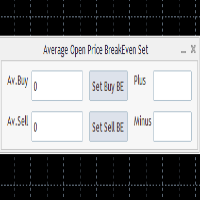
This program calculates the average opening price for sell and buy positions separately. Program allows you to modify the stop loss value to the calculated breakeven price, this value could also be modified by a user-defined integer value in points. All you have to do is press the button. You can also choose Logs_Display_Enable input value if you need to get some additional, useful informations. Enjoy using !!!
FREE
Spread Data
Harry Gunadi Permana
4.5 (2)
Spread Data tool will display current spread and average spread. It will record spread for every hour (from 0 to 23) and can give better data about your broker spread. Run it for 2 days or more to get better spread data . Every spread smaller than MinSpread will be recorded as MinSpread Every spread larger than MaxSpread will be recorded as MaxSpread It help to decide what spread to be used when do backtest, EA spread settings, EA that trade in specific time interval, especially for scalping EA
FREE
该产品的买家也购买
欢迎来到 Trade Manager EA——这是一个终极风险管理工具,旨在使交易变得更直观、精准和高效。它不仅仅是一个下单工具,而是一个用于无缝交易计划、仓位管理和风险控制的全面解决方案。不论您是新手交易员、资深交易员,还是需要快速执行的剥头皮交易员,Trade Manager EA 都可以满足您的需求,适用于外汇、指数、大宗商品、加密货币等各种市场。 借助 Trade Manager EA,复杂的计算已成过去。只需分析市场,在图表上用水平线标记入场、止损和止盈,设置您的风险水平,Trade Manager 就会立即计算出理想的头寸规模,并实时显示以点、账户货币计价的止损和止盈。每笔交易都得以轻松管理。 主要功能: 头寸规模计算器 :根据定义的风险瞬间确定交易规模。 简单的交易计划 :在图表上用可拖动的水平线直接计划交易,设置入场、止损和止盈。 实时显示 SL 和 TP :以账户货币、点或分显示止损和止盈,便于分析。 高级保护工具 盈亏平衡选项 : 基本盈亏平衡 :当您的交易达到设定水平时自动保护利润。 多级盈亏平衡 :设置多达 4 个级别以逐步保护利润。 尾随止损选项 : 基本尾随
Exp COPYLOT CLIENT for MT4
Vladislav Andruschenko
4.69 (65)
MetaTrader 4 专业交易复制器 快速、专业、可靠的 MetaTrader 4 交易复制器。 COPYLOT 可在 MetaTrader 4 与 MetaTrader 5 终端之间复制外汇交易,并为不同账户类型和交易场景提供灵活的同步方案。 COPYLOT MT4 版本支持: MetaTrader 4 → MetaTrader 4 MetaTrader 5 Hedge → MetaTrader 4 MetaTrader 5 Netting → MetaTrader 4   MT5 版本 完整说明 + DEMO + PDF 如何购买 如何安装 如何获取日志文件 如何测试与优化 Expforex 的全部产品 您也可以使用 MetaTrader 5 版本,在 MetaTrader 5 → MetaTrader 5 和 MetaTrader 4 → MetaTrader 5 之间进行复制: COPYLOT CLIENT for MT5 COPYLOT 是一款专业级交易复制器,可稳定运行于 2、3 甚至 10 个终端之间。 支持从模拟账户和投资者密码账户进行复制 可同时运行在多个终端上
Trade Assistant MT4
Evgeniy Kravchenko
4.43 (197)
它有助于计算每笔交易的风险,容易安装新的订单,具有部分关闭功能的订单管理, 7 种类型的追踪止损和其他有用的功能。 附加材料和说明 安装说明 - 应用程序说明   线条功能  - 在图表上显示开仓线、止损线、止盈线。 有了这个功能,就可以很容易地设置一个新的订单,并在开仓前看到它的附加特性。   风险管理  - 风险计算功能在考虑到设定的风险和止损单的大小的情况下,计算新订单的成交量。它允许你设置任何大小的止损,同时观察设定的风险。 批量计算按钮 - 启用 / 禁用风险计算。 在 " 风险 " 一栏中设置必要的风险值,从 0 到 100 的百分比或存款的货币。 在 " 设置 " 选项卡上选择风险计算的变量: $ 货币, % 余额, % 资产, % 自由保证金, % 自定义, %AB 前一天, %AB 前一周, %AB 前一个月。   R/TP 和 R/SL - 设置止盈和止损的关系。 这允许你设置相对于损失的利润大小。 例如, 1 : 1 - 这决定了 TP = SL 的大小。 2 : 1 - 这意味着 TP 是 SL 的两倍。 RR - 它禁用比率。   订单管理 该面板支持市场
Local Trade Copier EA MT4
Juvenille Emperor Limited
4.96 (111)
Local Trade Copier EA MT4 是一款快速、灵活的交易复制工具,用于在同一台 Windows 电脑或 Windows VPS 上的多个 MetaTrader 4 账户之间复制和管理交易。 它将本地交易同步与 Receiver 端的手数管理、风险管理、交易过滤、品种映射、交易管理和账户保护功能结合在一起。 只需约 1 分钟 即可完成 Transmitter 和 Receiver 终端的设置,并可在同一经纪商或不同经纪商的账户之间复制手动交易或 EA 交易。在合适的条件下,本地 MetaTrader 终端之间的交易信息可以在 0.5 秒以内 完成同步。实际交易执行速度取决于经纪商延迟、网络状况、电脑/VPS 性能以及终端负载。 购买前先试用免费演示版 您可以在 MT4 模拟账户上测试 功能完整的 Local Trade Copier EA MT4 免费演示版 ,每次可使用 4 小时 : 下载 Local Trade Copier EA MT4 免费演示版 将下载的文件放入: MT4 → 文件 → 打开数据文件夹 → MQL4 → Experts 然后重新启动 MT
Trade copier MT4
Alfiya Fazylova
4.62 (37)
Trade Copier 是一种专业实用程序,旨在复制和同步交易账户之间的交易。 复制发生从供应商的帐户/终端到收件人的帐户/终端,安装在同一台计算机或 vps 上。 在购买之前,您可以在演示帐户上测试演示版本。 演示 这里 。 完整说明 这里 。 主要功能和优点: 支持复制MT4>MT4、MT4>MT5、MT5>MT4,包括МТ5 netting账户。 供应商和收件人模式在同一产品中实现。 简单直观的界面,允许您直接从图表中实时控制复制。 连接中断或终端重新启动时不会丢失设置和位置。 允许您选择要复制的符号,也可以替换接收者的符号,例如 EURUSD> USDJPY。 允许为每个符号设置个性化的复制设置。 支持回拷贝。 能够仅复制某些订单。 允许您设置开仓交易价格的最大差异和最大时间延迟。 正确复制部分订单关闭的执行。 计算复制手数的几种方法。 同步止盈和止损。有几种方法可以计算它们的位置。 支持通过执行在“Market account”上工作,其中 SL / TP 仅在开仓后设置。 如何使用简单的设置复制交易 将供应商终端和接收终端安装在同一台计算机或 VPS 上。 在供应商终端上
TradePanel MT4
Alfiya Fazylova
4.84 (95)
交易面板是一款多功能交易助手。该应用包含超过50种手动交易功能,并允许您自动执行大多数交易任务。 应用程序说明 : https://www.mql5.com/zh/blogs/post/761102 用于模拟账户的应用程序试用版: https://www.mql5.com/zh/blogs/post/762579 如何安装应用程序: https://www.mql5.com/zh/blogs/post/762580 如何在可视化模式下测试应用程序: https://www.mql5.com/zh/blogs/post/770278 如何在VPS MetaTrader上安装应用程序: https://www.mql5.com/zh/blogs/post/770196 贸易. 只需单击一下即可执行交易操作: 打開掛單和頭寸,並自動計算風險。 一鍵打開多個訂單和頭寸。 打開訂單網格。 按組別關閉掛單和頭寸。 反轉頭寸方向(關閉買入>打開賣出,關閉賣出>打開買入)。 鎖定頭寸(通過開啟缺少的頭寸,使買入和賣出頭寸的數量相等)。 一鍵部分關閉所有頭寸。 將所有頭寸的止盈和止損設置在同一價格水平。
Telegram to MT4 Coppy
Sergey Batudayev
4.09 (11)
Telegram 到 MT4: 终极信号复制解决方案 使用 Telegram 转 MT4 简化您的交易流程,这款先进的实用程序旨在将交易信号直接从 Telegram 频道和聊天复制到您的 MetaTrader 4 平台,无需 DLL 文件。这款强大的解决方案确保信号执行的无缝衔接,拥有无与伦比的精度和丰富的自定义选项,从而节省您的时间并提高您的效率。 [ Instructions and DEMO ] 主要特点 直接 Telegram API 集成 通过电话号码和安全码进行身份验证。 使用用户友好的 EXE 桥轻松获取和管理聊天 ID。 添加、删除和刷新多个频道/聊天以同时复制信号。 使用高级过滤器进行信号解析 跳过包含自定义例外词(例如“报告”、“摘要”)的不需要的信号。 支持灵活的 SL 和 TP 格式:价格、点数或点数。 当信号指定点而不是价格时自动计算入场点。 订单定制和灵活性 使用多种模式定制订单规模:固定手数、动态手数(% 风险)或特定符号手数。 使用信号数据或自定义参数调整 SL/TP。 配置滑点、挂单到期和重试设置以实现完美执行。 综合符号管理 排除特定符号或匹配自定义
News Filter EA: Advanced Algo Trading Assistant News Filter EA is an advanced algo trading assistant designed to enhance your trading experience. By using the   News Filter EA , you can integrate a Forex economic news filter into your existing expert advisor, even if you do not have access to its source code. In addition to the news filter, you can also specify   trading days   and   hours   for your expert. The News Filter EA also includes   risk management   and   equity protection   features
RS Trade Copier - 超快 本地跟单系统,配备 真正的 图形界面。别再手动输入账号了。告别200多个晦涩的参数设置。 一款可靠且灵活的工具,用于在 MT4 和 MT5 多个终端之间复制交易操作。适合专业交易员、信号服务商以及个人投资者使用。能够以高精度和低延迟将一个或多个信号源(Provider)的 交易操作同步 到一个或多个接收端(Client)。支持简单自动配置和高级手动设置。不会干扰手动或其他 EA 开的订单。完全 在 MT4 本地运行 ,无需第三方服务器。 RS Trade Copier 与其他解决方案的对比 RS Trade Copier 其他解决方案 设置 可视化分步向导。 设置大约需要 1 分钟。 200 多个晦涩的输入参数。 设置大约需要 20 分钟。 速度 异步交易操作。* 批量平仓 50 个头寸仅需 ~1 秒。 缓慢的顺序执行。 批量平仓 50 个头寸需要约 25 秒。 界面 真正的图形界面,支持 11 种语言的工具提示。 无需手册即可上手。 EA 属性中“输入参数”选项卡下的长长参数列表。 需要阅读所有文档。 批量操作 完全支持。 接收端上的批量平仓
MT4 至 Telegram 信号提供者 是一款易用、可完全自定义的工具,它使发送信号到 Telegram 成为可能,将您的账户变成信号提供者。 消息的格式 可以完全自定义! 但是,为了简便使用,您也可以选择一个预设模板,并能够启用或禁用消息的特定部分。 [ 演示 ]  [ 手册 ] [ MT5 版本 ] [ Discord 版本 ] [ Telegram 频道 ]  New: [ Telegram To MT5 ] 设置 可通过 用户指南 获取逐步说明。 无需了解 Telegram API;开发者提供所需的一切。 主要特性 自定义发送给订阅者的订单详情的能力 您可以创建分层订阅模型,例如铜牌、银牌、金牌。金牌订阅可获得所有信号等。 按订单号、符号或备注过滤订单 包括执行订单的图表的屏幕截图 在发送的屏幕截图上绘制已关闭的订单,以便额外验证 推迟发送新订单消息的可能性,以便在发送前对位置进行调整 订单详情的全透明度: 新的市场订单 *附带屏幕截图 订单修改(止损、获利点) 已关闭订单 *附带屏幕截图 部分关闭订单 ** 新的挂起订单 修改的挂起订单(进场价格) 挂起订单激活(
Automatic Trailing Stop Based on Take Profit Percentage with Profit Lock EA MT4   Lock in your profits and "let your winners run" past your 100% take profit target with this EA.  This Expert Advisor automatically adjusts your Stop Loss based on up to 4 user-defined Take Profit Target Percentages, locking in your profit.  If price pushes past your 100% take profit target, the EA will automatically trail the price by user-defined pips, so you won't miss that runaway train again.   EA Features The
Telegram to MT4 Multi-Channel Copier   可将您 Telegram 和 Discord 频道中的交易信号自动复制到 MetaTrader 4。无需机器人、无需浏览器扩展、无需手动复制。信号一到 Telegram 或 Discord,EA 几秒内就在您的终端开仓。 在复制某个频道之前,内置回测器还能告诉您该频道在您的账户上会有怎样的表现。 产品包含两个组件:一个监听您 Telegram 频道的 Windows 应用程序,以及在 MT4 终端执行信号的本 EA。同时提供 MT5 版本   点此 . 购买前先试用:   应用程序可免费下载。连接您自己的频道,查看每条信号的读取结果。Backtest 选项卡和实际交易需要已购买或已租用的 EA。本页面的免费演示版只能在策略测试器中运行,而策略测试器无法读取 Telegram 和 Discord。 设置指南与应用下载:   https://www.mql5.com/en/blogs/post/768988 了解如何 回测任何 Telegram 信号频道 。 当前价格将来会上调。 工作原理 应用通过您自己的 Te
CloseIfProfitorLoss with Trailing
Vladislav Andruschenko
4.88 (32)
Close If Profit or Loss with Trailing for MetaTrader 4 — 按总盈利或总亏损自动平仓 这是一款适用于 MetaTrader 4 的实用型交易管理工具。当总盈利或总亏损达到您设置的水平时,EA 可以自动关闭选定的持仓。 Expert Advisor 会监控当前交易,计算浮动盈亏,并可使用利润跟踪功能,帮助交易者比手动操作更快地管理风险和锁定结果。 MetaTrader 4 仍然被大量手动交易者、剥头皮交易者、网格交易者和 EA 用户使用。但 MT4 本身没有一个方便的内置工具,可以按一组订单的总结果来自动平仓。这个工具正是为了解决这个问题。 Close If Profit or Loss with Trailing 可用于手动交易,也可以与其他 Expert Advisors、网格系统、加仓策略、恢复策略和多品种交易一起使用。您设置规则,EA 负责监控结果,并在条件达到时执行平仓。 MT5 版本 | 完整说明 + DEMO + PDF | 如何购买 | 如何安装 | 如何获取日志文件 | Expforex 的所有产品 为什么 MT4
神速EA跟单(TradeMirror)是一款MT4/MT5平台的订单复制软件。 使用教程 请点击 神速EA跟单使用教程 链接以查看更多使用教程 为什么选择神速EA跟单 我们深知对于金融软件而言安全、稳定和隐私的重要性,因此我们在细节处对这三大要素进行了额外的加固: 提供用户友好的图形界面,操作简单易用 注重隐私安全,适合对订单分发有隐私要求各种金融场景 精准复制订单,毫秒级分发 支持全平台,MT4/MT5全面覆盖 智能感知系统状态,邮件通知守护交易安全 核心功能列表 对于跟单软件而言,功能并不是越多越好的,因此经过严谨的需求分析,我们对程序进行了精简,并最终保留了如下核心功能: 多重连接 邮件通知 手数缩放 信号过滤 反向跟单 重置止盈/止损 免费演示 在购买Trademirror之前,你总是可以尝试免费演示。 点击本页面上的免费演示按钮 点击是的,我有Metatrader 4/5 允许浏览器打开Mt4/5 在Mt4/5中,找到专家顾问/市场/TradeMirror,打开它并点击测试 启用复盘显示(否则你将看不到GUI界面)。 点击开始 现在你可以在可视化图表上看到TradeMirro
Equity Protect Pro:全方位账户保护专家,让您的交易更安心 如果您正在寻找账户保护、净值保护、投资组合保护、多策略保护、利润保护、利润收割、交易安全、风控程序、自动风控、自动清仓、条件清仓、定时清仓、动态清仓、跟踪止损、一键关闭、一键清仓、一键还原等功能,Equity Protect Pro 就是您要找的程序。 它配置简单,当到达预设条件时,可关闭所有图表,同时支持关闭信号订阅(这意味着所有交易程序也将停止运行)。此时,将不再有新订单产生,最后再关闭所有订单,有效防止意外损失,让您在交易过程中高枕无忧。 Equity Protect Pro (Technical Manual) Equity Protect Pro Demo Version for yo u to test   Equity Protect Pro MT4 Demo.ex4        Equity Protect Pro MT5 Demo.ex5 Equity Protect Pro 拥有 14 个核心功能,它们都是独立运行的。您可以根据您的交易策略,选择合适的功能组合使用。这些功能默认为关闭状态
Local Copier MT4
Rodrigo Arana Garcia
Local Copier – 适用于 MetaTrader 4 和 MetaTrader 5 的交易复制器 适用于 MetaTrader 4 和 MetaTrader 5 的本地交易复制器。它在同一台 Windows 电脑或 VPS 上运行的终端之间复制交易,支持任意方向:从 MetaTrader 4 到 MetaTrader 4、从 MetaTrader 5 到 MetaTrader 5,以及在两个平台之间相互复制。 这是 MetaTrader 4 版本。 MetaTrader 5 版本 是另一个独立的产品。要在两个平台之间复制,请在每个终端中安装与之对应的版本。 补充资料与使用说明 安装指南 - 用户手册(第 1 部分) - 用户手册(第 2 部分) 免费演示版本 购买之前,您可以使用 免费演示版本 在自己的模拟账户上试用本复制器。它具备完整版的全部功能,仅可在模拟账户上运行,并以每次 2 小时的时段进行复制。 安装: 在终端中打开 文件 > 打开数据文件夹,将下载的文件复制到 MQL5\Experts 文件夹(MetaTrader 4 中为 MQL4\Experts)。然后在导
Exp Averager
Vladislav Andruschenko
4.82 (22)
MetaTrader 4 用 Averager —— 专业的持仓均价管理与交易篮子恢复系统 这是一款为回撤中的持仓而打造的专业 Expert Advisor,核心任务不是寻找入场点,而是通过均价管理、追加开仓和整组仓位控制,帮助交易者更从容地处理亏损仓位与价格回撤。 Averager 并不是一个独立的自动交易系统,它不会像完整策略那样自动寻找市场信号并主动交易。它的价值在于:当你已经有持仓之后,它可以按照你的设定,对整组交易进行更聪明、更系统化的管理。 如果你希望在 MetaTrader 4 中获得一套更成熟的交易恢复逻辑,让仓位管理不再只是简单补单,而是围绕平均价格、统一止盈和整组追踪进行完整控制,那么这款产品正是为此而设计。 MT5版本 | 详细描述 + DEMO + PDF | 如何购买 | 如何安装 | 如何获取日志文件 | 如何测试和优化 | Expforex 的所有产品 为什么选择 Averager 针对回撤仓位进行均价管理 支持 顺势追加开仓 与 逆势均价开仓 整组仓位统一追踪止损 自动重算平均价格与整组共同退出点 支持灵活控制距离、手数增长和最大仓位数量 非常适合配合
PZ Trade Pad Pro MT4
PZ TRADING SLU
3.67 (3)
这是一个可视化的交易面板,可帮助您轻松进行交易管理,避免人为错误并增强交易活动。它结合了易于使用的视觉界面以及完善的风险和位置管理方法。 [ 安装指南 | 更新指南 | 故障排除 | 常见问题 | 所有产品 ] 易于使用 从图表轻松交易 精确的风险管理交易,无忧 保本是重中之重 让利润不受您的关注 尽快享受无风险交易 所有已开通交易的自动追踪止损 交易开始后立即设置初始止损 进行交易后,EA将执行以下任务: 初始止损/获利被自动放置 它会尽快锁定自由行(可选) 它将止损首次移动到盈亏平衡点(可选) 它使用您所需的方法跟踪止损,直到止损为止 其他很酷的功能是: 出色的终端活动报告 单一但功能强大的尾随止损方法 干净的图表界面 没有输入参数 我进行交易后会怎样? 这是您进行交易后EA的操作: 它放置初始止损并获利订单。 尽快搭便车并确保保本。默认情况下,这是通过在达到盈亏平衡点时关闭50%的交易来完成的,默认情况下为5点。这意味着,如果您日后被淘汰,您将一无所获(可选)。 盈亏平衡后,跟踪止损开始运行。 它跟踪止损,直到止损为止,让利润运行。 尾随止损如何运作? 追踪止损表示为所管
需要支持?如何设置?有问题?请用您的语言在这里提问,快速回复: https://www.mql5.com/en/market/product/139089/comments 试用版下载 Copy Cat More (跟单猫) MT4 交易跟单器 (Trade Copier) 不仅仅是一个简单的本地交易跟单器;它是一套 完整的风险管理与执行框架 (risk management and execution framework), 专为当今的交易挑战而设计。从自营公司 (prop firm) 挑战到个人投资组合管理,它凭借 稳健的执行、资金保护、灵活的配置和先进的交易处理的结合,适应各种情况。 该跟单器同时支持   主控端 (Master,发送方) 与 受控端 (Slave,接收方)   两种模式,可实时同步市价单与挂单、交易修改、部分平仓以及对锁平仓 (Close By) 操作。它兼容模拟与真实账户、交易或投资者登录,并通过持久化交易记忆 (Persistent Trade Memory) 系统确保恢复——即使 EA、终端或 VPS 重启也不例外。可借助唯一 ID 同时管理多个主控
Trade Indicator Assistant is a powerful MT4 utility designed to turn indicators into automated trading systems. Its main feature is the ability to automatically detect an indicator’s   BUY and SELL signal buffers , without requiring you to know the buffer numbers, search through indicator settings, or modify the indicator source code. Bonus Indicator: After purchasing Trade Indicator Assistant, contact me to receive Trade Signal Pro completely free as a bonus indicator. [Download Demo Version]
TimeFilter 4
Andrej Nikitin
1 (1)
TimeFilter indicator allows you to visually select bit masks (GoodHourOfDay, BadHoursOfDay, GoodDayOfWeek, BadDaysOfWeek) for the  Intraday Time Filter  module of trading signals of the Standard Library. The use of time filters allows you to take into account the particulars of each trading session in performing trading operations.
The Envelopes Trailing Stop is a tool that implements trailing of the stop loss order after the price based on the Envelopes trend indicator. The utility provides all the necessary parameters for customization, which allows to select the optimal configuration for any user. The EA allows to choose the trailing line depending on the type of the trade. For example, buy trades can be trailed based on the lower line of the indicator, and sell trades can be trailed based on the upper line. The Magic p
Trading History MT4
Siarhei Vashchylka
5 (9)
Trading History - A program for trading and money management on the history of quotes in stratagy tester. It can work with pending and immediate orders, and is equipped with trailing stop, breakeven and take profit functions. Very good for training and testing different strategies. Manual (Be sure to read before purchasing) Advantages 1. Allows you to test any trading strategy in the shortest possible time 2. An excellent simulator for trading training. You can gain months of trading experience
Trade Manager Pro MT4
Bryan Djoufack Nguessong
这是一个使你的交易更容易的工具,它将耗时的任务如订单管理和风险管理放在一个或几个点击上。 功能介绍 风险管理  根据风险字段中指定的%或$的风险自动计算手数,并让您通过放置SL TP等线来输入,并显示实时风险回报。 TrueRisk,所以在计算外汇对的手数时,它包括了佣金,所以当你指定1%时,你的风险是1%,所有的交易费用是1%,或者不是,你自己选择。 大宗交易处理程序,让你在一次点击中输入超过一个符号每个头寸最大交易量的10倍,而不是自己慢慢打开每个头寸。(必须不超过符号规格中提到的交易量限制或超过显示的每个头寸最大交易量的10倍)。 输入指数或其他资产,即使自动计算的手数不尊重四舍五入的手数。(1, 0.1 和 0.01 手的步数处理) 交易管理  只需点击一下 ,你就可以。 设置收支平衡的开仓,包括佣金和点差或不包括,由您选择。 通过在文本字段中指定SL或TP的新价格来批量改变已建仓位的SL或TP,并根据输入的新SL和TP价格来设置买入或卖出。 批量关闭头寸,而不是单独缓慢地关闭它们。 批量删除限价单。 AUTO BE功能,让您设置AUTO BREAKEV
跟单->方便快捷的界面交互,用户上手即用       ->>>> 推荐在windows电脑,或者VPS Windows上使用 特色功能: 多样化个性跟单设置: 1.对不同的信号源可以设置不同的手数模式 2.不同的信号源分别设置正向反向跟单 3.信号分别设置注释 4.是否根据合约手数校准手数 多样化个性跟单设置2: 1.对不同的品种可以设置不同的手数模式 2.不同的品种分别设置正向反向跟单 3.信号分别设置注释 4.是否根据合约手数校准手数 注释过滤,MAGIC过滤,信号手数过滤,本地品种过滤 净持仓模式(该模式下手数计算仅支持倍率) 工作时间设置 反向同步接收端的平仓 订单绑定功能:任意订单可以绑定到设置信号源订单上 (双击表格更改) 账户风险控制  基本功能: 跟单正常交互速度0.5s以下 自动检测信号源,并显示信号源账号列表 自动匹配品种,不同平台常用交易品种(后缀不同等特殊情况)95%自动匹配,基本无需手动设置,品种映射表可随意双击更改对应品种.(映射表具有快速搜索品种功能) 4种手数计算模式(1.倍率 2.固定手数 3.自适应资金风险 4.源账户资金比例风险) 特殊手数模式
The product will copy all telegram signal to MT4   ( which you are member  ) , also it can work as remote copier.  Easy to set up, copy order instant, can work with almost signal formats, image signal, s upport to translate other language to English Work with all type of channel or group, even channel have "Restrict Saving Content", work with  multi channel, multi MT5 Work as remote copier: with signal have ticket number, it will copy exactly via ticket number. Support to backtest signal. How to
Shepherd Safety EA
AW Trading Software Limited
4.92 (13)
AW Shepherd Safety EA 是一款用于管理已开仓位的智能交易系统。首单由交易者通过面板开出,之后由智能交易系统自行管理篮子:结合趋势过滤加开补仓单,按 TakeProfit、追踪或止损平掉该方向的订单,并在图表上显示平仓水平。 买单和卖单分开管理,两个方向可以同时持仓。补仓单并非价格走过设定间距就开出,而是要等 Parabolic SAR、两条 MA 或K线颜色显示价格朝持仓方向反转之后才开出。手动开出的仓位或由其他智能交易系统开出的仓位,只要 Orders Magic number 一致,智能交易系统同样会接管。 智能交易系统如何管理仓位: 1 交易者点击 Open Buy 或 Open Sell 按钮开出首单,手数取自 Order Size 字段。 2 当价格逆向移动达到 Minimal step between recovery orders 且趋势过滤显示反转时,智能交易系统开出补仓单,手数按 Type of increase orders 计算。 3 目标从该方向全部订单的盈亏平衡价起算:每加一张补仓单,盈亏平衡价都会向当前价格靠近。 4 该方向按 Type
Trade Assistant Pro 36 in 1
Makarii Gubaydullin
4.76 (21)
多功能交易工具:手数计算器、网格订单、风险回报比、交易管理、供需区、价格行为分析等 演示版   |   用户手册 交易助手 不能在策略测试器中运行:您可以下载 演示版 来测试此 实用工具 。 如有任何问题 /改进想法/发现错误 ,请 联系我 如需MT5版本,请点击 此处 简化、加速并自动化您的交易 流程 。通过此 仪表板 扩展标准终端功能。 交易面板 适用于任何交易品种:外汇、股票、指数、加密货币等。 1. 开立新交易 :手数/风险/风险回报比计算:手动交易的风险管理 手数计算器(基于风险规模计算交易量) 风险计算器(基于手数计算风险金额) 风险回报比 网格订单: + 动态间距选项和分割手数选项 订单激活触发器,+ 买入止损限价/卖出止损限价:MT4也可用 虚拟止损,虚拟止盈(隐藏止损,隐藏止盈:经纪商不可见) 智能止损/入场价位:如果K线收盘价超越此价位(避免错误触发) 隐藏订单(虚拟订单) 计划订单:即使市场休市也可下单(周末计划器) 附加多级止盈(多重获利了结) OCO订单(一单取消另一单),具有不同ID 交易可视化 + 图表上调整 以买入价(Bid)设置的止损/入场价位:避
Rhino Chart Drawing Tools 为 MetaTrader 4 提供类似 TradingView 的绘图工作流程。包含 54 种绘图工具 、可自定义工具栏、收藏夹、快速样式设置、对象设置、模板和对象管理器。 用户手册: 如何使用本产品 免费演示版本: 下载演示版本 MetaTrader 5 版本: Rhino Drawing Tools for MT5 绘图工具 类别 对象列表 线条 趋势线、射线、延长线、水平线、垂直线、水平射线、十字线、趋势角度、箭头、路径、折线和信息线。 通道 平行通道、回归通道、水平通道、分离通道和斐波那契平行通道。 斐波那契 回撤、扩展、通道、速度扇形和时间周期。 江恩 江恩箱和江恩扇。 形状 矩形、旋转矩形、椭圆、圆形、三角形和折线。 标注 文本、备注、标注框、价格标签、指示牌、旗帜和箭头标记。 形态 XABCD、ABCD、Cypher、头肩形、三角形、三驱动、艾略特推动浪和艾略特调整浪。 投影 多头仓位、空头仓位、预测、价格范围、日期范围以及日期和价格范围。 画笔 自由画笔和荧光笔。 时间和价格坐标 绘图对象使用 时间和价格 坐标保存
Trade Dashboard MT4
Fatemeh Ameri
4.96 (55)
疲于复杂的订单下达和手动计算?Trade Dashboard 是您的解决方案。凭借其用户友好的界面,订单下达变得轻而易举,只需点击一下,您就可以开设交易、设置止损和止盈水平、管理交易手数,并计算风险回报比,让您只需专注于您的策略。告别手动计算,使用 Trade Dashboard 简化您的交易体验。 立即下载演示版本 。 您可以在这里找到仪表盘功能和特性的详细信息 。 加入 Telegram 频道 。 购买后请给我发消息以获取支持。如果您需要添加更多功能,可以在产品的评论区留下您的想法,我愿意听取任何建议,希望您能在使用我的产品时获得最佳体验 。 这是 MT5 版本。 风险管理:使用 Trade Dashboard,可以将您的风险设置为账户余额或权益的百分比,或将风险设置为总金额。在图表上直观地定义您的止损,让工具准确计算每个货币对的适当手数。该工具还可以根据您期望的风险回报比自动设置止盈水平。它甚至可以在手数计算中涵盖佣金和点差费用。此外,您的止损和止盈可以转变为虚拟水平,隐藏于经纪商。通过 Trade Dashboard 的高级风险管理功能,掌控风险,保护您的资本。 交易线
作者的更多信息
ALIEN Telegram Copy Signal PRO MT5 Telegram Signal Copier and Automated Trading System for MetaTrader 5 ALIEN Telegram Copy Signal PRO MT5 is a Telegram-to-MetaTrader 5 signal copying Expert Advisor designed to receive trading signals from Telegram channels and automatically execute corresponding orders in MT5. The system combines two Telegram connection methods in one Expert Advisor: PUBLIC WEBREQUEST — Receive trading signals from supported public Telegram channels. TELEGRAM BOT API — Receive
FREE
Copy Trade Local ALIEN PRO MT5 Local Trade Copier with Master and Slave Account Synchronization Copy Trade Local ALIEN PRO MT5 is a trade copying system designed to synchronize trading activity between multiple MetaTrader 5 accounts running on the same computer or Windows VPS. The system uses a MASTER and SLAVE architecture. The MASTER monitors trading activity across an entire MT5 account, while SLAVE instances reproduce selected trading operations on other connected accounts. One MASTER can pr
FREE
Copy Trade Local ALIEN PRO MT5 Local Trade Copier with Master and Slave Account Synchronization Copy Trade Local ALIEN PRO MT5 is a trade copying system designed to synchronize trading activity between multiple MetaTrader 5 accounts running on the same computer or Windows VPS. The system uses a MASTER and SLAVE architecture. The MASTER monitors trading activity across an entire MT5 account, while SLAVE instances reproduce selected trading operations on other connected accounts. One MASTER can pr
FREE
ALIEN Telegram Master PRO MT5 Advanced Telegram Signal & Trading Account Monitoring System One Expert Advisor. All Charts. Multiple Trading Instruments. Multiple Telegram Channels. Four Languages. ALIEN Telegram Master PRO MT5 is a professional Telegram notification and trading activity monitoring system for MetaTrader 5. The Expert Advisor automatically monitors trading activity, indicator BUY/SELL signals, manual and automated trades, Stop Loss and Take Profit modifications, pending orders, an
FREE
筛选:
无评论
回复评论