Copy Trade Local Alien PRO mt5 Slave

Copy Trade Local ALIEN PRO MT5

Local Trade Copier with Master and Slave Account Synchronization

Copy Trade Local ALIEN PRO MT5 is a trade copying system designed to synchronize trading activity between multiple MetaTrader 5 accounts running on the same computer or Windows VPS.

The system uses a MASTER and SLAVE architecture.

The MASTER monitors trading activity across an entire MT5 account, while SLAVE instances reproduce selected trading operations on other connected accounts.

One MASTER can provide trading information to multiple SLAVE terminals, each using its own trading volume, risk management, and position protection settings.

The system supports manual trades, automated Expert Advisor trades, Stop Loss and Take Profit synchronization, partial position closures, pending orders, Break Even, Trailing Stop, and configurable account protection.

Communication is performed locally through the MetaTrader 5 shared file system.

No external server, Telegram connection, DLL, or additional communication application is required for local copying.

1. MASTER AND SLAVE ARCHITECTURE

The system consists of two operating components.

MASTER — Source Account

The MASTER monitors trading activity on the source MetaTrader 5 account.

It collects information about open positions and, optionally, pending orders.

The MASTER can be attached to any chart.

For example, it can run on EURUSD M1 while monitoring trading activity involving XAUUSD, BTCUSD, GBPUSD, NAS100, US30, and other available instruments.

There is no need to attach MASTER to every symbol.

SLAVE — Destination Account

The SLAVE receives trading information from MASTER and reproduces the corresponding operations on its own trading account.

Each SLAVE can use independent risk settings, trading volume calculation, protection rules, and direction filters.

Example configuration:

MASTER — Main Trading Account

SLAVE 1 — Fixed Lot Copying

SLAVE 2 — Percentage Risk Copying

SLAVE 3 — Fixed Monetary Risk

SLAVE 4 — Reverse Trading

All SLAVE terminals can receive information from the same MASTER.

The number of practical SLAVE installations depends on available system resources and the local operating environment.

2. ACCOUNT-WIDE TRADE MONITORING

MASTER monitors positions throughout the connected MT5 account.

Supported trading sources include:

  • Manually opened positions.

  • Positions opened by other Expert Advisors.

  • BUY and SELL market positions.

  • Trading activity across multiple symbols.

  • Positions using different Magic Numbers.

The source account can operate several automated trading systems simultaneously.

MASTER can collect their positions without requiring modifications to the original trading robots.

Trading activity is monitored independently of the chart to which MASTER is attached.

Source Filtering

MASTER provides several filtering modes.

ALL TRADES

Monitor all eligible positions.

MANUAL ONLY

Monitor positions with Magic Number 0.

EXPERT ADVISORS ONLY

Monitor positions associated with nonzero Magic Numbers.

MAGIC NUMBER FILTER

Monitor positions matching a selected Magic Number.

COMMENT FILTER

Monitor positions containing specified text in their comments.

SYMBOL FILTER

Restrict monitoring to selected trading instruments.

This allows users to choose which trading activities should be copied to SLAVE accounts.

3. AUTOMATIC BUY AND SELL COPYING

When a new eligible position appears on MASTER, SLAVE can automatically open a corresponding position.

Supported directions include:

BUY

SELL

The system identifies the source position and maintains an internal connection between MASTER and SLAVE positions.

This mapping allows SLAVE to recognize which trades belong to the copier.

The actual execution price may differ between accounts because of broker prices, spreads, liquidity, and execution delays.

Direction Control

SLAVE supports four direction modes.

NORMAL

Copy BUY as BUY and SELL as SELL.

REVERSE

Copy BUY as SELL and SELL as BUY.

BUY ONLY

Copy only eligible BUY positions.

SELL ONLY

Copy only eligible SELL positions.

Direction settings are configured independently for each SLAVE.

Reverse trading changes the direction of copied market positions. Reverse pending-order copying is not supported in the current version.

4. NEW TRADES ONLY AND COPY EXISTING

The system provides two initial synchronization modes.

NEW TRADES ONLY

When SLAVE starts, it identifies positions already existing on MASTER.

These existing positions are not automatically copied.

Only eligible positions that appear afterward can be copied.

This mode is useful when connecting a new SLAVE account without immediately reproducing all existing trading exposure.

COPY EXISTING

SLAVE can also copy eligible positions already open on MASTER at synchronization time.

This allows a new destination account to join an existing trading setup.

Users should carefully review current market prices and exposure before enabling this mode.

Copying an existing position does not guarantee the same entry price or risk-to-reward ratio as the original trade.

5. AUTOMATIC STOP LOSS AND TAKE PROFIT SYNCHRONIZATION

Copy Trade Local ALIEN PRO can copy the protection and target levels of MASTER positions.

Stop Loss Synchronization

When MASTER changes Stop Loss, SLAVE can update the corresponding copied position.

Take Profit Synchronization

When MASTER changes Take Profit, SLAVE can update its Take Profit level.

Manual Modifications

Changes made manually on MASTER can be synchronized.

Automated Modifications

Changes performed by trading robots on MASTER can also be detected.

Independent SLAVE Protection

SLAVE includes local position management that can operate independently of the source account.

The interaction between MASTER synchronization and SLAVE protection settings should be configured according to the intended strategy.

Users can independently enable or disable copying of MASTER SL and TP levels.

6. PARTIAL AND COMPLETE POSITION CLOSURES

The system supports synchronization of position closures.

Complete Closure

When a position disappears from MASTER, SLAVE attempts to close the corresponding copied position.

Partial Closure

When MASTER reduces position volume, SLAVE can proportionally reduce its copied position.

For example:

MASTER initial position: 1.00 lot

MASTER remaining position: 0.50 lot

SLAVE initial copied position: 0.10 lot

SLAVE target remaining position: approximately 0.05 lot

The actual closing volume depends on broker lot-step and minimum-volume requirements.

Partial closures may be rounded according to the destination broker's trading conditions.

7. OPTIONAL PENDING ORDER COPYING

Copy Trade Local ALIEN PRO includes optional pending-order synchronization.

Supported pending order types:

BUY LIMIT

SELL LIMIT

BUY STOP

SELL STOP

The system can monitor eligible pending orders on MASTER and reproduce them on SLAVE.

Supported synchronization includes:

  • New pending orders.

  • Entry price modifications.

  • Stop Loss modifications.

  • Take Profit modifications.

  • Pending order cancellations.

Pending-order copying is disabled by default and must be enabled explicitly.

Pending orders use the destination broker's trading requirements.

Source order expiration settings are not copied identically because broker server times may differ. Copied pending orders use Good Till Cancelled handling.

BUY STOP LIMIT and SELL STOP LIMIT copying are not supported in this version.

8. INDEPENDENT SLAVE LOT AND RISK MANAGEMENT

Each SLAVE can calculate its own trading volume independently of MASTER.

Three position-sizing modes are available.

FIXED LOT

Use a predefined volume for copied positions.

Example:

Fixed Lot = 0.01

Each eligible copied position uses the configured fixed volume, subject to broker restrictions.

RISK PERCENT

Calculate trading volume using a selected percentage of SLAVE account equity and the intended Stop Loss distance.

Example:

Risk Percent = 0.50%

The system calculates the position size according to the selected account-risk percentage.

RISK USD

Calculate trading volume using a specified monetary risk expressed in USD.

Example:

Risk USD = 40

The system calculates volume using the planned Stop Loss distance and symbol trading specifications.

Where necessary, the risk calculation accounts for the destination account currency.

Maximum Lot

A separate maximum trading volume setting limits the lot size permitted by the copier.

Risk-based modes require a valid Stop Loss.

If the requested risk cannot be satisfied under broker trading conditions, the system can reject the new copied trade.

Calculated risk is not a guaranteed maximum loss. Market gaps, slippage, commissions, and execution conditions can cause actual losses to exceed the planned amount.

9. AUTOMATIC STOP LOSS GENERATION

If MASTER does not provide a valid Stop Loss, SLAVE can calculate a fallback protection level.

Available methods include:

FRACTAL + ATR

Calculate Stop Loss using fractal structure and an ATR-based adjustment.

SWING HIGH/LOW + ATR

Use market swing points with an additional ATR distance.

HIGHEST/LOWEST BARS + ATR

Calculate Stop Loss using recent price extremes.

SIGNAL CANDLE + ATR

Use candle structure and volatility adjustment.

DONCHIAN + ATR

Calculate Stop Loss using Donchian channel levels.

HYBRID STRUCTURE + ATR

Combine available market structure information with ATR-based distance calculations.

Additional SL Parameters

Users can configure:

ATR Period

ATR Multiplier

Structure Timeframe

Structure Lookback

Swing Strength

Donchian Period

Minimum SL Distance

Maximum SL Distance

Preferred Hybrid SL Distance

Fallback Stop Loss generation can be disabled.

These calculations are based on available price data and do not guarantee that the resulting level will prevent losses.

10. AUTOMATIC TAKE PROFIT GENERATION

When MASTER does not provide Take Profit, SLAVE can calculate a fallback target.

Available modes include:

Fractal + ATR

Swing High/Low + ATR

Highest/Lowest Bars + ATR

Signal Candle + ATR

Donchian + ATR

Hybrid Structure + ATR

Fixed Risk/Reward

Risk/Reward Settings

Users can configure:

Minimum RR

Preferred RR

Maximum RR

Fallback RR

Example:

Fallback RR = 2.0

The system calculates the target using a 1:2 planned risk-to-reward relationship.

The resulting price is adjusted according to broker symbol requirements.

11. AUTOMATIC BREAK EVEN

SLAVE includes an automatic Break Even system.

Break Even can be activated when the copied position reaches a configurable profit threshold measured in R.

Example:

Break Even Trigger = 0.8R

When the position reaches the configured threshold, SLAVE can attempt to move Stop Loss toward the entry price.

An additional offset can be configured.

Available Settings

Enable Break Even

Break Even Trigger R

Break Even Plus Points

Break Even works independently on each SLAVE account according to its own position parameters.

Moving Stop Loss to Break Even does not eliminate execution risk or guarantee a zero-loss exit.

12. AUTOMATIC TRAILING STOP

Copy Trade Local ALIEN PRO includes multiple Trailing Stop methods.

Available modes:

ATR Distance

Fractal + ATR

Swing High/Low + ATR

Highest/Lowest Bars + ATR

Signal Candle + ATR

Donchian + ATR

Hybrid Structure + ATR

Trailing Activation

Trailing can start:

After Break Even

After a configured R threshold

Immediately, according to the selected management mode

Users can adjust the ATR multiplier and trailing activation threshold.

Trailing Stop can be enabled or disabled independently of Break Even.

13. ACCOUNT PROTECTION AND TRADING LIMITS

SLAVE includes configurable account-level protection settings.

Maximum Daily Loss

Block new copied entries when the calculated daily Profit/Loss reaches the specified negative threshold.

Example:

Maximum Daily Loss = 250

Maximum Daily Profit

Block new copied entries after the specified positive daily Profit/Loss threshold is reached.

Example:

Maximum Daily Profit = 700

Profit Lock

The system can monitor daily realized and floating Profit/Loss.

Example configuration:

Profit Lock Trigger = 750

Profit Lock Floor = 500

After the trigger is reached, the system can activate a persistent block on new entries if daily Profit/Loss subsequently falls to the configured floor.

Profit Lock controls permission to open new positions. It does not automatically close all existing positions or guarantee that a particular account balance will be preserved.

Position Limits

Additional settings include:

Maximum Total Copied Positions

Maximum Copied Positions Per Symbol

Maximum Lot Size

Maximum Allowed Spread

Maximum Entry Price Deviation

These controls help limit exposure and reject trades that do not meet the configured conditions.

Daily limits are calculated using account trading information and may include activity not generated by the copier.

14. DUPLICATE TRADE PROTECTION

Copy Trade Local ALIEN PRO includes mechanisms designed to reduce duplicate copied positions.

The system maintains a relationship between:

MASTER Position Identifier

SLAVE Position Ticket

Trading Symbol

Initial Position Volume

Position Management Information

Mapping information is stored locally.

This supports identifying positions already copied by SLAVE.

The system also uses its own Magic Number to distinguish copied positions from unrelated trading operations.

Protection of Other Trades

SLAVE is designed to manage positions belonging to its own copier configuration.

It avoids intentionally modifying unrelated manually opened positions or trades created by other Expert Advisors.

Special restrictions apply to netting accounts, where multiple strategies cannot maintain fully independent positions on the same instrument.

15. RESTART RECOVERY AND RECONNECTION

The system stores synchronization information locally.

After a terminal or EA restart, SLAVE can attempt to restore its previous position mapping.

Available mechanisms include:

Persistent position mapping.

Source position identification.

Snapshot sequence monitoring.

MASTER session identification.

Reconnection checks.

Synchronization after temporary interruptions.

MASTER Heartbeat

MASTER regularly publishes account snapshots.

SLAVE checks the timestamp of the latest snapshot to determine whether the source is still active.

Example:

MASTER Timeout = 5000 milliseconds.

When the latest snapshot becomes too old, SLAVE can identify the MASTER as offline and suspend normal copying synchronization.

Local position protection can continue according to the selected configuration.

The system does not guarantee recovery from every possible interruption. Restart scenarios should be tested with the user's broker and account type.

16. LOCAL FILE COMMUNICATION

Copy Trade Local ALIEN PRO uses the MetaTrader 5 shared files directory.

Communication is based on the MQL5 FILE_COMMON mechanism.

MASTER publishes position and pending-order snapshots.

SLAVE reads these snapshots and synchronizes its own account.

Advantages

No external copying server required.

No Telegram bot required.

No WebRequest configuration required.

No external DLL required.

No separate communication application required.

Compatible with multiple MT5 terminals installed on the same computer.

Important Limitation

MASTER and SLAVE terminals must run on the same computer or Windows VPS and have access to the same MetaTrader shared files directory.

This version does not provide built-in internet copying between separate remote computers or VPS servers.

Communication speed depends on terminal processing, file operations, system resources, and broker execution.

The configured snapshot interval is not a guaranteed trade execution latency.

17. MULTIPLE SLAVE ACCOUNTS

One MASTER can publish trading information for multiple SLAVE instances.

Each SLAVE can use:

A separate trading account.

An independent Slave ID.

Its own Magic Number.

Different lot settings.

Different risk percentages.

Different monetary risk.

Independent Stop Loss and Take Profit settings.

Independent Break Even.

Independent Trailing Stop.

Different trading direction filters.

Independent trading limits.

Example:

MASTER — Main Account

SLAVE A — Fixed Lot 0.01

SLAVE B — Risk 0.5%

SLAVE C — Risk USD 40

SLAVE D — Reverse Trading

The system is designed to support local multi-account trading setups without requiring a separate MASTER installation for every destination account.

18. SYMBOL MATCHING

The system includes symbol recognition to help match MASTER symbols with destination broker instruments.

Example:

MASTER: XAUUSD

SLAVE: XAUUSD.a

MASTER: EURUSD

SLAVE: EURUSD.pro

MASTER: BTCUSD

SLAVE: BTCUSDm

Symbol matching uses available broker symbol information and internal matching rules.

Users should verify the selected symbol on every SLAVE account before enabling trading.

Automatic matching cannot guarantee correct interpretation of every broker-specific instrument name.

19. GRAPHICAL CONTROL PANELS

Both MASTER and SLAVE include graphical interfaces.

MASTER PANEL

The MASTER panel displays essential synchronization information.

Available information includes:

Current Monitoring Status

Number of Open Positions

Number of Pending Orders

Shared Communication Identifier

MASTER Session Information

Snapshot Sequence

Communication Errors

The panel can be minimized to reduce chart obstruction.

SLAVE PANEL

The SLAVE provides a graphical control interface displaying synchronization status and position management settings.

The panel includes:

MASTER Connection Status

Synchronization Status

Copying Direction

Lot and Risk Settings

Stop Loss and Take Profit Controls

Break Even Settings

Trailing Stop Settings

Spread and Entry Protection

Symbol Mapping Status

Last Copying Action

Error Information

Interactive Controls

The SLAVE panel includes controls such as:

PAUSE / RESUME

RESYNC

APPLY

CLOSE COPIED

Selected settings can be adjusted directly from the interface.

The CLOSE COPIED action requires an additional confirmation click to reduce accidental activation.

Manual closing through this control is intended to prevent the same MASTER position from being immediately copied again.

20. MINIMIZABLE PANEL

Both EA components include a minimizable panel.

When minimized, the interface is represented by a small colored square.

Default minimized size:

38 × 38 pixels

GREEN

Indicates that the monitored component is operating without a currently detected blocking condition.

RED

Indicates a detected error, disconnected synchronization, disabled trading, or another relevant blocking condition.

Click the small square to restore the full panel.

The interface can be minimized again using its panel control.

The program also includes cleanup routines intended to remove its graphical objects when the EA is detached from the chart.

21. TRADING ACCOUNT COMPATIBILITY

The system is primarily designed for MetaTrader 5 HEDGING accounts.

HEDGING

Hedging accounts allow multiple independent positions on the same instrument.

This structure is recommended for copying several trades involving the same symbol.

NETTING

Netting accounts maintain one aggregate position per instrument.

SLAVE therefore applies additional restrictions when operating with netting account types.

Netting copying is disabled by default.

An exclusive netting mode can be enabled when the user understands the account restrictions and ensures that unrelated strategies do not occupy the same symbols.

Not all hedging operations can be reproduced identically on netting accounts.

22. SUPPORTED TRADING INSTRUMENTS

Copy Trade Local ALIEN PRO is not limited to one market.

The system can work with instruments available through the connected MT5 brokers.

Examples include:

FOREX

EURUSD, GBPUSD, USDJPY, AUDUSD, USDCAD.

PRECIOUS METALS

XAUUSD, XAGUSD.

CRYPTOCURRENCIES

BTCUSD, ETHUSD.

STOCK INDICES

NAS100, US30, SP500, GER40.

COMMODITIES

Energy and other supported instruments.

Actual availability depends on the broker's symbol list and trading specifications.

23. INSTALLATION

The local copying system requires at least two MetaTrader 5 terminals.

Step 1 — Install MASTER

Install the MASTER component in the source terminal.

Attach it to any chart.

Configure:

Copier ID

MASTER ID

Source Filtering

Allowed Symbols

Snapshot Interval

Step 2 — Install SLAVE

Install the SLAVE component in the destination terminal.

Attach it to any chart.

Configure:

The same Copier ID.

The same MASTER ID.

A unique SLAVE ID.

A unique SLAVE Magic Number.

Initial Synchronization Mode.

Trading Direction.

Position Sizing Mode.

Stop Loss and Take Profit Settings.

Risk Protection Settings.

Step 3 — Check Synchronization

Verify that the SLAVE panel detects MASTER.

Confirm the correct source account and destination account.

Step 4 — Configure Risk

Select Fixed Lot, Risk Percent, or Risk USD.

Configure Break Even, Trailing Stop, and additional protection rules.

Step 5 — Enable Trading

SLAVE automatic trading is disabled by default for initial configuration.

Enable it after verifying the connection and copying settings.

Step 6 — Perform a Demo Test

Open a small position on MASTER.

Verify that SLAVE correctly reproduces the position.

Then test:

Stop Loss modifications.

Take Profit modifications.

Partial closures.

Complete closures.

Restart recovery.

Pending orders, if enabled.

24. WHO IS COPY TRADE LOCAL ALIEN PRO FOR?

Manual Traders

Copy manually executed trades from one MT5 account to another.

Algorithmic Traders

Copy positions generated by automated trading strategies.

Multi-Account Traders

Manage several destination accounts from one source account.

Risk-Based Traders

Apply independent monetary or percentage risk to copied positions.

Trading System Developers

Test trade synchronization across different MT5 environments.

VPS Users

Operate multiple local MT5 terminals on one continuously running Windows VPS.

MAIN FEATURES

  • MASTER and SLAVE trade copying architecture.

  • One MASTER monitors the entire source MT5 account.

  • One MASTER supports multiple local SLAVE terminals.

  • Manual and automated trade copying.

  • BUY and SELL synchronization.

  • Normal and reverse trading.

  • BUY-only and SELL-only filtering.

  • Magic Number and source filtering.

  • NEW TRADES ONLY and COPY EXISTING.

  • Stop Loss and Take Profit synchronization.

  • Partial and complete position closures.

  • Optional pending-order copying.

  • Fixed Lot, Risk Percent, and Risk USD sizing.

  • Automatic Stop Loss fallback calculations.

  • Automatic Take Profit fallback calculations.

  • Break Even with configurable R threshold.

  • Multiple ATR-based Trailing Stop methods.

  • Daily loss and profit limits.

  • Profit Lock for new-entry blocking.

  • Maximum position and lot limits.

  • Spread and entry deviation filters.

  • Duplicate protection mechanisms.

  • Local mapping and restart recovery.

  • MASTER connection timeout monitoring.

  • Broker symbol matching.

  • Protection of unrelated positions.

  • Graphical MASTER and SLAVE panels.

  • Minimized status indicators.

  • Interactive SLAVE controls.

  • Local FILE_COMMON communication.

  • No external server or DLL required.

  • Designed for multiple MT5 terminals on one computer or Windows VPS.

IMPORTANT INFORMATION

Copy Trade Local ALIEN PRO MT5 is a trade synchronization system. It does not generate independent trading signals or guarantee profitable trading results.

MASTER and SLAVE accounts may produce different execution prices, spreads, volumes, commissions, and trading results.

Actual losses may exceed the calculated risk because of market gaps, slippage, volatility, and broker execution conditions.

The system requires the MASTER and SLAVE terminals to operate in the same local computer environment.

Remote copying between separate VPS servers is not included.

Hedging accounts are recommended. Netting accounts are subject to additional restrictions.

Stop Loss and Take Profit synchronization can be affected by differences in broker trading conditions.

Pending-order copying is optional and does not support all MetaTrader 5 pending-order types.

Communication interruptions, unexpected terminal shutdowns, and broker execution errors may cause synchronization differences.

Automatic trading should be tested on demo accounts before use with real funds.

The user is responsible for verifying the source and destination accounts, symbol mapping, risk configuration, and trading permissions.

COPY TRADE LOCAL ALIEN PRO MT5

LOCAL MASTER AND SLAVE TRADE COPYING

ONE MASTER — MULTIPLE SLAVE ACCOUNTS

MANUAL AND AUTOMATED TRADE SYNCHRONIZATION

STOP LOSS AND TAKE PROFIT MANAGEMENT

INDEPENDENT RISK CONTROL

BREAK EVEN AND TRAILING STOP

LOCAL META TRADER 5 COMMUNICATION

Copy Trading Across Your Local MT5 Accounts


Recommended products
Click Trading
Jawad Tauheed
5 (2)
One Click Trading – Auto TP SL Developer TraderLinkz Version 1.00 Category Utility What it does Adds missing TP and SL to your manual trades and pending orders Sets them once per ticket Lets you move TP and SL afterward Works on hedging and netting accounts Scans on every tick and reacts on trade events Why you want it You place faster entries You get consistent risk and exit targets You reduce fat finger errors You keep full manual control Quick start Attach the EA to any chart Keep TP and SL e
FREE
Overview Copy Trades Master is a high-performance local signal broadcaster for MetaTrader 5. It tracks active positions on your master account in real time and streams execution data directly to one or multiple SlaveCopier terminals running on the same PC or local network via ultra-fast local file IPC ( FILE_COMMON ). https://www.mql5.com/en/market/product/189485 Key Features Local Common-File IPC: Uses local file streaming ( MQL5\Files ) for near-zero latency execution without requiring externa
FREE
Trade assistant pro v8
Ahmed Mohammed Bakr Bakr
2 (1)
FREE FREE FREE Trade Assistant MT5 – Professional Trading & Risk Management Panel Trade Assistant MT5 is an advanced trading panel designed to help traders execute orders faster, safer, and more professionally . It simplifies manual trading by combining smart order management , precise risk control , and one-click execution , making it ideal for both beginners and advanced traders. This tool does not trade automatically . Instead, it empowers you with full control while applying professional-gra
FREE
Quick Trade Panel Pro
Nicolas Olivier Menetrey
5 (1)
One-click trading panel with automatic lot and risk management Quick Trade Panel Pro is an intuitive trading panel designed for traders who want to execute orders quickly while maintaining full control over their risk. Main Features Automatic lot size calculation based on a percentage of your available margin Configurable Stop Loss in points, automatically applied to each trade Lot size locked during a series of trades to ensure consistent position sizing Smart Hedge System Hedge mode allows o
FREE
Purpose: Automatically opens charts for all symbols from the Market Watch using the default.tpl template on the current timeframe (TF) , while closing all other open charts (except the active one). Perfect for quick analysis of multiple instruments without manual work! Features: Automation: Opens dozens of charts with a single click. Safety: Closes unnecessary charts, keeping the current one active. Flexibility: Uses your default.tpl template (pre-configure it as needed!). Current
FREE
Lot by Risk MT5
Sergey Vasilev
4.88 (16)
The Lot by Risk trading panel is designed for manual trading. This is an alternative means for sending orders. The first feature of the panel is convenient placing of orders using control lines. The second feature is the calculation of the order volume for a given risk in the presence of a stop loss line.   Control lines are set using hot keys: take profit – T key by default; price – P key by default; stop loss – S key by default; You can configure the keys in the settings of the trading panel.
FREE
Equity guardian and prop risk radar
Cristian David Castillo Arrieta
AbacuQuant Equity Guardian is an essential, 100% free institutional risk management utility designed for both Prop-Firm challenges (FTMO, FundedNext, The5ers) and Live personal accounts. Tired of losing your prop challenge or wiping weeks of profits in a single revenge-trading tilt? Equity Guardian stands watch 24/7 on your MetaTrader 5 chart and enforces strict, disciplined risk limits before emotions destroy your account. KEY FEATURES: Daily Loss Limit Guard: Tracks equity vs. broker day-
FREE
The Ultimate All-In-One Trade Manager & Prop Firm Guardian for MT5. Nexus Pro Trade Manager is the most advanced, all-in-one trading assistant designed for both manual traders and Prop Firm challengers. Featuring a stunning, lag-free UI (Dark/Light mode), it completely transforms your MT5 into a professional trading terminal. Whether you are trading a personal account or trying to pass evaluations for FTMO, FundedNext, or other prop firms, Nexus Pro protects your capital, automates your risk cal
Core function Intelligent transaction management one-click opening and closing operation, which supports user-defined lots to set multiple closing modes: all closing, closing by direction and closing by profit and loss status. Professional risk control, real-time risk monitoring and spread control to avoid high-cost trading environment. Visual control panel has an intuitive graphical interface, and all functions can be operated with one button to display position information, profit and loss sta
FREE
MT5 Trade Copier Master - Free Trade Broadcaster Require Slave EA: https://www.mql5.com/en/market/product/178686 This Master EA broadcasts trades but CANNOT copy them by itself. You MUST purchase and install the SyncTrade Copier Slave EA on a second MT5 terminal to copy trades. Without the Slave EA, this product does nothing useful on its own. Both MT5 terminals must be installed on the SAME computer for file sharing to work. They cannot be on different computers or VPS instances. What This Ma
FREE
Important! Demo version will work only on EURGBP. One Click Trader  is a tool designed for MetaTrader 4 platform, which enables you to take your trading to the next level. It enables you to open, manage and close your trades in simple an efficient way by just one click of your mouse button. "-"   ,  "+"  change OCT window size  Up arrow minimizes the OCT panel Down arrow maximizes the OCT panel Right arrow displays the next panel with additional features Left arrow hides the panel with additiona
FREE
Open Risk Budget Cap
Md Nasar Uddin Redoy
Open Risk Budget Cap enforces a total open stop-loss risk budget across your account. It does not choose direction and does not open discretionary trades on a live chart. Attach it to one chart; the symbol and timeframe do not matter. What it measures Every open position and every pending order is priced to its stop-loss in account currency using OrderCalcProfit. Positions or orders without a stop-loss are counted and shown on the panel as "without stop-loss". They are excluded from the budget
LT Trade Panel Lite
Thiago Duarte
4.59 (54)
T Trade Panel Lite - Fast Execution & Free Trading Pad LT Trade Panel Lite   is the most practical and fastest trading pad for MetaTrader 5, designed for traders who seek total agility in manual execution. Perfect for Day Trading indices, stocks, and forex. This free version offers the essential tools for you to operate with professional precision at no cost. Key Features in the LITE Version: Instant Execution:   One-click Buy, Sell, and Close All (Flatten) buttons. Keyboard Shortcuts:
FREE
Risk Manager – Account Protection Tool Risk Manager is an Expert Advisor for MetaTrader 5 designed to protect your trading account by applying automatic risk management rules. This tool does not open trades . It continuously monitors your account and enforces predefined limits to help prevent excessive losses and maintain disciplined trading. Risk Manager works in the background and can manage positions opened by manual trading or other Expert Advisors. It is particularly useful for: • Manual tr
FREE
Local Account Monitor MT5 is a read-only local monitoring utility for traders who run multiple MetaTrader terminals on the same PC or the same Windows VPS . It combines Agent mode and Dashboard mode so you can monitor local accounts from one place, spot stale terminals quickly, review account health states, and inspect risk details without switching between many terminals. Public channel:   CLICK HERE What it is for Monitoring multiple local MT5 terminals from one dashboard Quickly identifying
FREE
Copy your MT5 trades to accounts anywhere in the world with the   MetaToolsLab Master EA . Unlike local copiers that only work between terminals on the   same   PC or VPS, MetaToolsLab uses a secure cloud relay — so you can broadcast your trades to followers across   different computers, VPS providers, brokers, and continents , with   sub-second delivery   and   no broker passwords . Whether you're a signal provider, a multi-account trader, or an account manager, the Master EA installs in about
FREE
TP SL Bot MT5
Ruslan Brezovskiy
5 (1)
TP SL Bot is a utility that automatically sets Stop Loss and Take Profit for newly opened orders in several ways. There is also a function for calculating the volume that you need to open the trade to get the desired amount with the specified Stop Loss / Take Profit size. There are several options for calculating the size and setting parameters: 1. Setting based on the amount specified by the user as a percentage of the current deposit balance. 2. Setting as the amount entered by the user. 3. Se
Ultimate MT5 Auto SL/TP Assistant EA Our MT5 Expert Advisor is designed to automatically apply predefined SL and TP levels to any order you place – Fast, accurate, and fully automated, no manual errors, no delays. Perfect for scalpers, intraday traders, and anyone who values precision and speed. Auto SLTP Auto SL TP this is Utilities  Scalper Auto SL TP fast Open Close  https://www.mql5.com/en/market/product/158389
FREE
POSITION EXIT MANAGER DEMO is the free demo of the Position Exit Manager, and it is the real thing with one difference. It is a trailing stop, a break-even stop, a take profit and a stop loss manager for MetaTrader 5: a panel over every open position where you can set a trailing stop, move every stop to break-even, set a take profit and stop loss on all of them at once, and close every position, the losers or the winners together. It shows the risk per trade and the R multiple of each position w
FREE
Symbol Manager for MT5
Taras Slobodyanik
5 (3)
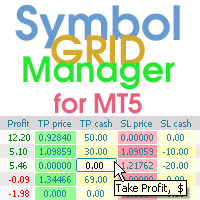
Symbol Manager or Grid Manager, designed to group orders into one position (by Symbol or by Magic Number). This utility will be useful to multi-currency traders (many EAs), who can have multiple orders on several pairs. You will be able to see the total number of lots, the total profit, and set virtual stop loss and virtual take profit. To set a real TP (or SL), you must first set the virtual value, and then enter the command in this cell: "set". If you want to set real TP/SL for all orders at
Veron Link Slave – Synchronized Grid, Martingale & Breakout Management Short Description Advanced synchronization tool designed to manage Grid, Martingale, and Breakout EAs. Automatically sends close-basket signals to the Master account upon profit target completion, minimizing slippage across different brokers. Full Description Veron Link Slave is a specialized utility developed to enhance the execution efficiency and risk management of multi-account or multi-broker trading setups. It is desig
Breakevan Utility
Jose Luis Thenier Villa
BreakEvan Utility  Is a simple tool in a panel with this utilities: This utility will draw a Golden Line in the chart applied showing the breakeven price, considering all the positions opened for that specific symbol. Also the information panel shows: Balance Breakeven Price for that chart Force Breakeven (for that symbol) as ON/OFF Force Breakeven Global (takes into account all trades opened) as ON/OFF Total Lots opened for Symbol Total Lots opened Global And two buttons: Force Breakeven: Whe
Trading panel for manual trading. Has a fairly wide functionality. Allows you to automatically calculate the order size, open both market and pending orders. It has a wide range of options for closing orders, it is possible to partially close orders, close orders after reaching a certain profit or loss, separately close profitable and unprofitable, buy and sell, as well as pending orders. The panel also contains a simple implementation of a grid of pending orders, reverse and lock functions, tr
Easy Trade Executor is a tool for fast position sizing, trade execution, and trade management in MT5. Place Open Price, Stop Loss, and Take Profit levels directly on the chart, get automatic position size calculations, and open trades with controlled risk in just a few clicks. Why Easy Trade Executor? Easy Trade Executor is designed for traders who want more than just risk calculations — they want to manage trades quickly and efficiently directly from the chart. The tool combines position sizi
Account Monitor Pro — Your Ultimate Trade Statistics Hub Account Monitor Pro is a professional information dashboard designed for traders who combine Expert Advisors (EAs) and manual trading. The indicator separates statistics in real-time based on your Magic Number, allowing you to clearly see who is driving the profit: the algorithm or yourself. Key Features: Split Monitoring: Instant separation of "Robot" positions (by Magic Number) and "Manual" trades. Multi-language Support: 11 languages in
FREE
Trade Performance Journal — Your Visual Trading Summary Tool Trade smarter by understanding your performance. This Expert Advisor (EA) provides an instant visual summary of your trading results directly on the chart. Whether you’re a scalper, swing trader, or long-term investor, this tool helps you stay on top of your performance metrics with ease. Key Features Flexible Time Analysis View your performance by Quarter, Month, or Half-Year. Easily switch between display modes to analyze your res
FREE
VR Color Levels MT5
Vladimir Pastushak
VR Color Levels is a handy tool for those who apply technical analysis using elements such as trendline, rectangle and text. It is possible to add text directly to the chart and take screenshots. You can find settings, set files, demo versions, instructions, problem solving, at [blog] You can read or write reviews at [link] Version for [MetaTrader 4] Working with the indicator is carried out in one click . To do this, click on the button with the line, after which a trend line will appear unde
FREE
RiskCopilot
Carlos Adrian Feged Zapata
RiskCopilot Utility - Your Intelligent Trading Assistant "See Your Risk. Master Your Trade." RiskCopilot Utility is the ultimate risk management and position sizing solution for MetaTrader 5. This comprehensive trading assistant provides real-time calculations, advanced risk assessment tools, and professional trade analytics without taking control of your trading decisions. Perfect for both novice and professional traders seeking precise risk management across all asset classes. You focus on yo
Protect your funded accounts and personal capital with military-grade precision. This utility continuously monitors your floating equity against your daily starting balance. The moment your custom drawdown threshold is breached, it instantly liquidates all open positions, deletes pending orders, and completely unloads from the chart. Stop revenge trading and never fail a prop firm evaluation due to a margin breach again.
FREE
================================================================ MATRIX CONDITION MONITOR Live Trade Condition Panel for MetaTrader 5 Fully Automatic -- Works with ALL Matrix EAs ================================================================ NEVER MISS A TRADE SETUP AGAIN Matrix Condition Monitor is a free utility that attaches to any chart and automatically checks all 10 trade conditions in real time -- showing you exactly why a trade will or will not open, and alerting you the moment ever
FREE
Buyers of this product also purchase
Trade Assistant MT5
Evgeniy Kravchenko
4.43 (216)
It helps to calculate the risk per trade, the easy installation of a new order, order management with partial closing functions, trailing stop of 7 types and other useful functions. Additional materials and instructions Installation instructions - Application instructions Line function -   shows on the chart the Opening line, Stop Loss, Take Profit. With this function it is easy to set a new order and see its additional characteristics before opening.   Risk management  - The risk calculation
Forex Trade Manager MT5
InvestSoft
4.98 (689)
Trade Manager MT5 is an advanced position size calculator and trade management tool for MetaTrader 5, designed to help traders plan trades faster, control risk more precisely, and manage open positions directly from the chart. It combines order placement, risk based lot calculation, Stop Loss and Take Profit management, Break Even, Trailing Stop, Partial Close, Equity Protection, and external trade management in one panel. Whether you trade forex, indices, metals, commodities, crypto, or future
FarmedHedge Pair Trading Dashboard
Tanapisit Tepawarapruek
5 (7)
Farmed Hedge Yield Farming | All Markets (Manual - Hybrid - Semi/Automated EA) VERIFIED TRADING RESULTS - Farmed Hedge Yield Axi Copy:  https://www.mql5.com/en/signals/2356376 - Farmed Hedge Yield Exn Copy:   https://www.mql5.com/en/signals/2356404 - Farmed Hedge Yield V Copy:  https://www.mql5.com/en/signals/2357156 IMPORTANT NOTICE: FarmedHedge is a MANUAL-FOCUSED TRADING UTILITY ,not a fully automated EA. Results shown on this Signal include manual trades and overall strategic management.
Telegram to MT5 MultiChannel Copier
Sergio Marquez Uroz
4.68 (22)
Telegram to MT5 Multi-Channel Copier   automatically copies trading signals from your Telegram and Discord channels straight to MetaTrader 5. No bots, no browser extensions, no manual copying. A signal arrives in Telegram or Discord and the EA opens the trade in your terminal within seconds. And before you copy a channel, the built-in backtester shows you what that channel would have done in your account. The product has two components: a Windows application that listens to your Telegram channel
Local Trade Copier EA MT5
Juvenille Emperor Limited
4.94 (149)
Local Trade Copier EA MT5 is a fast and flexible trade copier for copying and managing trades between multiple MetaTrader 5 accounts on the same Windows computer or Windows VPS. It combines local trade synchronization with Receiver-side controls for lot sizing, risk management, trade filtering, symbol mapping, trade management and account protection. Set up your Transmitter and Receiver terminals in about 1 minute and copy manual or EA trades between accounts at the same or different brokers. U
Strategy Ledger Pro
Abdullah Uygar Tuna
5 (14)
Strategy Ledger Pro is a read-only account analysis panel for MetaTrader 5. It separates account results by Expert Advisor, strategy, symbol, and magic number, so you can see what each one really contributes. The panel is available in 11 languages: English, Français, Deutsch, Español, Italiano, Português, Русский, Türkçe, 中文, 日本語 and 한국어. Before you download the demo. The Market runs the demo of any paid product in the Strategy Tester only. This panel analyses the trades on your own account, and
Copy Telegram signals with your own trading rules Telegram to MT5 Signal Trader automatically copies text-based trading signals from public and private Telegram channels and groups into MetaTrader 5. Manage multiple providers and MT5 accounts from one desktop app, with individual risk and trade settings for each provider . No Telegram bot or API setup needed for copying. Simply sign in with your own Telegram account by phone or QR code and select the channels or groups you have already joined. Y
TradePanel MT5
Alfiya Fazylova
4.88 (170)
Trade Panel is a multi-functional trading assistant. The app contains over 50 trading functions for manual trading and allows you to automate most trading tasks. Application instructions: https://www.mql5.com/en/blogs/post/756482 Trial version of the application for a demo account: https://www.mql5.com/en/blogs/post/750865 How to install the application: https://www.mql5.com/en/blogs/post/756239 How to test the application in visual mode: https://www.mql5.com/en/blogs/post/770277 How to install
================================================================================ POC BREAKOUT - V20.72. Full Professional Grade Toolkit ================================================================================ POC Breakout is a full MetaTrader 5 trading dashboard for discretionary traders who want breakout signals, Point of Control (POC) context, volume profiles, order flow, market structure, news, alerts, and advanced trade planning in one professional workspace. Attached directly to you
MT5 to Telegram Signal Provider turns your trading account into a signal provider. Every trade action, whether manual, by EA or from your phone, is instantly sent as a message to Telegram. You can fully customize the format or use a ready-made template for quick setup. [ Demo ] [ Manual ] [ MT4 Version ] [ Discord Version ]     New: [ Telegram To MT5 ] Setup A step by step user guide is available. Key Features Ability to customize order details sent to subscribers You can create a tiered subs
VirtualTradePad PRO SE MT5 — professional trading control center for MetaTrader 5 VirtualTradePad PRO SE is a premium chart-based trading panel and trade-management workspace for MetaTrader 5 . It is designed for traders who want faster execution, clearer position control, structured trade management, visual level planning and a professional workflow directly from the chart. This is not only a BUY / SELL panel. PRO SE combines manual trading, pending orders, position management, partial exits, b
REVDEN AI Desk: Run Your Trading From One Conversation With Your Own AI, on REVDEN's Market Context Imagine running your trading from one conversation. REVDEN AI Desk brings it into MetaTrader 5: you ask your own AI how it reads the market, and it answers from REVDEN's full context on the symbols you trade, with their state, their risk picture and the releases ahead. Its proposals arrive with entry, stop, target and risk, and you approve the ones that fit. Your rules change the same way: write w
Trade copier MT5
Alfiya Fazylova
4.61 (57)
Trade Copier is a professional utility designed to copy and synchronize trades between trading accounts. Copying occurs from the account / terminal of the supplier to the account / terminal of the recipient, which are installed on the same computer or VPS . Before buying, you can test the demo version on a demo account. Demo version here . Full instruction here . Main functionality and benefits: Supports copying MT5> MT5, MT4> MT5, MT5> MT4, including MT5 netting accounts. * Supports copying Dem
News Trade EA MT5
Konstantin Kulikov
4.55 (11)
Present to you the useful robot that I have been using for several years. It can be used in both semi-automatic mode and fully automatic mode. >>> Chat <<< The program contains flexible settings for trading on the news of the economic calendar. It cannot be checked in the strategy tester. Only real work. Download the latest archive of settings: https://www.mql5.com/en/blogs/post/747929 Signals monitoring: https://www.mql5.com/en/signals/author/test-standart When creating your own sets of setti
Exp COPYLOT CLIENT for MT5
Vladislav Andruschenko
3.97 (35)
Professional Trade Copier for MetaTrader 5 Fast, professional, and reliable trade copier for MetaTrader . COPYLOT allows you to copy Forex trades between MT4 and MT5 terminals with support for Hedge and Netting accounts. COPYLOT MT5 version supports: - MT5 Hedge to MT5 Hedge - MT5 Hedge to MT5 Netting - MT5 Netting to MT5 Hedge - MT5 Netting to MT5 Netting - MT4 to MT5 Hedge - MT4 to MT5 Netting MT4 version Full Description +DEMO +PDF How To Buy How To Install How to get Log Files H
RETAILBERG FOOTPRINT CHART PRO — Order-Flow Workspace for MetaTrader 5 Version 7.00  |  Professional System  |  31 tools  |  One chart A full 150-page illustrated User Manual is included. Please read the full manual to understand this feature packed footprint chart elements and ui. https://www.mql5.com/en/blogs/post/777982 DEMO / STRATEGY TESTER — PLEASE READ FIRST
The Patch
Mian Rameez Ali
The Patch It never opens a trade. It walks behind the ones that did. Every open position, every pending order — checked twice a second for the one thing that's easy to forget: a stop, a target. Found bare, it doesn't ask. It writes the missing number in, measured in points from wherever the position began, and moves on to the next. No strategy, no opinion on direction. Just the quiet assumption that nothing should ever sit on the market unprotected — not because someone decided it shouldn't,
Telegram To MT5 Ultra
Mirel Daniel Gheonu
5 (5)
Telegram To MT5 — Signal Copier Turn the trading calls from your Telegram channels into real MT5 orders — automatically, on as many accounts as you like, with risk and rules fully under your control. Telegram To MT5 connects the VIP / signal channels you already follow on Telegram to your MetaTrader 5 terminal. A free companion desktop app reads the messages (even from channels that block bots), and this Expert Advisor executes them on your account — applying your own risk settings, symbol mappi
Next Update — Version 2.52 Coming Soon! [NEW] Get Ready for 4 Major New Features Designed to Enhance Your Market Analysis and Trading Workflow We’re taking market analysis to the next level with 4   new features designed to meet your trading needs. Introducing: TRADE OVERVIEW DASHBOARD CONFLUENCE AT ZONE STRONG & WEAK HIGH/LOW OPTIMAL TRADE ENTRY —  OTE 1. TADE OVERVIEW DASHBOARD  A dashboard that helps you understand the overall market picture more easily, providing guidance to support your
Grid Manual MT5
Alfiya Fazylova
4.73 (22)
Grid Manual is a trading panel for working with grid strategies. The utility is universal, has flexible settings and an intuitive interface. It works with a grid of orders not only in the direction of averaging losses, but also in the direction of increasing profits. The trader does not need to create and maintain a grid of orders, the utility will do it. It is enough to open an order and the "Grid manual" will automatically create a grid of orders for it and will accompany it until the close. F
HINN MagicEntry Extra
ALGOFLOW OÜ
4.74 (19)
HINN MAGIC ENTRY – the ultimate tool for entry and position management! SIMPLE. FASTEST. INTUITIVE. MAX AUTOMATED. Place orders by selecting a level directly on the chart! full description   ::  demo-version  :: 60-sec-video-description Key features: - Market, limit, and pending orders - Automatic lot size calculation - Automatic spread and commission accounting - Unlimited partitial take-profits  - Breakeven and trailing stop-loss and take-profit  functions - Invalidation leves - Intuitive, a
Anchor Trade Manager
Kalinskie Gilliam
5 (8)
Your EAs cannot see each other, but Anchor can. Anchor gives you one place to coordinate your EAs, manage risk, and decide when trading is allowed. It works alongside the trading bots you already use without any changes to them. The Problem One EA opens a trade. Then another starts trading. The next thing you know, you wake up to multiple grids built across your account. Each EA may be doing exactly what it was designed to do, but together they can place far more risk on your account than you in
EA Portfolio Control & Cloud Monitoring for MetaTrader 5 Your EAs manage trades. KONTROL_01 manages your EAs. A control system for traders running multiple Expert Advisors on the same account. Coordinate EA activity, manage trading risks and monitor your setup remotely. A detailed User Manual is available via DM after purchase. IN PRACTICE Multiple EAs. No coordination. Your EAs trade independently, unaware of each other's activity. KONTROL_01 coordinates them, limits simultaneous activity a
The product will copy all telegram signal to MT5 ( which you are member) , also it can work as remote copier.  Easy to set up, copy order instant, can work with almost signal formats, image signal,  s upport to translate other language to English Work with all type of channel or group, even channel have "Restrict Saving Content", work with  multi channel, multi MT5 Work as remote copier: with signal have ticket number, it will copy exactly via ticket number. Support to backtest signal. How to s
Astro Trade MT5
Indra Maulana
5 (8)
25% discount on the release of the tool: only for the next 3 buyers Send a message to receive a demo version. AstroTrade Trading Assistant AstroTrade is a comprehensive multi-functional trading utility developed for the MetaTrader 5 platform. It integrates essential tools for trade execution, risk management, and technical monitoring into a single unified interface. The application is designed to assist traders in managing their daily operations through a visual and structured environment. Vi
Timeless Charts
Samuel Manoel De Souza
5 (9)
Timeless Charts is an all-in-one trading utility for professional traders. It combines custom chart types such as Seconds Charts and Renko with advanced order flow analysis using Footprints , Clusters , Volume Profiles , VWAP studies, and anchored analysis tools for deeper market insight. Trading and position management are handled directly from the chart through an integrated trade management panel , while Market Replay and Virtual Accounts provide environments for practicing trading skills and
Floor Watch
Syed Tauqeer Hussain Shah
Floor Watch One number, watched every thirty seconds: how far equity has fallen since the day began — or since its highest point, if it's told to trail the peak instead of the open. Cross the line and it doesn't argue. Every open position closes, every pending order vanishes, and anything that slips through afterward gets shut the moment it appears. Not asked. Removed. The floor holds until the clock turns 5 AM Pakistan time — then, and only then, does the day start over. One rule. No except
RS Trade Copier - the ultra-fast local trade copier with a real graphical interface. Stop typing account numbers manually. No more 200+ cryptic inputs. A reliable and flexible tool for copying trading operations between multiple MT5 and MT4 terminals. It suits experienced traders, signal providers, and individual investors. It enables trade synchronization from one or multiple Providers to one or multiple Clients with high precision and minimal latency. It supports simple automatic configuration
Seconds Chart MT5
Boris Sedov
4.61 (18)
Seconds Chart is a unique tool for creating second-based charts in MetaTrader 5 . With Seconds Chart , you can construct charts with timeframes set in seconds, providing unparalleled flexibility and precision in analysis that is unavailable with standard minute or hourly charts. For example, the S15 timeframe indicates a chart with candles lasting 15 seconds. You can use any indicators and Expert Advisors that support custom symbols. Working with them is just as convenient as on standard charts.
Power Candles Strategy Scanner - Self-Optimizing Multi-Symbol Setup Finder Self-optimizing settings work one chart at a time, and finding where they pay off right now means opening chart after chart. Power Candles Strategy Scanner runs the same self-optimizing engine as the Power Candles indicator on every symbol in your Market Watch, side by side. One panel ranks where it pays off: the winning strategy per symbol, its optimized Stop Loss and Take Profit. An alert fires the moment a fresh signal
More from author
ALIEN Telegram Copy Signal PRO MT5 Telegram Signal Copier and Automated Trading System for MetaTrader 5 ALIEN Telegram Copy Signal PRO MT5 is a Telegram-to-MetaTrader 5 signal copying Expert Advisor designed to receive trading signals from Telegram channels and automatically execute corresponding orders in MT5. The system combines two Telegram connection methods in one Expert Advisor: PUBLIC WEBREQUEST — Receive trading signals from supported public Telegram channels. TELEGRAM BOT API — Receive
FREE
Copy Trade Local ALIEN PRO MT5 Local Trade Copier with Master and Slave Account Synchronization Copy Trade Local ALIEN PRO MT5 is a trade copying system designed to synchronize trading activity between multiple MetaTrader 5 accounts running on the same computer or Windows VPS. The system uses a MASTER and SLAVE architecture. The MASTER monitors trading activity across an entire MT5 account, while SLAVE instances reproduce selected trading operations on other connected accounts. One MASTER can pr
FREE
ALIEN Telegram Master PRO MT5 Advanced Telegram Signal & Trading Account Monitoring System One Expert Advisor. All Charts. Multiple Trading Instruments. Multiple Telegram Channels. Four Languages. ALIEN Telegram Master PRO MT5 is a professional Telegram notification and trading activity monitoring system for MetaTrader 5. The Expert Advisor automatically monitors trading activity, indicator BUY/SELL signals, manual and automated trades, Stop Loss and Take Profit modifications, pending orders, an
FREE
ALIEN Telegram Master PRO MT4 Advanced Telegram Signal & Trading Account Monitoring System for MetaTrader 4 ONE EA — ALL CHARTS — ALL TRADING ACTIVITY — MULTIPLE TELEGRAM CHANNELS — FOUR LANGUAGES ALIEN Telegram Master PRO MT4 is an advanced Telegram notification and trading account monitoring Expert Advisor designed specifically for MetaTrader 4. The system automatically monitors trading activity, BUY/SELL indicator signals, manual and automated trades, Stop Loss and Take Profit modifications,
FREE
Filter:
No reviews
Reply to review