Trend Consensus
- Indicators
-
Artem Koliada
 MQL4/MQL5 Developer 💻 | Turning trading strategies into profitable code. Expert Advisors (EA) & Custom Indicators for MT4/MT5. Let's automate your trading
 - Version: 1.0
- Activations: 8
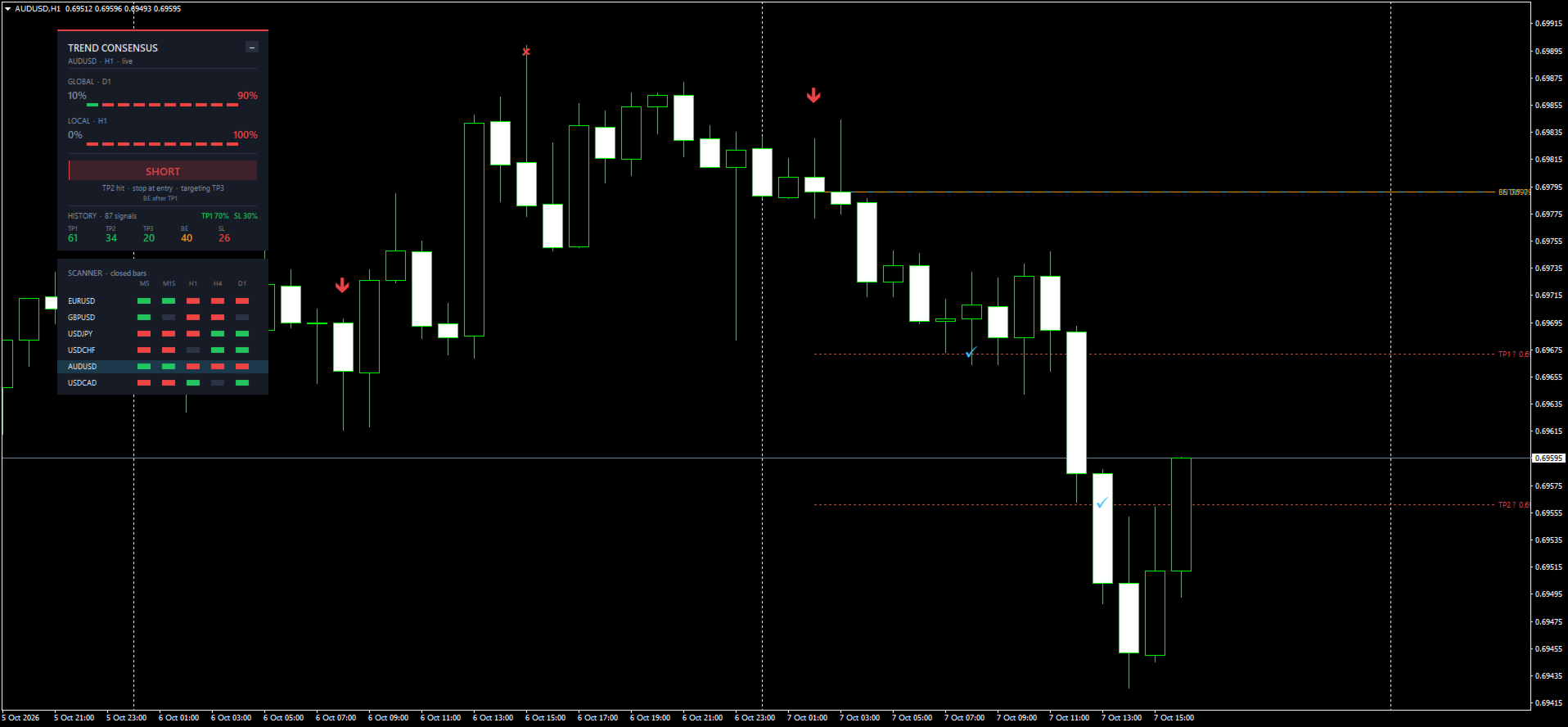
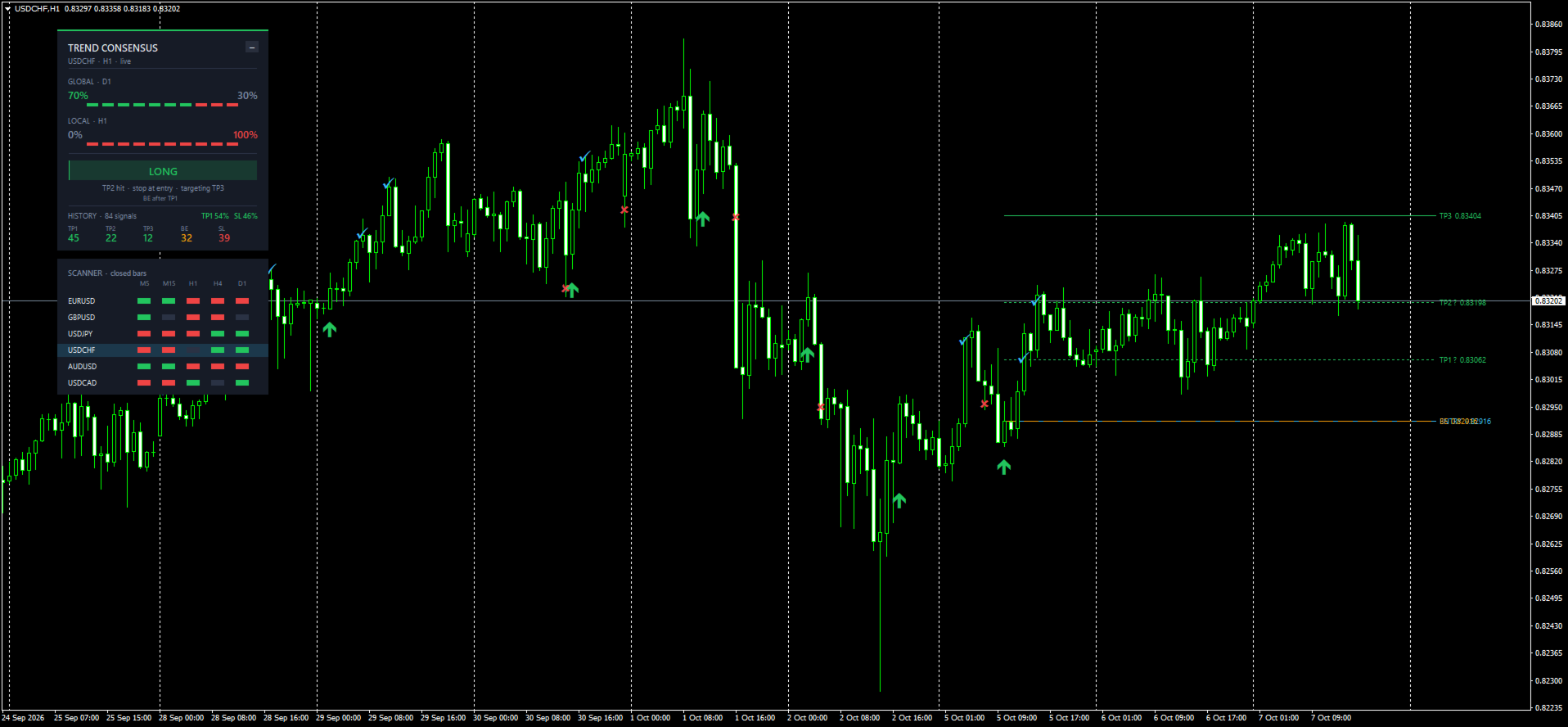
Trend Consensus turns ten moving averages into one clear vote on trend direction across two timeframes. When both agree, it marks a non-repainting entry with ATR-based TP1, TP2, TP3 and stop levels, and tracks how every past signal on your chart played out.
Built in: history statistics, a multi-symbol scanner, push and e-mail alerts, and buffers ready for your Expert Advisor.
How it works
Trend Consensus asks ten simple moving averages (periods 5 to 14) one question on every bar: are you rising or falling? The share of rising averages is the trend consensus, shown as a percentage and a ten-segment bar.
The vote runs on two timeframes at once:
- Local timeframe — your working chart. It times the entry.
- Global timeframe — one step higher. It confirms the direction. Chosen automatically: M5 → H1, M15 → H4, M30 → H4, H1 → D1, H4 → W1. You can also set both timeframes manually.
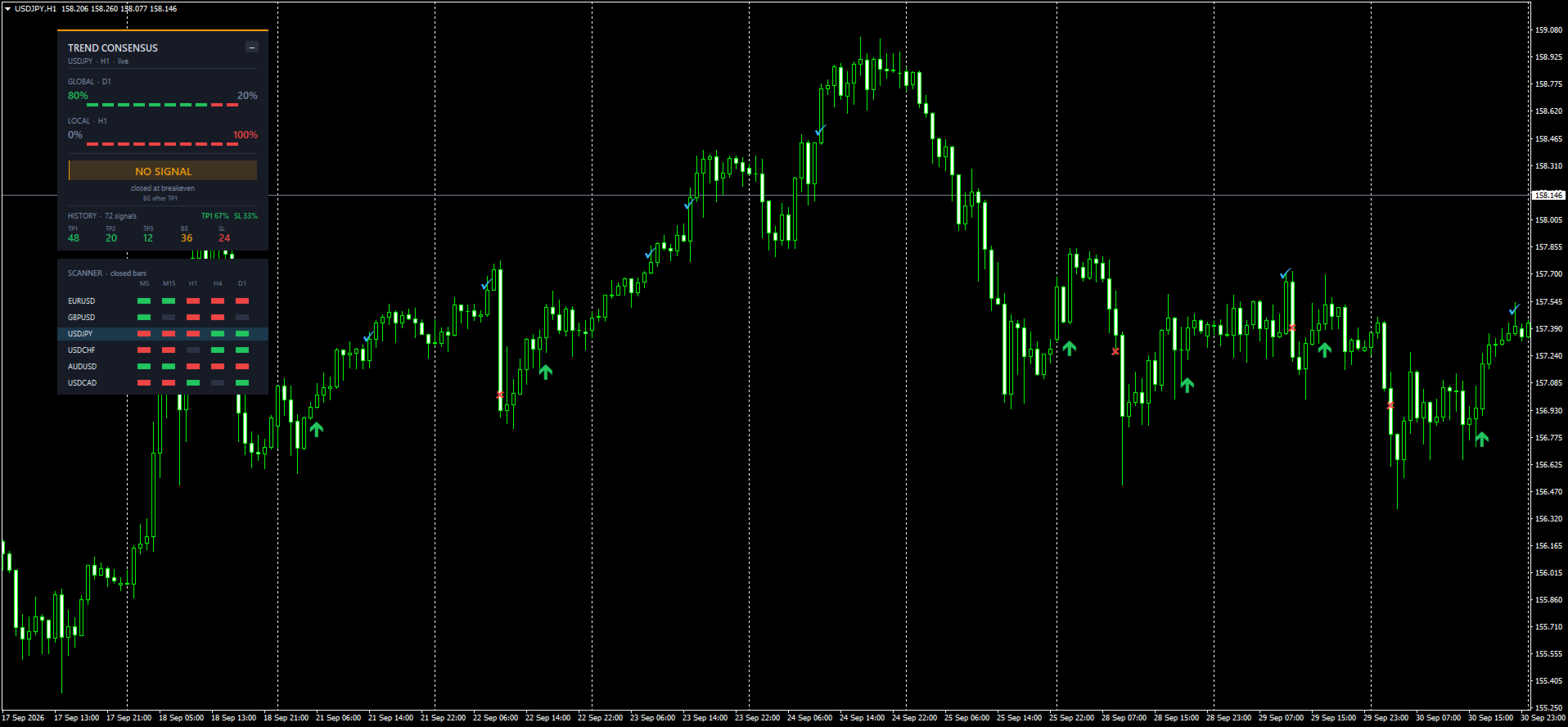
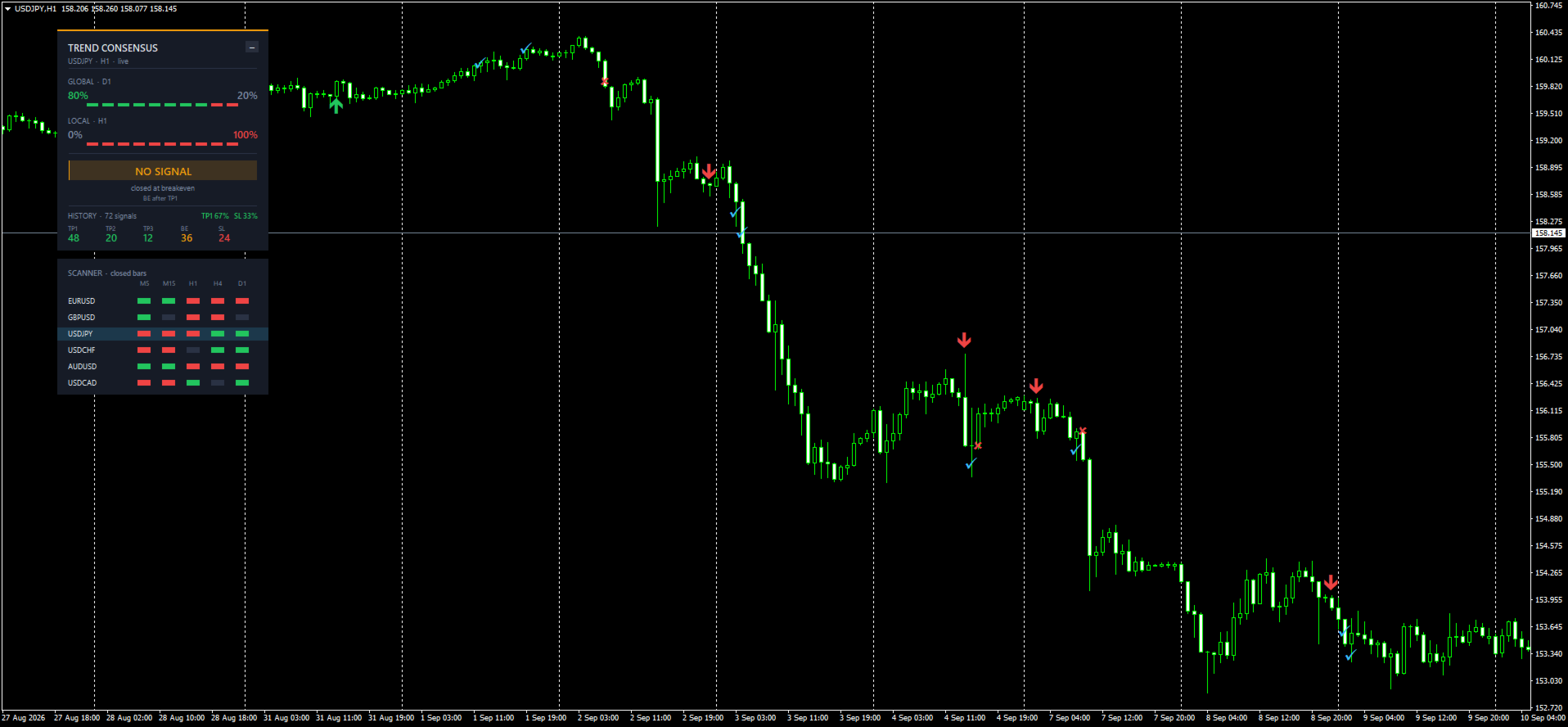
A signal appears when both timeframes reach the required consensus in the same direction (70% by default) and that agreement has just formed. A trend that is already running does not produce repeated arrows.
Two optional filters make signals stricter: a higher-timeframe bias (only trade with the timeframe above the global one) and a session window (for example, only London and New York hours).
Non-repainting by design
- Signals are calculated only when a bar closes. An arrow never moves and never disappears afterwards.
- Higher timeframes are read only from bars that were already closed at that moment. History and live trading follow exactly the same rules.
- Alerts fire once, at the close of the signal bar.
The percentages on the panel can show the forming bar for a live view of the market. This is display only and never changes signals; you can switch the panel to closed-bar values in the settings.
Features
Entry, targets and stop
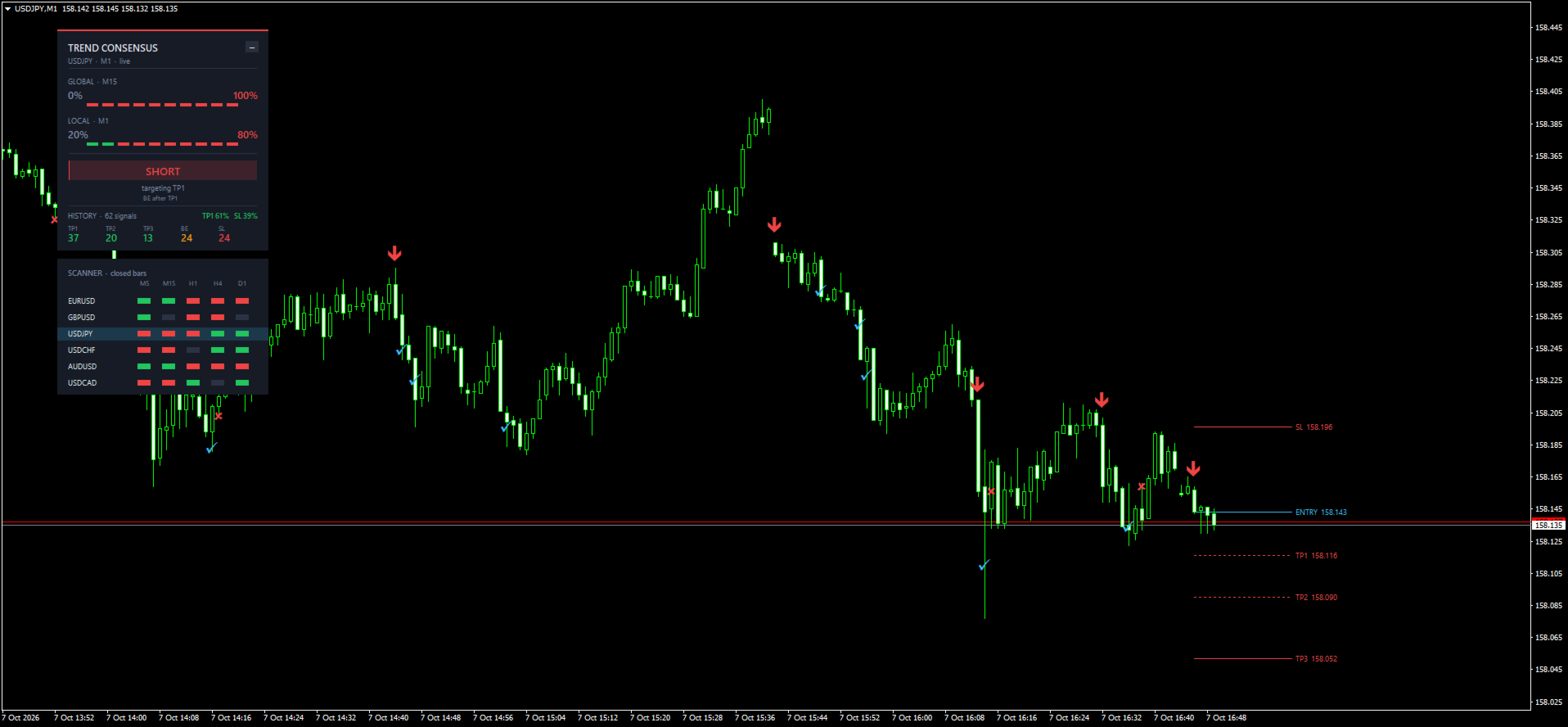
- Entry at the close of the signal bar, marked with an arrow.
- Three targets and a stop, sized by ATR of the local timeframe: TP1 1.236, TP2 2.382, TP3 4.118 and stop 2.382 ATR by default. All factors are adjustable.
- Optional breakeven: after TP1 the stop moves to the entry price.
- Optional exit when the consensus turns to the opposite direction.
- Entry, target and stop lines with prices on the chart. Every reached target and stop is marked.
History statistics
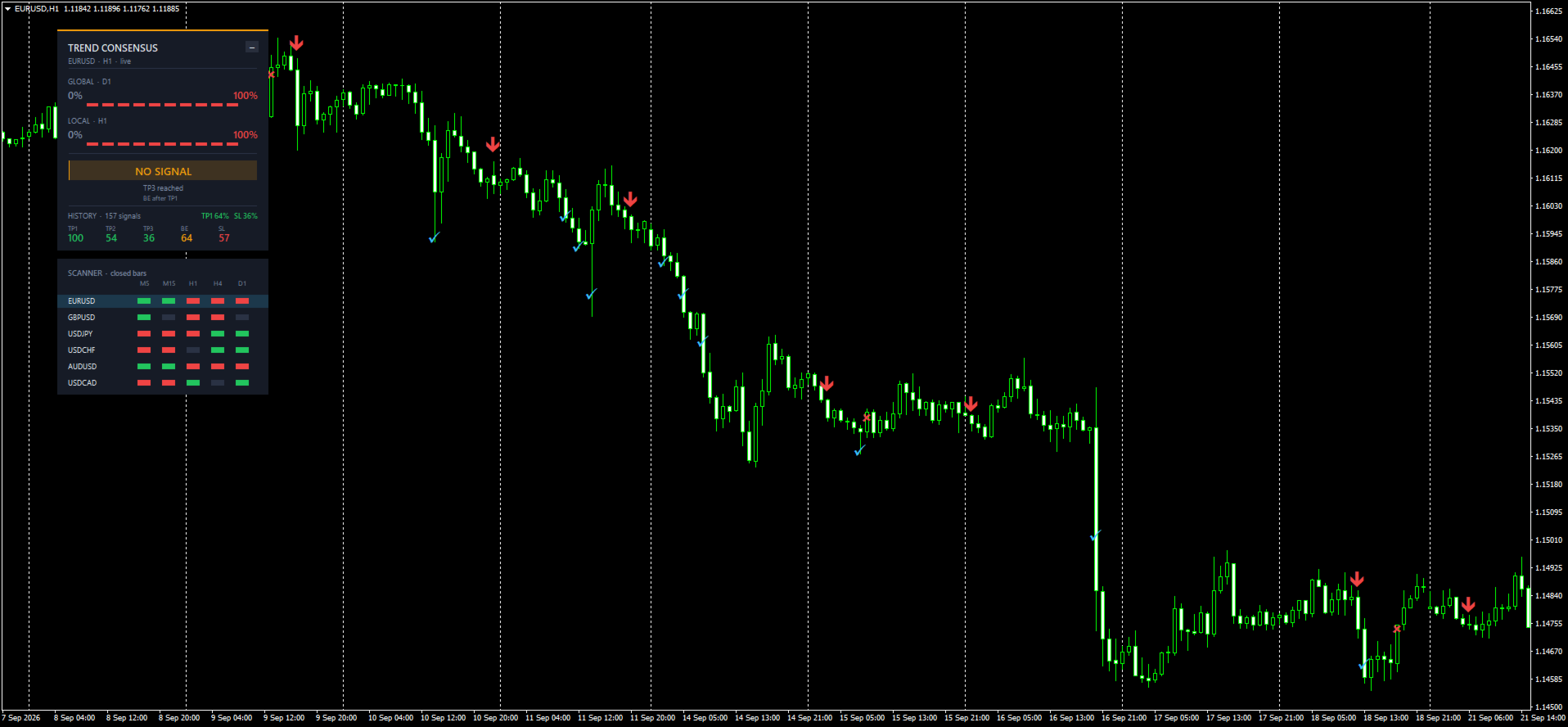
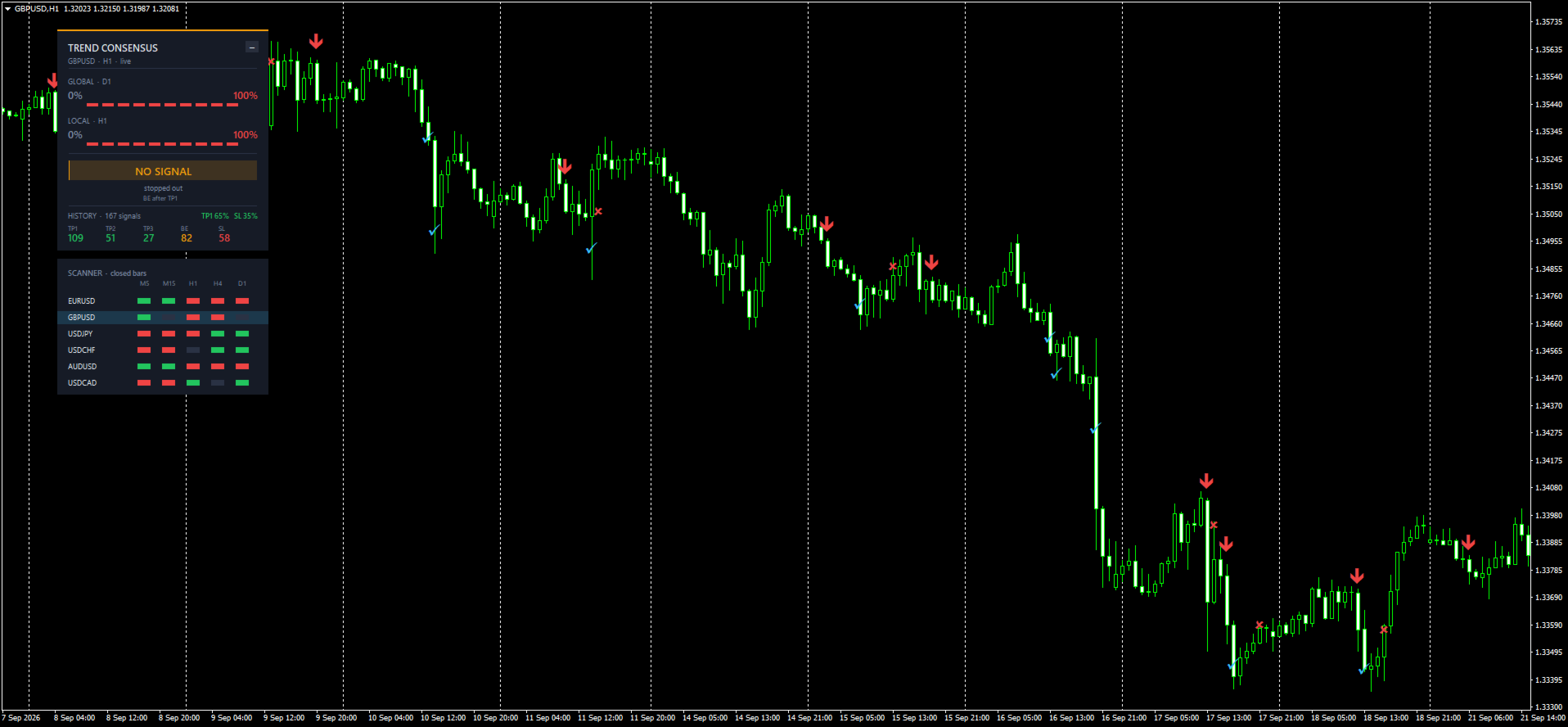
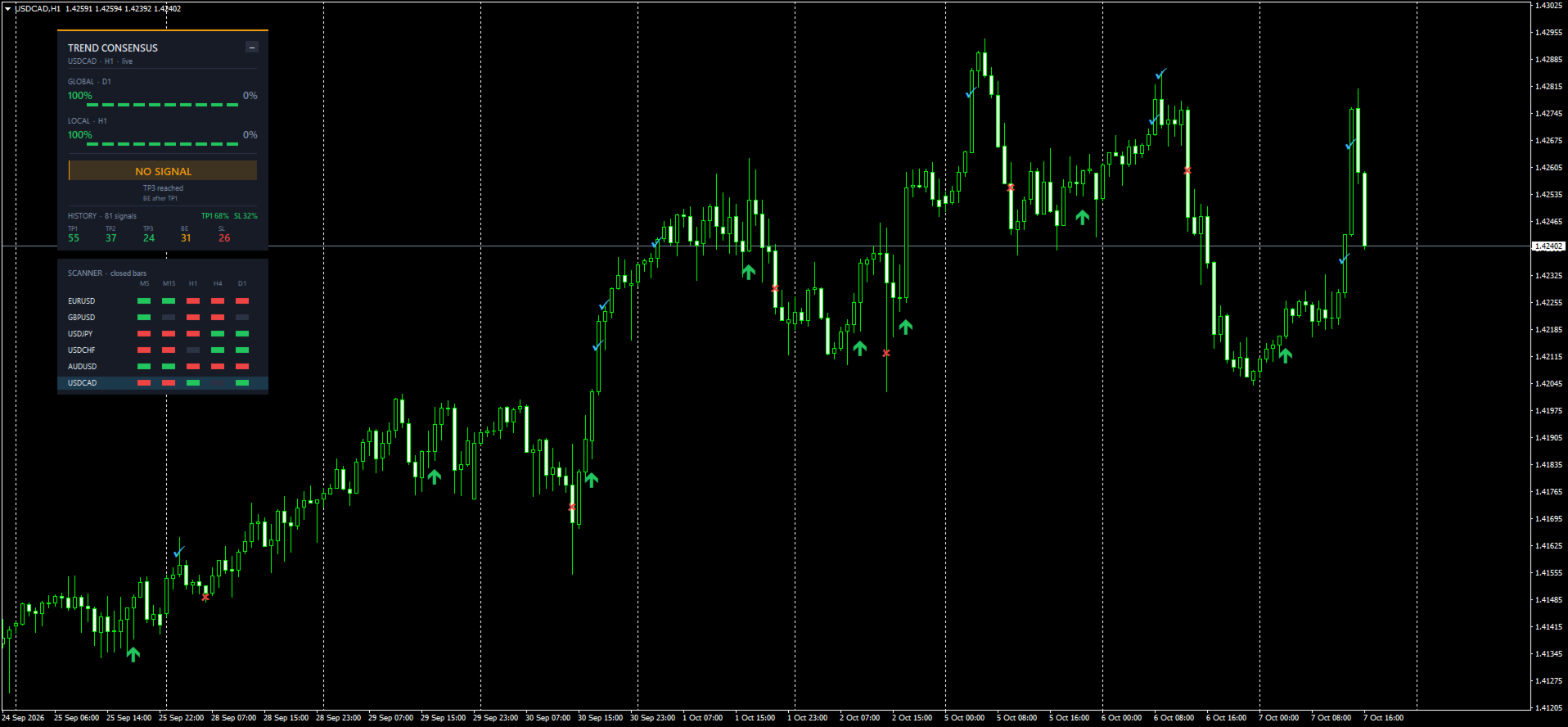
The panel shows how past signals on the current chart resolved: how many reached TP1, TP2 and TP3, how many closed at breakeven after a target, and how many hit the stop before any target.
The headline figure is the TP1 hit rate: signals that reached TP1 divided by signals that reached TP1 or were stopped before any target. It measures signal quality. It is not a profit figure: the default stop is wider than TP1, and spread and commission are not included. Always test the settings on your own symbols.
Multi-symbol scanner
- Consensus for any list of symbols on five timeframes at once (M5, M15, H1, H4, D1 by default), shown as green, red or neutral cells.
- Reads closed bars by default, so cells do not flicker.
- Detects broker prefixes and suffixes automatically (EURUSD.m, EURUSDpro and similar).
- Click a row to switch the chart to that symbol.
Panel
Dark, compact and draggable. It remembers its position, collapses to a header with one click, and can apply a matching dark chart theme that is restored when the indicator is removed.
Alerts
Popup, sound, e-mail and push notifications to MetaTrader on your phone. Entry signals and target/stop events can be enabled separately. Every entry alert includes entry, TP1, TP2, TP3 and stop prices.
Ready for Expert Advisors
All signal data is available through iCustom. Read shift 1 (the last closed bar).
| Buffer | Content |
|---|---|
| 0 | Long arrow (price, or EMPTY_VALUE) |
| 1 | Short arrow (price, or EMPTY_VALUE) |
| 2 | Stop or breakeven hit marker |
| 3 | Target hit marker |
| 4 | Direction of the open signal: 1 long, -1 short, 0 none |
| 5 | Entry price |
| 6 | Current stop (moves to entry after TP1 with breakeven on) |
| 7 | TP1 |
| 8 | TP2 |
| 9 | TP3 |
Input parameters
| Group | Parameter | Default | What it does |
|---|---|---|---|
| Trend detection | Global / Local timeframe | Auto / Chart | Timeframes that vote. Auto picks one step above the local one |
| Trend detection | Global / Local trend power | 70% / 70% | Share of rising (or falling) averages required, 10–100% in steps of 10 |
| Higher TF filter | Only trade with the higher timeframe | Off | Signals only in the direction of the timeframe above the global one |
| Higher TF filter | Required higher-TF agreement | 50% | Consensus needed on that timeframe |
| Session filter | Start / end hour | 7 / 20, off | Entries only inside this server-time window; overnight windows work |
| Levels | ATR period | 200 | Volatility base for all levels |
| Levels | TP1 / TP2 / TP3 factors | 1.236 / 2.382 / 4.118 | Target distance in ATR |
| Levels | Stop factor | 2.382 | Stop distance in ATR |
| Levels | Breakeven after TP1 | On | Moves the stop to entry once TP1 is reached |
| Levels | Close on opposite consensus | Off | Ends the signal when the trend flips |
| History | Bars to calculate | 5000 | History depth for arrows and statistics (0 = all) |
| Notifications | Popup / sound / push / e-mail | Off | Push for entries and for targets/stop can be set separately |
| Interface | Panel, live values, chart theme, arrow offset | On / On / Off / Auto | Look and behaviour of the panel |
| Scanner | Symbols, five timeframes, closed bars, click to switch | Majors; M5–D1 | Scanner contents and behaviour |
| Colors | Eight colour settings | Dark palette | Arrows, lines and panel colours |
Recommendations and disclaimer
Getting started
- Works on any symbol and any timeframe. For intraday trading start with M15 or H1; for swing trading, H4.
- Start with the default settings, then compare the statistics on several symbols before changing anything.
- For fewer, stricter signals: raise both trend power values to 80%, enable the higher-timeframe filter and limit signals to your active session.
- Settings that look good on one symbol only are usually over-fitted. Look for settings that hold up on several.
Testing the demo
Run the free demo in the Strategy Tester in visual mode. Arrows, levels, the panel and history statistics work there. The scanner and notifications need live data from several symbols, so they are switched off in the tester and work in the normal terminal.
Risk disclaimer
Trend Consensus is an analysis tool, not a trading robot, and it does not open trades. Historical statistics describe past signals and do not guarantee future results. Trading foreign exchange and CFDs carries a high level of risk; use risk management and test on a demo account first.