Discipline Coach
- Experts
-
Mohamed Amr Mohamed Osama Abdelwahab
 Software Developer, Instructor, and Technical Team Leader with over 22 years of experience across desktop, web, and financial software development. Top Rated freelancer on Upwork with 200+ completed projects, $200K+ delivered, and a 100% job success record. Specialized in algorithmic trading systems
 - Version: 1.0
- Activations: 5
Discipline Coach is a trading-psychology mentor that operates directly on your
MetaTrader 5 charts.
*Please contact me after purchase for your gift
- Coach Only: It does not place, modify, or close trades. It acts purely as an
observer, evaluator, and guide.
- Core Principle: It shifts your focus from financial outcomes (profit/loss)
to execution quality. It evaluates how strictly you adhere to your own
declared rules.
Core Features
1. Plan Gate (Onboarding): A setup wizard where you declare your risk limits,
trade limits, and rules. It includes a 10-question trading belief
self-assessment.
2. Daily Consistency Score: Starts at 100 every day. Points are deducted for
rule violations (e.g., trading without a stop, widening a stop, revenge
trading). Your financial profit or loss never affects this score.
3. 20-Trade Sample Program: Commits you to executing a set of 20 trades under
your declared strategy, grading each trade strictly on rule adherence.
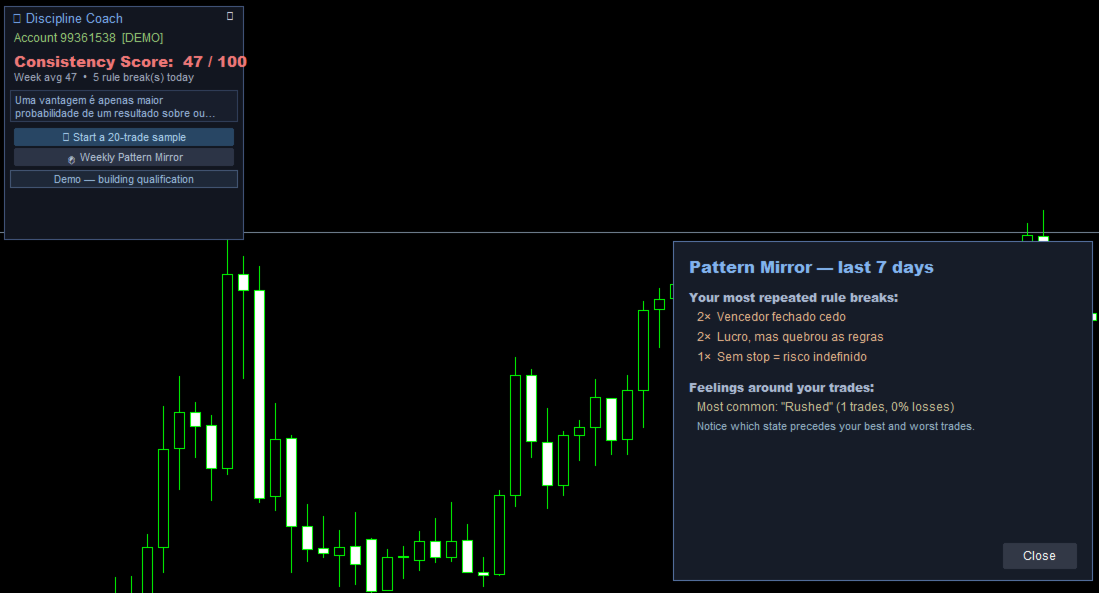
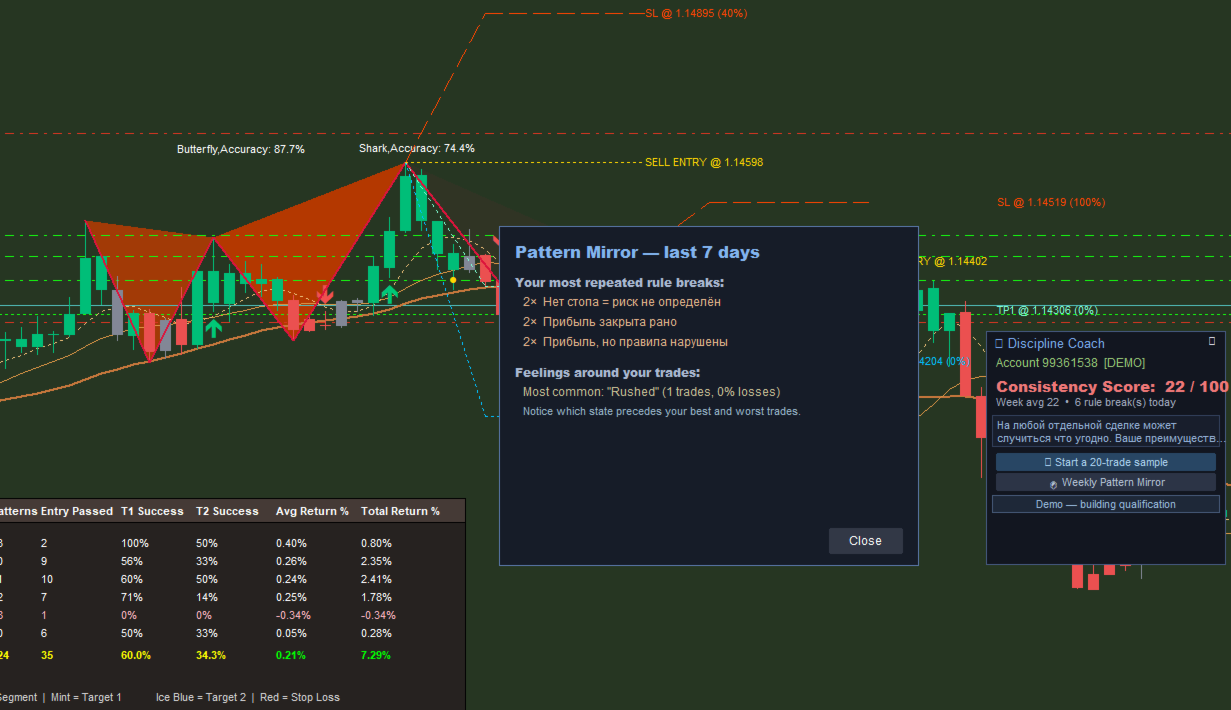
4. Pattern Mirror & Emotional Journal: A post-trade pop-up asks how you felt
(Calm, Greed, Anger, etc.). The Pattern Mirror correlates these emotions
with your rule-breaking patterns over a rolling 7-day period.
5. Qualification System: Dynamically evaluates your readiness to move from a
Demo account to a Live account using four performance "gates." It also
protects Live accounts by suggesting a return to Demo if discipline slips.
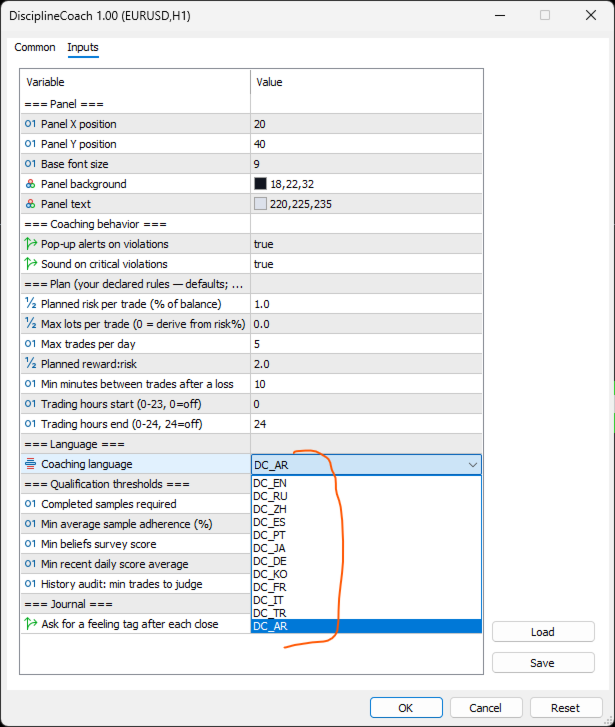
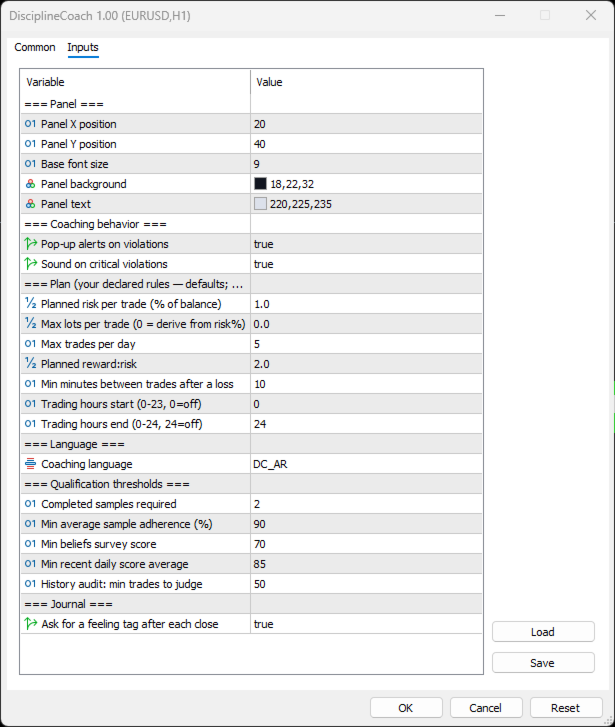
Input Parameters
- === Panel ===
- InpPanelX / InpPanelY: Pixel coordinates for the floating chart panel.
- InpFontSize: Base text size on the UI panel.
- InpPanelBG / InpPanelText: Custom panel colors.
- === Coaching Behavior ===
- InpEnableAlerts: Enables or disables pop-up alerts upon rules
violations.
- InpEnableSounds: Plays audio alerts for critical violations (no stop
loss, stop widened).
- === Plan (Your Declared Rules) ===
- InpRiskPct: Declared maximum risk percentage per trade (of your account
balance).
- InpMaxLots: Optional maximum lot cap (0 to auto-calculate based on
risk%).
- InpMaxTradesDay: Maximum allowed trade executions per day.
- InpPlanRR: Your planned minimum reward-to-risk ratio.
- InpRevengeMin: Required cooling-off period (in minutes) after a loss
before re-entering.
- InpStopGraceMin: Grace period (in minutes) allowed to set a stop loss
after opening a trade.
- InpSessionStart / InpSessionEnd: Permitted daily trading window hours
(0–24).
- === Language ===
- InpLang: Selects the UI and coaching text language.
- === Qualification Thresholds ===
- InpQualSamples: Number of completed 20-trade samples required for
qualification.
- InpQualAdherence: Minimum average adherence percentage needed
(default: 90%).
- InpQualSurvey: Minimum mindset questionnaire score needed
(default: 70%).
- InpQualScoreAvg: Minimum recent daily consistency score average needed
(default: 85%).
- InpAuditMinTrades: Minimum trade history size required to run a
retroactive history audit on Live accounts.
- === Journal ===
- InpJournalPrompt: Toggle the emotional state survey pop-up after a trade
closes.
How to Use
1. Onboarding: Upon loading the EA, the onboarding screen appears. Set your
declared trading rules and complete the 10-question self-assessment.
2. Trading Execution: Execute your trades manually. The EA monitors your
positions in real time.
- If you do not set a Stop Loss within the InpStopGraceMin window, you
will receive a violation penalty.
- If you widen a Stop Loss, you receive a penalty.
3. Journaling: When you close a trade, select how you felt from the pop-up
panel.
4. Reviewing Insights: Open the Pattern Mirror weekly to see which emotional
states correlate with your worst rule-breaking behaviors.
5. Qualification: Track your progress under the "Qualification" tab to see if
your consistency qualifies you to transition safely to a live trading
environment.