Stop Loss Manager Eval for MT5
- Utilities
-
FEATrading OÜ
 FEA Trading - Trade Like A Pro
Welcome to FEA Trading, your trusted partner for professional MetaTrader solutions. With nearly a decade of experience in software development, we deliver meticulously tested trading tools backed by German engineering quality. - Version: 3.101
Stop Loss Manager - Precision Risk Management
Additional materials and instructions
Never let a winning trade turn into a loss again.
Try it free: a 14-day evaluation version is available on our website.
The Stop Loss Manager is professional, automatic risk management for MetaTrader. The moment you open a trade, it applies an intelligent stop loss and trails it for you using five proven methods. Minimize risk, stay in full control, and lock in your gains, completely hands-free.
What It Offers: Automatic stop loss detection and management for all manual trades using five proven professional trailing methods: Market Trailing (recent candlestick-based), ATR Trailing (volatility-adjusted), Parabolic SAR Trailing (trend-following), Fix Distance Trailing (constant pip distance), and Breakeven Trailing (entry price protection).
Key Benefits:
-
Automatically detects new positions and sets initial stop losses instantly
-
Protects trading capital from catastrophic losses during unexpected market events
-
Removes emotional decision-making by automating risk management
-
Manages all trades on the current symbol regardless of how they were opened
How It Works: Attach the Stop Loss Manager to any chart and trade normally. The application automatically detects every trade you open and immediately applies intelligent stop loss management based on your selected trailing method. Works seamlessly with trades opened from mobile devices. Compatible with all timeframes, currency pairs, and brokers.
Trailing Methods
You can choose from five professional trailing methods, each suited to a different trading style:
-
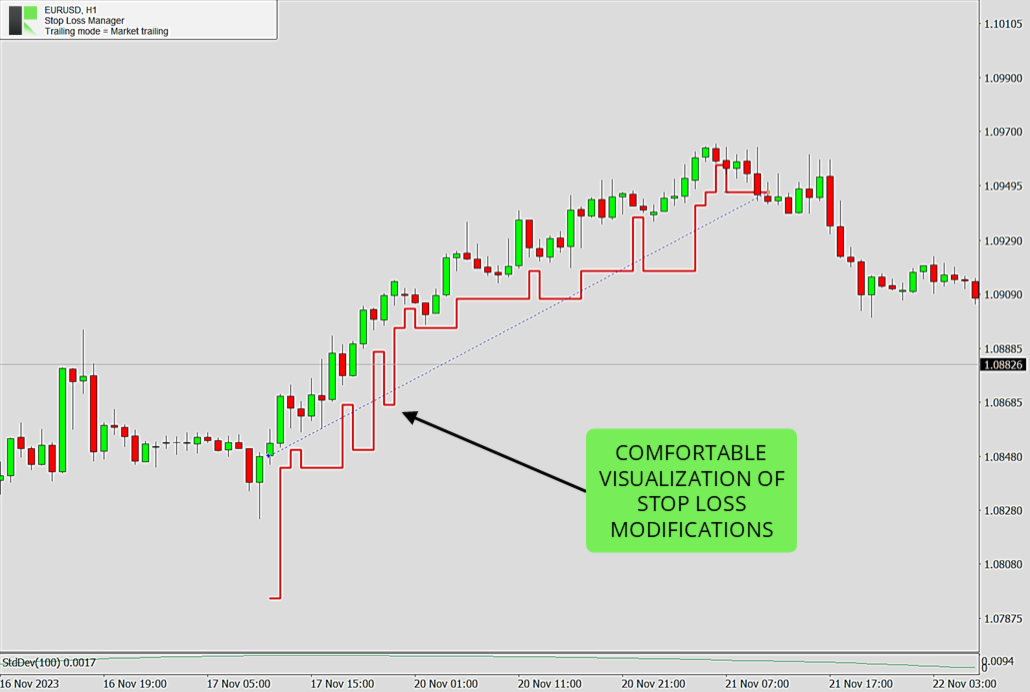
Market Trailing: Follows the most recent candlesticks, using the open and close prices of the previous candles together with the spread to decide where the stop loss should sit. It also has a smart setback logic that can give the trade more room again when market conditions allow - this usually happens during phases of market exaggeration, when price has stretched too far in one direction. Two buffer settings, a fixed pip value and a spread-based value, let you fine-tune how much room the trade gets. A good fit for fast-moving day and swing trading.
-
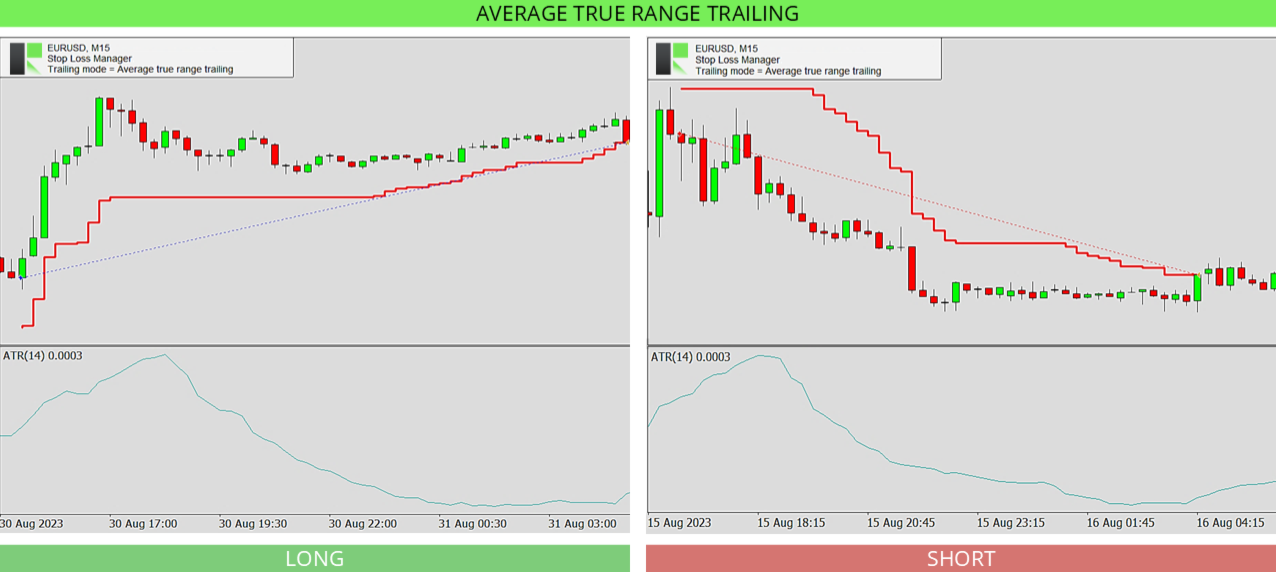
ATR Trailing: Uses the Average True Range indicator to set the stop loss distance based on how volatile the market currently is. You set the ATR period (default 14) and a multiplier (default 4.5). When the market moves more, the stop loss is kept further away; when it is calm, it stays closer. Helpful for protecting profits in volatile markets.
-
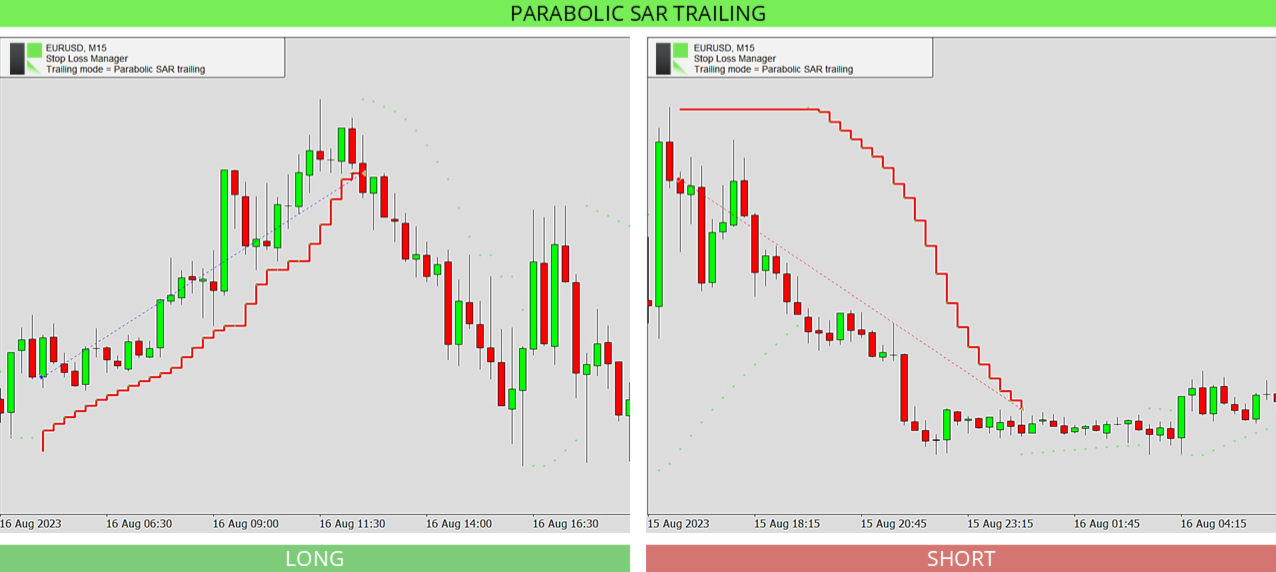
Parabolic SAR Trailing: Follows the Parabolic SAR indicator, which places dots above or below price to show the trend direction. You set the step and maximum values, and the stop loss follows these dots as the trend continues. On higher timeframes the dots can sit further from price, so the stop loss may appear to move less often.
-
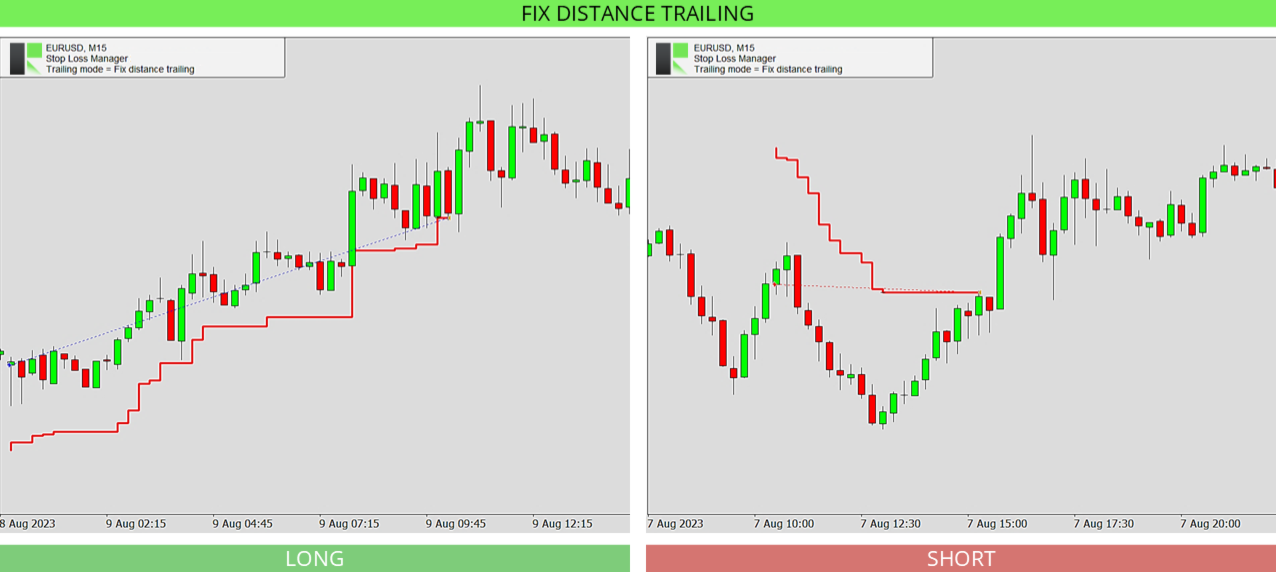
Fix Distance Trailing: Keeps the stop loss at a constant distance from the current price. As the price moves in your favor, the stop loss moves with it and locks in profit while staying the same set distance away. The distance can be adjusted directly on the chart.
-
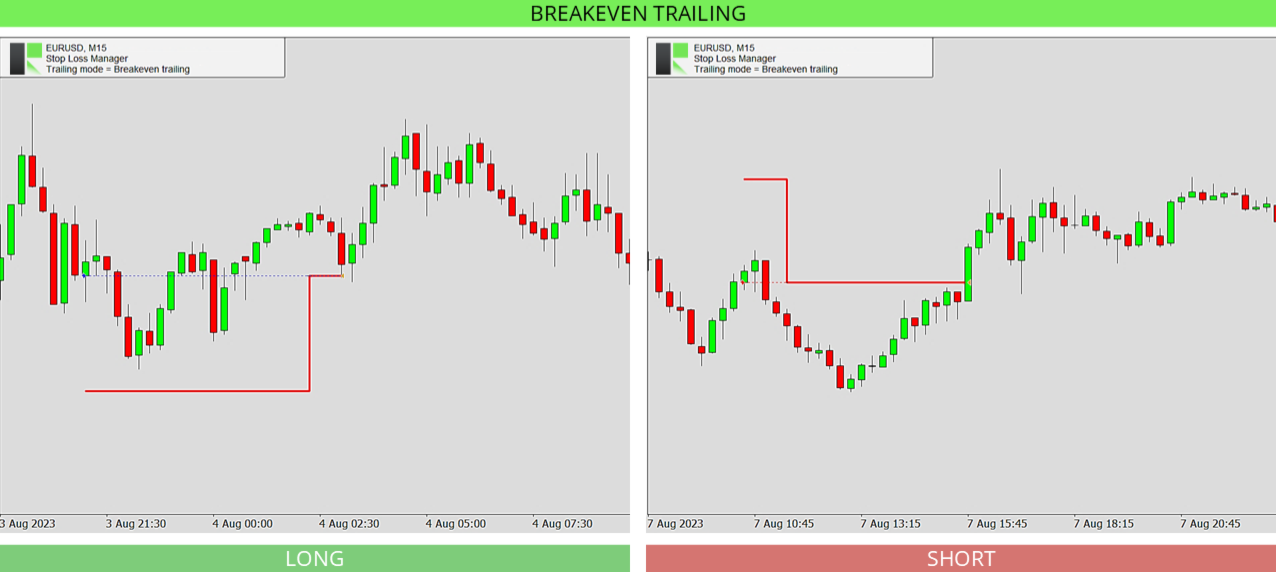
Breakeven Trailing: Moves the stop loss to your entry price once the trade reaches a set level of profit (the breakeven position, default 150), so the trade can no longer turn into a loss. Best used together with a take profit or with manual supervision.
Input Parameters
The settings are simple. You first choose your trailing method, then adjust only the values that belong to that method. The defaults are pre-optimized and ready to use.
-
Stop loss trailing mode: Selects the trailing method to use - Market Trailing, ATR Trailing, Parabolic SAR Trailing, Fix Distance Trailing, or Breakeven Trailing. The settings below only apply to the method you choose.
-
Market buffer fix: For Market Trailing. A fixed buffer in pips that is added to the stop loss to give the trade extra room. Default 14.0.
-
Market buffer spread: For Market Trailing. An extra buffer based on the current spread, so the stop loss adapts to wider or narrower spreads. Default 6.0.
-
ATRS period: For ATR Trailing. The number of candles used to measure volatility with the Average True Range indicator. Default 14.
-
ATRS multiplier: For ATR Trailing. How many times the ATR value is used for the stop loss distance. A higher number keeps the stop loss further away. Default 4.5.
-
PSAR step: For Parabolic SAR Trailing. The step (acceleration) of the Parabolic SAR indicator. A larger step makes the stop loss follow price more closely. Default 0.02.
-
PSAR maximum: For Parabolic SAR Trailing. The maximum acceleration of the Parabolic SAR indicator. Default 0.2.
-
Breakeven position: For Breakeven Trailing. How far the trade must move into profit before the stop loss is moved to your entry price. Default 150.
Frequently Asked Questions
Do I need any setup or experience to use the Stop Loss Manager?
No. It comes with pre-optimized default settings that work well in most market conditions, so you can attach it to a chart and start right away. More experienced traders can fine-tune every value.
Does it work with trades I open manually?
Yes. It automatically detects every trade you open on the current symbol and applies your chosen stop loss method, no matter how the trade was opened.
Which trailing method should I start with?
Market Trailing is a good choice to begin with. It follows the recent candlesticks, and the default settings suit most situations. You can switch to another method at any time.
Can I change the trailing method while a trade is open?
The trailing method is set when the application starts. To use a different method, change the setting and restart the application. This keeps the management of your trades consistent.
Can I use it in the strategy tester?
Yes. The Stop Loss Manager runs in the MetaTrader strategy tester, which is a great way to see how each trailing method works before using it on a live chart. Since you cannot place manual trades in the tester, the application automatically opens test trades in both directions, long and short, every 50 bars, so you can watch your selected method manage them. For the best experience, set the modelling mode to "Every tick" and move the speed slider to the second-fastest level.
What happens if my internet connection drops?
The Stop Loss Manager runs directly inside MetaTrader and keeps working, but a stable connection is recommended so your stop loss changes reach your broker without delay.
Which markets and timeframes are supported?
All of them. The Stop Loss Manager works on every currency pair, symbol, timeframe, and broker.
Other Versions
This is the free version of the Stop Loss Manager. It includes every feature and trailing method, but it actively manages only trades with a volume of 0.01 lots; any trade with a higher volume is ignored, so you can try the full application at no cost. An unlimited version that manages trades of any size is available in the Market:
Need help?
For detailed and personal support, feel free to contact us through our profile or leave a comment here.
More from us
We build a range of trading tools and expert advisors for MetaTrader. Browse all our products here.