Meta Extender for MT5
- Utilities
-
Tim Roman Zierer
 FEA Trading - Trade Like A Pro
Welcome to FEA Trading, your trusted partner for professional MetaTrader solutions. With nearly a decade of experience in software development, we deliver meticulously tested trading tools backed by German engineering quality. - Version: 3.101
- Activations: 5
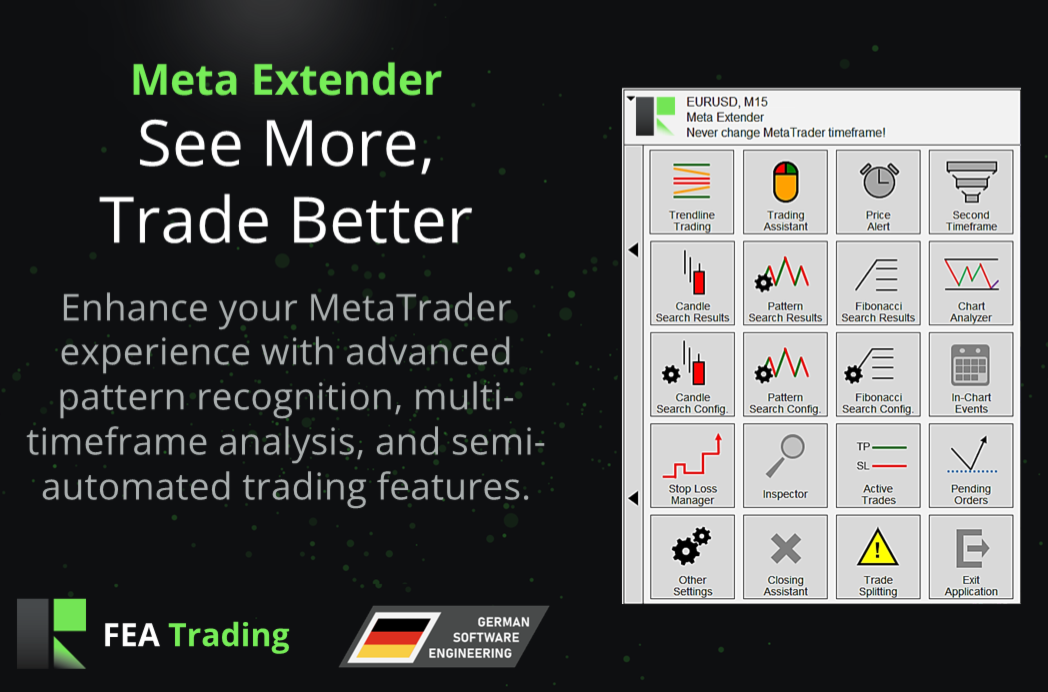
Meta Extender - See More, Trade Better. Over 20 Professional Trading Widgets
Additional materials and instructions
See More, Trade Better. One toolkit that upgrades your entire MetaTrader.
Try it free: a 14-day evaluation version is available on our website.
The Meta Extender is an all-in-one in-chart application that adds more than 20 professional trading widgets directly to your MetaTrader charts. Get smart position sizing, one-click risk management, automatic pattern recognition, multi-timeframe analysis, and advanced trade automation, all in a single, easy-to-use tool that does what standard MetaTrader cannot.
What It Offers: A complete trading toolkit built right into your chart. The Meta Extender brings analysis, order placement, risk management, performance tracking, and trade automation together in one clean interface, with powerful features that are not available in standard MetaTrader. Every widget works together, and each one can be turned on or off to match your personal trading style.
Key Benefits:
-
Automated swing analysis and pattern recognition
-
Real-time economic event alerts integrated into your charts
-
Multi-timeframe visibility on a single chart
-
Advanced stop loss automation
-
Real-time performance tracking across multiple time periods
-
Position scaling through trade splitting
-
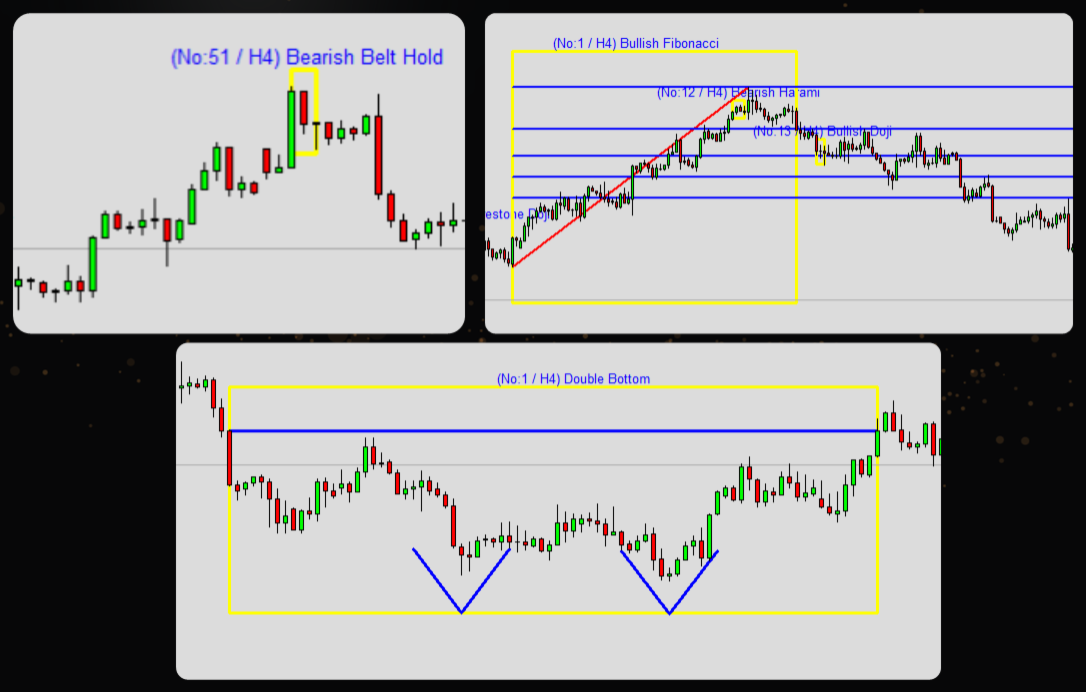
Candlestick, Fibonacci, and chart pattern detection
-
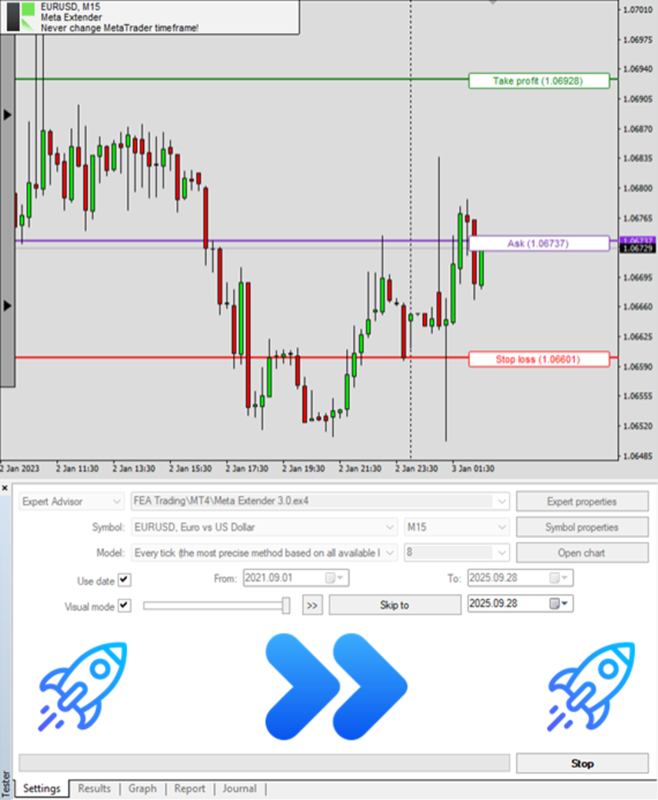
Full functionality within MetaTrader's strategy tester
Widgets at a Glance
The Meta Extender includes a full suite of widgets. Here are the highlights:
-
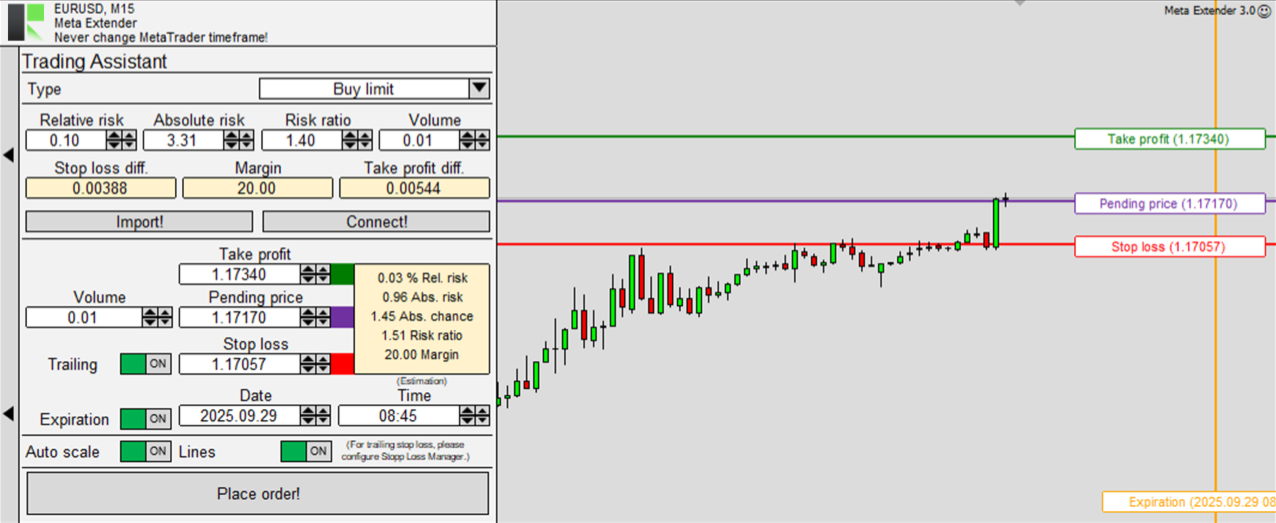
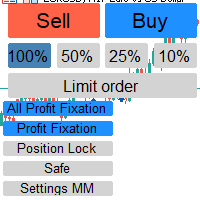
Trading Assistant: Place orders visually on the chart with built-in position sizing. See your risk, lot size, margin, and potential profit or loss before you click, so every trade fits your plan.
-
Stop Loss Manager: Protect every trade automatically with professional trailing methods, including Breakeven, Market, ATR, Parabolic SAR, Stepwise, Time-based, Linear Steps, and HiLo trailing.
-
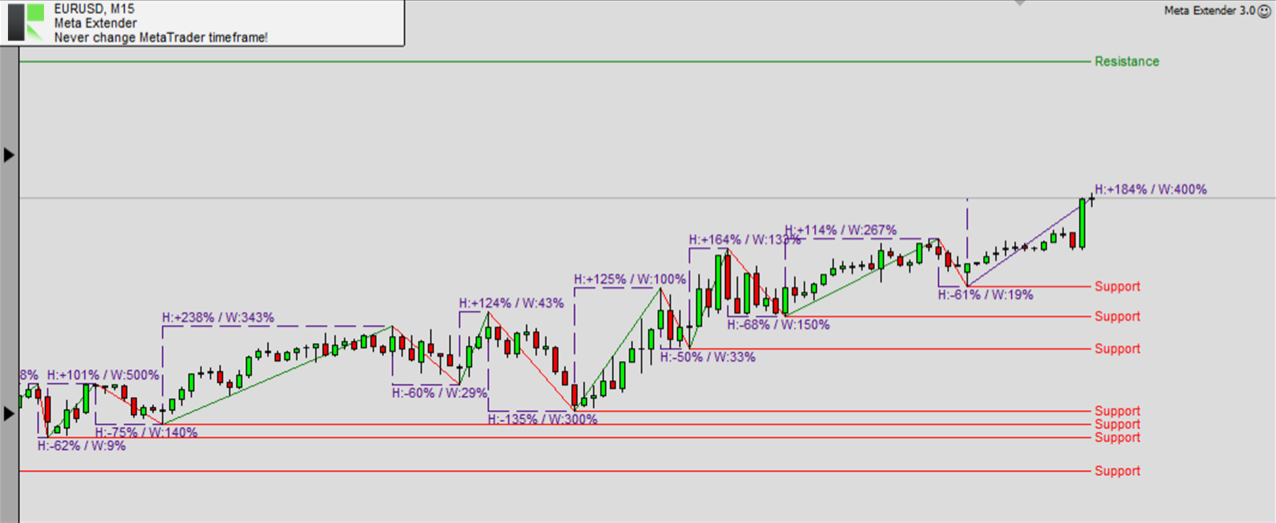
Chart Analyzer: Instantly detect support and resistance levels, swing phases, market structure, and retracement levels in real time, with no manual drawing needed.
-
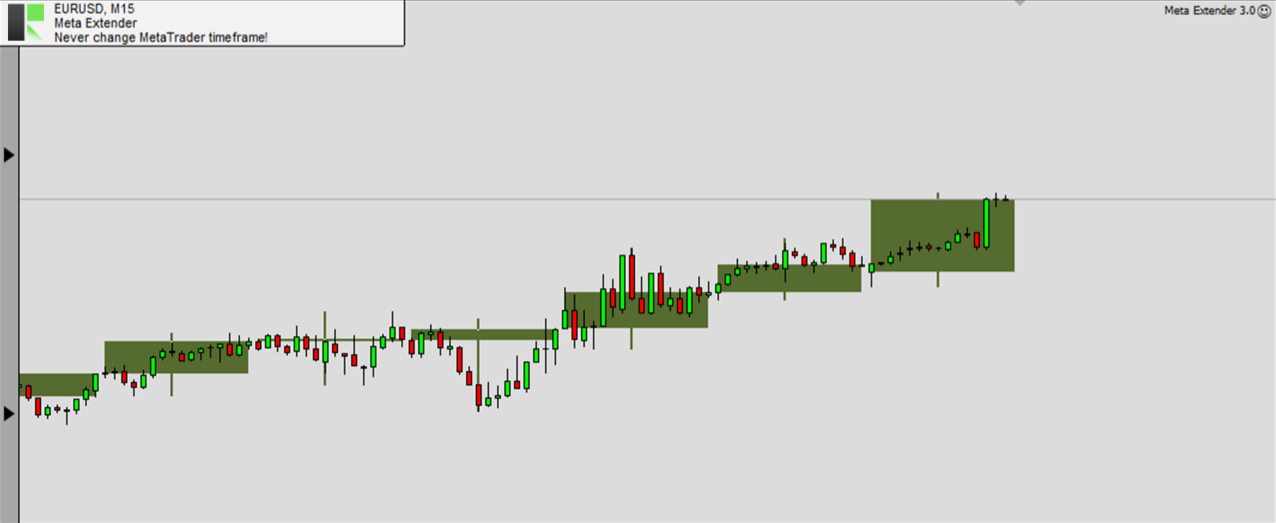
Second Timeframe: Overlay a higher timeframe directly on your active chart, so you see the bigger trend while timing precise entries, without switching windows.
-
Trendline Trading: Draw a trigger line and let the Meta Extender open a trade automatically when price crosses it. Choose breakout or channel modes, with attached stop loss and take profit lines.
-
Pattern Recognition: Automatically scan every timeframe for 24+ candlestick patterns, classic chart formations, and Fibonacci levels, all listed in clear, searchable tables.
-
Price Alert: Create unlimited custom price alerts and get notified by chart pop-up, email, and mobile push notification the moment a level is reached.
-
Inspector: Track your performance and drawdown in real time across daily, weekly, monthly, and yearly periods, with optional protection that pauses trading when your limits are reached.
-
Closing Assistant: Close many trades at once with a single click, by direction (buy/sell) or by performance (winning/losing), for fast exits when seconds matter.
-
Trade Splitting: Split a single position into up to four sub-trades for flexible scaling and partial profit taking.
-
Active Trades and Pending Orders: Clear panels that show all your open positions and pending orders at a glance, with quick management controls.
-
News Calendar: See upcoming economic events with impact ratings right on your chart, so you are never caught off guard by high-impact news. Due to technical constraints, this feature is not available in the Market version. A version that includes the news calendar is available on our website, through our profile.
How It Works: Attach the Meta Extender to any chart and the widgets appear instantly. Turn on the tools you need, adjust any setting on the fly through the simple widget interface, and trade as usual. Most settings can be changed while the application is running, and the included defaults are pre-optimized so you can start right away. Your settings save automatically and are restored when you reopen the same symbol. The Meta Extender also runs fully inside the MetaTrader strategy tester, letting you practice and fast-forward an entire trading day in just a few minutes. Works on all timeframes, currency pairs, and brokers.
Inputs and Settings
The Meta Extender keeps the input list short. Almost everything is configured visually, directly on the chart, through the widget interface, so in most cases you can leave the inputs at their pre-optimized defaults. The inputs are grouped by a short prefix that matches the widget they belong to, and the parameter names below are shown exactly as they appear in MetaTrader.
Profile (PRO)
-
Folder path (e.g. my_ea/v1): Controls where your personal settings are saved and restored. The default {SYMBOL}_{TIMEFRAME} automatically gives every symbol and timeframe its own saved profile, so your layout and settings are remembered the next time you open the same chart. Change it to share one profile across several charts.
Stop Loss Manager (SLM)
These inputs set the default values for the Stop Loss Manager widget's trailing methods. You only need to adjust the parameters that belong to the trailing method you actually use; the rest can stay at their defaults.
-
Breakeven position: Defines when the stop loss jumps to breakeven, measured relative to the initial stop loss distance (which counts as 100). A higher value moves the jump later.
-
Market buffer fix: A fixed buffer, in pips, added to the stop loss distance when using market trailing.
-
Market buffer spread: An additional market trailing buffer calculated by multiplying the current spread, so it adapts as the spread changes.
-
ATRS multiplier: The multiplier applied to the ATR value for average true range trailing. The raw ATR is usually too small to use directly; a common value is 3.5.
-
ATRS period: The number of bars used to calculate the ATR indicator for average true range trailing.
-
Steps size: The size of each step for stepwise trailing, relative to the initial stop loss distance (100).
-
Steps position: How far the price must advance before the next stepwise step is taken, relative to the initial stop loss distance (100).
-
Linear step: The step size for linear steps trailing; the stop loss increases by this amount after every closed bar.
-
Changing difference: The smallest amount by which the stop loss must change before it is actually moved. This avoids tiny, constant stop loss updates and keeps each adjustment meaningful.
-
HiLo period: The number of bars observed for HiLo trailing. The stop loss follows the highest high or lowest low within this period; a larger value keeps it further from price.
Inspector (ISP)
The Inspector watches your performance and drawdown in real time and can automatically pause new trades when a limit you set is reached. In each parameter name, abs is an absolute amount in your account currency, rel is a relative amount (for example 0.15 = 15%), min is a lower limit (a loss), and max is an upper limit (a profit). A value of 0.0 switches that single limit off.
-
Observer selection: Chooses which trades are monitored: only trades opened with the Meta Extender, all trades on the same Symbol, or all trades on your whole MetaTrader instance.
-
Performance limits - abs min, abs max, rel min, rel max: Pause new trades when the total profit or loss for the period reaches the threshold you set. Available for day, week, month, year, and since start.
-
Drawdown limits - abs max, rel max: Pause new trades when the result falls too far from its highest point. Available for day, week, month, year, and since start.
The day, week, month, and year limits reset at the start of each new period, using the equity at that moment as the new reference point, while the "since start" limits never reset. Full step-by-step details and examples for every parameter are available in the manual linked at the top of this description.
Frequently Asked Questions
Do I need trading experience to use the Meta Extender?
No. The default settings are pre-optimized and ready to use, so beginners can start right away, while professionals can fine-tune every parameter.
Will it slow down my MetaTrader?
No. The Meta Extender is built to run directly inside your chart without a noticeable impact on performance.
Can I use it in the strategy tester?
Yes. The Meta Extender is fully functional in the MetaTrader strategy tester, so you can practice on historical data and simulate a full trading day in minutes. For the best experience, set the modelling mode to "Every tick" and move the speed slider to the second-fastest level.
Do I have to use every widget?
Not at all. Every widget can be switched on or off independently, so you can build the exact toolkit that fits your trading style.
Which markets and timeframes are supported?
All of them. The Meta Extender works on every currency pair, symbol, timeframe, and broker.
Can it manage trades automatically?
The Meta Extender offers semi-automated features such as trailing stop loss management and trendline-triggered orders, while keeping you in full control of your trading decisions.
Need help?
For detailed and personal support, feel free to contact us through our profile or leave a comment here.
More from us
We build a range of trading tools and expert advisors for MetaTrader. Browse all our products here.