TradeCalc Pro MT5

TradeCalc Pro MT5 — trading calculators for MetaTrader 5 with interactive chart lines. Calculate position size, margin, pip value, swap, and profit by dragging Entry/TP/SL lines for visual trade planning.

Detailed article with screenshots: TradeCalc Pro MT5 — Complete Guide

Replaces 6 separate tools and instantly calculates risk directly on the chart. This utility is designed exclusively for analytical calculations and modeling — it does not execute trades or open real orders. The trading symbol and its contract specifications (such as minimum and maximum volume limits) are automatically determined from the current chart. The tool is fully universal: it works with all asset types (Forex, CFD, crypto, indices), supports hedging and netting accounts, and all parameters are saved and restored automatically.

Calculators

TradeCalc Pro MT5 includes six calculators accessible via navigation tabs:

  • TRADE — instant position size calculation in Auto Lot Size Mode or manually. Simply specify Stop Loss and Take Profit in pips — and immediately see R:R ratio, risk Risk Money / At Risk, potential profit Reward, collateral Required Margin, and minimum percentage of profitable trades for break-even Breakeven Win Rate. Interactive Entry/TP/SL lines allow you to visually plan trades directly on the chart.
  • ACCOUNT — real-time account status monitor. Displays current Balance, Equity, Margin Used, Free Margin, Margin Level, deposit load Margin Load, and Margin Call / Stop Out thresholds. Simulation mode SIMULATE allows modeling different scenarios using sliders.
  • POINTS — calculation of Value per Pip, Value per Point, and Tick Value for a specified volume with a configurable Pip Multiplier (1, 10, 100, 1000, 10000, 100000). Displays Pip Size, Point Size, and their ratio Relation. The multiplier is automatically applied in TRADE calculations.
  • MARGIN — margin requirements calculator for planned trades with leverage Account Leverage. Select Side (Buy / Sell), enter volume Lots and calculation price Price (with instant reset via Ask/Bid buttons) — the utility will instantly show isolated margin Required Margin, actually added margin to the portfolio Margin Added, projected free margin Free Margin After, projected margin level Margin Level After, and the exact account safety margin Distance to Margin Call / Stop Out.
  • SWAP — forecasting swap expenses for a planned holding period Days Held (with quick selection via 1 Day / 7 Days / 30 Days buttons). Shows daily and cumulative swap Total Swap Long / Total Swap Short, automatically determines the best direction Better Swap Side with the exact difference, and displays the broker's Swap Mode and triple swap day Triple Day.
  • PROFIT — calculation of potential result from opening price Open Price to Close Price / Profit in Points with automatic swap accounting for the holding period Days Held (with quick selection via 1 Day / 7 Days / 30 Days buttons). Select Buy / Sell direction, enter prices or use Use Profit in Points mode. The calculator will output trading profit Trade Profit, total swap Swap, and net financial result Net Profit.

Features

  • Six professional calculators in one compact interface
  • Visual planning of order parameters with interactive draggable Entry/TP/SL lines on the chart
  • Real-time margin monitor displaying Margin Level and Margin Load
  • Point, pip, and tick value calculator with customizable Pip Multiplier (Value per Pip, Value per Point, Tick Value)
  • Margin calculator for modeling planned trades with safety margin calculation (Distance to Margin Call / Stop Out)
  • Swap calculator for expenses over a planned holding period Days Held
  • Profit/loss calculator taking swap into account with net result calculation (Net Profit)
  • Position size calculation with multiple modes in Auto Lot Size Mode
  • Stop Loss and Take Profit in pips with risk/reward ratio calculation (R:R)
  • Risk Risk Money / At Risk, profit Reward in account currency, and Breakeven Win Rate
  • Automatic synchronization of symbol Symbol and volume Lots
  • Synchronization of the Pip Multiplier between the POINTS and TRADE calculators
  • Broker commission accounting in Commission Mode for precise position size calculation
  • Dark and Light themes — switch color scheme with one click
  • High-quality graphics with smooth rounded forms of interface elements
  • Crisp and adaptive display on screens with any resolution and high DPI
  • Automatic saving and restoring of all utility settings between launches

I would greatly appreciate a positive review if you like the product. If something is not working for you — send me a private message and we will find a solution. Suggestions for new features are welcome — your ideas help improve and develop the product.

Contacts

Recommended products
Martingale Osw MT5
William Oswaldo Mayorga Urduy
User Manual: Advanced Martingale Management and Risk Control System This professional manual describes the operation, configuration, and visual interface of the Advanced Martingale order management system, designed to automate position recovery and risk management in MetaTrader. 1. Introduction and Purpose This tool acts as a high-precision order manager whose main logic is cost averaging. Its purpose is to protect and recover trades that move against the initial direction by deploying a netwo
RSImaxmin
Carlos Andrés Moya Erazo
4.5 (10)
The indicator shows when there are overprice and divergences on the RSI. In addition, it has configurable alerts, dynamic overprice levels and a special “RSI cleaner” function. The indicator that automatically calculates the premium rates! RSImaxmin is an indicator based on the Relative Strength Index (RSI) oscillator that effectively identifies changes in price trends as it reflects the relative strength of bullish movements compared to bearish movements. It is widely used by traders to measur
Meditation Seed: Meditation is a practice in which an individual uses a technique – such as mindfulness, or focusing the mind on a particular object, thought, or activity – to train attention and awareness, and achieve a mentally clear and emotionally calm and stable state.[1][2][3][4][web 1][web 2] Meditation is practiced in numerous religious traditions. The earliest records of meditation (dhyana) are found in the Upanishads, and meditation plays a salient role in the contemplative repertoire
FREE
Equity Shield 2
Algori Systems FZ-LLC
Equity Shield 2 for MT5 Equity Shield 2 monitors your account limits while you trade. Set daily drawdown, maximum drawdown, daily profit and account profit targets, then track your remaining room live from one on-chart panel. When an enabled limit is reached, Equity Shield 2 can close your open positions and alert you. Built for prop firm challenges and traders who want an additional layer of account protection. Account protection Monitor up to four account limits: Daily drawdown Maximum accoun
Sync In Many Ways MT5
Sa No Tsuyoshi Kokorozashi
Description This is a Utility tool for MT5 which will make our chart analysis task quite more efficient and save large amount of time. As for chart analysis, some are watching out several symbol simultaneously with single timeframe and others are trading only one single pair with   multi timeframe analysis. For both, a common troublesome issue is “scroll chart to look back” or “draw chart objects” in multi charts at the same time.  Especially for those who are trading with multi timeframe soluti
Tenha a boleta do ProfitChart no seu Metatrader! ........................ Agora é possível ter a boleta do profit no seu Metatrader. Envie ordens de compra e venda, acompanhe o mercado e simule estratégias em momentos de mobilidade, diretamente do seu Metatrader5. Gestão de riscos e otimização de lucros são dois princípios básicos de qualquer operação bem-sucedida. Nesse sentido, utilize as ferramentas de  STOPMOVEL, TRAILING STOP, STOPGAIN E ORDENS PARCIAIS DE SAÍDA.       Funcionalidades do
LotMaster AI
Oleksandr Kashyrnyi
LotMaster AI – Smart Lot Sizing & Risk Control! Automatic lot calculation and deposit protection for stable trading! What is LotMaster AI? This expert advisor automatically calculates trade volume based on your deposit and selected risk percentage. No more guessing how many lots to place – LotMaster AI does it for you , considering Stop Loss and market conditions . Features: Automatic lot size calculation – based on deposit size and chosen risk percentage. Supports all order typ
FREE
Volume Flow Binance
Thalles Nascimento De Carvalho
Volume Flow Binance! Have you ever imagined accessing the times and trades of your favorite cryptocurrency, with detailed insights into volume flow and price movement analysis, even if your broker doesn’t offer complete trading history access? With Volume Flow Binance , that’s now a reality! This MQL5 script is designed for cryptocurrency traders seeking a detailed view of real-time market dynamics. Key Features: Direct access to the times and trades of any cryptocurrency listed i
FREE
Gamma Edge Pro MT5
Xuan Nam Diep
1 (1)
Gamma Edge Pro MT5 — GexBot Classic API Integration Gamma Edge Pro brings institutional-grade Gamma Exposure (GEX) data directly onto your MetaTrader 5 chart — the same data used by professional options traders to anticipate price magnets, hedging flows, and dealer positioning. Powered by the GexBot Classic API, this indicator automatically maps options market data from US-listed instruments onto any MT5 CFD instrument — Forex pairs, Gold, indices, and more — with intelligent price conversion bu
PropGuard OS — The Airbag for Your Prop-Trading Account Risk Manager | Trade Panel | Prop Firm EA | FTMO & Funding Pips Ready Be honest: How did you really lose your last challenge? Was it the strategy? Probably not. It was that one moment : The moment a small loss turned into a revenge trade. The moment you “just quickly” bent the rules. The moment your brain screamed “BUY” while your plan said “STOP”. You wouldn’t drive a car without a seatbelt. So why risk a $100,000 account without PropGuar
LineaResultadoyEjecucion
Juan Luis De Frutos Blanco
Result and Execution line, which shows the net global position, the expected profit at a given price level, and its percentage of the account balance. Additionally, with the line unselected, it executes position and/or order closing actions. You can move the line from one price to another by selecting it, to obtain information on the closing result of positions at different price levels. If you wish to close trades and/or orders, select this option in the EA parameters and then deselect the li
FREE
Professional account protection for prop-firm challenges and funded accounts. It monitors drawdown, open risk, news windows, trading sessions, manual trades, profit targets, and challenge progress in real time, then warns, locks, de-risks, deletes orders, or closes managed exposure according to your rules. Two draggable on-chart panels — Economic Calendar and Performance Stats — keep news planning and account analytics on the chart without leaving MT5. Built for Prop-Firm Traders This EA does no
Time Closer MT5
To Pui Kuen
5 (1)
Time Closer can help you closing all the open position at the specified time "Everyday". Mainly for Day trader that don't want to hold position overnight, or over different session, or over a specific time. Simple Parameter to use. Usage Download and drag Time Closer on the chart (Chart Symbol should be the same Chart Symbol as you want the position close) Check Allow AutoTrading is "On" Set parameters Input Parameters Turnon  True - Turnon the utility False - Turnoff the utility Close all Symb
Elliott Wave Helper
Siarhei Vashchylka
4.92 (13)
Elliott Wave Helper is a panel for constructing wave analysis. Manual (Be sure to read before purchasing) | Version for MT4 Advantages 1. Constructing wave analysis and wave structure in a few clicks 2. Availability of all wave analysis patterns, including triangles and combinations 3. All nine wave display styles, including a special circle font 4. Change colors and display styles of wave groups directly from the chart 5. Binding all elements to a set timeframe or timeframes 6. A template syste

OrderHelper MT5
Md Atikur Rahman
OrderHelper script is super easy and trader friendly to use. It would boost your trading experience. Because it is designed to open one to multiple orders quickly with just one click. Besides using the OrderHelper script, traders can define various parameters for open orders such as the symbol, order type, lot size, stoploss, takeprofit and more. Basically, with this script traders can manage their open orders more efficiently and save their trading time. OrderHelper manages: Open the number of
Position Limit Monitor: Efficient Control of Your Trading Operations Have you ever worried about having too many open trades simultaneously? Would you like precise control over the maximum number of positions in your account? Position Limit Monitor is the solution you need. Main Features: • Real-time monitoring: Constantly supervises the number of open positions in your account. • Customizable limit: Easily set the maximum number of positions you want to keep open. • Automatic closure: When the
This indicator helps you control several pairs in a small workspace, therefore, it is not necessary to open several charts on the platform to do so. The indicator shows sequentially up to 6 different pairs, besides that each of these pairs has a button with which you can stop the indicator to observe the selected pair. Place the indicator on a chart to monitor several pairs and the rest of your space use it on the chart of the pair you wish to observe in detail.   MT4 version       Parameters Ob
Introducing the BlackWing Signal Provider—an advanced EA designed to enhance your trading experience by facilitating seamless communication between your MetaTrader 5 platform and Telegram channels, groups, or individual users. Key Features: 1. Real-Time Event Notifications: Receive instant alerts on new trades, modified orders, closed positions, and deleted orders. Stay informed and make well-timed decisions. 2. Interactive Chart Snapshots: Share chart snapshots along with new trades and ord
TradeMetrics Pro
Hussein Adnan Kadhim
The TradeMetrics Pro indicator enhances trade analysis and performance evaluation by presenting trade history and metrics directly on the chart. It accomplishes this through three key features: Summary Trade Panel: The Summary Trade Panel provides a concise overview of open and closed trades. It organizes trade summaries by symbol, lots traded, pips gained or lost, profit, and advanced statistics. This panel enables quick assessment and comparison of trade performance across different symbols.
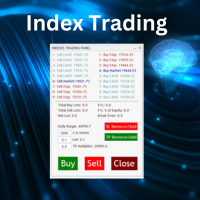
Nasdaq Future is a Semi Automated Trading Expert.  How does it work ? Simply Identify a strong trend, Up trend on Nasdaq for Example.  Click Buy, the Expert will open 9 trades 1. Market Execution  3. Buy Stop at Higher prices distanced space 0.5X from eachother 5. Buy limits orders below the Market price distanced 1X What is X ? X is the distance between two orders, for example in nasdaq, recomended to use between 50-70 points.  Can I control X ? Yes, in the control panel there is
ProTrade Control MT5 Buy this product and get a chance to win one of our other products! https://www.mql5.com/tr/users/bilisimprofesoru/seller Your Complete Trade Control Center ProTrade Control MT5 is a comprehensive trade management panel developed for traders who use manual and semi-automated trading methods. It allows you to manage order placement, risk calculation, position management, trailing stop, break-even, partial closing, scheduling, and many other functions through a single profes
Sinaleiro Trader
Renato Takahashi
O Sinaleiro Trader é o robô de daytrade que usa multiníveis de acordo com a abertura do dia. Assim, a cada rompimento dos níveis, o robô emite ordens de compra ou venda, de acordo com a tendência. Os stops podem ser fixos ou dinâmicos de acordo com os níveis. É possível configurar a distância do sinaleiro, bem como horários de trades e dias da semana. Alterar o parâmetro BR1 para BR.
The Definitive Performance Testing Solution for MetaTrader Environments What This Tool Does This specialized benchmark utility measures the performance of your MetaTrader environment, providing insights that impact your trading execution. Unlike generic system benchmarks, this tool evaluates performance specifically within the MetaTrader runtime environment. For Professional Traders & Developers: Performance Metrics : Measurements of calculation throughput and memory efficiency Trading-Specific
Quantum Titan MT5
Bogdan Ion Puscasu
4.76 (49)
Bringing institutional-grade trading to the Quantum ecosystem, Quantum Titan sets a new standard for precision, discipline, and proven live-market performance. Developed for traders who expect more from a GOLD Expert Advisor, Titan represents the next evolution of Quantum trading technology. Availability is strictly limited to 1,000 lifetime licenses worldwide. Once all 1,000 copies have been claimed, Quantum Titan will no longer be available. Special launch discount price. Final price $1999
Correlation Master
Agus Santoso
3.67 (3)
Blogs :  https://www.mql5.com/en/blogs/post/761835 MT4 Version :   https://www.mql5.com/en/market/product/122732 MT5 Version :  https://www.mql5.com/en/market/product/122733 CORRELATION MASTER : DOUBLE THE PAIRS, HALF THE RISK Smart EA for Negative Correlation & Auto Hedging Correlation Master is an automated Expert Advisor that utilizes the negative correlation strategy between currency pairs. By opening opposite positions on opposing pairs (e.g. EURUSD Buy and USDCHF Sell), this EA aims to
Hunter Scalper Fx
Fernando De Paljla Silva
O Hunter Scalper Fx usa uma confluência de vários indicadores, Price Action e filtros para identificar padrões específicos e gerar Sinais de entrada no mercado . Este setup é frequentemente usado por traders profissionais Ao redor do mundo. Se queres um EA seguro, o Hunter Scalper Fx é pra você. O Hunter Scalper Fx não usa AI, martingale ou Grid, não faz milagres, mas é seguro. Os resultados Aqui apresentados nas imagens são de (out of Sample), portanto, muito mais confiável, Além disso, inclui
Metis
Muhammad Farooq Ahmed
# METIS SYSTEM - THE ULTIMATE INTELLIGENT TRADE HUNTER & GUARDIAN Unlock the power of institutional-grade trading with METIS SYSTEM , the most advanced all-in-one trading solution designed for the modern trader. Named after the goddess of wisdom and strategy, Metis doesn't just analyze the market—it hunts for high-probability setups and guards your capital with relentless vigilance. ### Why Choose METIS? ### 1. Hexa-Strategy Auto-Trading Engine Metis is equipped with six specialized hunting st
Neuron Replay — Bar Replay & Paper‑Trading Trainer Neuron Replay turns any MetaTrader 5 chart into a TradingView‑style market replay and risk‑free practice simulator . Rewind any symbol to any point in its history, then step through it bar‑by‑bar — or auto‑play it — and practice your entries, exits and trade management on a fully interactive on‑chart panel. Every trade is 100% simulated (paper / "ghost" trading): the tool never sends a single real order to your account, so you can train your str
SQXHK presents MetaTrader 5 Expert Advisor:  Portfolio Peak2Valley Preserver EA (MAE/MFE Enhanced) Developer:   SQX.hk Visit SQX.hk for data science trading skills course using " StrategyQuant X " and AI Data Science platform " Tradotcom.com "! Take absolute control of your portfolio's exit strategy with Peak-to-Valley Profit   Preserver EA . Designed as a utility expert advisor, this tool continuously monitors your account's aggregate open positions and pending orders, executing an institutio
Candle Countdown Utility
AL MOOSAWI ABDULLAH JAFFER BAQER
Candle Countdown Know exactly when the next candle begins. Trade with perfect timing. Candle Countdown is a professional MetaTrader utility that displays a precise, real-time countdown timer for the current candle on any chart and timeframe. By showing exactly how much time remains before the current candle closes and the next one begins, the utility helps traders improve entry timing, manage exits more effectively, and avoid making decisions based on incomplete price action. Whether you're a sc
Buyers of this product also purchase
Trade Assistant MT5
Evgeniy Kravchenko
4.43 (216)
It helps to calculate the risk per trade, the easy installation of a new order, order management with partial closing functions, trailing stop of 7 types and other useful functions. Additional materials and instructions Installation instructions - Application instructions Line function -   shows on the chart the Opening line, Stop Loss, Take Profit. With this function it is easy to set a new order and see its additional characteristics before opening.   Risk management  - The risk calculation
Forex Trade Manager MT5
InvestSoft
4.98 (689)
Trade Manager MT5 is an advanced position size calculator and trade management tool for MetaTrader 5, designed to help traders plan trades faster, control risk more precisely, and manage open positions directly from the chart. It combines order placement, risk based lot calculation, Stop Loss and Take Profit management, Break Even, Trailing Stop, Partial Close, Equity Protection, and external trade management in one panel. Whether you trade forex, indices, metals, commodities, crypto, or future
FarmedHedge Pair Trading Dashboard
Tanapisit Tepawarapruek
5 (7)
Farmed Hedge Yield Farming | All Markets (Manual - Hybrid - Semi/Automated EA) VERIFIED TRADING RESULTS - Farmed Hedge Yield Axi Copy:  https://www.mql5.com/en/signals/2356376 - Farmed Hedge Yield Exn Copy:   https://www.mql5.com/en/signals/2356404 - Farmed Hedge Yield V Copy:  https://www.mql5.com/en/signals/2357156 IMPORTANT NOTICE: FarmedHedge is a MANUAL-FOCUSED TRADING UTILITY ,not a fully automated EA. Results shown on this Signal include manual trades and overall strategic management.
Telegram to MT5 MultiChannel Copier
Sergio Marquez Uroz
4.68 (22)
Telegram to MT5 Multi-Channel Copier   automatically copies trading signals from your Telegram and Discord channels straight to MetaTrader 5. No bots, no browser extensions, no manual copying. A signal arrives in Telegram or Discord and the EA opens the trade in your terminal within seconds. And before you copy a channel, the built-in backtester shows you what that channel would have done in your account. The product has two components: a Windows application that listens to your Telegram channel
Local Trade Copier EA MT5
Juvenille Emperor Limited
4.94 (149)
Local Trade Copier EA MT5 is a fast and flexible trade copier for copying and managing trades between multiple MetaTrader 5 accounts on the same Windows computer or Windows VPS. It combines local trade synchronization with Receiver-side controls for lot sizing, risk management, trade filtering, symbol mapping, trade management and account protection. Set up your Transmitter and Receiver terminals in about 1 minute and copy manual or EA trades between accounts at the same or different brokers. U
Strategy Ledger Pro
Abdullah Uygar Tuna
5 (14)
Strategy Ledger Pro is a read-only account analysis panel for MetaTrader 5. It separates account results by Expert Advisor, strategy, symbol, and magic number, so you can see what each one really contributes. The panel is available in 11 languages: English, Français, Deutsch, Español, Italiano, Português, Русский, Türkçe, 中文, 日本語 and 한국어. Before you download the demo. The Market runs the demo of any paid product in the Strategy Tester only. This panel analyses the trades on your own account, and
Copy Telegram signals with your own trading rules Telegram to MT5 Signal Trader automatically copies text-based trading signals from public and private Telegram channels and groups into MetaTrader 5. Manage multiple providers and MT5 accounts from one desktop app, with individual risk and trade settings for each provider . No Telegram bot or API setup needed for copying. Simply sign in with your own Telegram account by phone or QR code and select the channels or groups you have already joined. Y
TradePanel MT5
Alfiya Fazylova
4.88 (170)
Trade Panel is a multi-functional trading assistant. The app contains over 50 trading functions for manual trading and allows you to automate most trading tasks. Application instructions: https://www.mql5.com/en/blogs/post/756482 Trial version of the application for a demo account: https://www.mql5.com/en/blogs/post/750865 How to install the application: https://www.mql5.com/en/blogs/post/756239 How to test the application in visual mode: https://www.mql5.com/en/blogs/post/770277 How to install
================================================================================ POC BREAKOUT - V20.72. Full Professional Grade Toolkit ================================================================================ POC Breakout is a full MetaTrader 5 trading dashboard for discretionary traders who want breakout signals, Point of Control (POC) context, volume profiles, order flow, market structure, news, alerts, and advanced trade planning in one professional workspace. Attached directly to you
MT5 to Telegram Signal Provider turns your trading account into a signal provider. Every trade action, whether manual, by EA or from your phone, is instantly sent as a message to Telegram. You can fully customize the format or use a ready-made template for quick setup. [ Demo ] [ Manual ] [ MT4 Version ] [ Discord Version ]     New: [ Telegram To MT5 ] Setup A step by step user guide is available. Key Features Ability to customize order details sent to subscribers You can create a tiered subs
VirtualTradePad PRO SE MT5 — professional trading control center for MetaTrader 5 VirtualTradePad PRO SE is a premium chart-based trading panel and trade-management workspace for MetaTrader 5 . It is designed for traders who want faster execution, clearer position control, structured trade management, visual level planning and a professional workflow directly from the chart. This is not only a BUY / SELL panel. PRO SE combines manual trading, pending orders, position management, partial exits, b
REVDEN AI Desk: Run Your Trading From One Conversation With Your Own AI, on REVDEN's Market Context Imagine running your trading from one conversation. REVDEN AI Desk brings it into MetaTrader 5: you ask your own AI how it reads the market, and it answers from REVDEN's full context on the symbols you trade, with their state, their risk picture and the releases ahead. Its proposals arrive with entry, stop, target and risk, and you approve the ones that fit. Your rules change the same way: write w
Trade copier MT5
Alfiya Fazylova
4.61 (57)
Trade Copier is a professional utility designed to copy and synchronize trades between trading accounts. Copying occurs from the account / terminal of the supplier to the account / terminal of the recipient, which are installed on the same computer or VPS . Before buying, you can test the demo version on a demo account. Demo version here . Full instruction here . Main functionality and benefits: Supports copying MT5> MT5, MT4> MT5, MT5> MT4, including MT5 netting accounts. * Supports copying Dem
News Trade EA MT5
Konstantin Kulikov
4.55 (11)
Present to you the useful robot that I have been using for several years. It can be used in both semi-automatic mode and fully automatic mode. >>> Chat <<< The program contains flexible settings for trading on the news of the economic calendar. It cannot be checked in the strategy tester. Only real work. Download the latest archive of settings: https://www.mql5.com/en/blogs/post/747929 Signals monitoring: https://www.mql5.com/en/signals/author/test-standart When creating your own sets of setti
Exp COPYLOT CLIENT for MT5
Vladislav Andruschenko
3.97 (35)
Professional Trade Copier for MetaTrader 5 Fast, professional, and reliable trade copier for MetaTrader . COPYLOT allows you to copy Forex trades between MT4 and MT5 terminals with support for Hedge and Netting accounts. COPYLOT MT5 version supports: - MT5 Hedge to MT5 Hedge - MT5 Hedge to MT5 Netting - MT5 Netting to MT5 Hedge - MT5 Netting to MT5 Netting - MT4 to MT5 Hedge - MT4 to MT5 Netting MT4 version Full Description +DEMO +PDF How To Buy How To Install How to get Log Files H
RETAILBERG FOOTPRINT CHART PRO — Order-Flow Workspace for MetaTrader 5 Version 7.00  |  Professional System  |  31 tools  |  One chart A full 150-page illustrated User Manual is included. Please read the full manual to understand this feature packed footprint chart elements and ui. https://www.mql5.com/en/blogs/post/777982 DEMO / STRATEGY TESTER — PLEASE READ FIRST
The Patch
Mian Rameez Ali
The Patch It never opens a trade. It walks behind the ones that did. Every open position, every pending order — checked twice a second for the one thing that's easy to forget: a stop, a target. Found bare, it doesn't ask. It writes the missing number in, measured in points from wherever the position began, and moves on to the next. No strategy, no opinion on direction. Just the quiet assumption that nothing should ever sit on the market unprotected — not because someone decided it shouldn't,
Telegram To MT5 Ultra
Mirel Daniel Gheonu
5 (5)
Telegram To MT5 — Signal Copier Turn the trading calls from your Telegram channels into real MT5 orders — automatically, on as many accounts as you like, with risk and rules fully under your control. Telegram To MT5 connects the VIP / signal channels you already follow on Telegram to your MetaTrader 5 terminal. A free companion desktop app reads the messages (even from channels that block bots), and this Expert Advisor executes them on your account — applying your own risk settings, symbol mappi
Next Update — Version 2.52 Coming Soon! [NEW] Get Ready for 4 Major New Features Designed to Enhance Your Market Analysis and Trading Workflow We’re taking market analysis to the next level with 4   new features designed to meet your trading needs. Introducing: TRADE OVERVIEW DASHBOARD CONFLUENCE AT ZONE STRONG & WEAK HIGH/LOW OPTIMAL TRADE ENTRY —  OTE 1. TADE OVERVIEW DASHBOARD  A dashboard that helps you understand the overall market picture more easily, providing guidance to support your
Grid Manual MT5
Alfiya Fazylova
4.73 (22)
Grid Manual is a trading panel for working with grid strategies. The utility is universal, has flexible settings and an intuitive interface. It works with a grid of orders not only in the direction of averaging losses, but also in the direction of increasing profits. The trader does not need to create and maintain a grid of orders, the utility will do it. It is enough to open an order and the "Grid manual" will automatically create a grid of orders for it and will accompany it until the close. F
Anchor Trade Manager
Kalinskie Gilliam
5 (8)
Your EAs cannot see each other, but Anchor can. Anchor gives you one place to coordinate your EAs, manage risk, and decide when trading is allowed. It works alongside the trading bots you already use without any changes to them. The Problem One EA opens a trade. Then another starts trading. The next thing you know, you wake up to multiple grids built across your account. Each EA may be doing exactly what it was designed to do, but together they can place far more risk on your account than you in
EA Portfolio Control & Cloud Monitoring for MetaTrader 5 Your EAs manage trades. KONTROL_01 manages your EAs. A control system for traders running multiple Expert Advisors on the same account. Coordinate EA activity, manage trading risks and monitor your setup remotely. A detailed User Manual is available via DM after purchase. IN PRACTICE Multiple EAs. No coordination. Your EAs trade independently, unaware of each other's activity. KONTROL_01 coordinates them, limits simultaneous activity a
The product will copy all telegram signal to MT5 ( which you are member) , also it can work as remote copier.  Easy to set up, copy order instant, can work with almost signal formats, image signal,  s upport to translate other language to English Work with all type of channel or group, even channel have "Restrict Saving Content", work with  multi channel, multi MT5 Work as remote copier: with signal have ticket number, it will copy exactly via ticket number. Support to backtest signal. How to s
Astro Trade MT5
Indra Maulana
5 (8)
25% discount on the release of the tool: only for the next 3 buyers Send a message to receive a demo version. AstroTrade Trading Assistant AstroTrade is a comprehensive multi-functional trading utility developed for the MetaTrader 5 platform. It integrates essential tools for trade execution, risk management, and technical monitoring into a single unified interface. The application is designed to assist traders in managing their daily operations through a visual and structured environment. Vi
Timeless Charts
Samuel Manoel De Souza
5 (9)
Timeless Charts is an all-in-one trading utility for professional traders. It combines custom chart types such as Seconds Charts and Renko with advanced order flow analysis using Footprints , Clusters , Volume Profiles , VWAP studies, and anchored analysis tools for deeper market insight. Trading and position management are handled directly from the chart through an integrated trade management panel , while Market Replay and Virtual Accounts provide environments for practicing trading skills and
Floor Watch
Syed Tauqeer Hussain Shah
Floor Watch One number, watched every thirty seconds: how far equity has fallen since the day began — or since its highest point, if it's told to trail the peak instead of the open. Cross the line and it doesn't argue. Every open position closes, every pending order vanishes, and anything that slips through afterward gets shut the moment it appears. Not asked. Removed. The floor holds until the clock turns 5 AM Pakistan time — then, and only then, does the day start over. One rule. No except
RS Trade Copier - the ultra-fast local trade copier with a real graphical interface. Stop typing account numbers manually. No more 200+ cryptic inputs. A reliable and flexible tool for copying trading operations between multiple MT5 and MT4 terminals. It suits experienced traders, signal providers, and individual investors. It enables trade synchronization from one or multiple Providers to one or multiple Clients with high precision and minimal latency. It supports simple automatic configuration
Seconds Chart MT5
Boris Sedov
4.61 (18)
Seconds Chart is a unique tool for creating second-based charts in MetaTrader 5 . With Seconds Chart , you can construct charts with timeframes set in seconds, providing unparalleled flexibility and precision in analysis that is unavailable with standard minute or hourly charts. For example, the S15 timeframe indicates a chart with candles lasting 15 seconds. You can use any indicators and Expert Advisors that support custom symbols. Working with them is just as convenient as on standard charts.
Power Candles Strategy Scanner - Self-Optimizing Multi-Symbol Setup Finder Self-optimizing settings work one chart at a time, and finding where they pay off right now means opening chart after chart. Power Candles Strategy Scanner runs the same self-optimizing engine as the Power Candles indicator on every symbol in your Market Watch, side by side. One panel ranks where it pays off: the winning strategy per symbol, its optimized Stop Loss and Take Profit. An alert fires the moment a fresh signal
Trader Evolution
Siarhei Vashchylka
5 (7)
" Trader Evolution " - A utility designed for traders who use wave and technical analysis in their work. One tab of the utility is capable of money management and opening orders, and the other can help in making Elliott wave and technical analysis. Manual (Be sure to read before purchasing) | Version for MT4 Advantages 1. Trading in a few clicks. Immediate and pending orders are available in the panel 2. Money management. The program automatically selects the appropriate lot size 3. Simplifies
More from author
Symbol Screener
Anatoli Kazharski
Symbol Screener is a professional multi-symbol, multi-timeframe indicator signal dashboard for MetaTrader 5. The application combines the signal table, mini-charts, and automatic detached window layout in one interface. You see the full market picture and switch to the required instrument faster. Detailed article with screenshots: Symbol Screener — Complete Guide If you need a version without indicator signal analytics, see Chart Manager by the same author. Symbol Screener gathers signals from 5
TradeCalc Pro MT4
Anatoli Kazharski
TradeCalc Pro MT4 — trading calculators for MetaTrader 4 with interactive chart lines. Calculate position size, margin, pip value, swap, and profit by dragging Entry/TP/SL lines for visual trade planning. Detailed article with screenshots: TradeCalc Pro — Complete Guide Replaces 6 separate tools and instantly calculates risk directly on the chart. This utility is designed exclusively for analytical calculations and modeling — it does not execute trades or open real orders. The trading symbol and
Chart Manager MT5
Anatoli Kazharski
Chart Manager is a multi-chart workspace organizer for MetaTrader 5. It arranges detached chart windows around the terminal in a flexible grid layout — letting you monitor multiple symbols and timeframes without manually resizing and positioning each window. Set up your trading workspace once and focus on the market. Detailed article with screenshots: Chart Manager — Complete Guide For indicator signals and multi-symbol screening, see Symbol Screener by the same author. Chart Manager focuses on
Equity Analyzer is a trading history analysis tool for MetaTrader 5. It helps you assess account performance, review trades by period and symbol, compare results across expert advisors, and find patterns in reports — from the current account or imported data. Detailed article with screenshots: Equity Analyzer — Complete Guide Equity Analyzer focuses on two core tasks: Equity Indicator — a balance and equity indicator in a subwindow of the terminal chart. Shows how balance and equity changed as t
Filter:
No reviews
Reply to review